Connect Power Block Wiring
To connect the Power Block wiring, complete all steps given below.
- Before any procedure, disconnect the power.
- Follow local code and site lockout/tagout procedure to de-energize the station.
- Wait for energy to dissipate (approximately five minutes).
- Keep power off until all covers and panels are reinstalled and the work is complete.
Disconnect Power
Disconnect power at the site electrical panel. Follow standard practice and local code to de-energize the applicable circuit and lock out/tag out the disconnect before proceeding. Use a multimeter to test that power is off.

Cut and Prepare Conductors
To cut and prepare conductors, complete the following steps:
-
Install lugs without the conductors onto bus bars and hand-tighten.
-
DC output
-
AC input
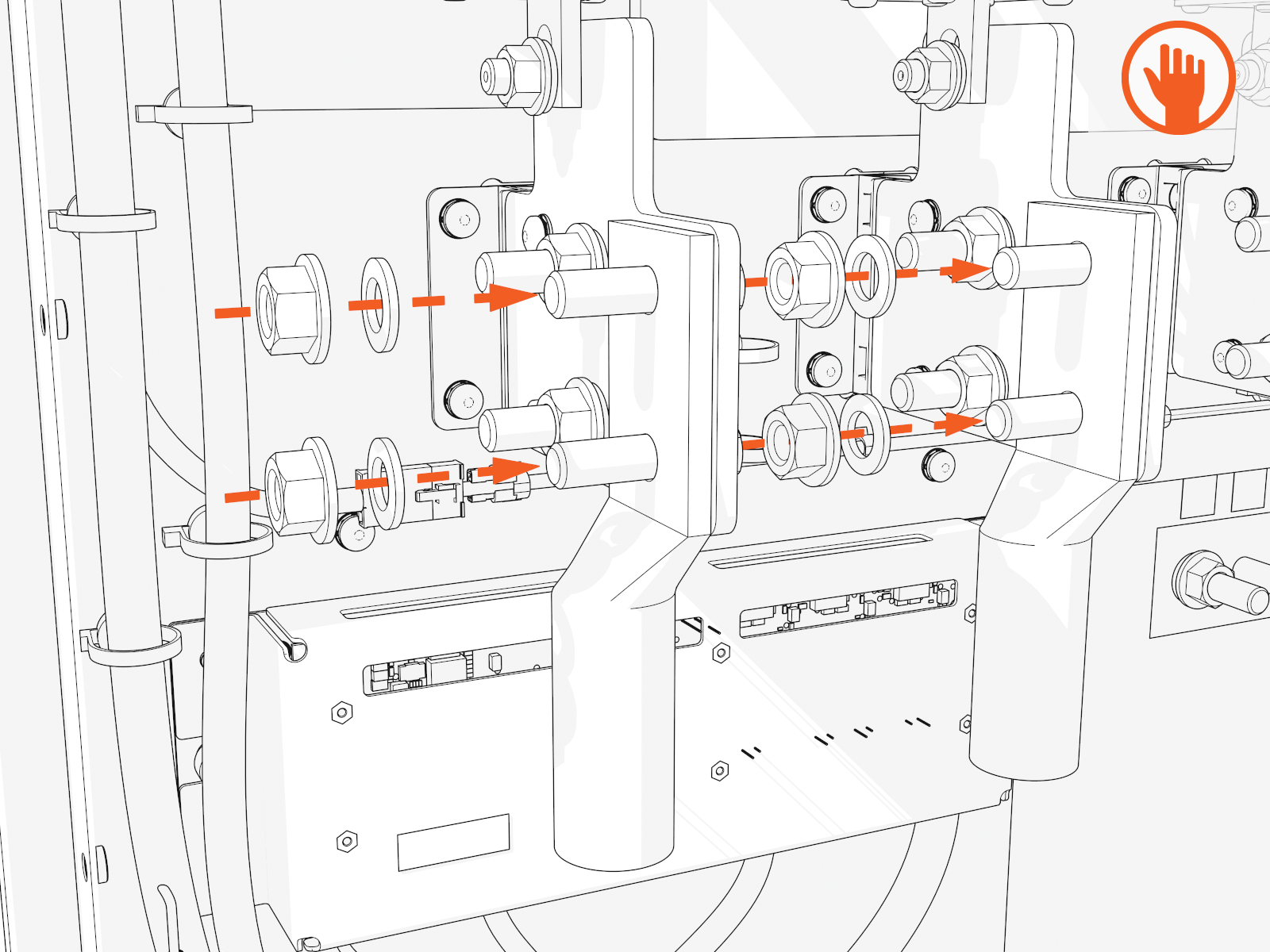
Use included bolts, washers, and nuts.
-
-
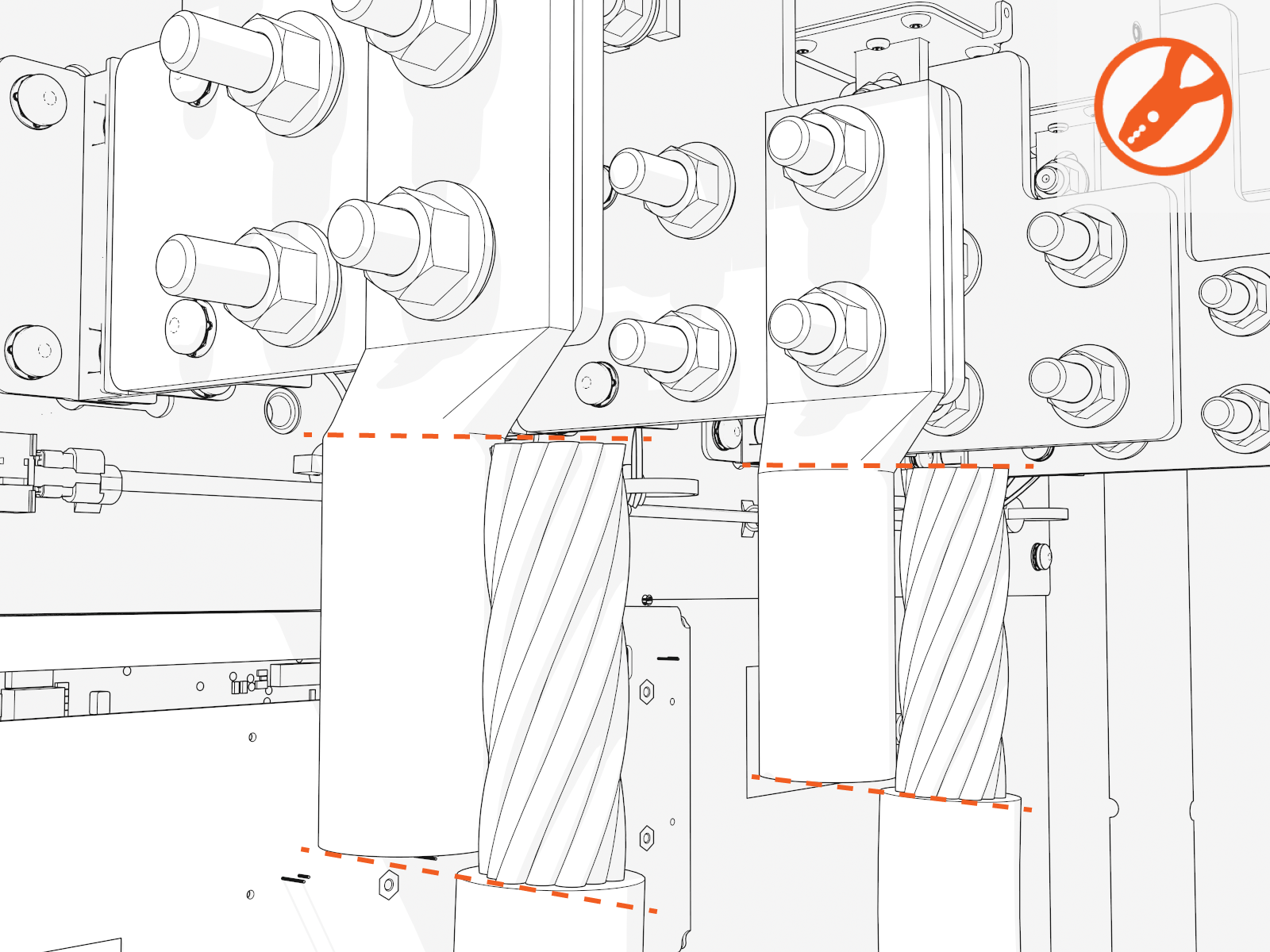
Measure the length from each conductor to its corresponding lug. Mark the conductor at the point where you will need to cut it.
-
Strip and cut the conductors to the desired length.
Install DC Fuse Kits
-
To prevent damage to the Bus bar insulators (plastic), the DC Fuse Kits should be installed before the DC conductors.
-
Route all wiring away from the fuses. Each fuse can reach very high temperatures.
-
The rating on the fuse label will be higher than the rating on the fuse packaging. This is normal and is done so that the fuse performance is sufficient at elevated temperatures.
In the DC Fuse Kit Box:
-
Make sure to install the PB amperage sticker that is included in this box.
-
Note that this DC Fuse Kit Box box could have been packaged and shipped to you using either one of the following two configurations: either as Type A configuration or as Type B configuration (see details below).
Type A configuration:
| Fuses | Contents |
|---|---|
|
|
Type A configuration contains:
|
OR
Type B configuration:
| Fuses and bus bars | Contents |
|---|---|
|
|
Type B configuration contains:
|
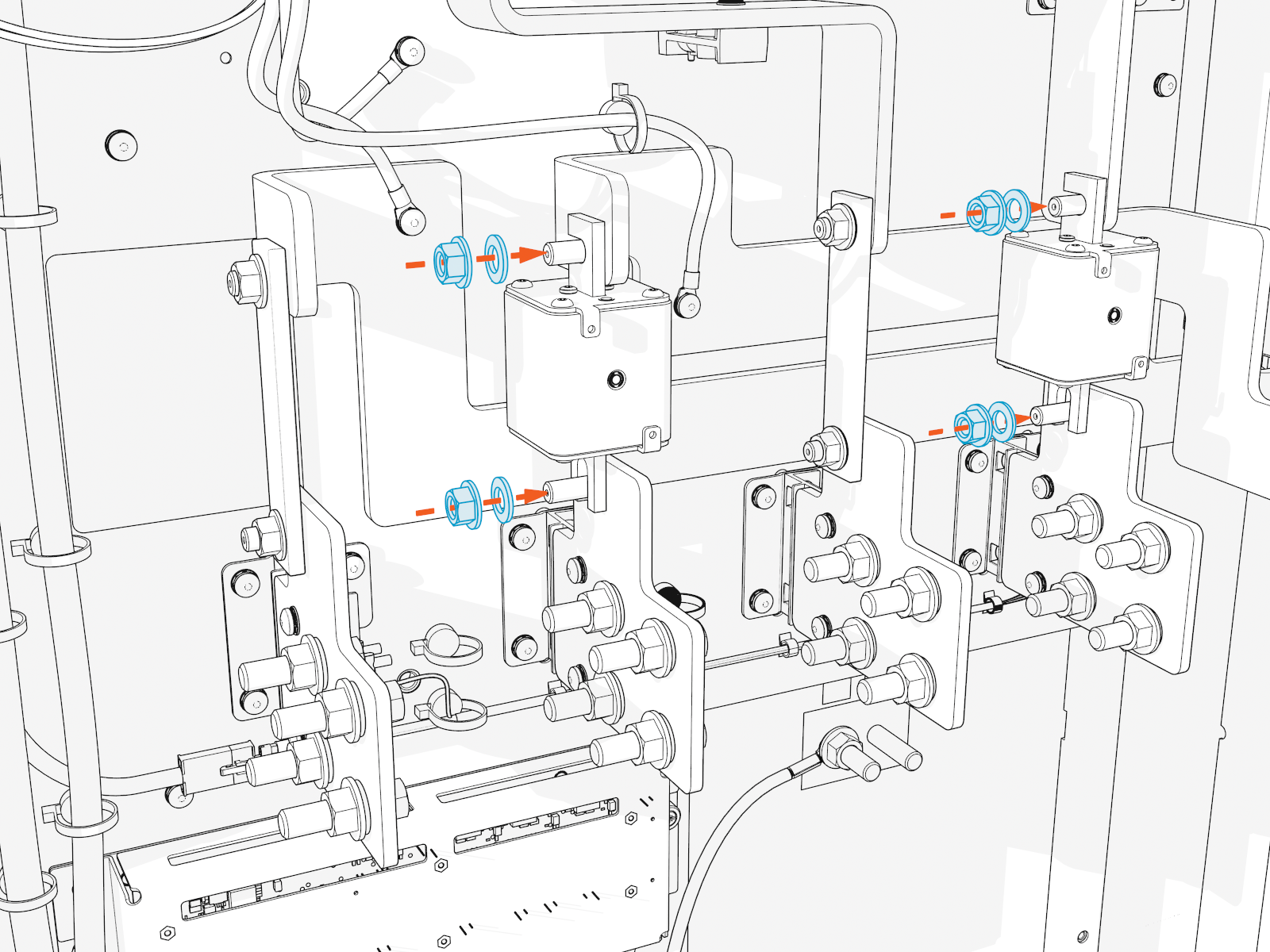
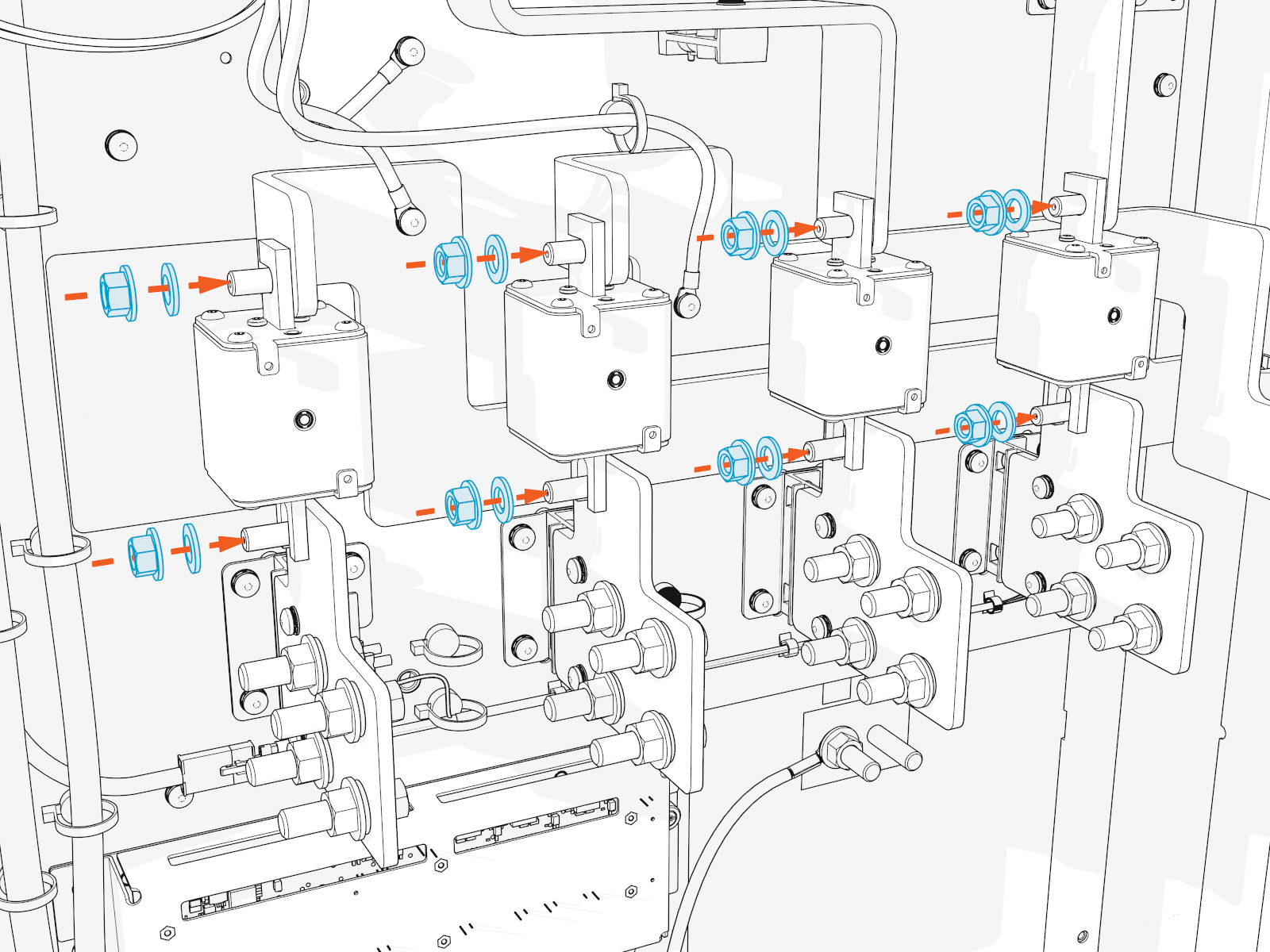
To install all DC fuses, complete the following steps:
-
Install all DC fuses (regardless of number of lugs used) between the landing bus bar and the DC bus bar. Torque to 19 Nm (14 ft-lb).
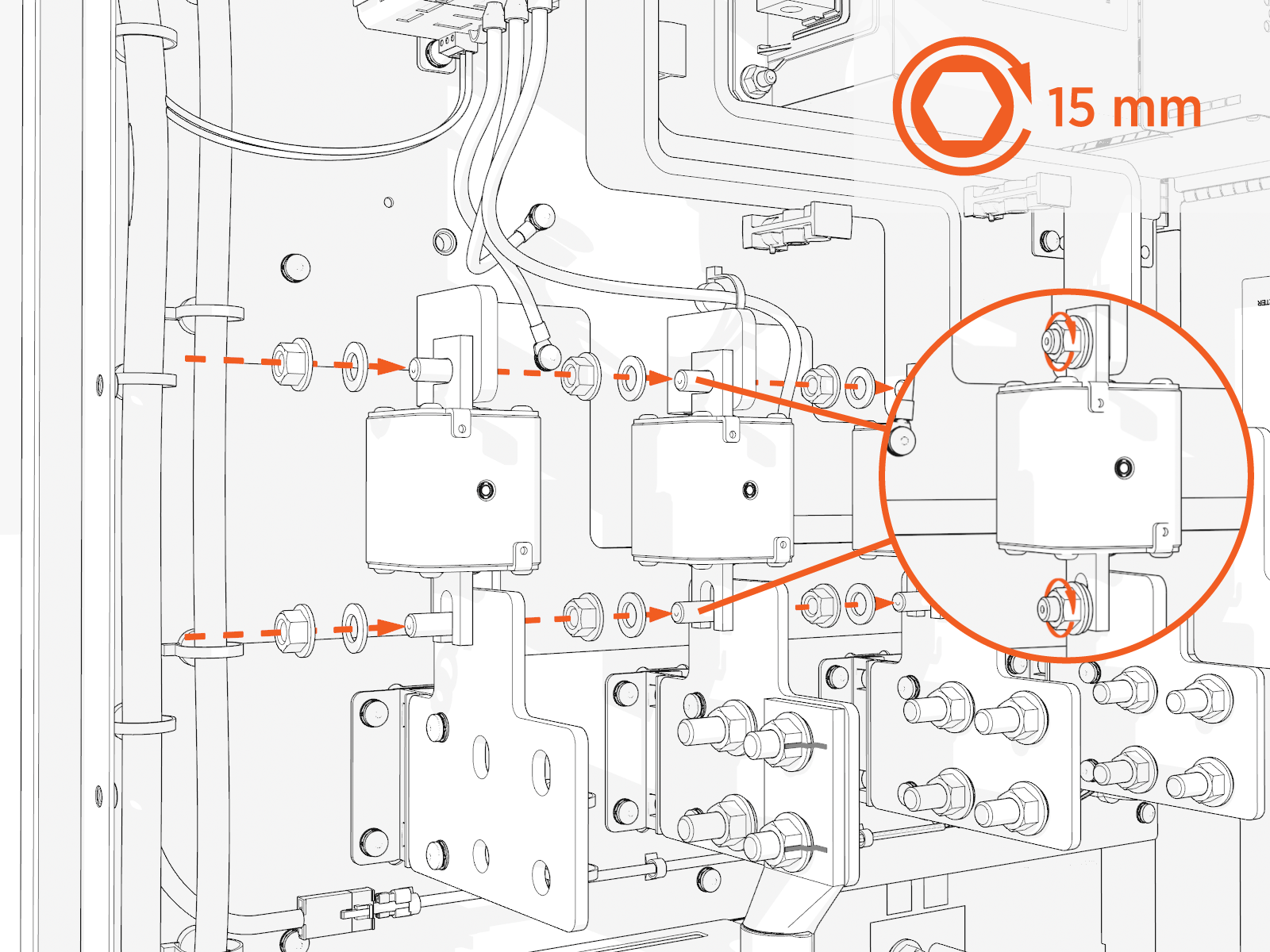
If you experience difficulty fitting the fuses into place, consult the Power Block Fuse Installation Service Bulletin for guidance.
Connect Wires
To connect wires, complete all steps given below.
Locate DC Output Wire Landings
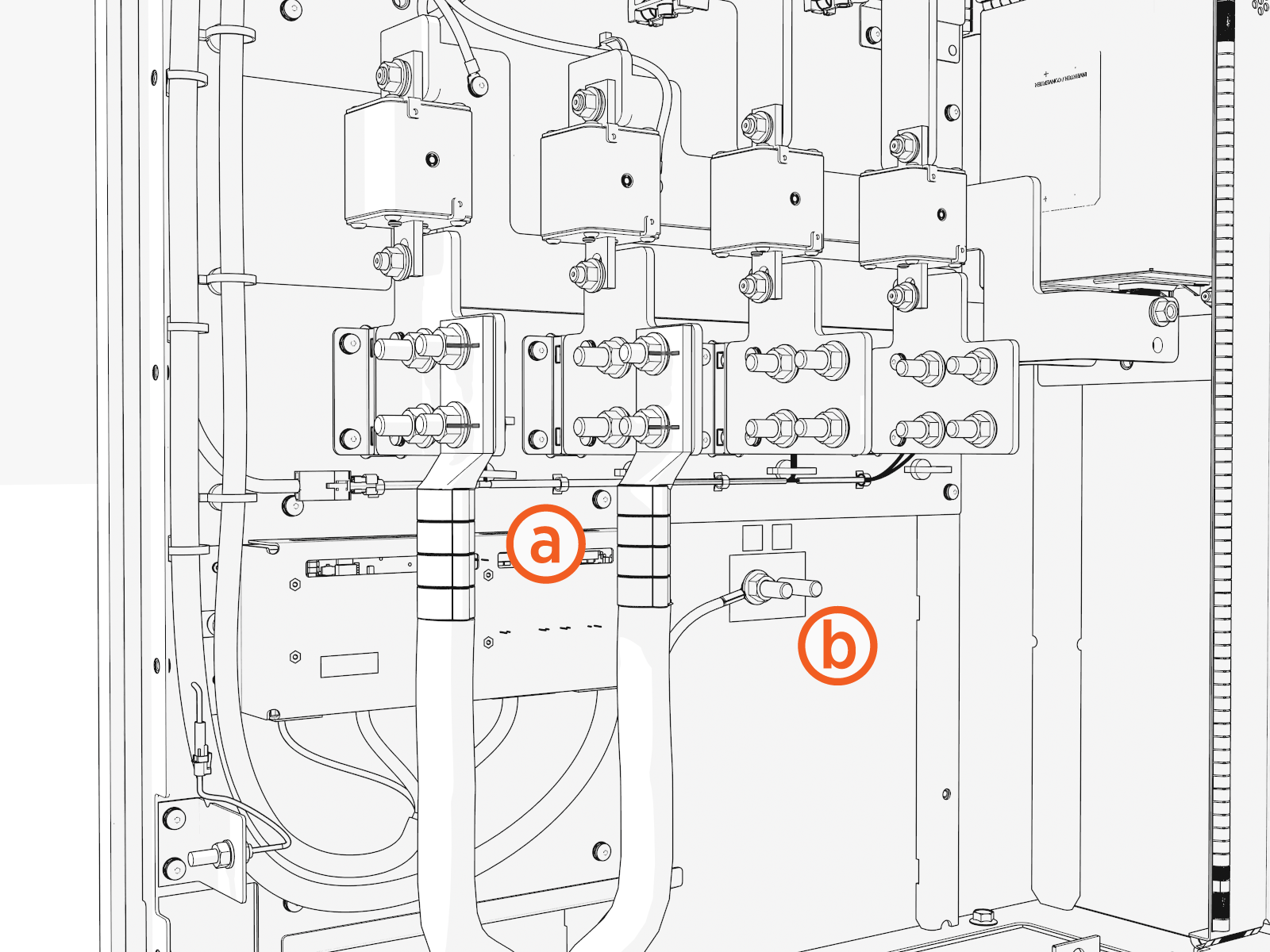
Locate the wire landing locations for the DC output and DC ground wires.
-
DC output lugs
-
DC ground wire
For each AC and DC bus bar, only one washer per bus bar hole is required, even if lugs are installed onto the front and back of the same bus bar.
Connect DC Output Wires
To install the DC output wires, complete the following steps:
-
Uninstall the lugs (if you installed them previously to measure length). Apply dielectric grease onto the back of each lug.
-
Crimp a DC output lug onto each conductor.
Use the lug manufacturer's crimp tool and die.
-
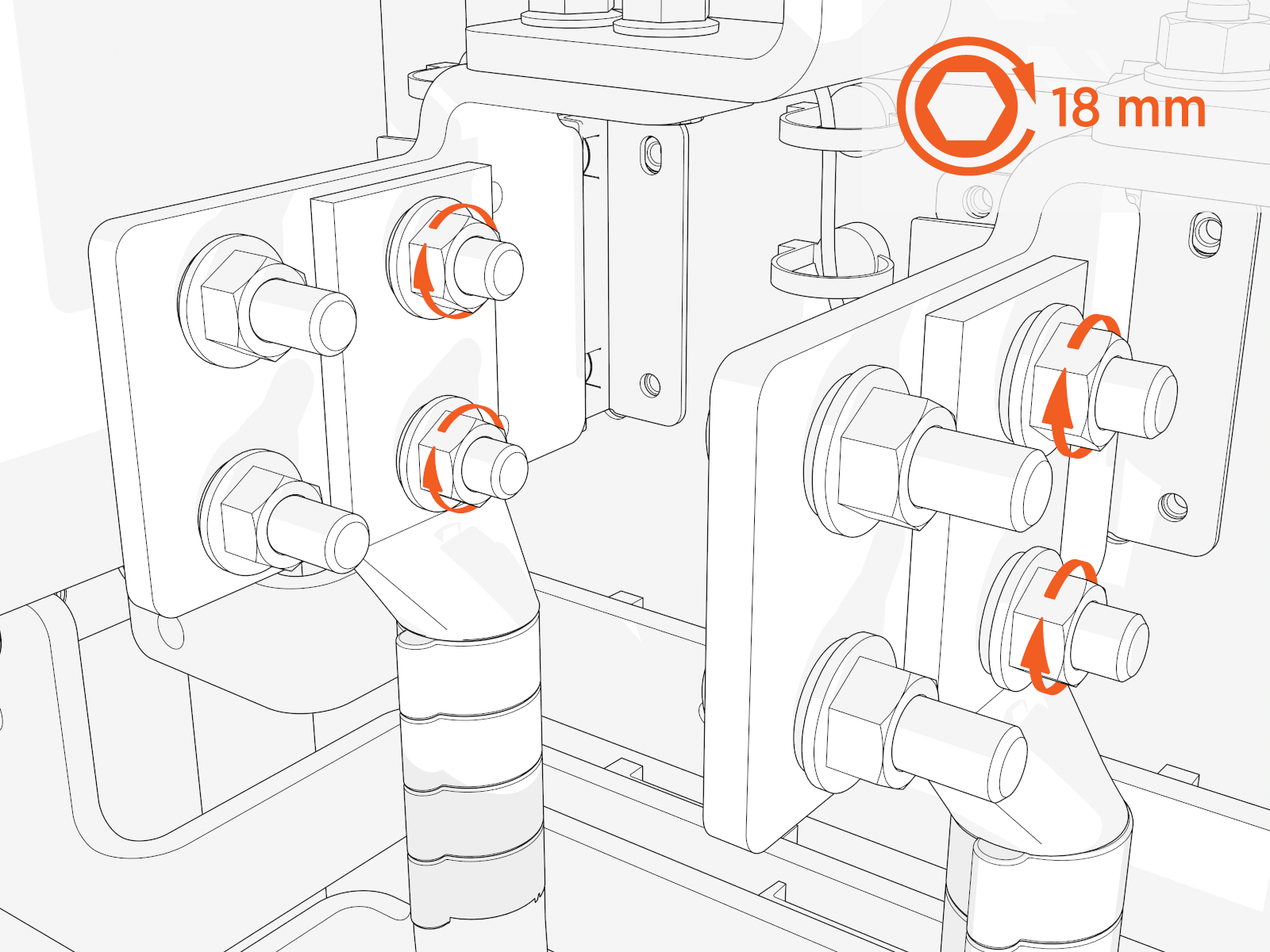
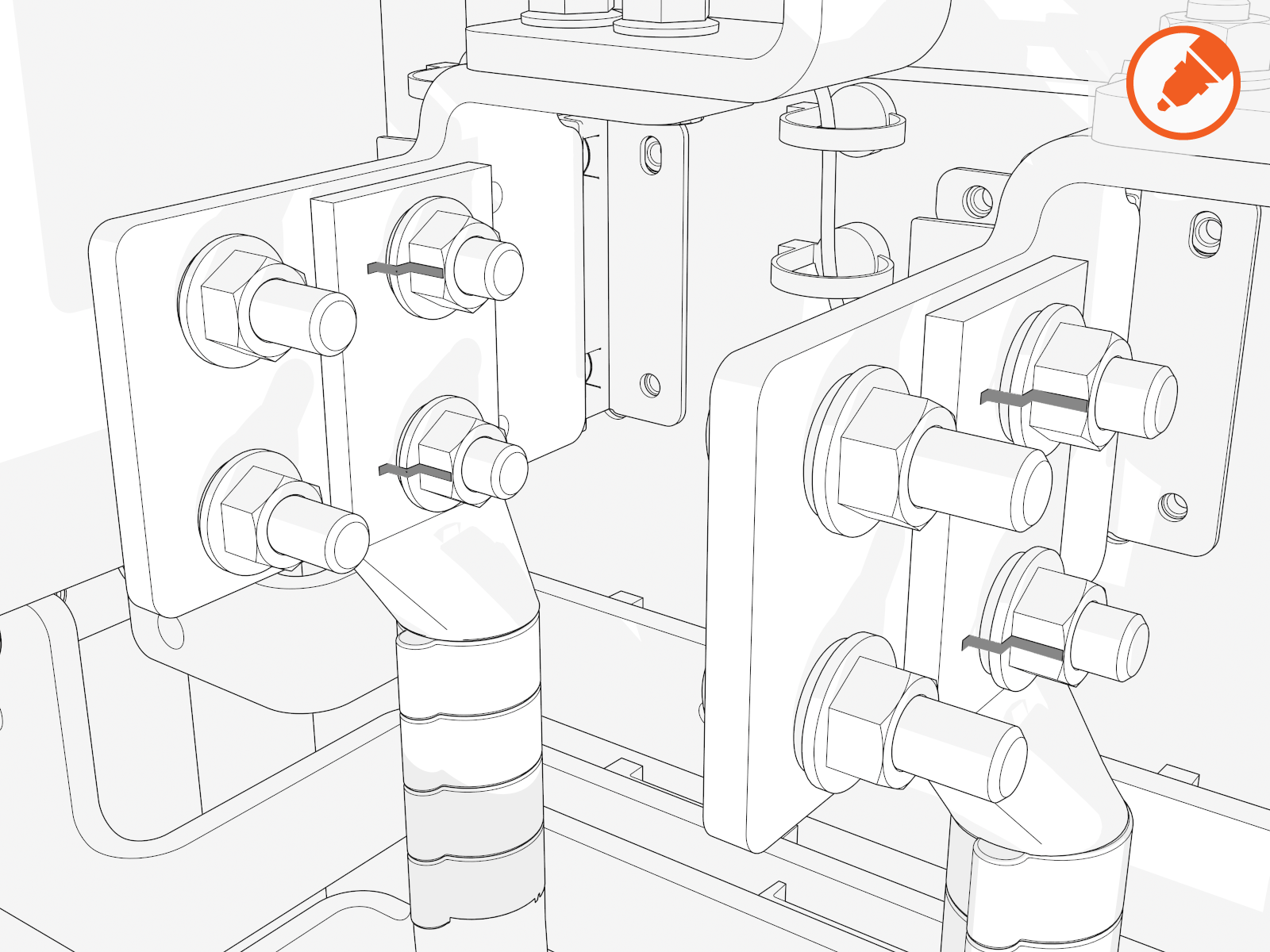
Install lugs onto each bus bar and torque fasteners to 21 Nm (15.5 ft-lb).
-
Mark all torqued power connections.
Connect DC Ground Wires
To install DC ground wires, complete the following steps:
-
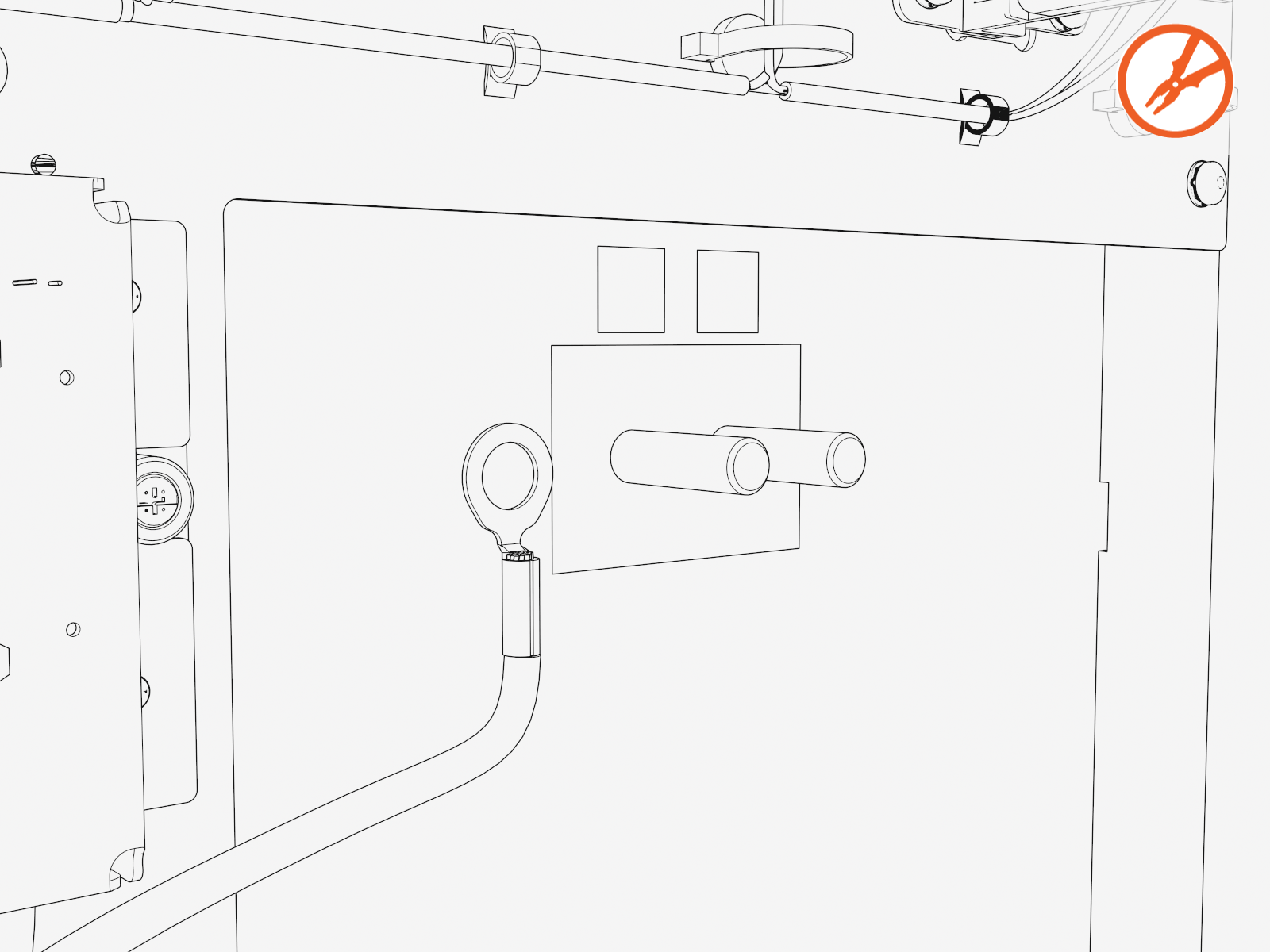
Crimp a 13 mm (1/2 in) single-hole lug onto the DC ground wire.
-
Connect the GND
 Ground (protective earth) service wiring to the stud on the left side of the enclosure.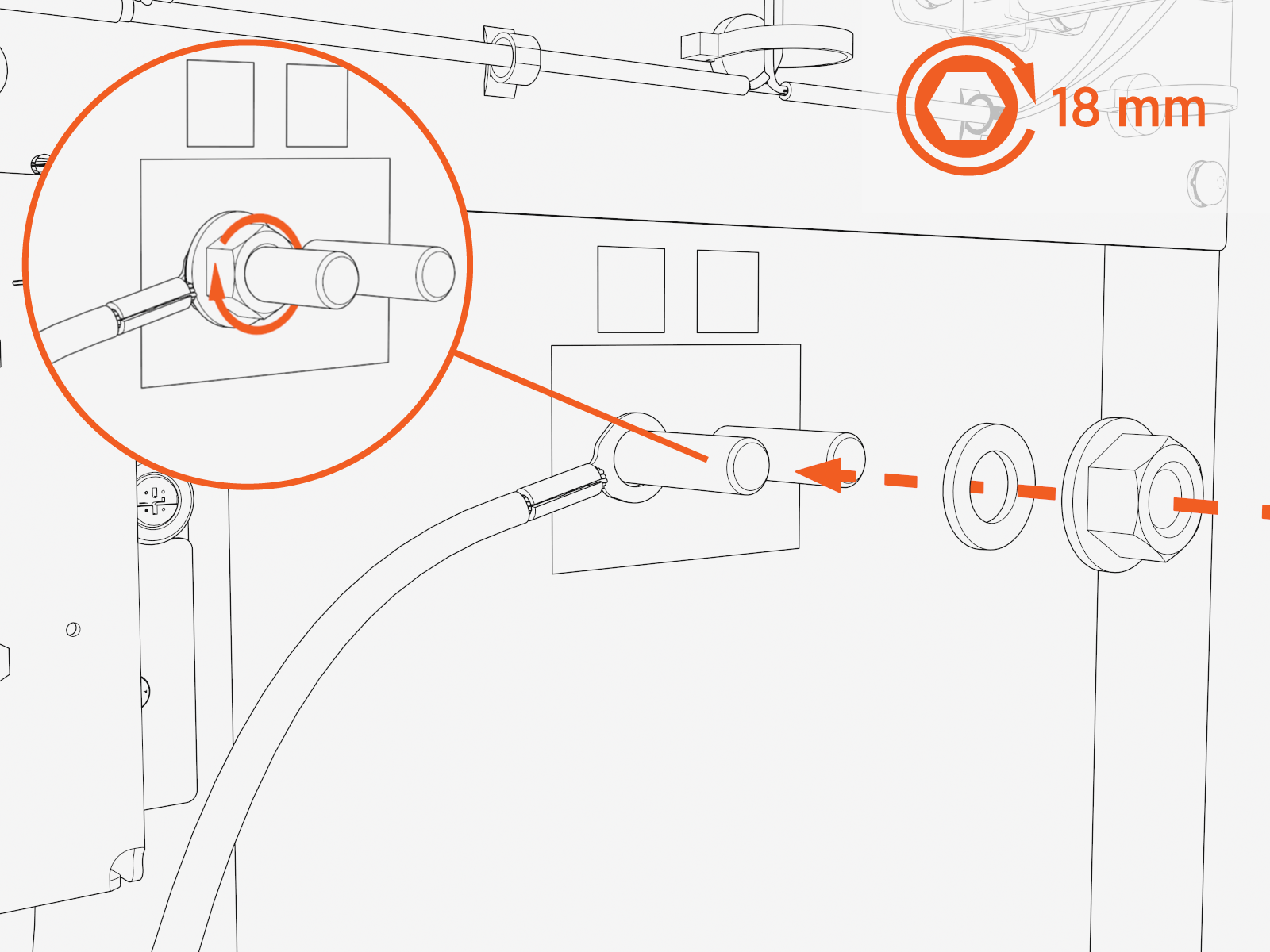
Adhere Ratings Label
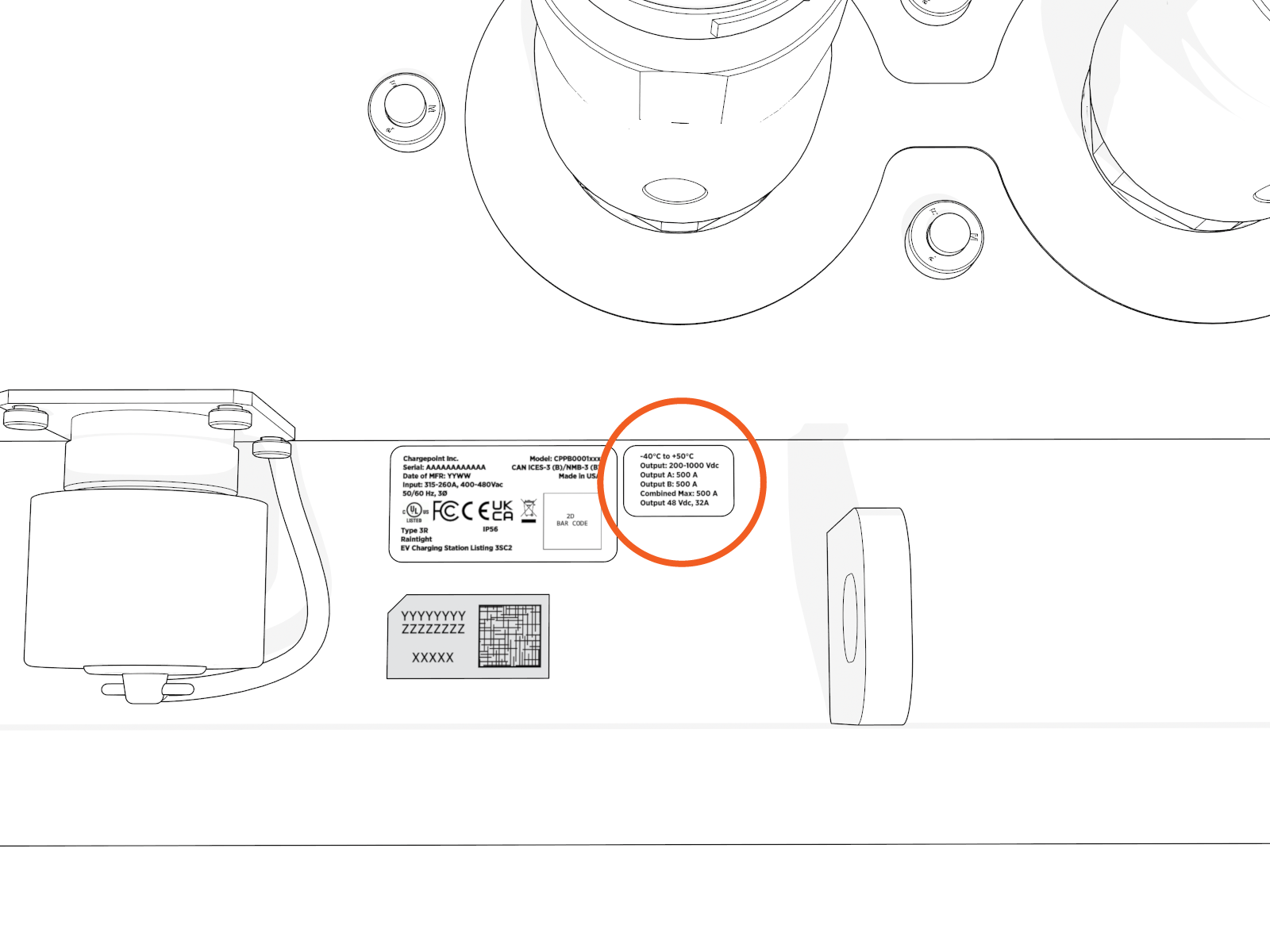
Position the label near the serial number label, next to Ethernet port.
Adhere the associated ratings label.
Locate AC Input Wire Landings
Note the wire landing locations for the AC input wires.
If the AC input wiring uses only one 750 kcmil conductor, it must be installed on the bus bar in the position farthest from the wall (toward the center) to avoid interference.
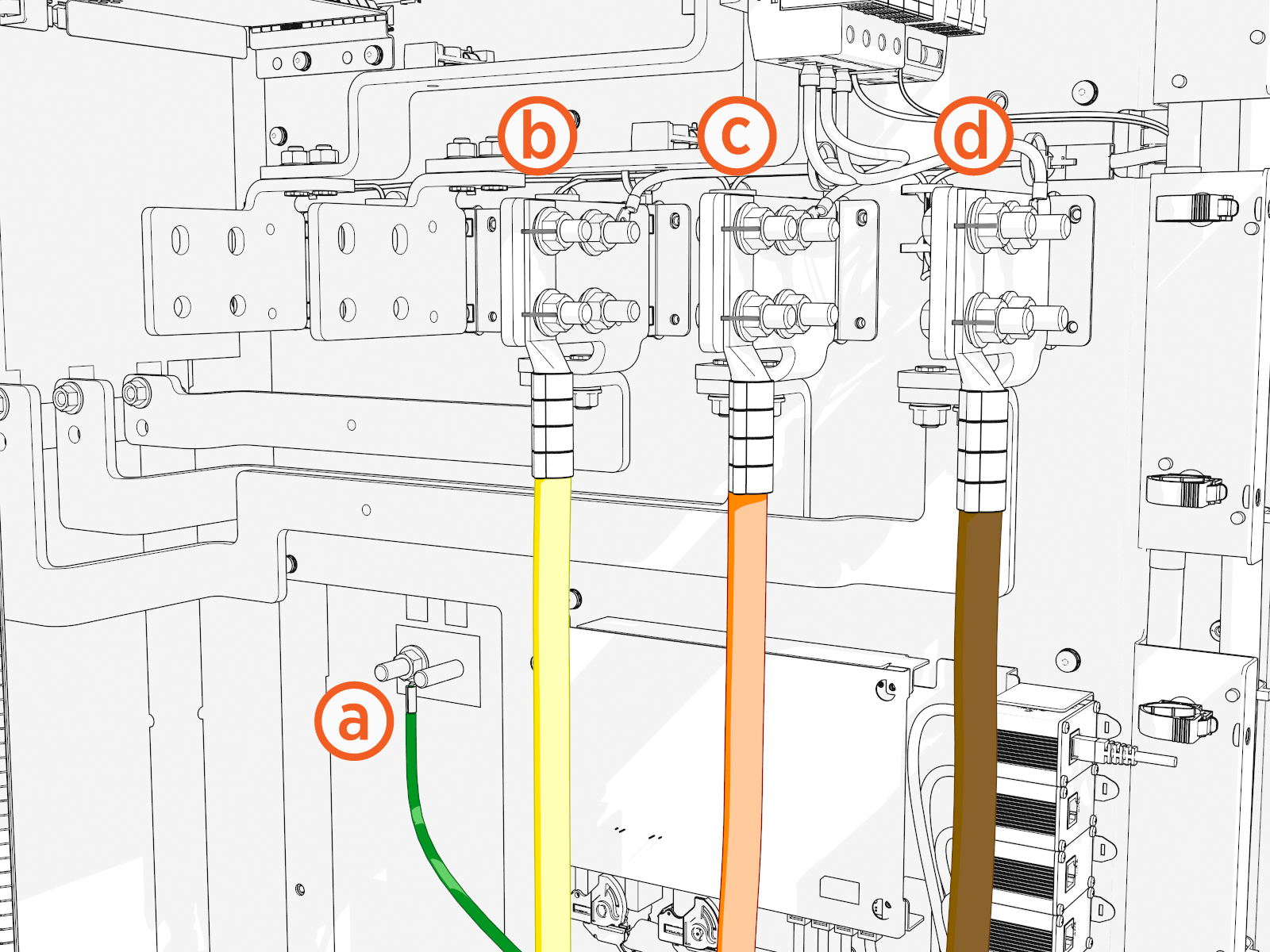
-
Ground wire
-
L3
-
L2
-
L1
Connect AC Input Wires
To install AC input wires, complete the following steps:
-
Uninstall the lugs (if you installed them previously to measure length). Apply dielectric grease onto the back of each lug.
-
Strip and crimp an AC input lug onto each conductor.
Use the lug manufacturer's crimp tool and die.
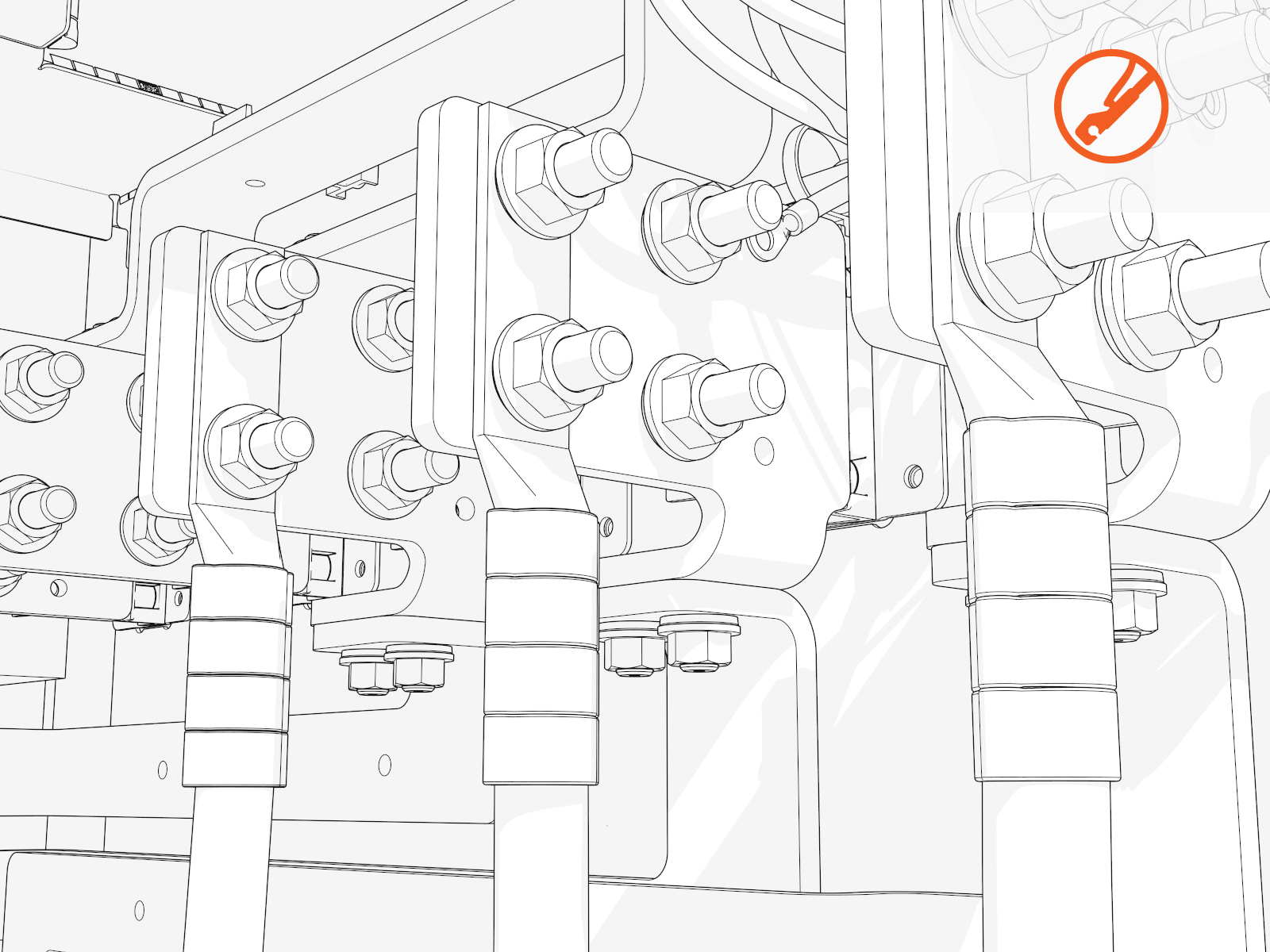
-
Install the L1, L2, and L3 lugs onto each bus bar with M12 bolts. Torque to 21 Nm (15.5 ft-lb).
Ensure the L1, L2, and L3 cables are installed in the correct order for counter-clockwise phase rotation. Incorrect installation creates a phase rotation error later in the process.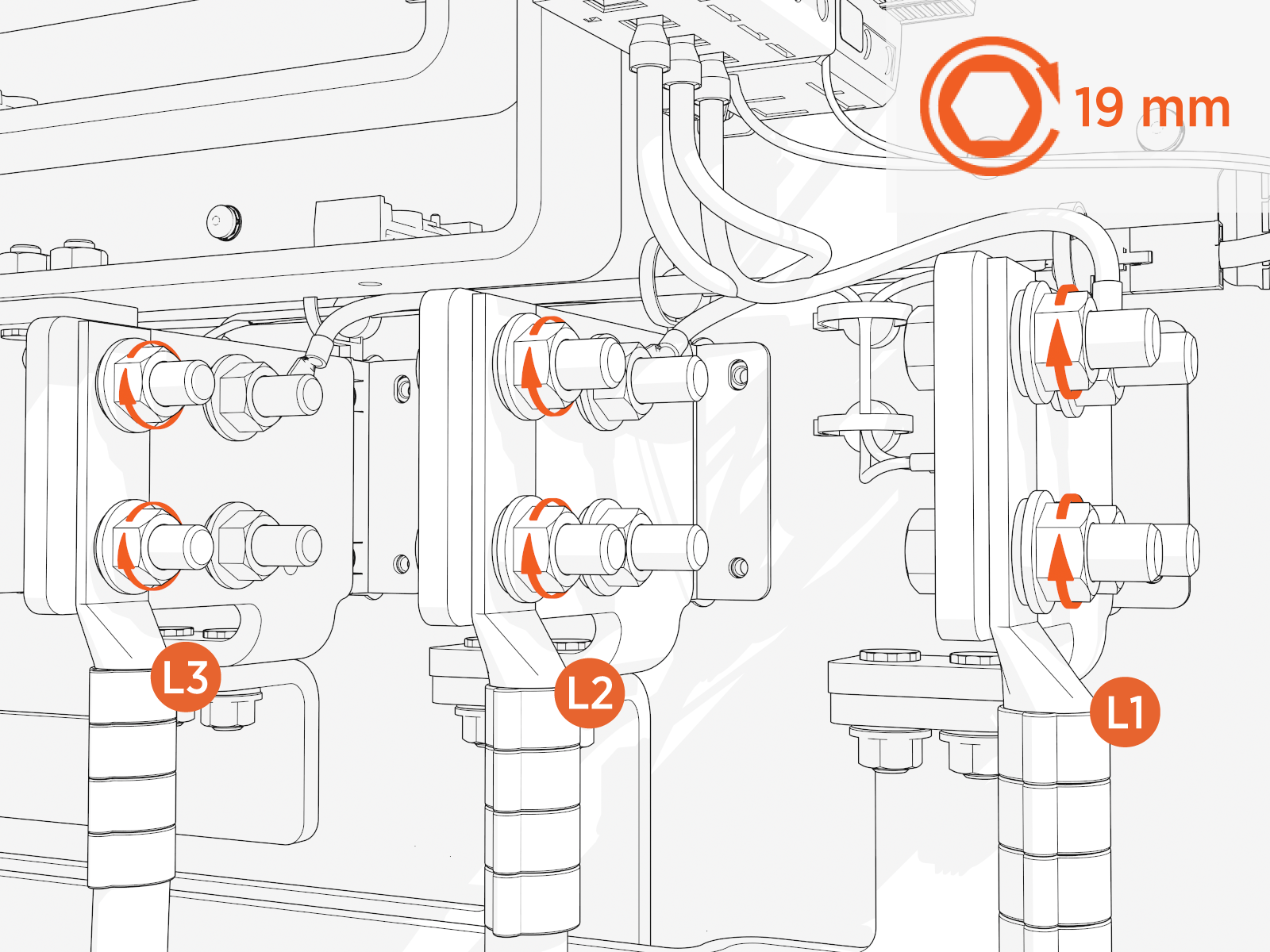
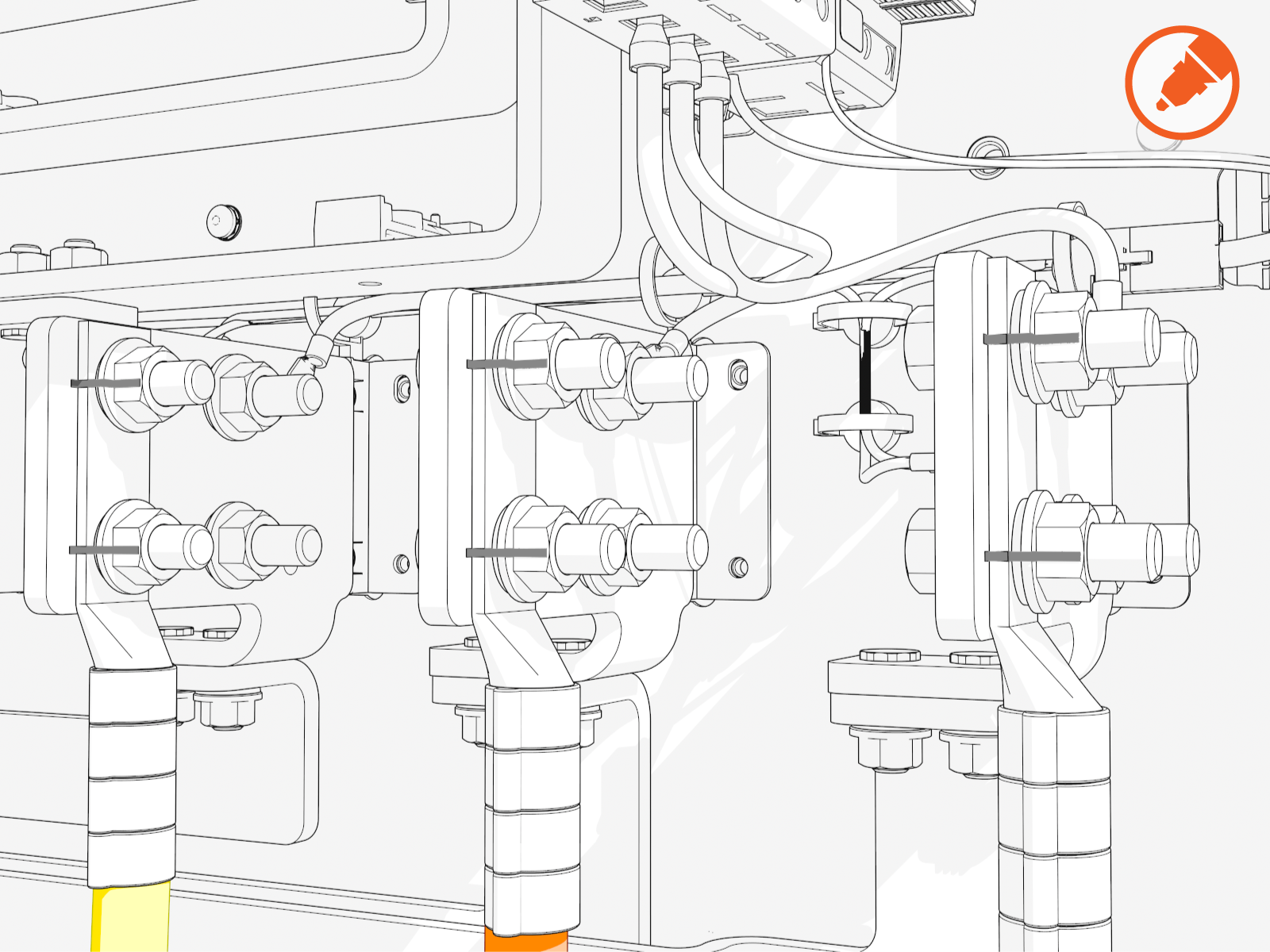
-
Mark all torqued power connections.
Connect AC Ground Wires
To install AC ground wires, complete the following steps:
-
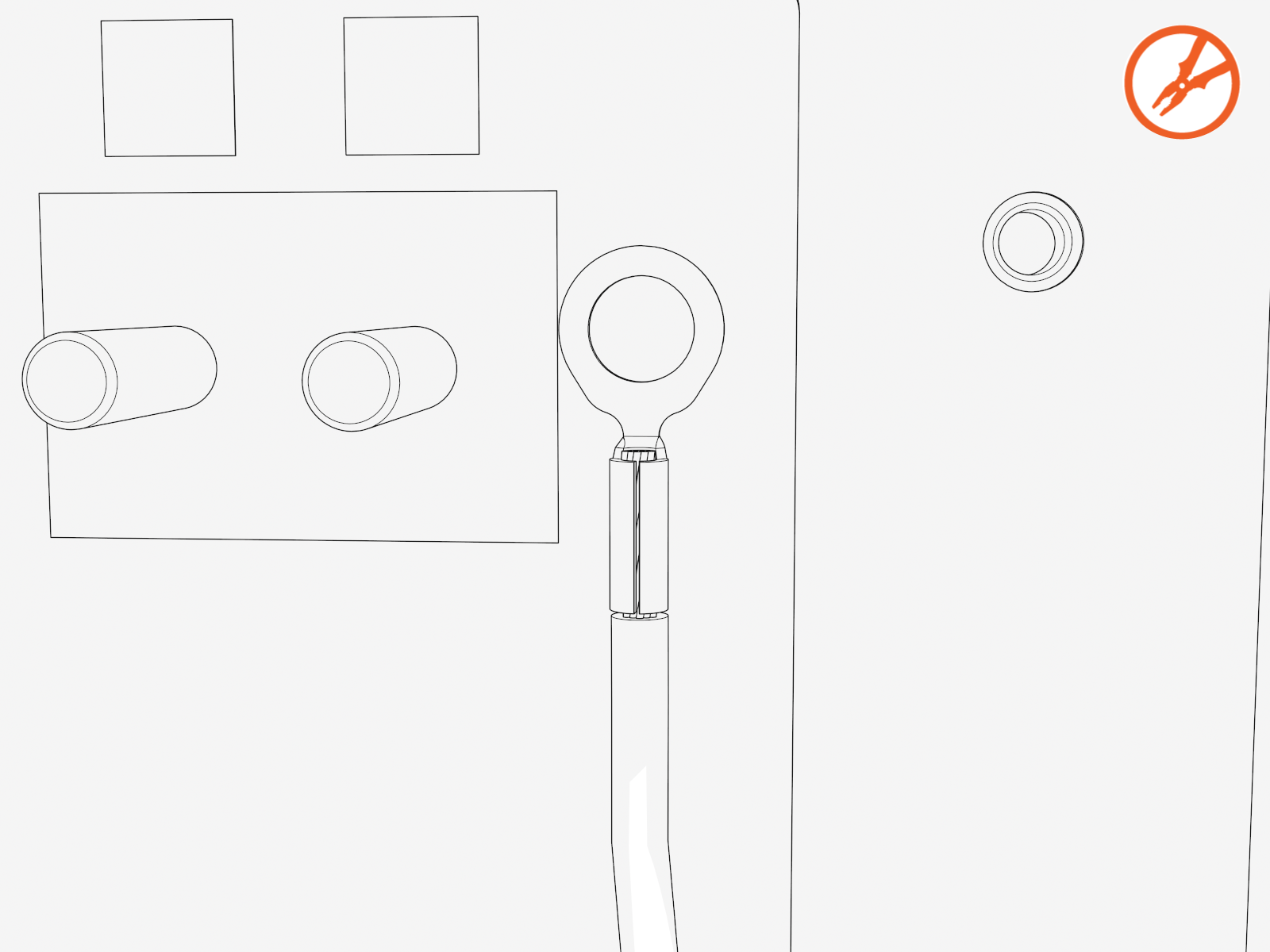
Crimp a 13 mm (1/2 in) single-hole lug onto the AC ground wire.
-
Connect the GND
Ground (protective earth) service wiring to the stud on the left side of the enclosure and torque to 21 Nm (15.5 ft-lb).Ensure that the deep socket and extension is used to avoid side or angular loading of the ground stud.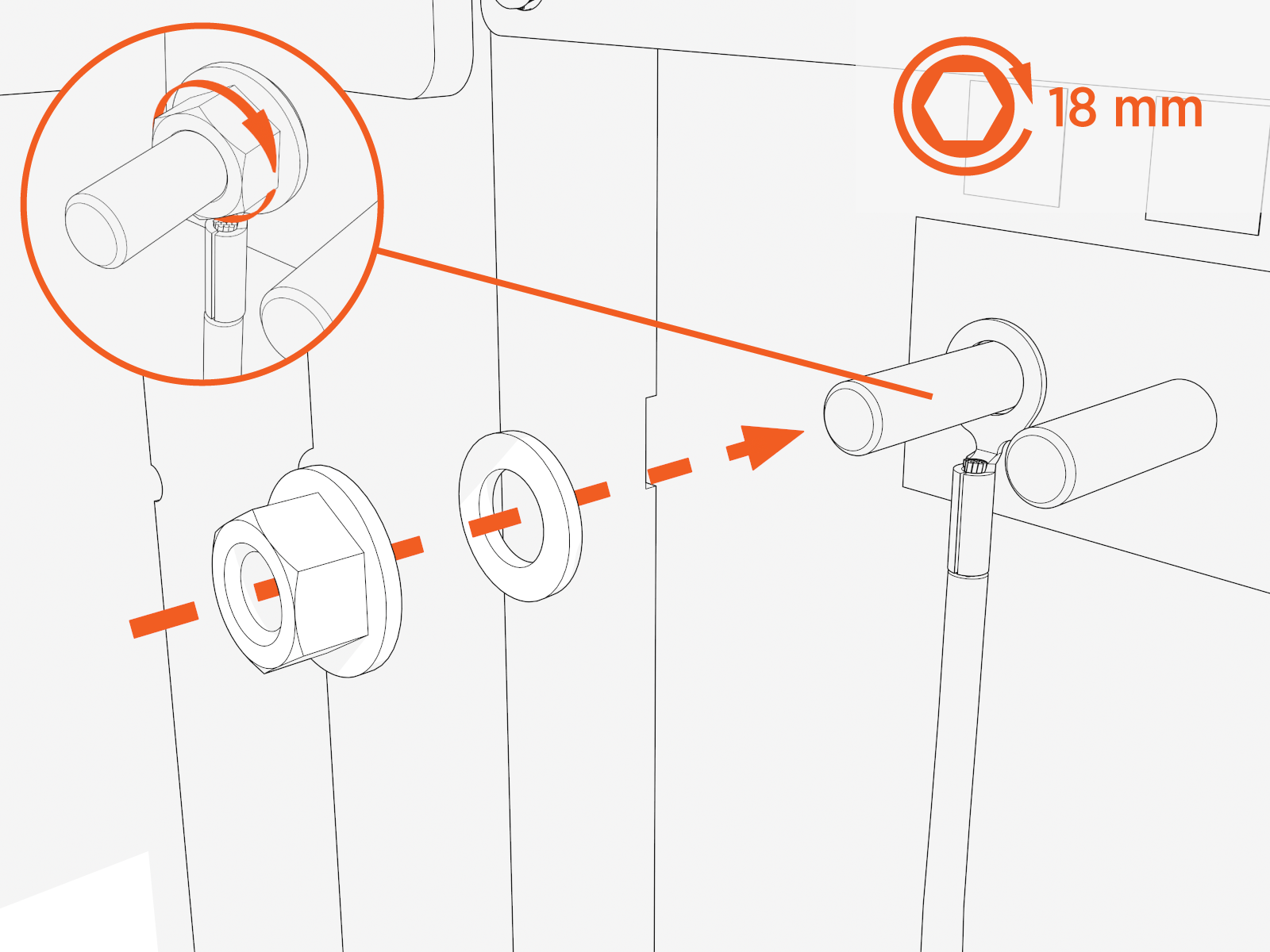
Prepare for 48 V DC and Shunt Trip Wire Install
-
Check the 48 V DC wiring requirements in the site drawings:
48 V DC Wiring 48 V DC Wire Size
Conduit Size
Installation
16 mm2 (6 AWG
American Wire Gauge)21 mm (3/4 in)
Install two 48 V DC wires and one Ethernet cable into one conduit.
Use only copper conductor wire rated for 90 °C (194 °F).
-
Check the site drawing to determine if shunt trip wiring is required for the Power Block.
-
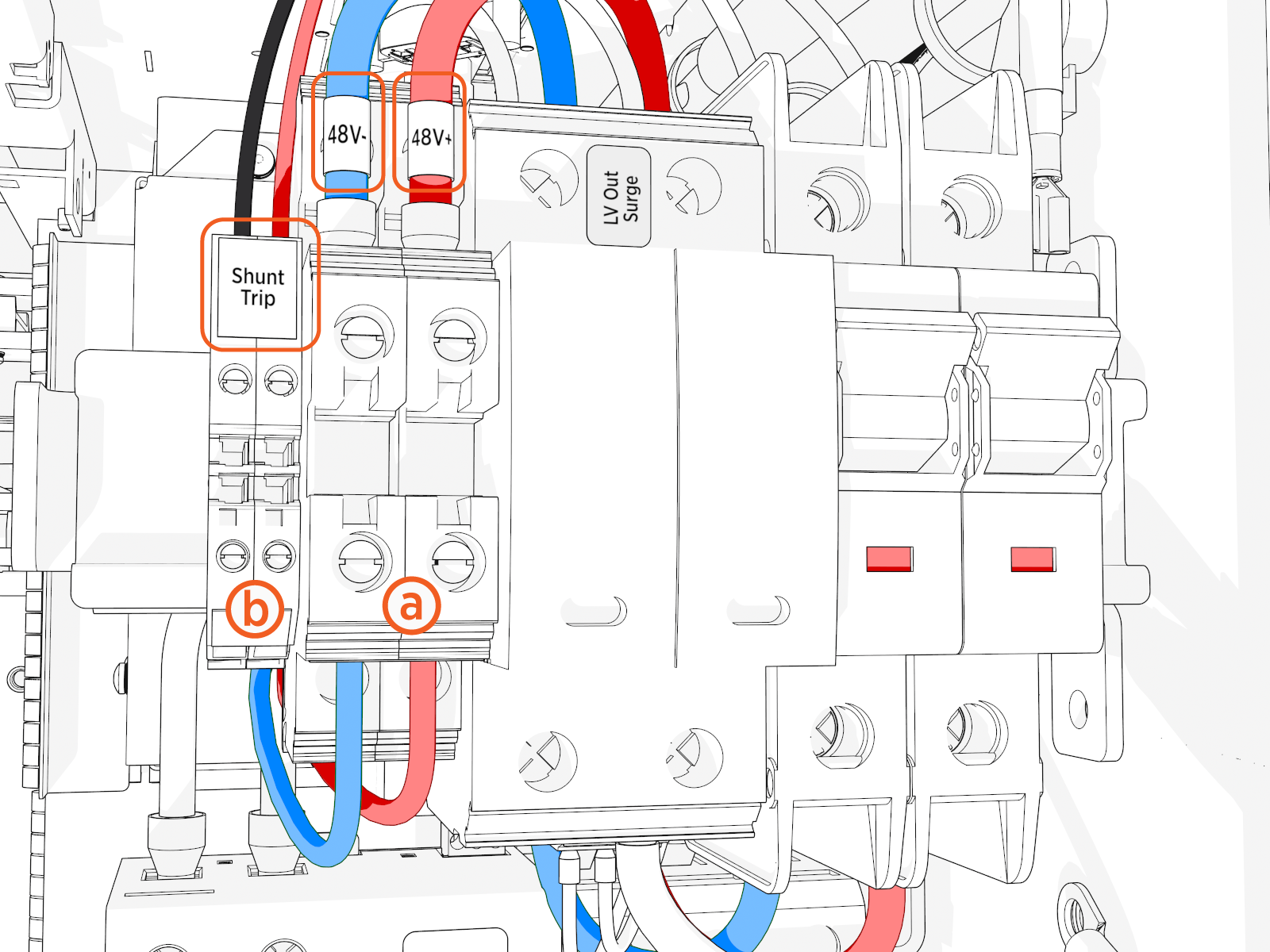
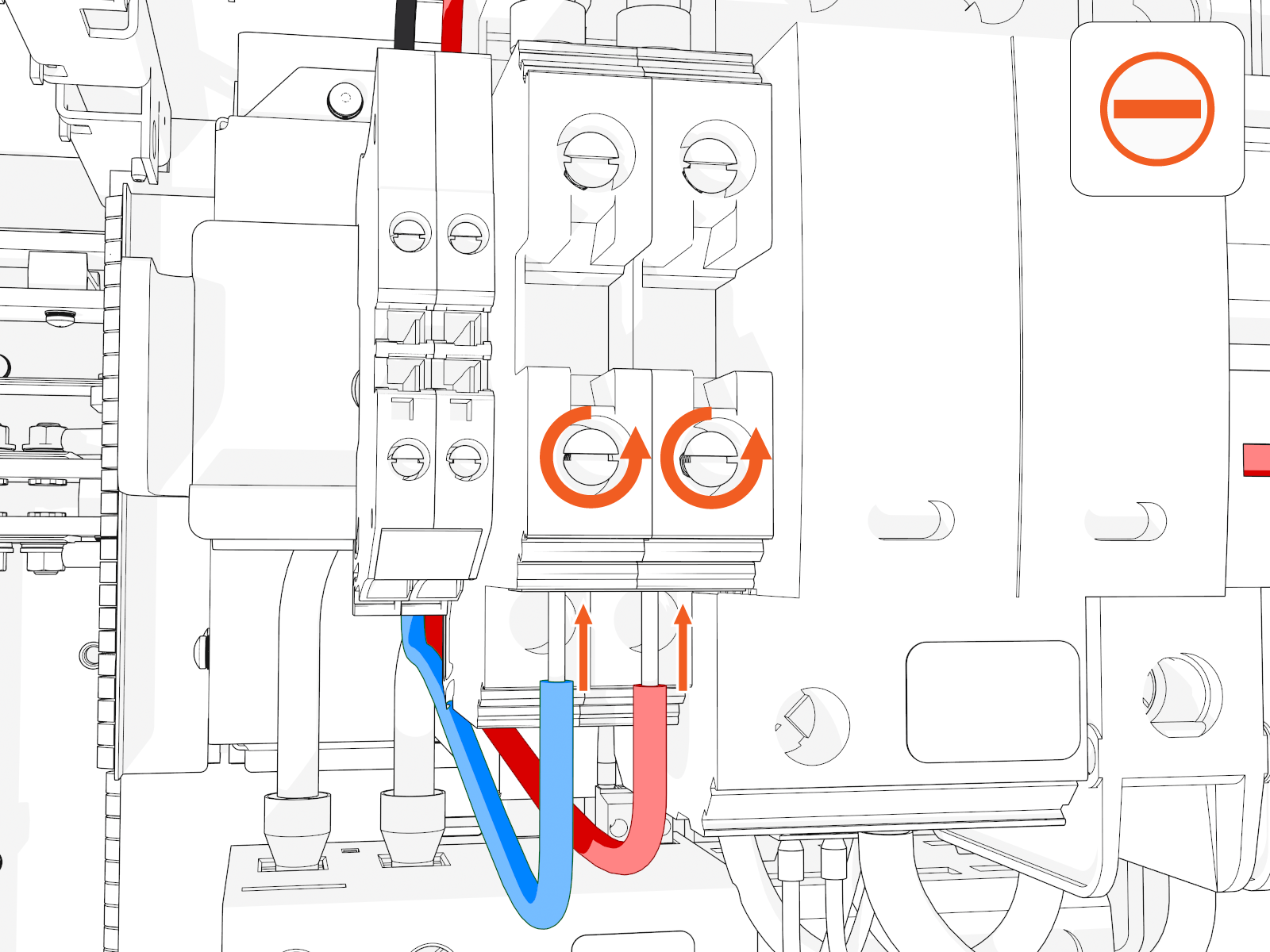
Locate the wire terminals.
-
48 V DC
-
Shunt trip (if any)
The terminals are labeled, as shown in image above.
-
Connect 48 V DC and (if Applicable) Shunt Trip Wires
To install 48 V DC and shunt trip wires, complete the following steps:
-
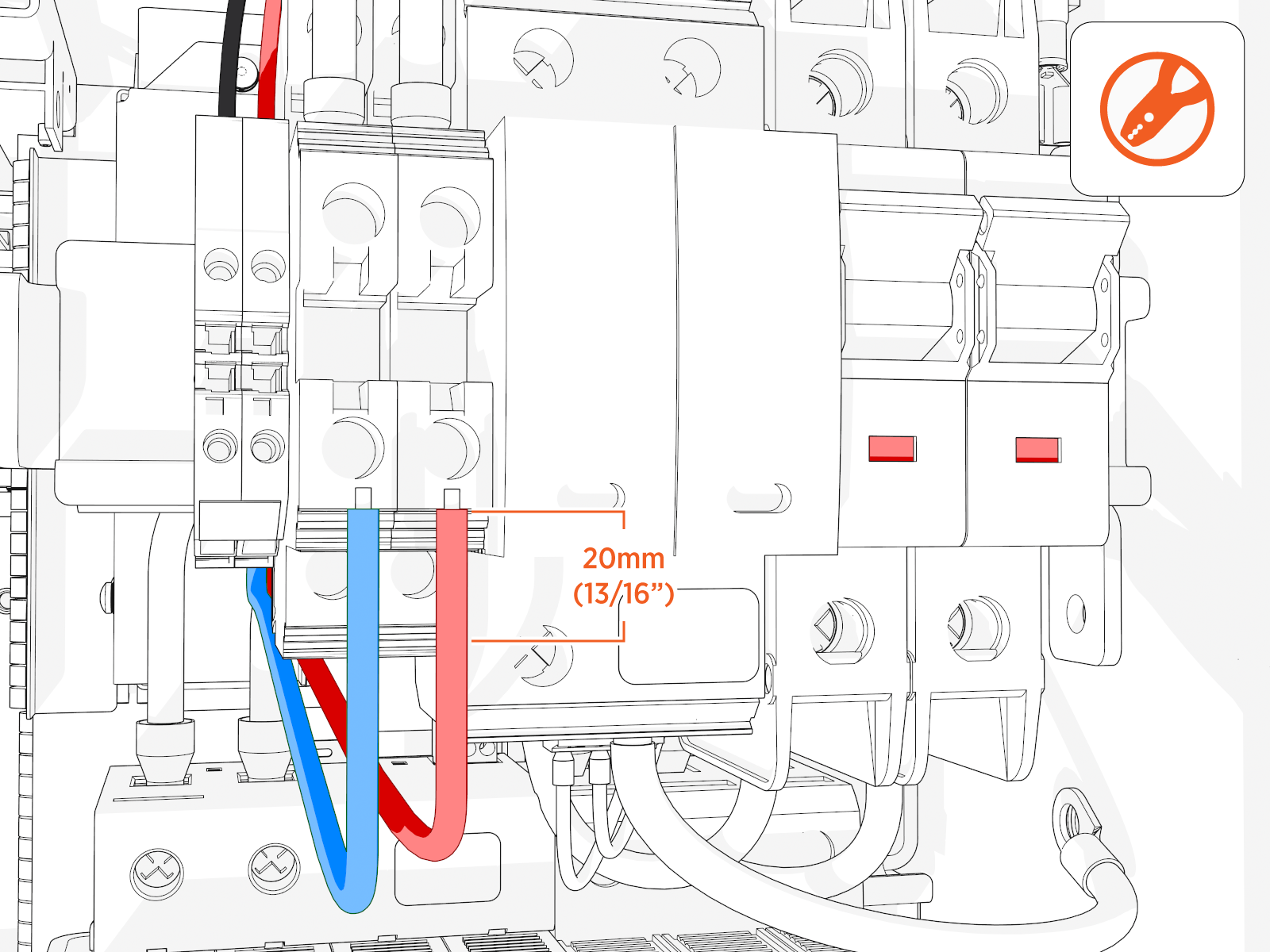
Strip each 48 V DC and any shunt trip wires to 15 mm (5/8 in).
-
Loosen each terminal tab and seat the wire. Tighten the screw. Push-pull to test.
Connect Cat6 STP Ethernet Cables
To connect Ethernet cables, complete the following steps:
-
Trim each Cat6 STP
Shielded Twisted Pair Ethernet cable to provide a 914 mm (36 in) service loop.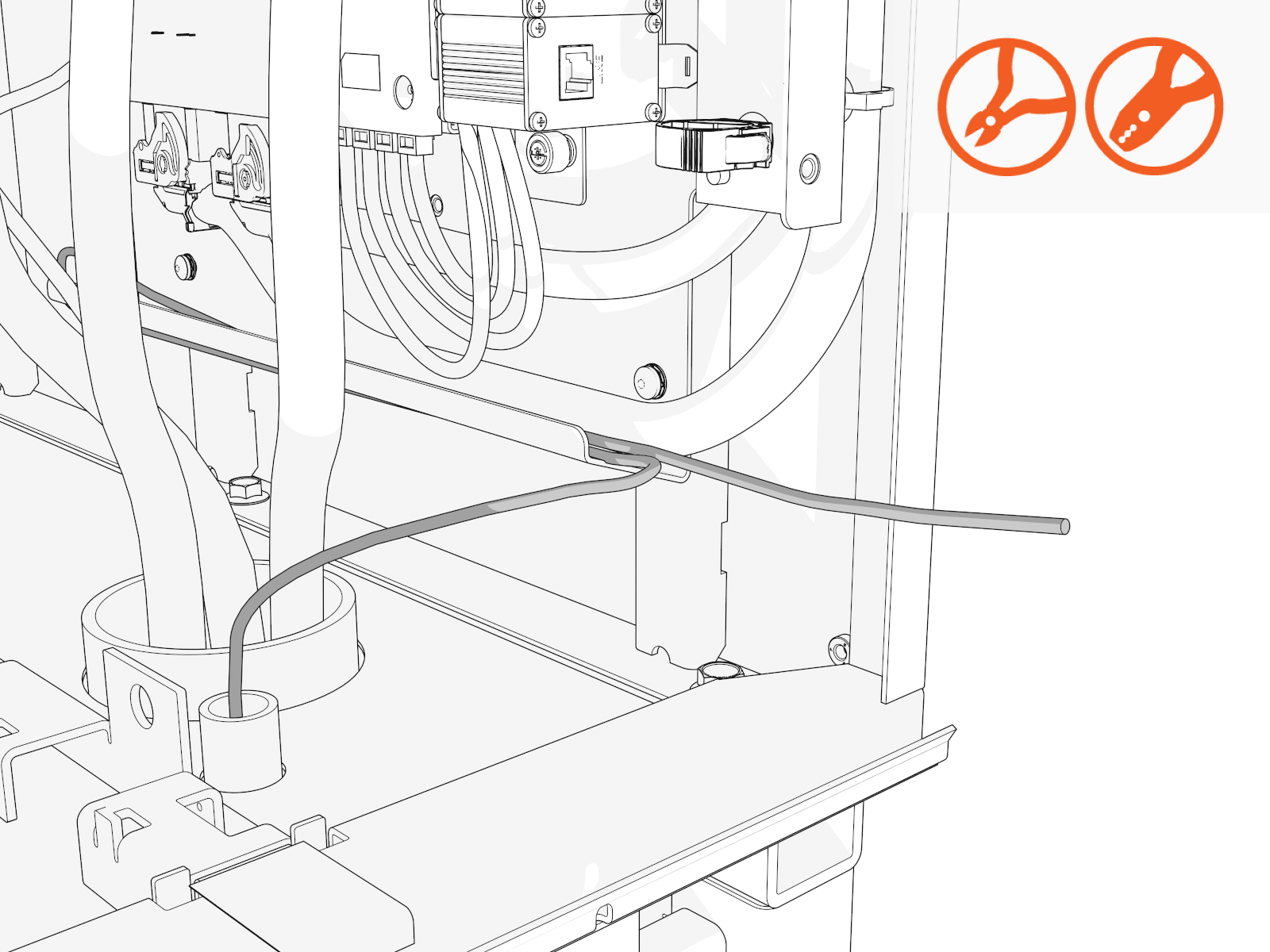
-
Terminate both ends. Field crimp a shielded connector onto each Ethernet wire.
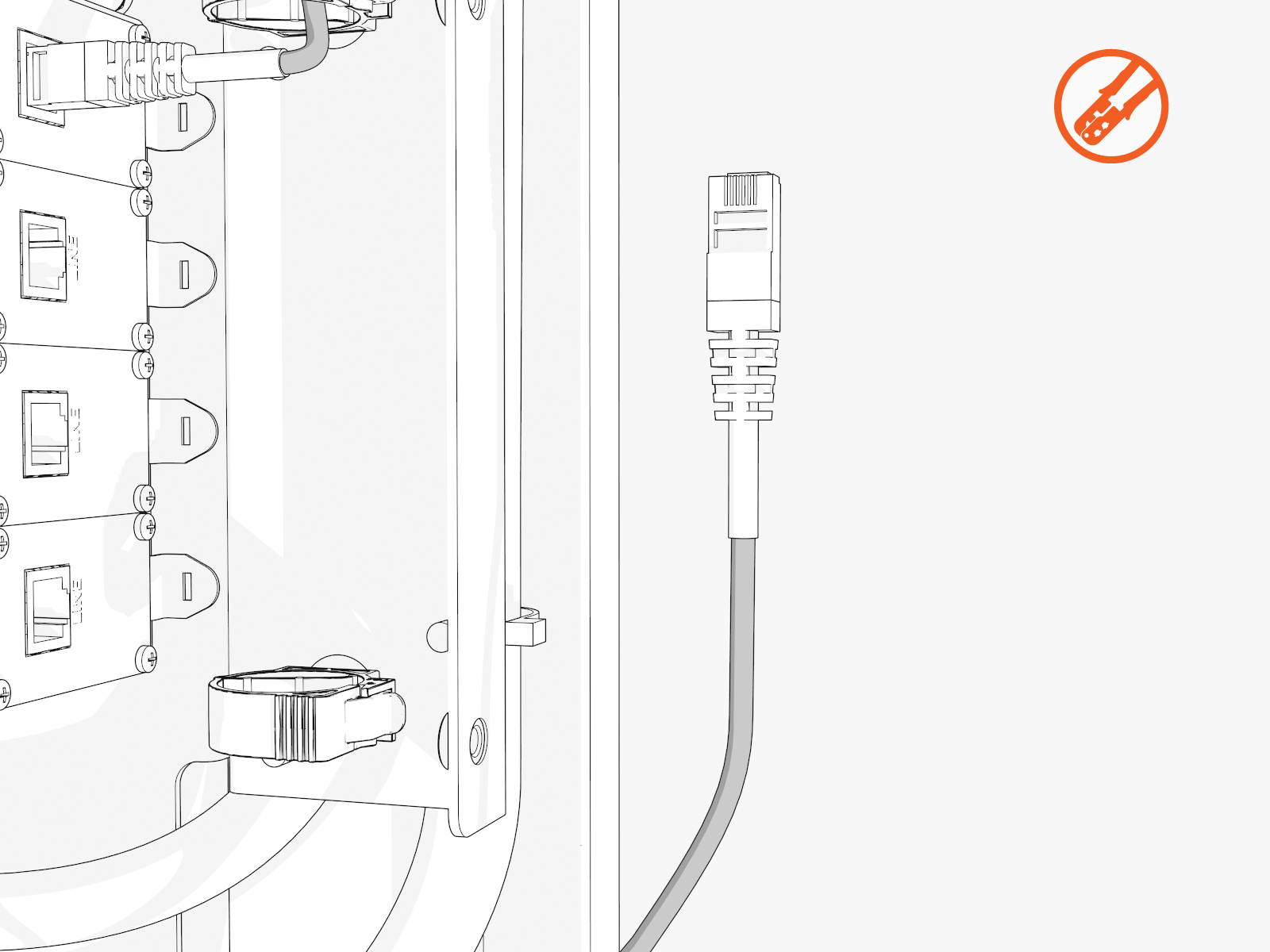
-
Use a straight-through T568B pattern.
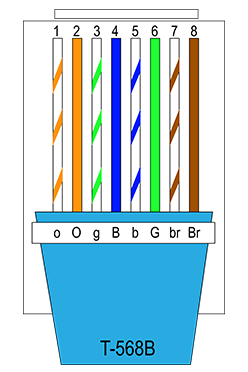
-
Connect the shield wire termination.
-
Test each Ethernet wire functionality.
-
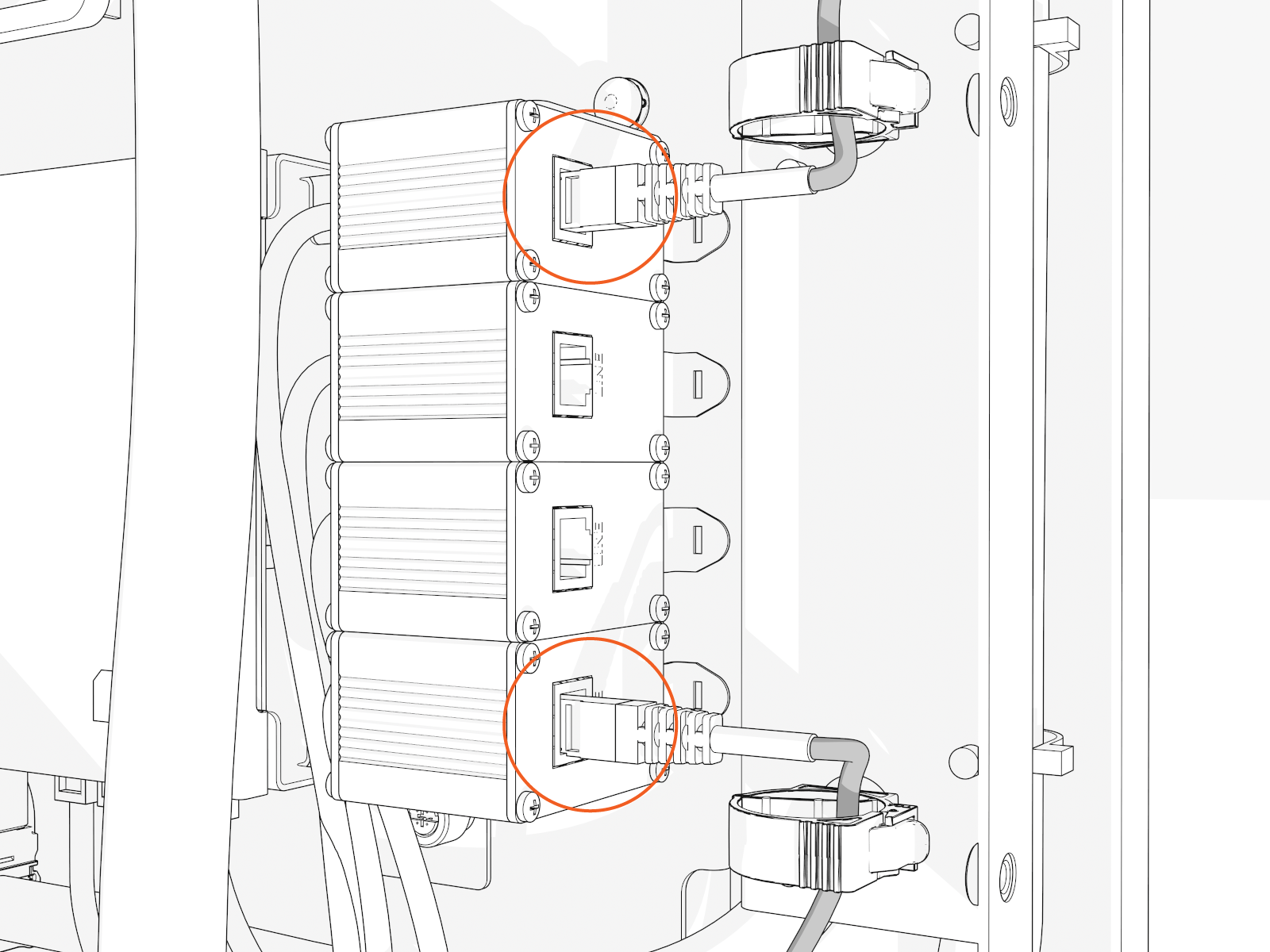
Connect each Ethernet connector to an available port (at lower right). Push-pull to test.
Ports are interchangeable.
Route and Secure LV Wires
To route and secure the LV Low Voltage wires, complete the following steps:
-
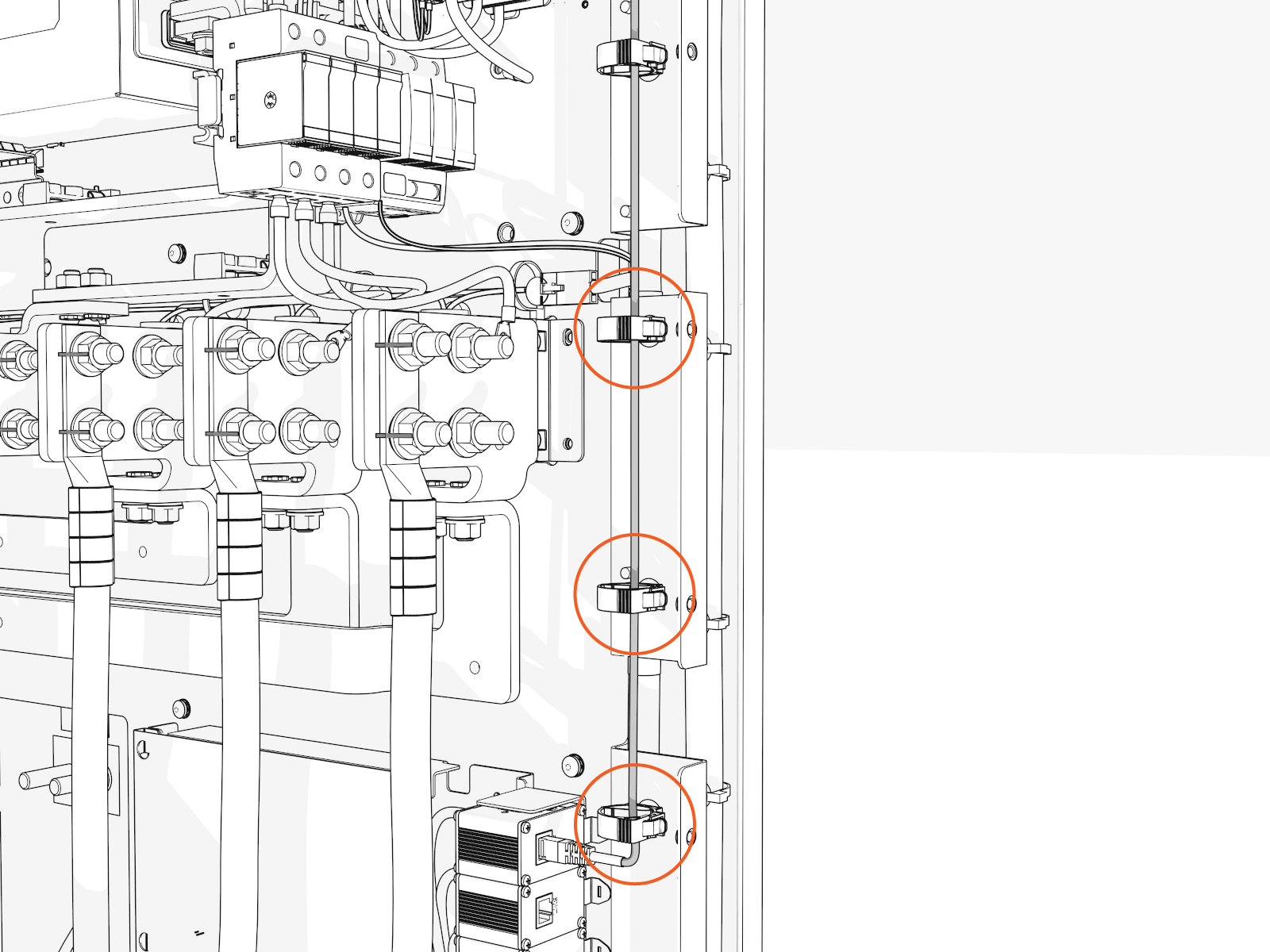
Route the Ethernet, 48 V DC, and shunt trip wires down the front, right side. Secure onto the cable-routing clips.
-
Position excess Ethernet wire loops behind the controller board mounts.
This is to prevent covers from pinching these wires.
Seal Completely
To seal conduit openings, complete the following steps:
-
Vacuum all wire ends and metal shavings from the enclosure.
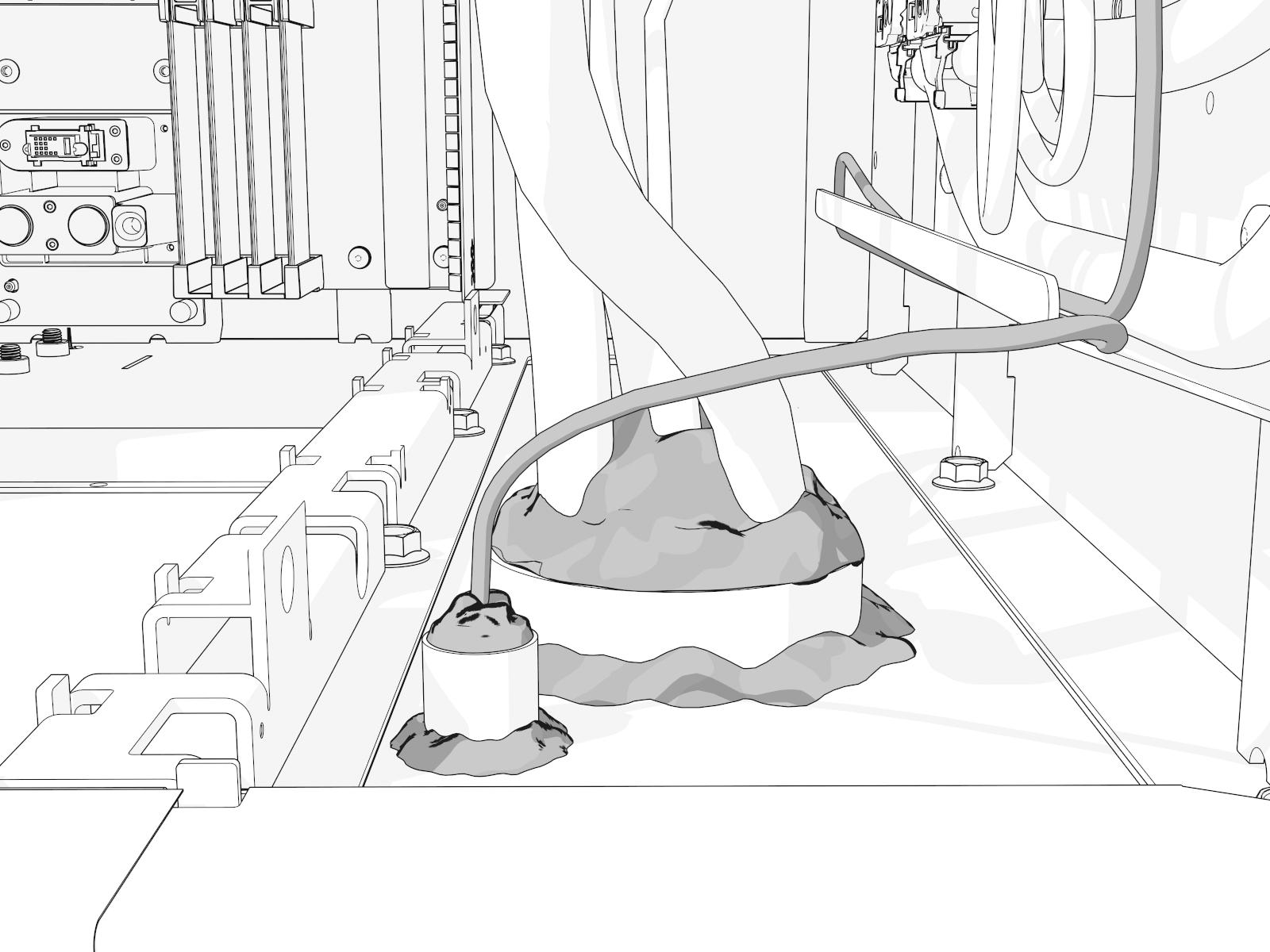
-
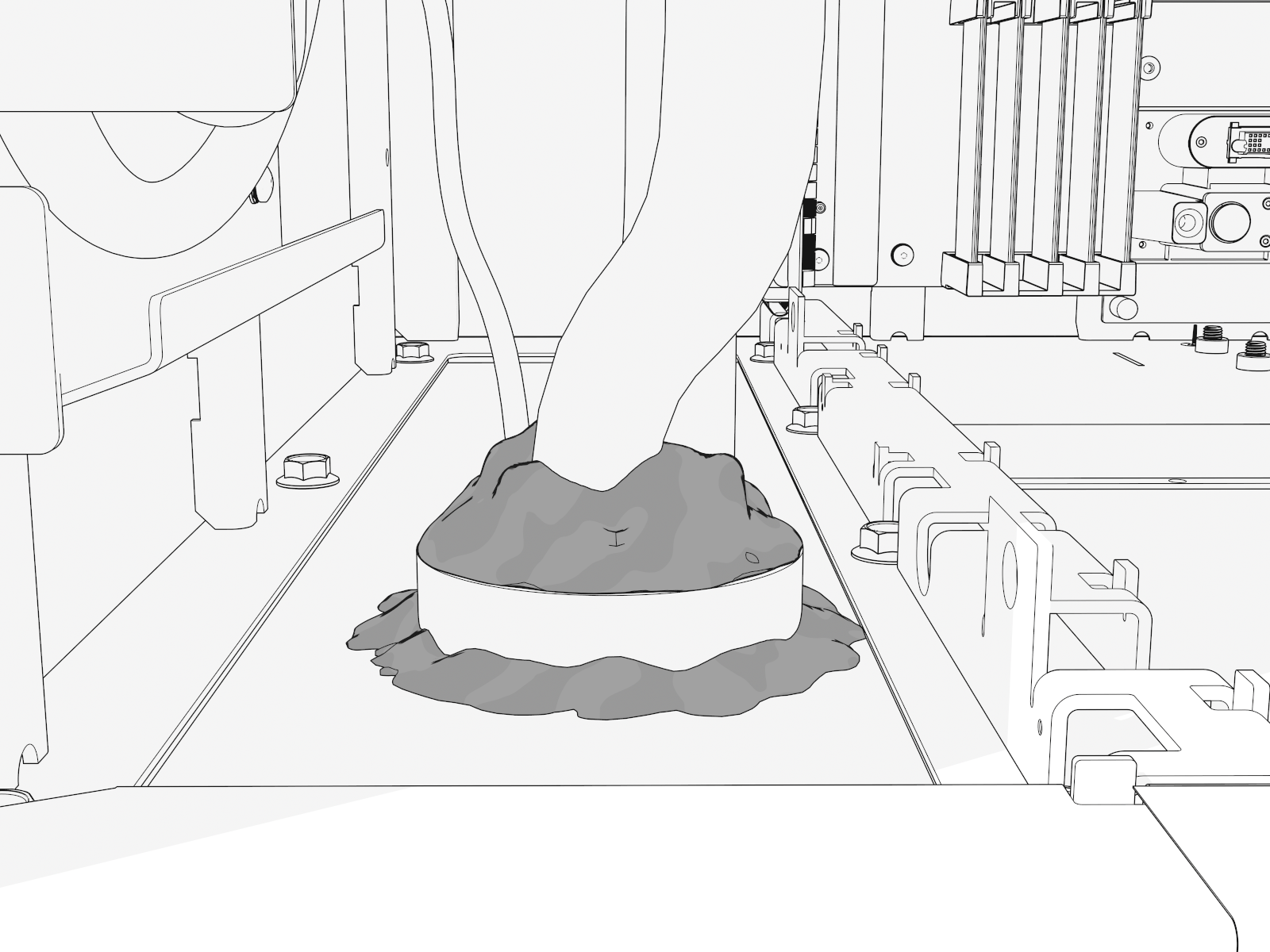
Use duct seal compound (included) to seal all wiring openings and seal inside conduits.
-
Use the duct seal compound to seal the conduits around and to the gland plates.