Power Off
Before powering off Express Solo/Power Block 2000, check whether the unit has a DC BUS connection to determine the scope of shutdown.
-
Units with DC BUS connection (Express Solo paired): Apply all shutdown and safety steps to the entire cluster.
-
Units without DC BUS connection: Apply shutdown and safety steps only to the unit under service.
Disconnect all connected electric vehicles (EVs) from the unit being serviced. Restrict access to the associated dispenser parking space to prevent unauthorized use of the charging cable or charging unit during the service activity.
Required Tools and Materials
|
|
Multimeter (meter and probes rated for 1000 V)
|
|
Lockout/tagout equipment |
|
|
Socket 8 mm |
|
Torque wrench |
|
|
Torx screwdriver (T30) |




Disconnect Power
- Before any procedure, disconnect the power.
- Follow local code and site lockout/tagout procedure to de-energize the station.
- Wait for energy to dissipate (approximately five minutes).
- Keep power off until all covers and panels are reinstalled and the work is complete.
To disconnect power, complete the following steps:
-
An Express Solo or Power Block 2000 may be paired, meaning they may share power by interconnecting their internal DC Grid buses. An Express Solo or Power Block 2000 can also power one or more Power Link 2000s. A set of interconnected Express Solos, Power Block 2000s, and Power Link 2000s form a “cluster”. Refer to the site's single line diagram (SLD) and identify the following:
-
Identify the Express Solo or Power Block 2000 that requires service.
-
Identify if the Express Solo or Power Block 2000 is paired with another Express Solo or Power Block 2000.
-
Identify all Power Link 2000s connected within the cluster.
-
-
End all charging sessions on all Power Link 2000s and Express Solos within the cluster. Block vehicle access to these stations.
Failure to end the charging session before beginning service could damage hardware components. Such damaged components may need to be replaced.
-
Determine where to disconnect power to the Express Solo or Power Block 2000. Refer to the site’s single line diagram (SLD) and identify the location of the control elements such as circuit breakers and disconnect switches. The following illustration shows a sample electrical circuit for an Express cluster consisting of one Power Block 2000 feeding one Power Link 2000.
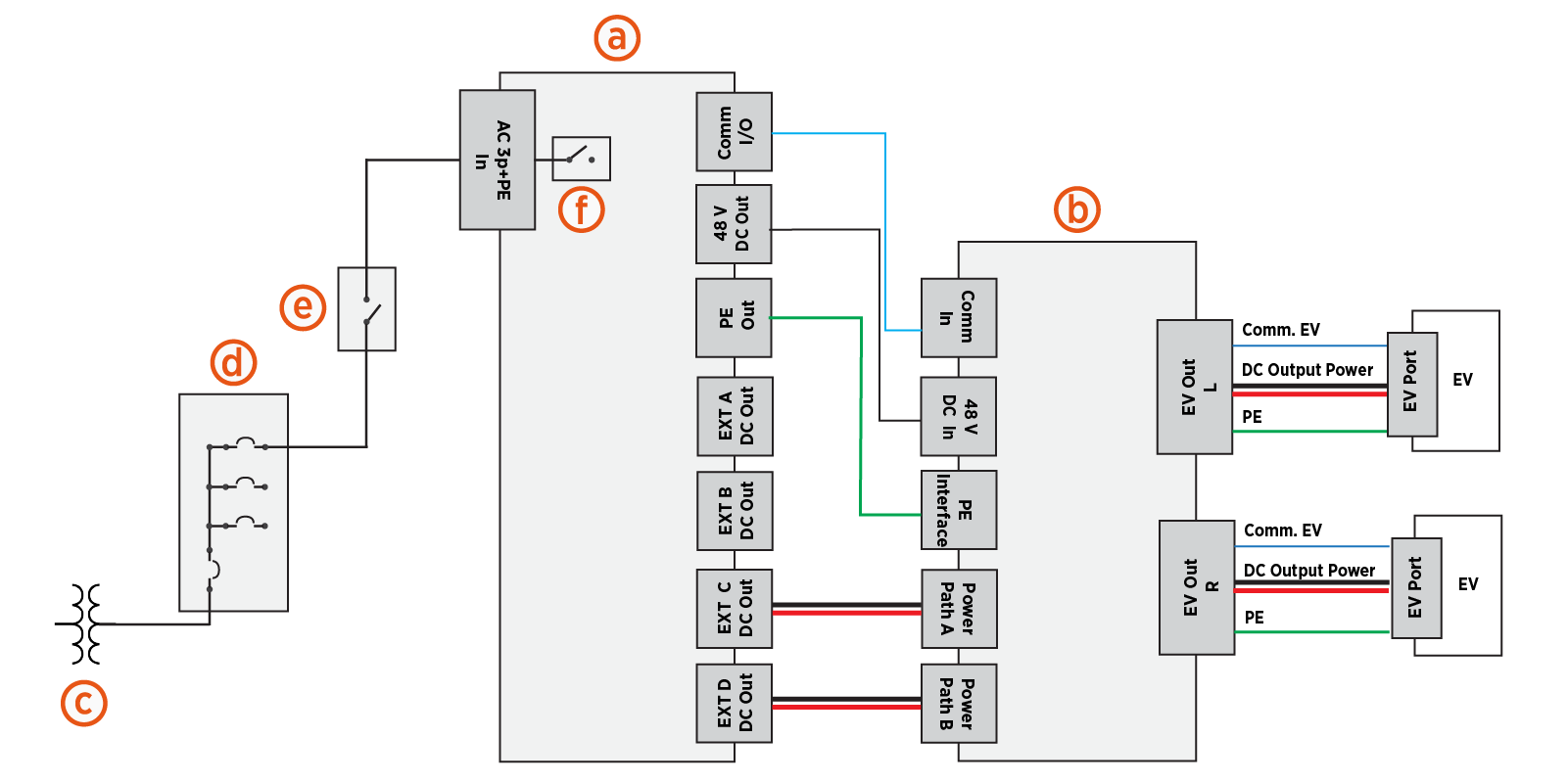
(a) Power Block 2000 (sample power cabinet)
(b) Power Link 2000
(c) Transformer
(d) Electrical panel with circuit breakers
(e) External AC disconnect switch (optional)
(f) Internal Disconnect switch (included in some models; otherwise, a product option)
There are three methods for disconnecting power:
-
If the Express Solo / Power Block 2000 is equipped with an internal AC disconnect switch (f), turn the AC disconnect switch to the OFF position.
When servicing an AC input fuse, do not use this option to disconnect power. When servicing an AC input fuse, you must use one of the two alternative options below to disconnect power.
-
At the site electrical panel, turn the circuit breaker (d) switch to the OFF position.
-
If an external AC disconnect switch (e) has been installed between the Express Solo / Power Block 2000 and the site electrical panel, turn the AC disconnect switch to the OFF position.
An Express Solo or Power Block 2000 may be paired with another Express Solo or Power Block 2000. Be sure to power off all paired units within the cluster. Note that electrical hazard may still be present if only one unit within a paired configuration is powered off.
-
-
Wait at least five minutes for energy to dissipate.
-
Verify the station is de-energized.
Check Status Light
Check the status light of the Express Solo / Power Block 2000. Ensure the status light is completely off (not glowing). Refer to the Express Solo and Express Distro Power Block 2000 Operations and Maintenance Guide for the location of the status light.
The status light provides an initial visual indication of power cabinet status but is not confirmation that hazardous voltage is absent. Always perform a voltage check at the power path input bus bars before servicing the cabinet.
Verify the Cabinet is De-Energized
-
On the exhaust (left) side of the cabinet, at the bottom of the cabinet, remove the DC bus bar safety cover.
-
Loosen (do not remove) the M5 nuts (x5) that secure the DC bus bar safety cover.
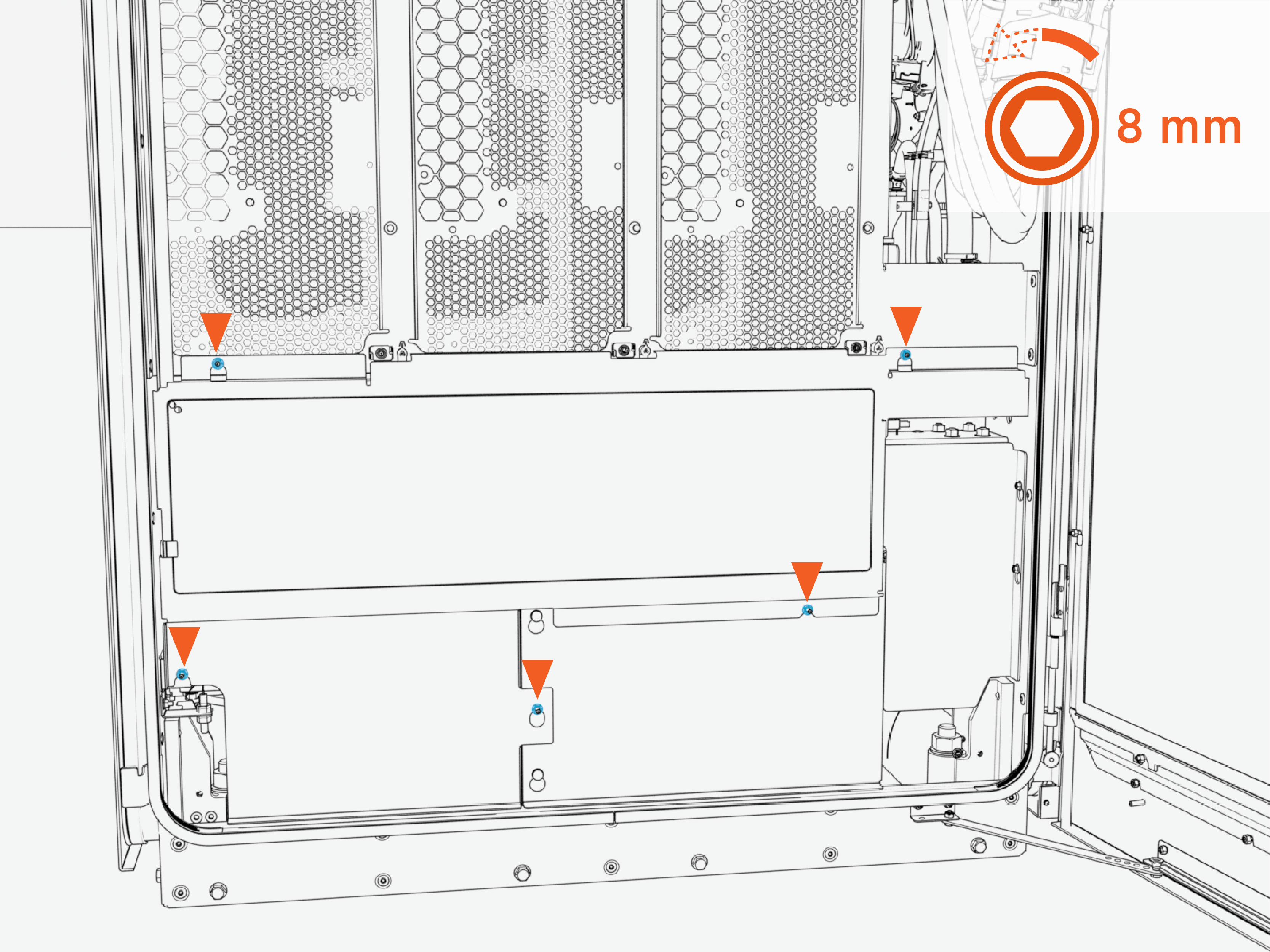 Torque the nuts to 4.5 Nm (40 in-lb).
 -
Slide the cover upward to release the keyholes. Then pull outward to remove the safety cover.
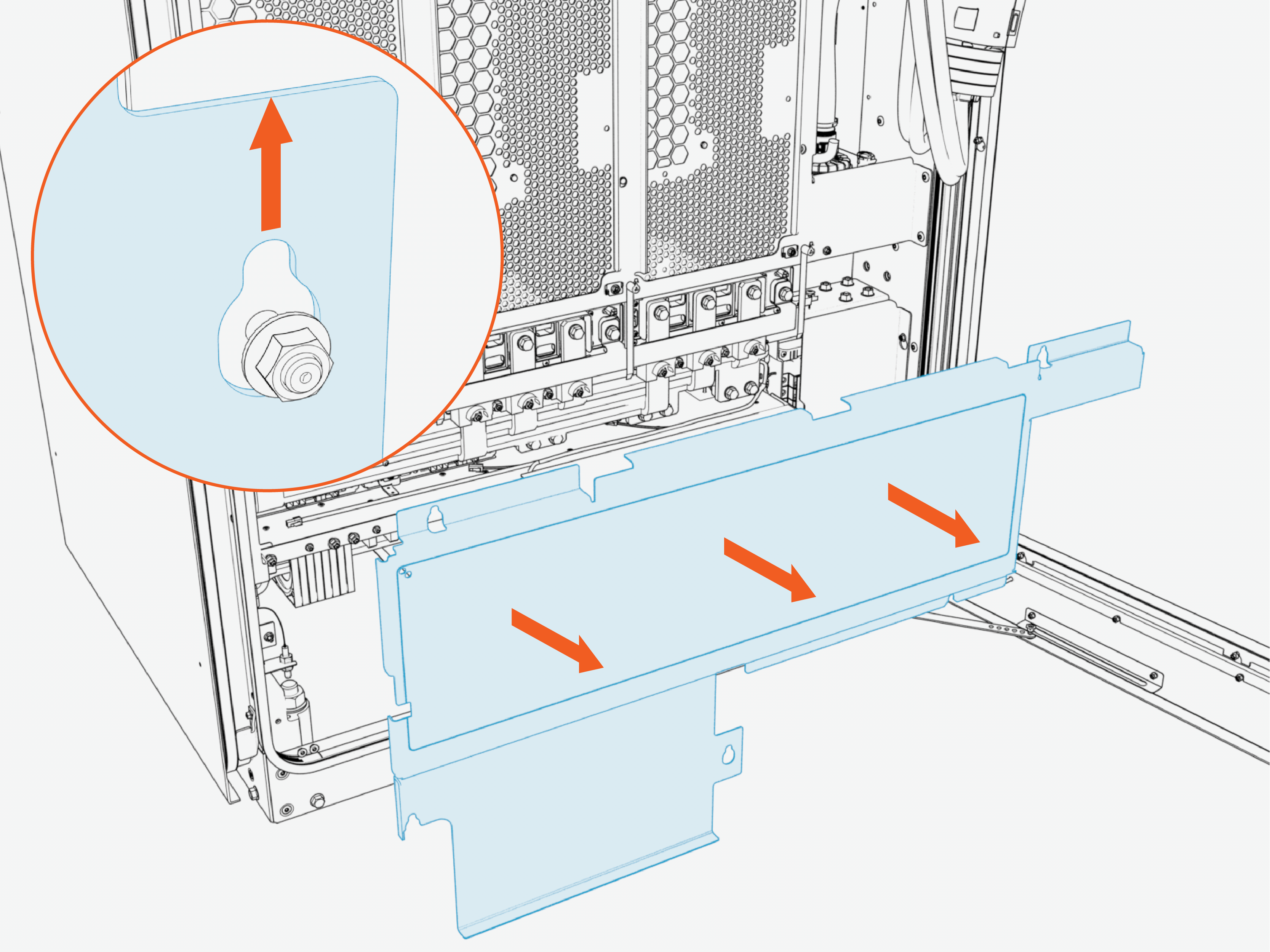
Reverse the above steps to reinstall the safety cover after service.
-
-
If you are replacing an AC input fuse, remove the AC bus bars safety cover.
Perform this step only when replacing an AC input fuse. For all other types of service, skip this step.
-
Loosen (do not remove) the nuts (x3) that secure the AC bus bars safety cover.
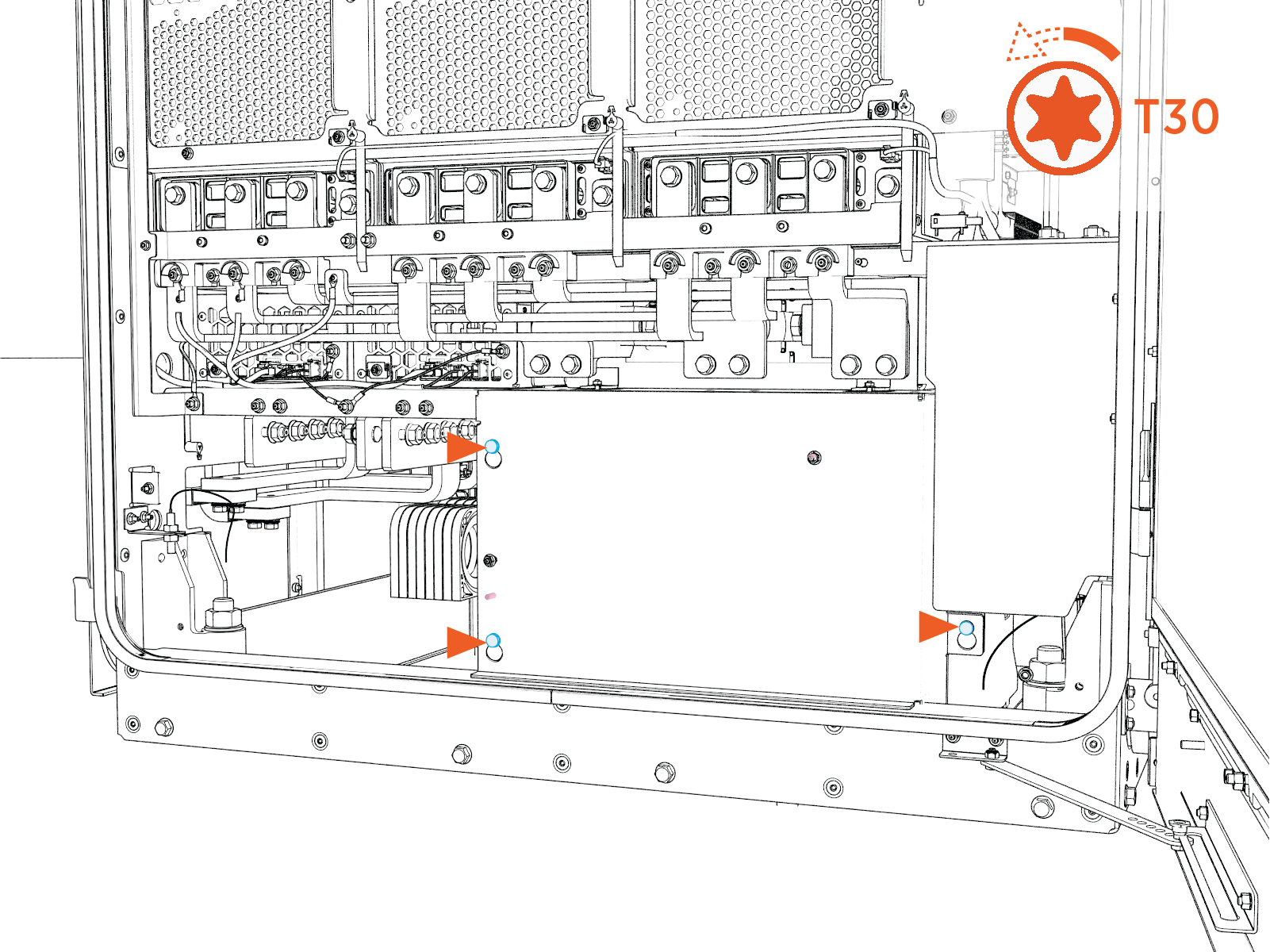 Torque the fasteners to 4.5 Nm (40 in-lb).
 -
Slide the cover upward to release the keyholes. Then pull outward to remove the safety cover.
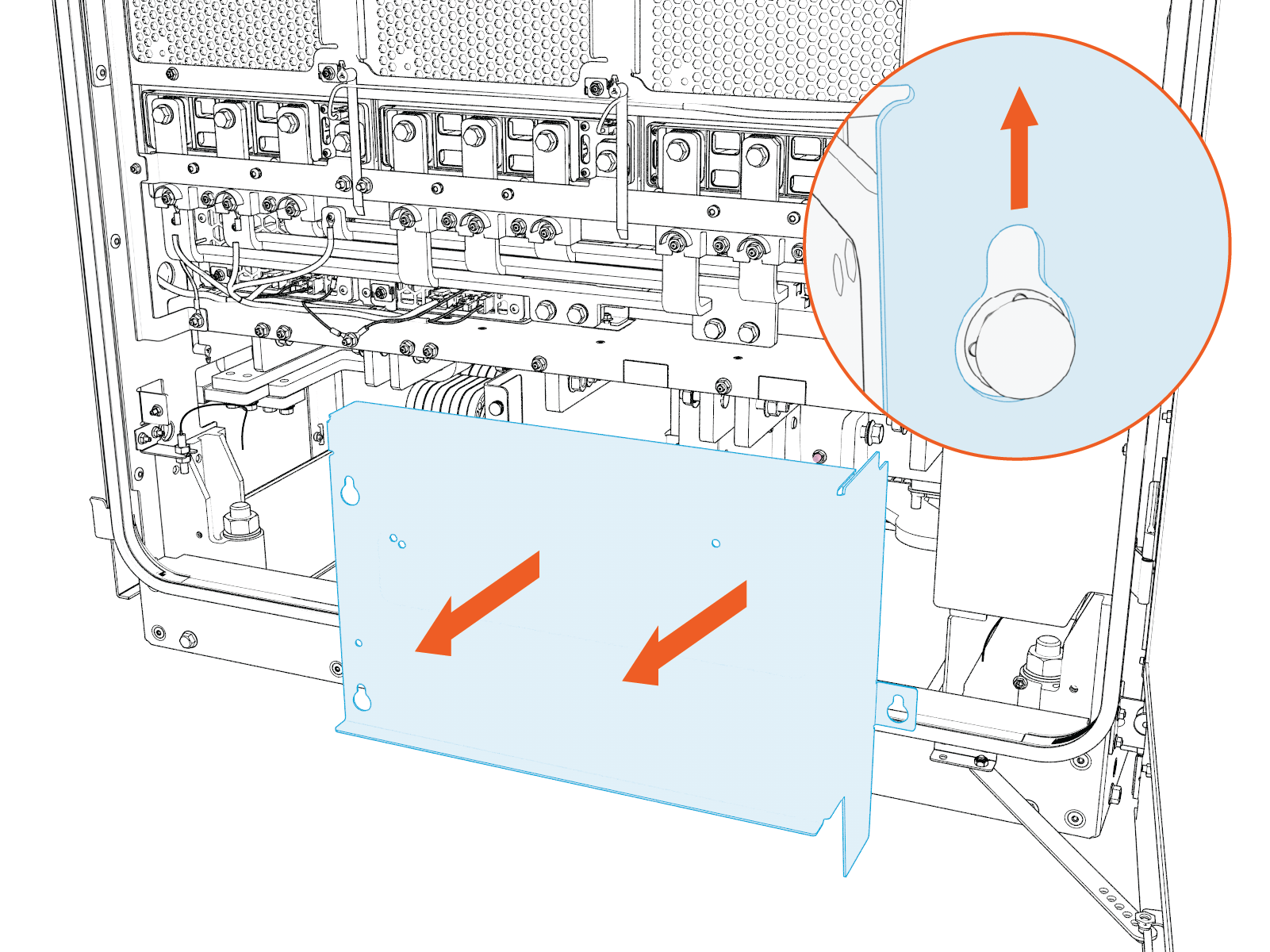
-
Reverse the above steps to reinstall the safety cover after service.
Do not access internal components without first completing the steps below to confirm that the cabinet has been de-energized.
-
-
Using a properly rated digital multimeter (DMM), measure the AC input bus bar voltages. If the AC input bus bars safety cover is removed, measure directly at the L1, L2, L3 bus bars to PE. If the AC input bus bars cover is not removed, measure between bus bars (b) and chassis (a). Verify the voltage is 10 V or less.
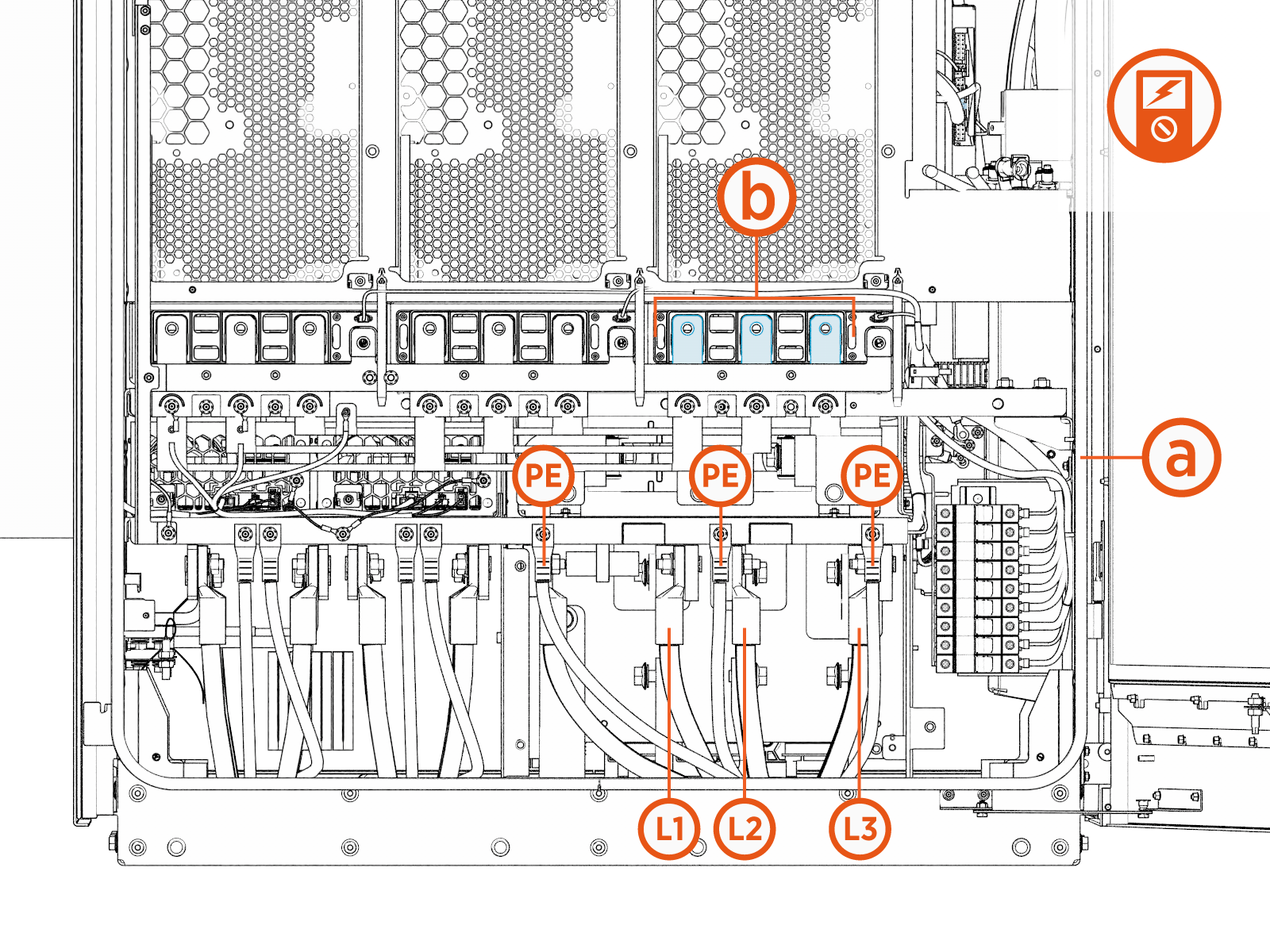
-
Measure voltage across the intake (right) side DC BUS positive (+) and negative (-) bus bars. Verify the voltage is 10 V or less.
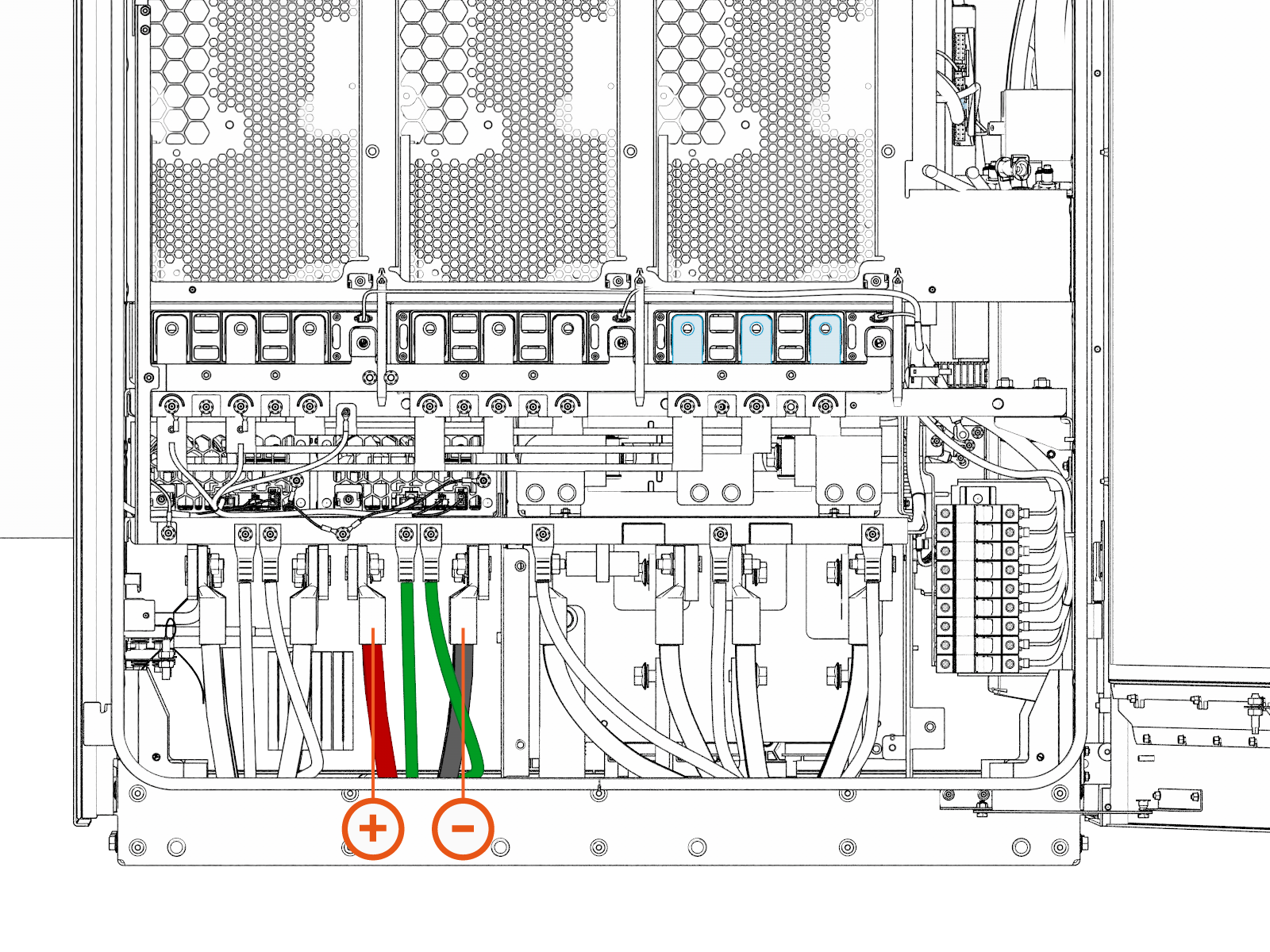
-
At the exhaust (left) side of the cabinet, move upward to the center of the cabinet and remove the DC grid safety cover.
-
Loosen (do not remove) the M5 nuts (x5) at the DC grid safety cover.
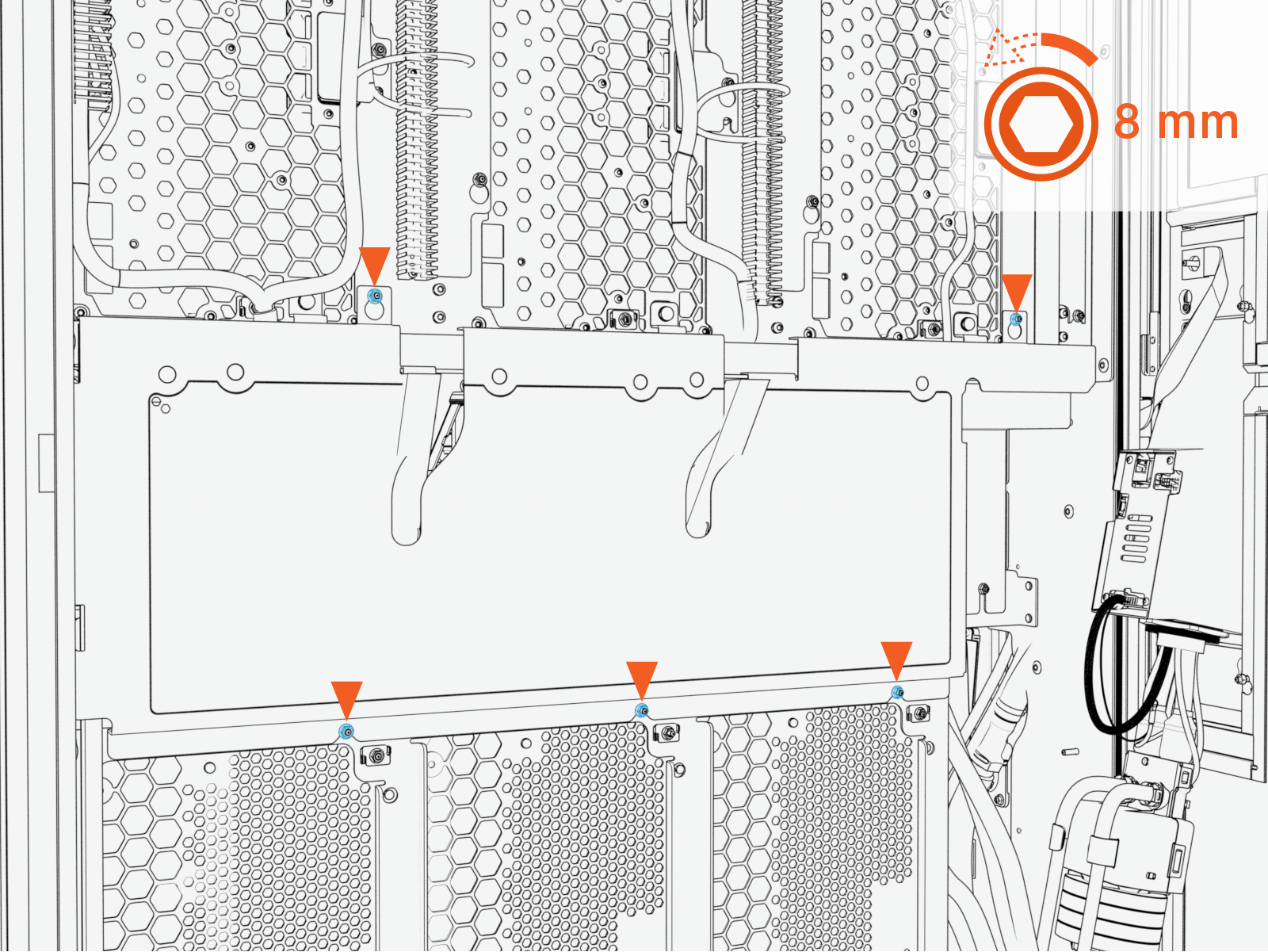 Torque the fasteners to 4.5 Nm (40 in-lb).
 -
Lift the AC power-module output-cover upward from the keyslot and pull it forward to remove.
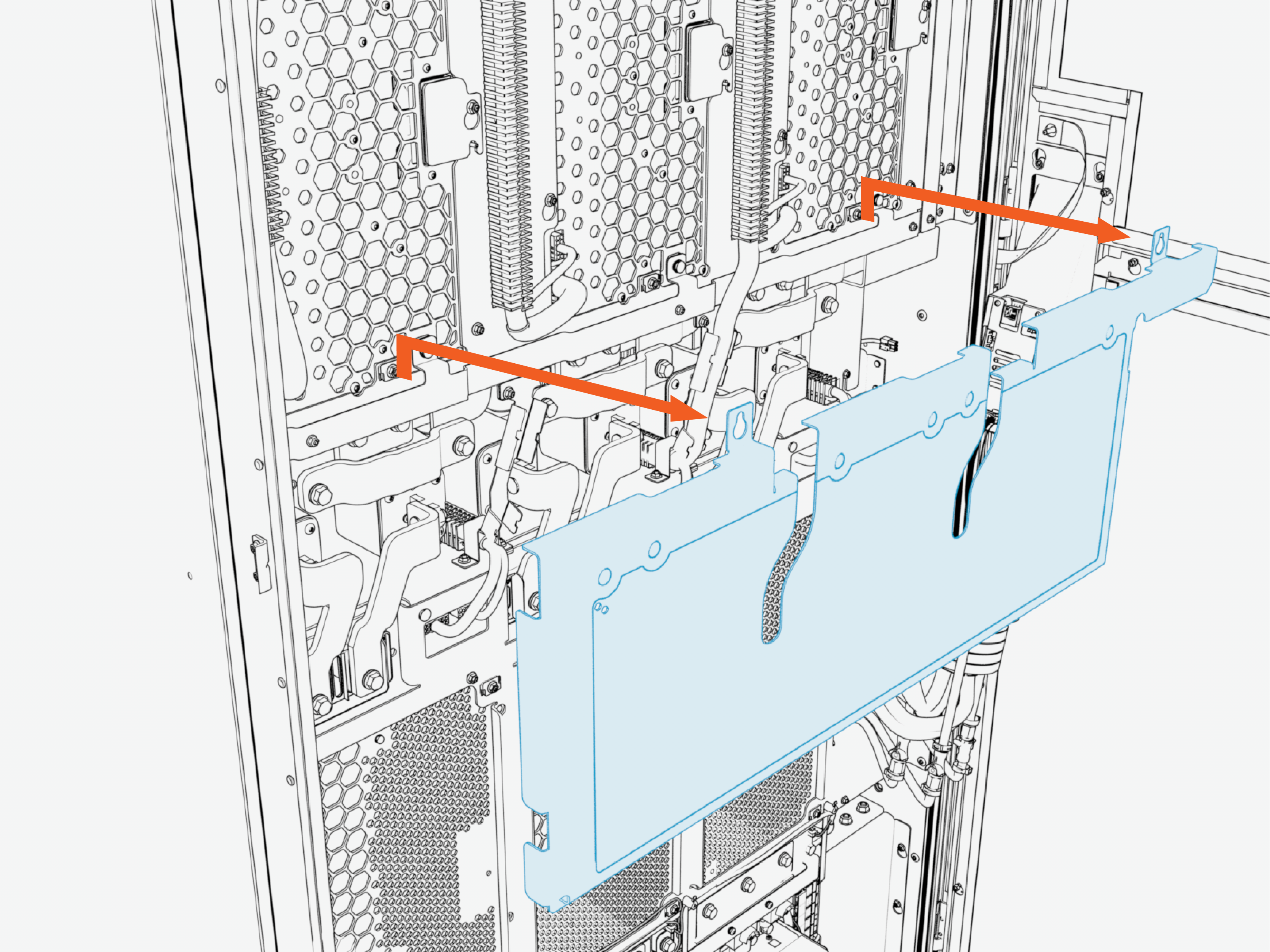
-
Reverse the above steps to reinstall the safety cover after service.
-
-
Using a properly rated digital multimeter (DMM), measure the voltage at three pairs of AC power module output bus bar (a) against the chassis (b). Verify the voltage is 10 V or less.