Contactor Matrix Assembly
Required Tools and Materials
|
|
Socket (8 mm and 10 mm) |
|
Torx screwdriver (T30, with 6 inch minimum length extension shaft) |
|
|
Torque wrench/driver |
|
Short angle ratchet for T30 bit |
|
|
Module lifter |
|
|





Before You Begin
-
Wait at least five minutes for energy to dissipate.
After replacing the components, reverse the above steps to complete the service.
-
Complete the post-service checklist. The checklist is available at ChargePoint Product Reference Documentation.
-
Contact ChargePoint regarding faulty part return.
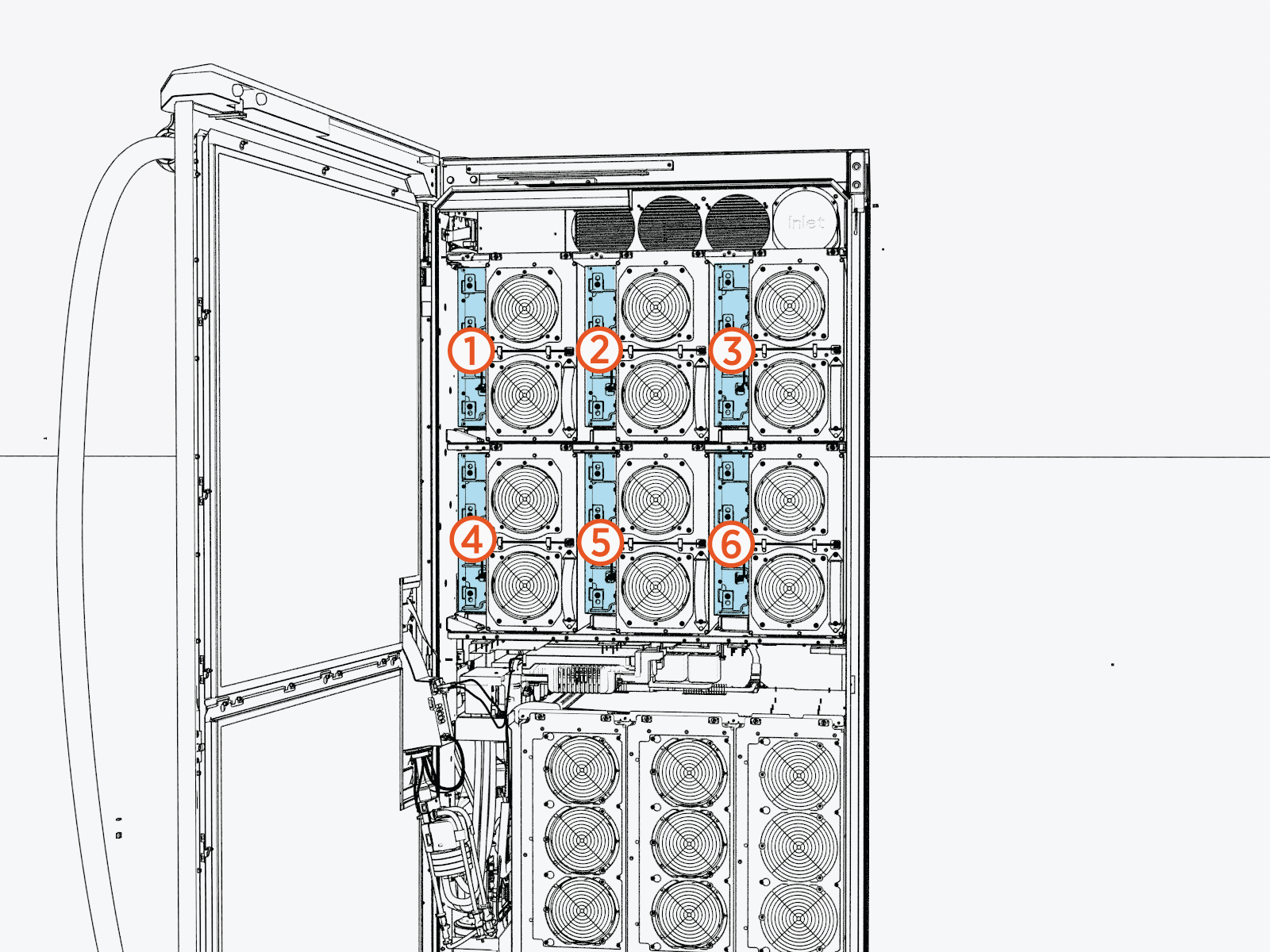
Identify Target Contactor Matrix (CMX)
Remove the CMX
To remove the contactor matrix for replacement, follow these steps:
-
Perform the following actions on the exhaust (left) side of the cabinet:
-
Loosen (do not remove) the M5 nuts (x2) from the DC power module input cover.
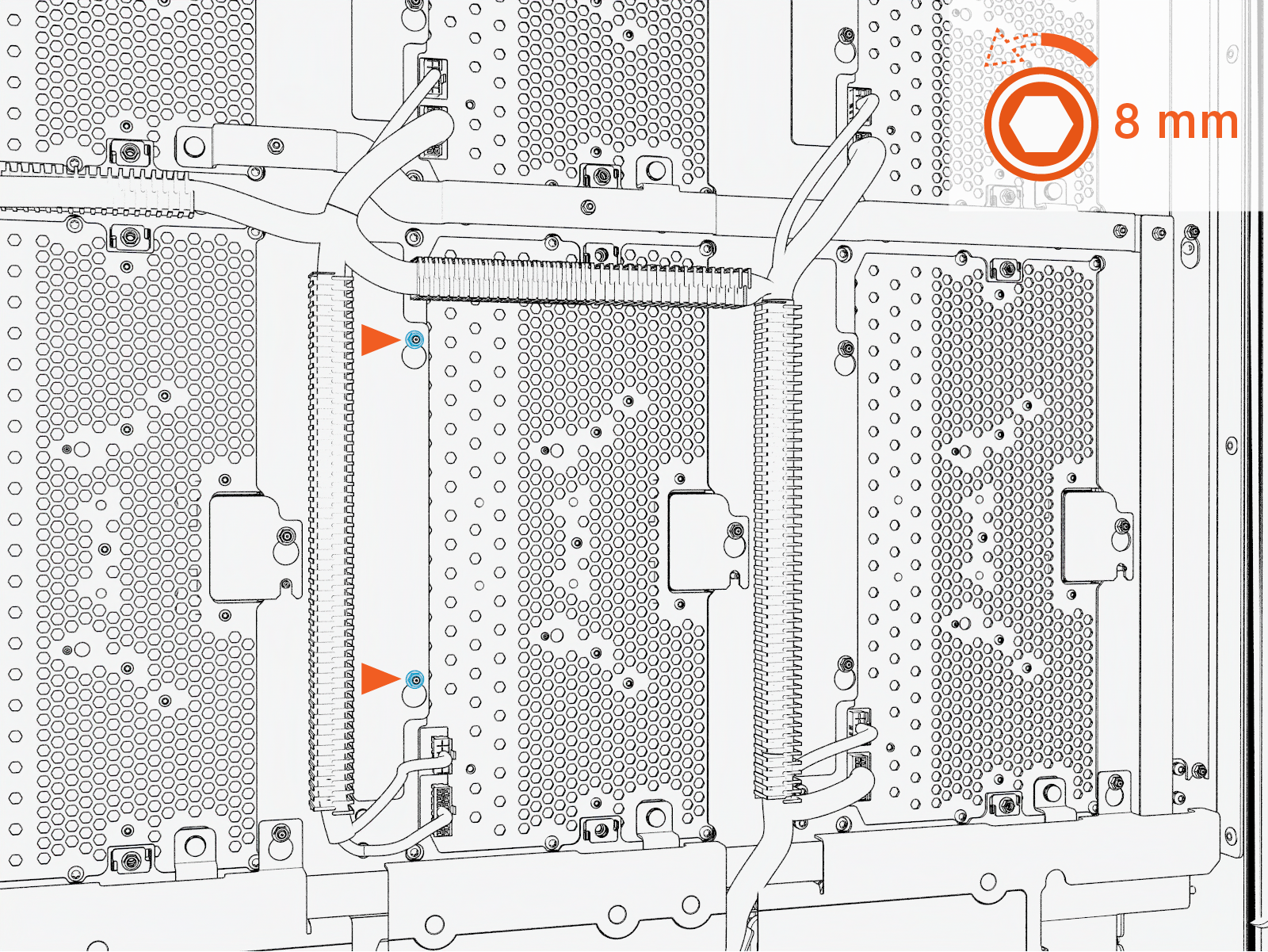 Torque the nut to 4.5 Nm (40 in-lb).
Do not use impact driver to tighten fasteners.
-
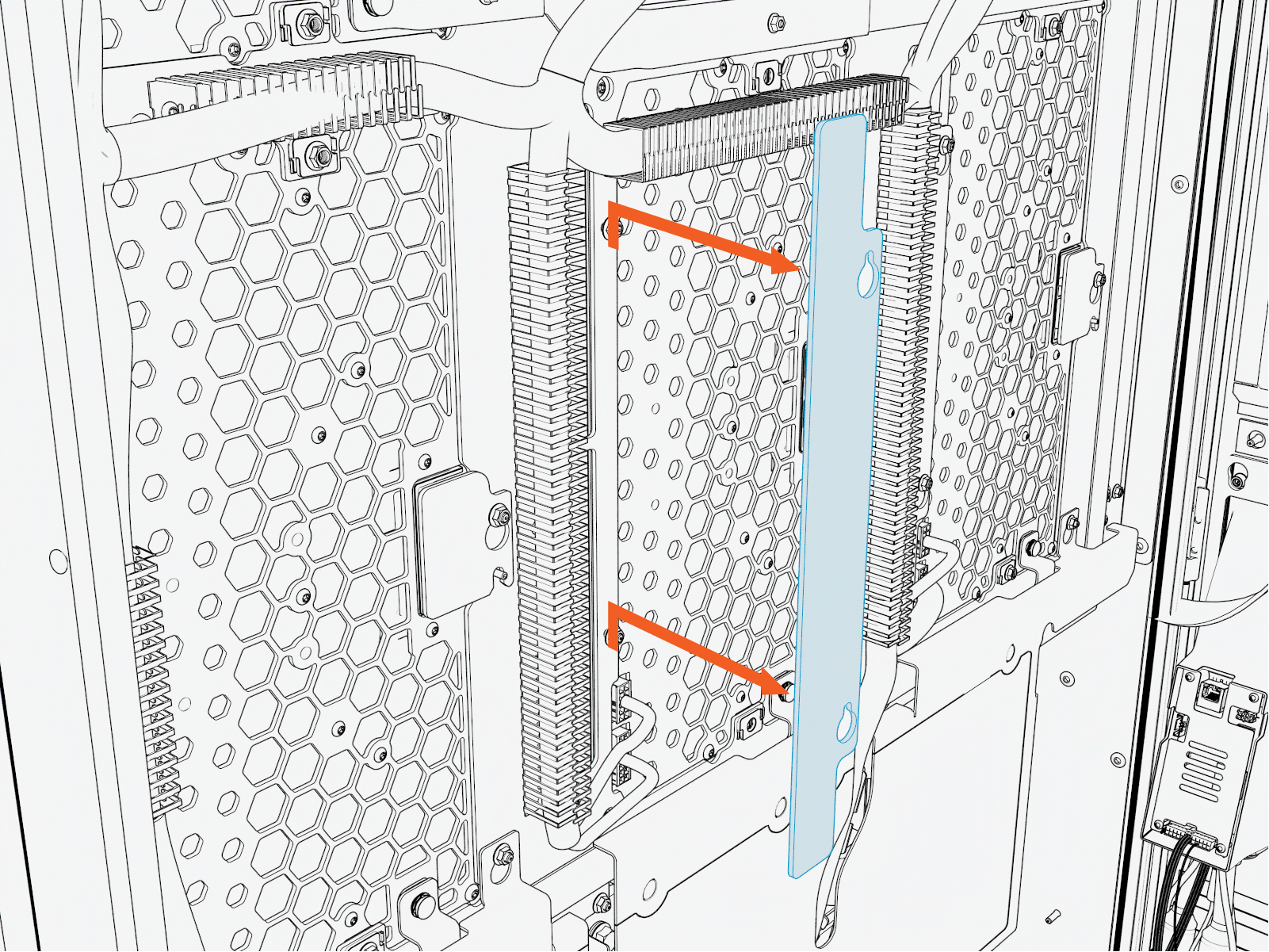
Lift the DC power module input cover upward from the keyslot and pull it forward to remove.
-
Fully loosen (do not remove) the M6 captive screws (x16).
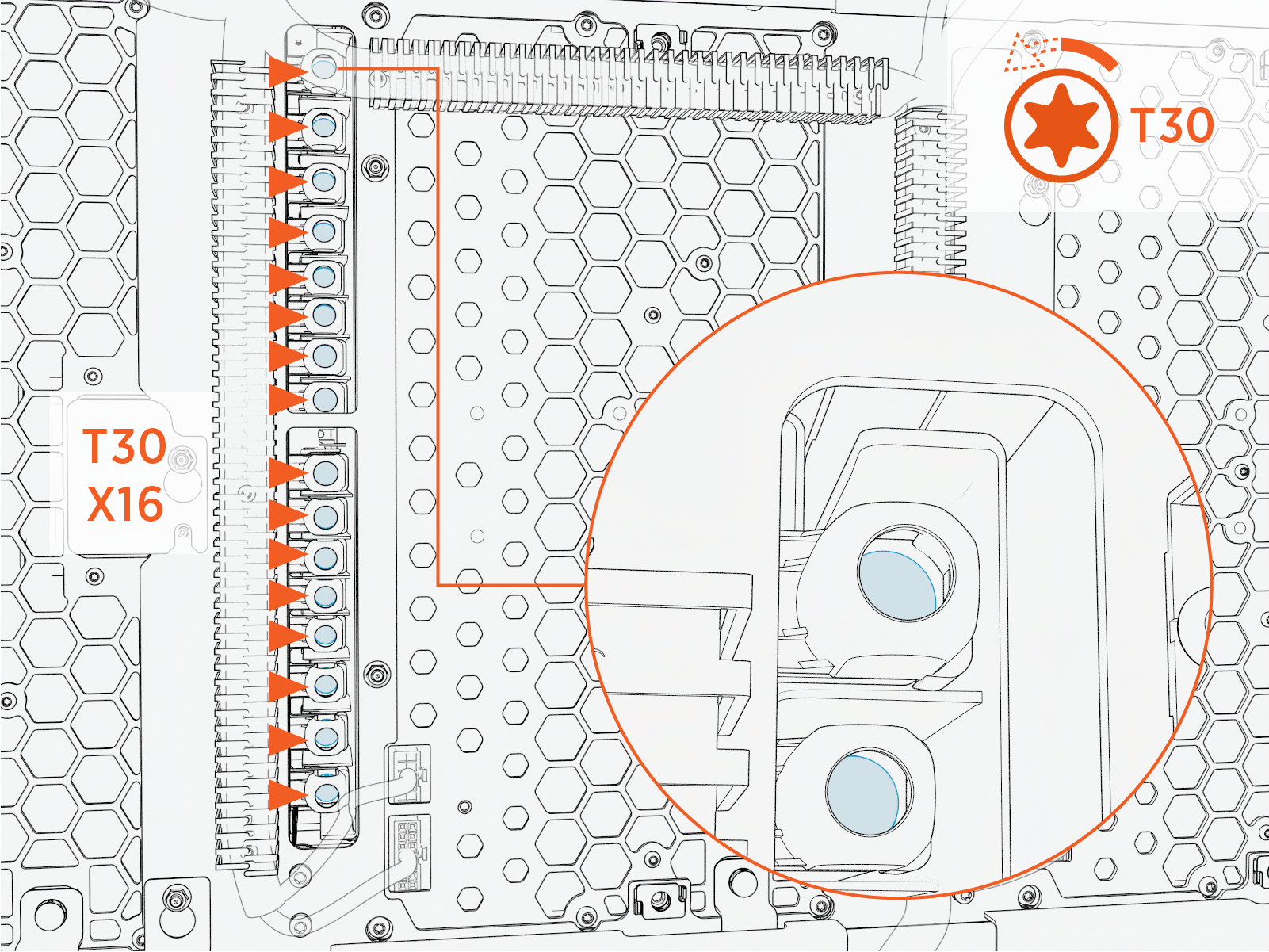 Torque these screws to 5.6 Nm (50 in-lb).
Do not use impact driver to tighten fasteners.
-
-
Perform the following actions on the intake (right) side of the cabinet:
-
Loosen (do not remove) the M5 nuts (x2) from the DC power module output cover.
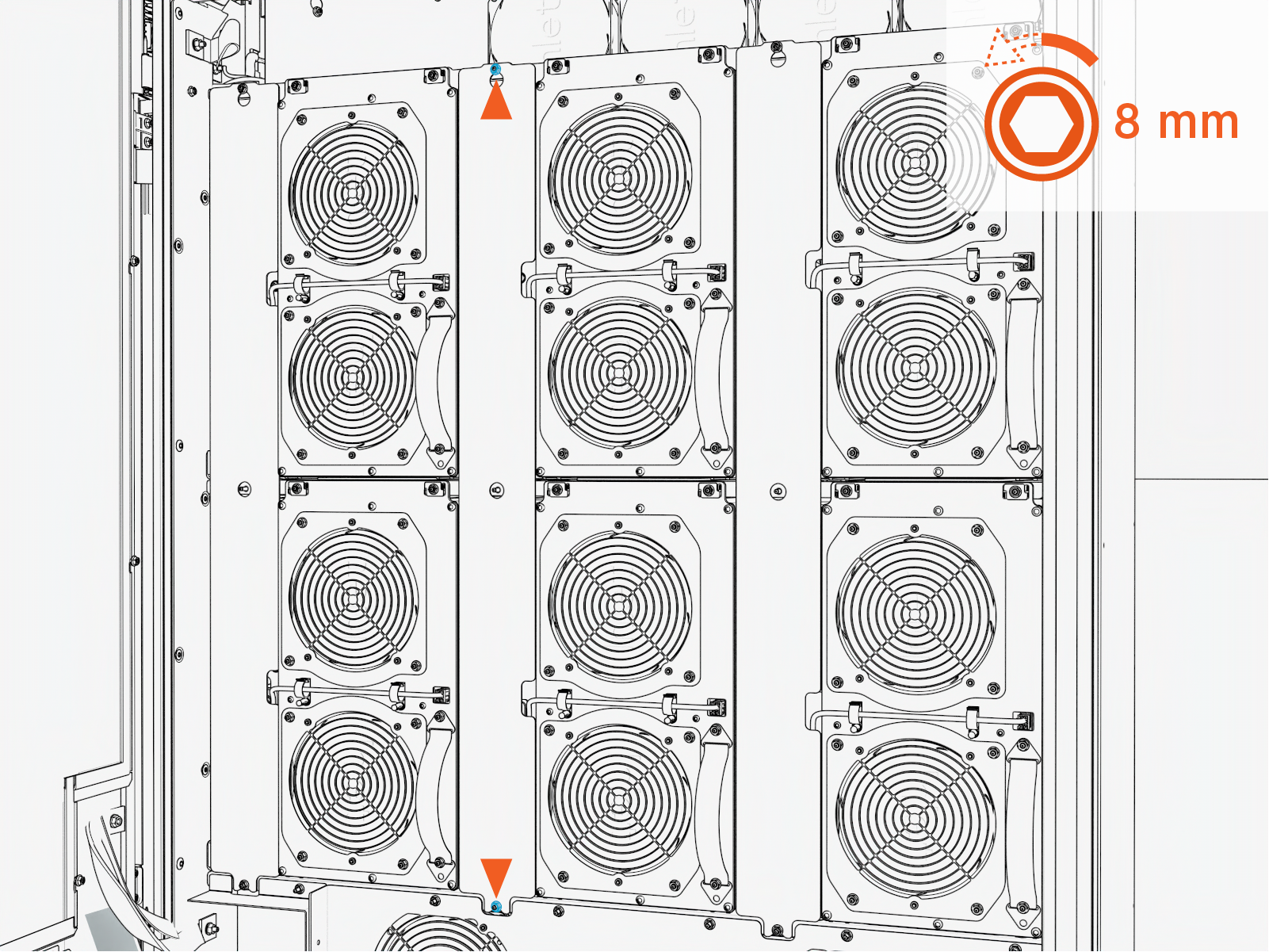 Torque the nut to 4.5 Nm (40 in-lb).
Do not use impact driver to tighten fasteners.
-
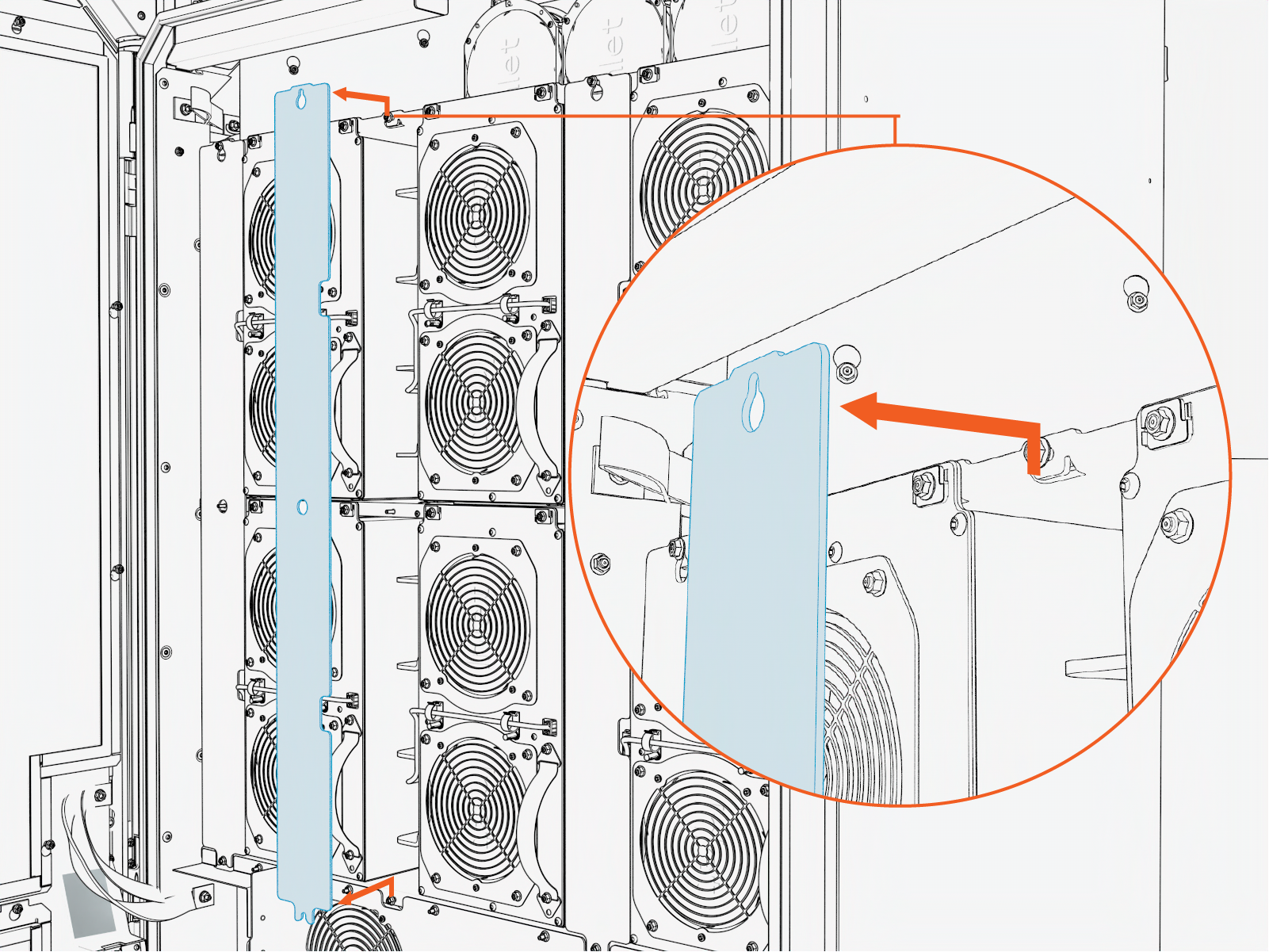
Lift the DC power module output cover upward from the keyslot and pull it forward to remove.
-
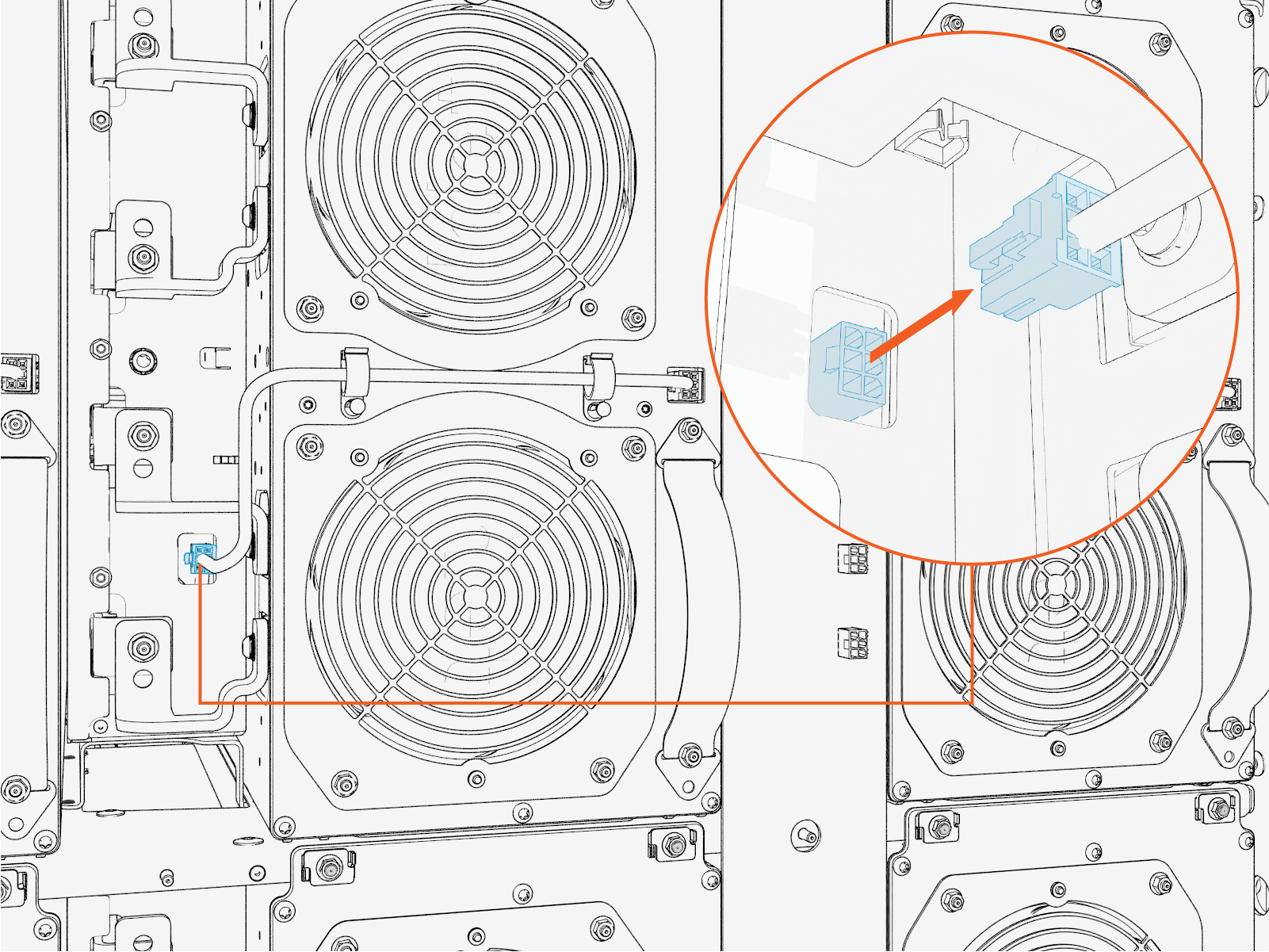
Disconnect the connector from the contactor matrix.
-
Remove the M6 screws (x4) attached to the DC power module.
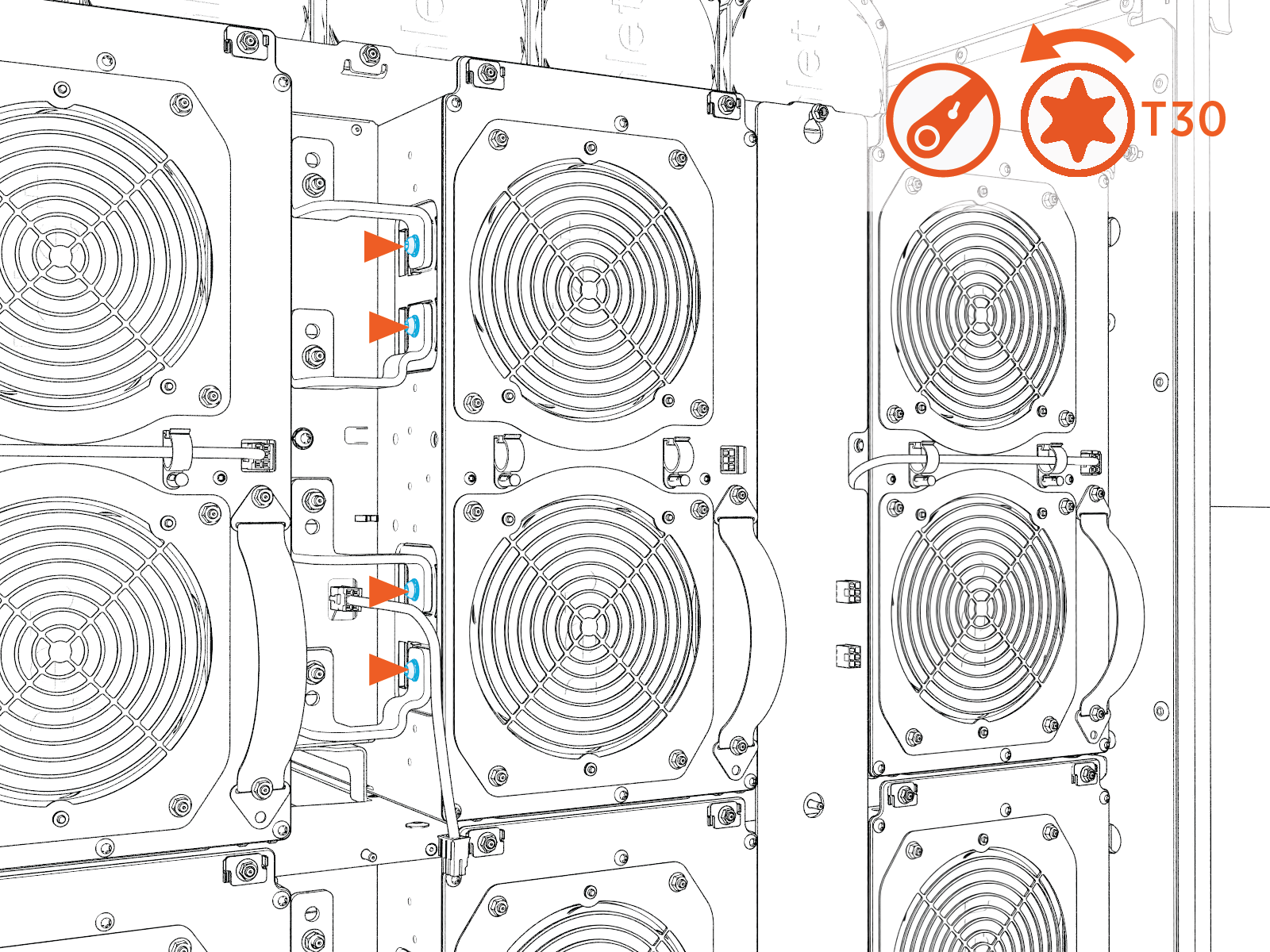 Torque these screws to 5.6 Nm (50 in-lb).
Do not use impact driver to tighten fasteners.
-
Use a 10 mm socket to loosen the M5 nuts (x4).
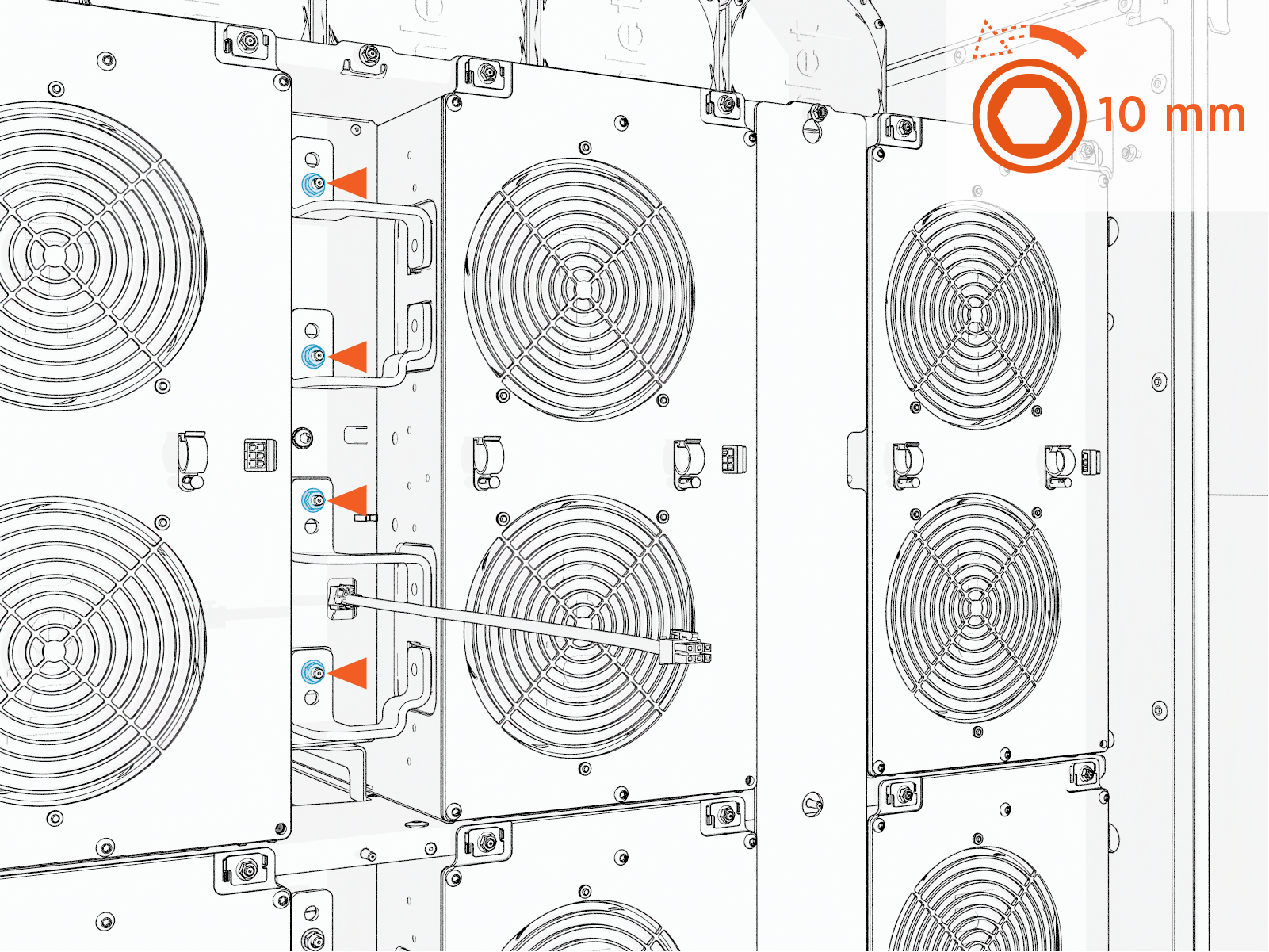 Torque these screws to 5.6 Nm (50 in-lb).
Do not use impact driver to tighten fasteners.
-
Rotate the bus bars to prevent contact with the DC power module during removal.
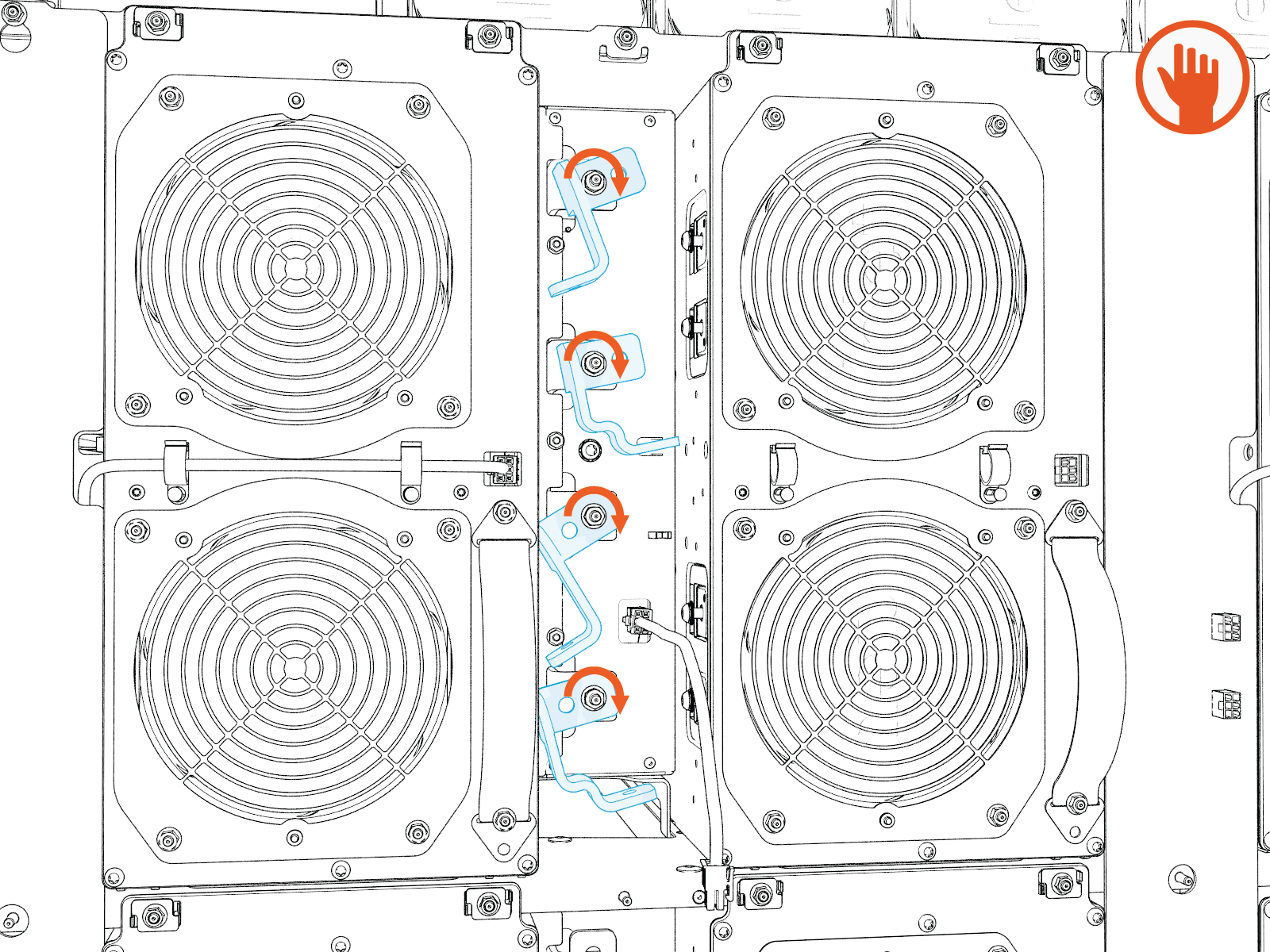
-
Remove the M6 screw attached to the DC power module to disconnect the ground strap.
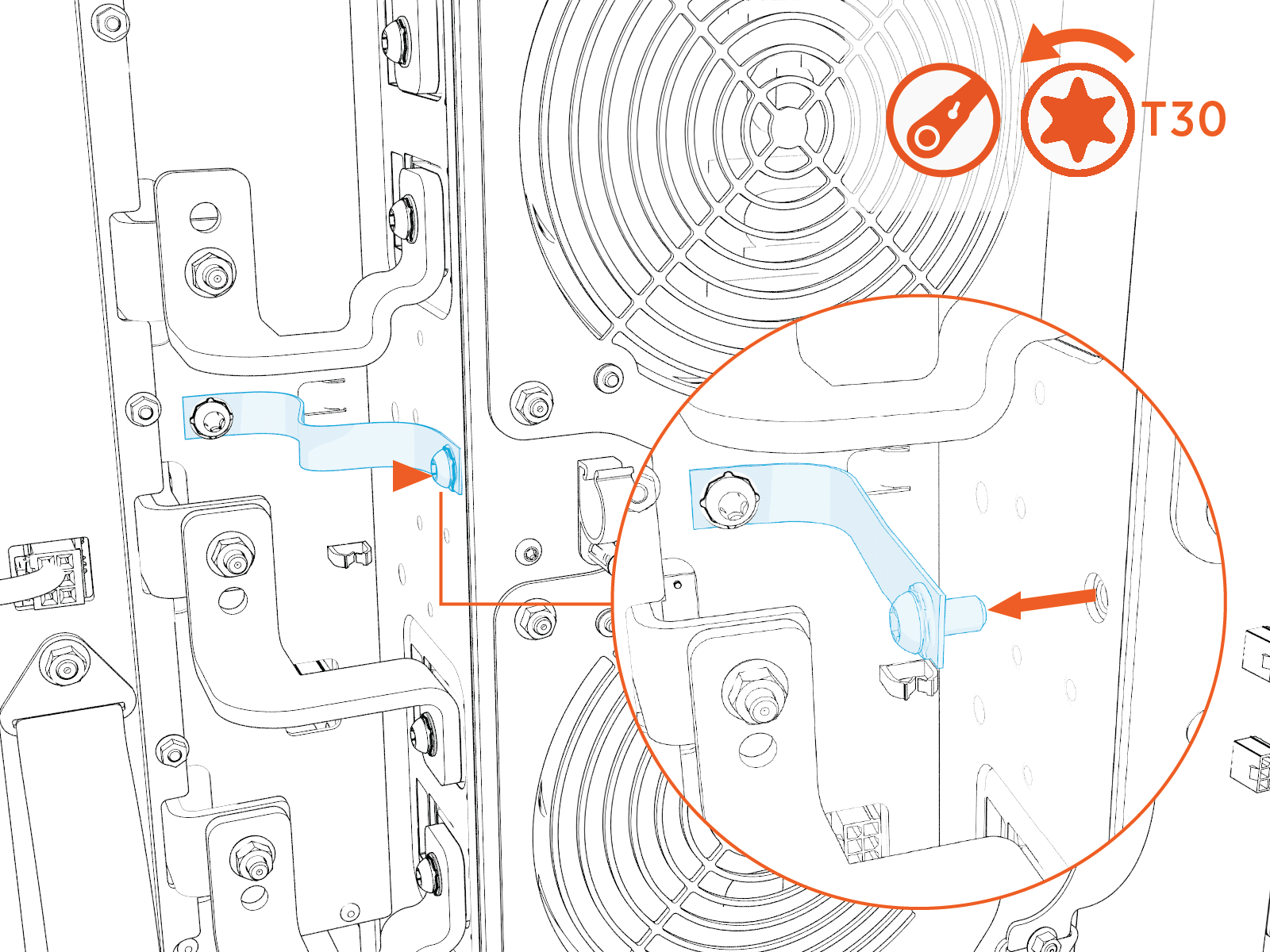 Torque the nuts to 5.6 Nm (50 in-lb).
Do not use impact driver to tighten fasteners.
-
Remove the CMX from its rail.
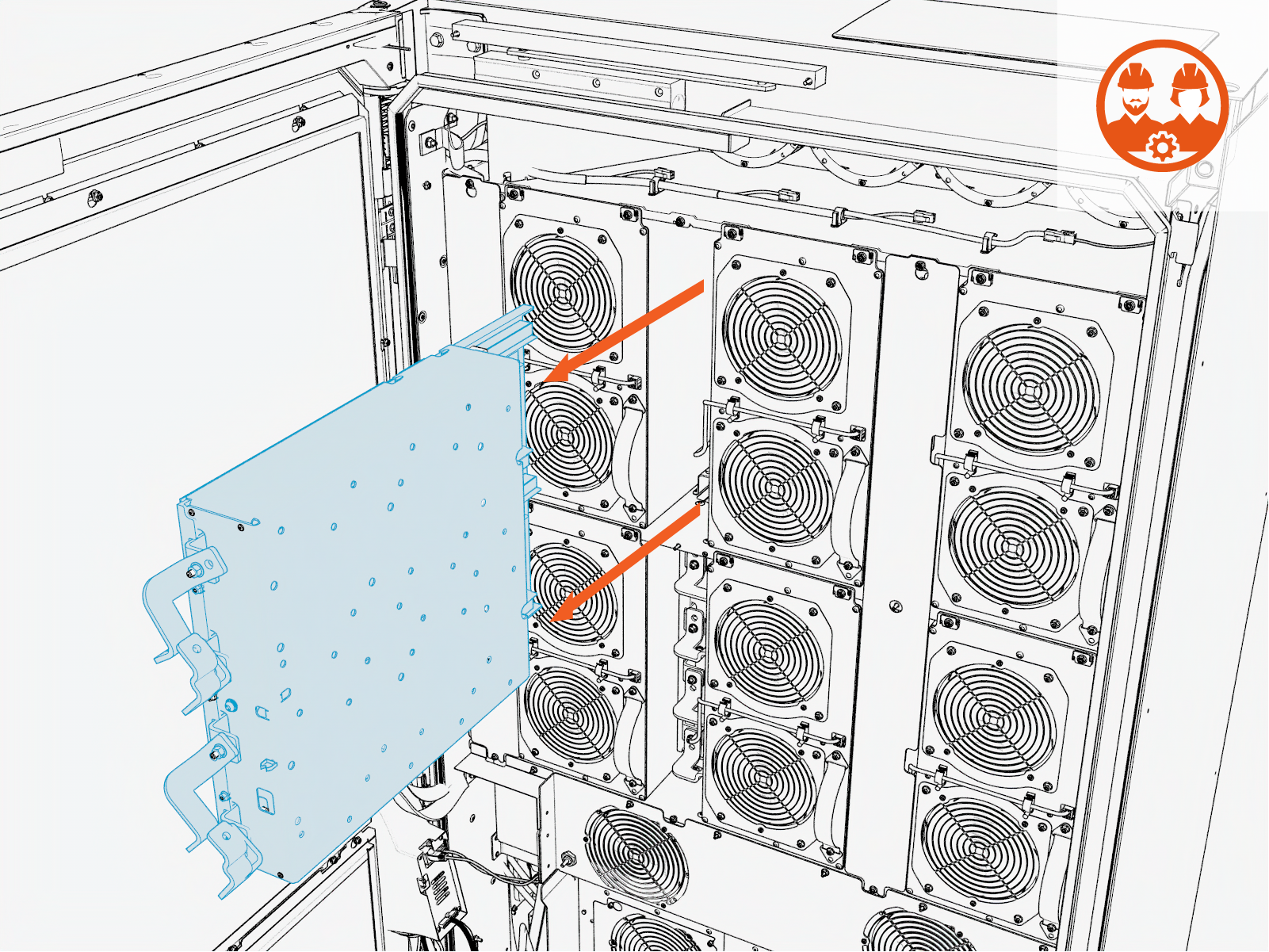
-
-
Reverse the above steps to reinstall with replacement contactor matrix.