Auxiliary Power Supply (AUX PS) Module
Required Tools and Materials
|
|
Socket (8 mm) |
|
Torque wrench |
|
|
Gloves |
|
Socket extension |




Before You Begin
-
Wait at least five minutes for energy to dissipate.
After replacing the components, reverse the above steps to complete the service.
-
Complete the post-service checklist. The checklist is available at ChargePoint Product Reference Documentation.
-
Contact ChargePoint regarding faulty part return.
Remove the Safety Covers
Carefully remove the following safety covers:
External DC Output Bus Bars Safety Cover - Exhaust/Left side
Perform the following actions on the exhaust (left) side of the cabinet:
-
Loosen (do not remove) the M5 nuts (x5) that secure the DC bus bar safety cover.
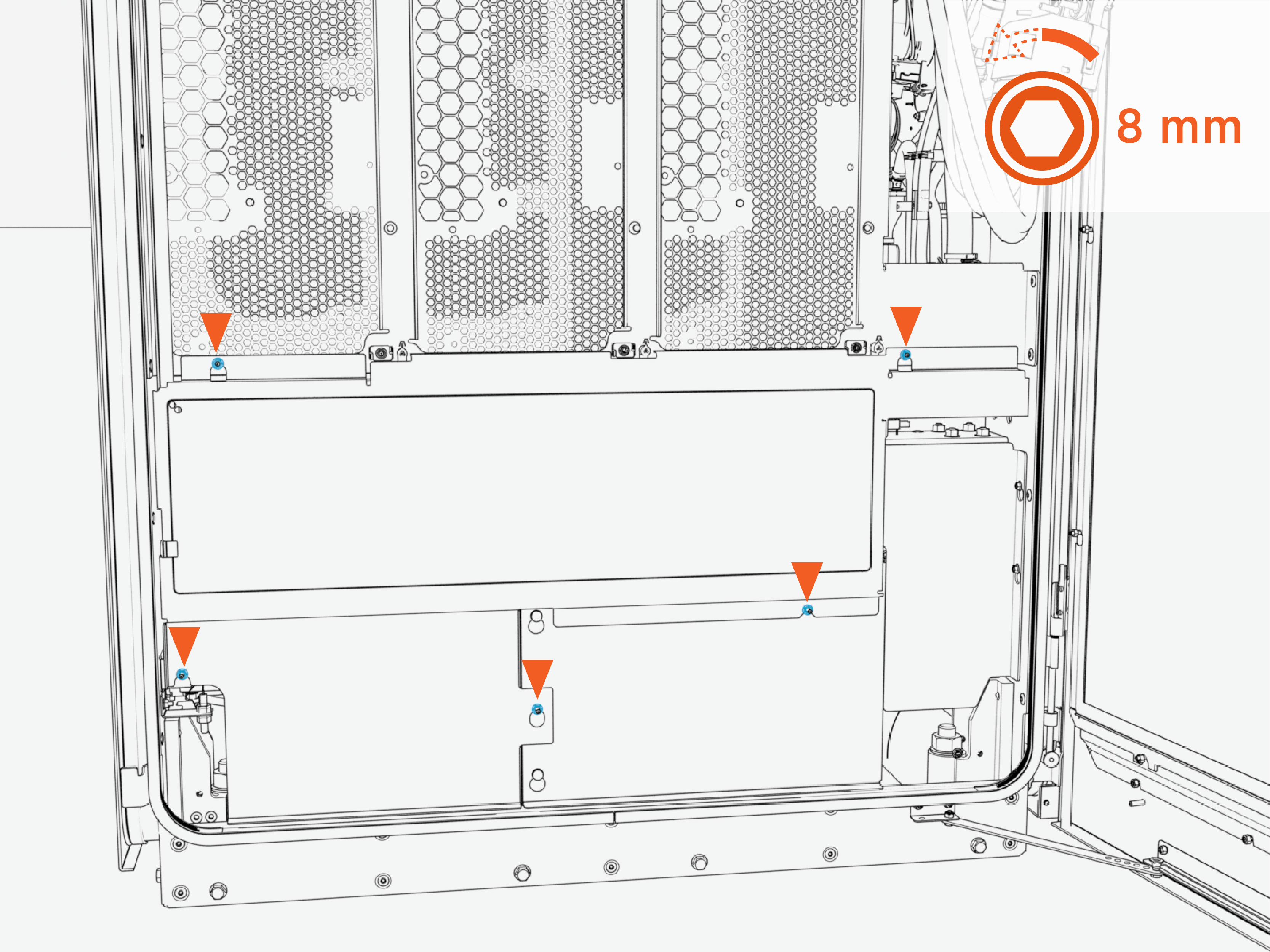 Torque the nuts to 4.5 Nm (40 in-lb).
Do not use impact driver to tighten fasteners.
-
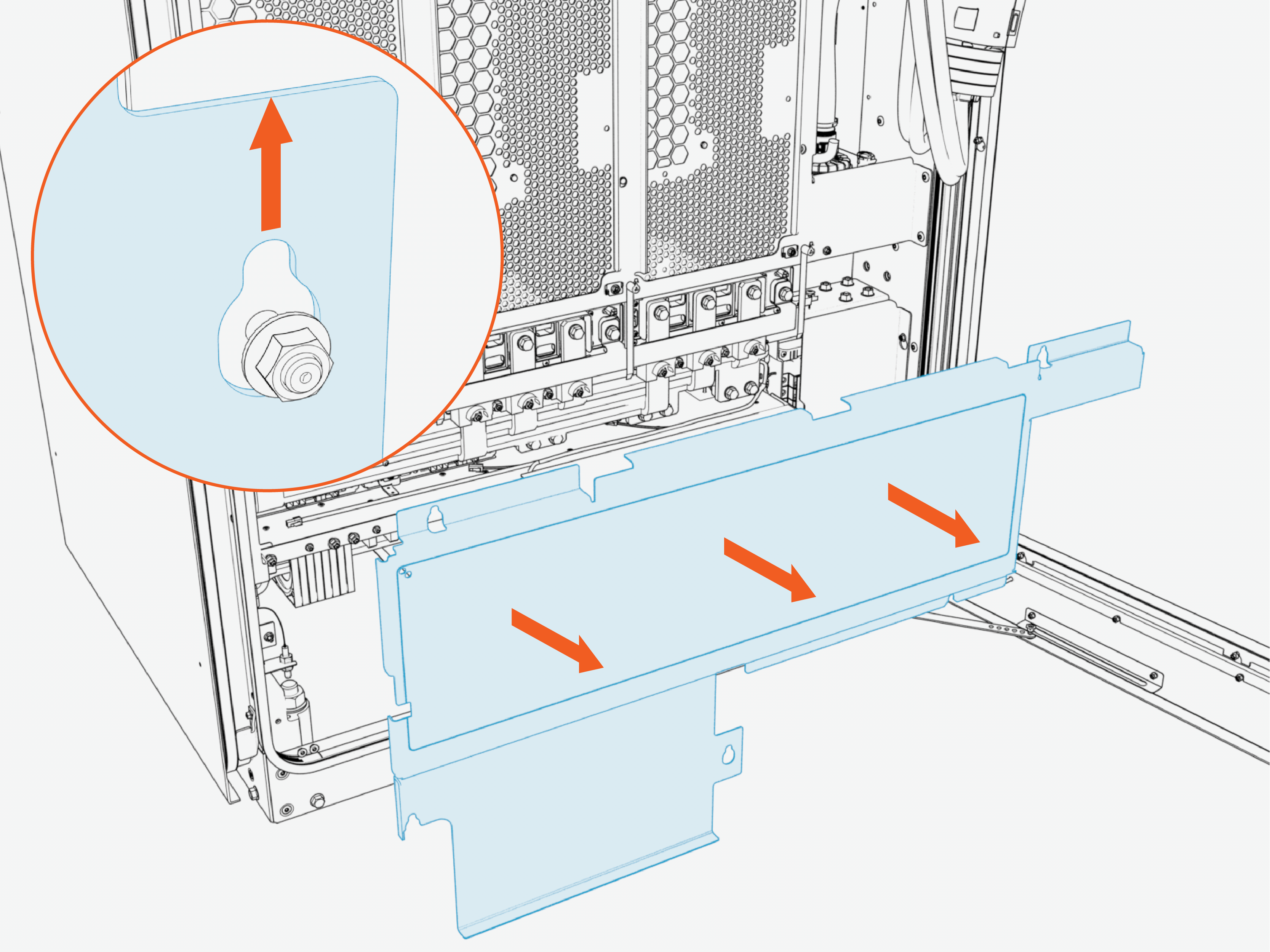
Slide the cover upward to release the keyholes. Then pull outward to remove the safety cover.
-
Reverse the above steps to reinstall the safety cover after service.
DC Output Bus Bars Safety Cover - Intake/Fan Side
Perform the following actions on the intake (right) side of the cabinet:
-
Loosen (do not remove) the M5 nuts (x6) that secure the DC bus bars safety cover.
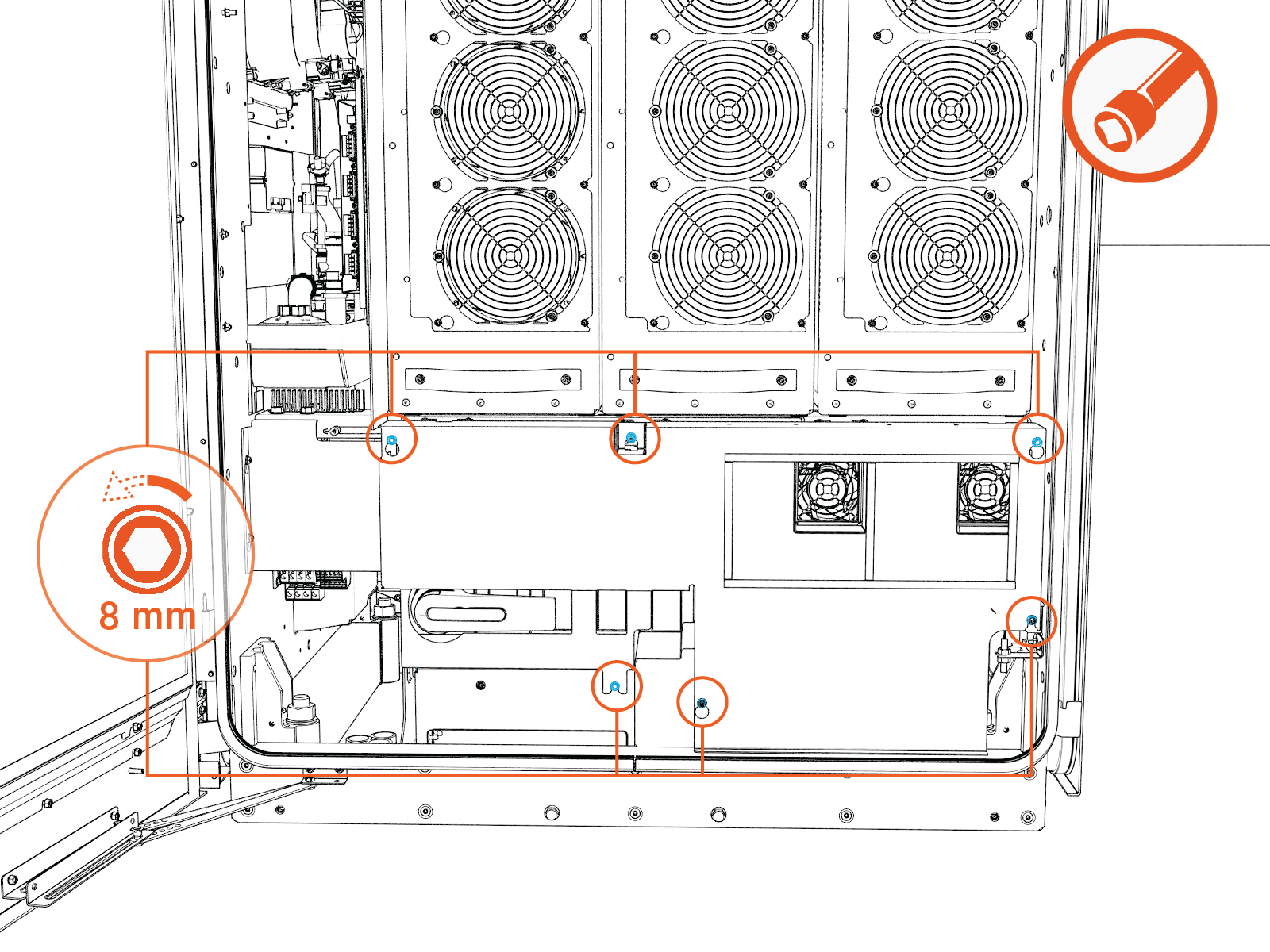 Torque the nuts to 4.5 Nm (40 in-lb).
Do not use impact driver to tighten fasteners.
-
Slide the cover upward to release the keyholes. Then pull forward to remove the safety cover.
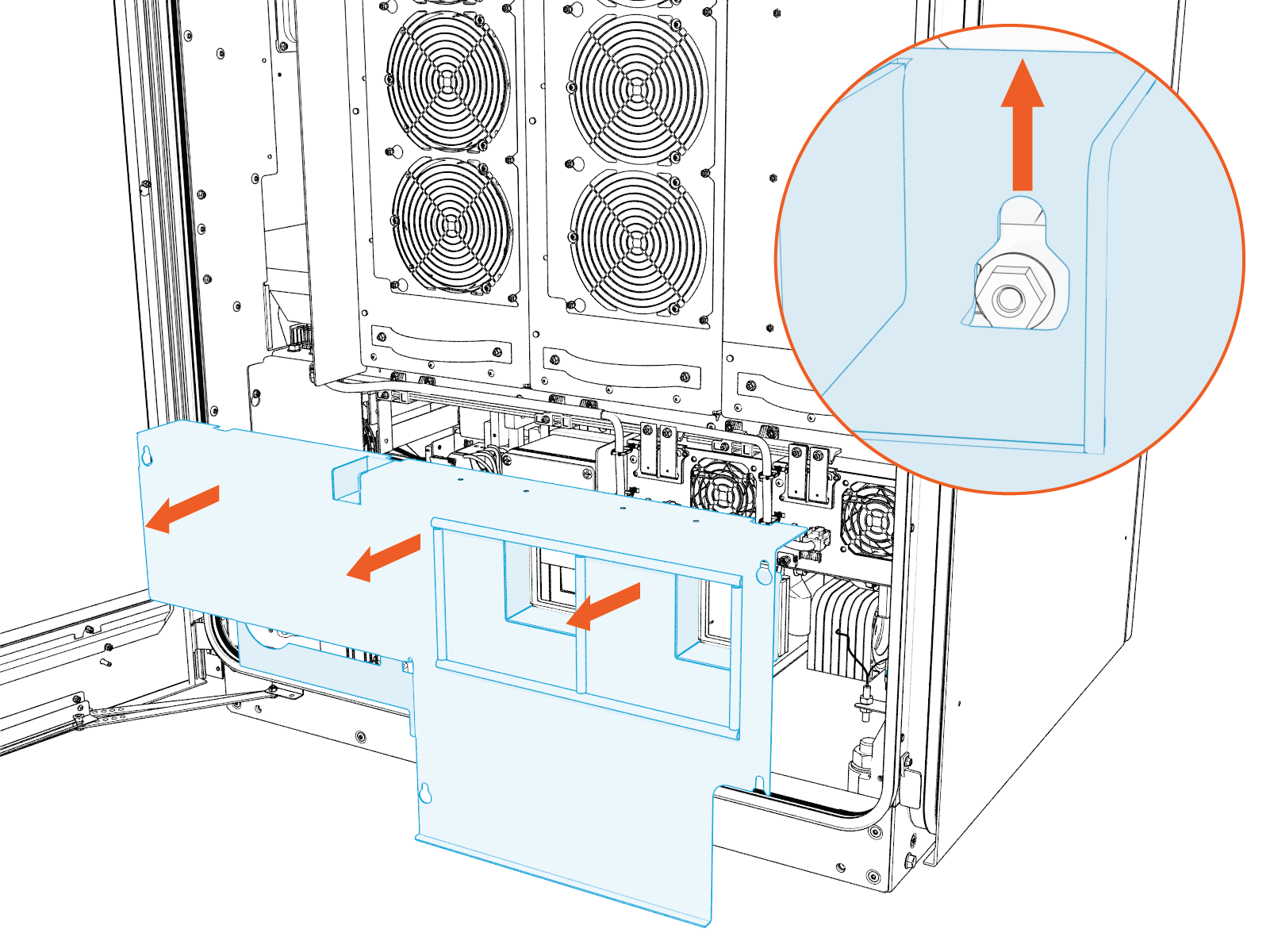
-
Reverse the above steps to reinstall the safety cover after service.
Identify Target Auxiliary Power Supply (AUX PS)
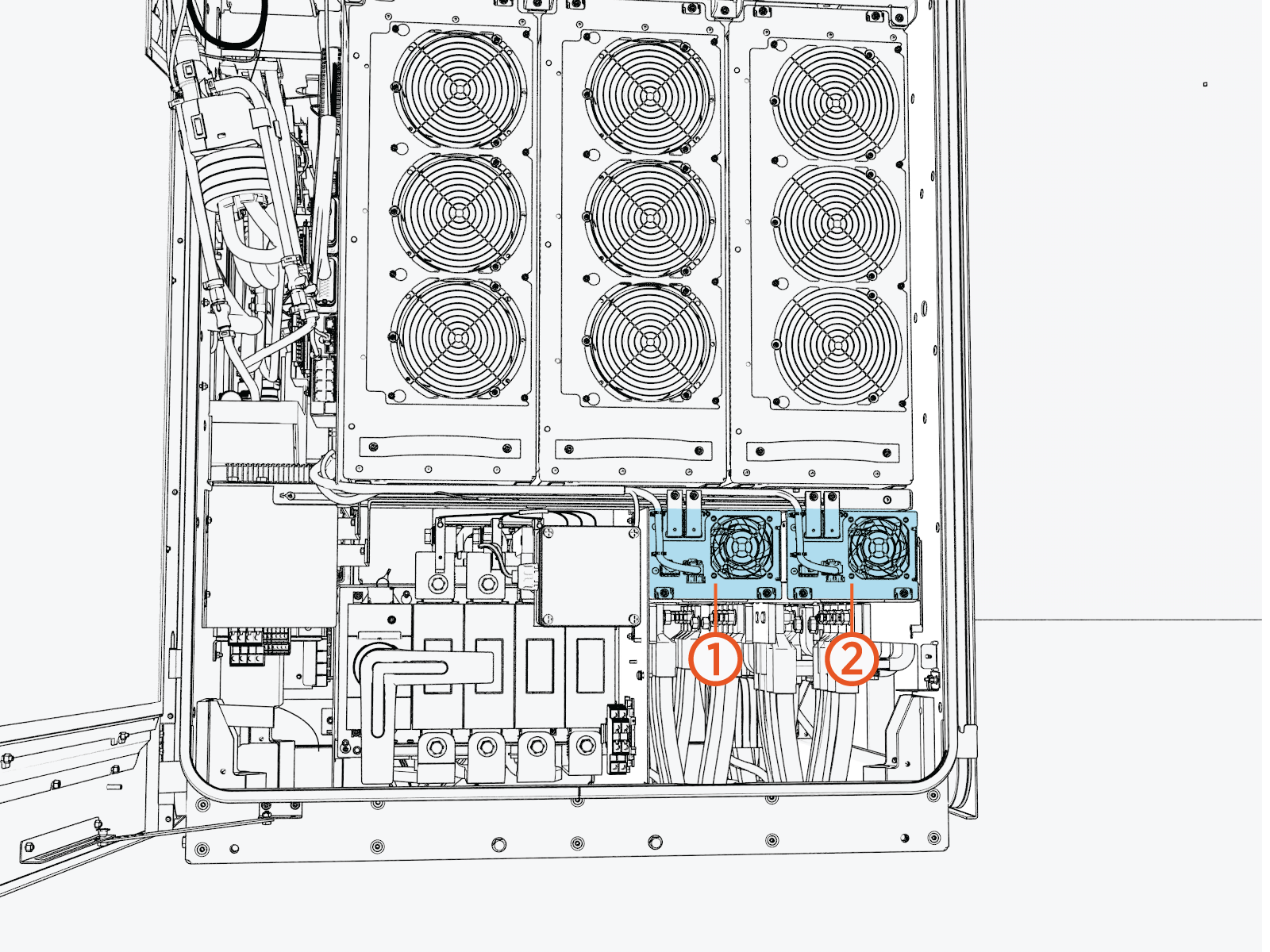
Remove the AUX PS Module
-
Perform the following actions on the exhaust (left) side of the cabinet.
-
Disconnect the connectors.
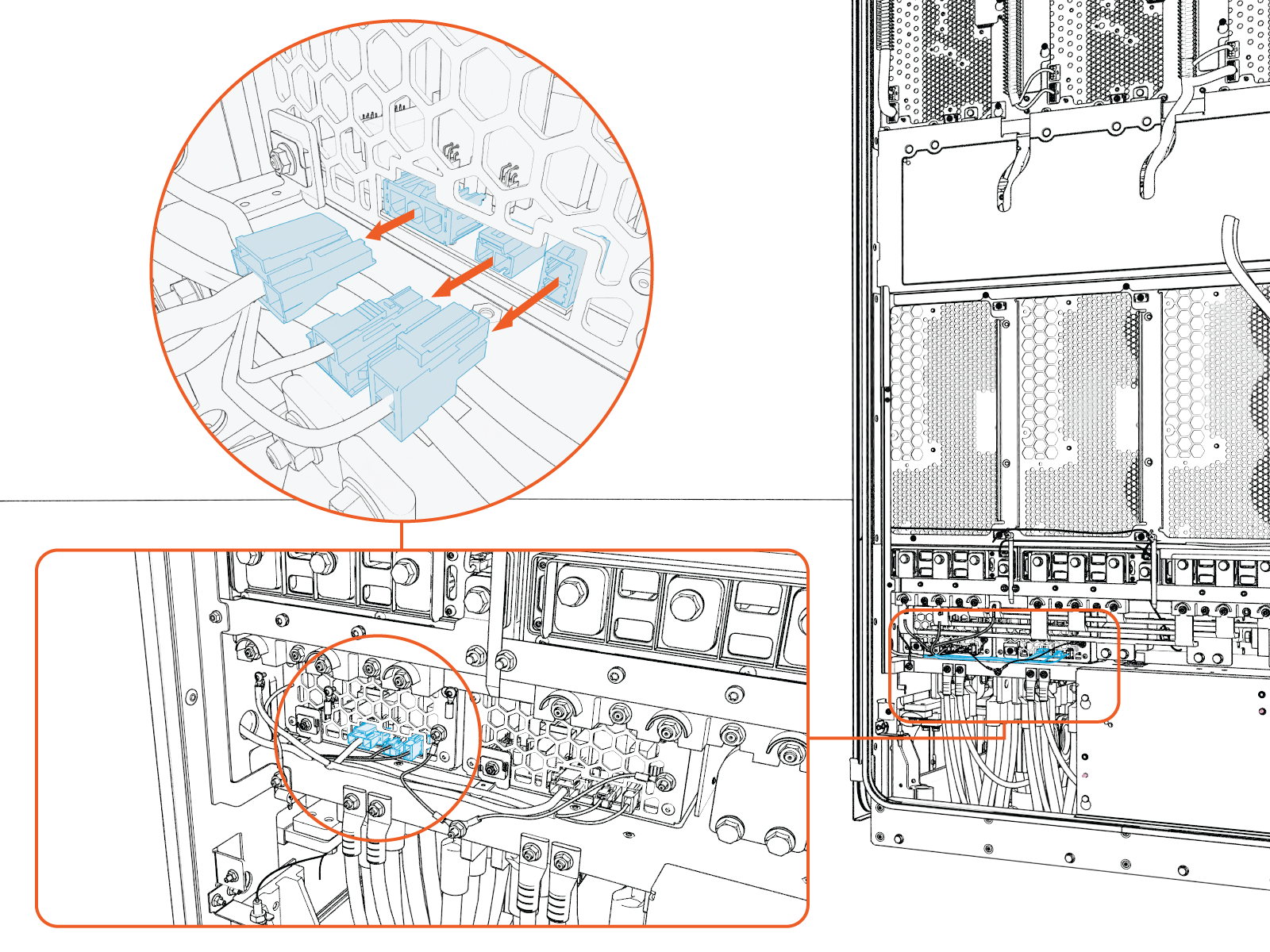
-
Remove the M5 nut.
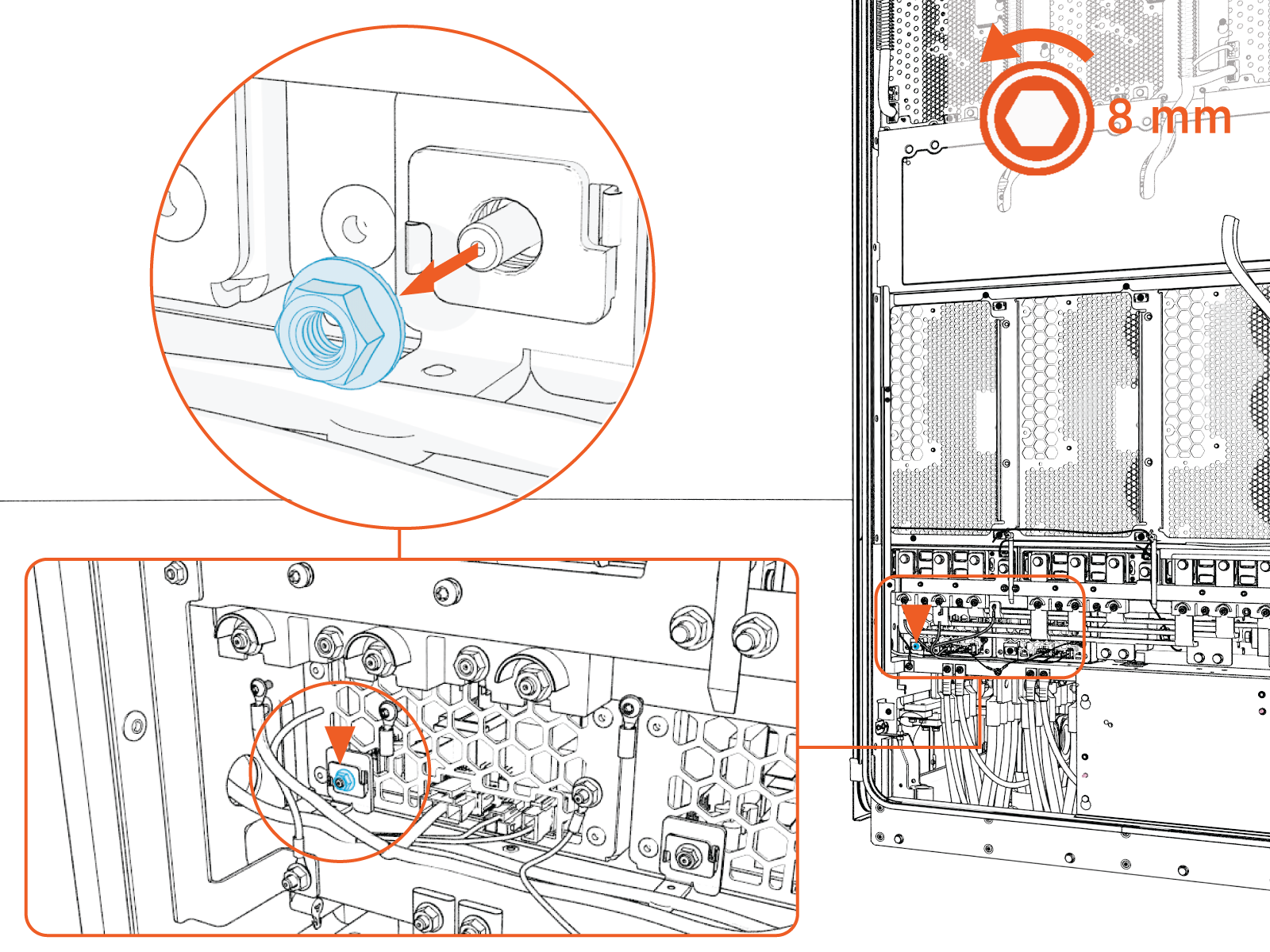 Torque the nuts to 4.5 Nm (40 in-lb).
Do not use impact driver to tighten fasteners.
-
-
Perform the following actions on the intake (right) side of the cabinet.
-
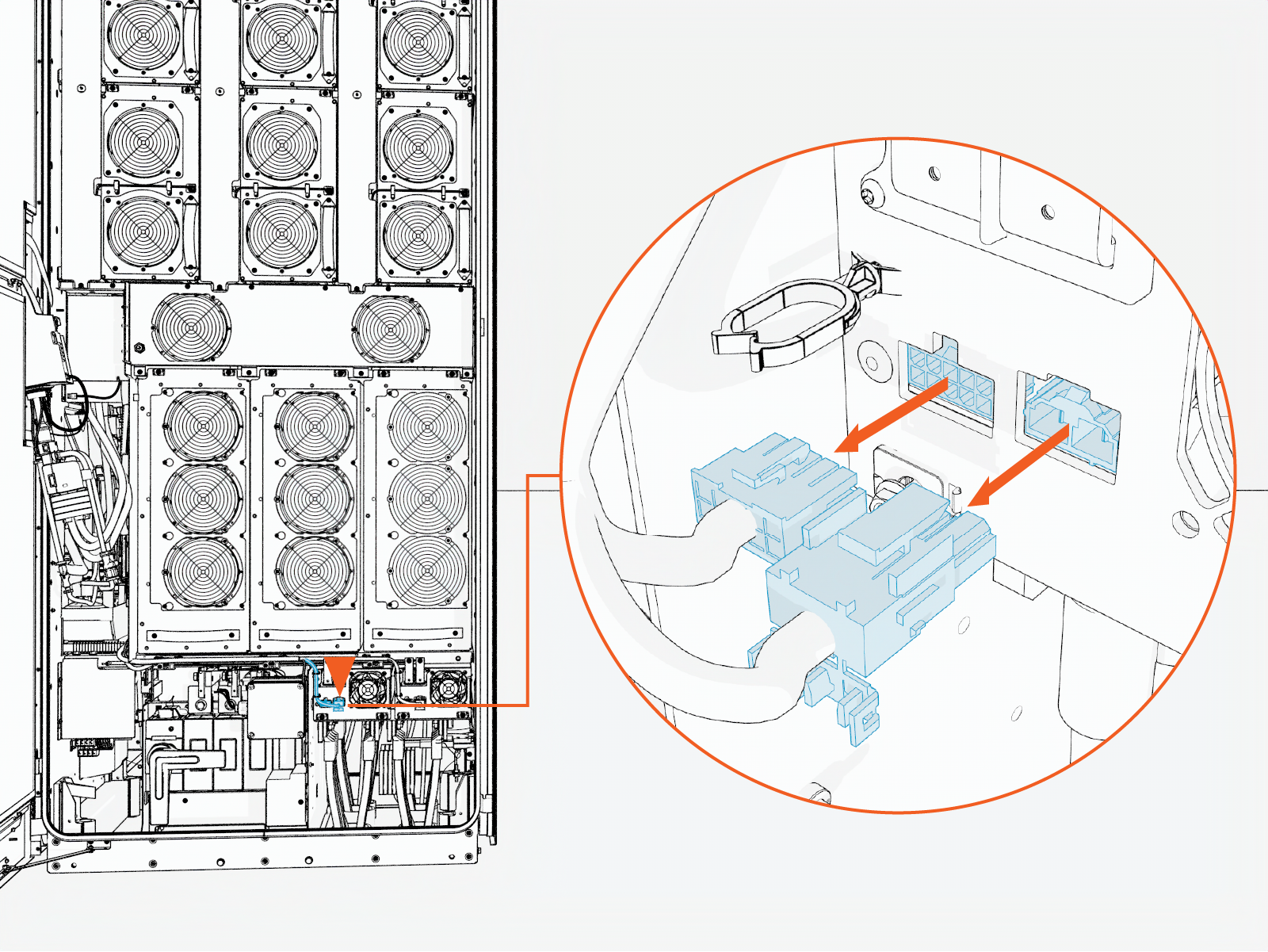
Disconnect the connectors and remove the connectors from the clip.
-
Remove the M5 nuts (x4) from the output bus bar and the Aux power supply enclosure.
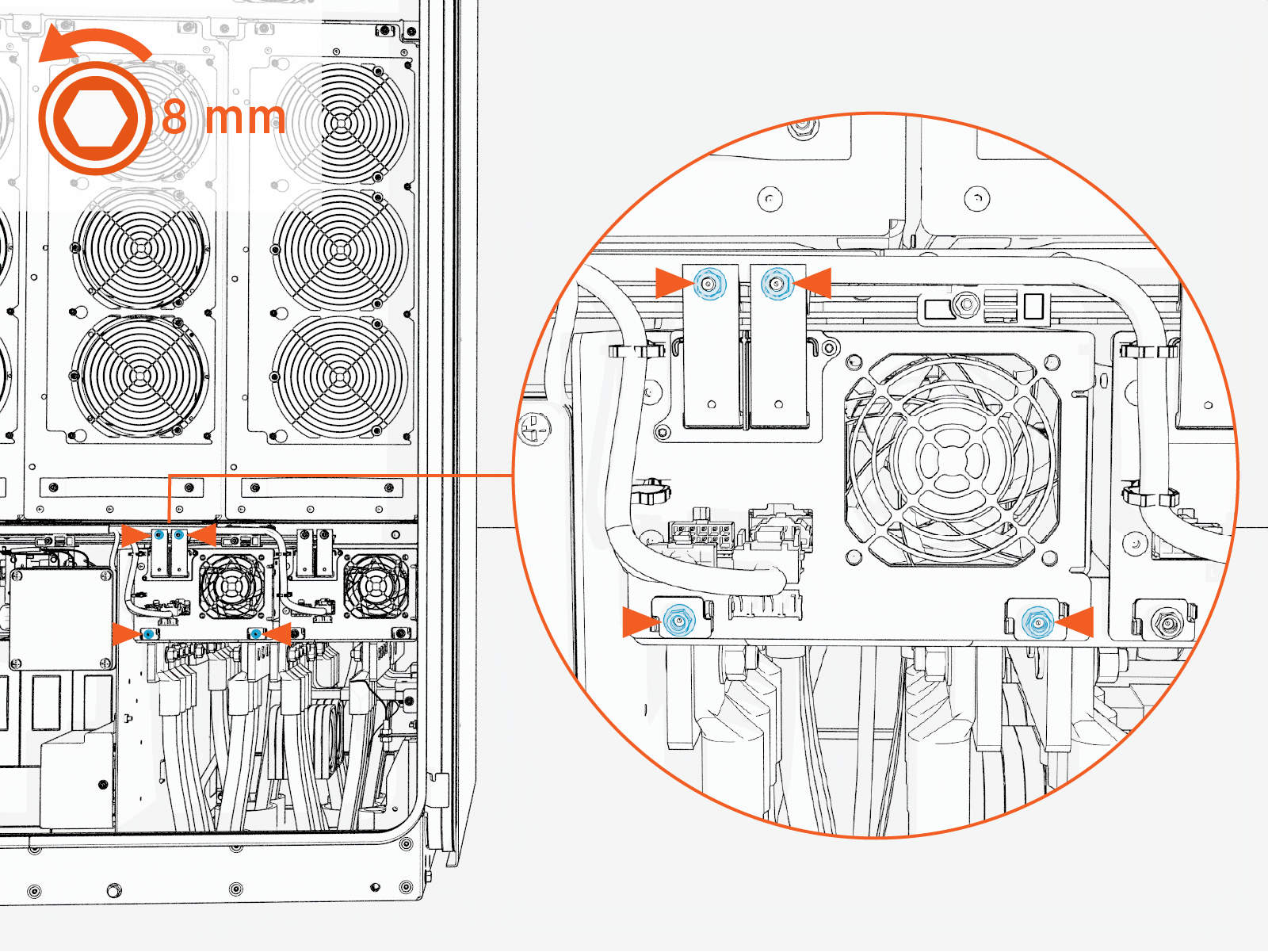 Torque the nuts to 4.5 Nm (40 in-lb).
Do not use impact driver to tighten fasteners.
-
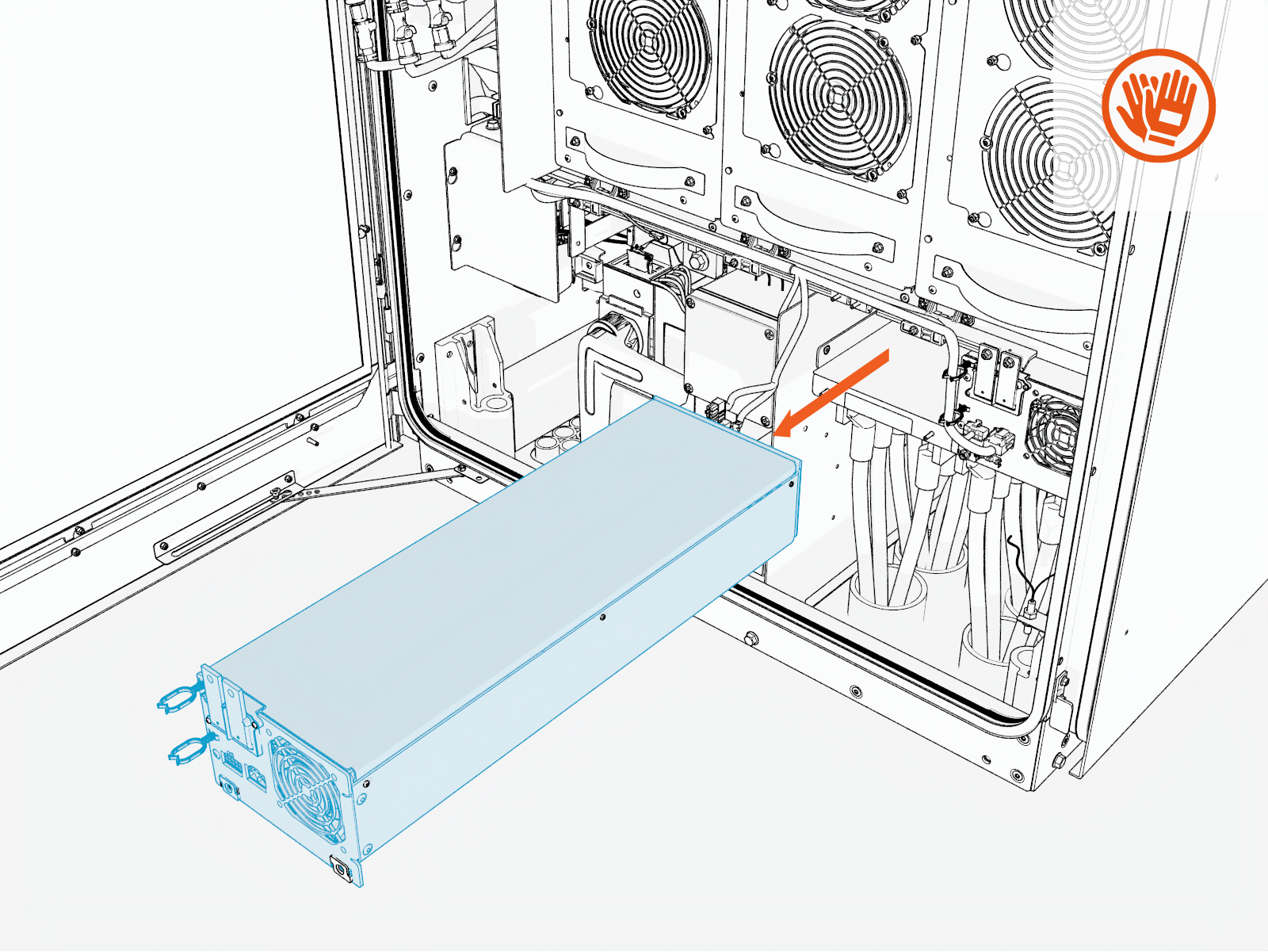
Pull the Aux power supply module straight out of the enclosure.
Before sliding out the module, verify that all cables and connectors are disconnected. Moving the module while connected can result in equipment damage.
If the module is stuck, push it from the rear side to release and remove it.
-
-
Reverse the above steps to reinstall with replacement Aux power supply module.