CCOM/Display
On Express Solo units certified for Eichrecht, the CCOM Control and Communications Module/display is not easily replaceable. As a standard practice, if replacing the CCOM Control and Communications Module/display, the Neutron MID Measuring Instruments Directive meter and charge cable must also be replaced. Removing these components breaks both the digital and physical sealing, which invalidates Eichrecht compliance and disables the station for public charging in affected jurisdictions. Only ChargePoint or qualified Instandsetzer (a technician certified for Eichrecht work) can replace these components while preserving Eichrecht validity. You can identify an Eichrecht-certified Express Solo by the "DE-M" mark on the nameplate.
This section is not applicable for Power Block 2000.
Required Tools and Materials
|
|
Socket (8 mm) |
|
Torx screwdriver (T10 and T25) |
|
|
Torque wrench |
|
Torque screwdriver |




Before You Begin
-
Wait at least five minutes for energy to dissipate.
After replacing the components, reverse the above steps to complete the service.
-
Complete the post-service checklist. The checklist is available at ChargePoint Product Reference Documentation.
-
Contact ChargePoint regarding faulty part return.
Remove the Display
To remove the display for replacement, follow these steps.
-
Remove the M3 screws (x12).
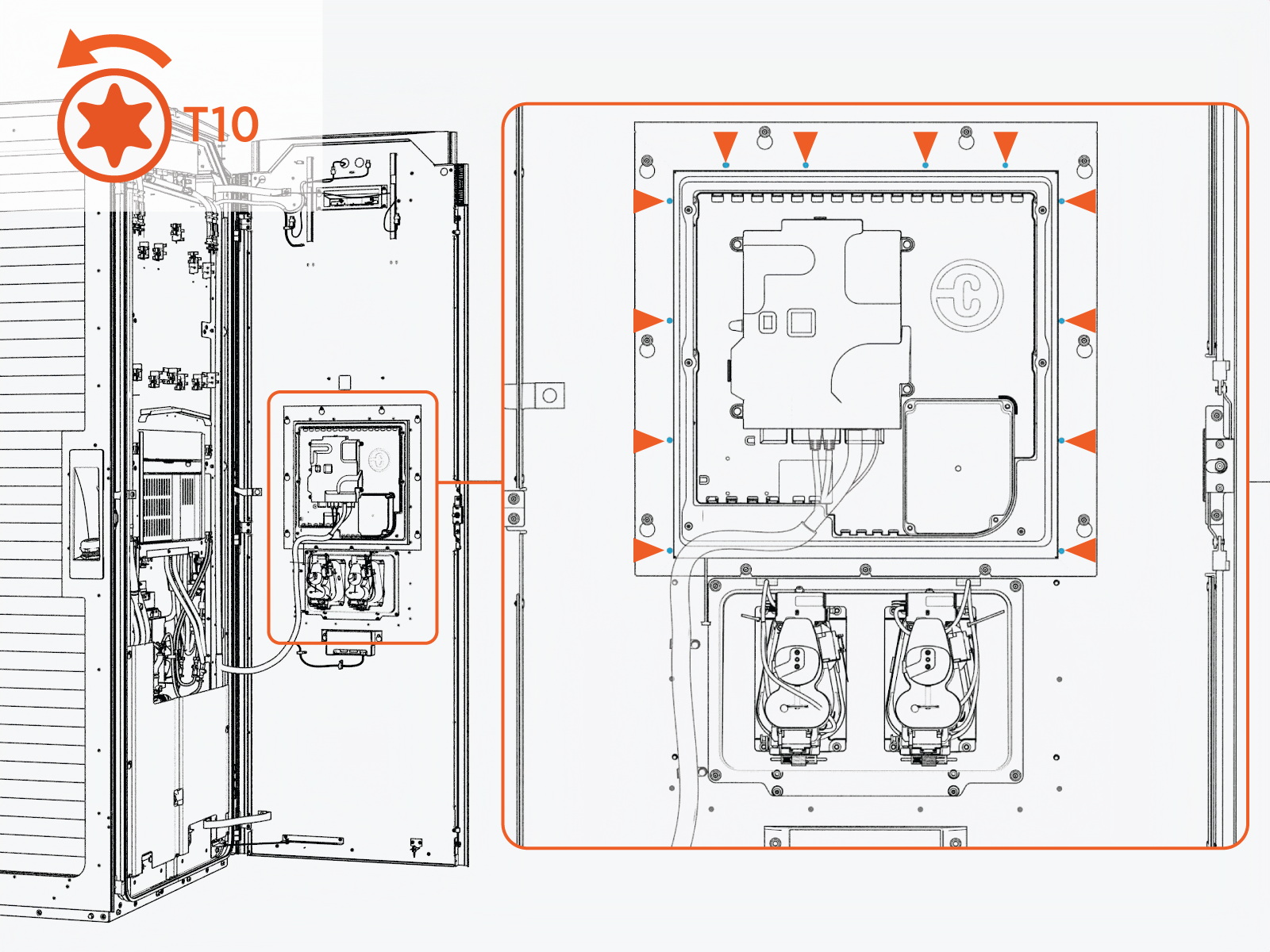 Torque the screws to 0.57 Nm (5 in-lb).
Do not use impact driver to tighten fasteners.
-
Pull out only the top part of the trim from the door.
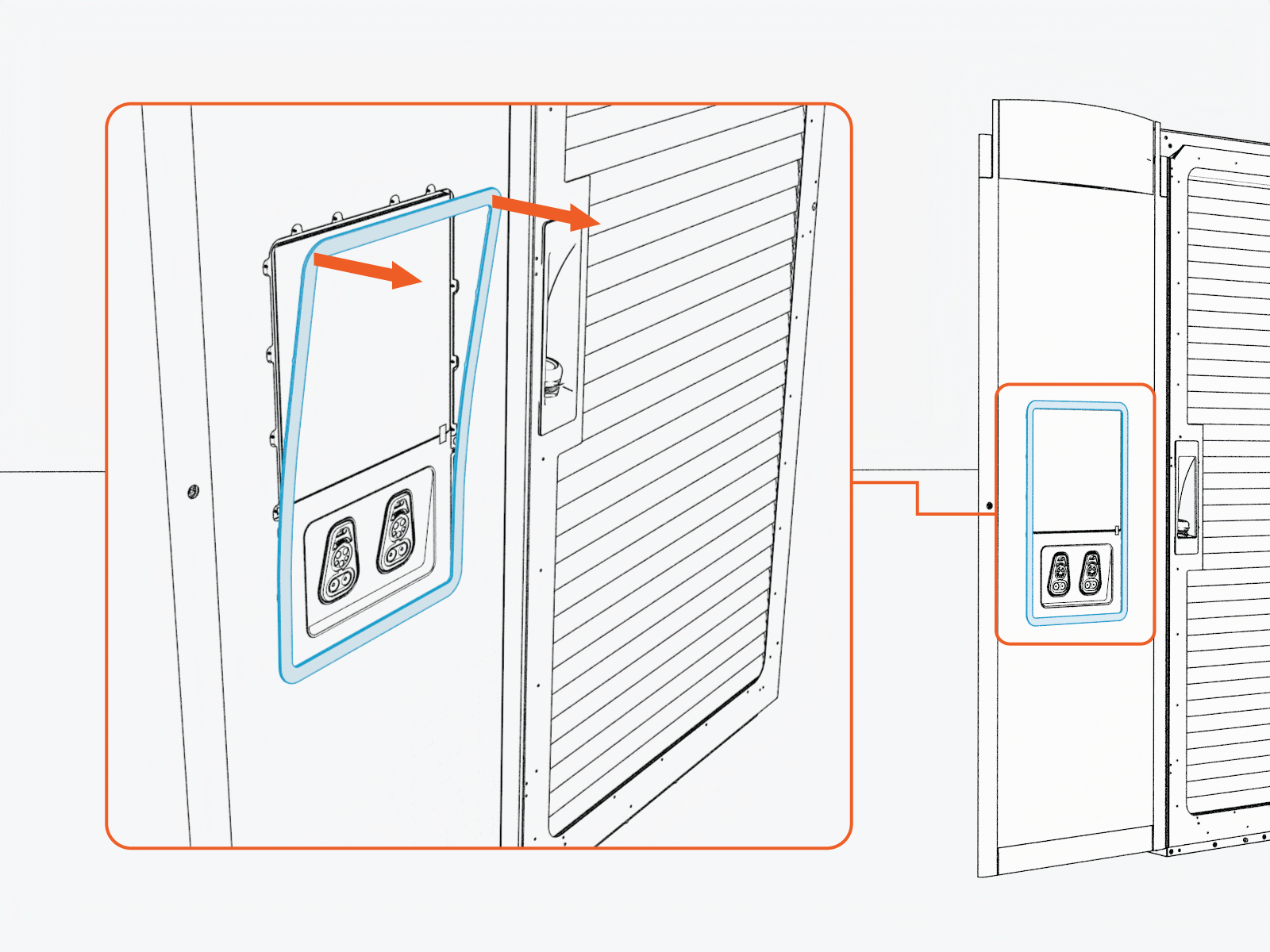
-
Disconnect the connectors from the display ports.
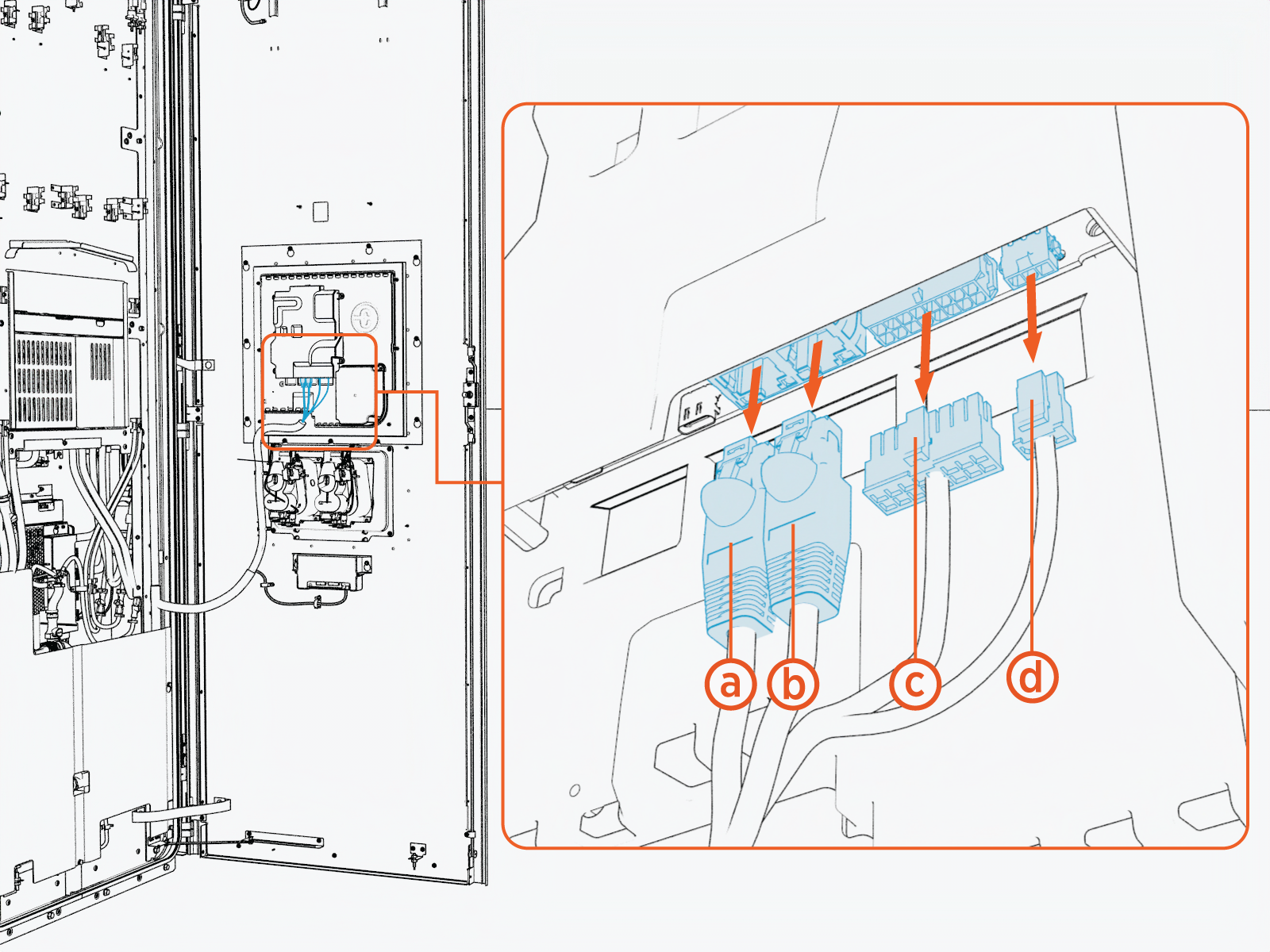
- Ethernet Surge
- SSLAN Smart Switch Local Area Network
- 197-J2
- 197-J8
Match the labels on the cables to the labels on the cable ports to ensure correct connectivity.
-
Loosen the M5 nuts (x11) around the display bracket.
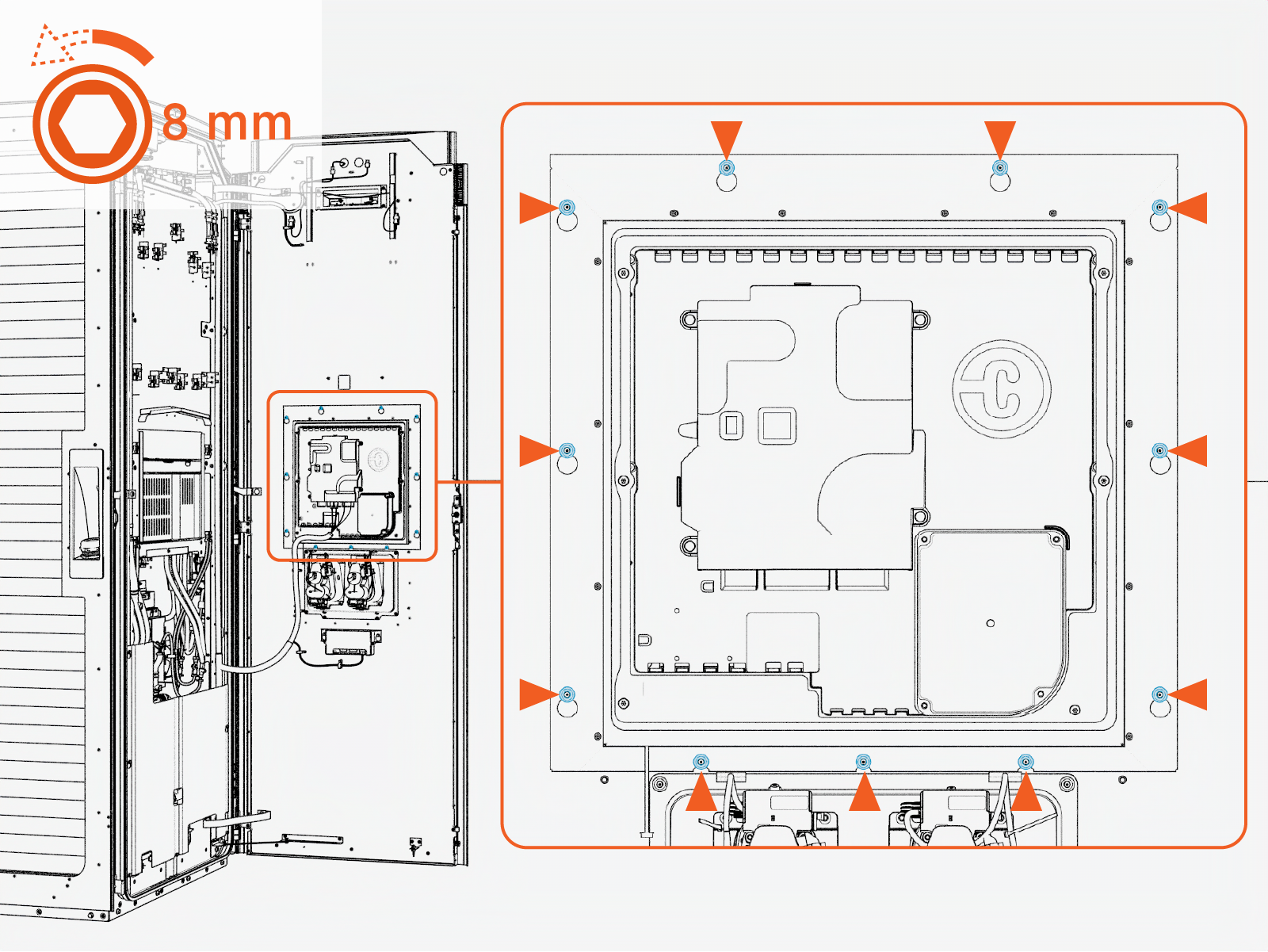 Torque the nuts to 4.5 Nm (40 in-lb).
Do not use impact driver to tighten fasteners.
-
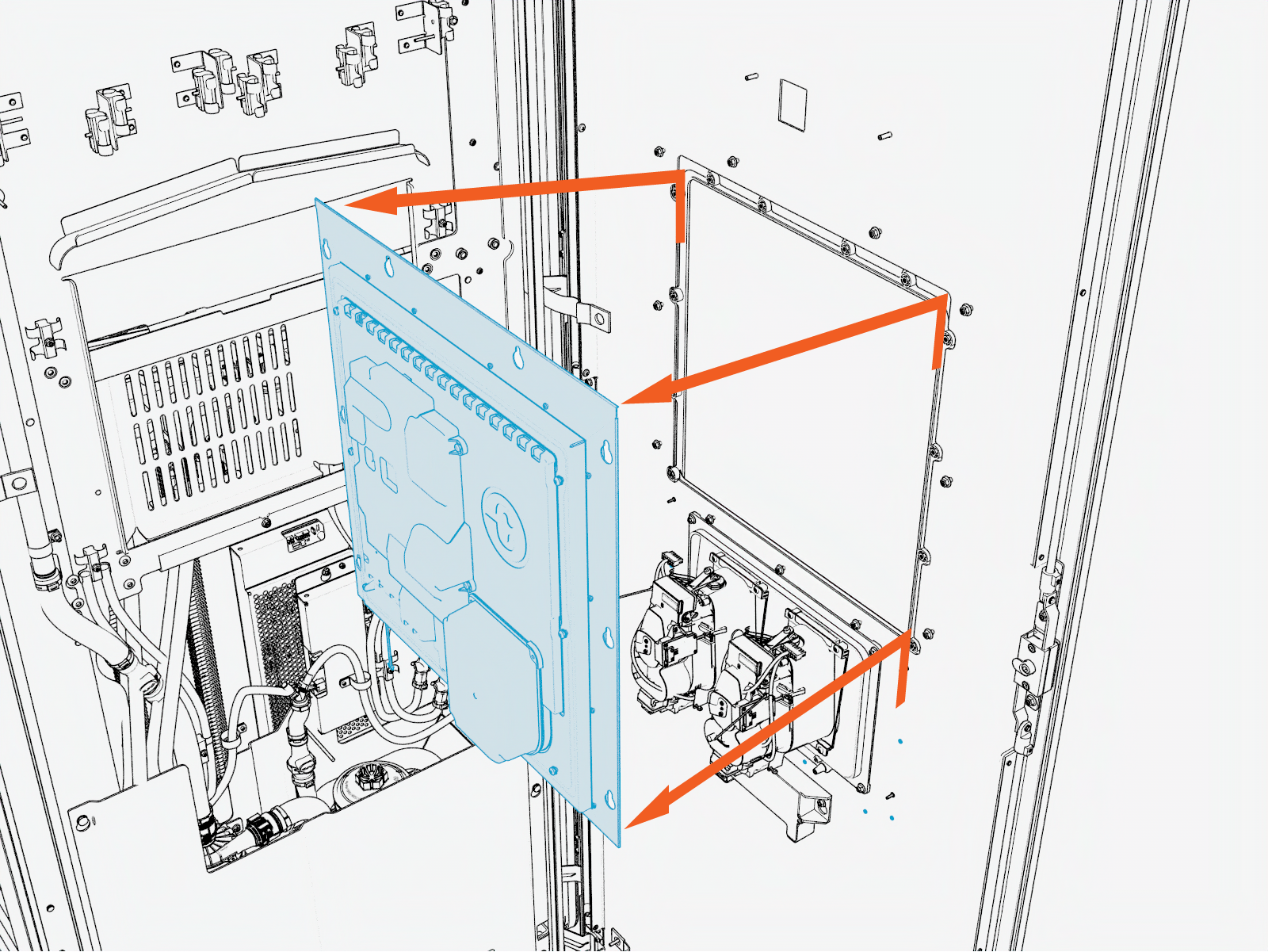
Lift the display module upward from the keyslot, pull it forward.
-
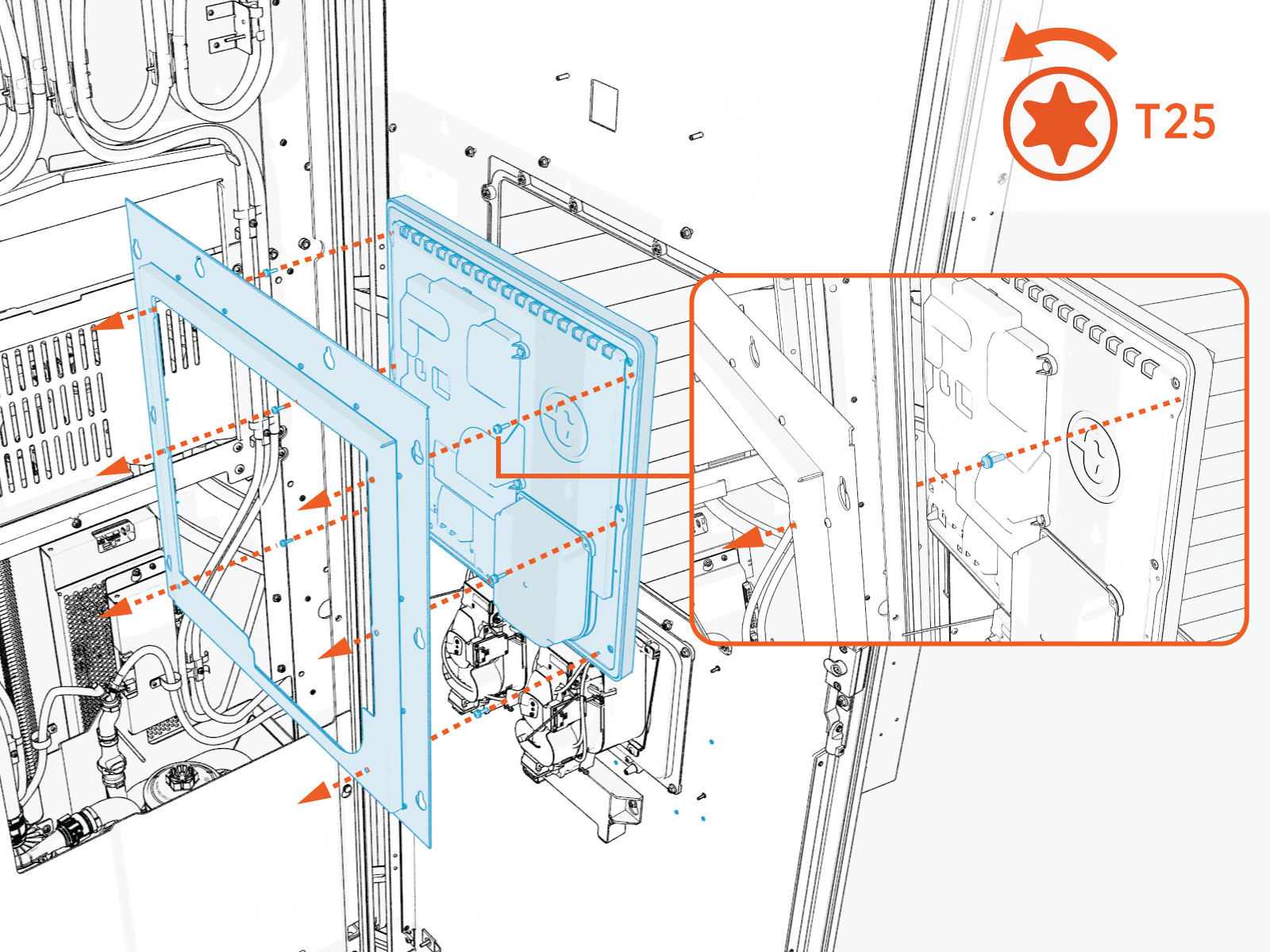
Remove the screws and remove the display from the bracket.
-
Reverse the above steps to reinstall with replacement 15-inch display.