DC Power Module
Required Tools and Materials
|
|
Socket (8 mm and 10 mm) |
|
Torx screwdriver (T30) |
|
|
Torque wrench |
|
Torque screwdriver |
|
|
Ladder |
|
Short angle ratchet (T30) |
|
|
Module lifter |
|
|






Installing the DC Power Module requires at least two people.
Before You Begin
-
Wait at least five minutes for energy to dissipate.
After replacing the components, reverse the above steps to complete the service.
-
Complete the post-service checklist. The checklist is available at ChargePoint Product Reference Documentation.
-
Contact ChargePoint regarding faulty part return.
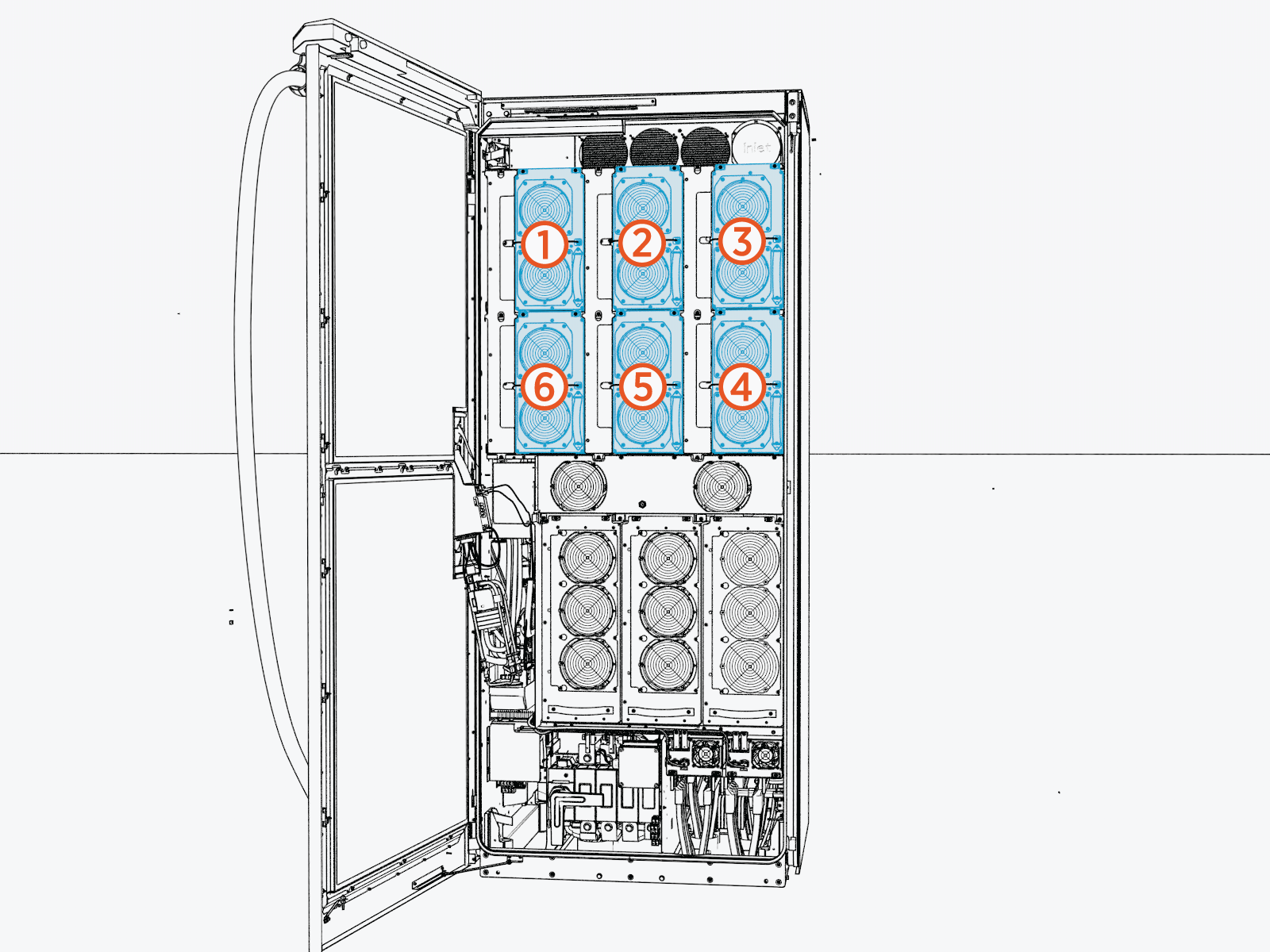
Identify Target DC Power Module
Remove the DC Power Module
To remove the DC power module for replacement, follow these steps:
-
Perform the following actions on the exhaust (left) side of the cabinet:
-
Loosen the M5 nut from the DC power module input cover.
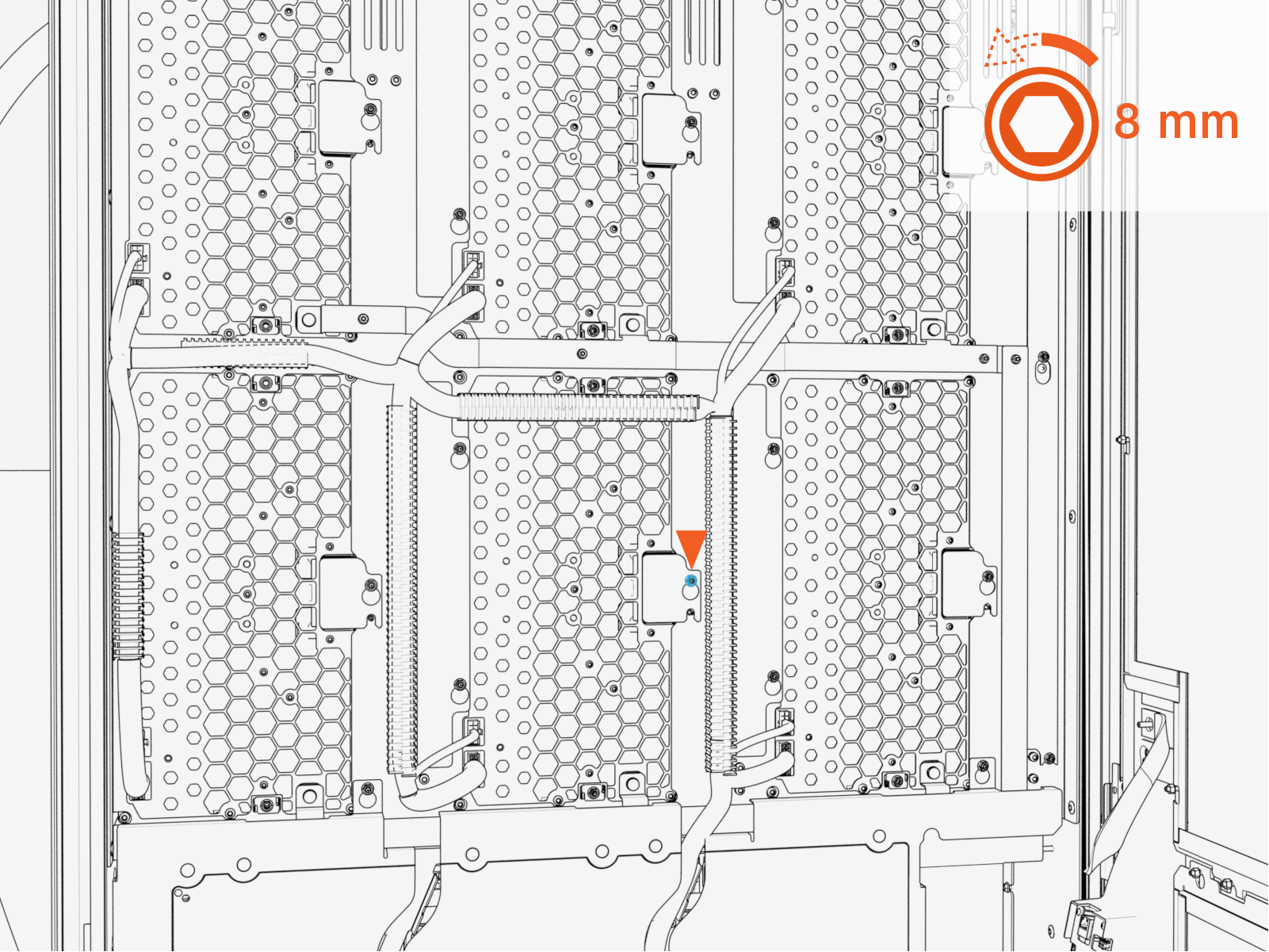 Torque the nut to 4.5 Nm (40 in-lb).
Do not use impact driver to tighten fasteners.
-
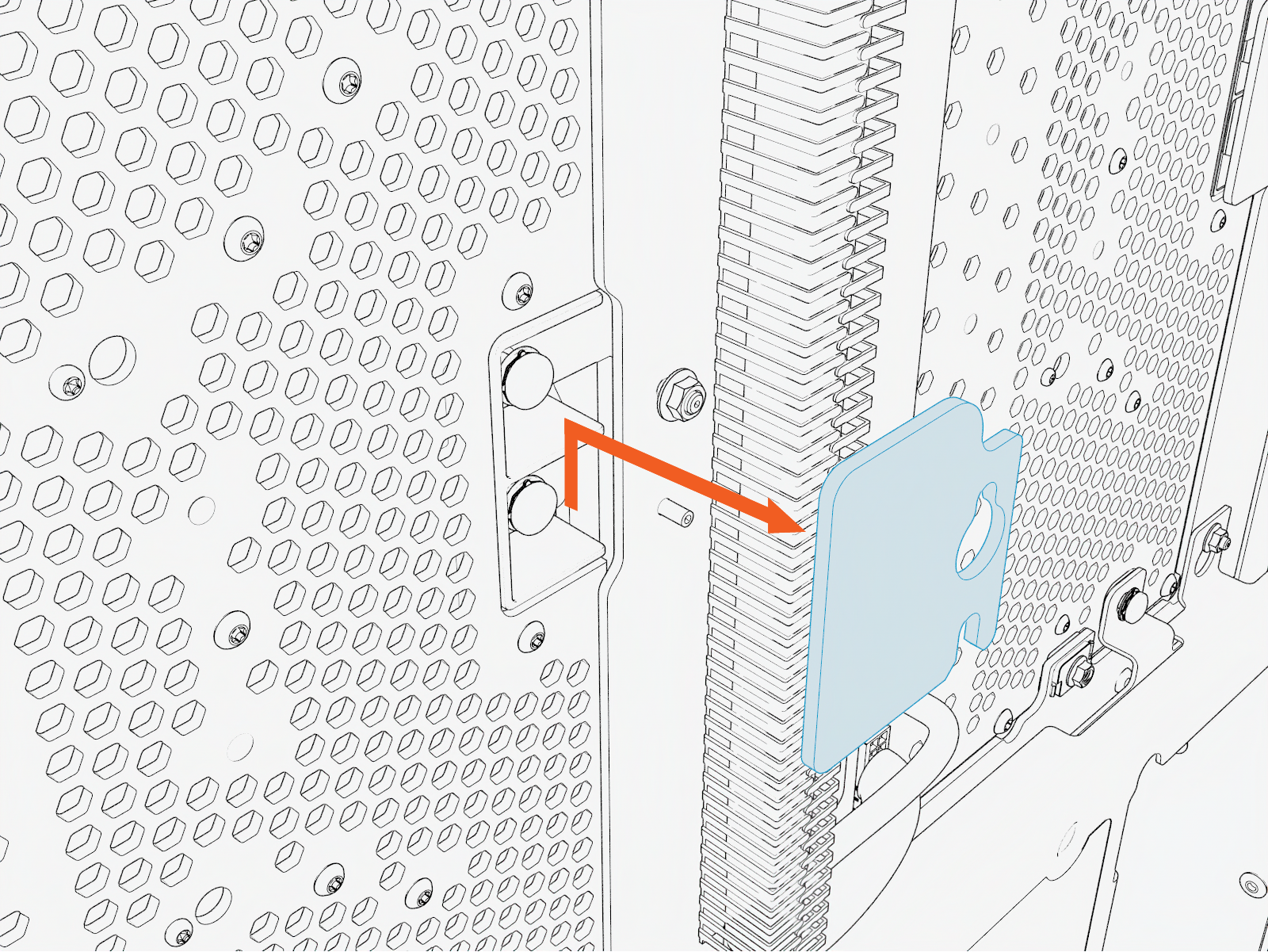
Lift the DC power module input cover upward from the keyslot and pull it forward to remove (save for re-installation).
-
Remove the M6 screws (x2) from the positive (+) and negative (–) DC bus arms.
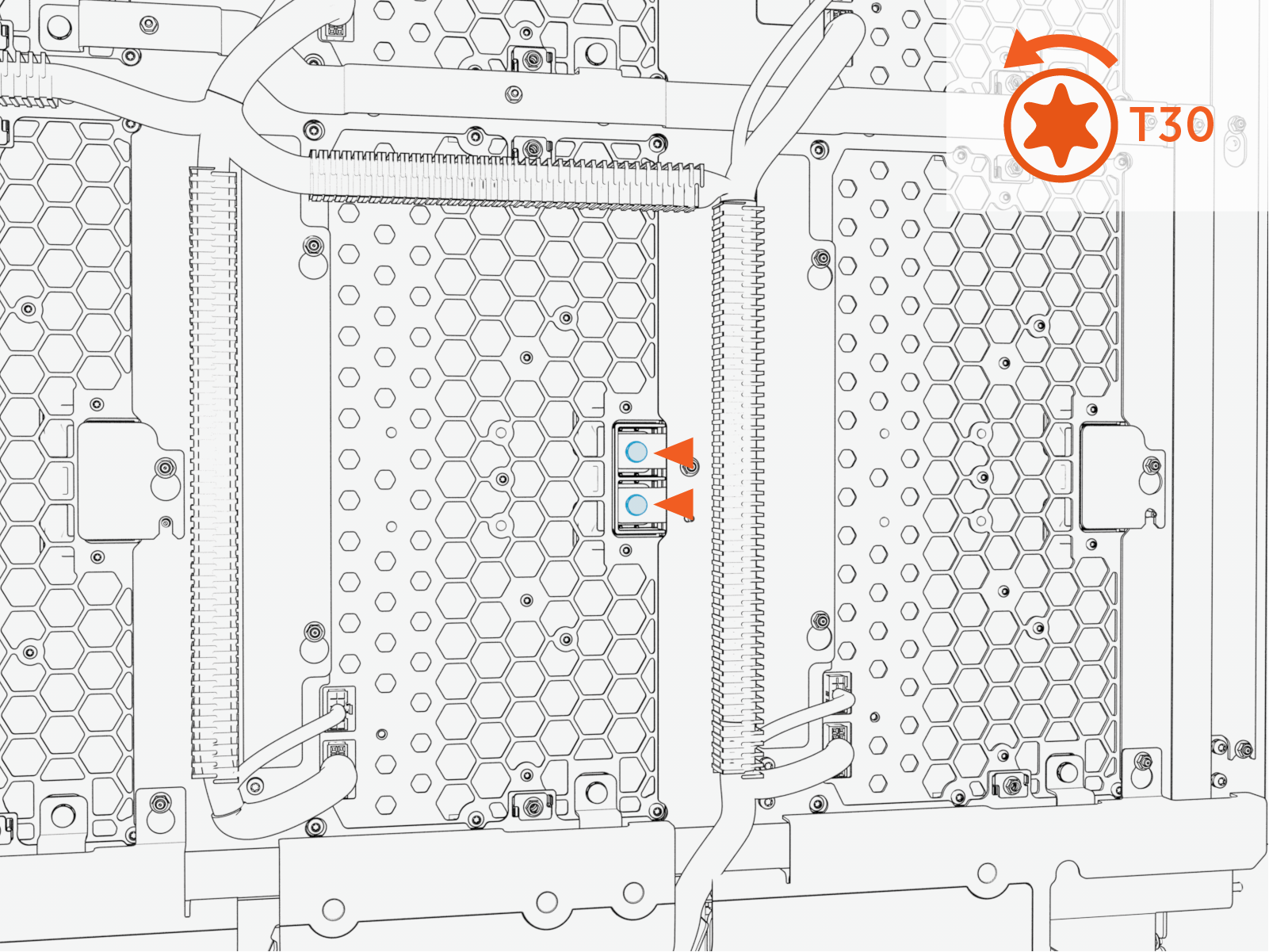 Torque these screws to 5.6 Nm (50 in-lb).
Do not use impact driver to tighten fasteners.
-
Remove the M6 screw from the ground bus bar.
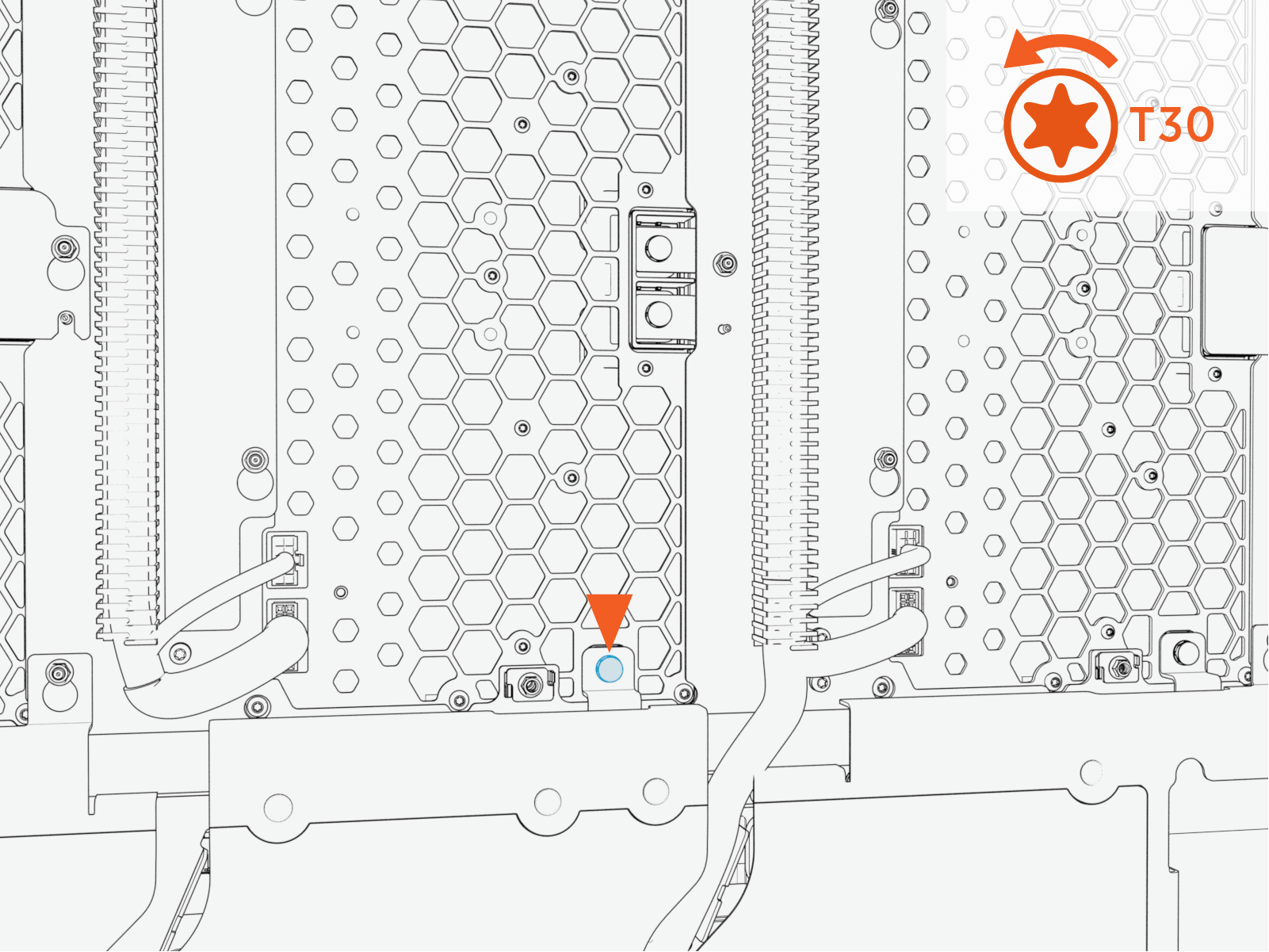 Torque the screw to 5.6 Nm (50 in-lb).
Do not use impact driver to tighten fasteners.
-
Remove the M5 nuts (x2) from the upper backplate.
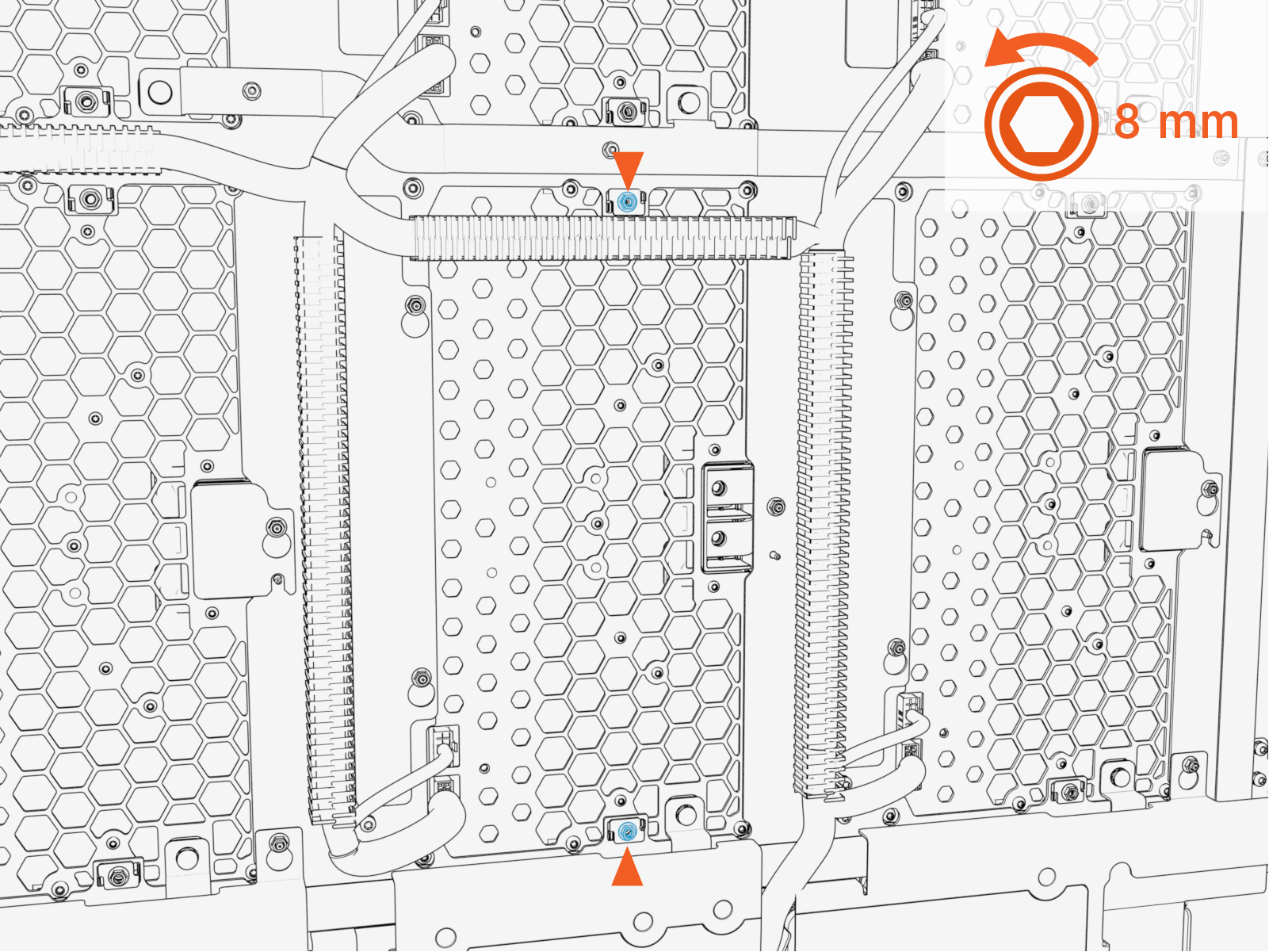 Torque the nuts to 4.5 Nm (40 in-lb).
Do not use impact driver to tighten fasteners.
-
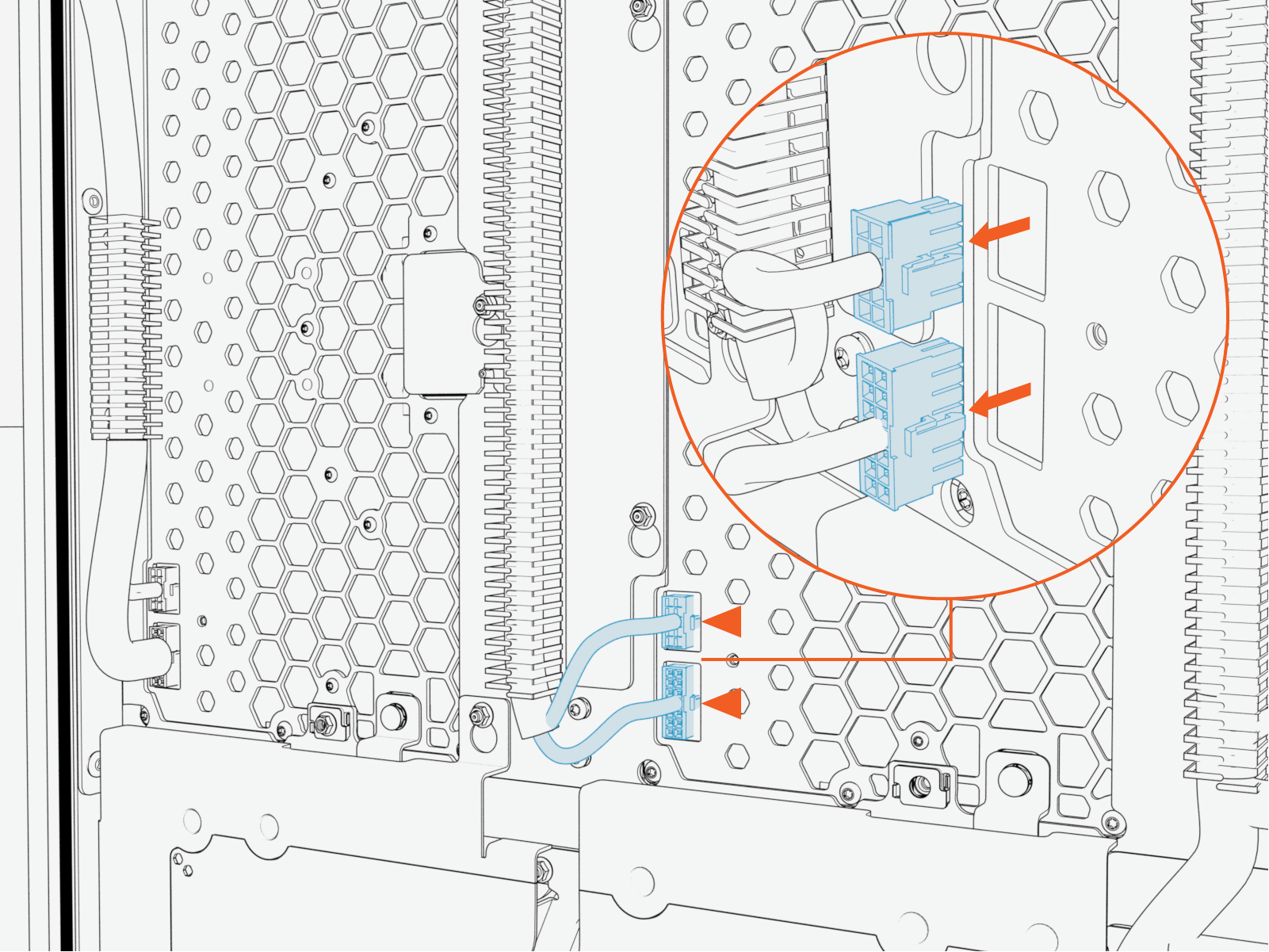
Disconnect low-voltage connectors.
-
-
Perform the following actions on the intake (right) side of the cabinet:
-
Remove the M5 nuts (x2) from the DC power module on the intake (right) side of the cabinet.
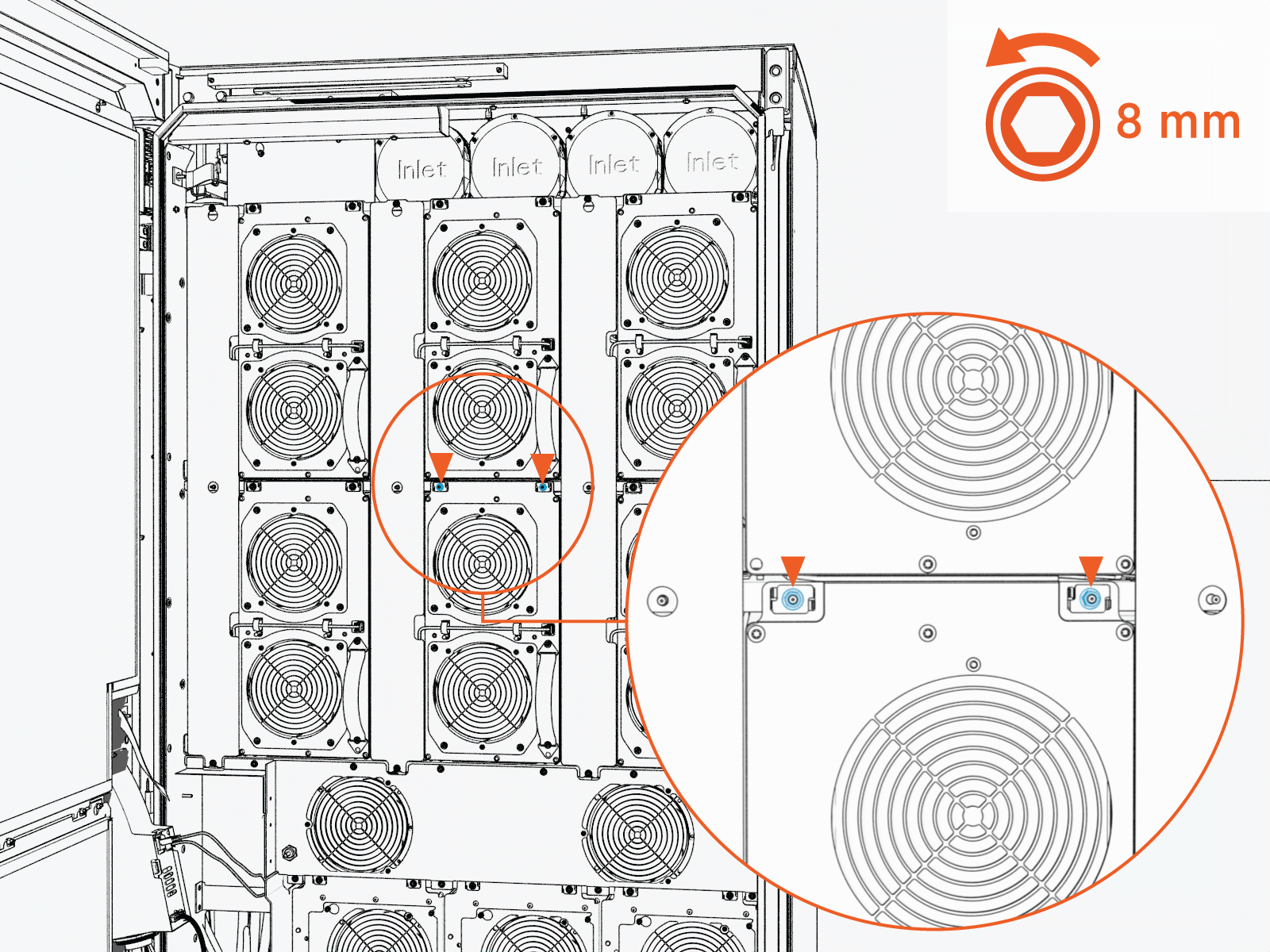 Torque the nuts to 4.5 Nm (40 in-lb).
Do not use impact driver to tighten fasteners.
-
Loosen the M5 nuts (x2) from the DC power module output cover.
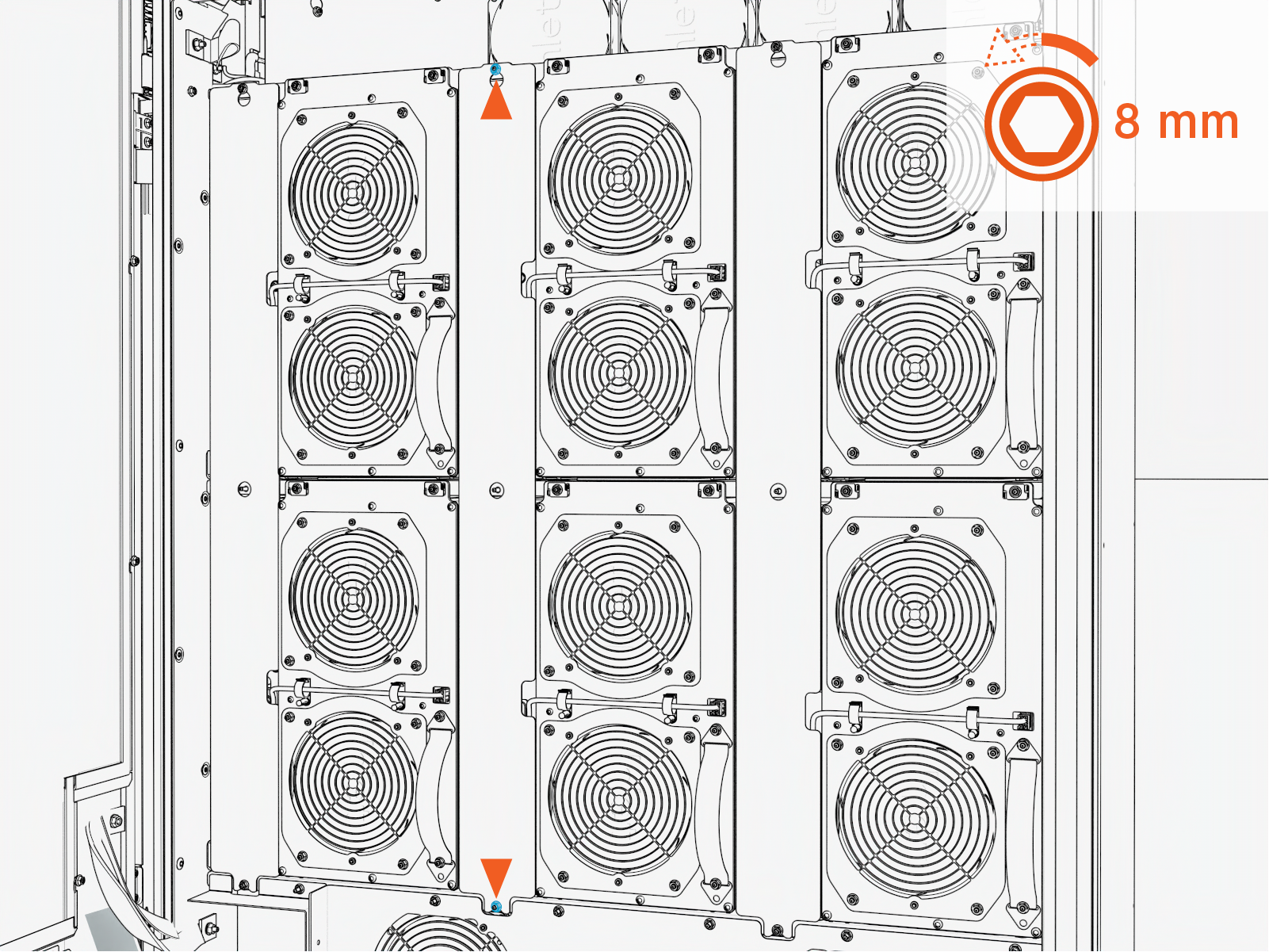 Torque the nuts to 4.5 Nm (40 in-lb).
Do not use impact driver to tighten fasteners.
-
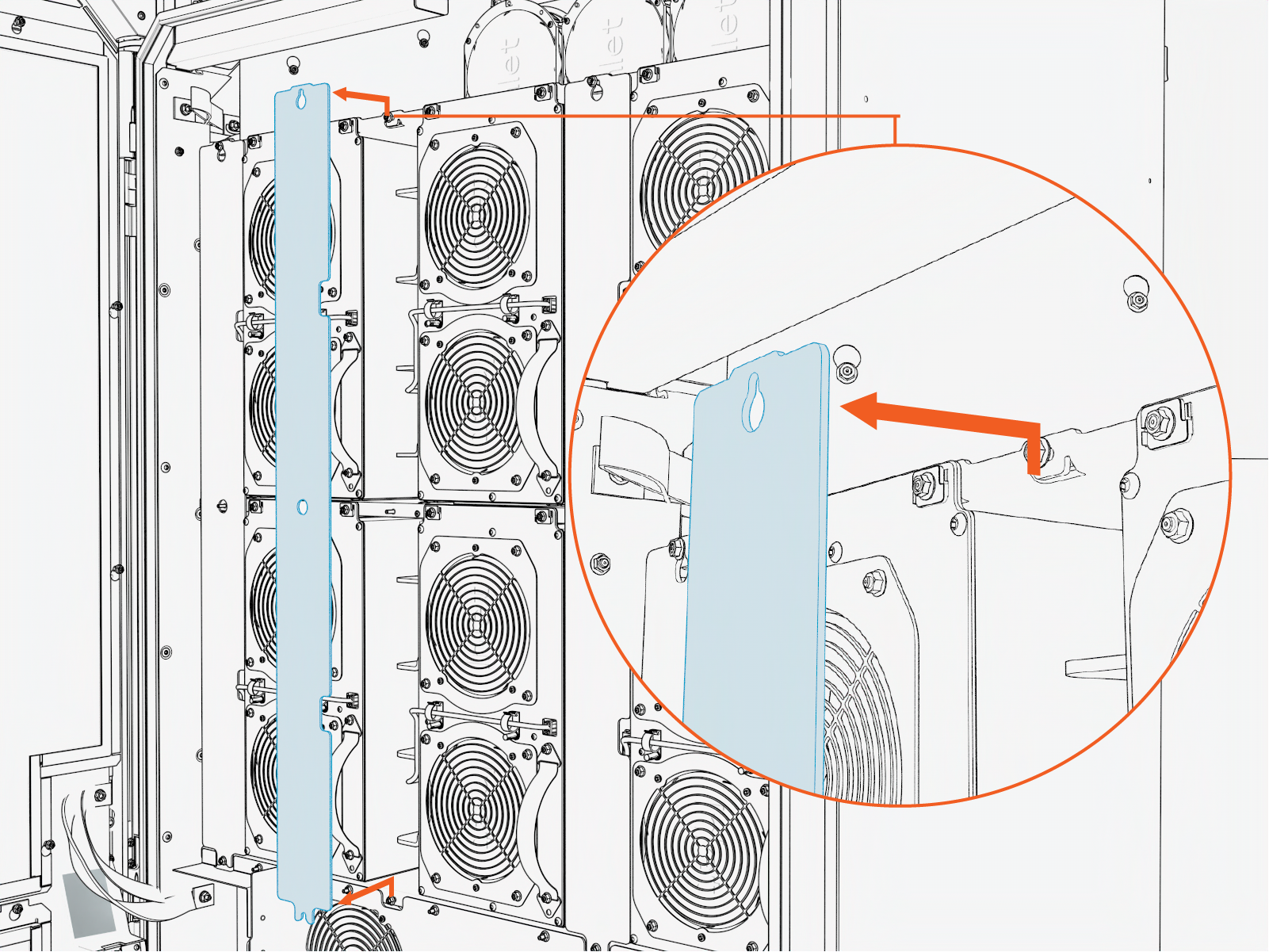
Lift the DC power module output cover upward from the keyslot and pull it forward to remove.
-
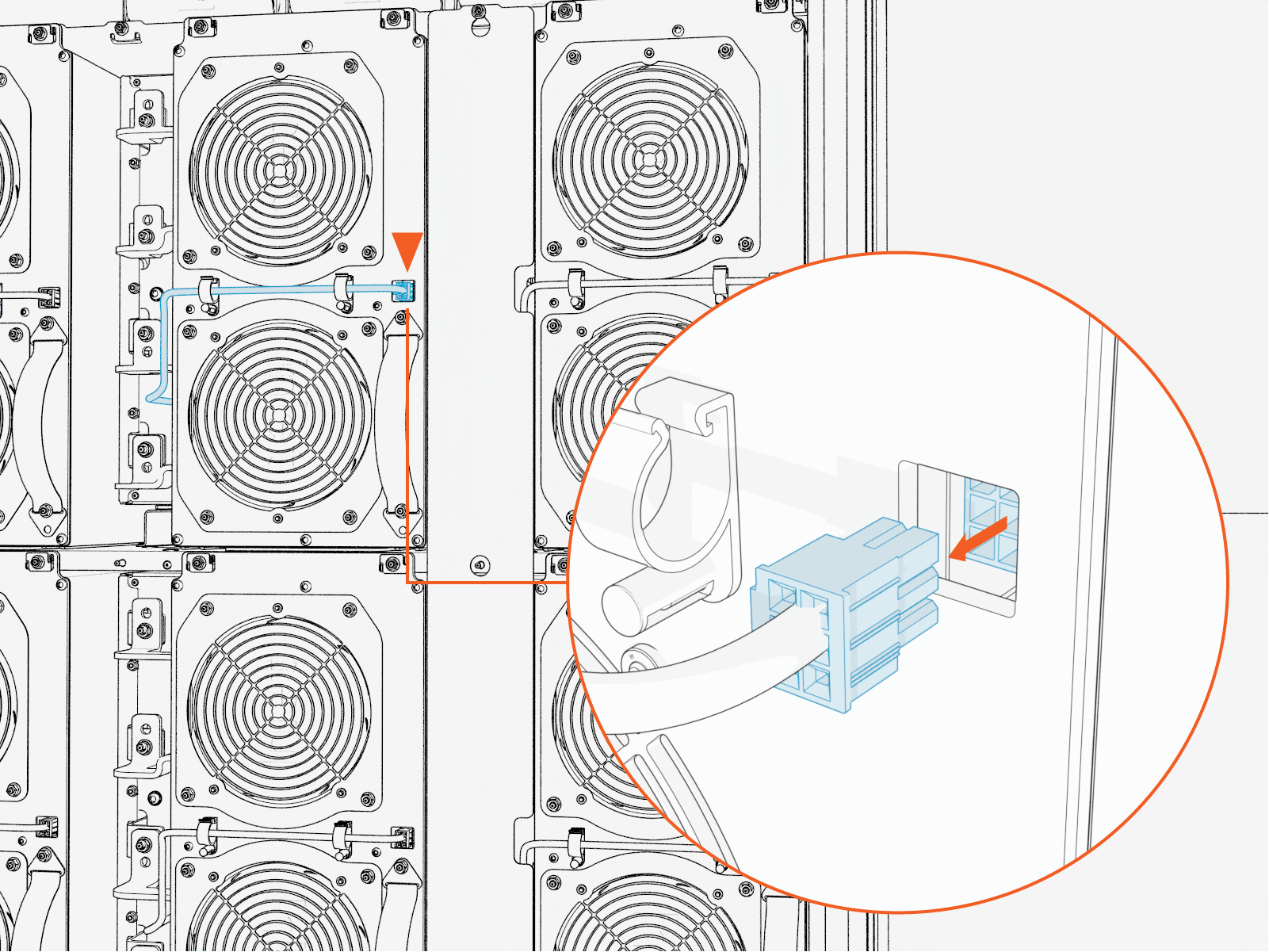
Disconnect the connector from the DC power module.
After disconnecting the connector, remove the cables from the two cable clips.
When reinstalling, the cable must be routed behind the CMX bus bar. Refer to the following figure.
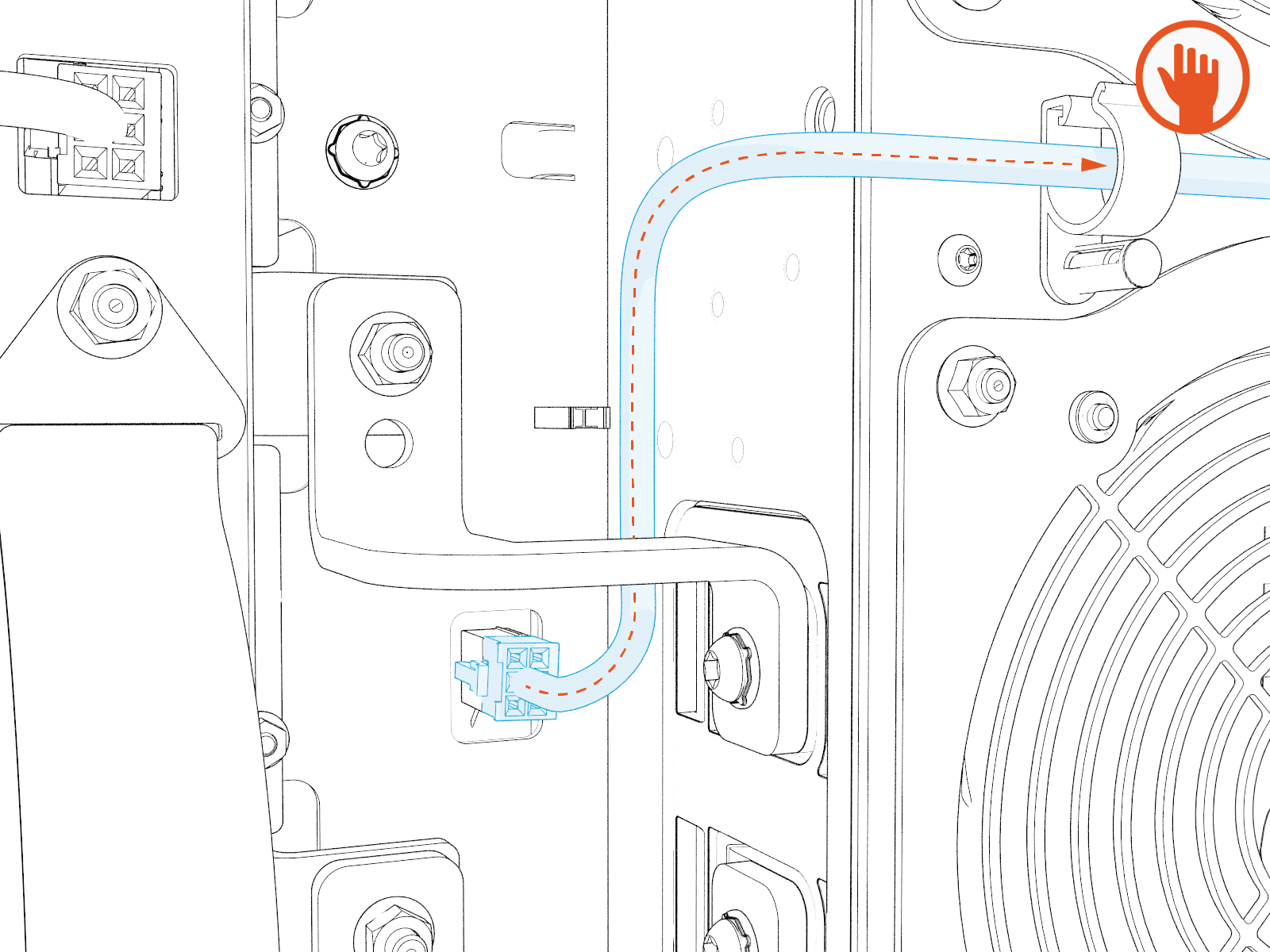
-
Remove the M6 screws (x4) attached to the DC power module.
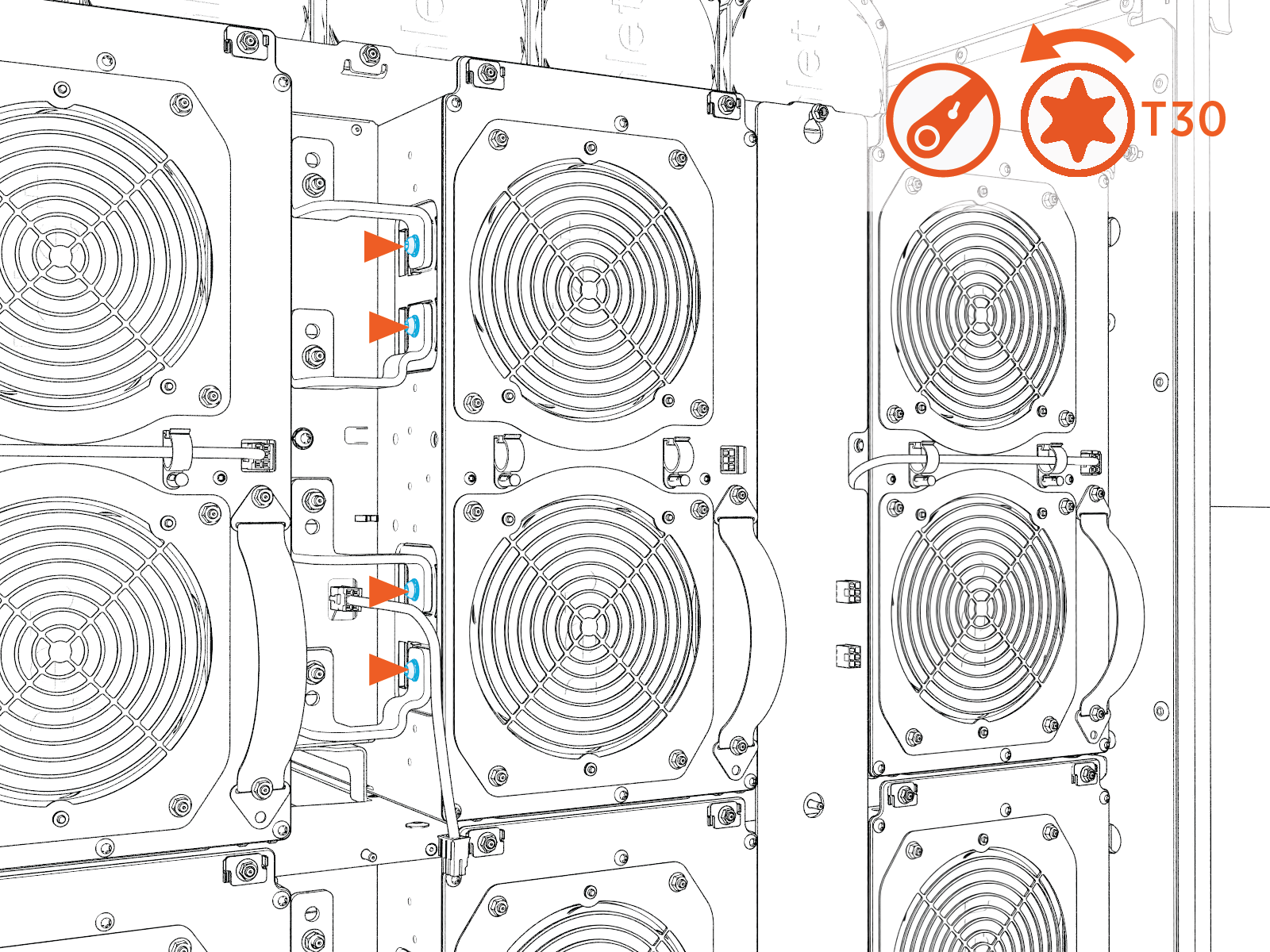 Torque the screws to 5.6 Nm (50 in-lb).
Do not use impact driver to tighten fasteners.
-
Loosen the M5 nuts (x4) from the bus bars.
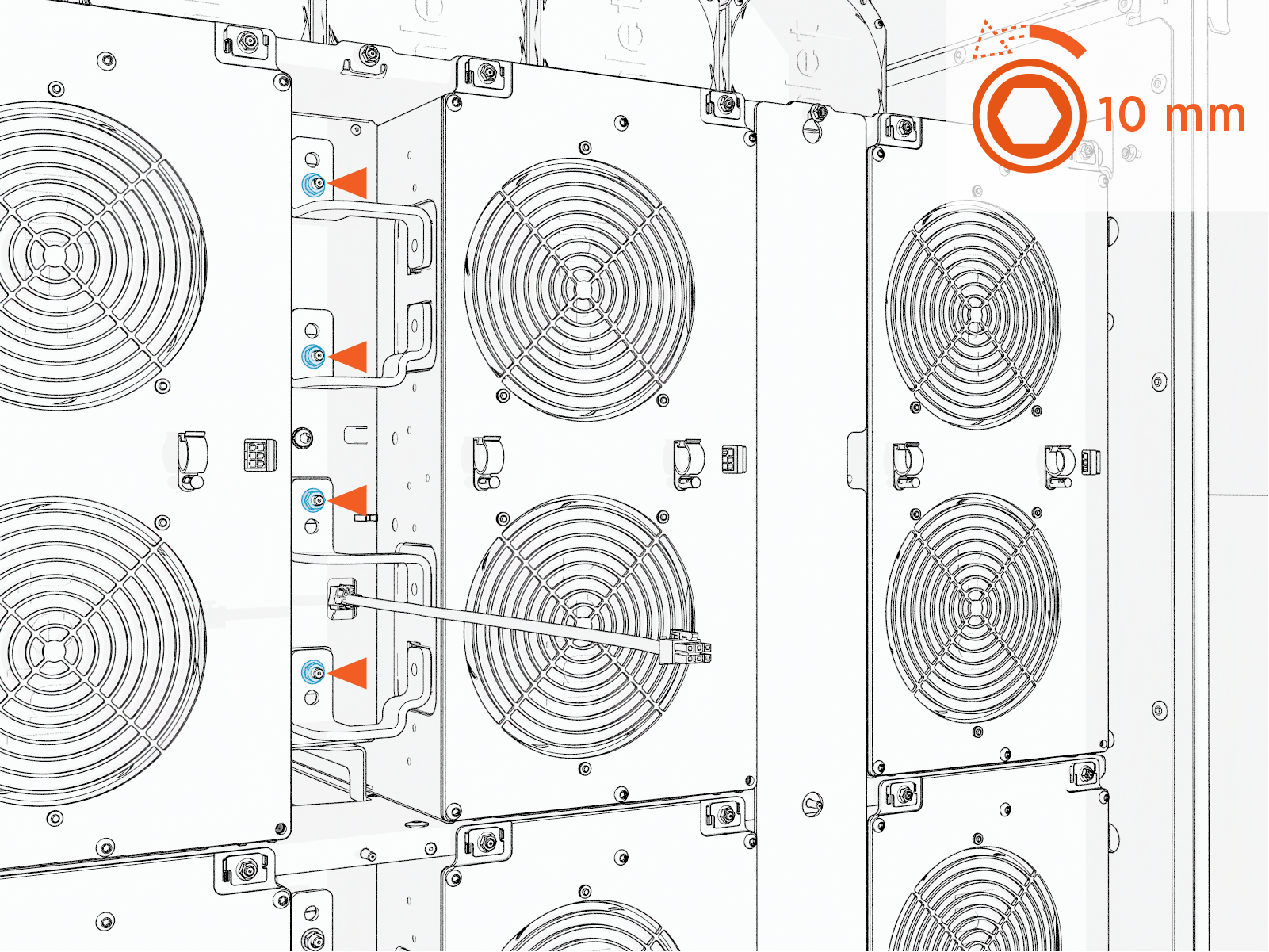 Torque the nuts to 5.6 Nm (50 in-lb).
Do not use impact driver to tighten fasteners.
-
Rotate the bus bars to prevent contact with the DC power module during removal.
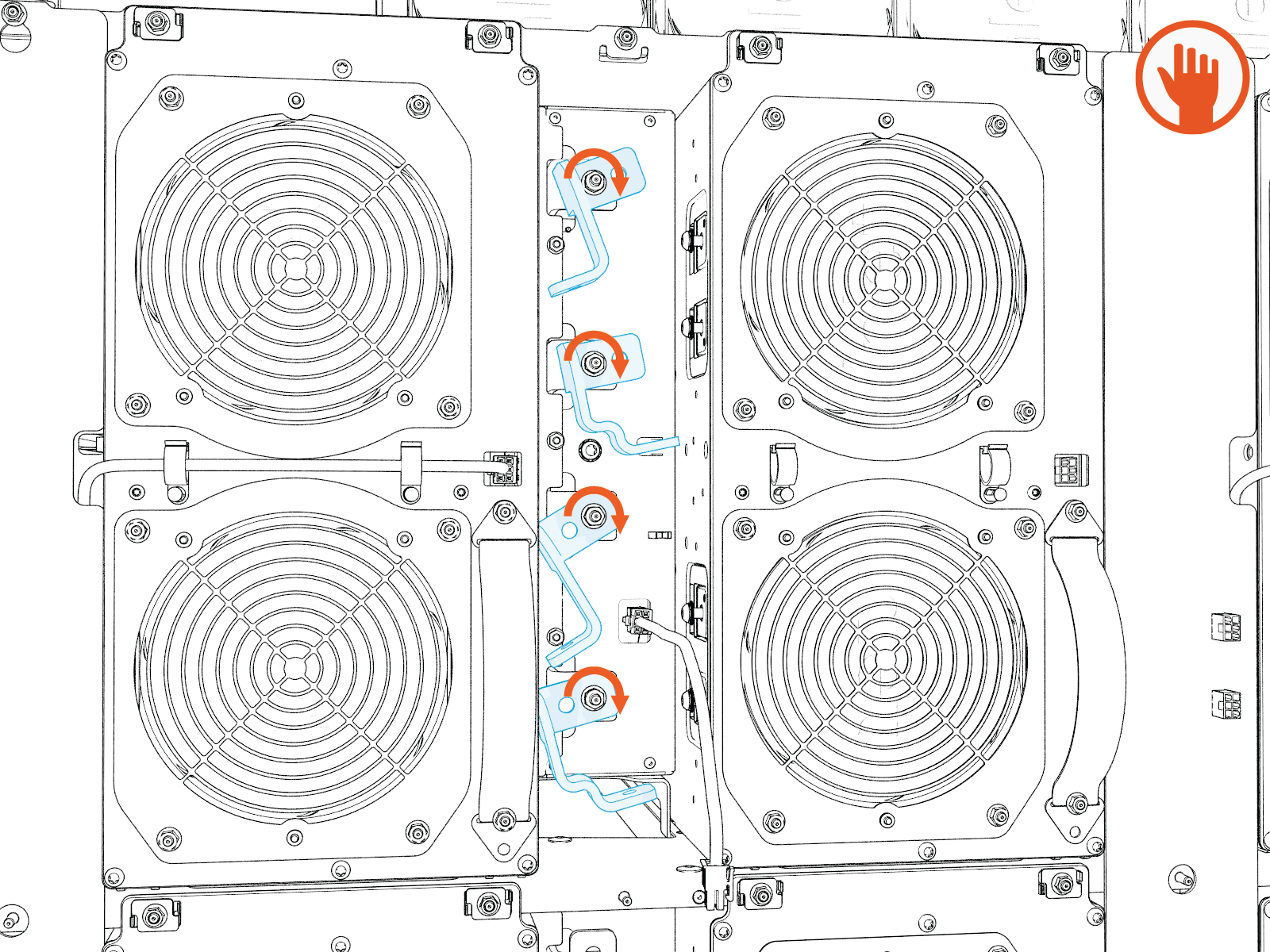
-
Remove the M6 screw attached to the DC power module to disconnect the ground strap.
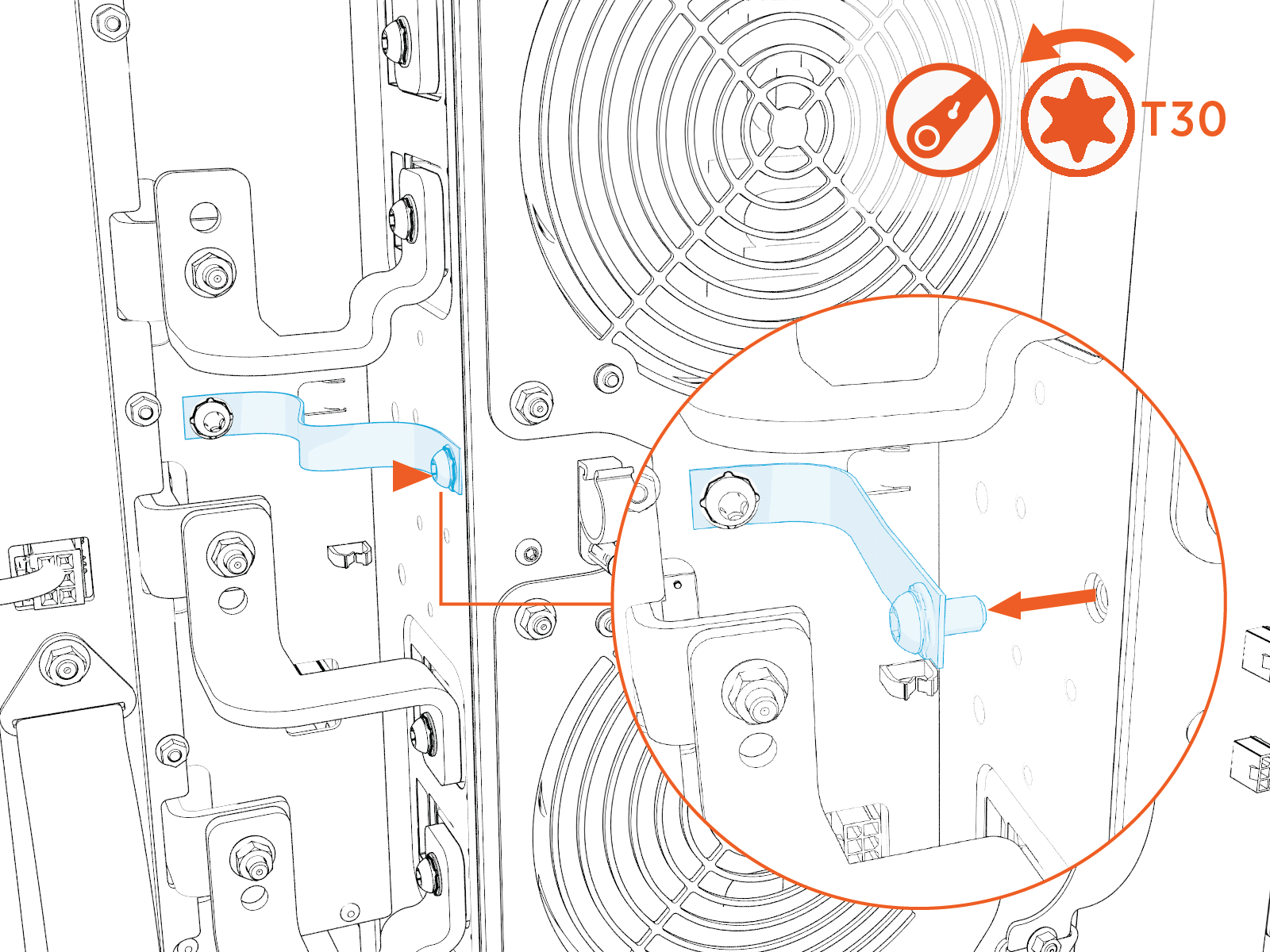 Torque the nuts to 5.6 Nm (50 in-lb).
Do not use impact driver to tighten fasteners.
-
Position the module lifter in front of the cabinet and turn the crank to raise the platform until it is aligned with the module.
Align the lift cart platform with the DC power module to ensure a level transfer during removal. The module weighs approximately 68.5 kg (151 lb); misalignment may cause the module to drop, resulting in injury or equipment damage.
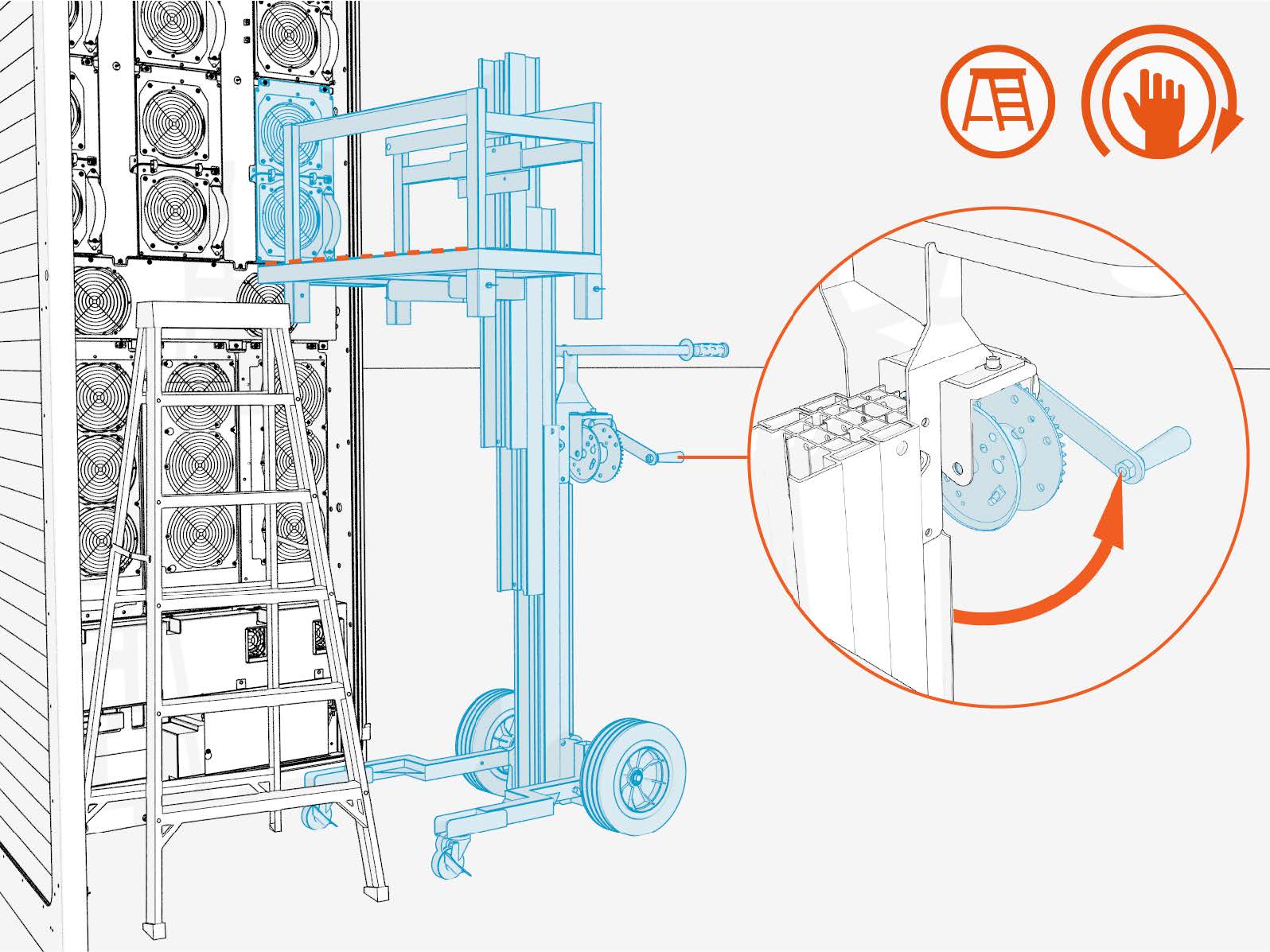
-
Pull the DC power module straight out of the enclosure and support the module in the lifter platform.
Before sliding out the module, verify that all cables and connectors are disconnected. Moving the module while connected can result in equipment damage.
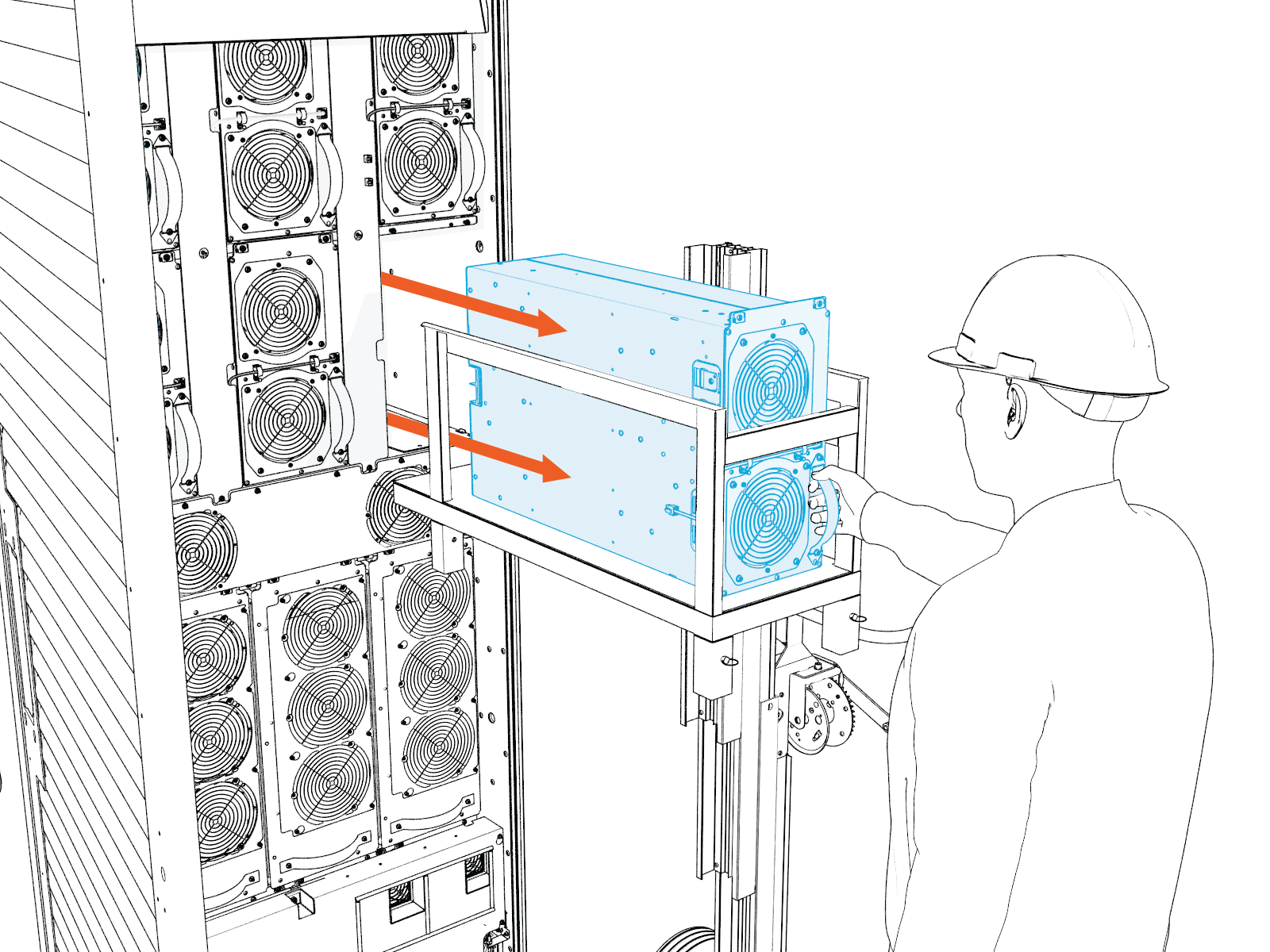
-
Lock the module lifter platform.
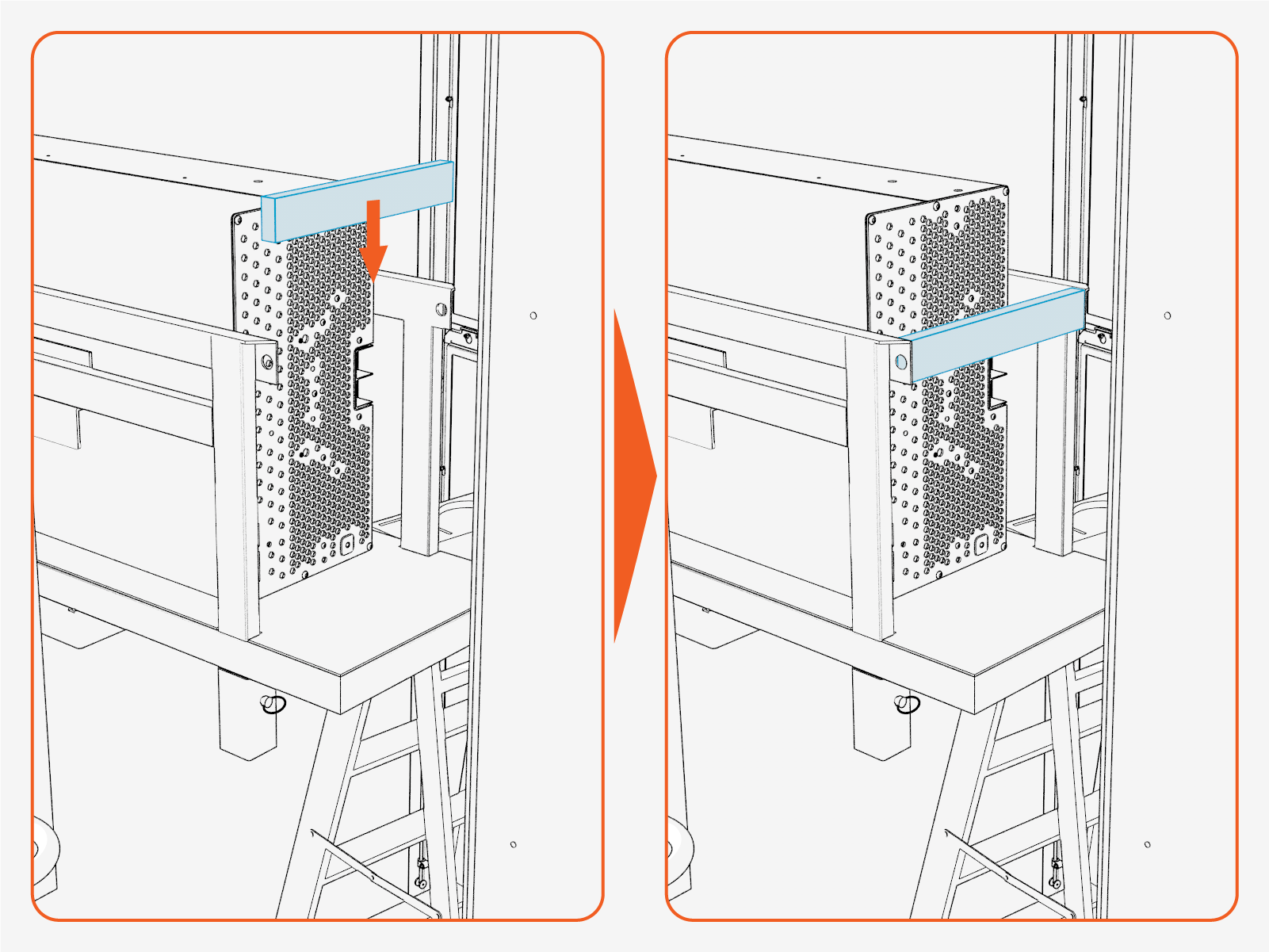
-
Once the module is fully supported by the module lift platform, verify that sufficient clearance exists between the platform and all cabinet components. If necessary, carefully move the module lift away from the enclosure to provide adequate clearance. Then lower the platform to its lowest position before transporting the module.
Lowering the platform reduces the center of gravity and helps prevent cart tip‑over when traveling over uneven surfaces.
-
Installation of DC Power Module
-
Unpack the new DC power module from the crate.
-
Remove the foam pad and rotate the DC power module vertically.
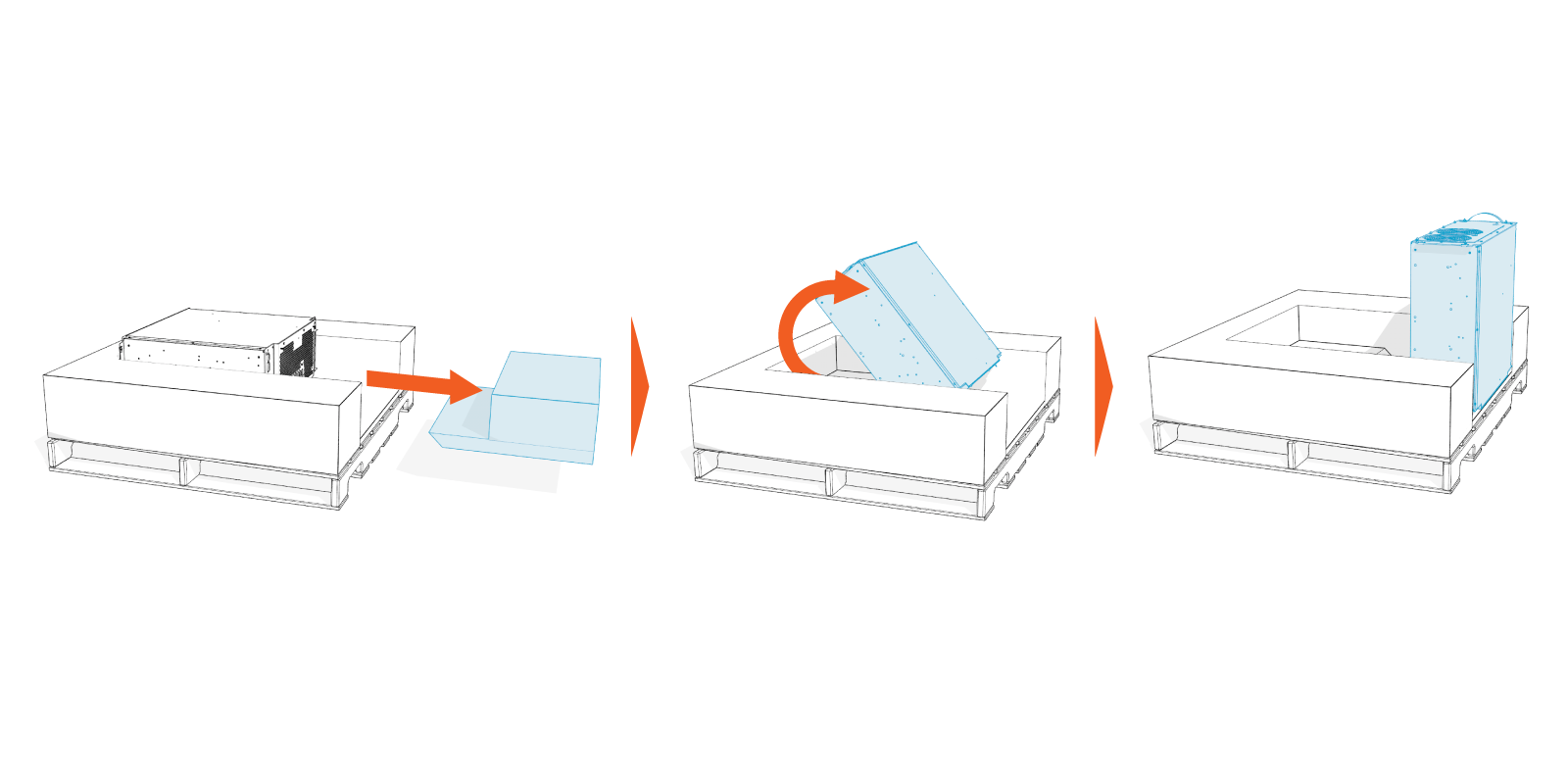
-
Slide the DC power module onto the module lifter at lower carrier position.
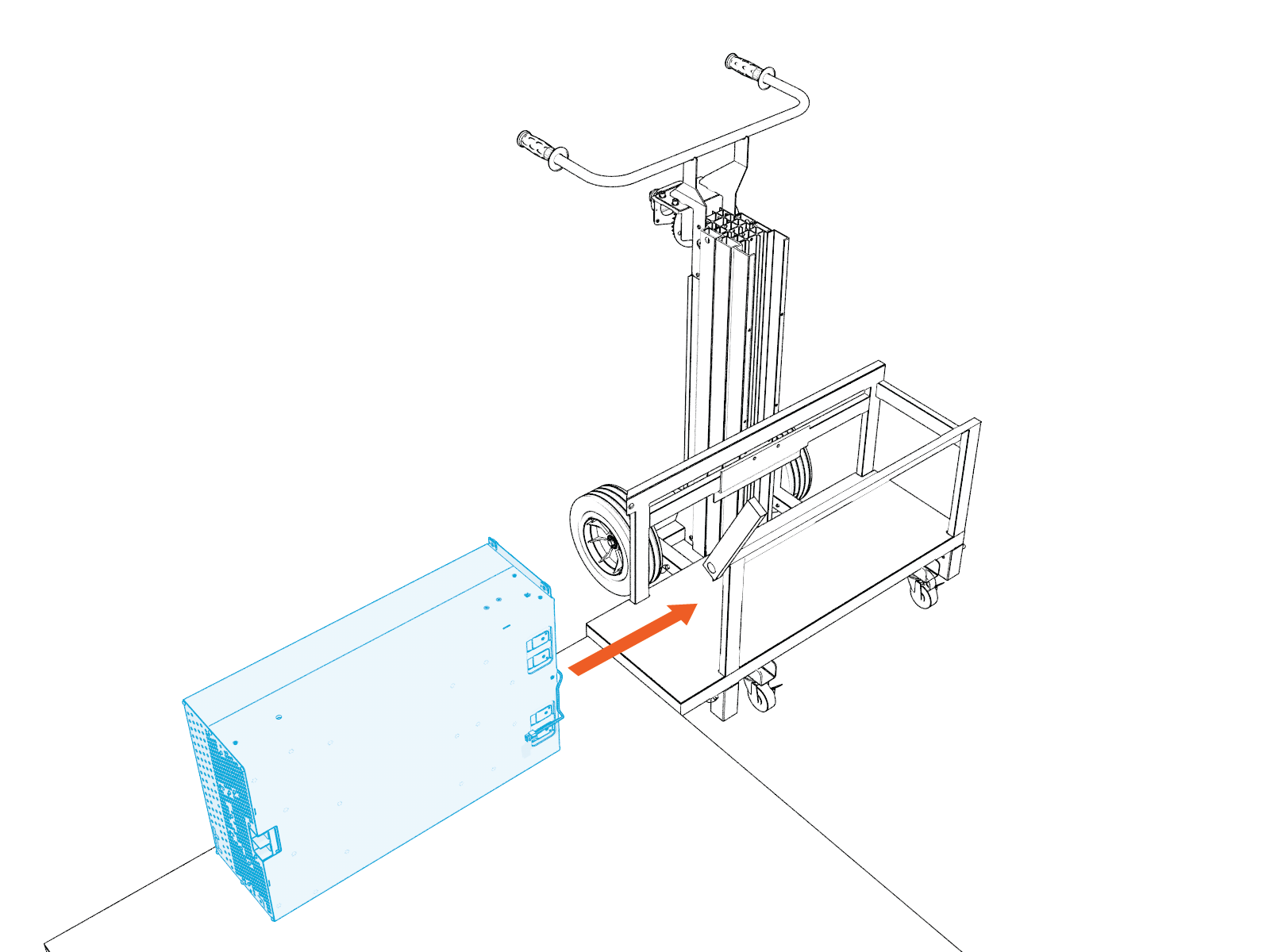
-
Position the lift in front of the empty bay, and then use the crank shaft to raise the DC power module so that it is level with the bay.
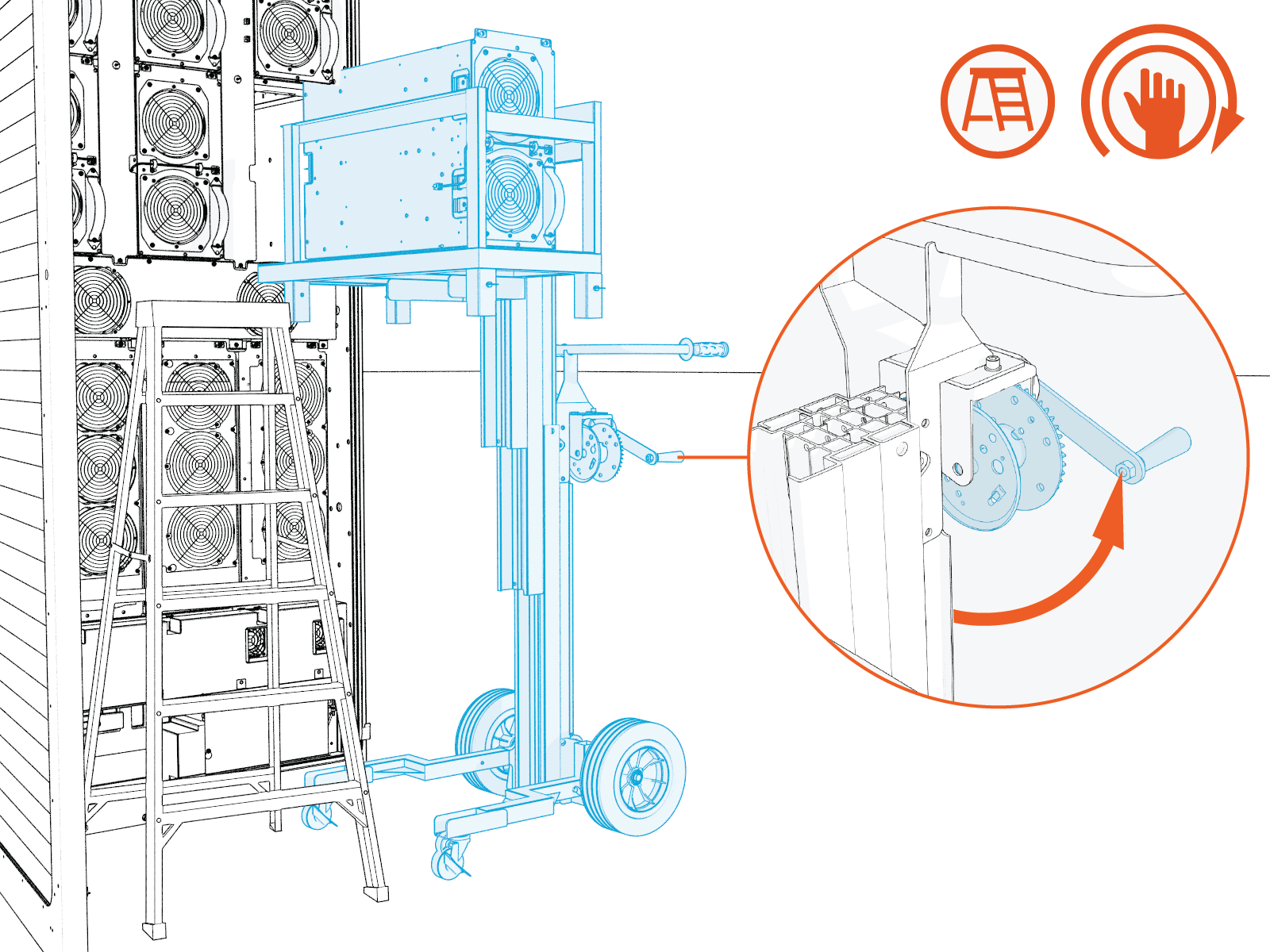
-
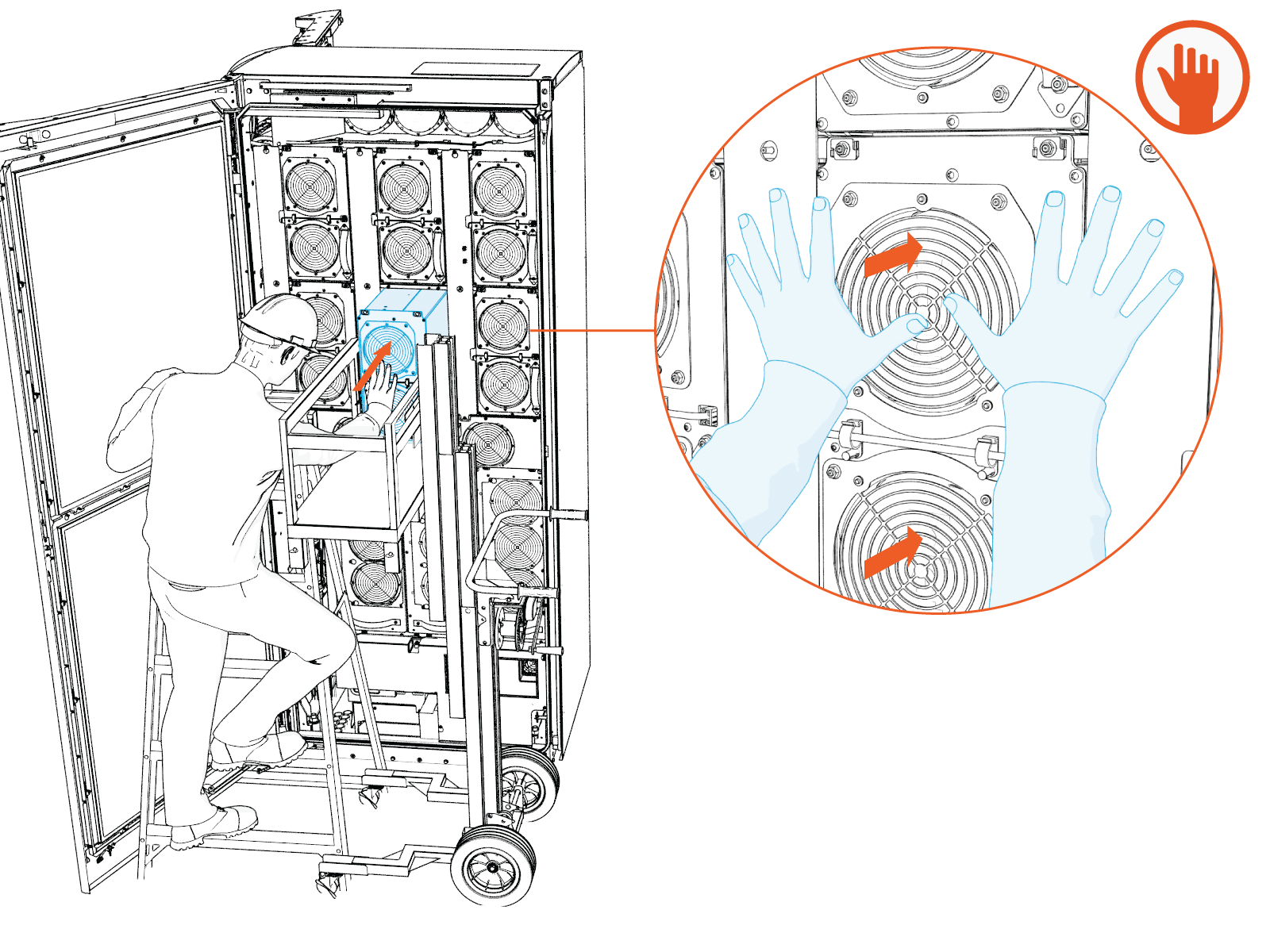
Slide the DC power module most of the way into the bay, leaving only the last 2 inches hanging out of the bay.
-
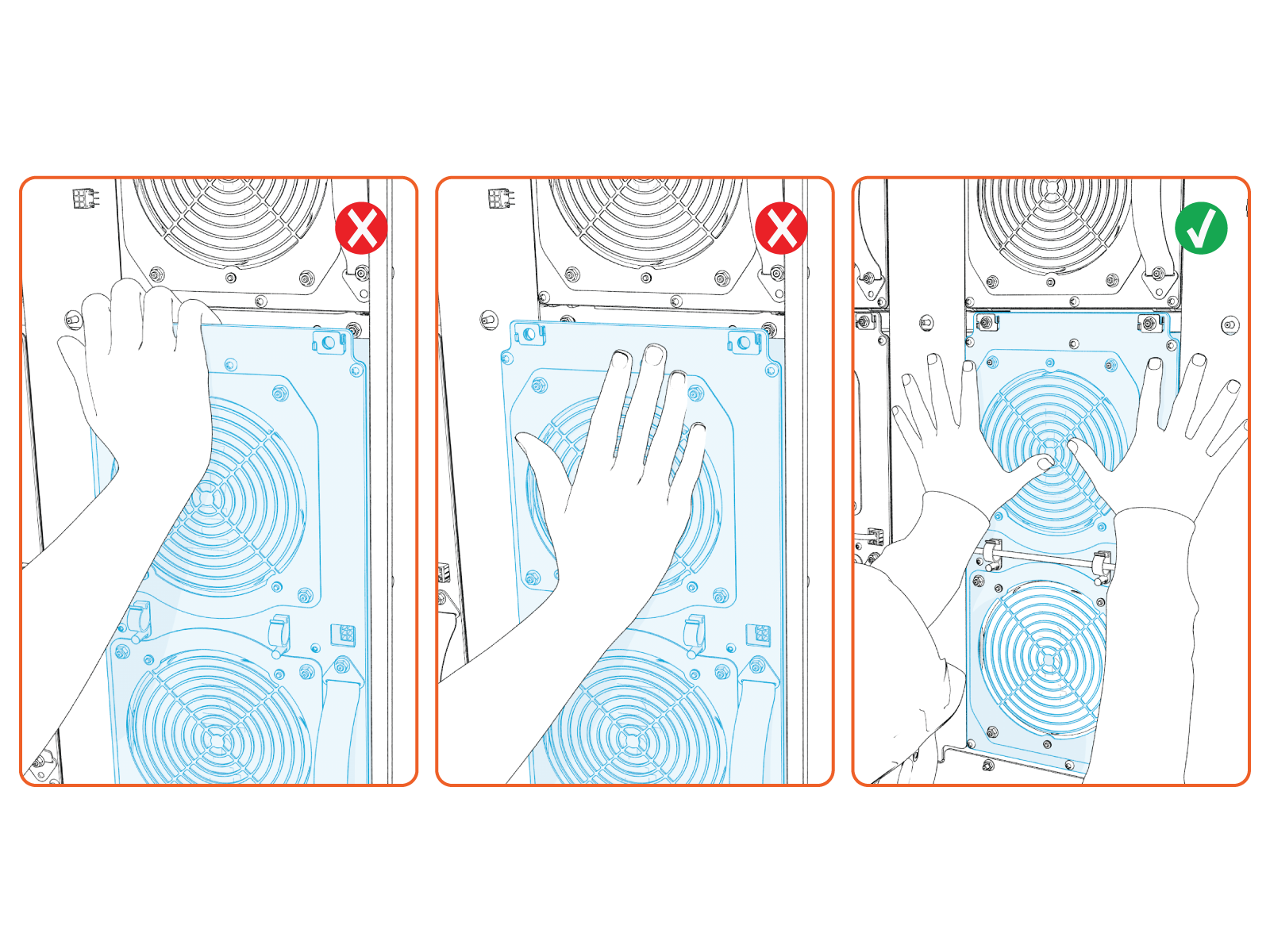
After ensuring the module is stable in the bay, remove the lift from the work area and position yourself in front of the module. Push the module fully into the bay.
The module is heavy and can cause injury if handled improperly. Keep hands and fingers clear of pinch points when sliding the module into the bay. To avoid damaging the module, do not apply pressure to the fan grilles. Push the module into position using only the solid frame.
-
Reverse the removal procedure to reconnect all cables, terminals and bus bar connections.