Charging Cable
On Express Solo units certified for Eichrecht, the CCOM Control and Communications Module/display is not easily replaceable. As a standard practice, if replacing the CCOM Control and Communications Module/display, the Neutron MID Measuring Instruments Directive meter and charge cables must also be replaced. Removing these components breaks both the digital and physical sealing, which invalidates Eichrecht compliance and disables the station for public charging in affected jurisdictions. Only ChargePoint or qualified Instandsetzer (a technician certified for Eichrecht work) can replace these components while preserving Eichrecht validity. You can identify an Eichrecht-certified Express Solo by the "DE-M" mark on the nameplate.
This section is not applicable for Power Block 2000.
Required Tools and Materials
|
|
Socket (8 mm and 13 mm) |
|
Torx screwdriver (T20 and T25) |
|
|
Torque wrench/driver |
|
Stepladder |




Installing the charging cable requires at least two people.
Before You Begin
-
Wait at least five minutes for energy to dissipate.
After replacing the components, reverse the above steps to complete the service.
-
Complete the post-service checklist. The checklist is available at ChargePoint Product Reference Documentation.
-
Contact ChargePoint regarding faulty part return.
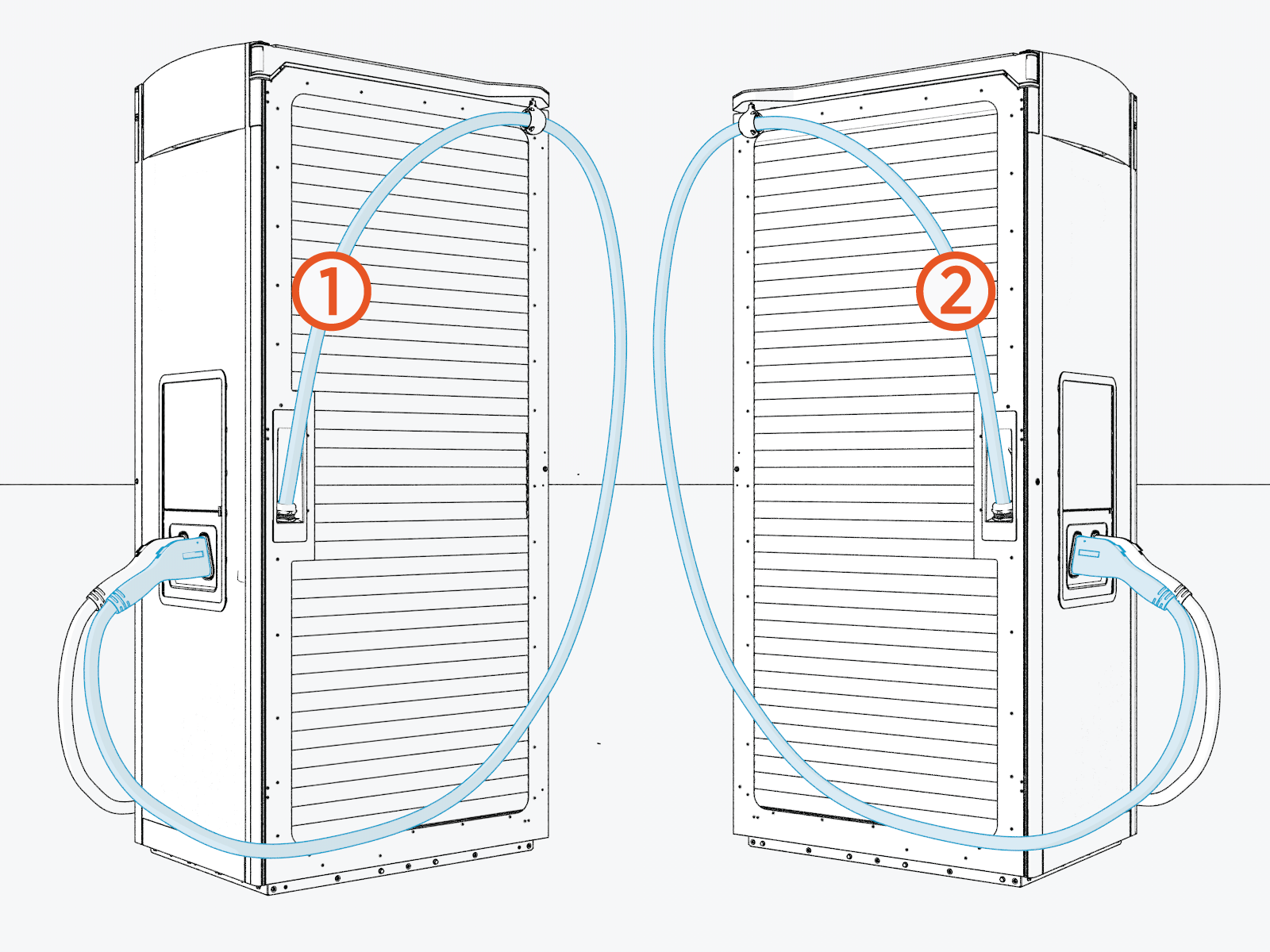
Identify Target Charging Cable
Remove the Charging Cable
To remove the charging cable for replacement, follow these steps.
-
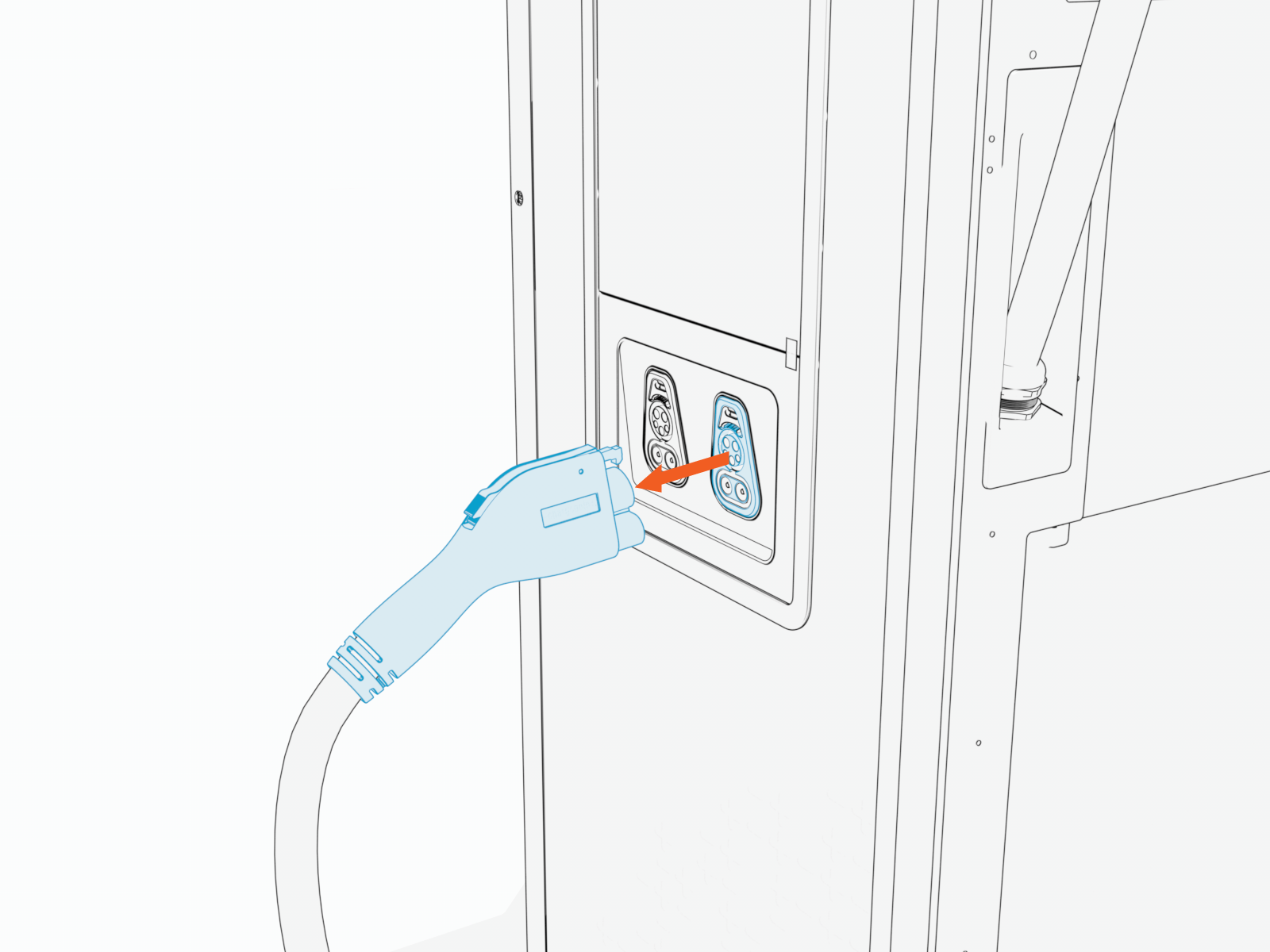
Detach the charging cable connector from the holster.
-
On intake (right) side of the cabinet, remove the M5 nuts (x2).
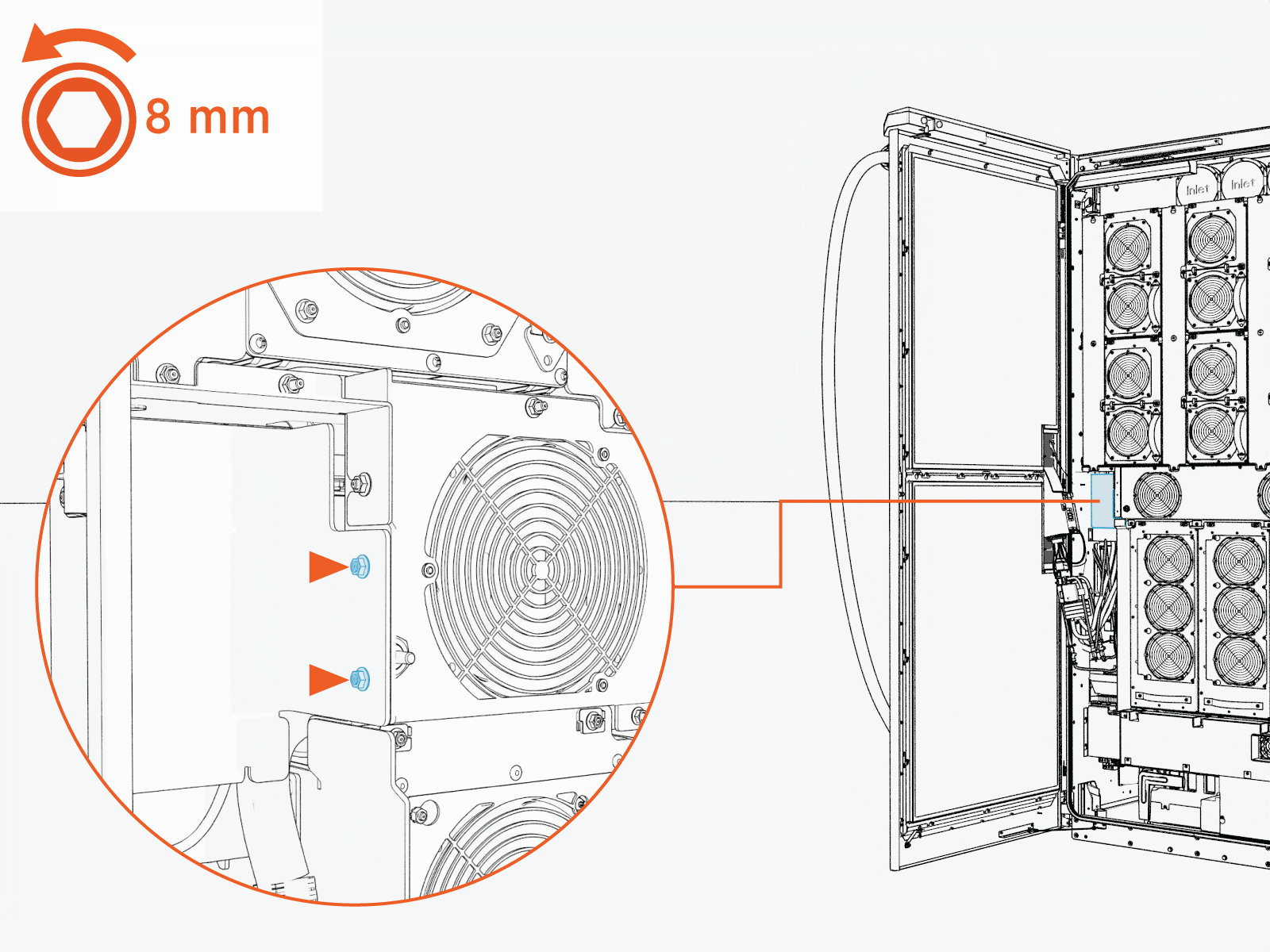 Torque the nuts to 4.5 Nm (40 in-lb).
Do not use impact driver to tighten fasteners.
-
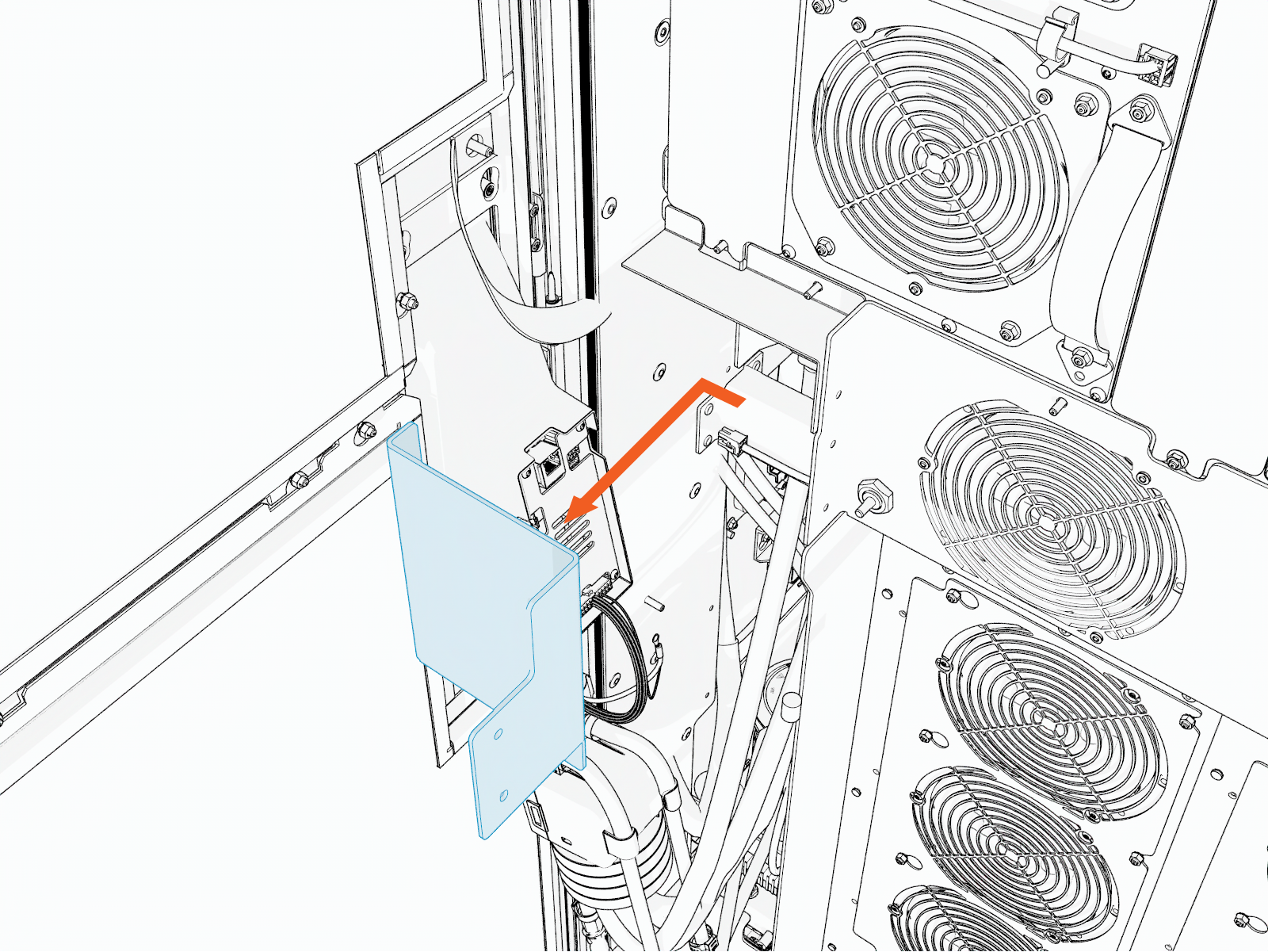
Remove the safety cover.
-
Remove the M5 nut from the safety shield.
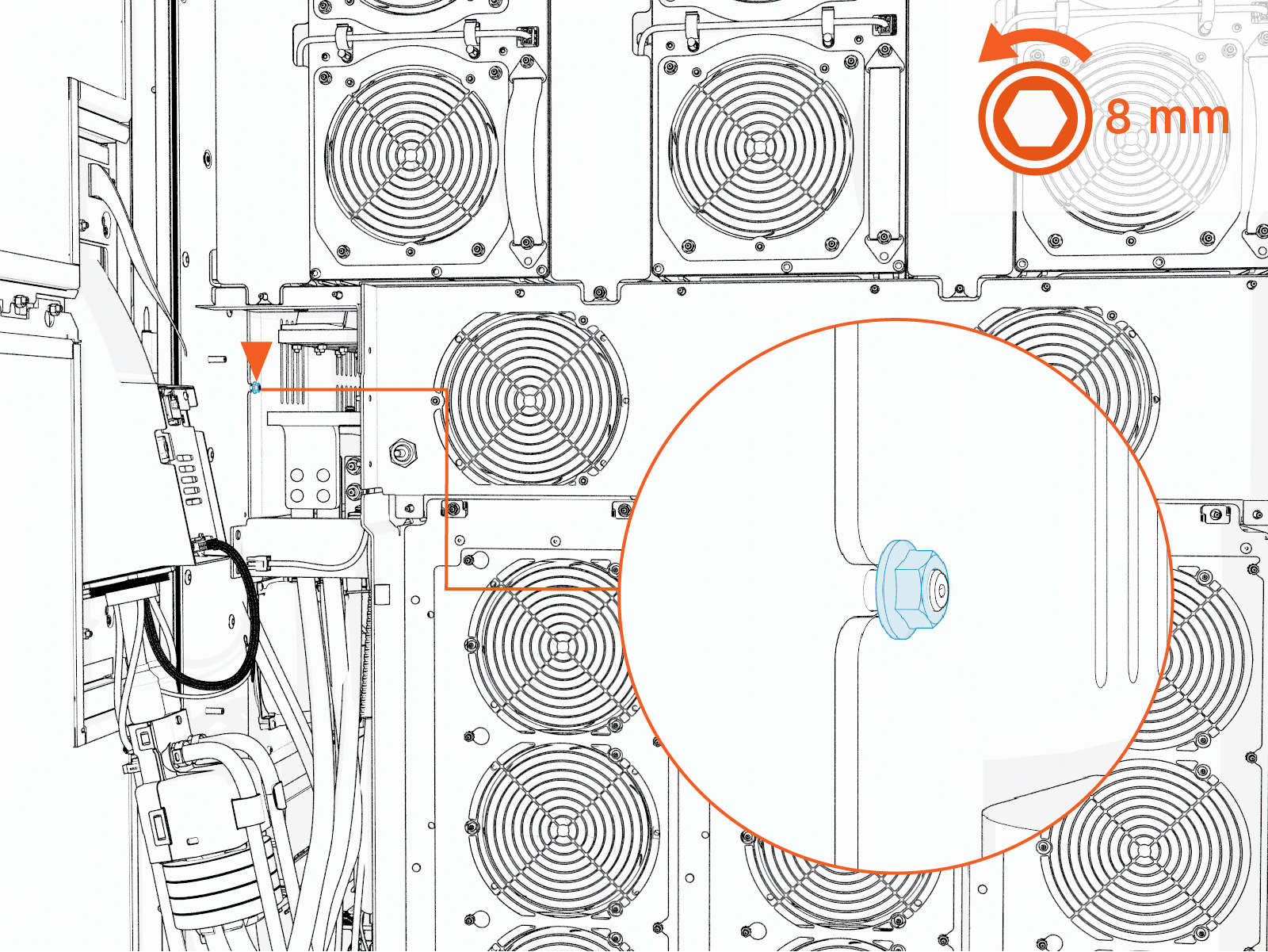 Torque the nuts to 4.5 Nm (40 in-lb).
Do not use impact driver to tighten fasteners.
-
On exhaust (left) side of the cabinet, loosen the M5 nuts (x2).
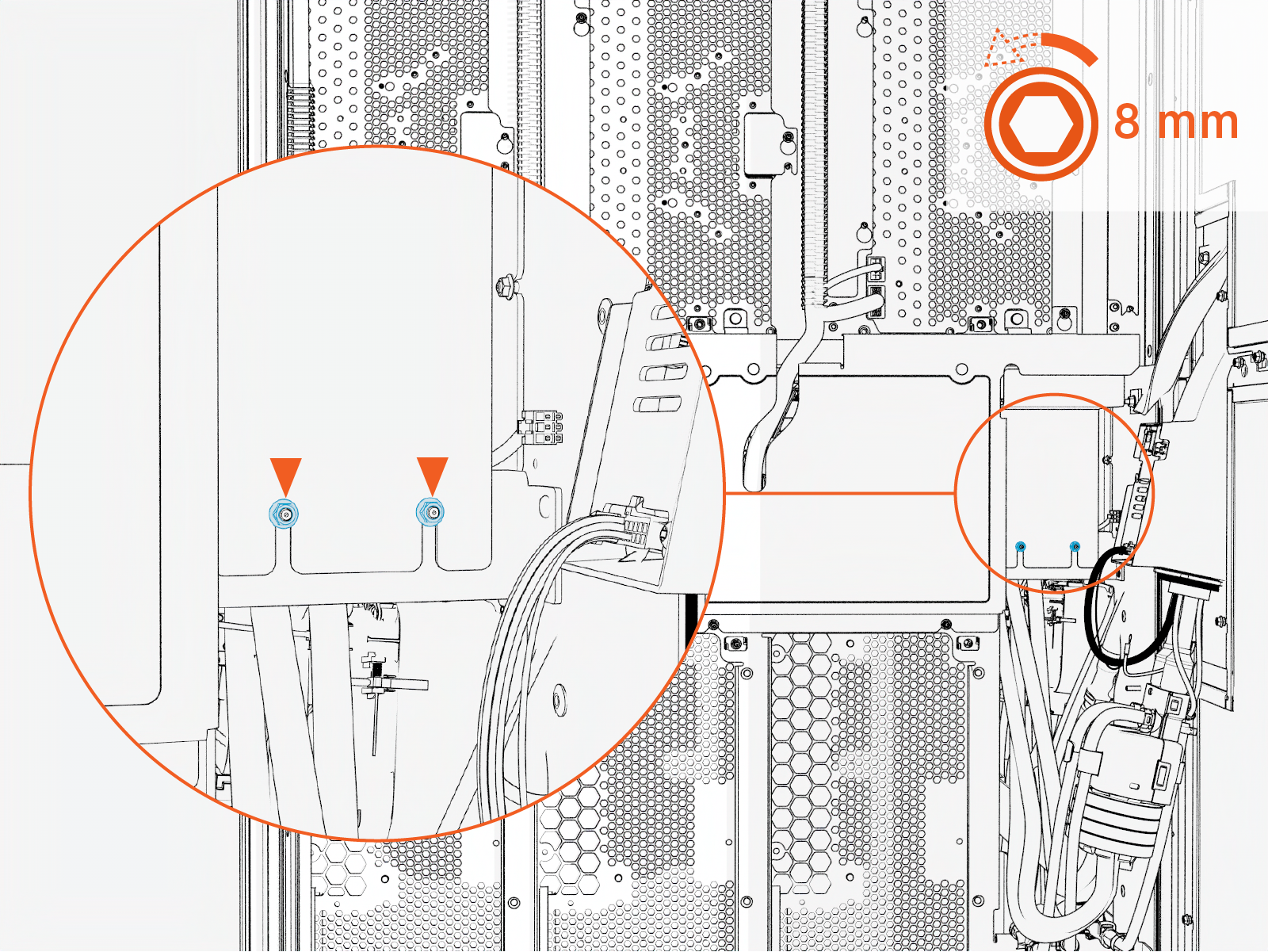 Torque the nuts to 4.5 Nm (40 in-lb).
Do not use impact driver to tighten fasteners.
-
Remove the exhaust (left) safety cover.
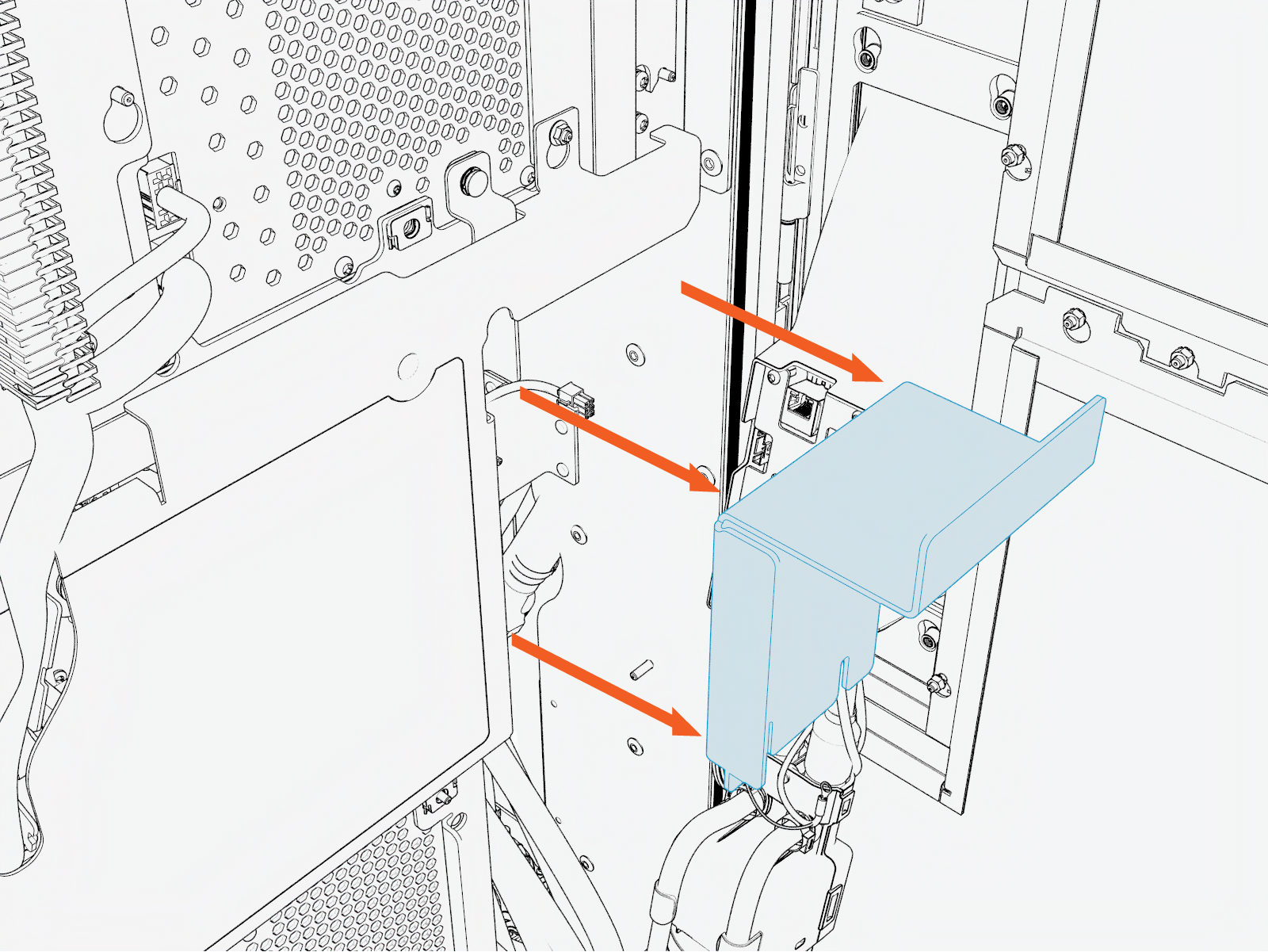
-
Remove the M5 nut from the safety shield.
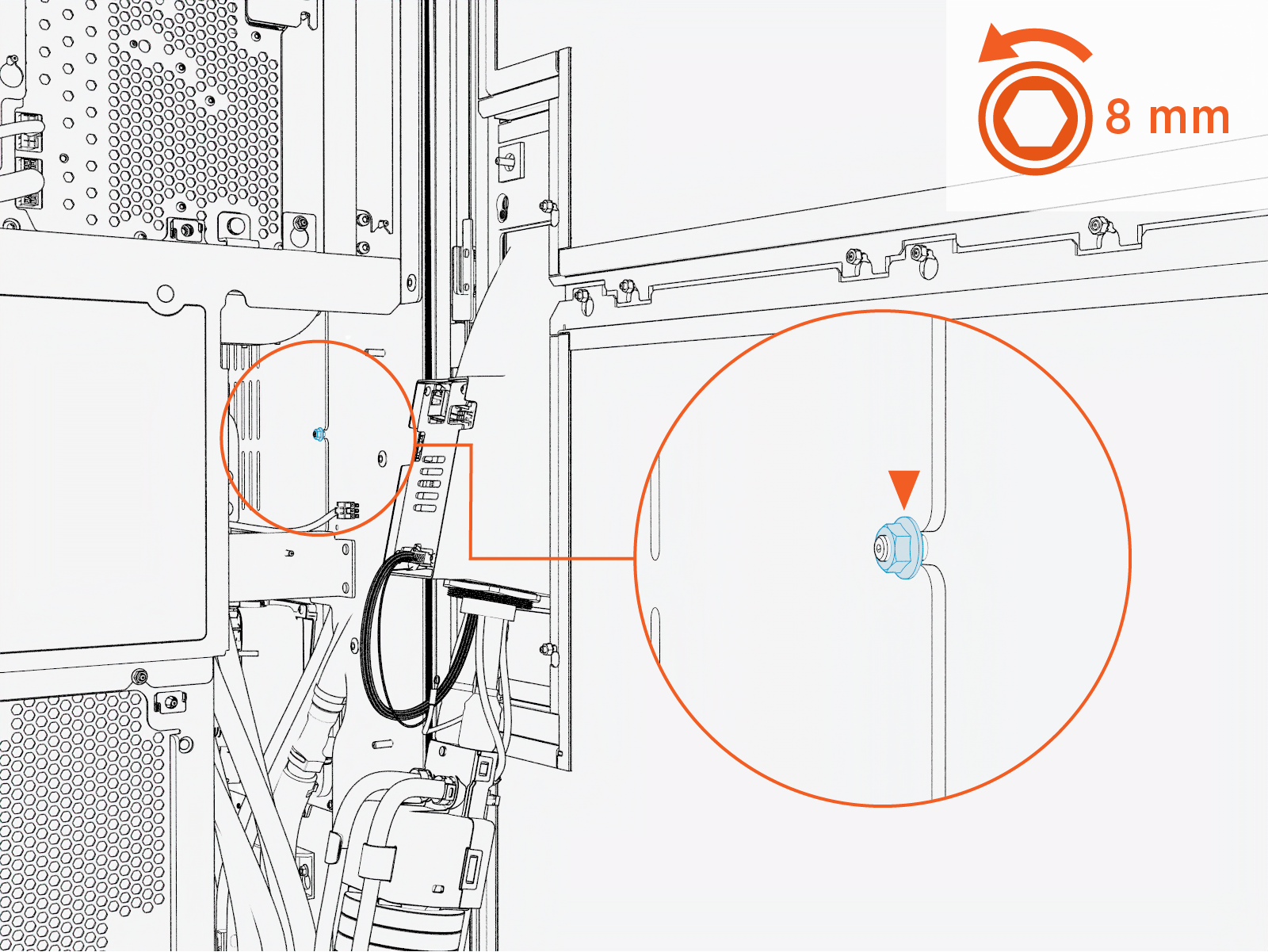 Torque the nuts to 4.5 Nm (40 in-lb).
Do not use impact driver to tighten fasteners.
-
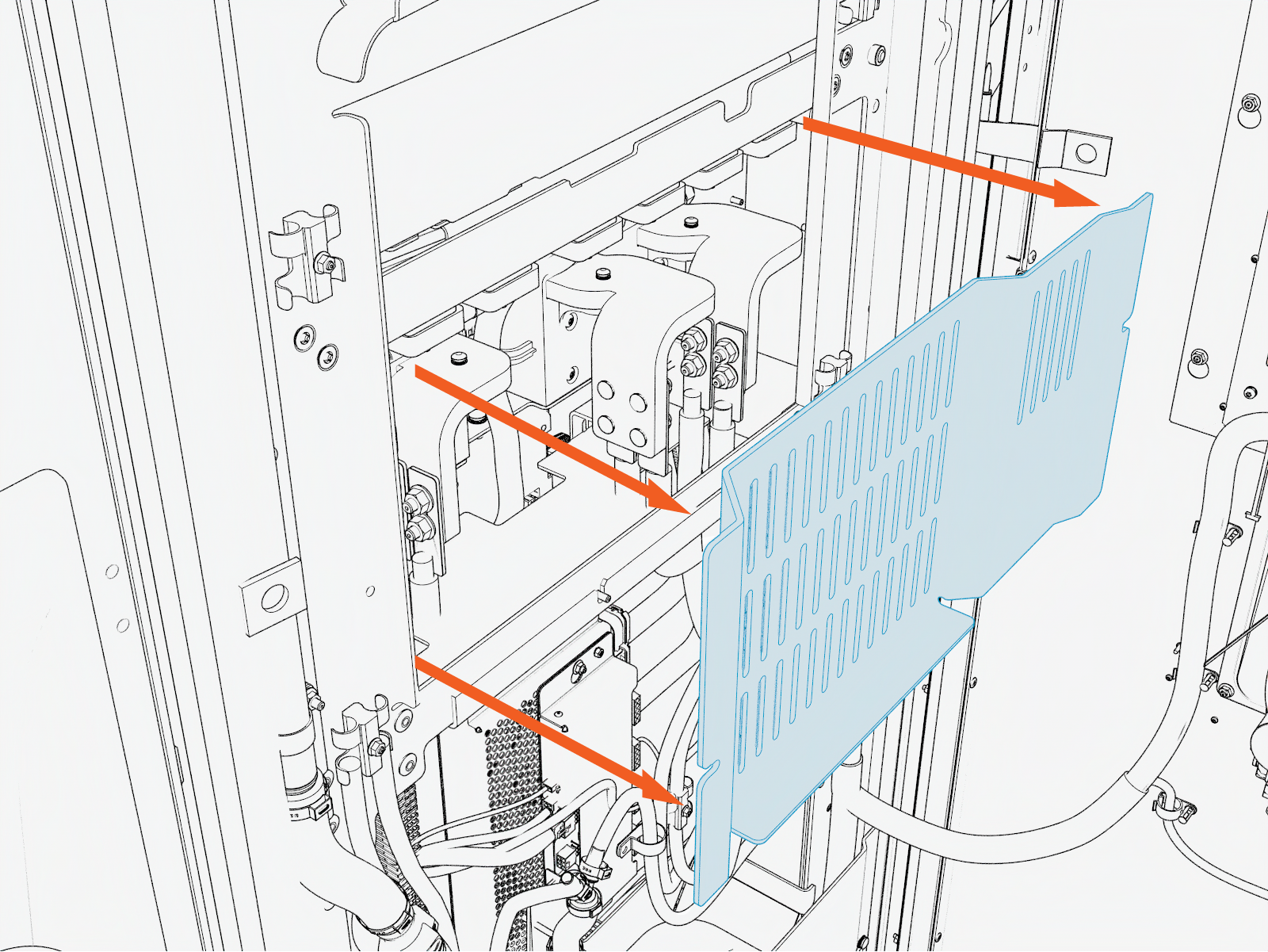
At the front side of the cabinet, remove the safety shield.
-
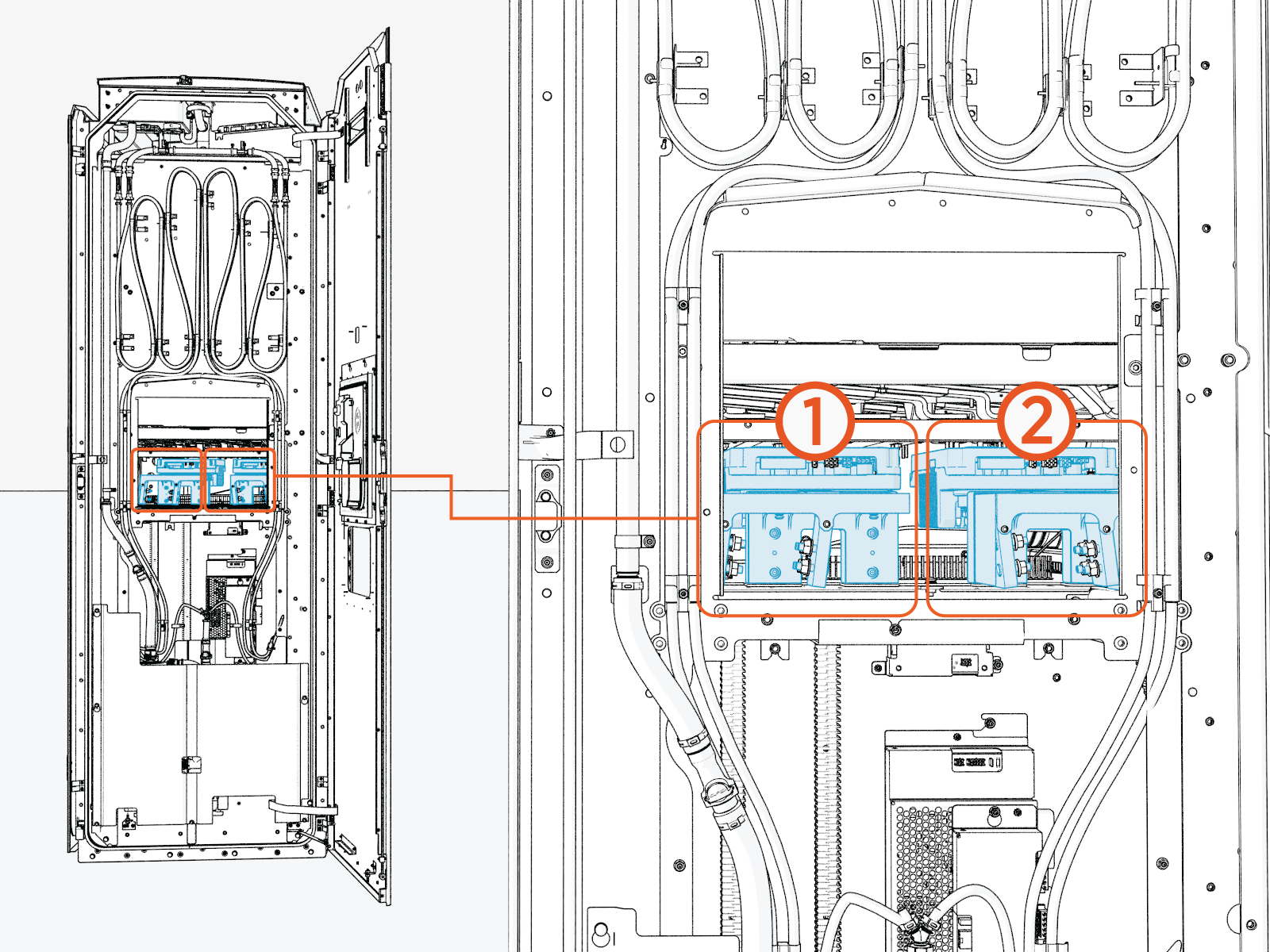
Identify the busbar set.
There are two busbar set, (1) for the Right cable, and (2) for the Left cable. For the procedure, left cable removal is hsown.
-
Remove the M8 lug nuts (x8) from the charging cable lugs.
Exercise extreme care when removing the bus bar fasteners. Do not allow fasteners, washers, or other metallic objects to fall into the cabinet. Any dropped hardware must be located and removed before the charger is returned to service.
Loose metal objects inside the cabinet can create an electrical hazard and result in equipment failure.
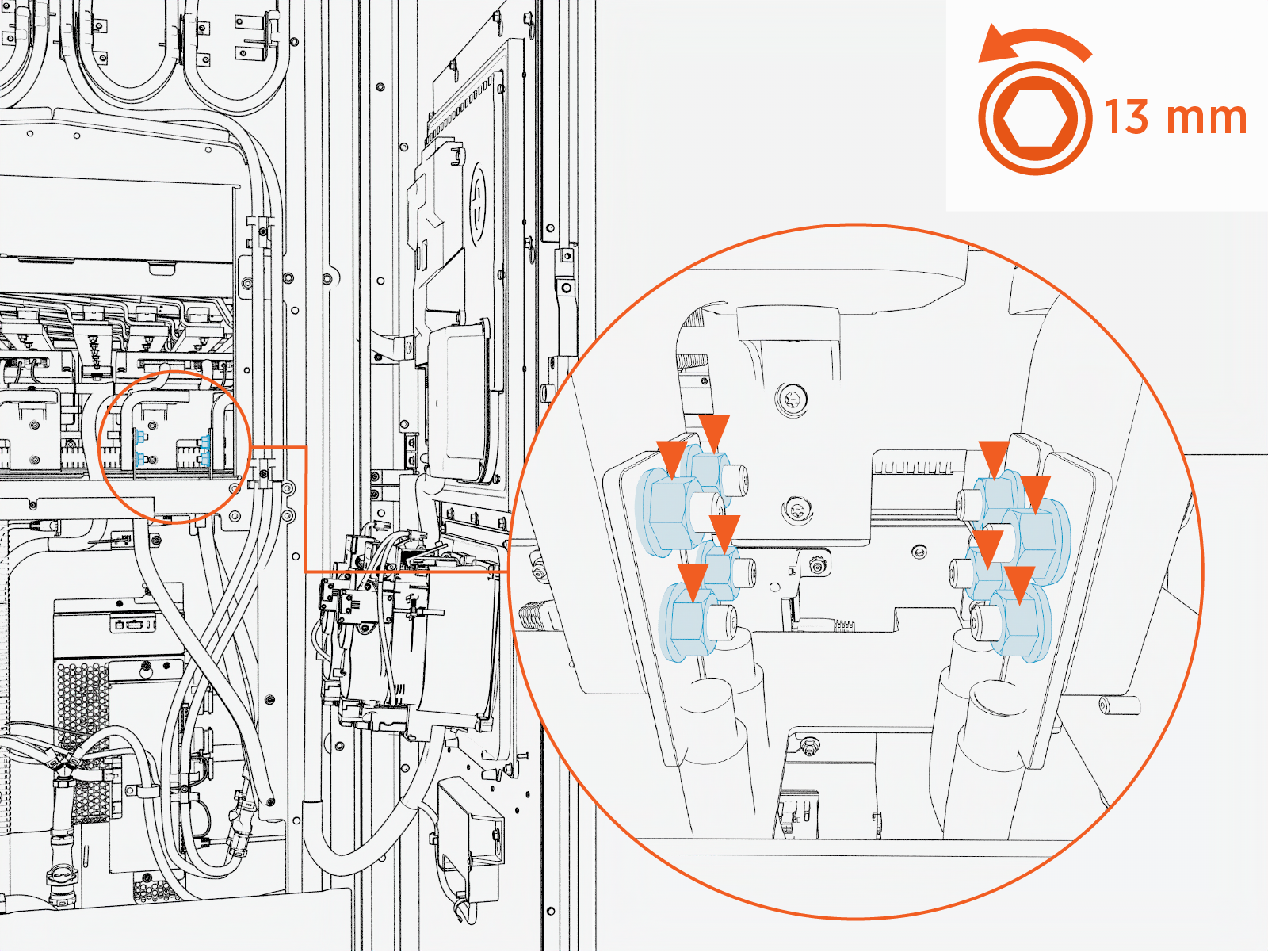 Torque the bolts to 12.2 Nm (108 in-lb). Mark all torqued bolts.
Do not use impact driver to tighten fasteners.
-
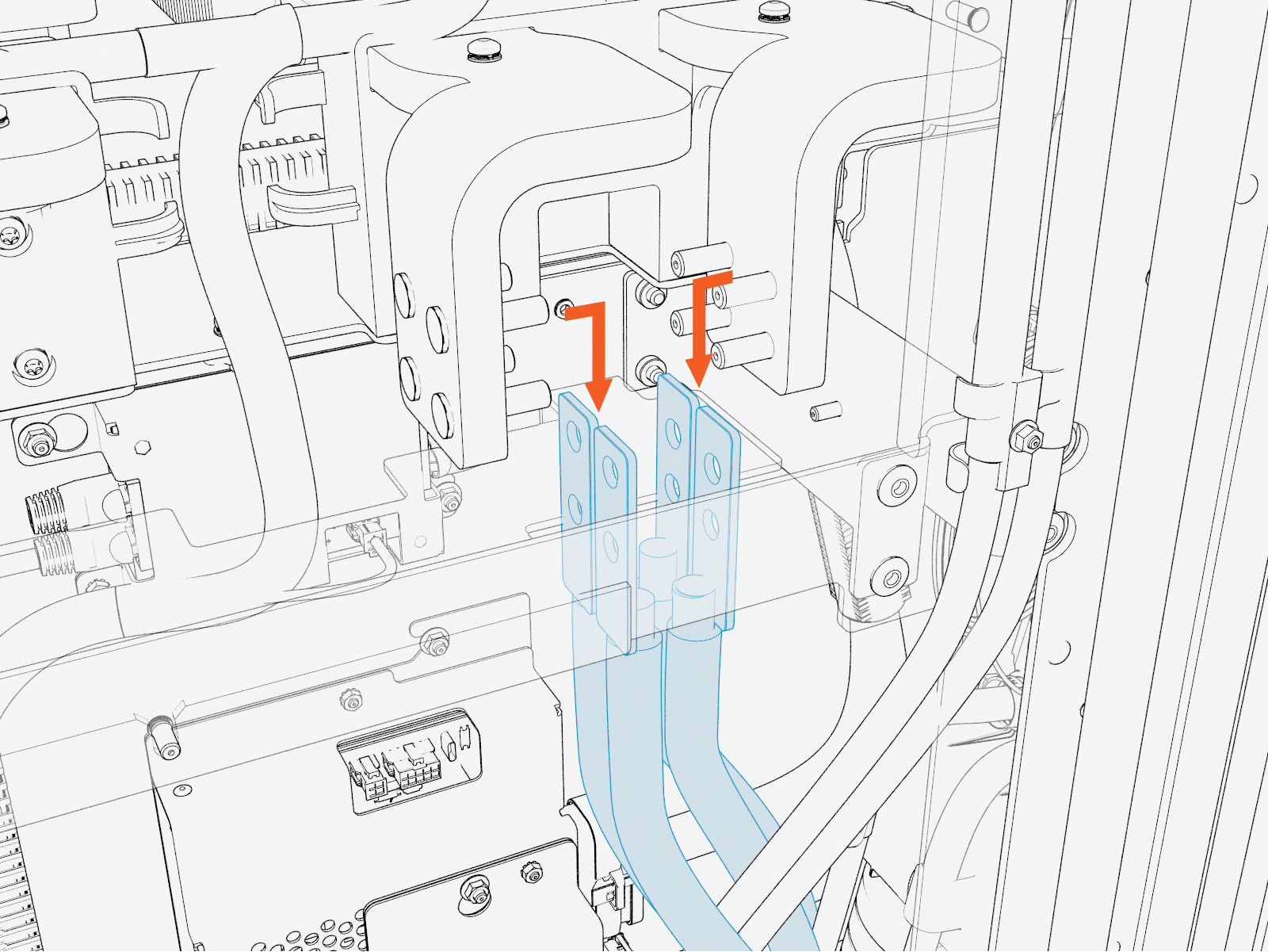
Remove the charging cable lugs.
-
Disconnect the fluid quick-disconnect fittings from the charging cable.
This step is applicable only for the Liquid Cooled Cable (LCC
Liquid Cooled Cable).Return to the side of the cabinet and locate the charging cable assembly on the inner side of the door. Disconnect the coolant hose quick-disconnect fittings.
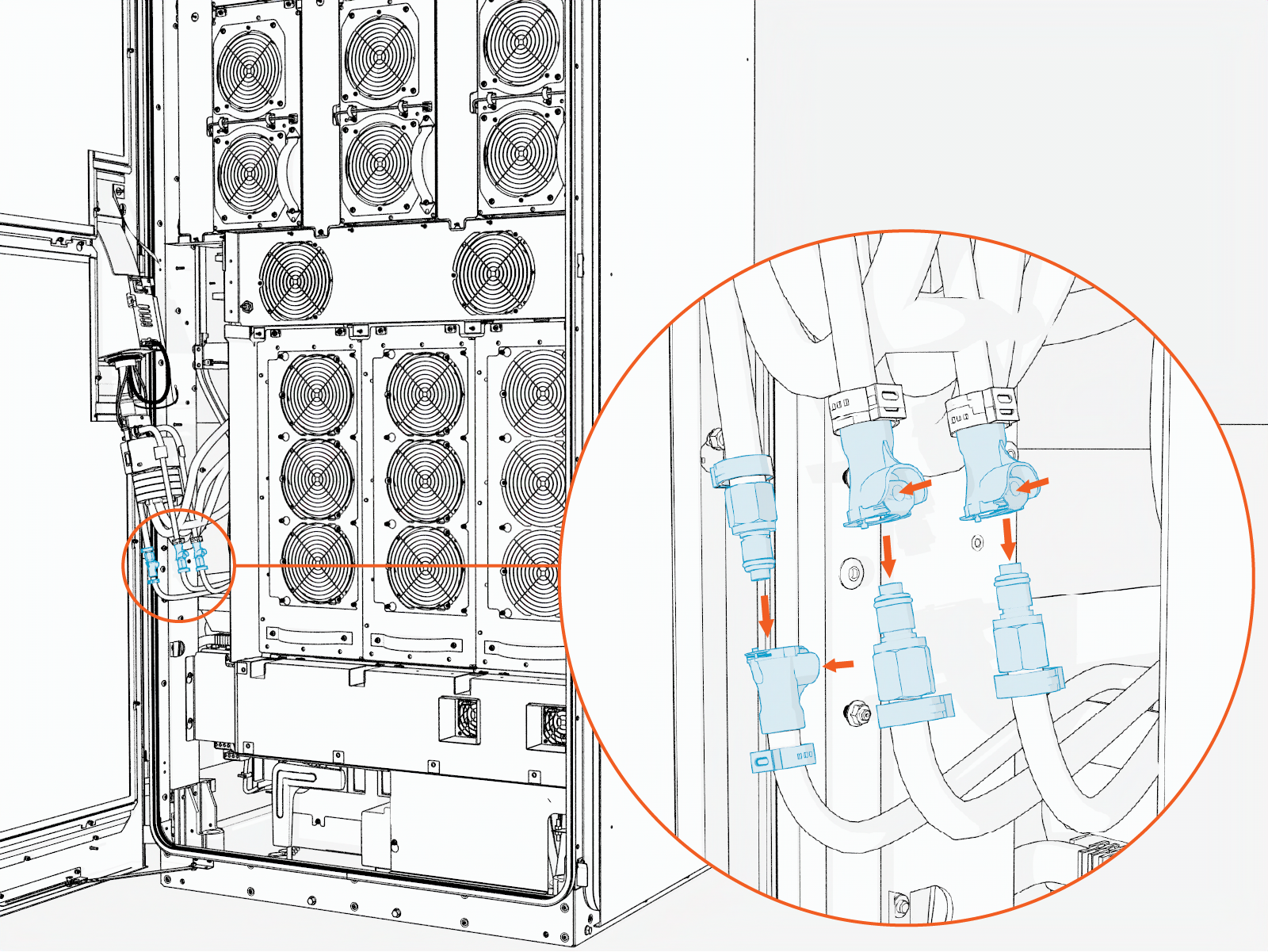
-
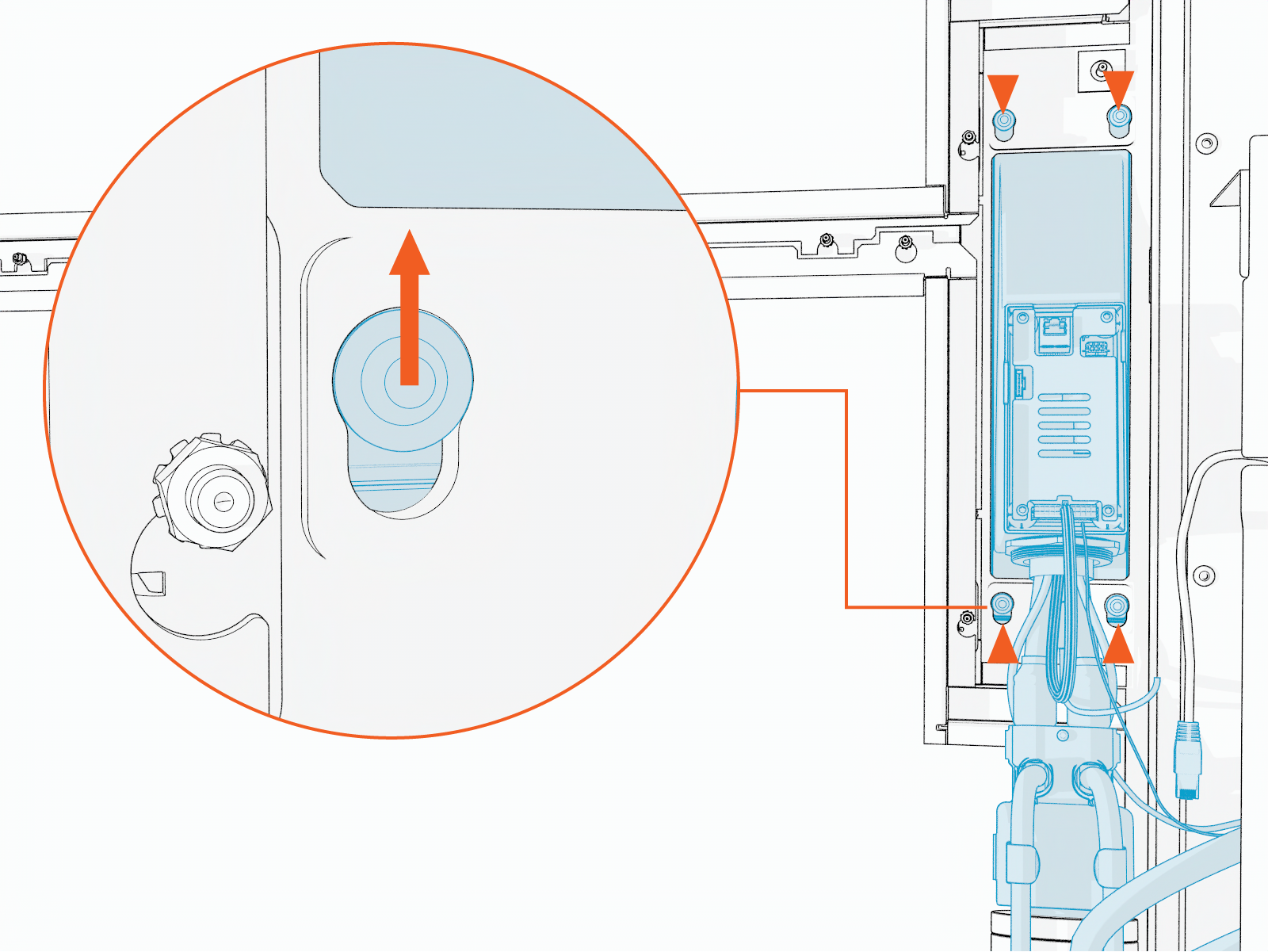
Loosen the screws (x4) that mount the charging cable assembly to the door.
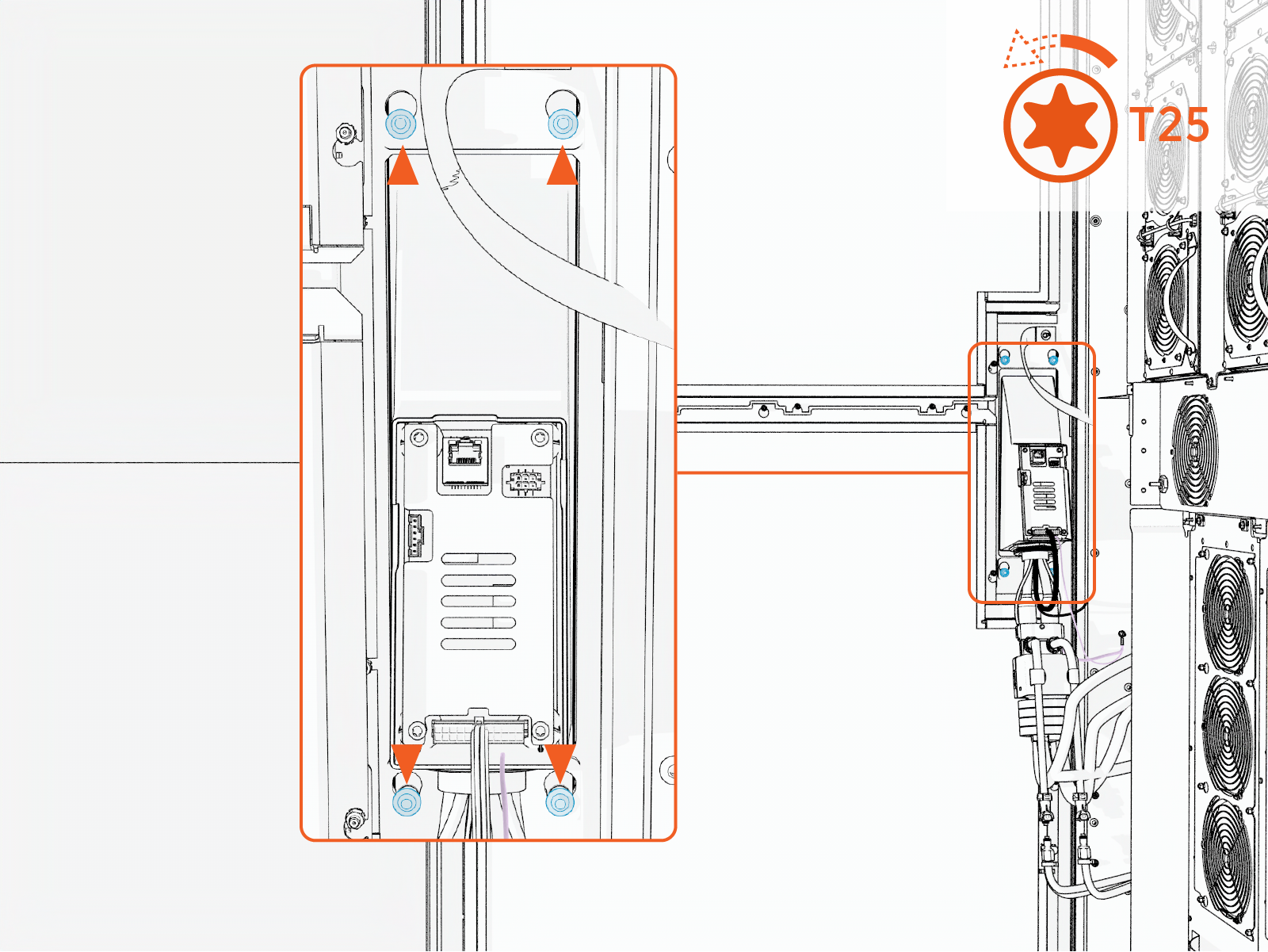
-
Remove the M5 nut and remove the ground cable from the charging cable assembly.
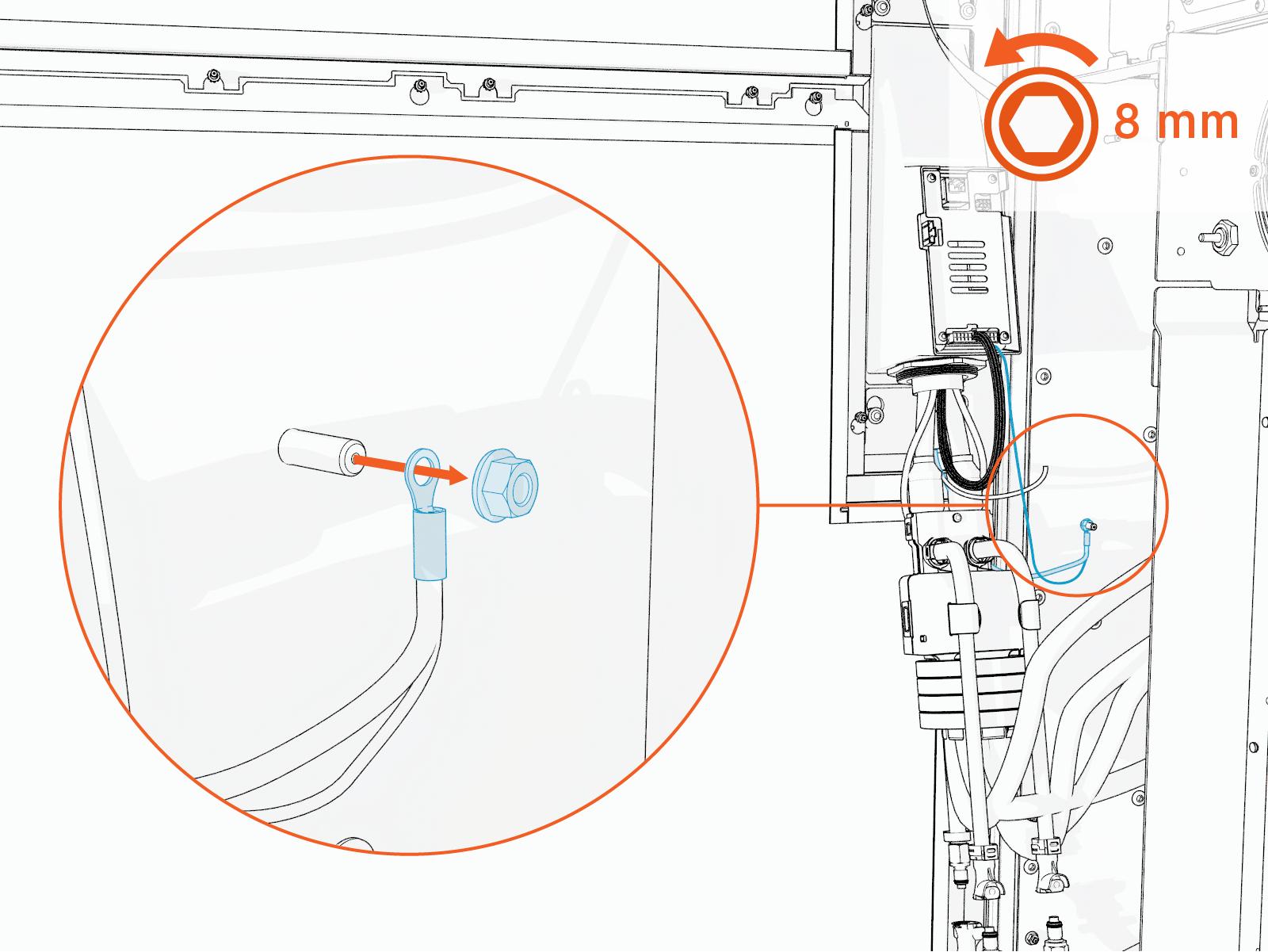 Torque the nuts to 4.5 Nm (40 in-lb).
Do not use impact driver to tighten fasteners.
-
Disconnect the 48 V DC line from the charging cable assembly.
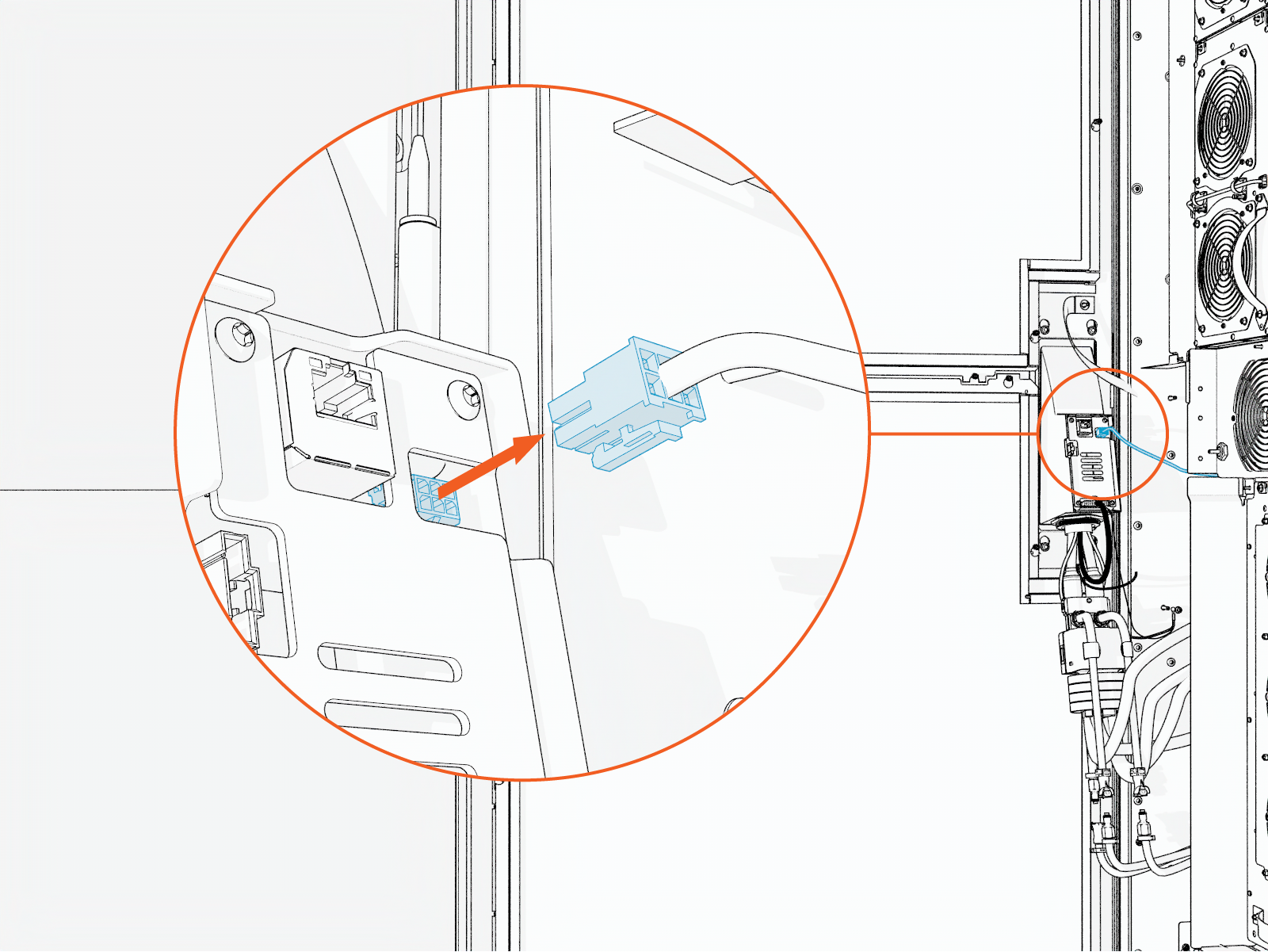
-
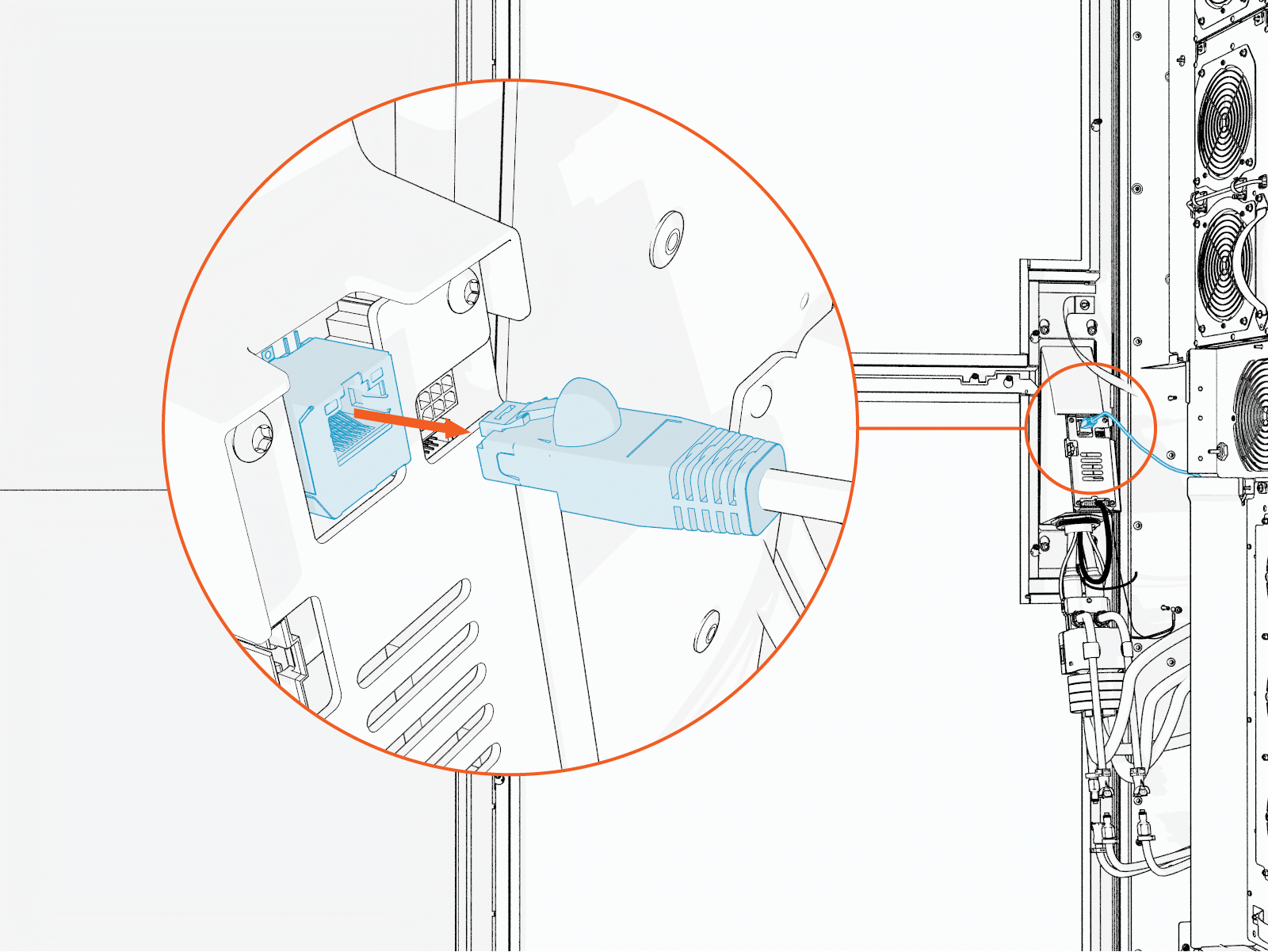
Disconnect the Ethernet cable from the charging cable assembly.
-
Lift the charging cable assembly upward to disengage it from the keyholes.
-
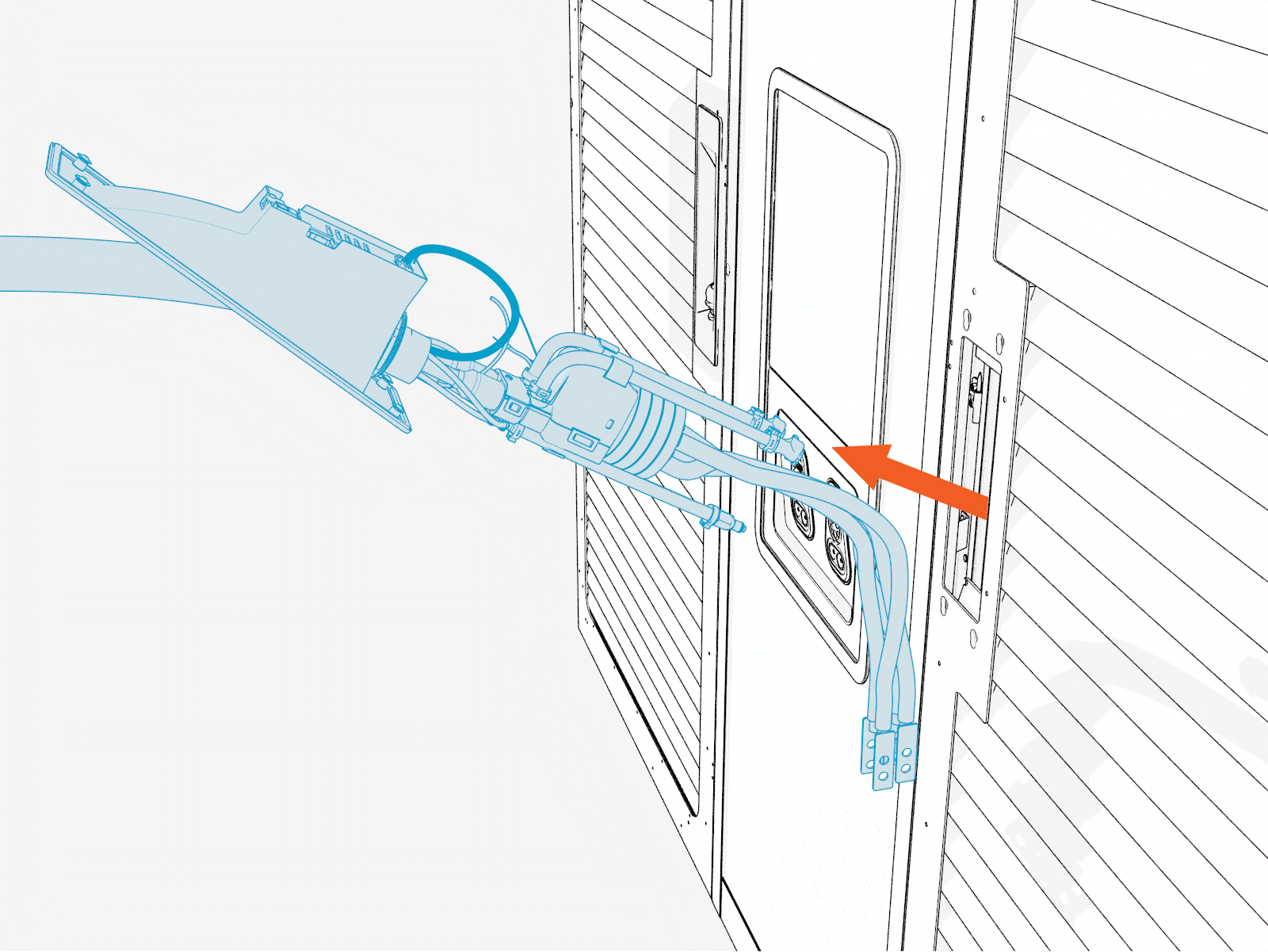
Pull the high-voltage cables and hoses through the door opening.
-
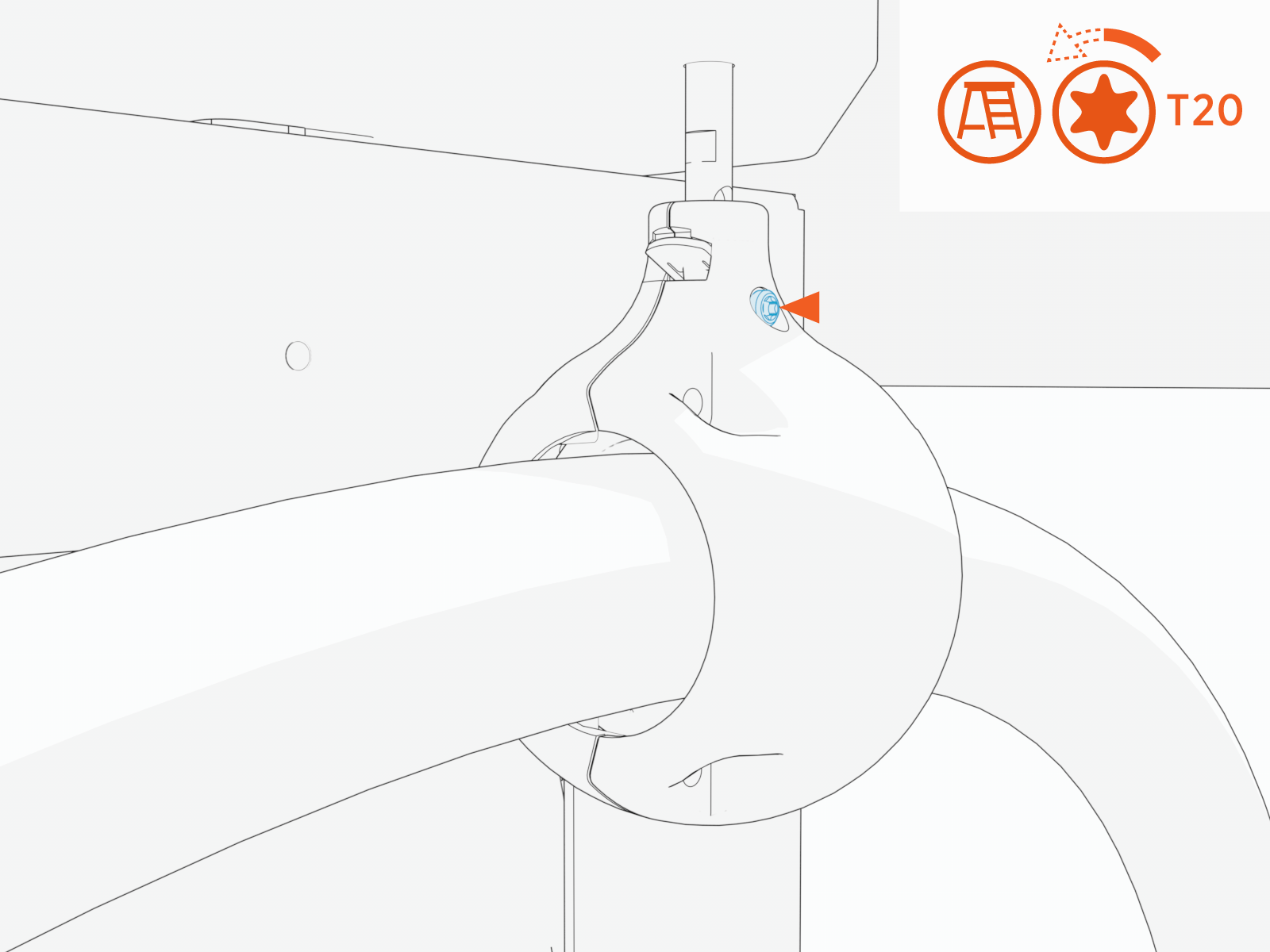
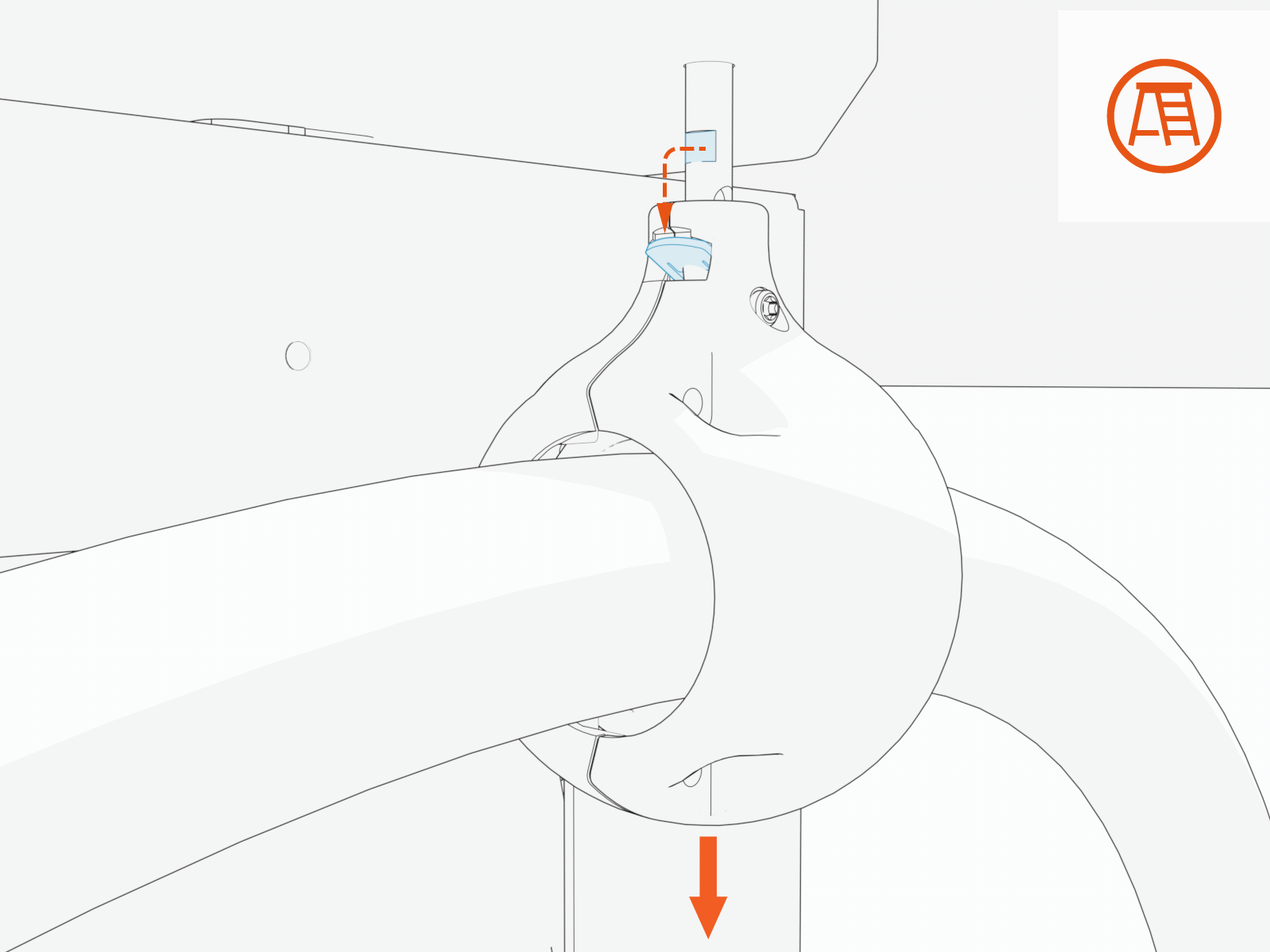
Loosen the tetherball set screw.
-
Slide the tetherball off the anchor pin.
-
Reverse the above steps to reinstall with replacement charging cable.
After replacing an LCC
Liquid Cooled Cable charging cable, check and top off the coolant level as needed. Disconnecting the coolant hoses during this procedure can result in coolant loss. Refer to the LCC Coolant Refill chapter for coolant service instructions.