Mount Schunk 201 Pantograph
- If the charging station is not installed, commissioned, or serviced by a ChargePoint certified technician using a ChargePoint-approved method, it is excluded from all ChargePoint and other warranties and ChargePoint is not responsible.
- You must be a licensed electrician and complete training at https://www.chargepoint.com/partners/training-certification to become ChargePoint certified and to access ChargePoint's web-based installer tools or ChargePoint Installer app.
Uncrate and Prepare Pantograph
To uncrate and prepare the pantograph, complete the following steps:
-
Remove protective wrapping and uncrate the pantograph.

-
Remove the pallet bolts (x4).

-
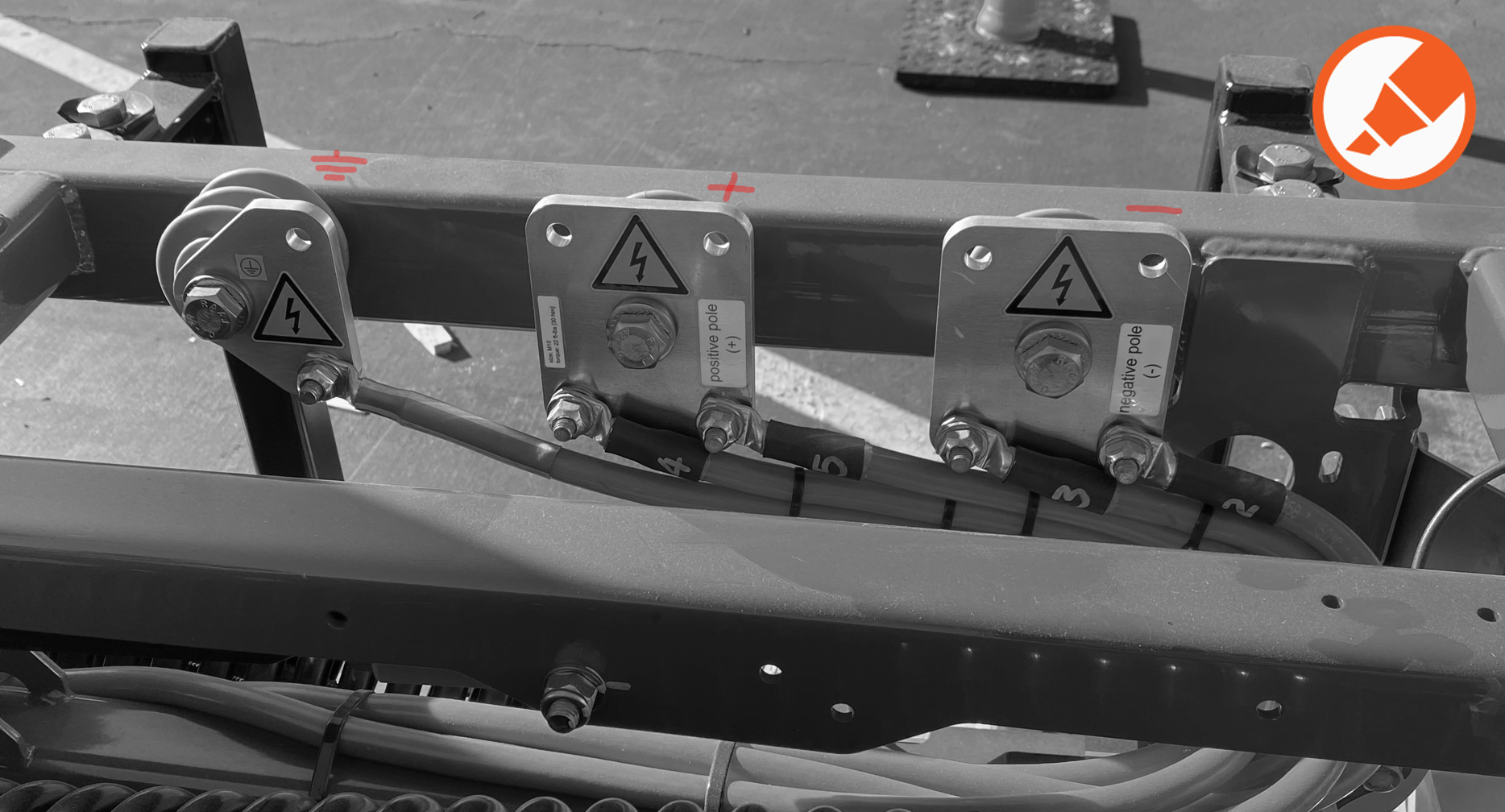
On the frame of the pantograph, mark the location of the high voltage DC terminals (positive, negative, and ground).
-
Photograph the label on the pantograph and submit the photograph to the project manager.
If there are multiple pantographs being installed at the site, ensure there is some way to match each photograph to its corresponding pantograph. The label contains information required to complete commissioning, and will be difficult to view after the pantograph is installed at final height.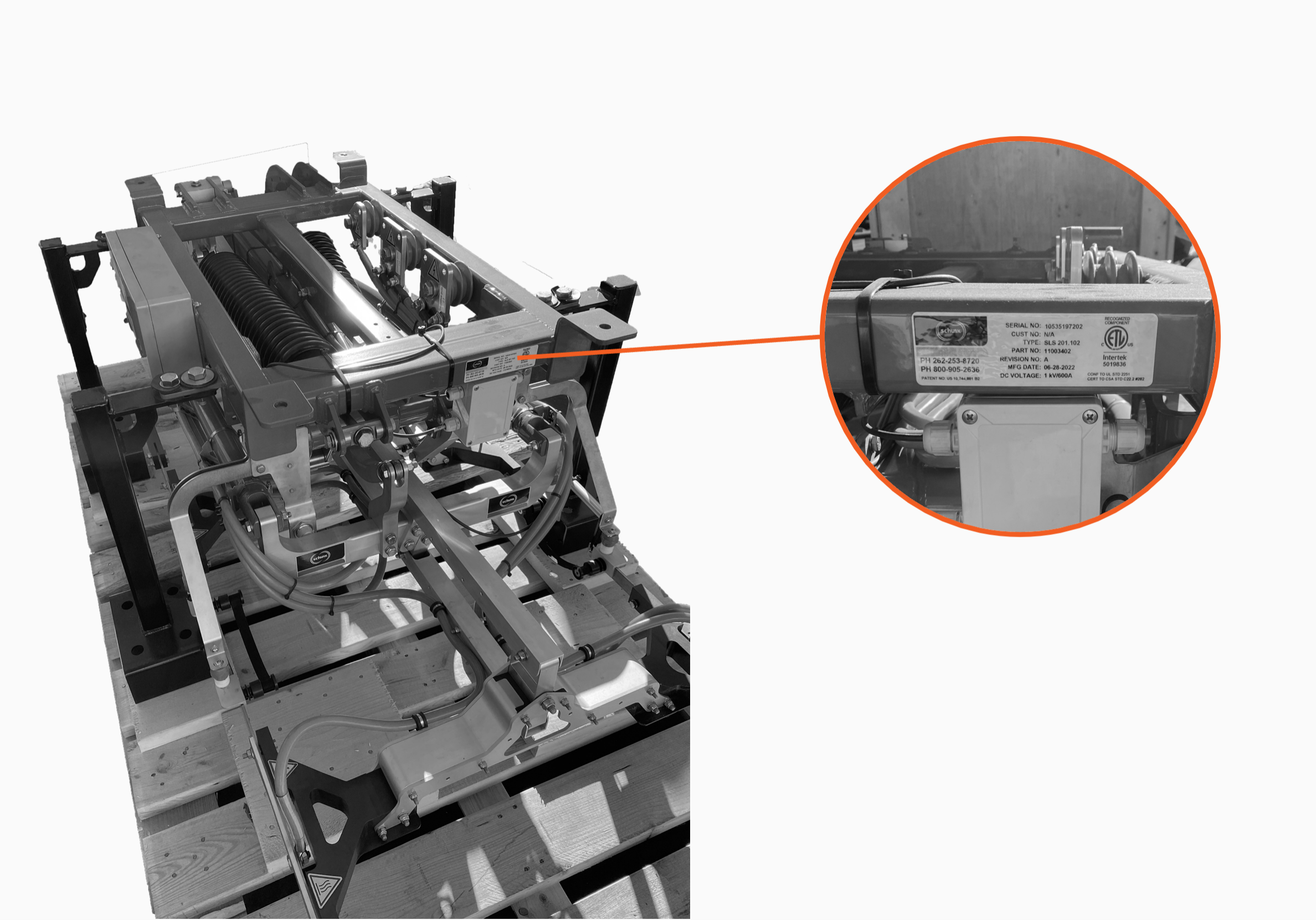
Prepare Mounting Surface
To prepare the mounting surface, follow the instructions below:
-
Identify the pantograph mounting location per the site plan.
-
Mark the locations of the mounting holes or studs.
-
Prepare the mounting holes or studs. Consult the site plan for any site-specific requirements.
Mount Pantograph
To mount the pantograph, complete the following steps:
-
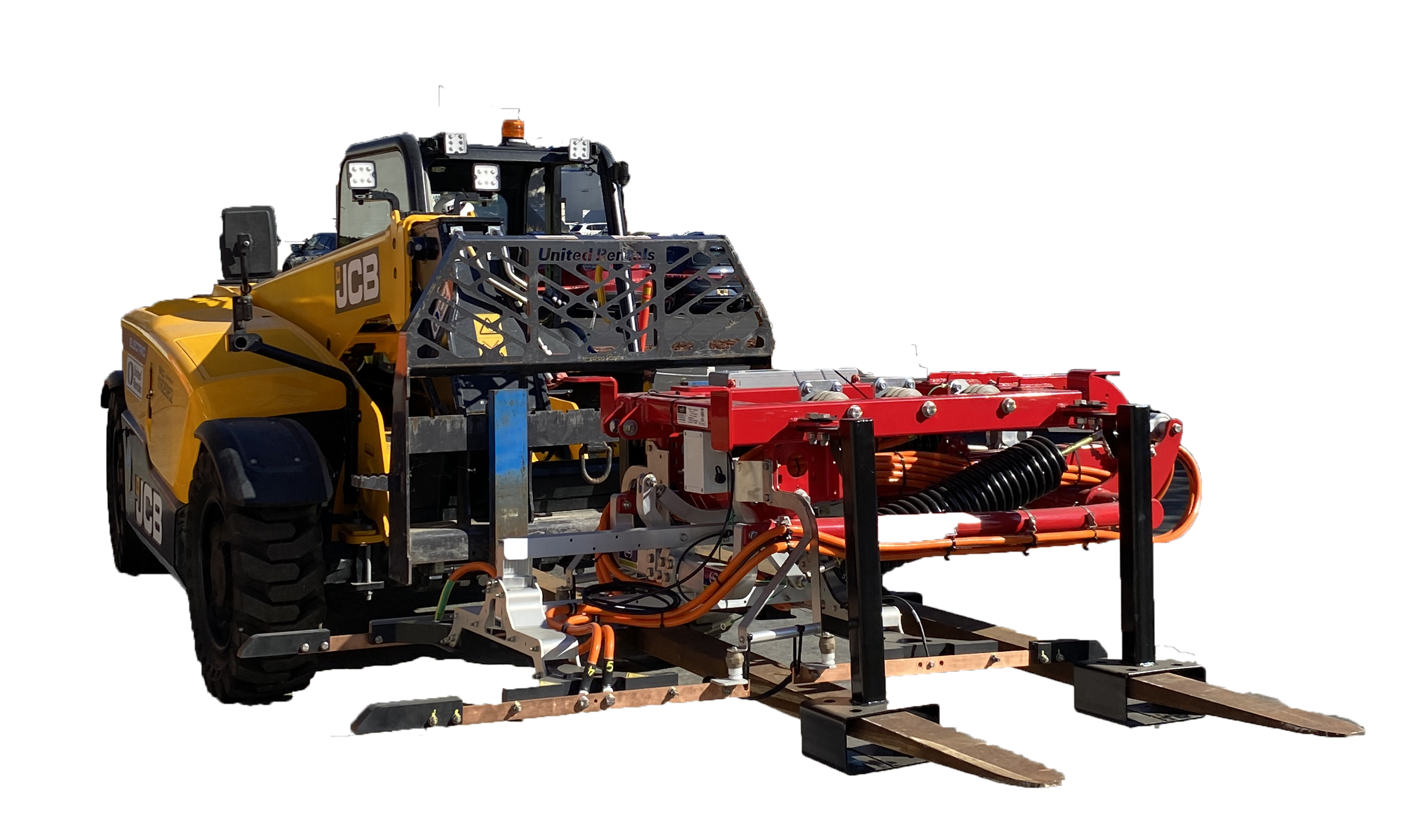
Insert forklift tines into pantograph lifting brackets.
-
Lift and transport the pantograph to its mounting location.
Check the site plan to confirm the pantograph installation orientation. Be careful you do not install the pantograph rotated 180 degrees from intended orientation. The system will not operate successfully if the pantograph is incorrectly installed. -
Attach the pantograph to the mounting platform using the main mounting supports. Install fasteners called for by the site plans. Torque to the specification indicated in the site plans.
Contractor provides fasteners. Site plans must specify fasteners appropriate for mounting surface and rated to secure the weight of the pantograph and the auxiliary components.

-
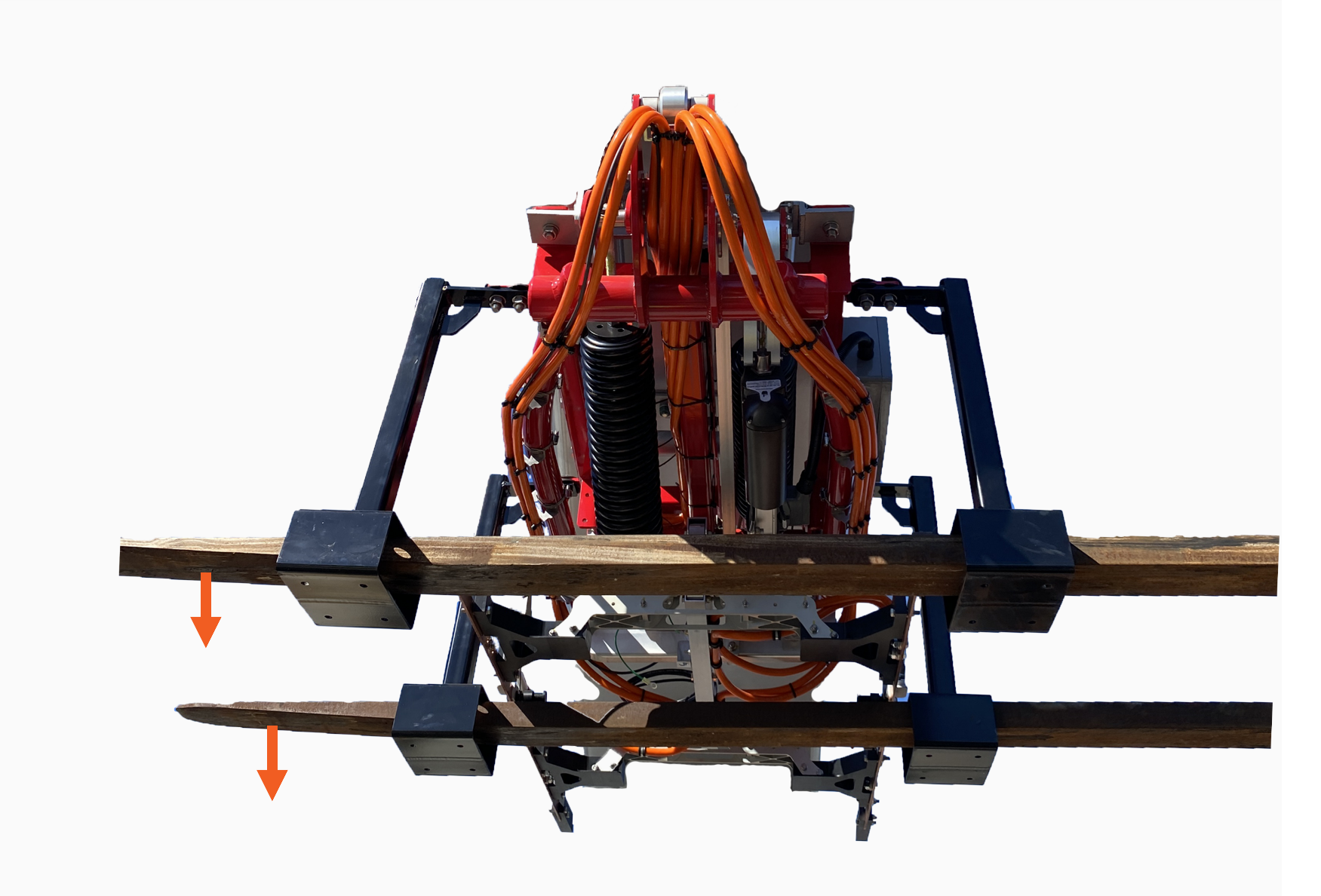
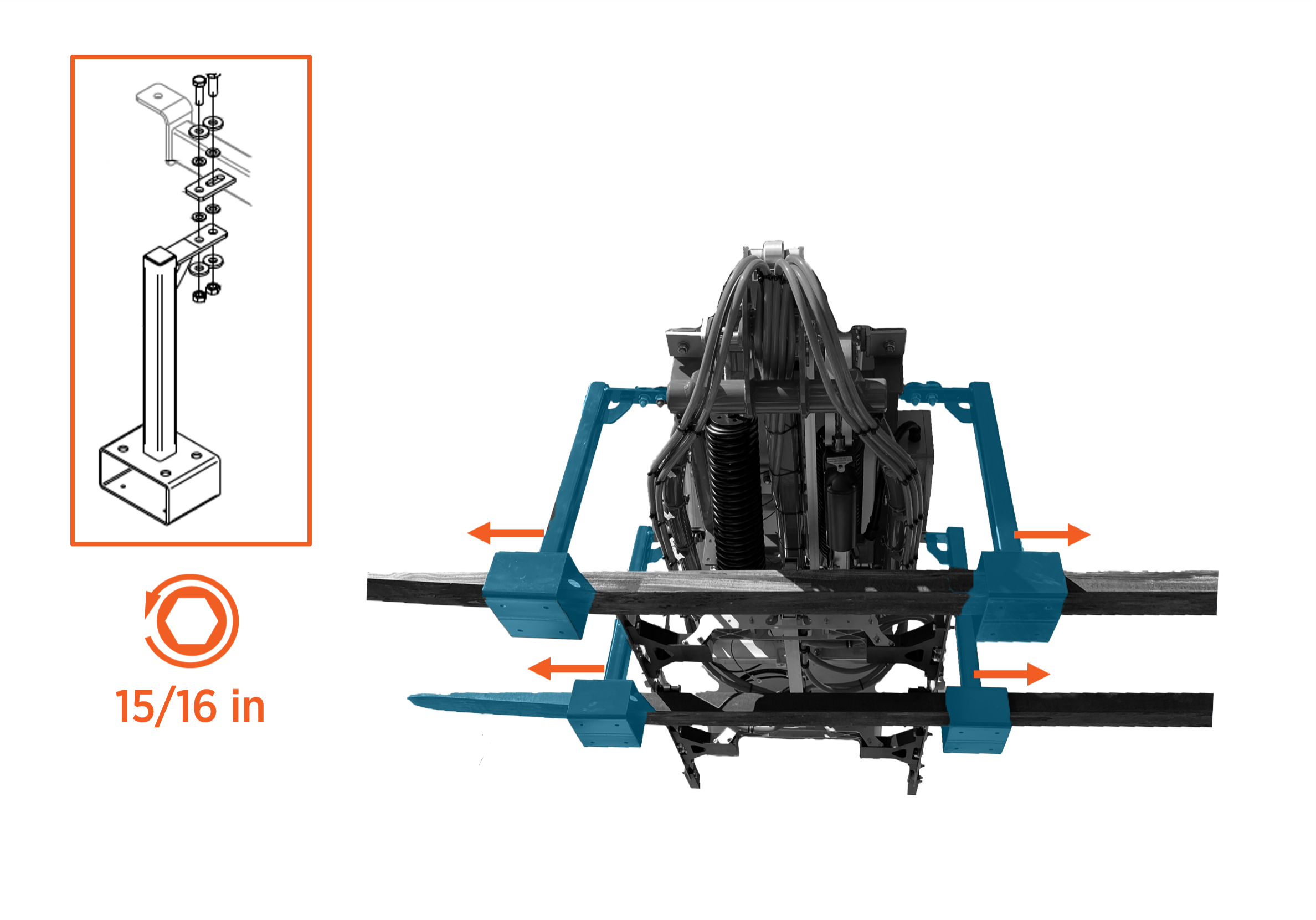
Lower the forklift tines slightly to release the weight of the pantograph. Do not remove the forklift from the pantograph lifting brackets.
-
Remove fastener to release the pantograph lifting bracket (x4). Slide the brackets off the forklift tines or up against the forklift.
-
Remove the forklift.
-
Cut and remove zip ties (x4) to free the pantograph charging rails.
Extending the pantograph with the zip ties installed can damage the equipment.

