Connect the Wiring
-
Strip the wires 12 mm (0.5 in).
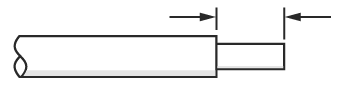 Cut wires straight across at 90° and not at an angle.
 Apply ferrules on multistrand cables. Crimp at cable termination.
 -
Insert the PE wire into the PE terminal.
 Assembly may vary in appearance.
 -
Tighten the screw on the PE terminal to 2.8 Nm (25 in-lb).
 Assembly may vary in appearance.
 -
Insert the L3 wire into the terminal block.
 Assembly may vary in appearance.
 -
Tighten the terminal block to 2.8 Nm (25 in-lb).
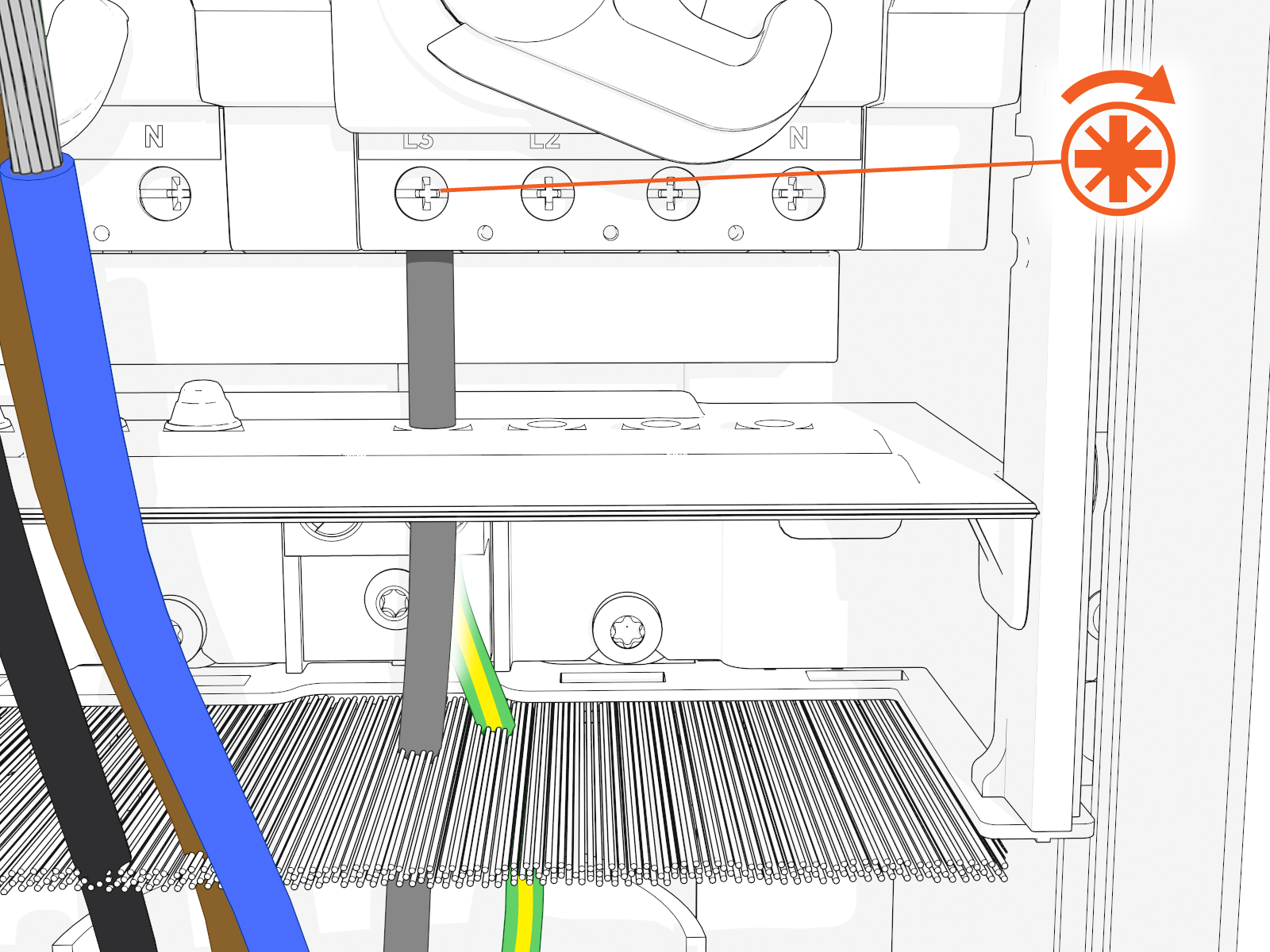 Use a properly calibrated torque wrench or torque screwdriver to avoid damaging the RCBO
 Residual Current Breaker with Overload Protection input terminals.
Assembly may vary in appearance.
Residual Current Breaker with Overload Protection input terminals.
Assembly may vary in appearance. -
Repeat steps 4 and 5 for L1, L2, and N wires.
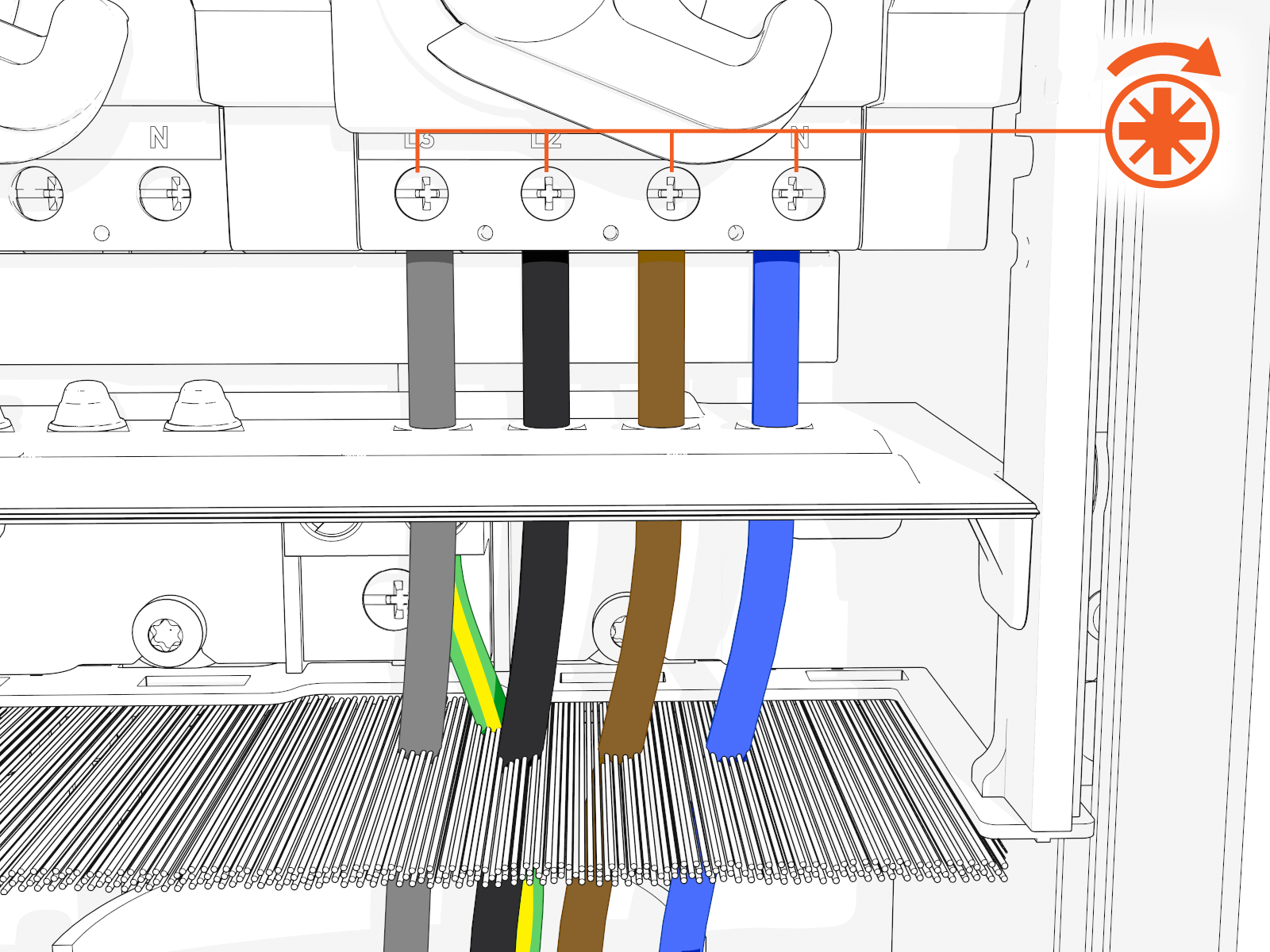 Assembly may vary in appearance.
 -
Cable sharing configurations only - Ensure the yellow/black sticker is on the terminal block that is not wired.
-
Switch terminal block switches ON. Red indicates the power is ON. Green indicates the power is OFF.
 Assembly may vary in appearance depending on RCCB Residual Current Circuit Breaker or RCBO Residual Current Breaker with Overload Protection function.
Leave internal terminal block switches in the ON (upward position) while completing station installation.
Assembly may vary in appearance depending on RCCB Residual Current Circuit Breaker or RCBO Residual Current Breaker with Overload Protection function.
Leave internal terminal block switches in the ON (upward position) while completing station installation. -
Take a picture of the completed terminal block wiring including labels to submit during pinpointing.

IMPORTANT: You should not see any copper wire outside the terminal block.

-
Slide the power plate cover down.

