Stations
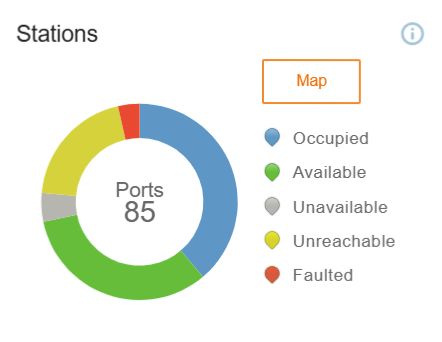
The Stations data chart displays the status of the station. The pin color for each station indicates the current status of the station:
-
Blue: Indicates that all the stations are in use.
-
Green: Indicates that the stations are available for charging.
-
Grey or Red: Indicates that there is a problem with the specific charging station.
-
Yellow: Indicates that a WiFi or cellular issue with the station was detected within the last 24 hours.
Figure 1: Stations Data Chart
To access a visual representation of stations and their availability across the NA region, click on Map.
You can navigate to Stations to find out what’s happening with these alerts.
