Covers Upgrade Kit
This section provides information on servicing and replacing the covers upgrade kit.
Required Tools and Materials
|
|
T25 security screwdriver |
|
8 mm socket |


Inspect the Box for Contents
This kit is for replacing the unassembled components with preassembled covers.
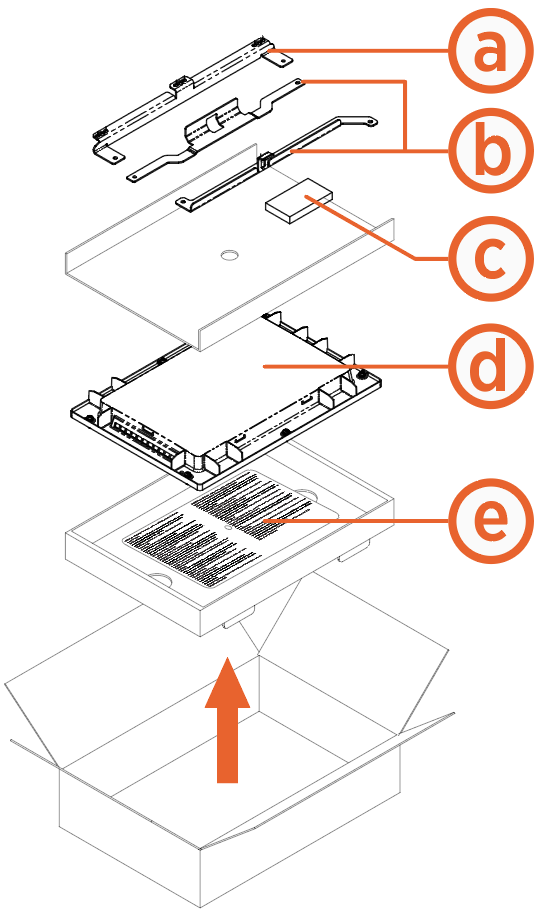
(a) Upper cover mount bracket
(b) Lower cover mount brackets (x2)
(c) M5 nuts for mount brackets (x6)
(d) CCOM Control and Communications Module lens bracket
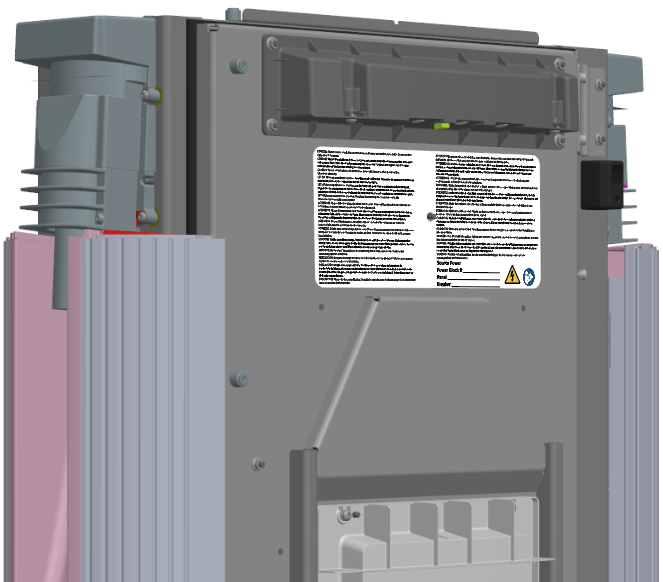
(e) Safety label
Before You Begin
-
Refer to the site drawings and identify the charging stations to be serviced.
-
End all charging sessions and activity for the stations to be serviced.
-
Lift the charging cable off the holster.
-
Remove all unassembled components.
-
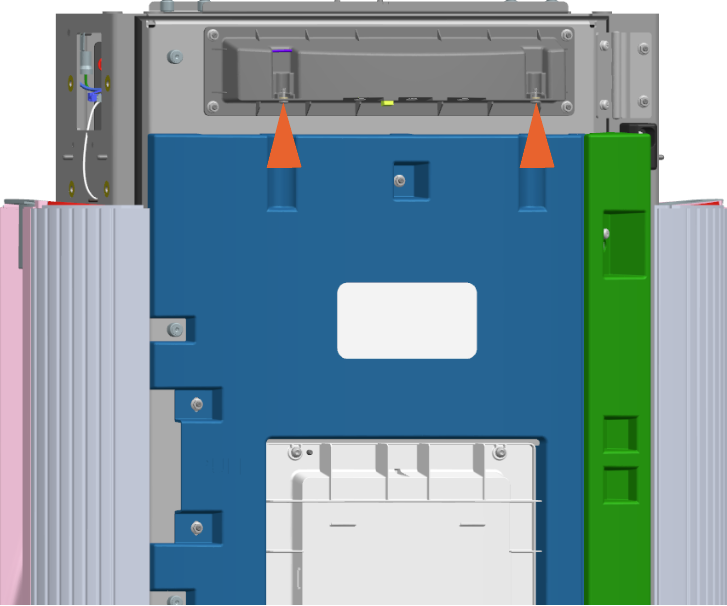
Remove the captive screws (x2) on the area downlight housing.
-
Remove the thermoformed door faces (x2) and brackets (x2).
-
Remove the M5 nuts (x5) (use 8 mm socket) on the upper and lower door faces to remove them.
Upper Door Face
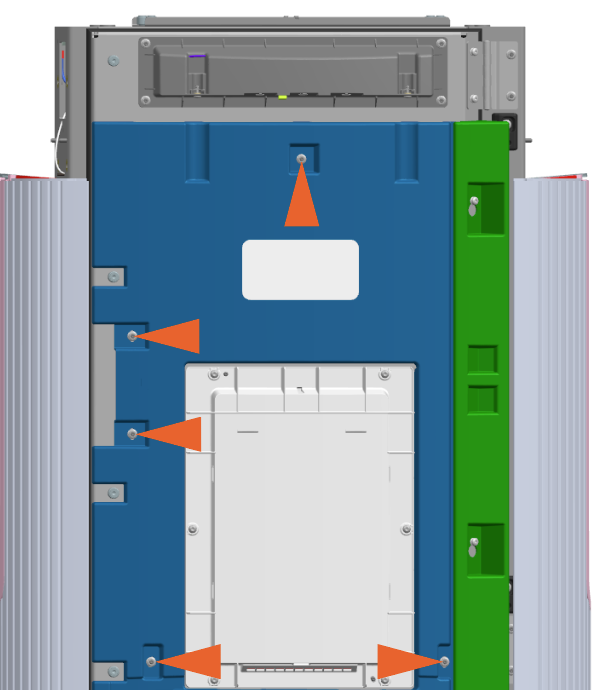
Lower Door Face
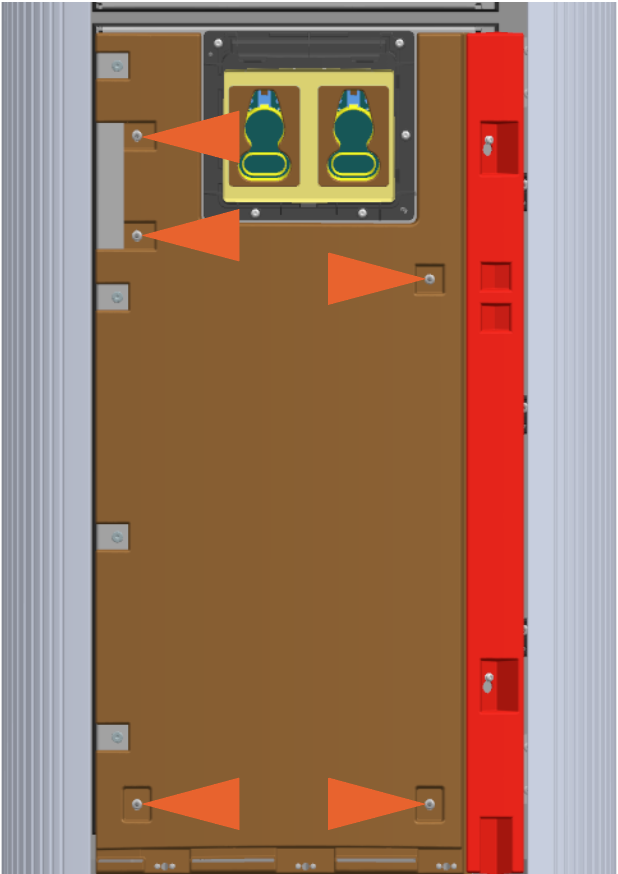
-
Loosen the M5 screws (x2) (use T25 security screwdriver) on the upper and lower door brackets, and slide them up to disengage the keyholes.
Upper Door Bracket
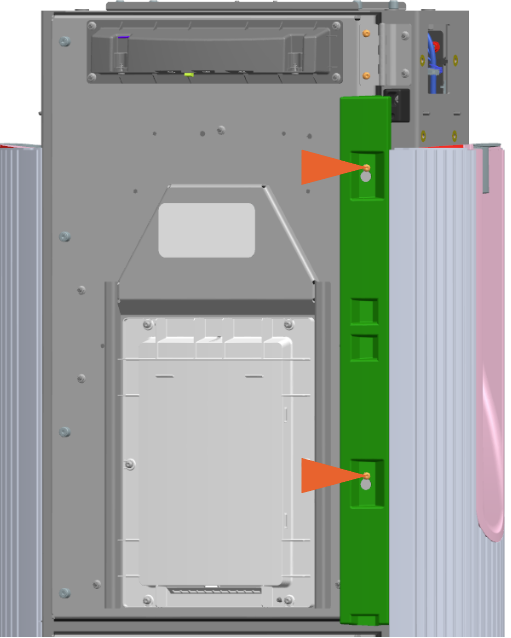
Lower Door Bracket
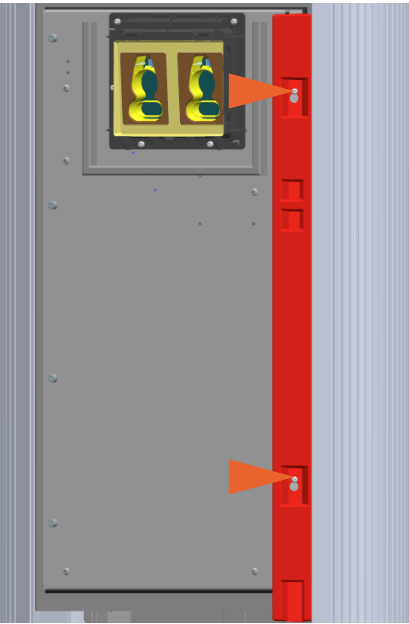
-
Replace CCOM Lens Bracket
To replace the CCOM Control and Communications Module lens bracket, complete the following steps:
Remove
-
Remove the M5 screws (x6) (use T25 security screwdriver).
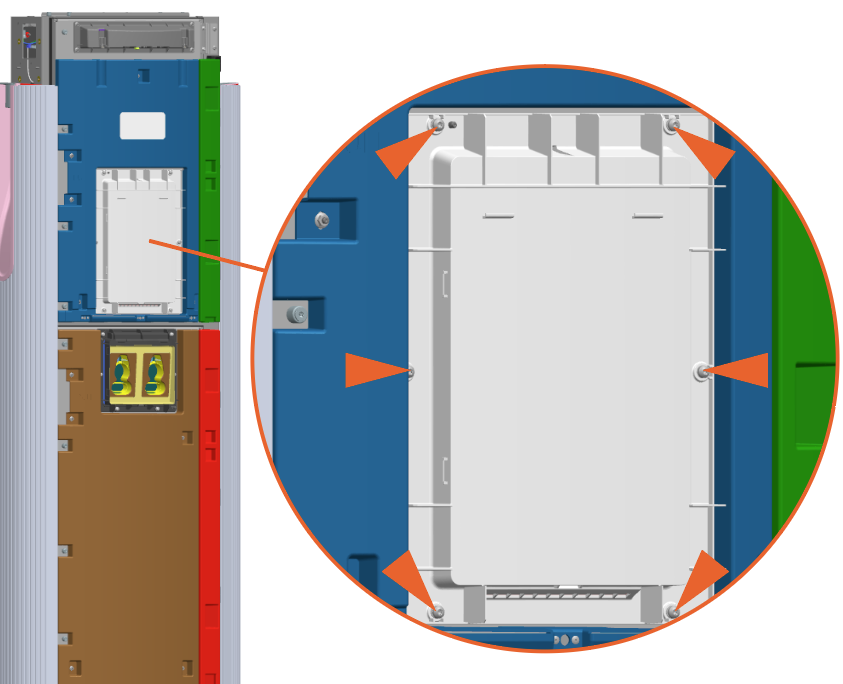
-
If necessary, remove the gasket.
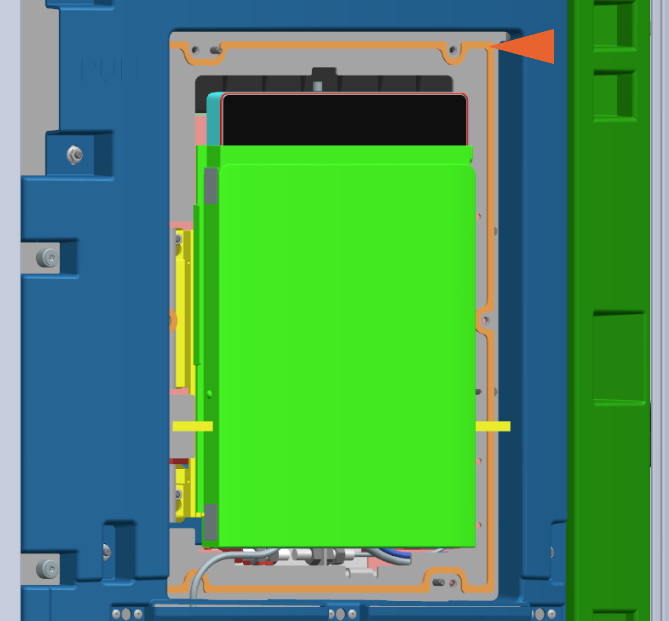
Reinstall
-
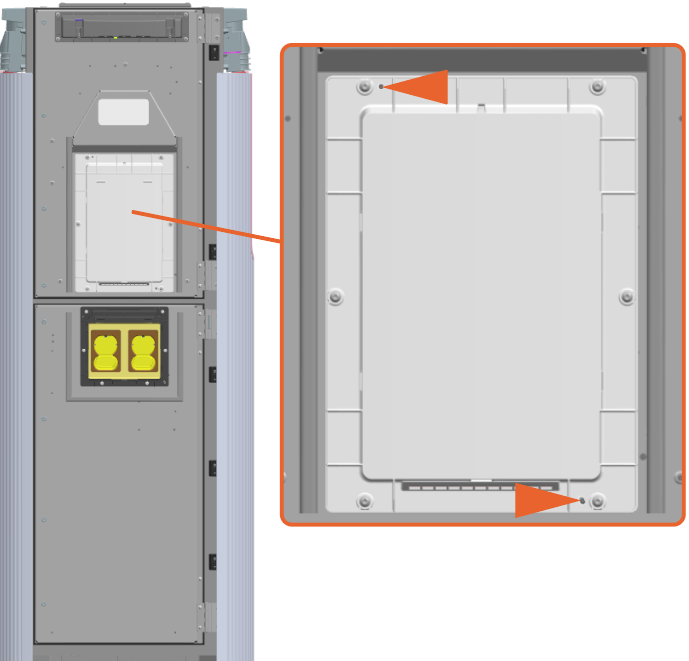
Align and install the new lens bracket onto the two alignment pins.
-
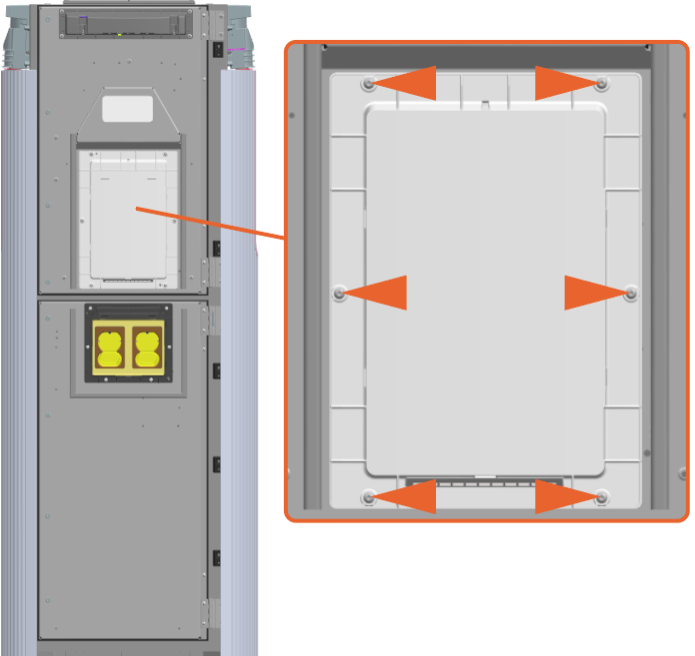
Reinstall the M5 screws (x6) (use T25 security screwdriver). Torque to 2.8 Nm (25 in-lb).
Install Cover Mount Brackets
-
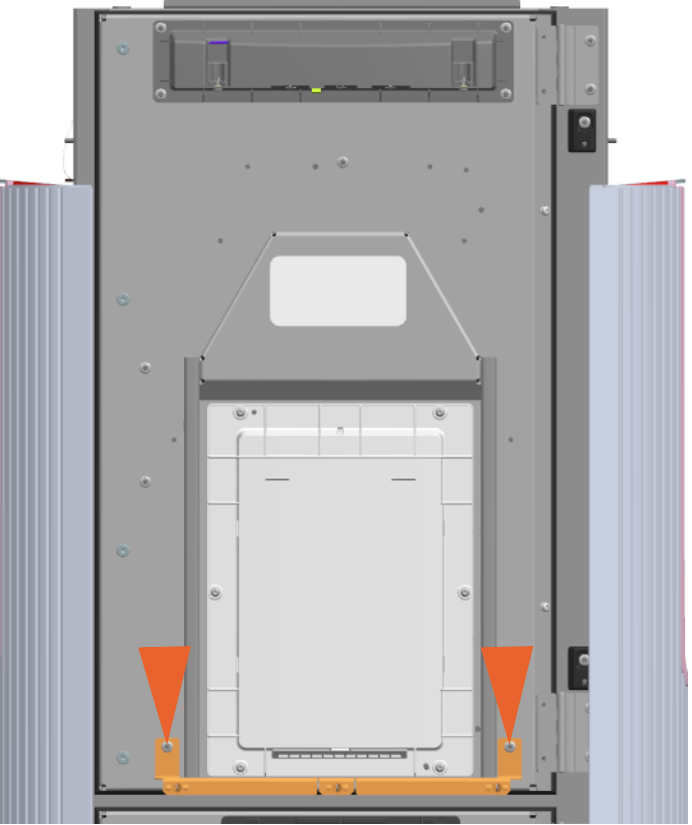
Position the upper cover mount bracket and install the M5 nuts (x2) (use 8 mm socket) to secure the bracket.
-
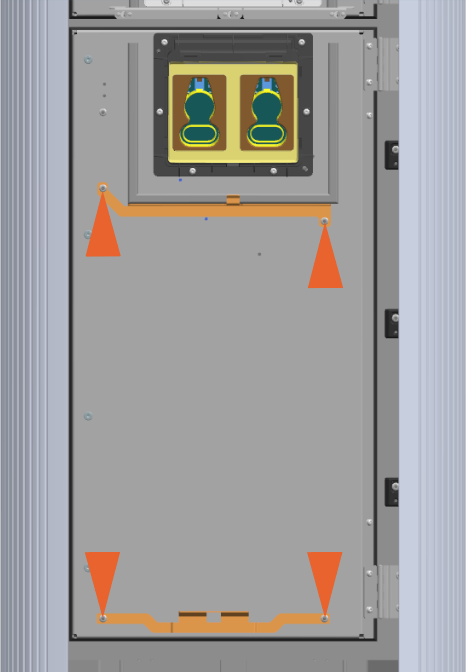
Position the two lower cover mount brackets and install M5 nuts (x2) (use 8 mm socket) on each to secure the brackets.
-
Torque the M5 nuts (x6) to 4.5 Nm (40 in-lb).
Affix Safety Label
-
Find the new safety label in the kit packaging (see Inspect the Box for Contents).
-
Affix it on top of the upper door by aligning the hole in the middle of the label with the stud on the door.
Complete Service
-
Return each charging cable to the holster.
- To adhere to ChargePoint best practices, complete the post-service checklist before you leave the site.
-
For assistance or to return a faulty part to ChargePoint, go to chargepoint.com/support and contact technical support using the appropriate region-specific number.
