Ethernet to USB Kit
This section provides information on replacing the Ethernet to USB Universal Serial Bus kit.
Kit Components
This kit is for installing Ethernet to USB Universal Serial Bus module on a Power Link 1000's pedestal frame.

-
Ethernet to USB
Universal Serial Bus module (x1) -
M5 star washer nuts (x2)
-
Cable ties (x5)
-
500 mm USB
Universal Serial Bus 3.0 Type B to Type C
Before You Begin
-
Power off the charging station.
-
Determine if the Power Link 1000 has preassembled covers or unassembled components, remove them as necessary.
Where to Install the Ethernet to USB Module
To locate where to install the Ethernet to USB Universal Serial Bus module, complete the following steps:
-
Open the upper and lower doors of the Power Link 1000 and engage the windstops for both the doors.
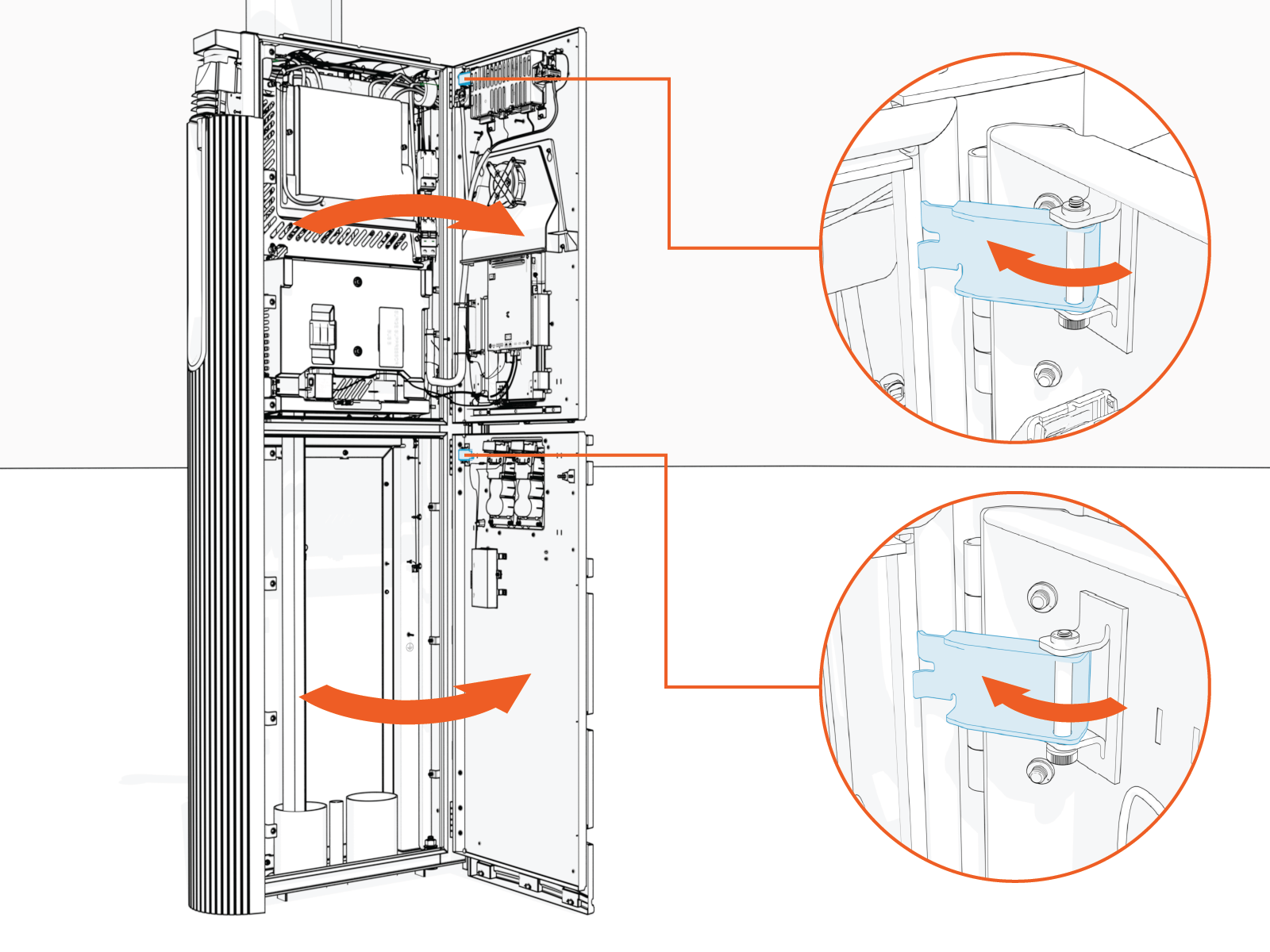
-
Locate a grounding stud on the Power Link 1000's pedestal frame.
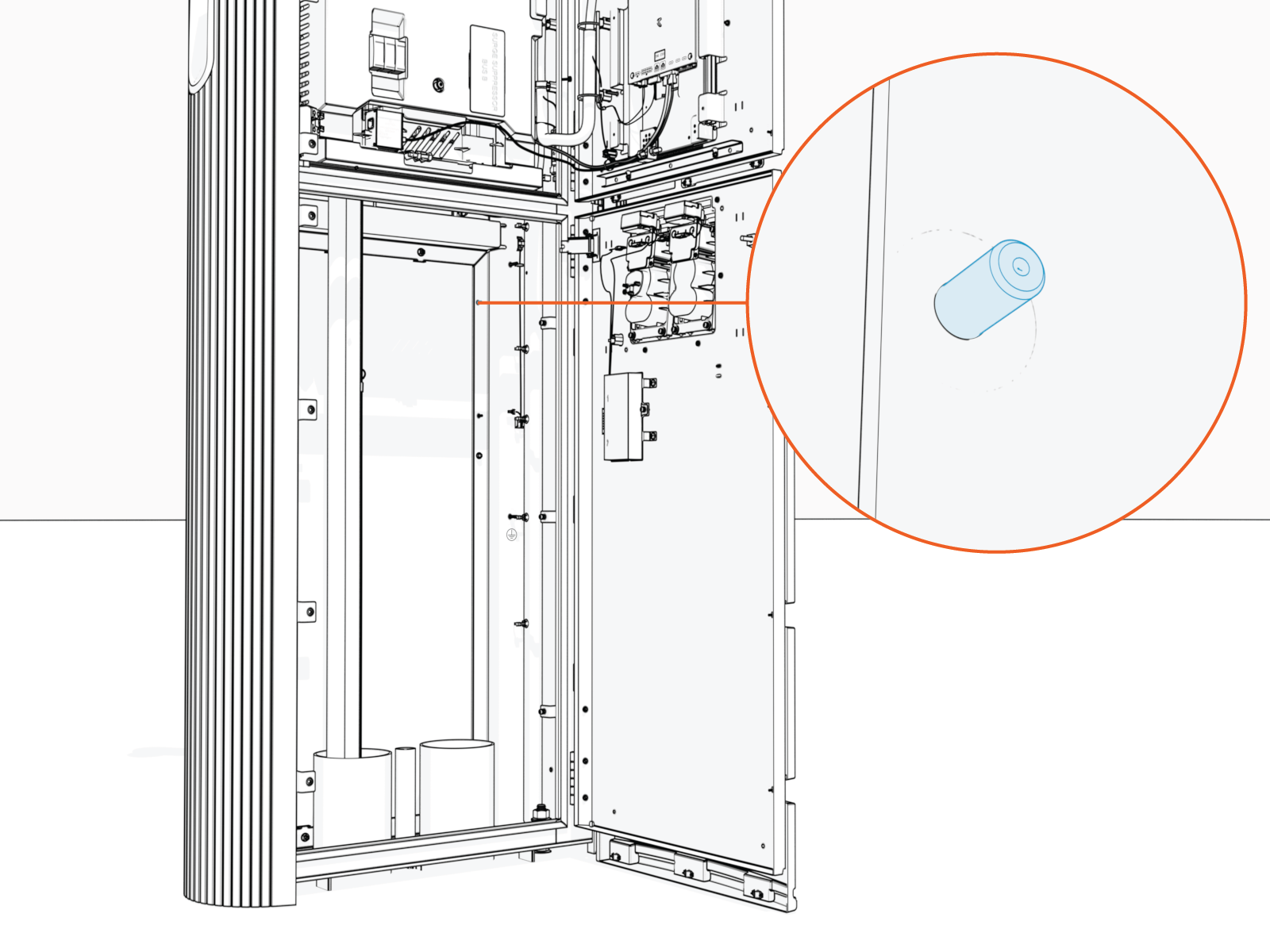
-
Use one of the provided M5 star washer nuts and partially install by pushing it only halfway onto the stud as shown below.
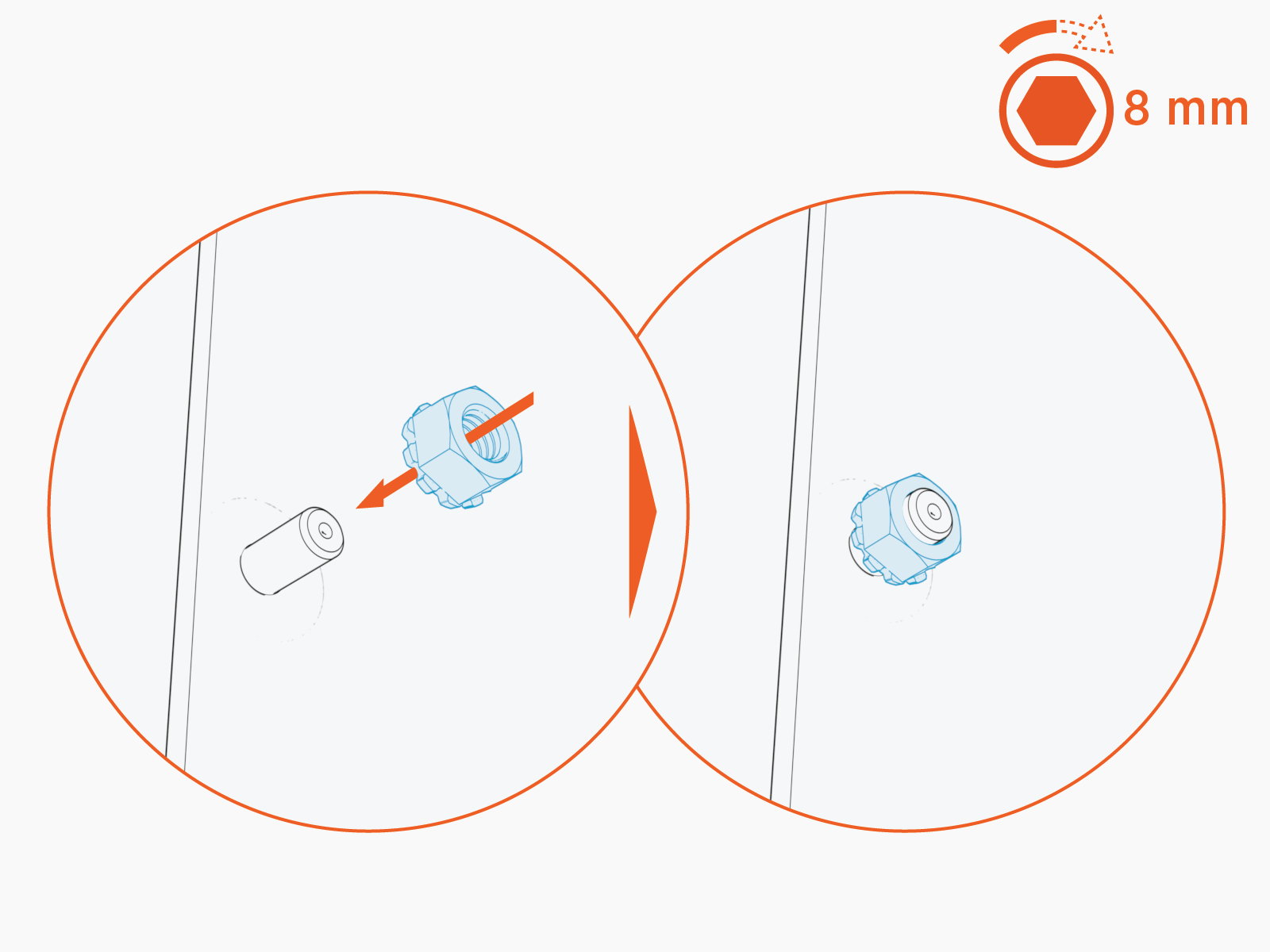
Routing and Installing the Ethernet to USB Module
To route and install the Ethernet to USB Universal Serial Bus module, complete the following steps:
-
Use the keyhole on the Ethernet to USB
Universal Serial Bus module to install on the stud (that has the partially installed M5 star washer nut).-
Mount the Ethernet to USB
Universal Serial Bus module onto the stud (as shown on the leftside of the figure below). -
Slide the module downward to lock the keyhole and notched tab onto the mounting stud (as shown on the rightside of the figure below).
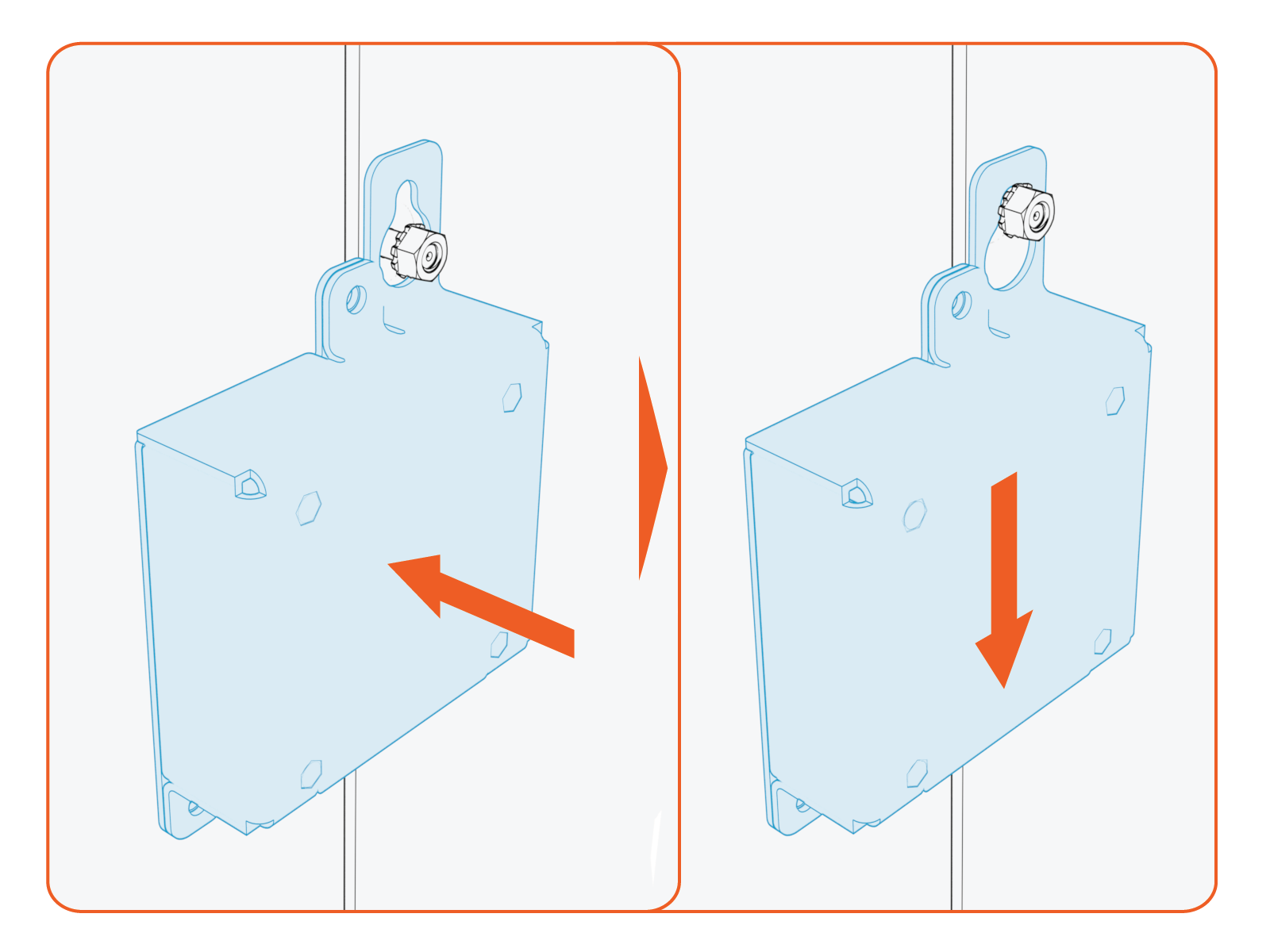
-
-
Torque the nut (x1) to 4.5 Nm (40 in-lb), 8 mm socket.
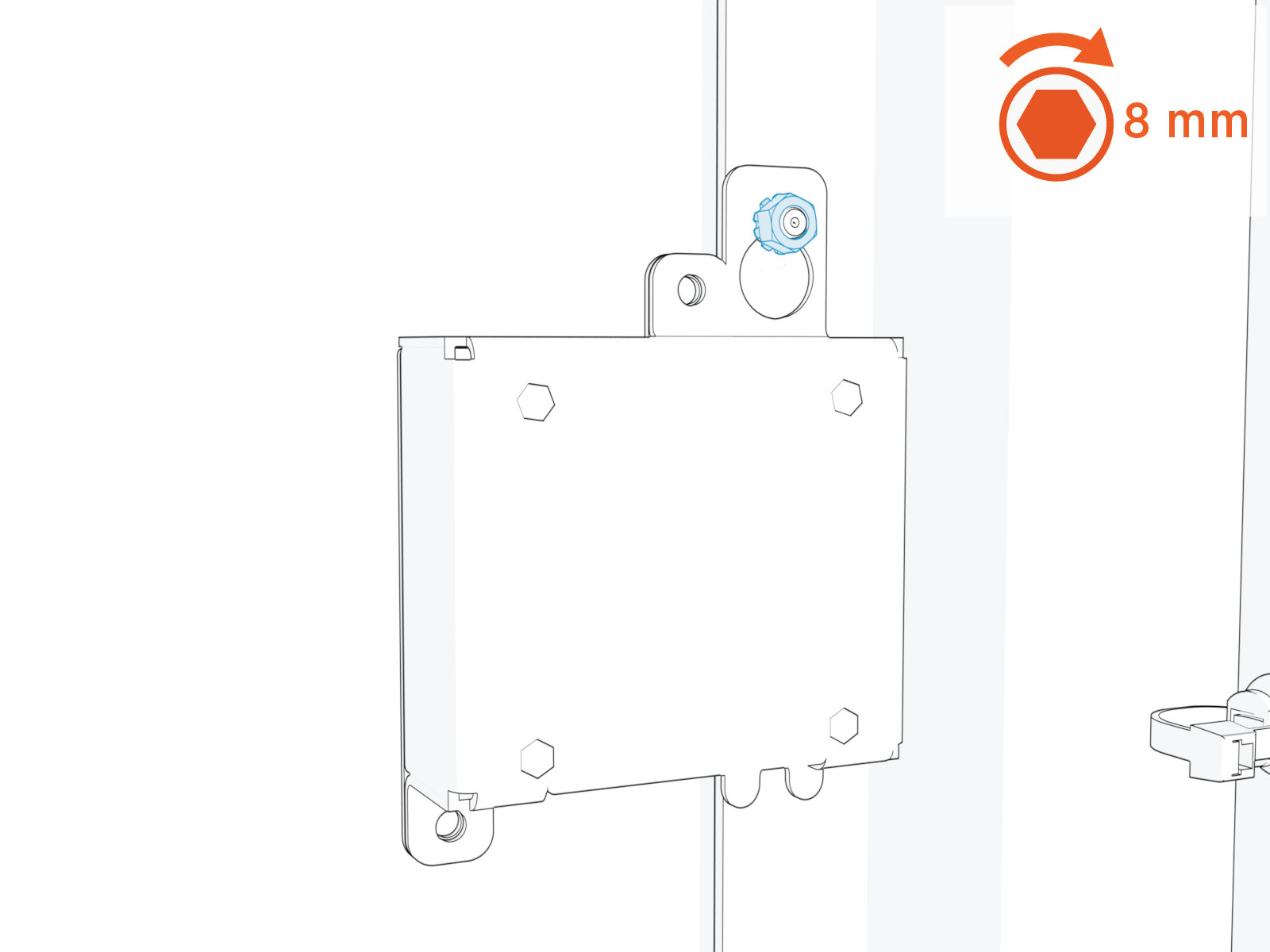
-
Plug the USB
Universal Serial Bus Type B end of the cable into the Ethernet to USB Universal Serial Bus module.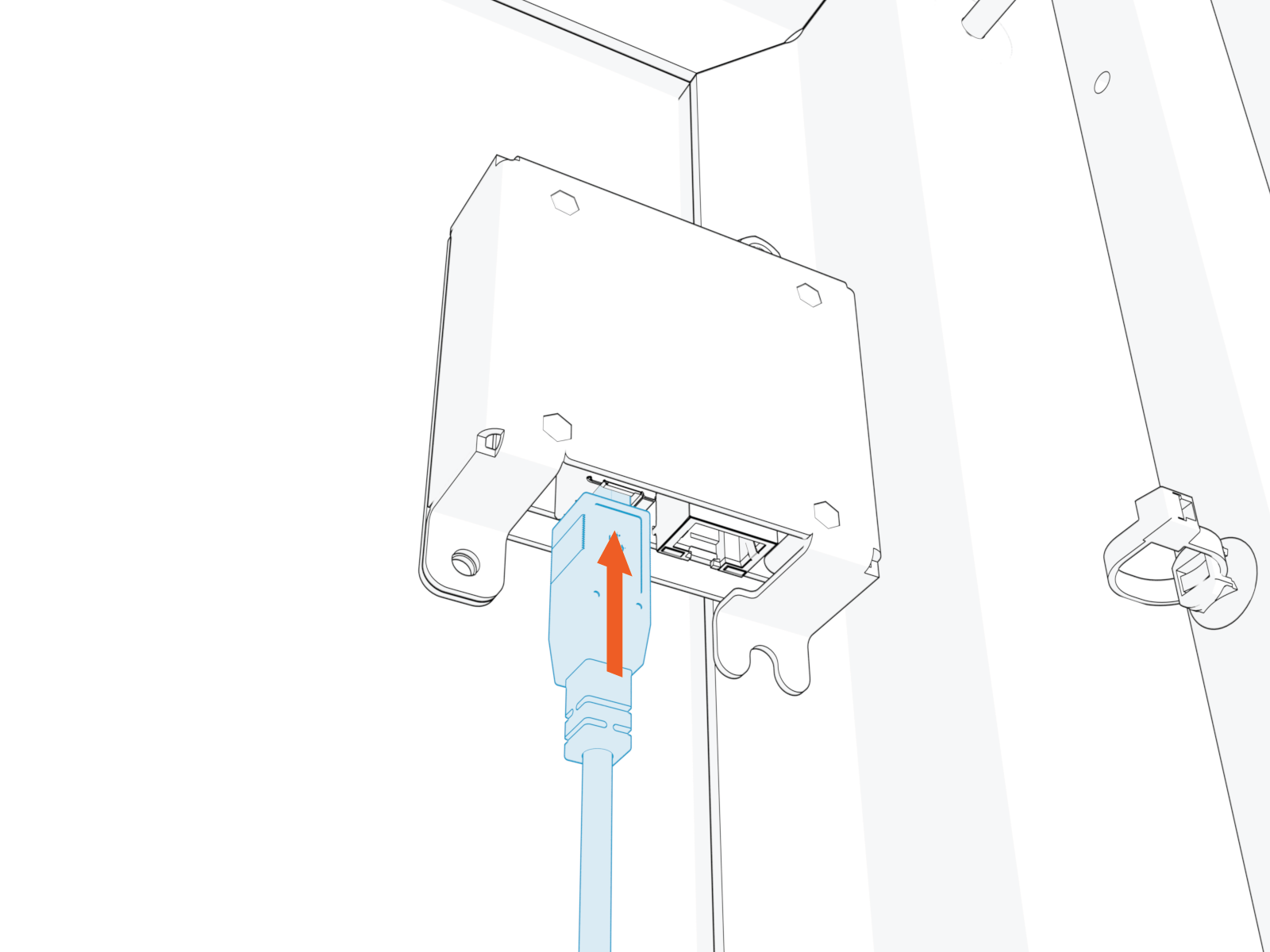
-
Perform these two steps below:
-
Route the cable through the door cable guide and along the main cable harness to the falcon (Control and Communication Module (CCOM
Control and Communications Module)) located on the Power Link 1000 door (as shown on the leftside of the figure below) -
Plug the USB
Universal Serial Bus Type C end of the cable into the falcon (Control and Communication Module (CCOM Control and Communications Module)) (as shown by the inset in the figure below).
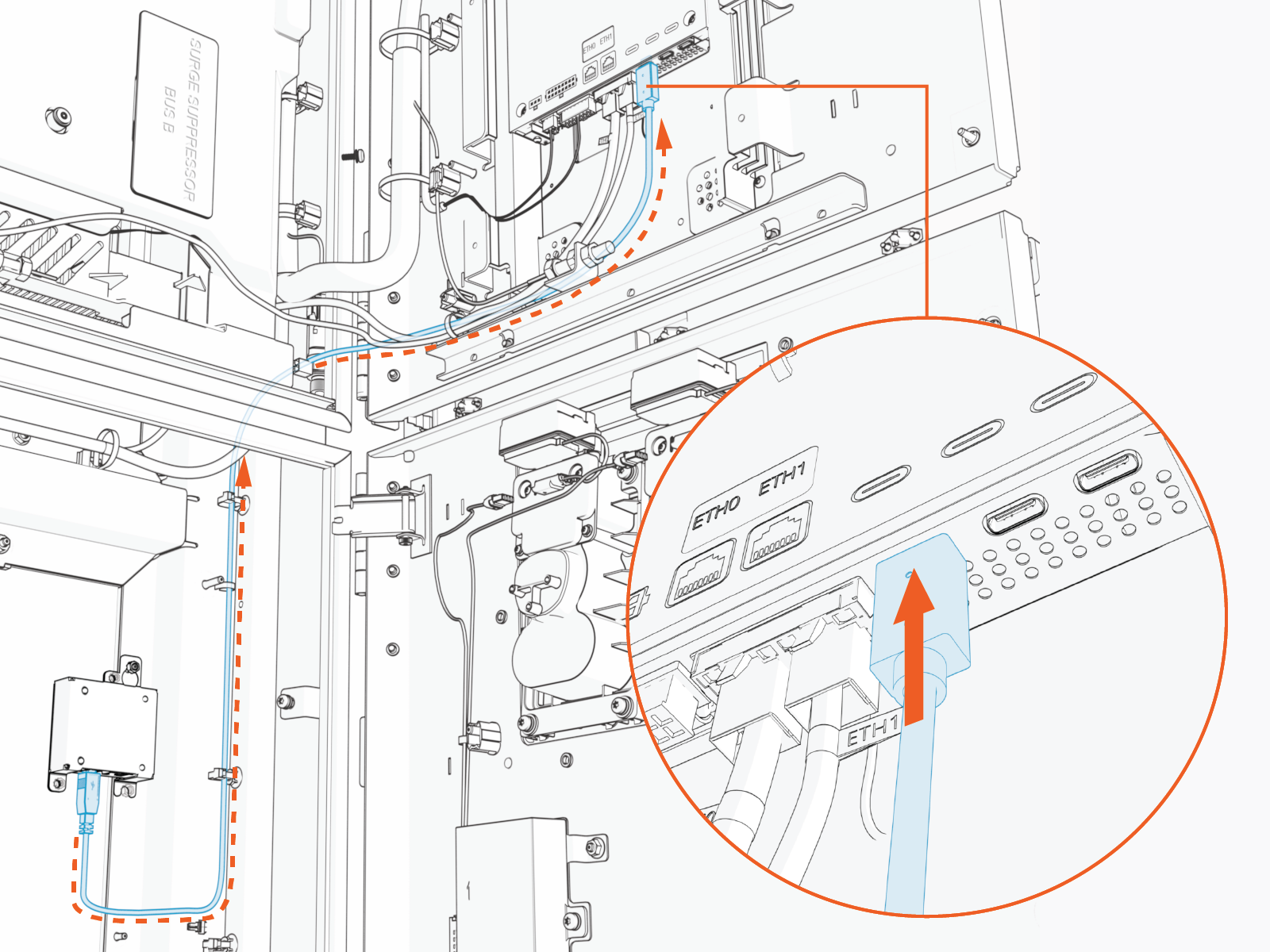
-
-
Route the Ethernet to USB
Universal Serial Bus cable through the existing cable tie guides.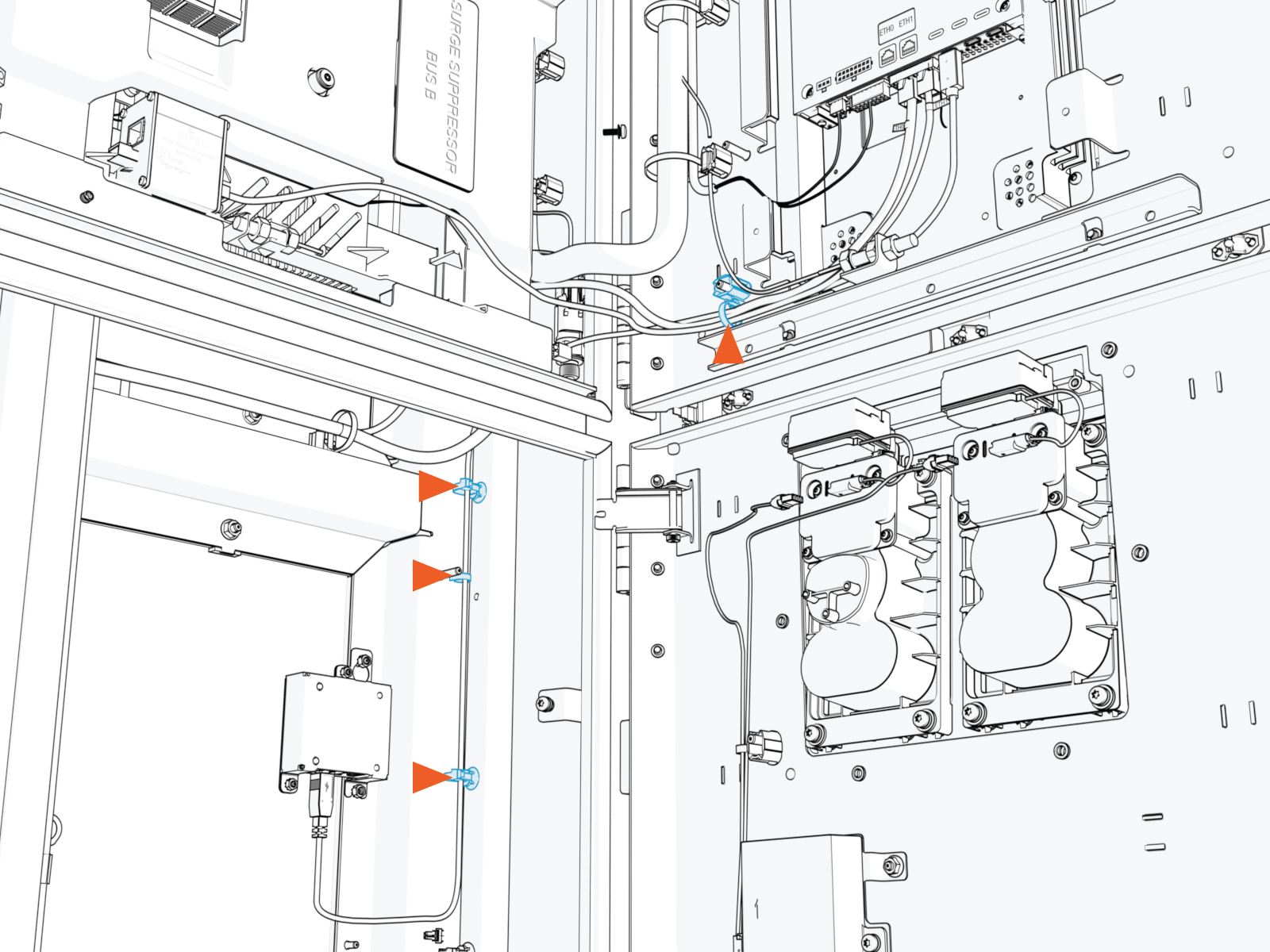
-
If needed, add more of the provided zip ties to zip tie the Ethernet to USB
Universal Serial Bus cable to the main cable harness.
- Ensure that no LV Low Voltage wires are at risk of being pinched or touching the HV High Voltage cables.
- Ensure that the door can open and close without pulling the connectors.
Fielding and Routing the Ethernet Cable
To field and route the Ethernet cable, complete the following steps:
-
Field land the Ethernet cable on to the Ethernet to USB
Universal Serial Bus module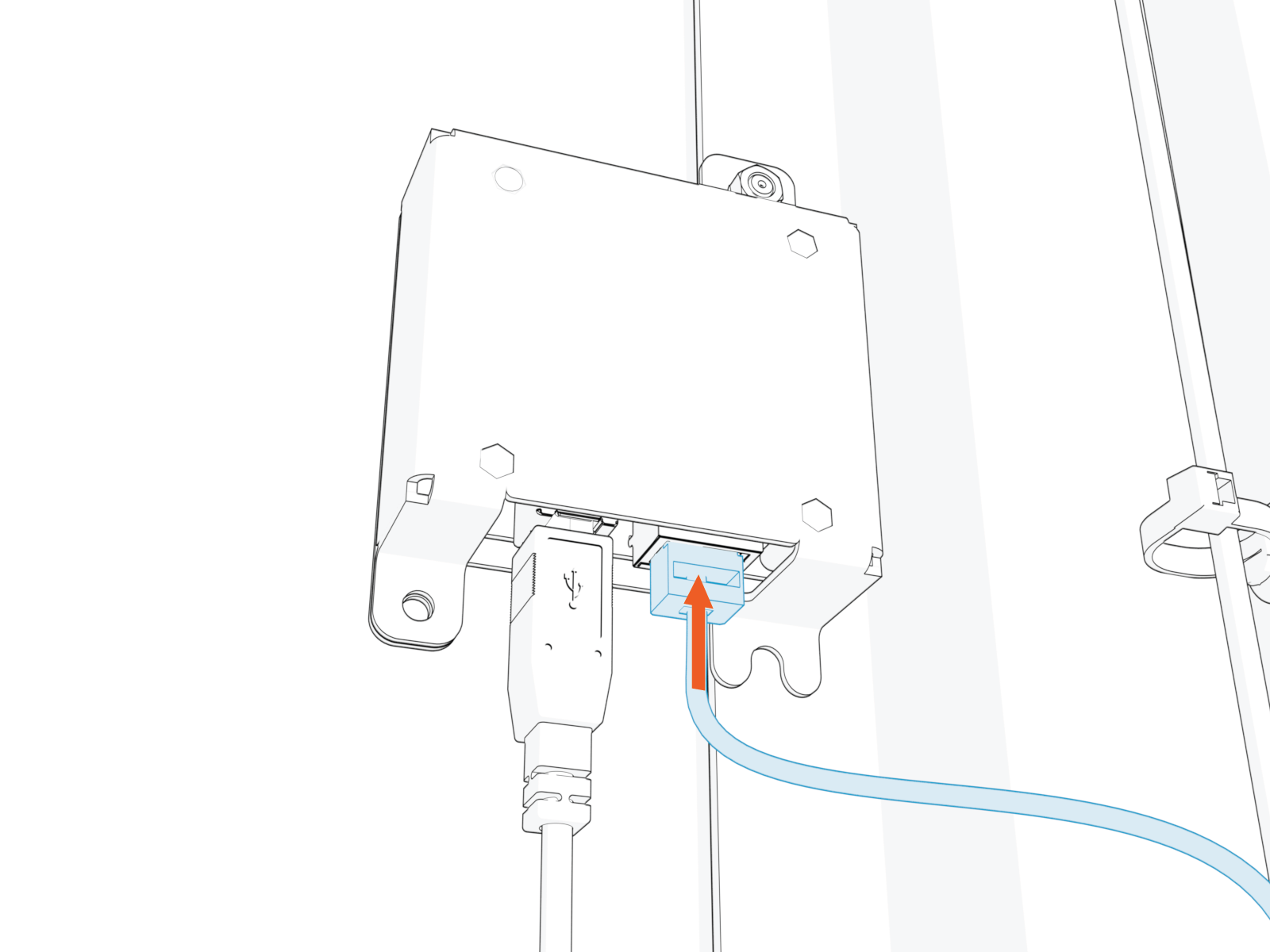
-
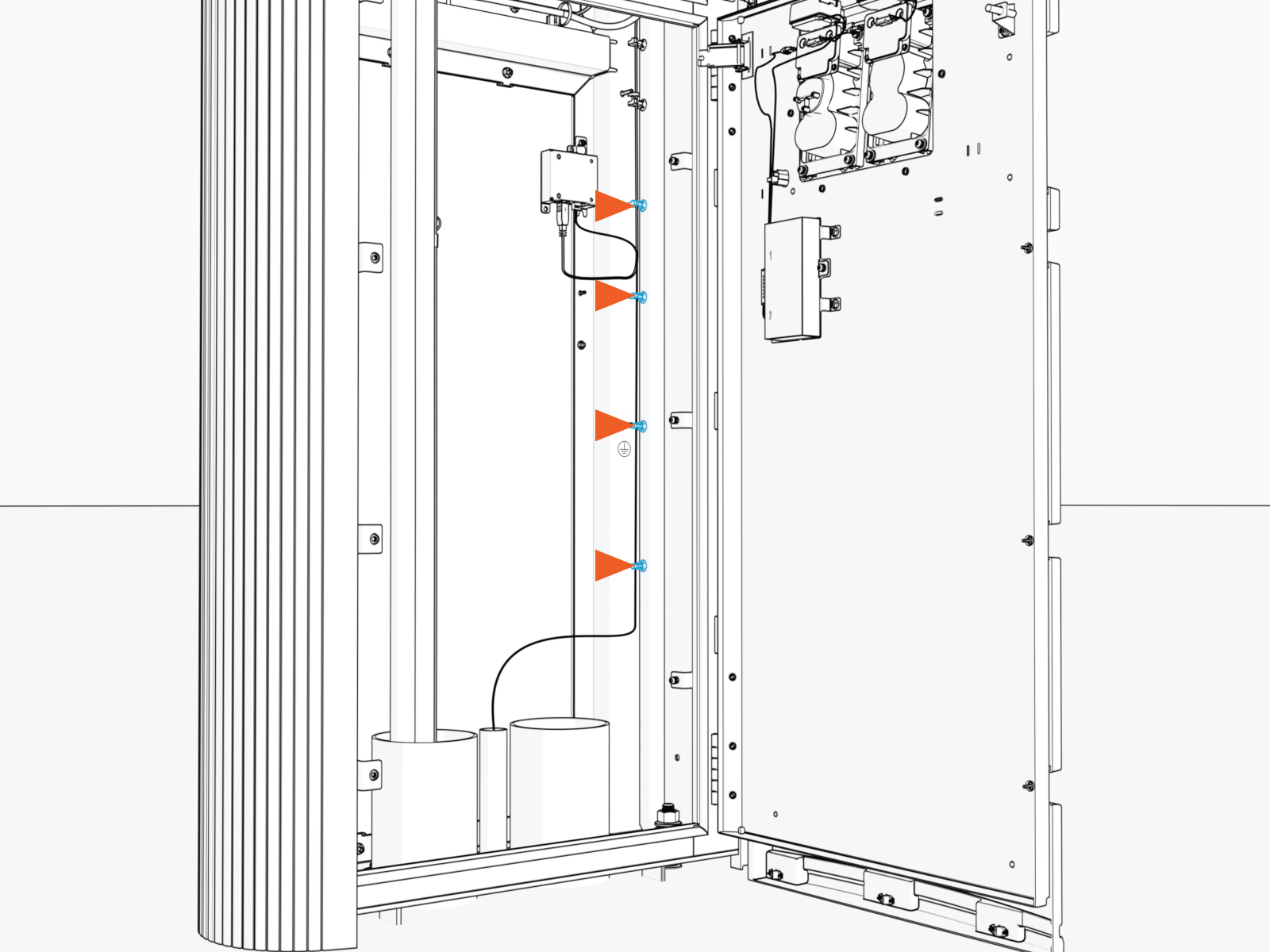
Route the field landed Ethernet cable into the provided cable guides.
AFTER INSTALLING, REVERSE THE STEPS UNDER Before You Begin section TO COMPLETE THE SERVICE.
- To adhere to ChargePoint best practices, complete the post-service checklist before you leave the site.
