Power Off
To power off, complete the following steps:
Required Tools and Materials
|
|
Multimeter (meter and probes rated for 1000 V)
|
|
Lockout/tagout equipment |

Power Off
You must be a ChargePoint Certified Technician to power off the charging station, or warranty limitations apply.
-
An Express Plus configuration can have one or more Power Blocks connected to one or more Power Link 1000s in what is called a cluster. Refer to the site's single line diagram (SLD) and identify the following:
-
All Power Blocks and/or Power Link 1000s to be serviced.
-
All Power Link 1000s within the same cluster as the products identified above.
-
-
End all charging sessions on all Power Link 1000s identified in step above.
Failure to end the charging session before beginning service could damage hardware components. Such damaged components may need to be replaced. -
Determine where to disconnect the high voltage (HV
 High Voltage) power. Refer to the site's SLD and identify the location of control elements such as circuit breakers and disconnect switches.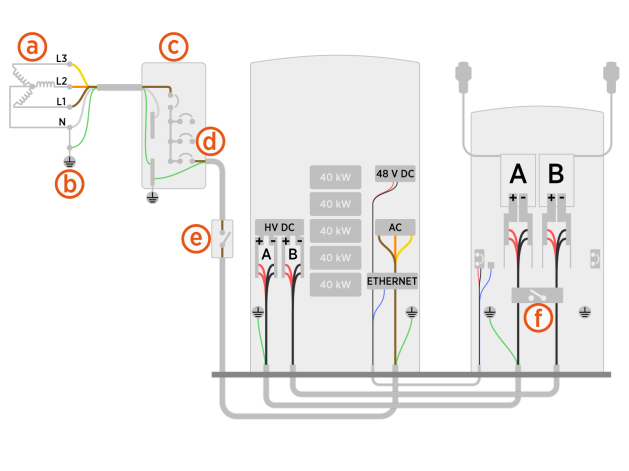
-
Transformer configuration
-
Ground connection
-
Electrical panel
-
Circuit breakers
-
AC disconnect switch (optional)
-
Maintenance switch (optional)
Methods for HV
High Voltage power disconnect fall into two categories: -
Category 1 - Remove AC power from connected Power Blocks using one of the following methods:
-
At the site electrical panel, turn the circuit breaker (d) switch to the OFF position to power off all Power Blocks and Power Link 1000s downstream of the breaker.
-
If an AC disconnect switch has been installed between Power Block and the site electrical panel, turn the AC disconnect switch (e) to the OFF position to power off all Power Blocks and Power Link 1000s downstream of the AC disconnect switch.
- Follow local code and refer to the site lockout/tagout procedure to de-energize the station.
- Powering off Power Block will result in all LV DC Low Voltage Direct Current-connected Power Link 1000s losing power.
- A Power Link 1000 may be configured in a cluster wherein it receives HV DC High Voltage Direct Current power from multiple Power Blocks. Be sure to power off all Power Blocks in the cluster. Note that high voltage hazard may still be present if Power Link 1000 is not powered, as LV DC Low Voltage Direct Current and HV DC High Voltage Direct Current power may come from different Power Blocks. Consult site drawings.
- Ensure that the status light is off (unlit) for all de-energized Power Blocks.
-
Category 2 - Turn the maintenance switch (f) to the OFF position.
- This power off option is available only if the Power Link 1000 is equipped with a maintenance switch within its lower enclosure.
- This power off option de-energizes HV High Voltage components in the upper enclosure.
-
-
Wait for energy to dissipate (approximately five minutes).
Check Power Block Status Light
-
Open the security panel to check the status light.

-
The status light must be off (unlit). If the status light is on (glowing any color), do not proceed further with servicing. Wait the required time for energy to dissipate.
Disconnect HV Power in Power Link 1000
-
Remove charging cable connectors off the Power Link 1000 and place it on a soft padded surface.
-
Determine if the Power Link 1000 has preassembled covers or unassembled components, remove them as necessary.
-
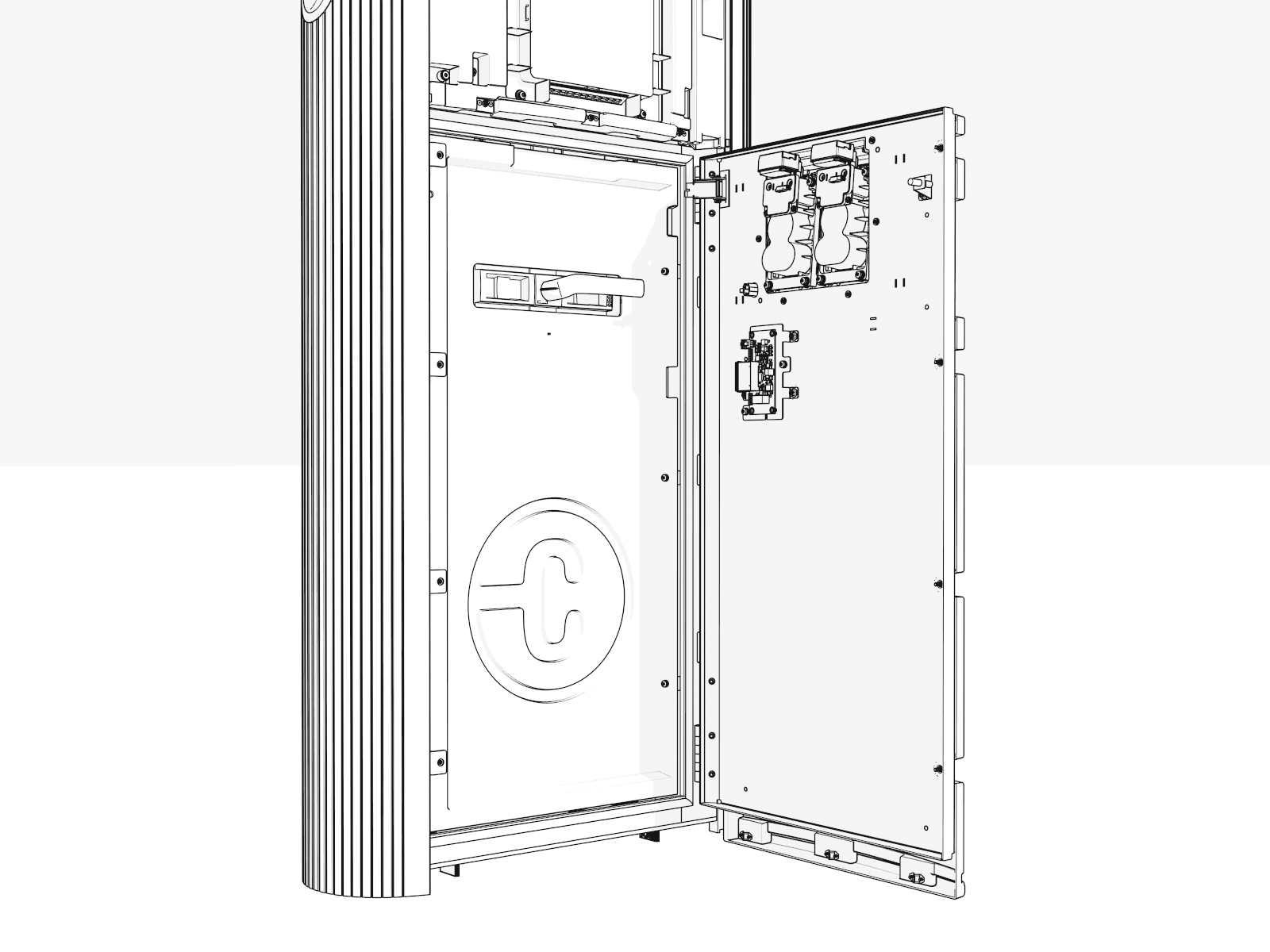
Pull the maintenance switch to OFF position.
- Do not remove the lower bus bar safety cover (cover on the maintenance switch) without disconnecting power at the site electrical panel or AC disconnect switch. The bus bars and HV DC High Voltage Direct Current input wires connected below the maintenance switch are still energized.
- Unless you disconnect power at the site electrical panel, all other connected Power Link 1000s will still be powered on and energized.
- Do not touch the HV High Voltage components in the upper enclosure without verifying the HV DC input bus bars are de-energized.
- Disconnecting power at the maintenance switch in a Power Link 1000 will not de-energize LV Low Voltage components in that Power Link 1000.
- Do not remove the lower bus bar safety cover (cover on the maintenance switch) without disconnecting power at the site electrical panel or AC disconnect switch. The bus bars and HV DC
Verify Power Link 1000 is De-Energized
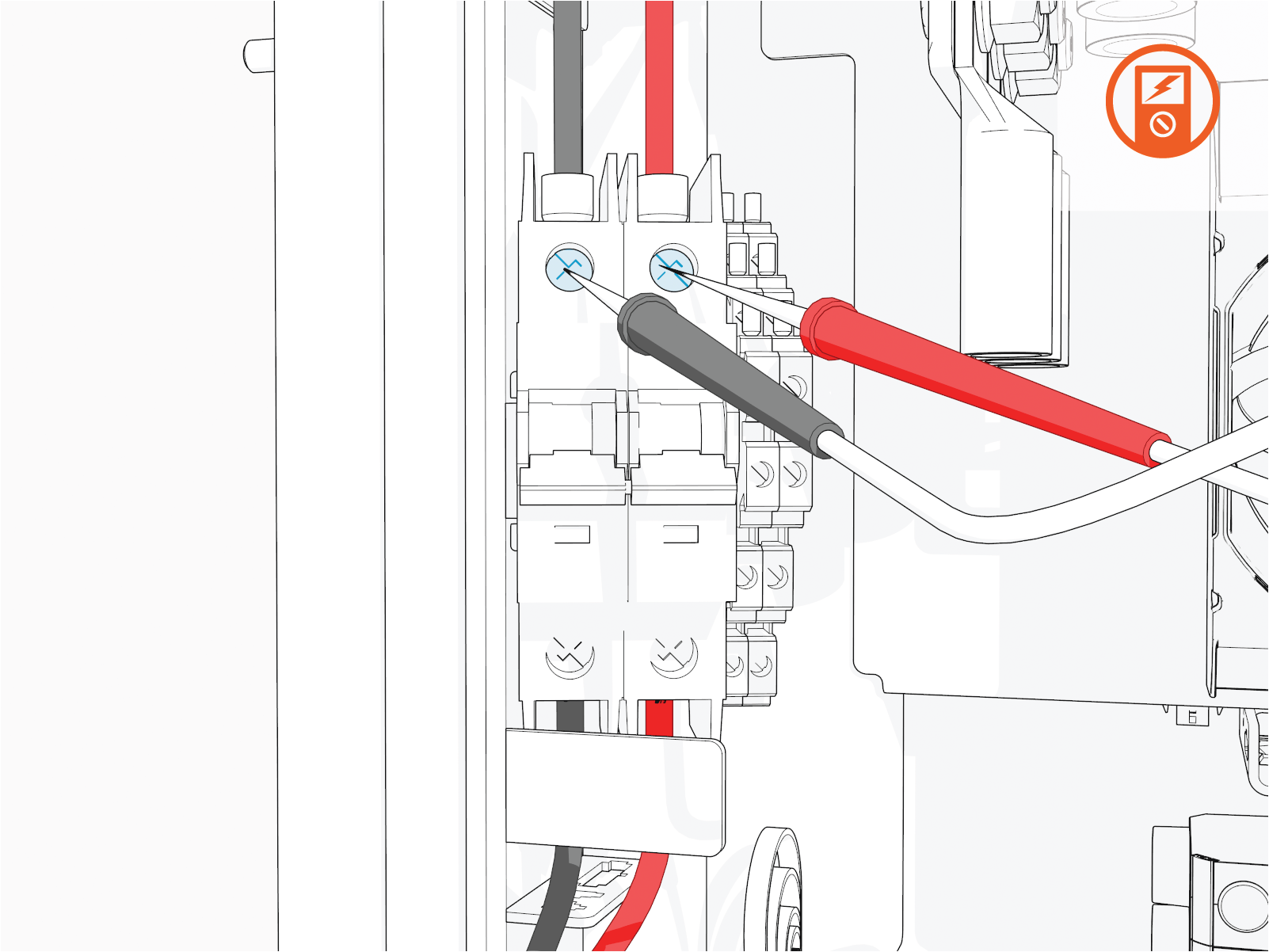
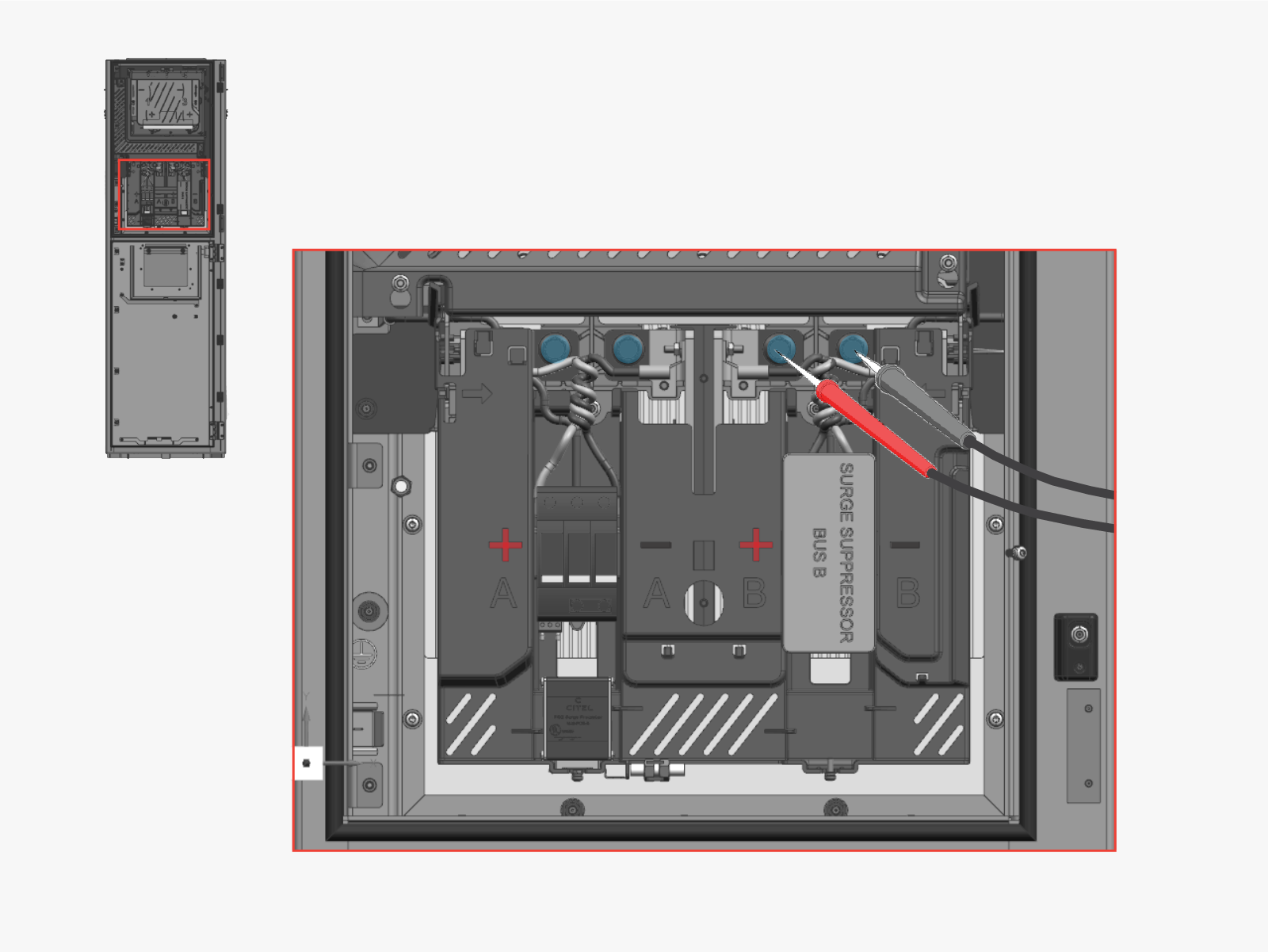
Hold the multimeter's probe tips against the HV DC High Voltage Direct Current input bus bar bolts to verify that voltage is zero.
High Voltage Direct Current inputs, respectively. If both HV DC High Voltage Direct Current inputs are present, verify that the power is off on both the HV DC High Voltage Direct Current input's bus bars.
Disconnect LV Power in Power Link 1000
-
Remove the following:
-
Remove HV DC input bus bar safety cover.
Do not remove safety cover without verifying that HV DC components are de-energized. -
Locate the 48 V DC breaker in the upper enclosure next to the door hinge.
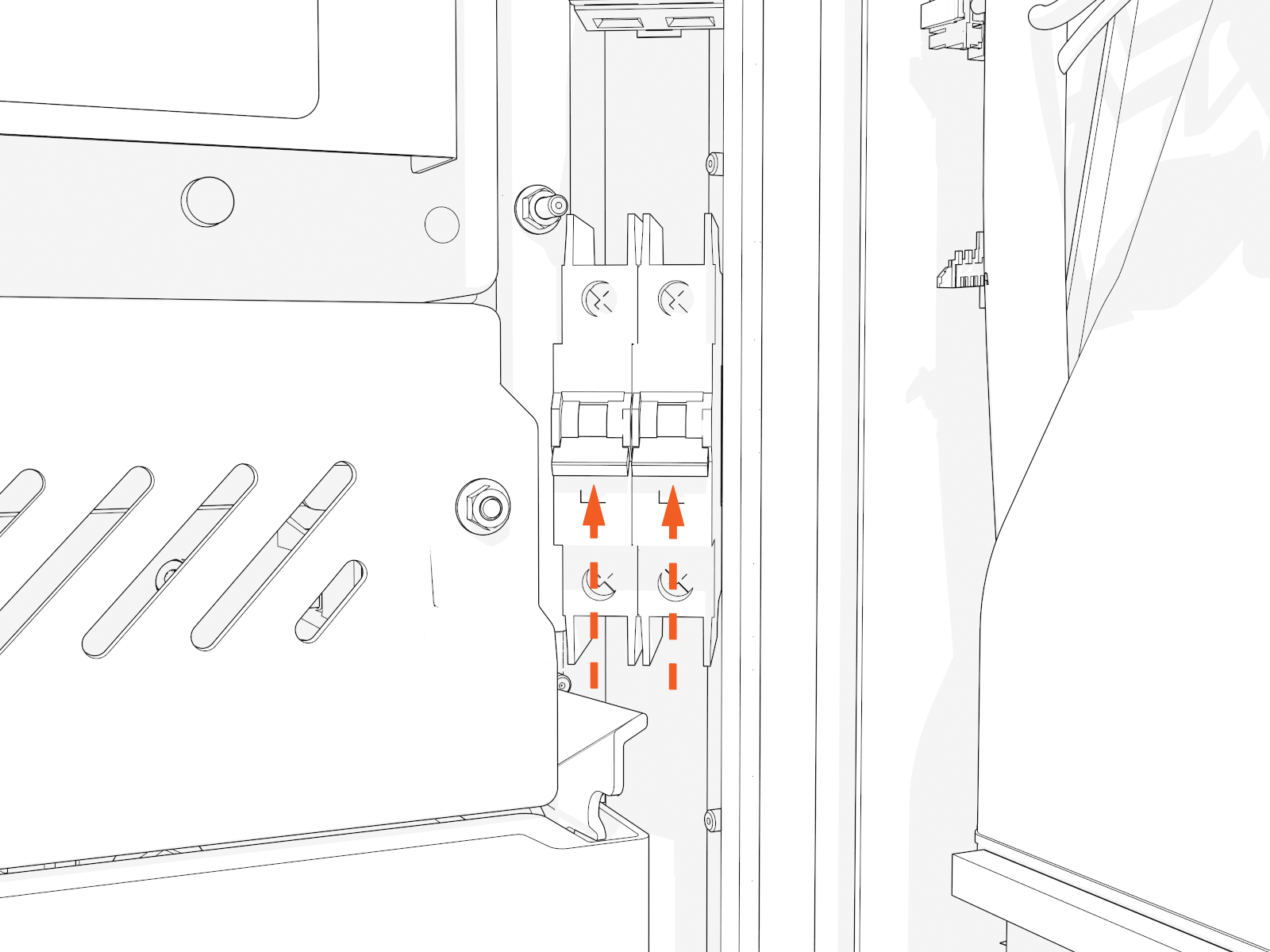
-
Flip down the switch to OFF. The indicator should turn green.
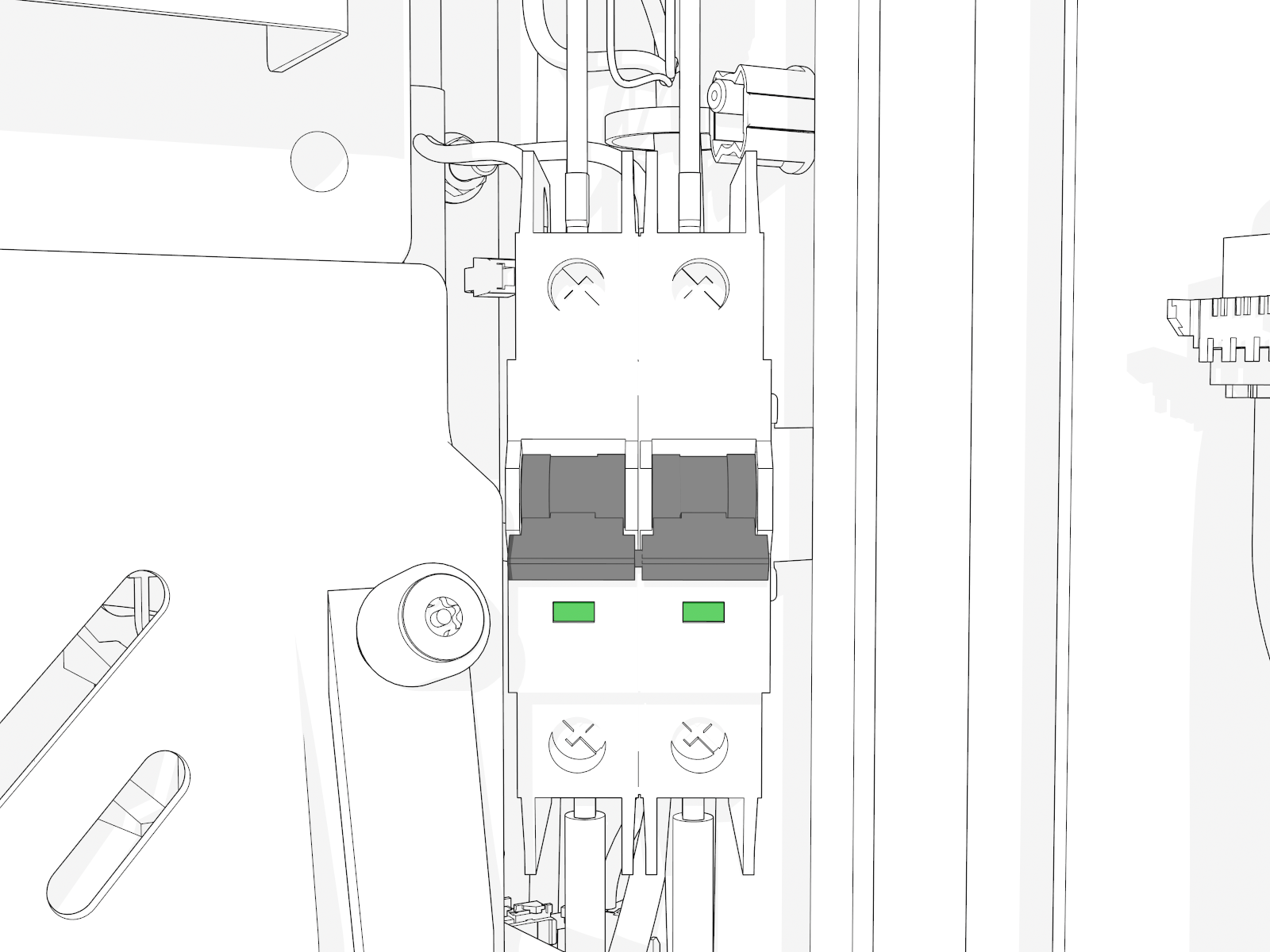
-
Hold the multimeter's probe tips against the output terminal screws to verify that voltage is zero.