Bottom Cap (Overhead Mounted)
This section provides information on replacing the bottom cap.
Required Tools and Materials
|
|
T25 security screwdriver |
|
Stepladder |
|
|
Hex socket (17 mm) |
|
Torque paint pen |




Before You Begin
-
Power off the charging station at the site electrical panel.
-
Determine if the Power Link 1000 has preassembled covers or unassembled components, remove them as necessary.
-
Open the power plate cover.
-
Release the tabs on the cover.
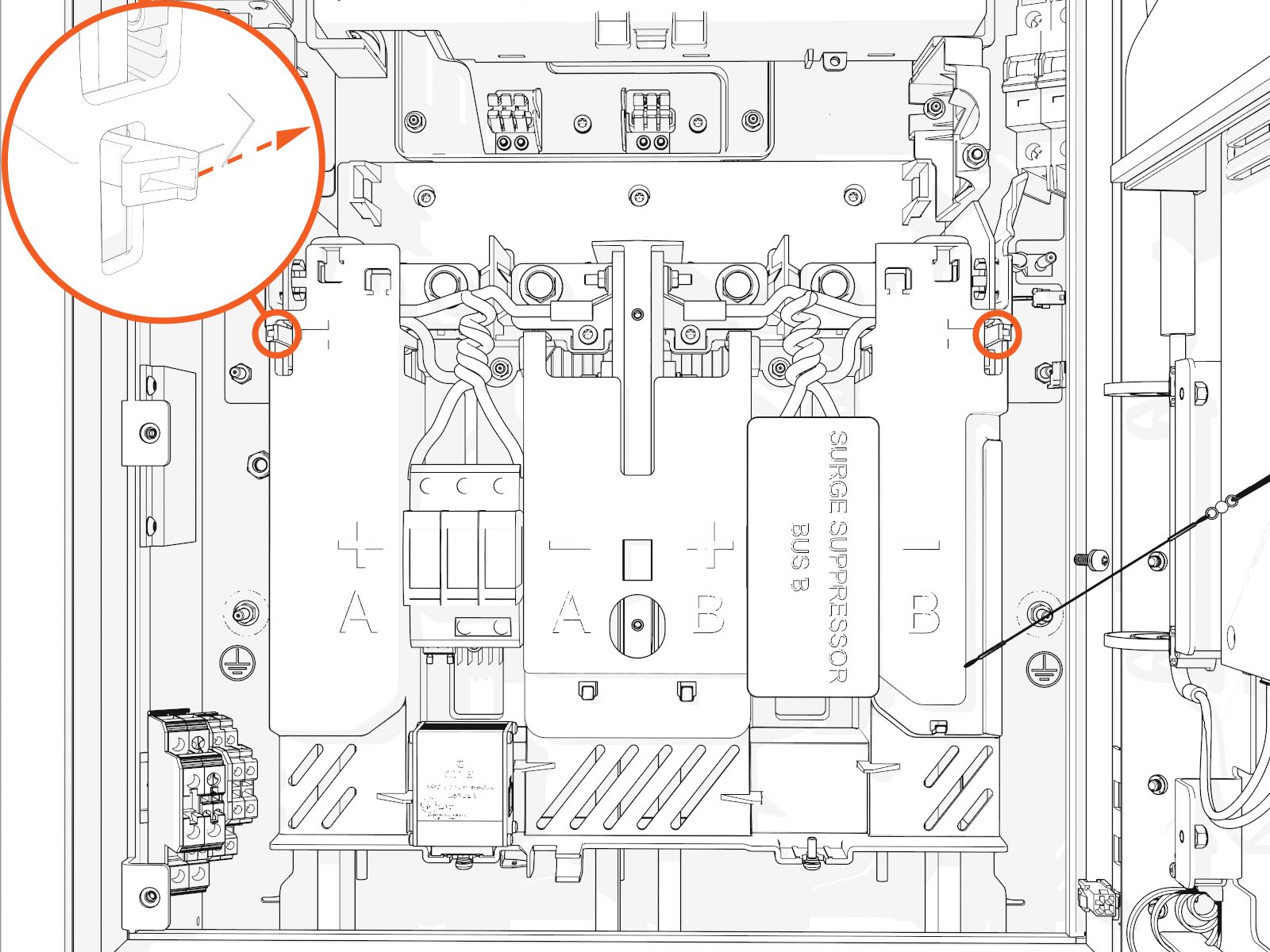
-
Lift up from the bottom until it locks in the open position.
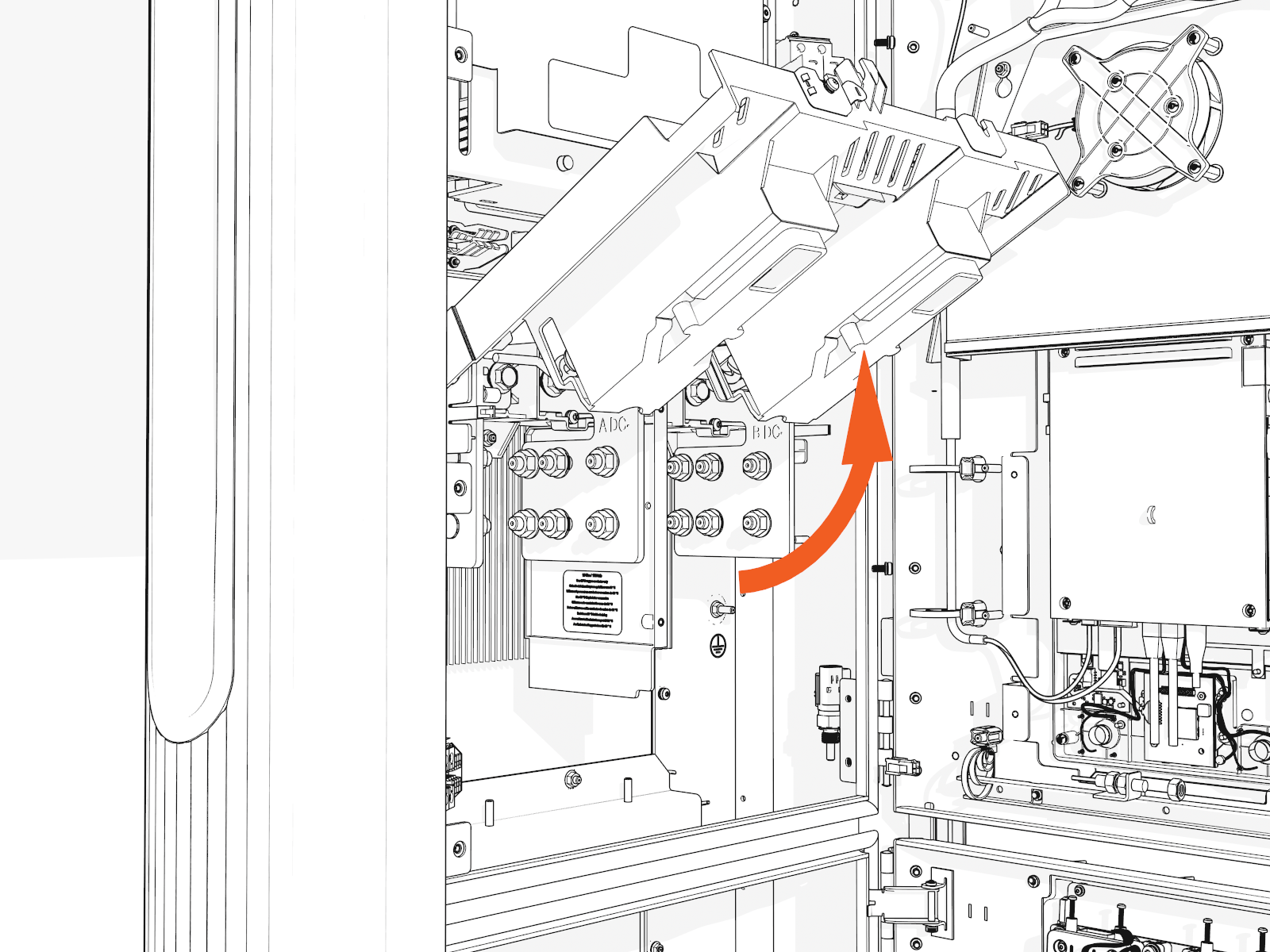
-
-
Remove the M10 nuts (use 17 mm socket) on each lug to uninstall the DC conductor lugs.
While reinstalling torque the lug nuts to 19 Nm (168 in-lb) and mark all torqued nuts using a torque paint pen.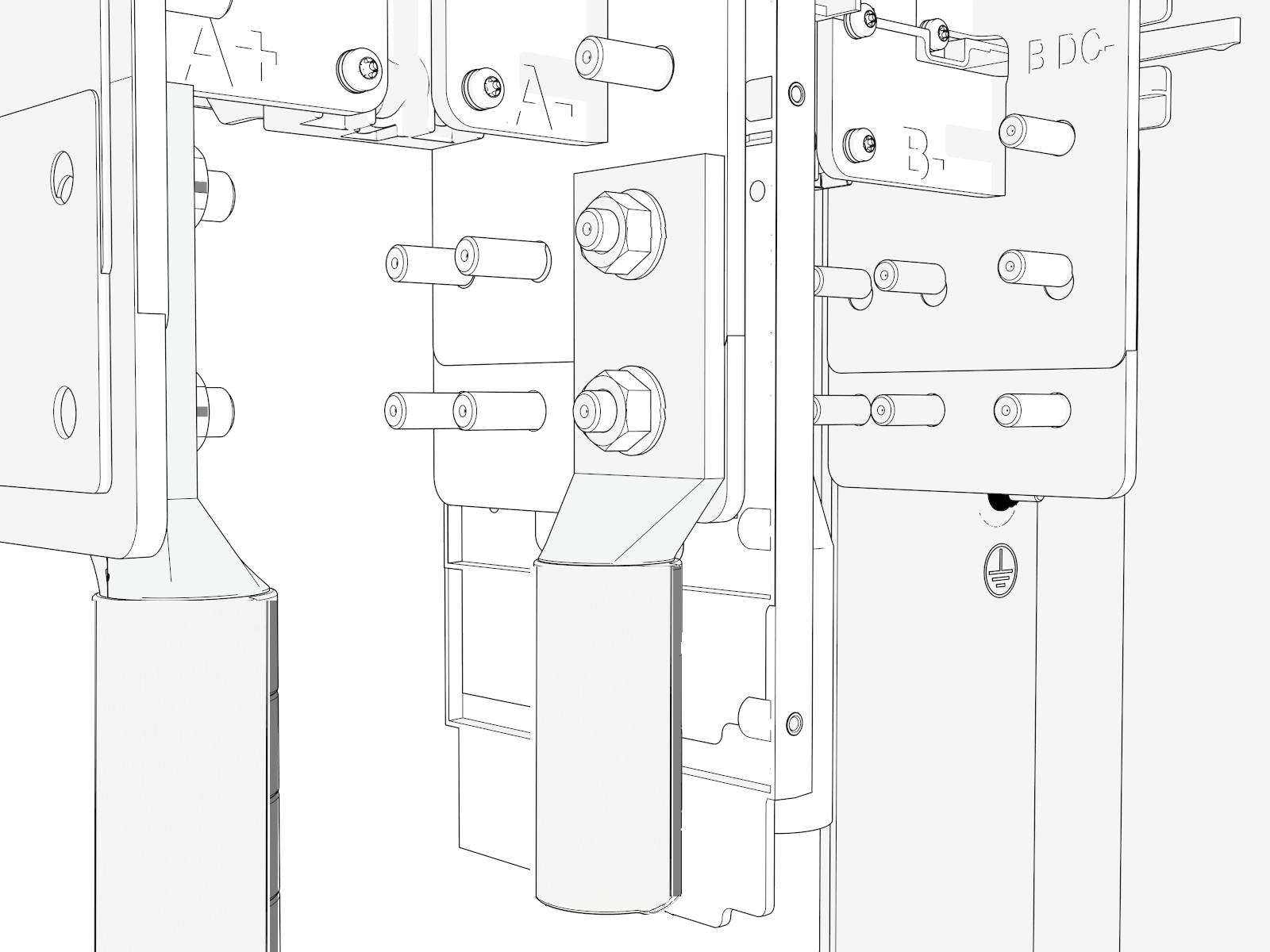
-
Pull the conduit LB bodies to remove the DC HV
 High Voltage wiring through the bottom.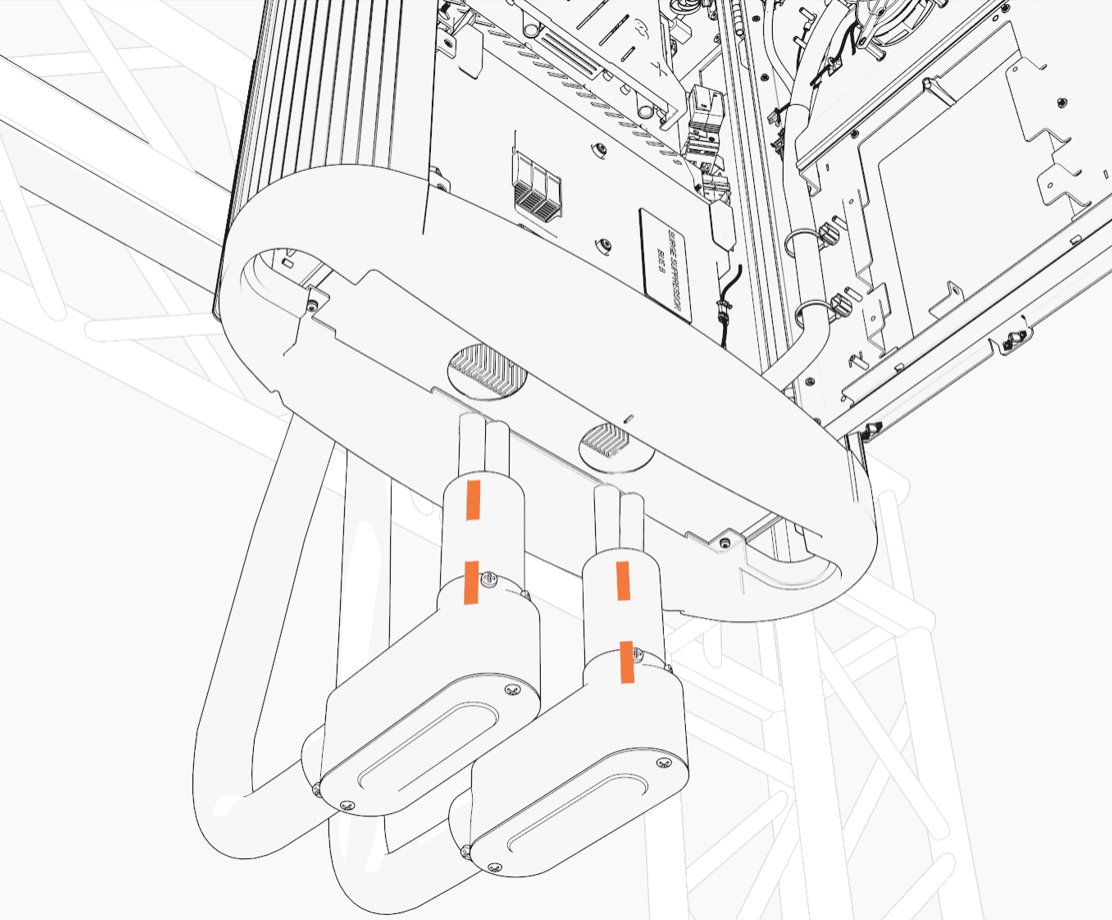
AFTER REPLACING THE BOTTOM CAP, REVERSE THE ABOVE STEPS TO COMPLETE THE SERVICE.
- To adhere to ChargePoint best practices, complete the post-service checklist before you leave the site.
-
For assistance or to return a faulty part to ChargePoint, go to chargepoint.com/support and contact technical support using the appropriate region-specific number.
Replace Bottom Cap
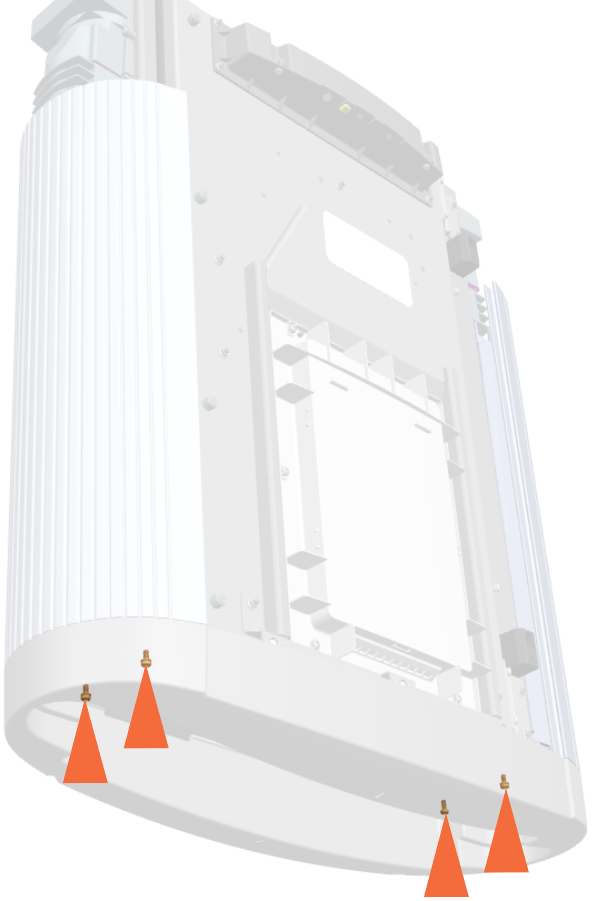
To replace the bottom cap, remove the M5 screws (x4) (use T25 security screwdriver).
While reinstalling, torque the screws to 2.8 Nm (25 in-lb).
REVERSE THE ABOVE INSTRUCTION TO REINSTALL AND COMPLETE THE SERVICE.
- To adhere to ChargePoint best practices, complete the post-service checklist before you leave the site.
-
For assistance or to return a faulty part to ChargePoint, go to chargepoint.com/support and contact technical support using the appropriate region-specific number.
