Tool Balancer Cassette
This section provides information on replacing the tool balancer cassette.
Required Tools and Materials
|
|
T25 Security screwdriver |
|
Torx screwdrivers (T20, T30) |
|
|
5 mm hex wrench |
|
Stepladder |
|
|
Marker |
|
|





Kit Components
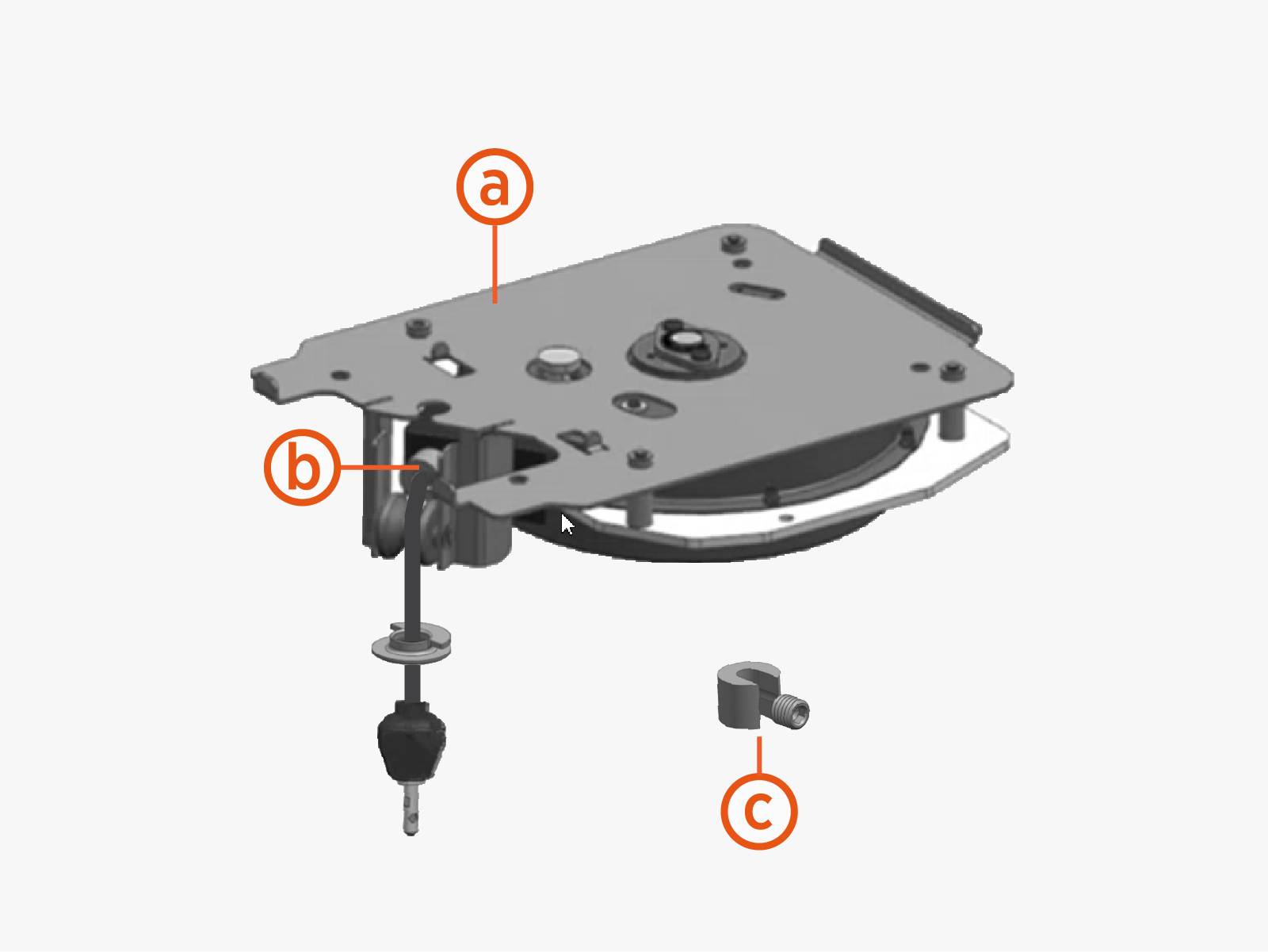
-
Tool balancer cassette assembly
-
Cable stop (preinstalled on tool balancer cassette tether cord)
-
Cable stop (loose)
Before You Begin
End all charging sessions and activity for the stations to be serviced.
Replace Tool Balancer Cassette
To replace the tool balancer cassette, complete the following steps:
-
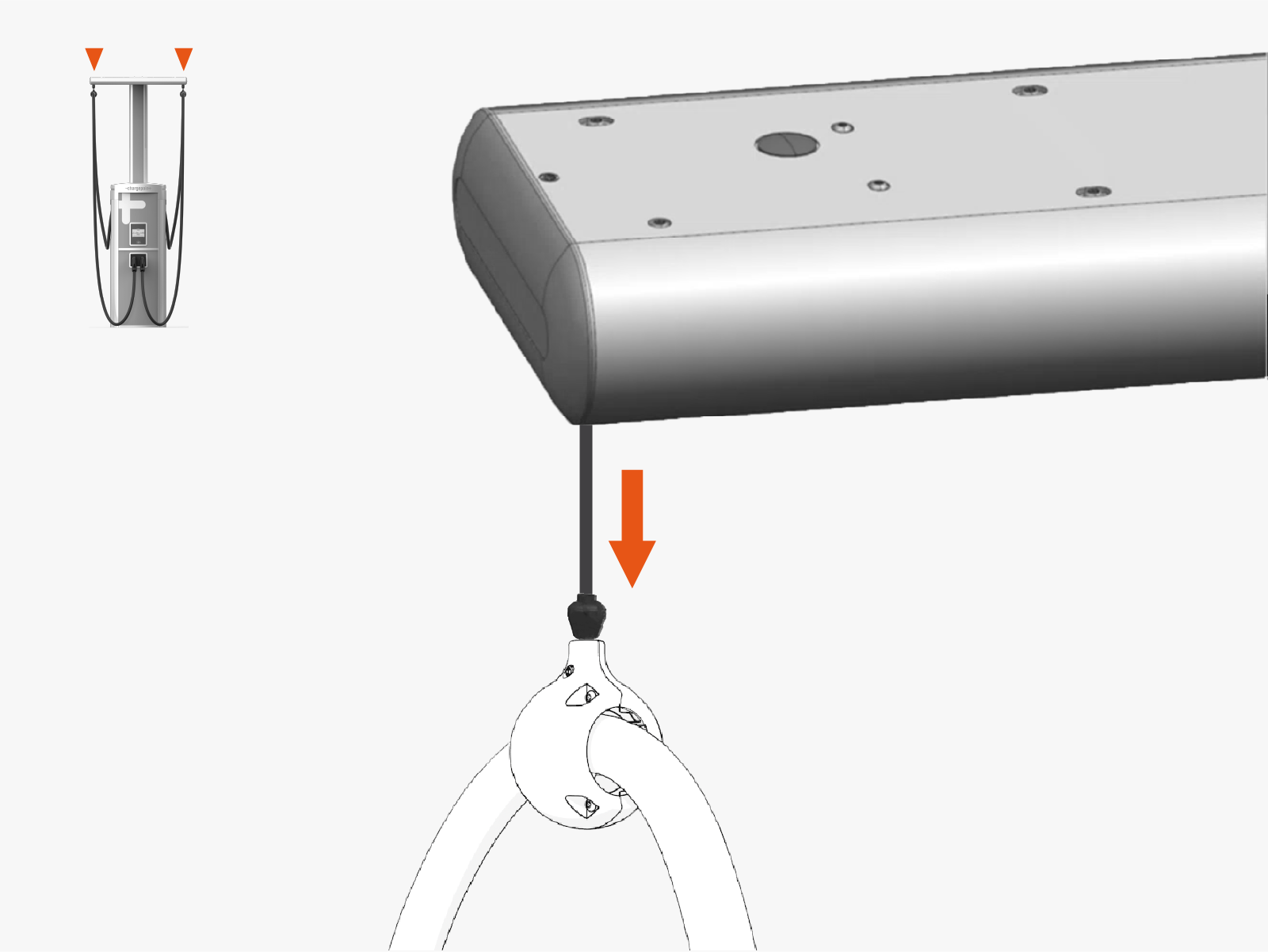
Holding onto the charging cable, use a smooth and steady pull to ratchet out the tether cord. Ratchet out by one click.
-
Remove M5 screw and washer. Set aside for later reuse.
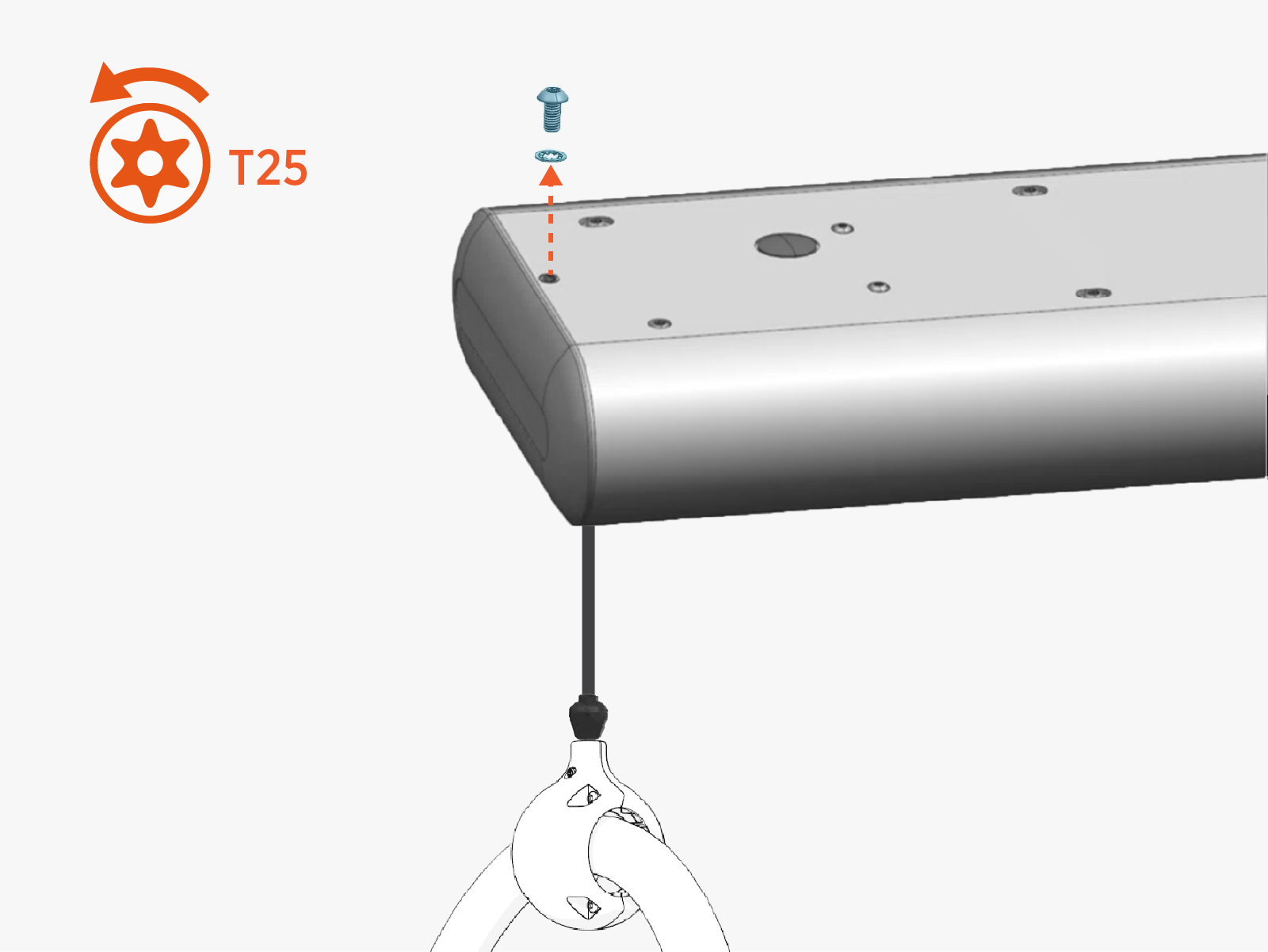 Torque the screw to 4.5 Nm (40 in-lb).
 -
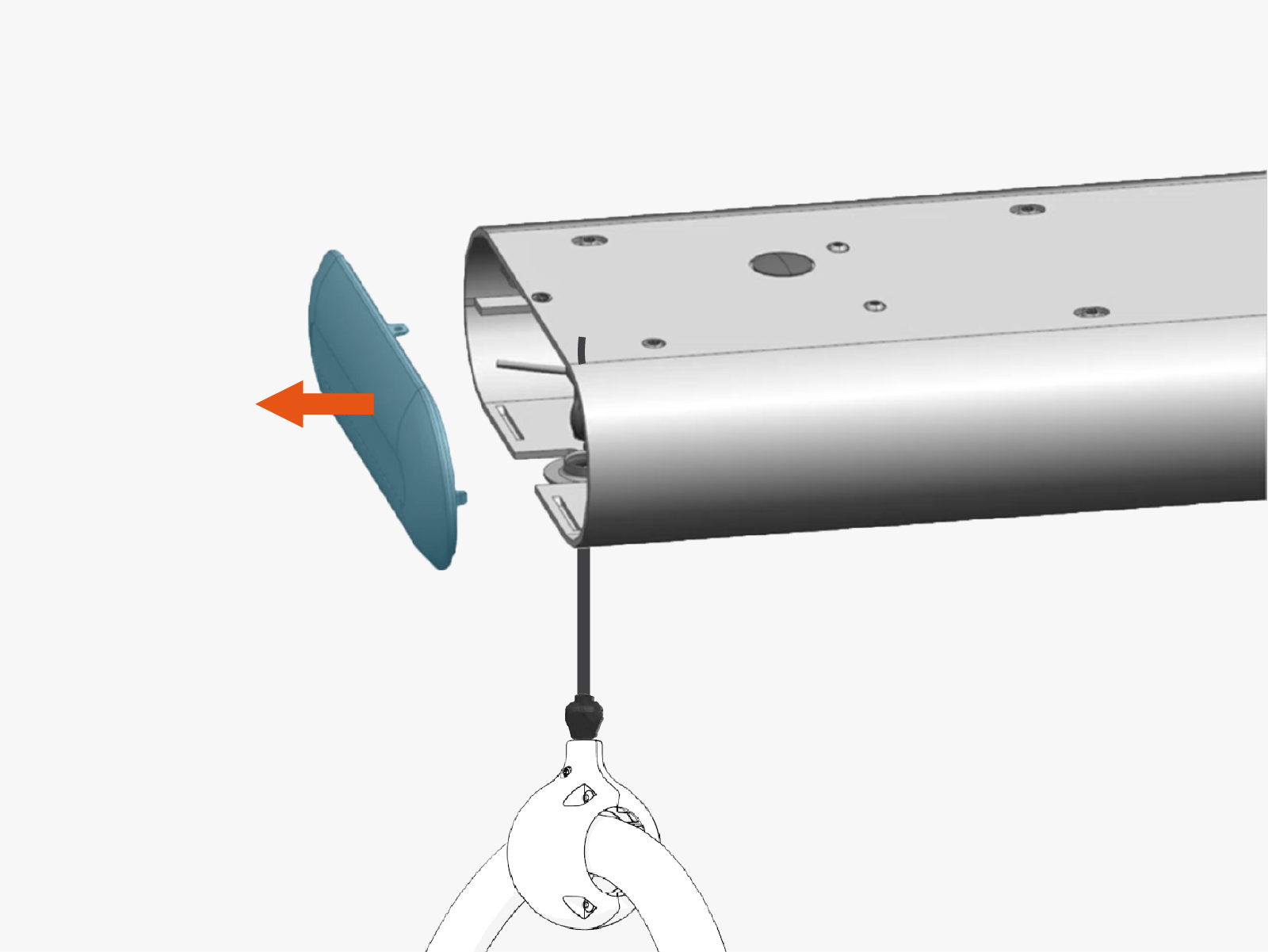
Remove the end cap.
-
If it is present, slide out the grommet.
Lift and support the charging cable as needed for this step. Be careful not to cause the tether cord to retract during this step. The retraction force is high. -
Fit the cable stop onto the tether cord, positioned above the grommet.
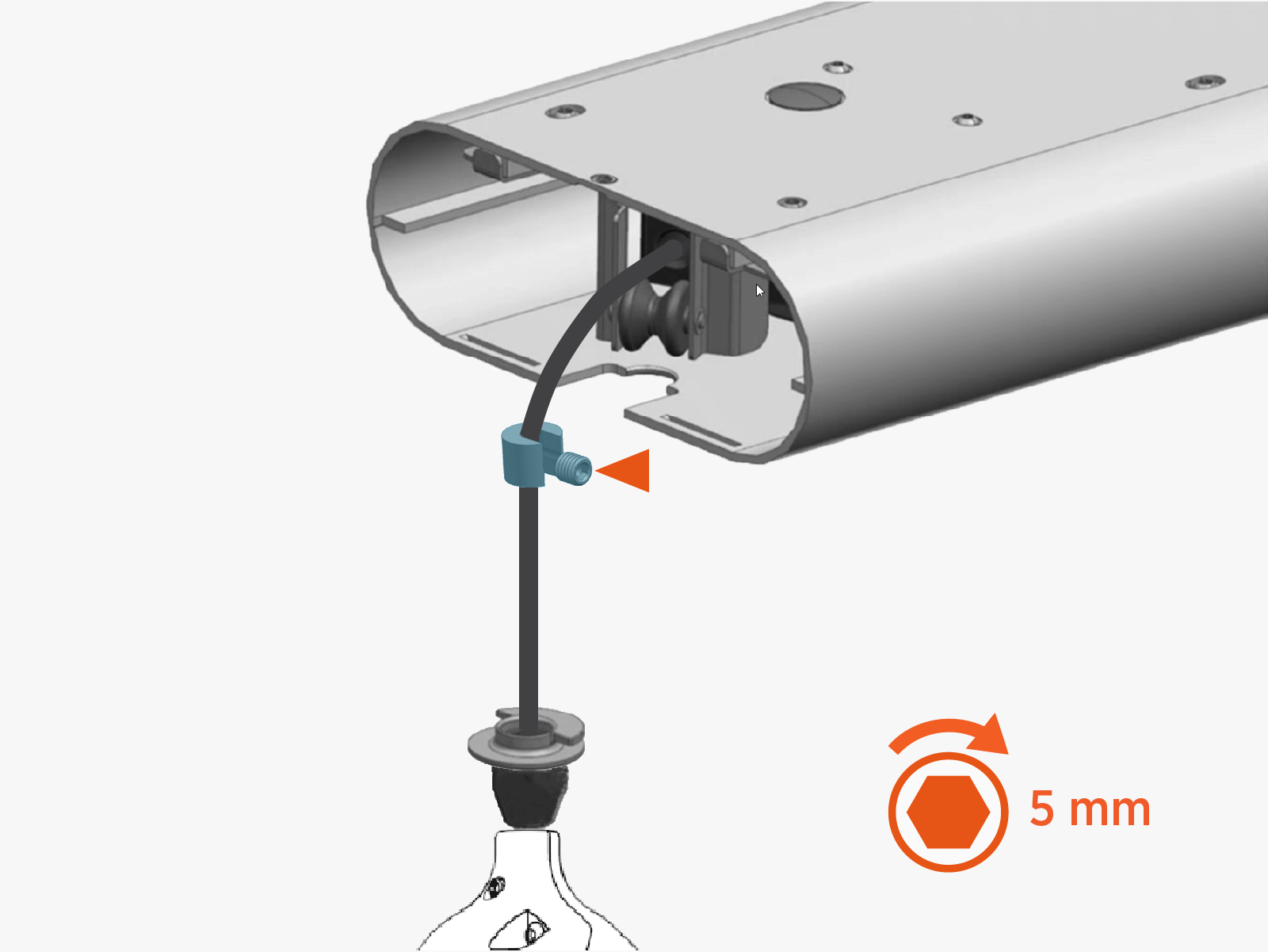
-
Give a short pull to retract the tether cord. Ensure the cord retracts fully so the cord stop rests against the tool balancer cassette.
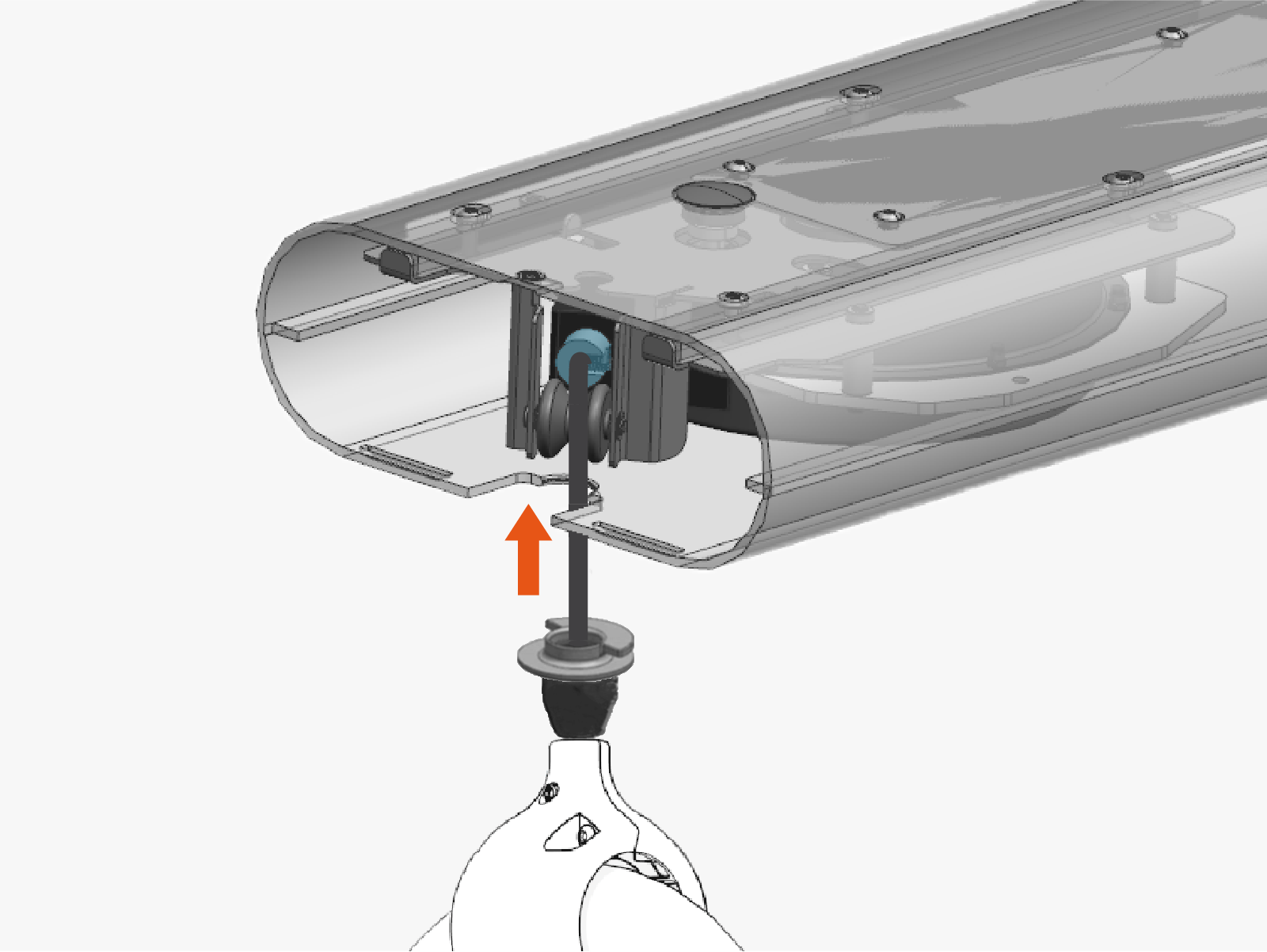
-
If present on the tetherball, loosen the set screw.
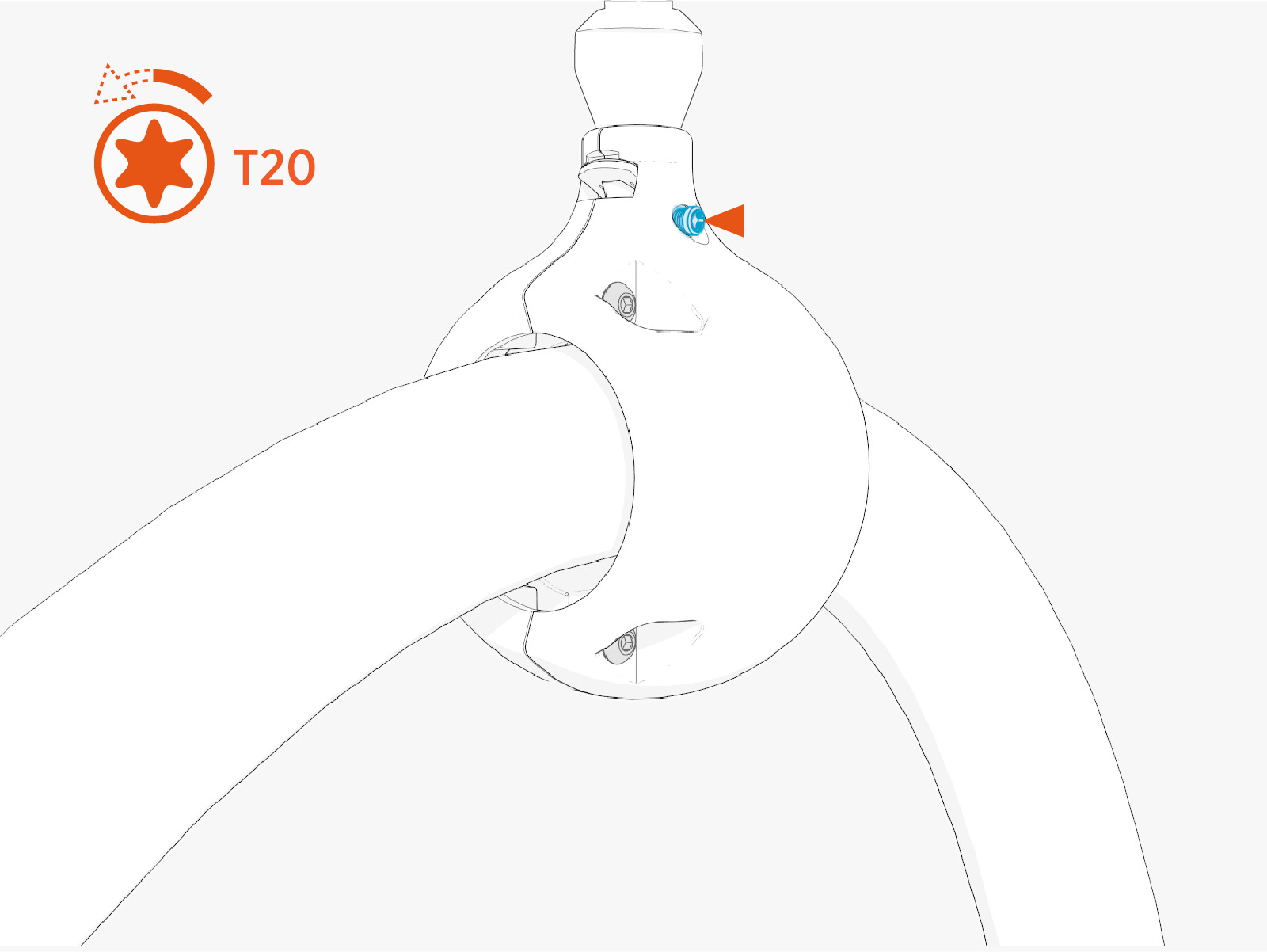 Torque the screw to 2.8 Nm (25 in-lb).
 -
While holding the tetherball, push down on the spring tab.
-
Keeping the spring tab depressed, remove the tetherball from the tether pin.
Set the cable safely out of the way and on a padded surface to prevent scuffing of the cable.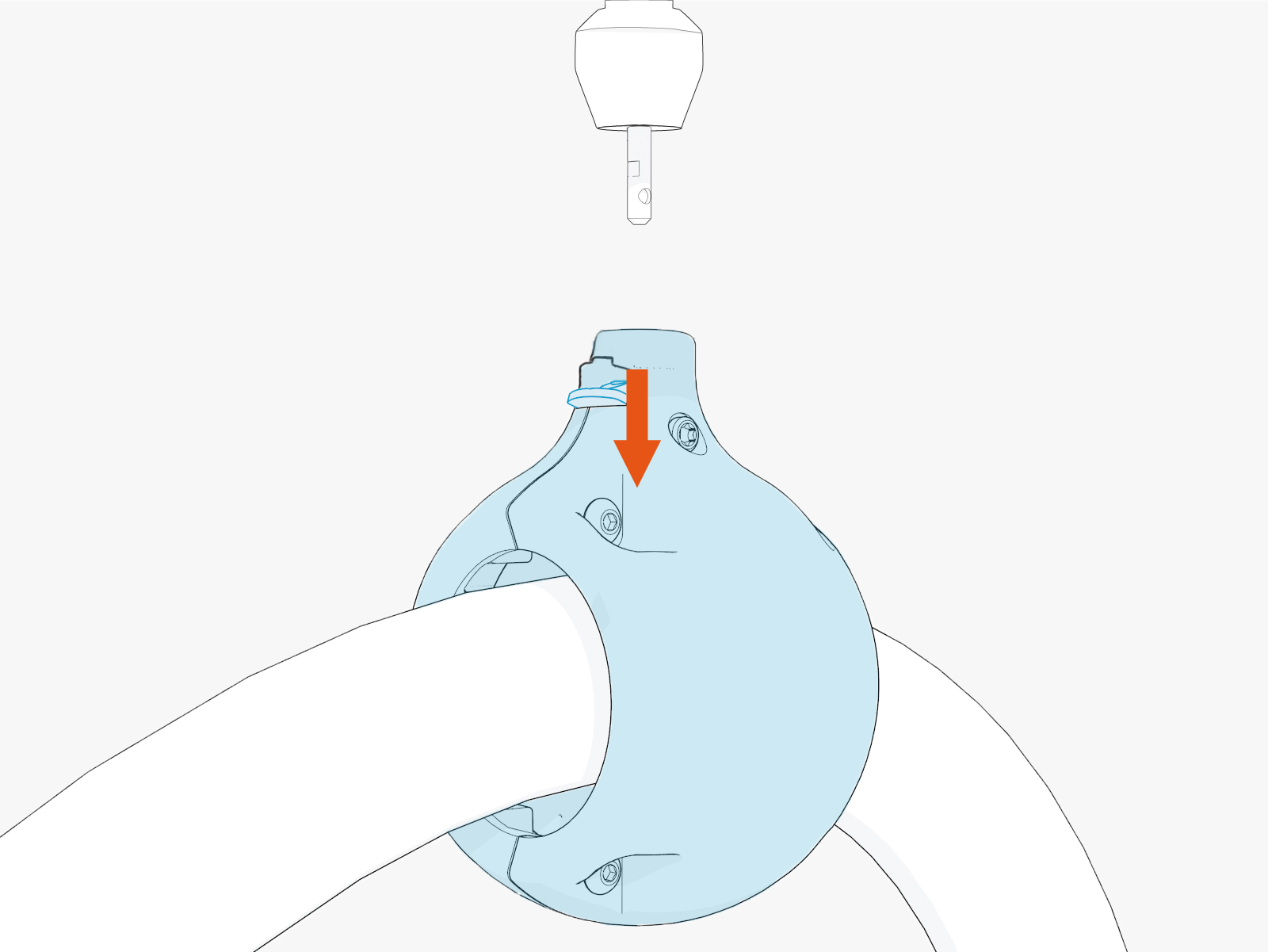 Align the spring tab with flat notch on the tether pin and gently push the tetherball onto the tether pin.
 -
If the tetherball remains stuck on the tether pin, remove screws (x4) to disassemble.
Mark the position where the tetherball was installed on the charging cable.First, assemble the tetherball at its original location on the charging cable. Torque screws (x4) to 2.8 Nm (25 in-lb). Then align the spring tab with flat notch on the tether pin and gently push the tetherball onto the pin. -
Remove M6 screws (x4). Set aside for later reuse.
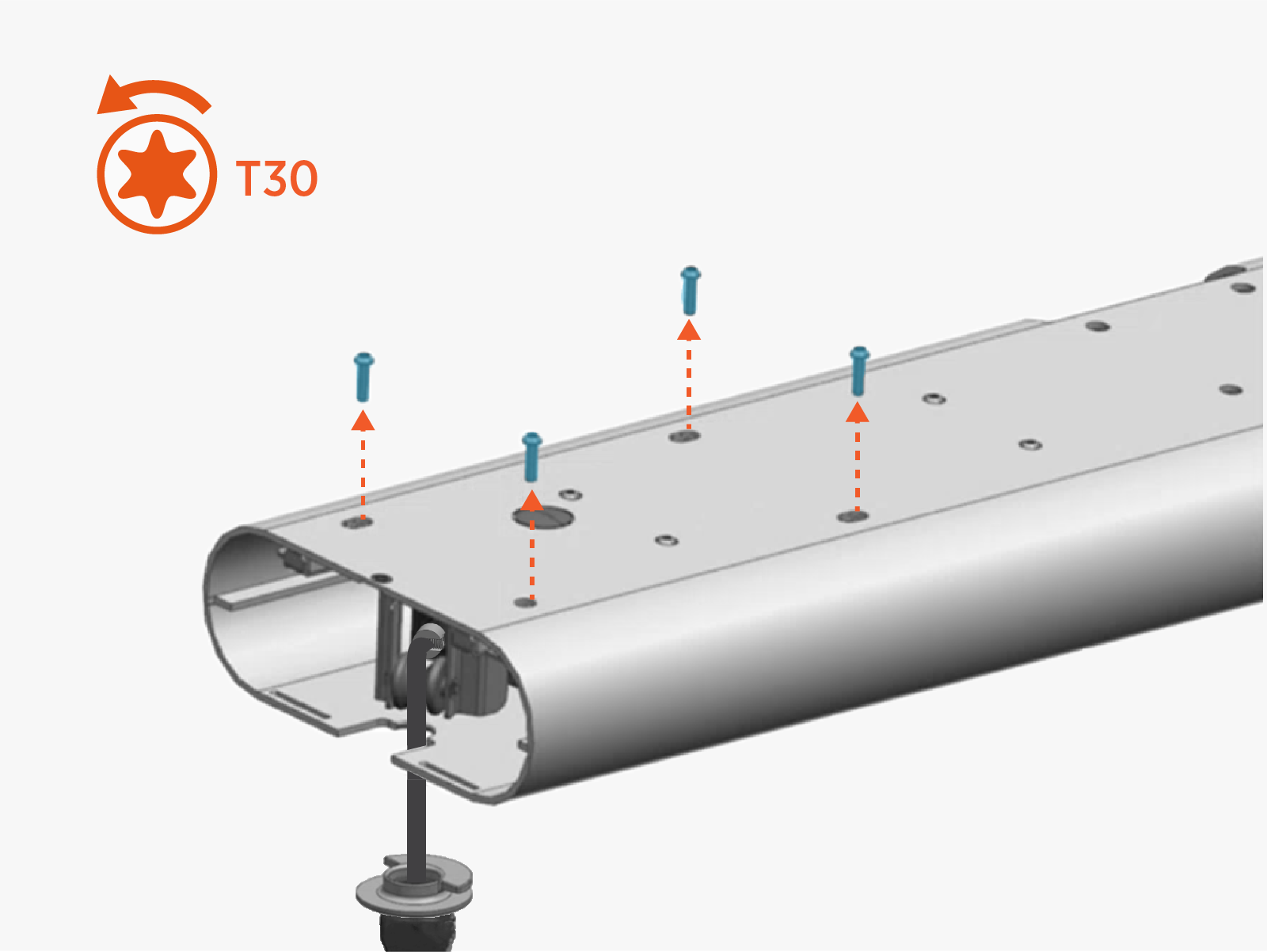 Torque the screws to 5.6 Nm (50 in-lb).
 -
Slide the tool balancer cassette out.
-
Reverse the above steps to reinstall with replacement FRU
 Field Replaceable Unit.
- The replacement cassette ships with a cable stop preinstalled on the tether cord. Be sure to remove the cable stop before completing the service.
- When the reinstall is complete:
- To adhere to ChargePoint best practices, complete the post-service checklist before you leave the site.
For assistance or to return a faulty part to ChargePoint, go to chargepoint.com/support and contact technical support using the appropriate region-specific number.
