Standard Cable Management Kit (CMK)
This section provides information on servicing and replacing the standard Cable Management Kit.
Required Tools and Materials
Installing or replacing the CMK Cable Management Kit requires at least two people.
|
|
T25 Security screwdriver |
|
T20 Torx screwdriver |
|
|
Stepladder |
|
Box cutter |




Kit Components
This kit is for a first time install of a standard CMK Cable Management Kit or replacement of a failed CMK Cable Management Kit.
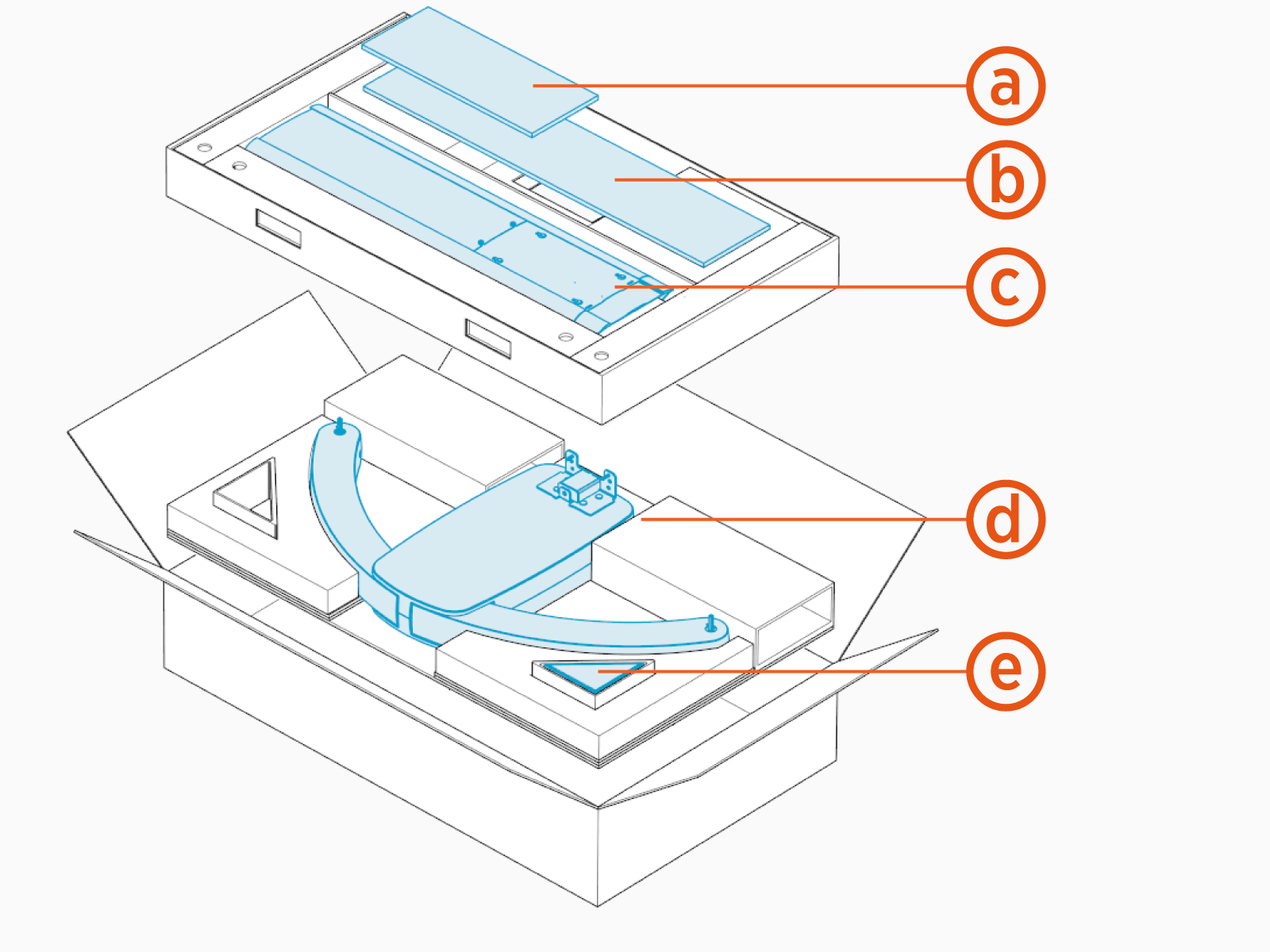
-
Front cover
-
Rear cover
-
Mast
-
Single or dual swingarm assembly
-
M6 Torx screws (x9)
Before You Begin
-
End all charging sessions and acitvity for the station.
-
Release charging cables from the CMK and set them safely out of the way.
WARNING: Keep your work area clear to prevent a trip and fall.
Remove CMK
To remove the Cable Management Kit, complete the following steps:
Remove CMK Covers
If you are not changing the CMK Cable Management Kit covers, set them aside to reinstall on the replacement.
-
Bend the rear CMK
Cable Management Kit cover on the long axis. Slide the edges out of the grooves in the mast.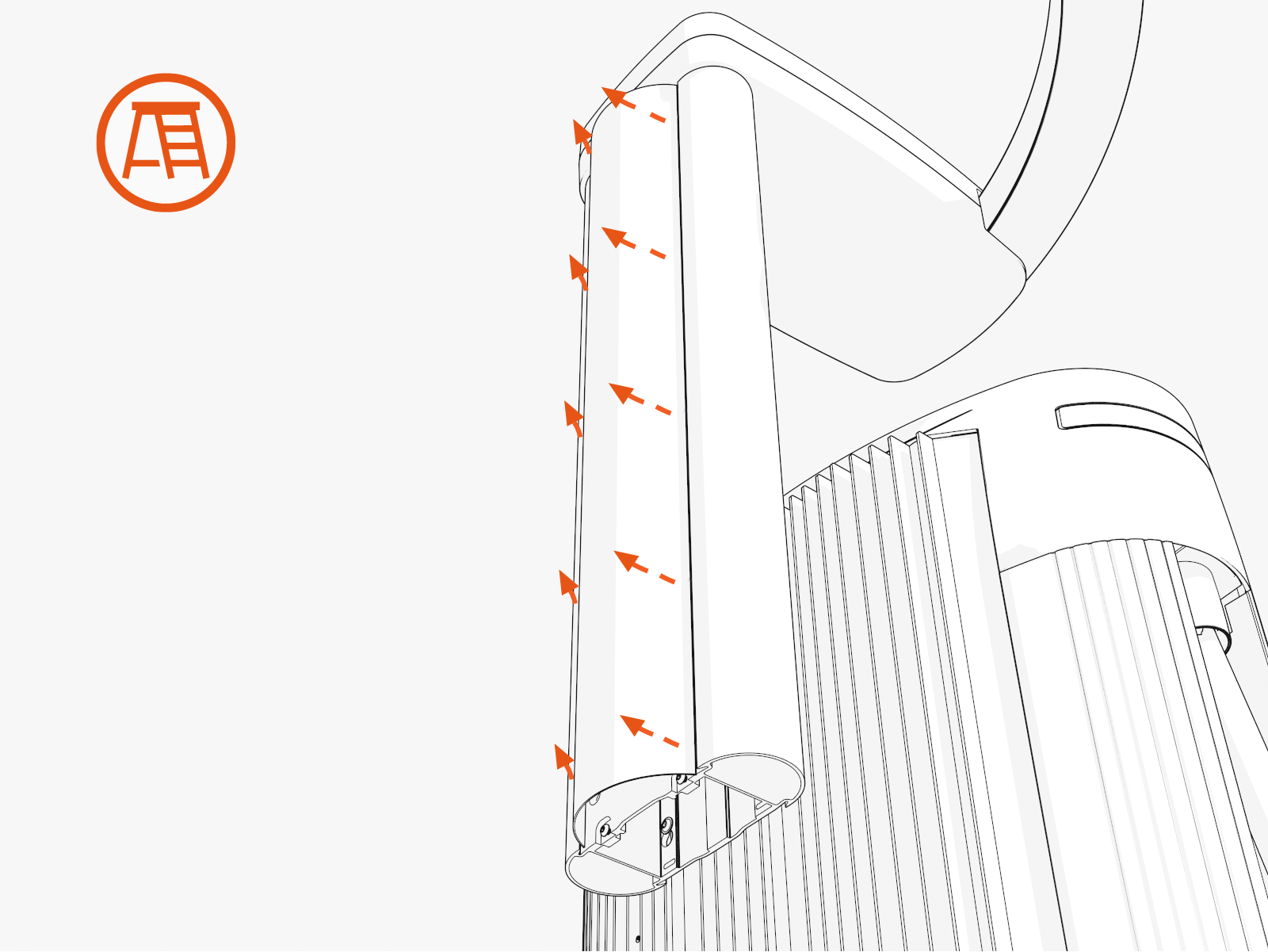
-
Repeat to remove the front CMK
Cable Management Kit cover.
Remove Swingarm Assembly
To remove the swingarm assembly, complete the following steps:
-
At the top of the CMK
Cable Management Kit, remove swingarm attachment screws (x4 at rear and x1 at front). Support the attachment during this step.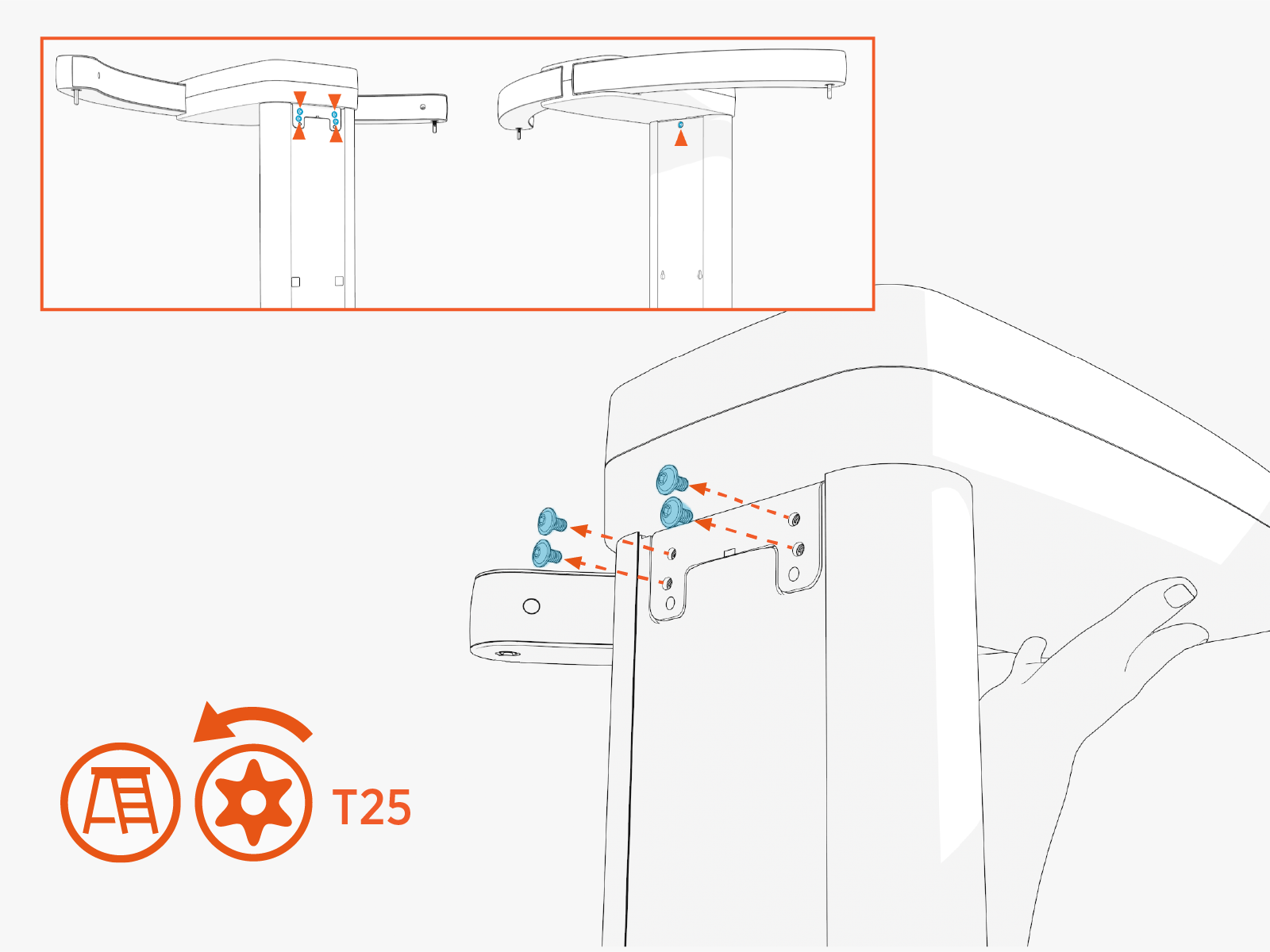
-
Remove the swingarm assembly.
Remove Mast
To remove the mast, complete the following steps:
-
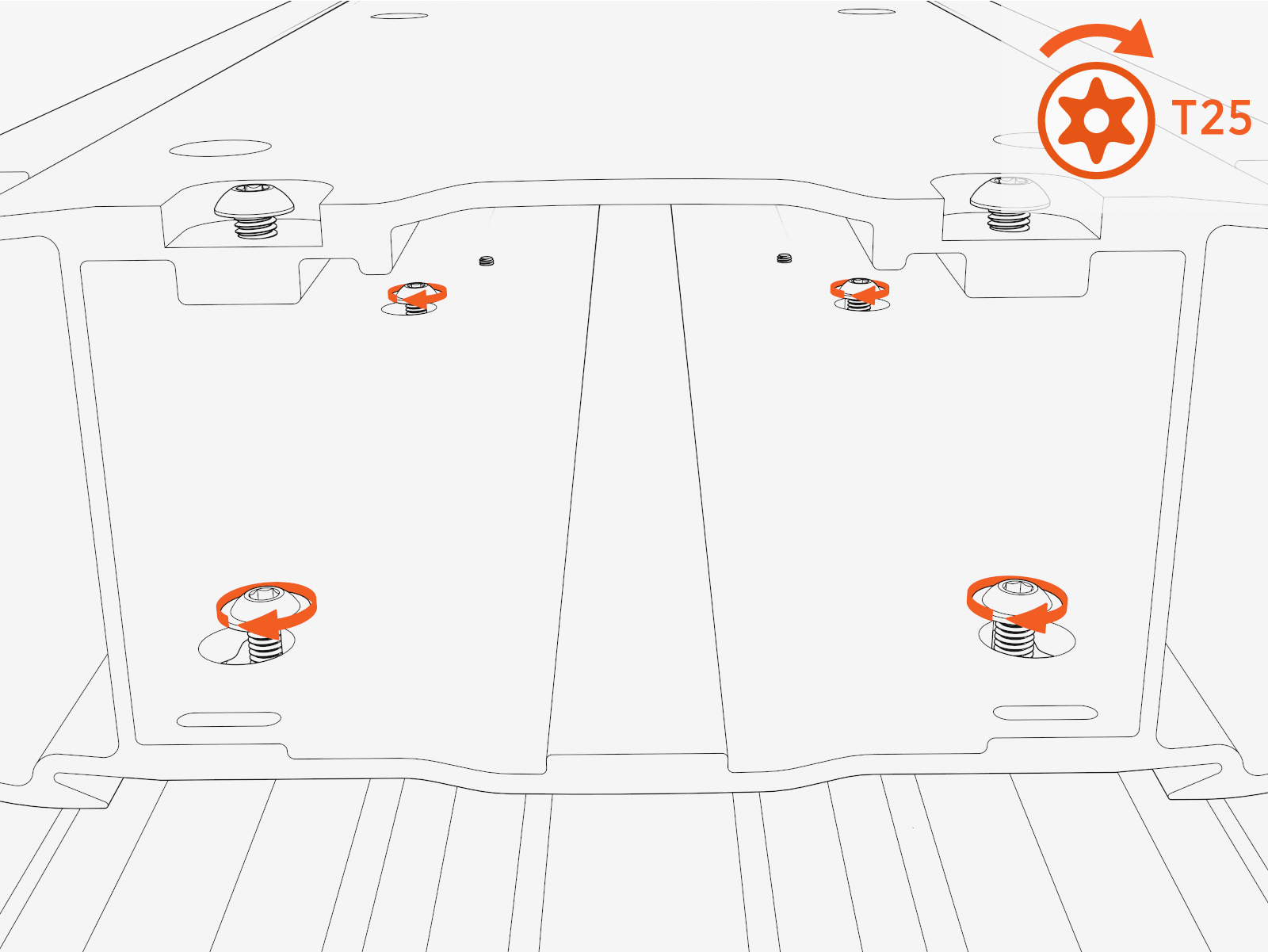
Loosen the M6 screws (x4) at the back of the mast.
-
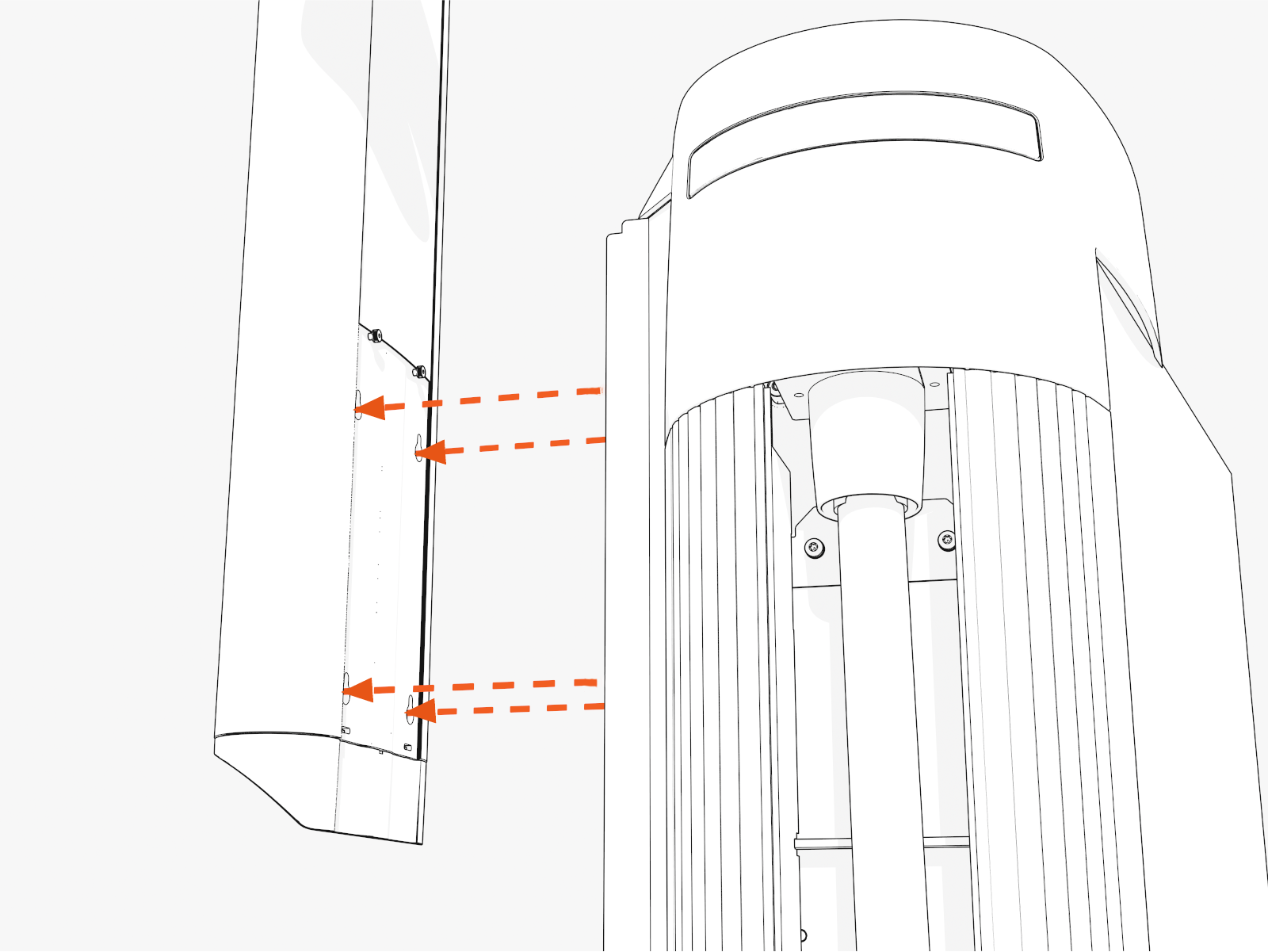
Slide the mast up to disengage the keyholes. Remove the mast.
Install Replacement CMK
To install the replacement Cable Management Kit, complete the following set of steps:
Install Mast
To install the mast, complete the following steps:
-
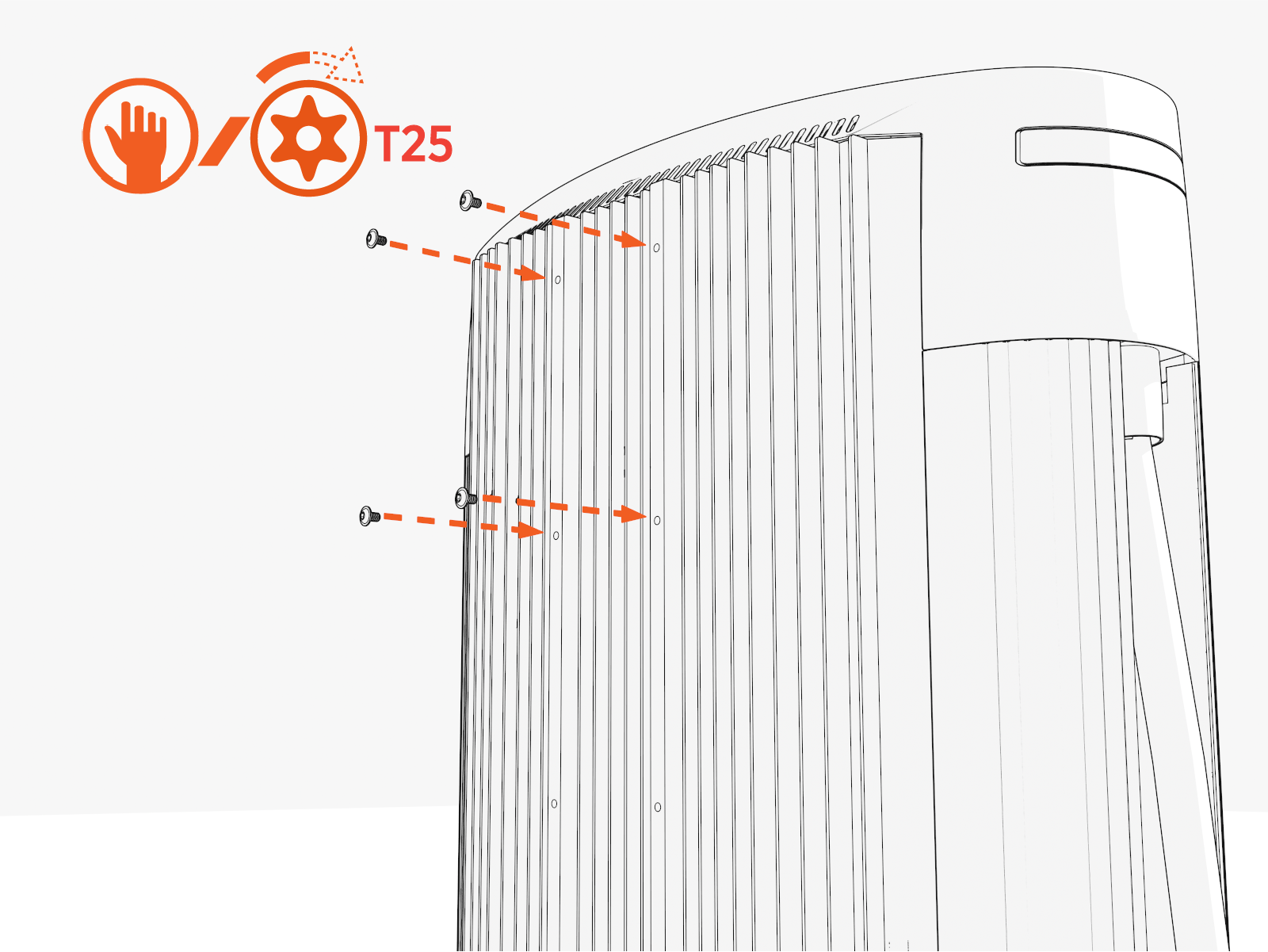
Partially install screws into four upper holes on the rear exterior of Power Link 1000.
-
Hang the mast using the middle and lower keyholes.
Final install height of the CMK
Cable Management Kit should be 2413 mm (7 ft 11 in).The CMK
Cable Management Kit can be lowered 203 mm (8 in) by using the upper and middle keyholes to allow for installations with low overhead clearance.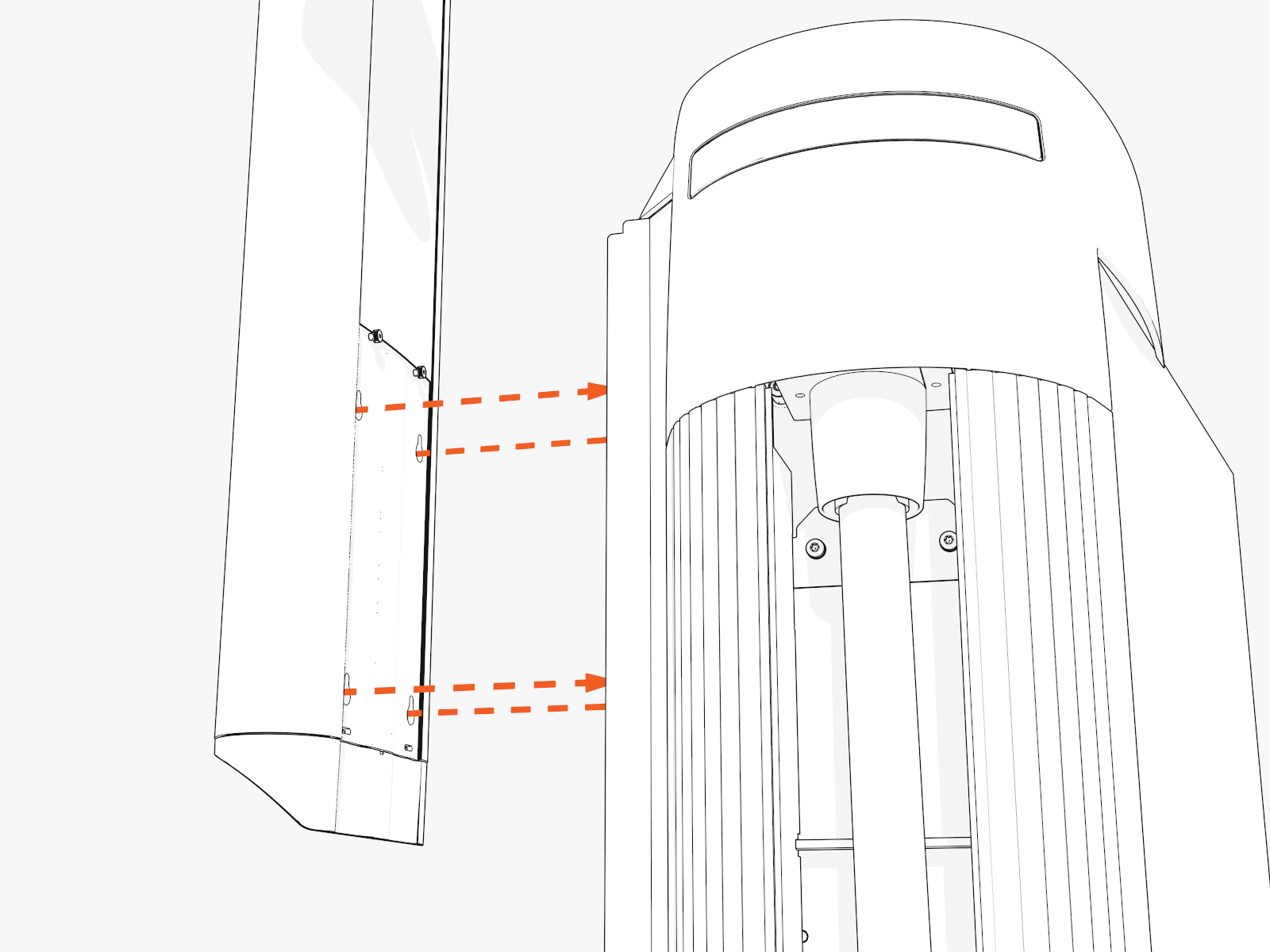
-
Torque screws (x4) to 5.6 Nm (50 in-lb).
Install Swingarm Assembly
To install the swingarm assembly, complete the following steps:
-
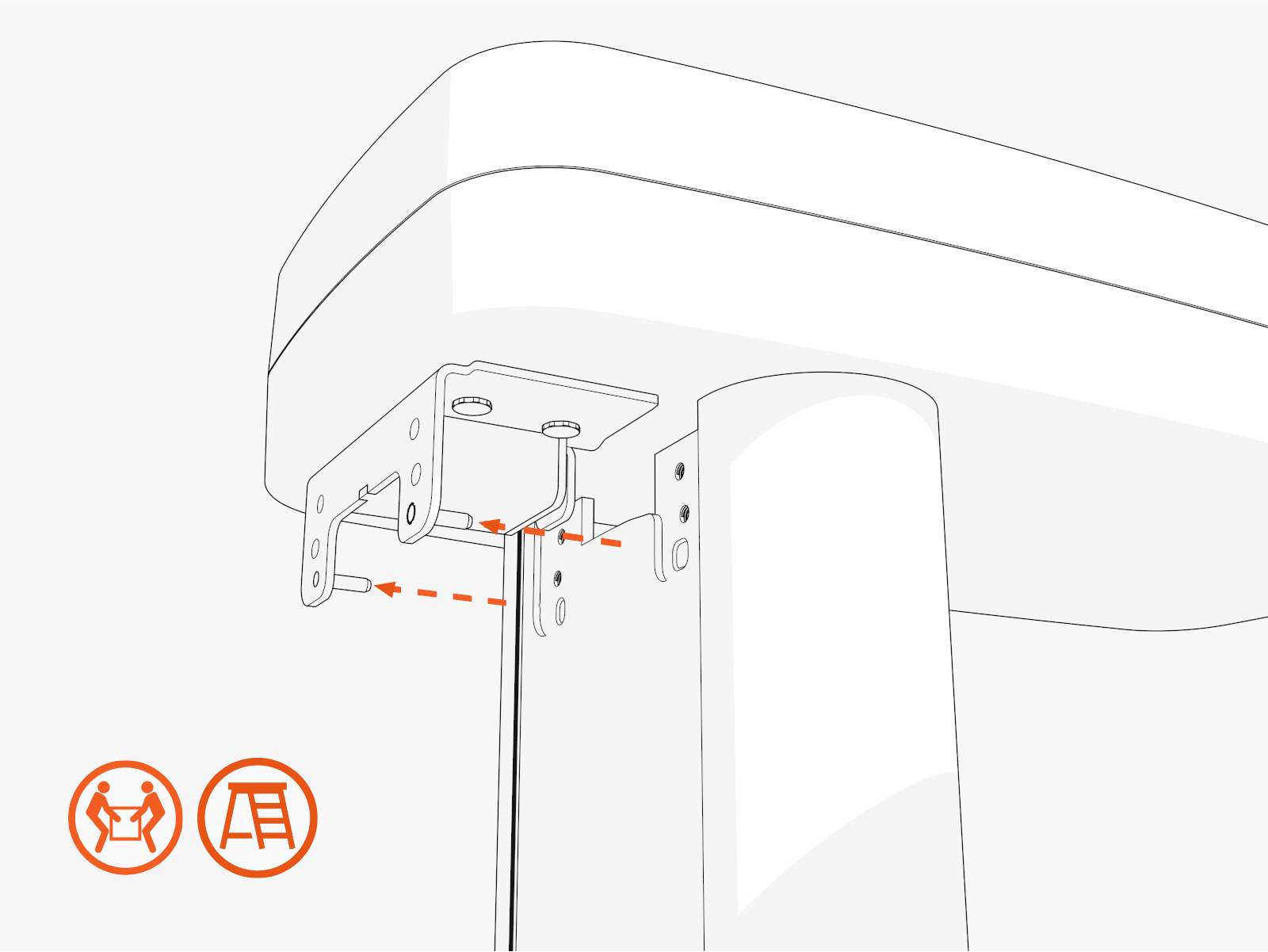
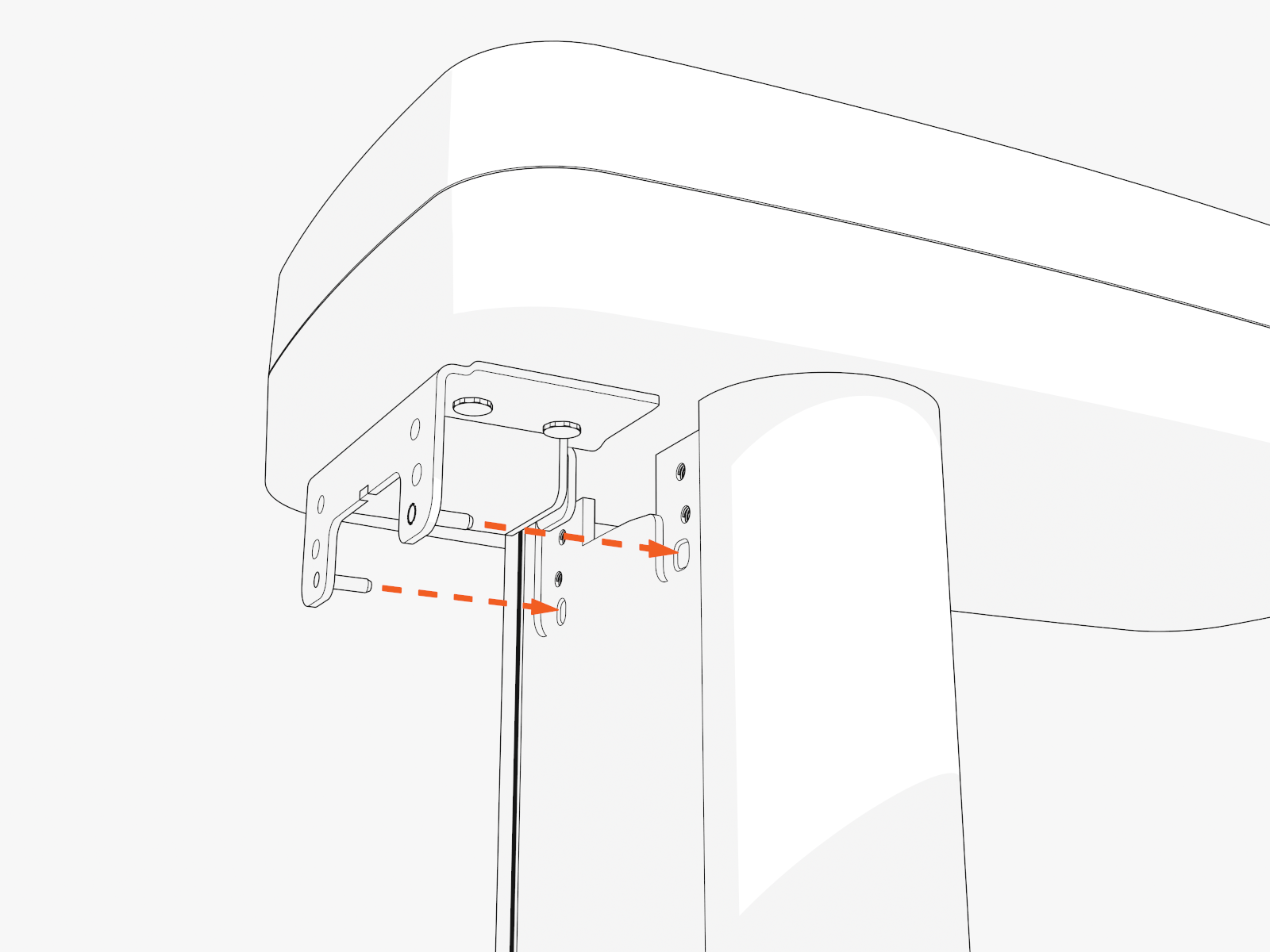
Insert two alignment pins into the bottom center of the swingarm attachment. Position the pins into the top of the mast.
-
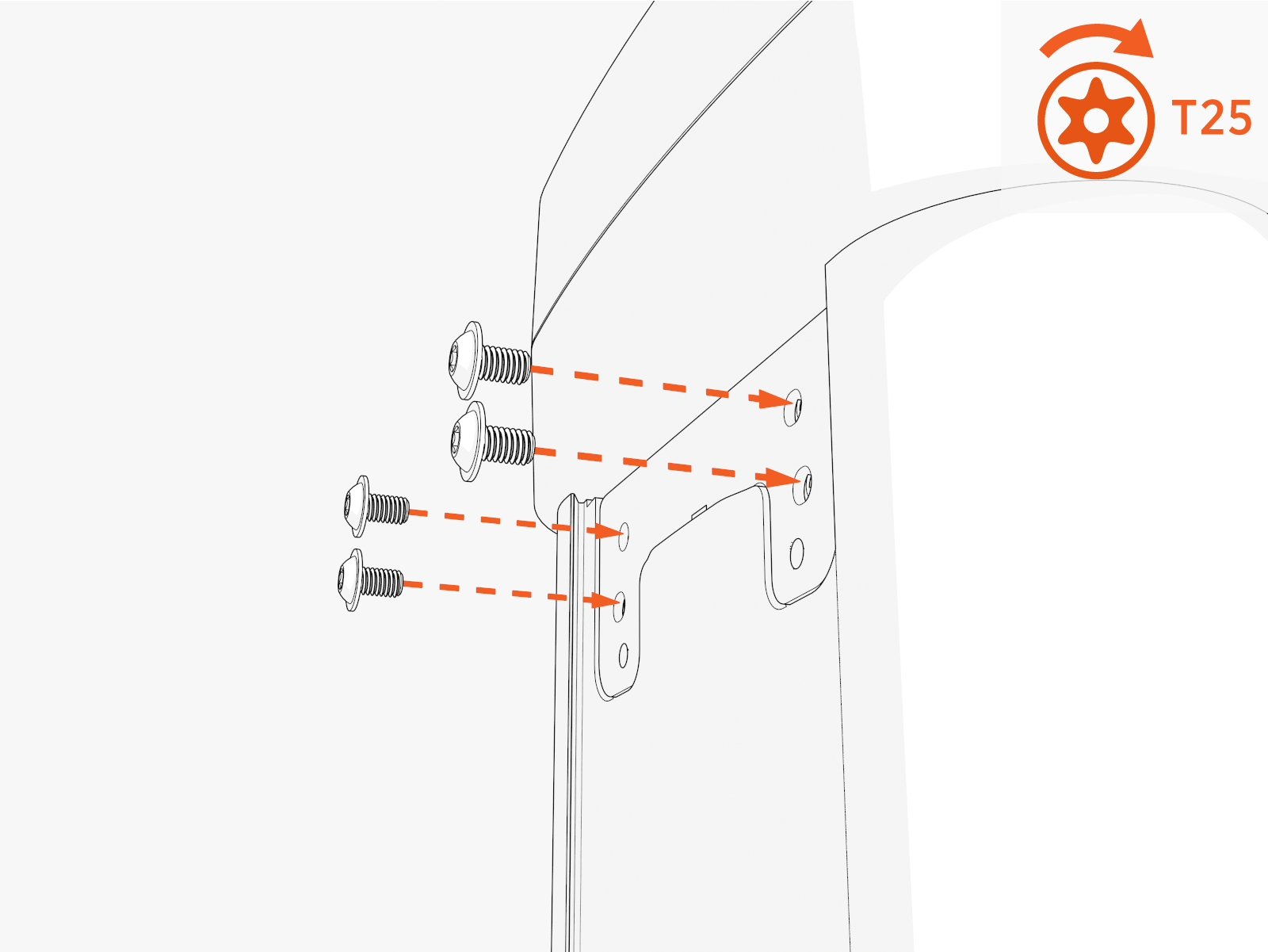
Torque screws (x4 at rear and x1 at front) to 5.6 Nm (50 in-lb) .
Install Covers
To install the covers, complete the following steps:
-
Install the CMK
Cable Management Kit covers onto the rear of the mast. Bend the cover on the long axis. Slip the edges into the grooves in the mast.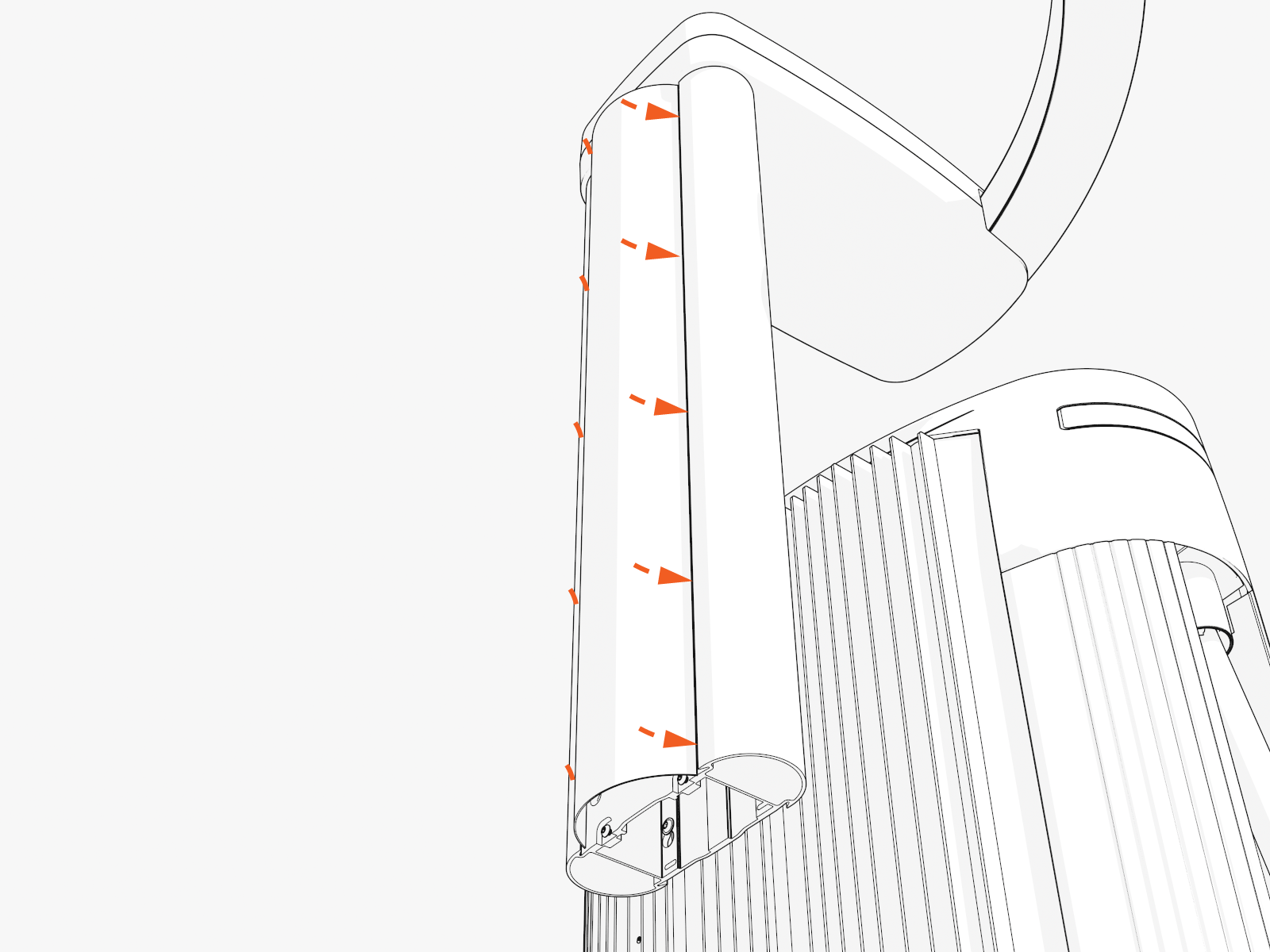
-
Repeat to install covers onto the front of the mast.
Hang the Charging Cable
To the hang the charging cable, complete the following steps:
-
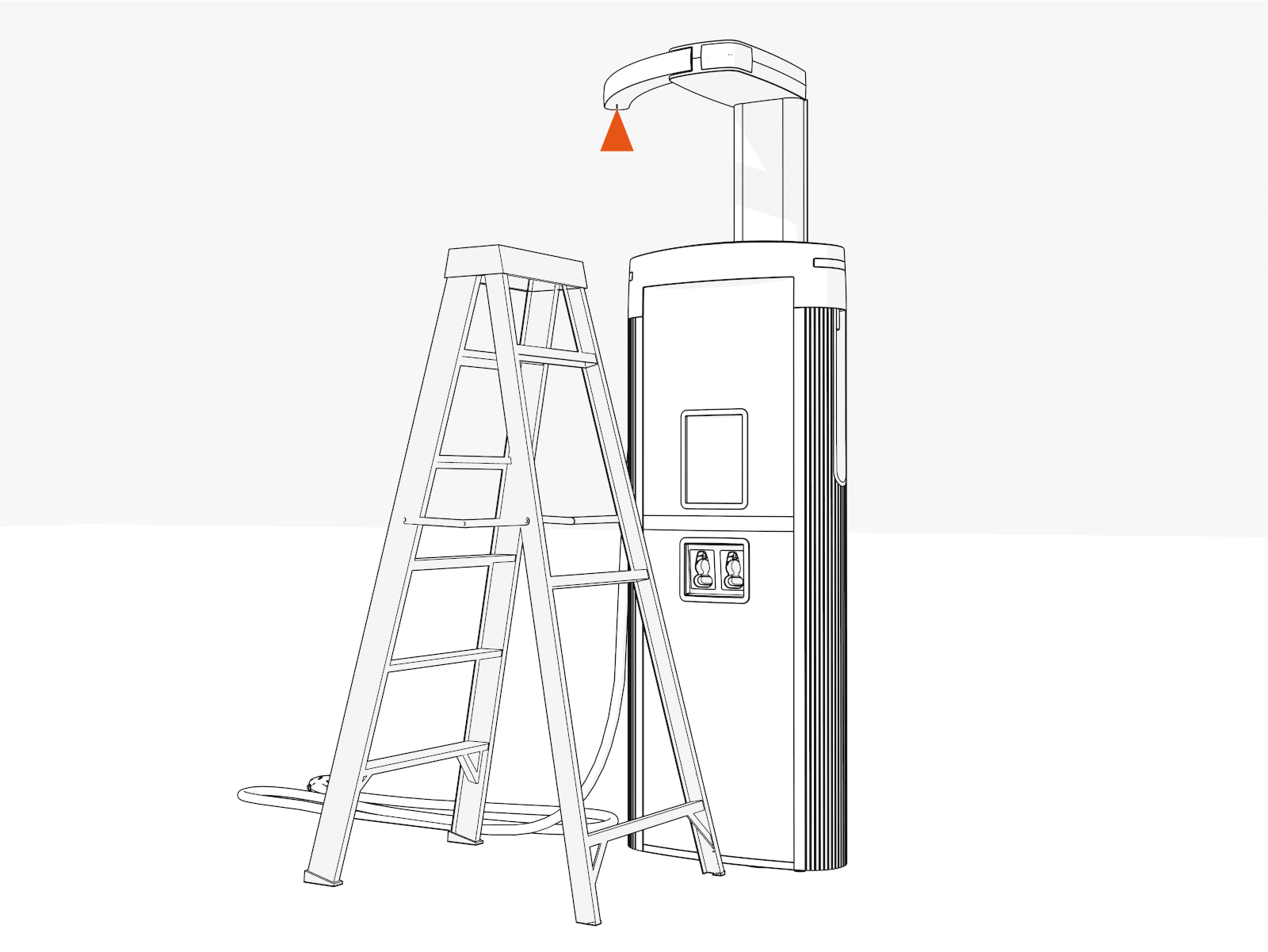
Position the stepladder so that you can reach the hanging point.
-
Ensure the screw (if present) on the charging cable tetherball is loose.
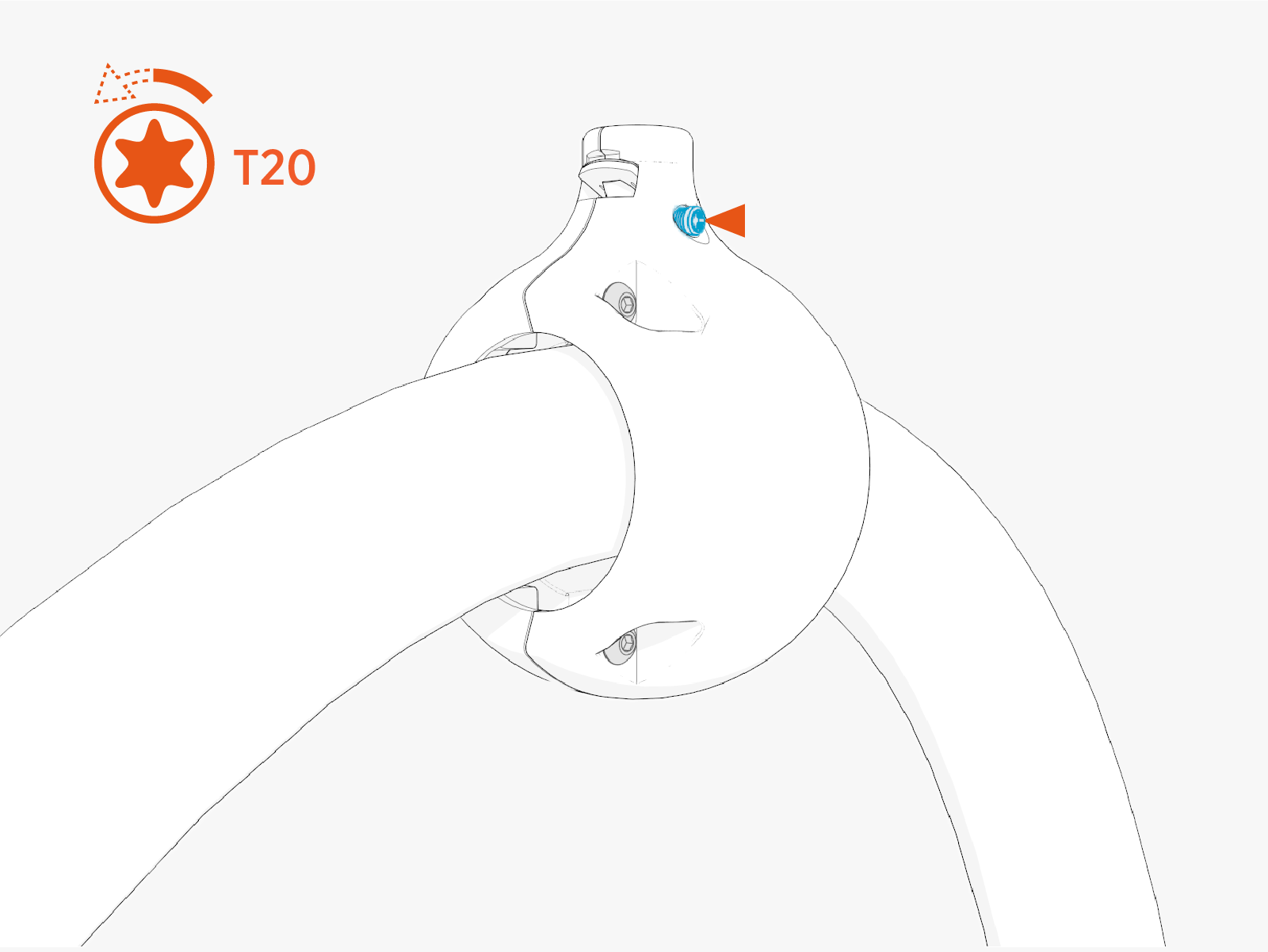
-
Align the spring with flat notch on the tether pin and gently push the tetherball onto the pin to hang the cable.
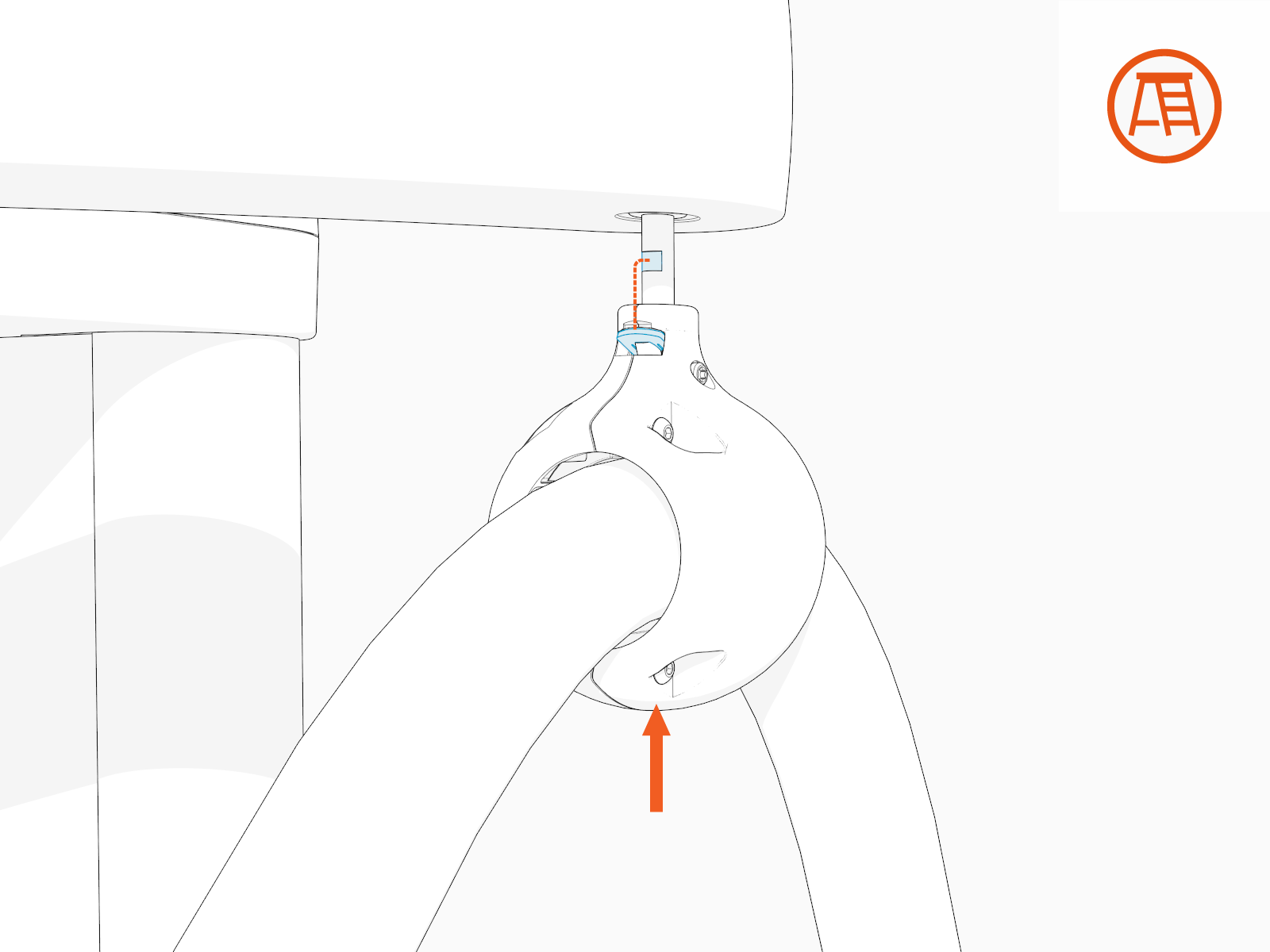
-
If necessary, slide the tetherball to a position on the cable such that the cable doesn't touch the ground when installed onto the CMK
Cable Management Kit tether pin.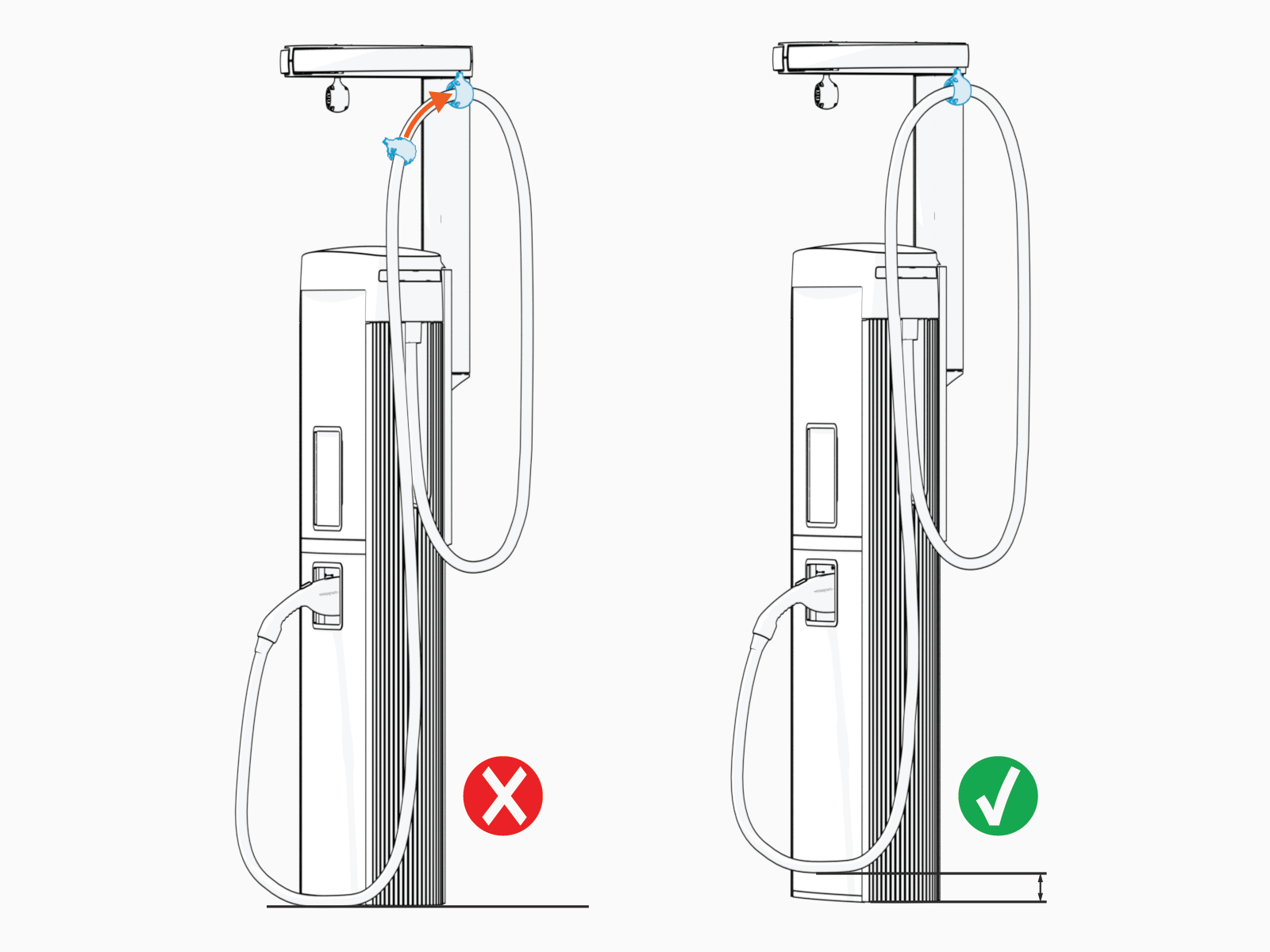
-
Torque the screw to 2.8 Nm (25 in-lb)
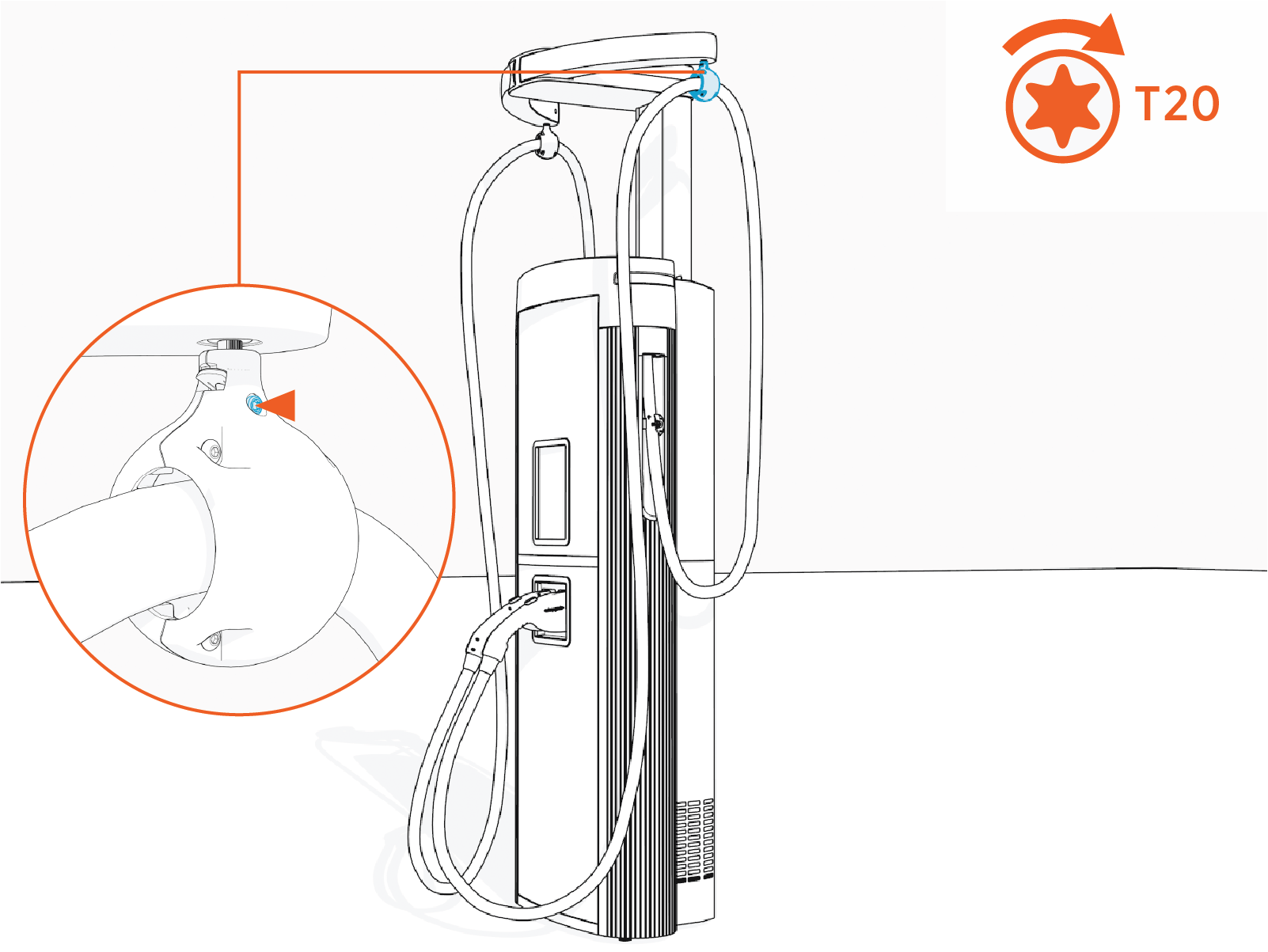
Complete Service
To complete the service, complete the following steps:
-
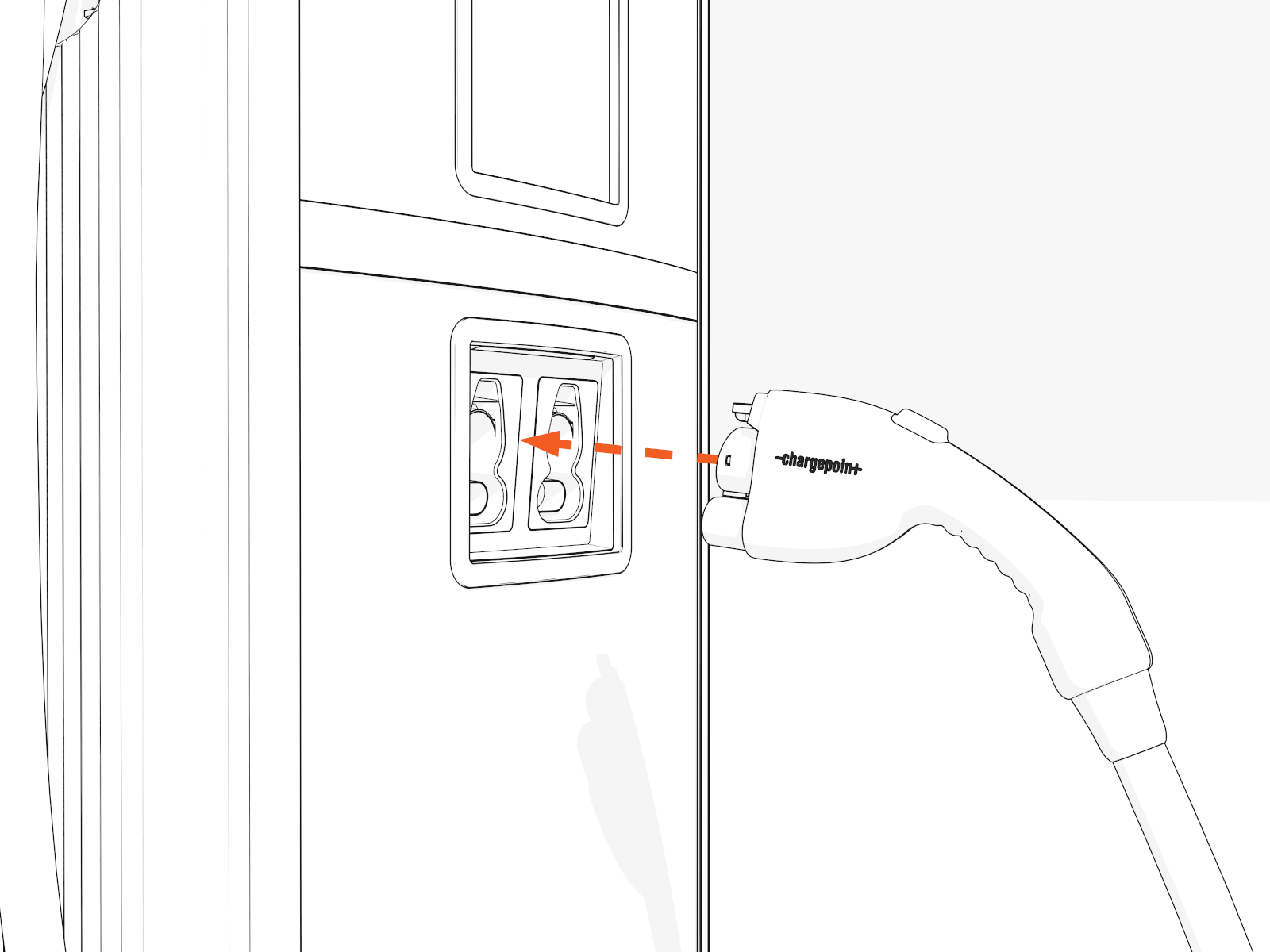
Place each charging cable in the holster.
-
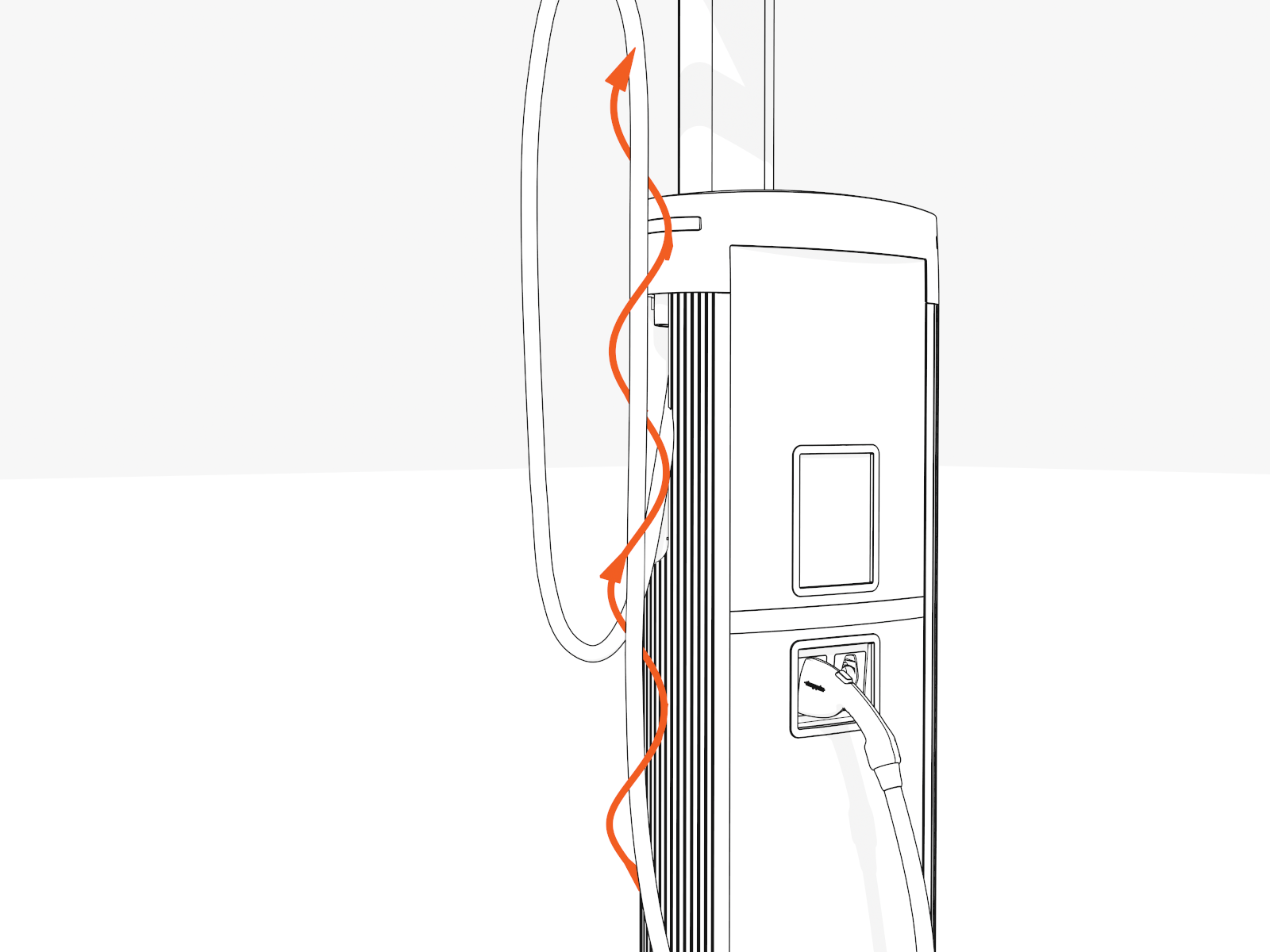
Untangle any twists.
-
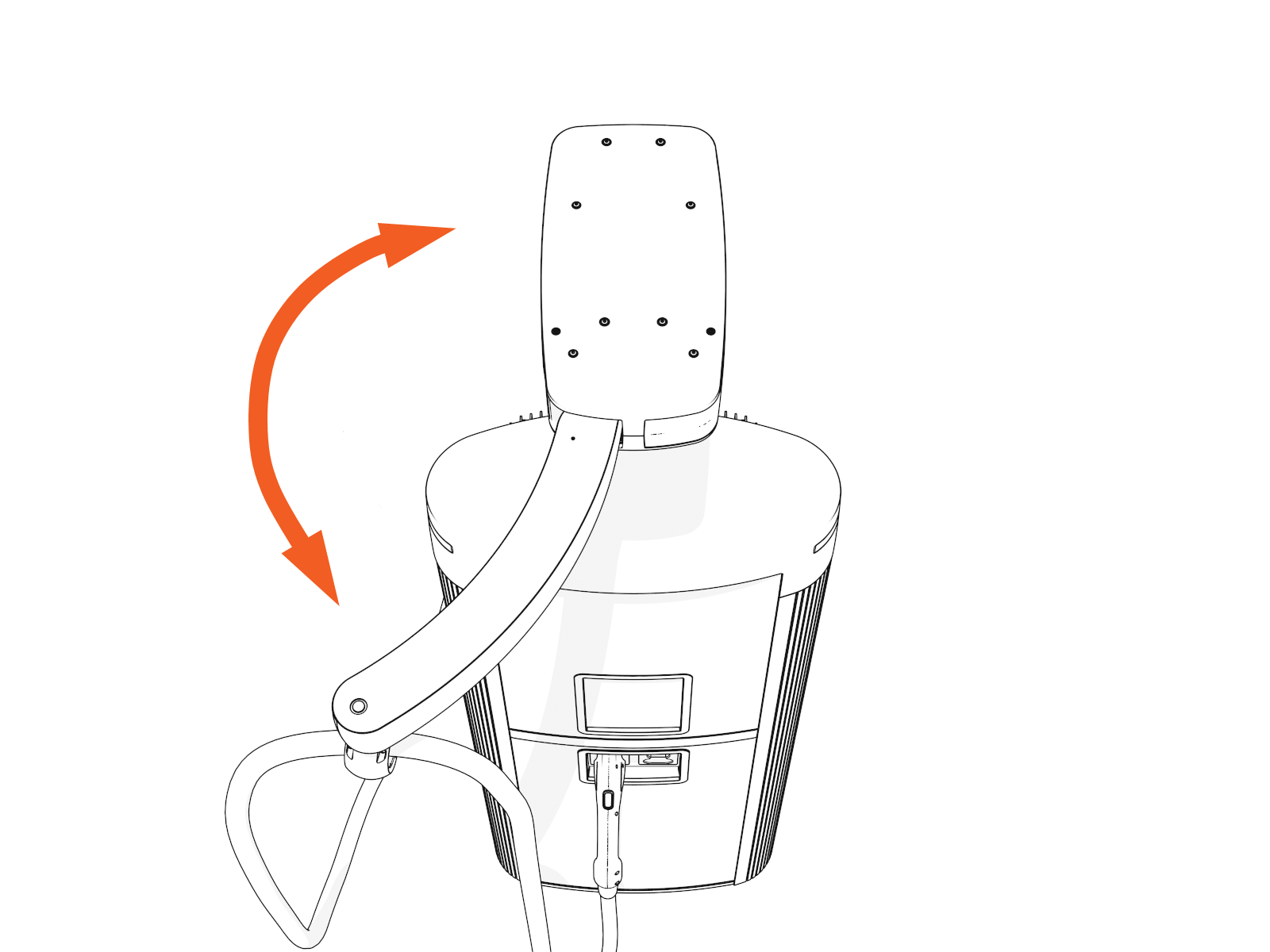
Check that the charging cables and swingarms operate smoothly by fully extending and retracting.
-
If you find limited motion or retraction, contact ChargePoint at chargepoint.com/support.
- To adhere to ChargePoint best practices, complete the post-service checklist before you leave the site.
-
For assistance or to return a faulty part to ChargePoint, go to chargepoint.com/support and contact technical support using the appropriate region-specific number.
