Rear Fan Tray
This section provides information on replacing the rear fan tray.
Required Tools and Materials
|
|
T25 security screwdriver |

Before You Begin
Complete the following steps, before you begin:
-
Power off the charging station.
-
Determine if the Power Link 1000 has preassembled covers or unassembled components, remove them as necessary.
-
Remove top access panel.
-
Position a stepladder so you can reach the top access panel.
-
Loosen captive screws and lift off the panel.
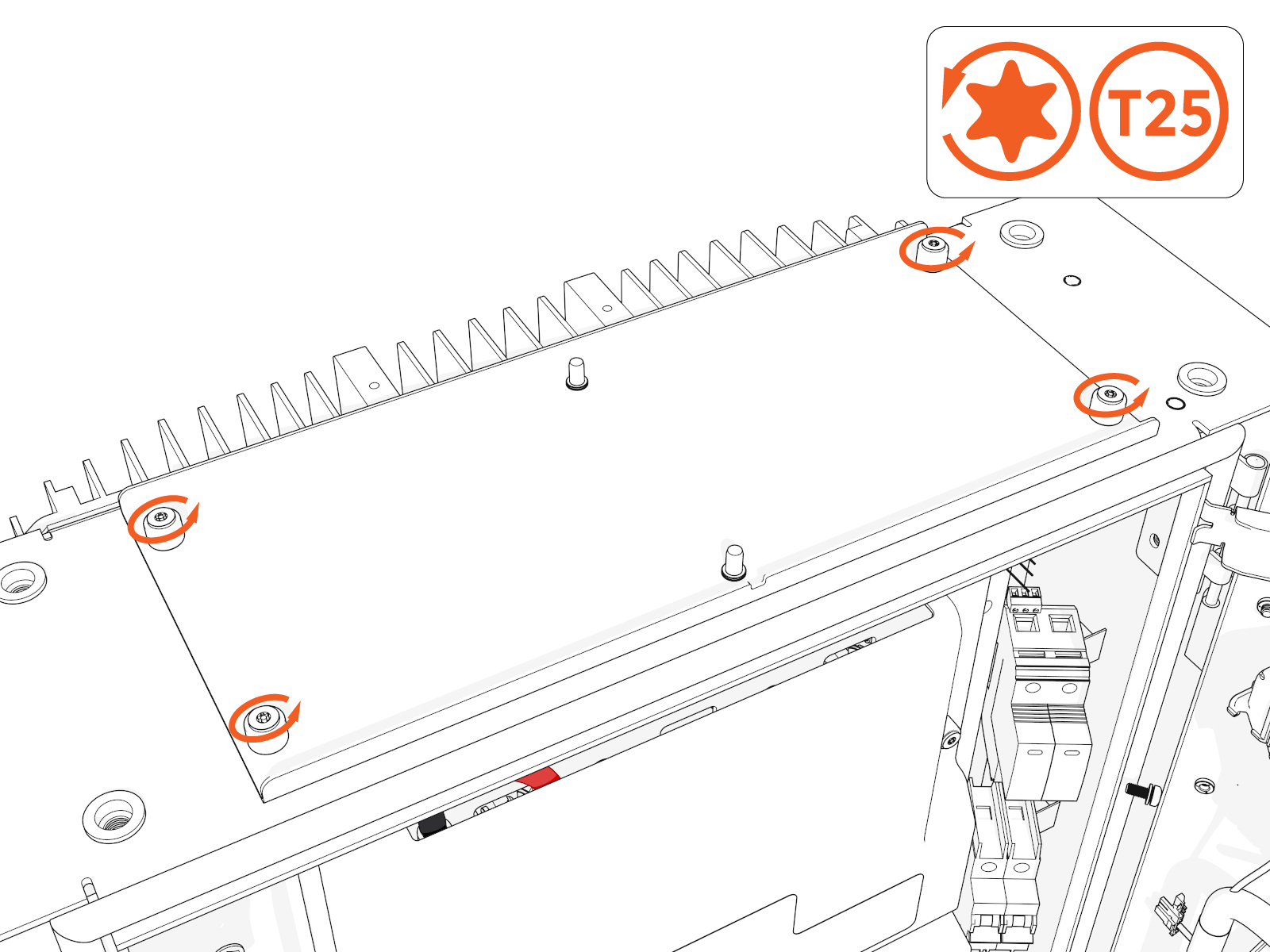
AFTER REPLACING, REVERSE THE ABOVE STEPS TO COMPLETE THE SERVICE.
Replace Rear Fan Tray
To replace the rear fan tray, complete the following steps:
-
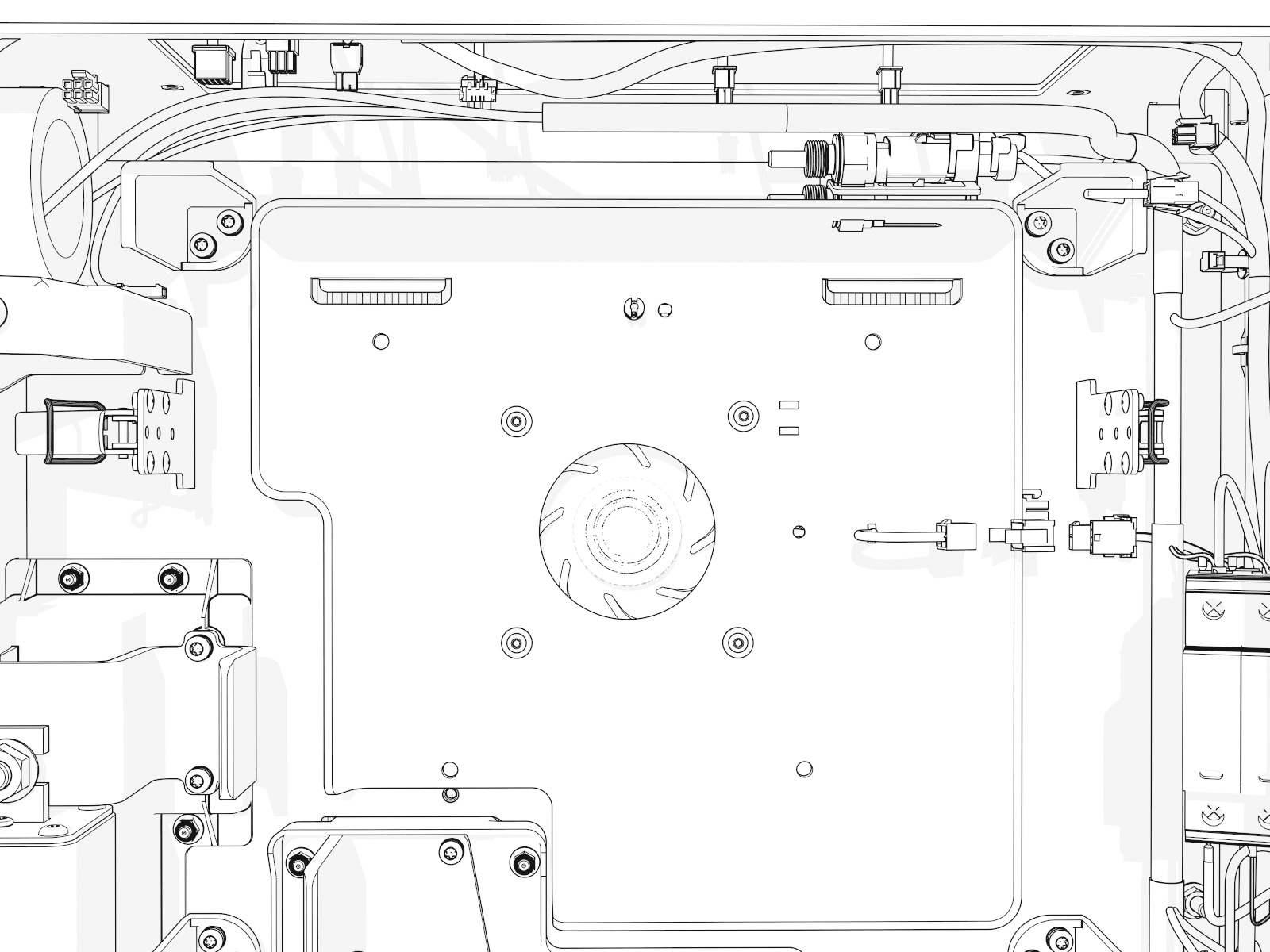
Disconnect the connectors (x2) (at right, for fan power and temperature sensor).
-
Remove the M5 screws (x4) (use T25 security screwdriver).
While reinstalling torque the screws to 2.8 Nm (25 in-lb).
-
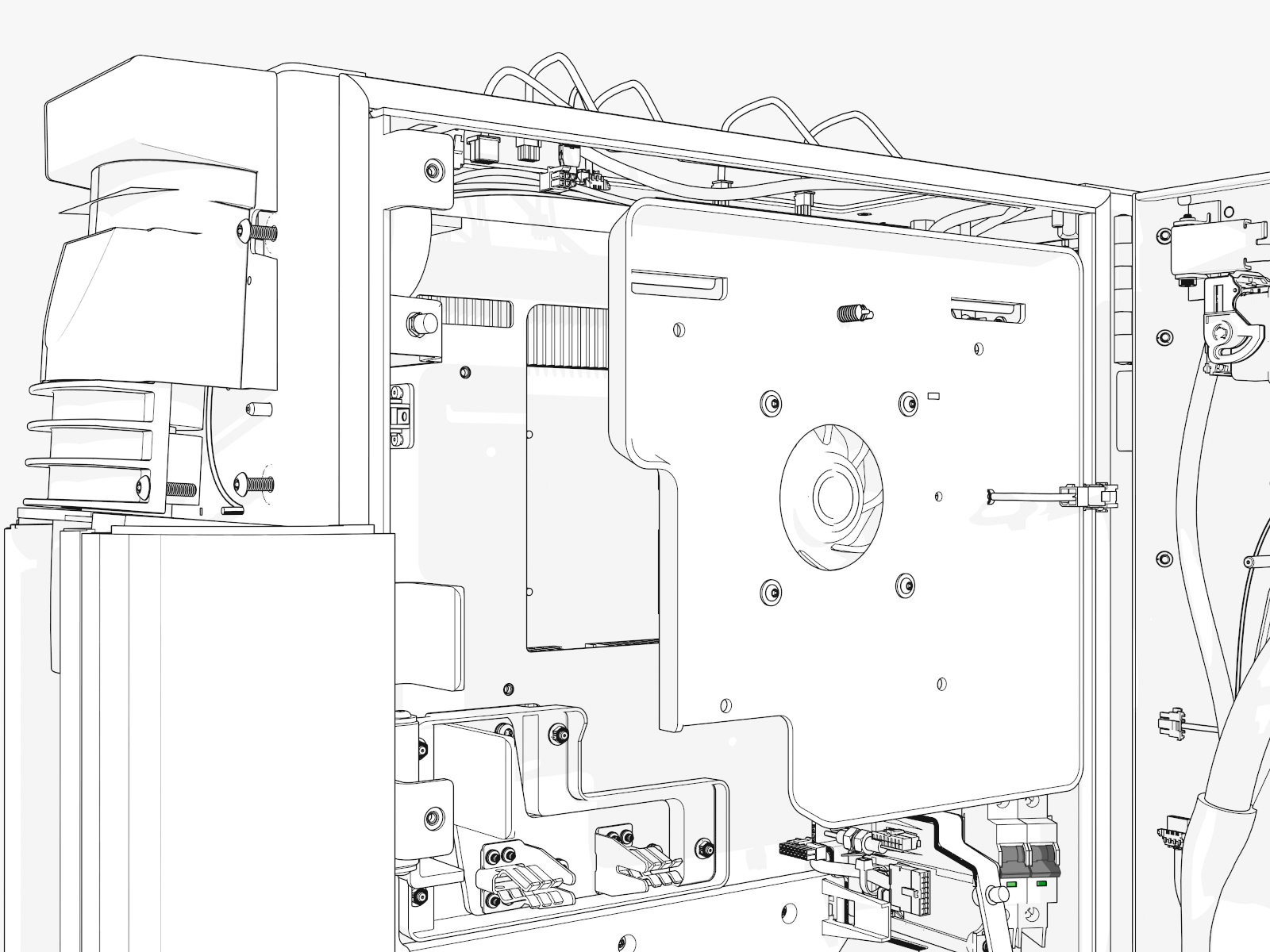
Lift the fan tray slightly up off the brackets on the back. Then move it straight out of the cabinet.
To avoid damaging the sensor behind the fan tray, do not touch the upper back of the fan tray to any other surface or part.
Reverse the above steps to reinstall with replacement FRU Field Replaceable Unit.
- To adhere to ChargePoint best practices, complete the post-service checklist before you leave the site.
-
For assistance or to return a faulty part to ChargePoint, go to chargepoint.com/support and contact technical support using the appropriate region-specific number.
