Tall Cable Management Kit (CMK)
This section provides information on servicing and replacing a Tall Cable Management Kit (CMK Cable Management Kit).
Required Tools and Materials
Installing or replacing the CMK Cable Management Kit requires at least two people.
|
|
T25 Security screwdriver |
|
6 mm hex wrench |
|
|
Stepladder (x2) |
|
Box cutter |




Kit Components
This kit is for a first time install of a tall CMK Cable Management Kit or replacement of a failed CMK Cable Management Kit.
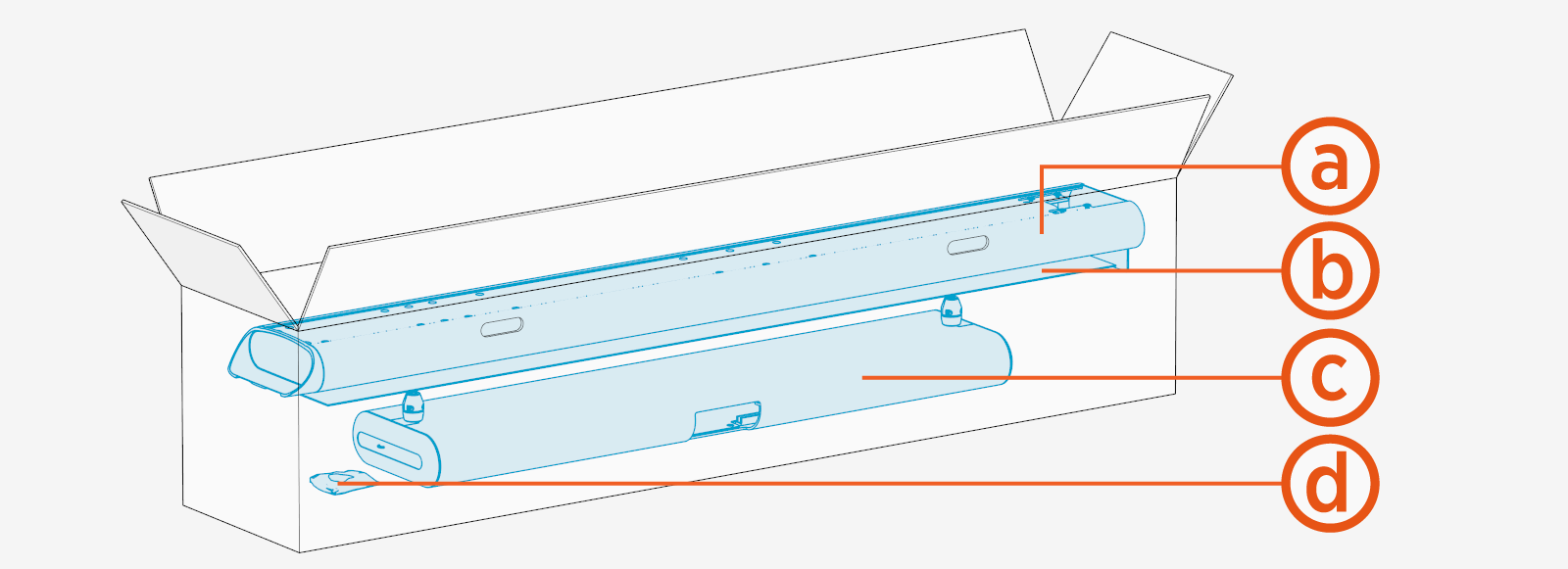
-
Mast
-
Front and rear covers
-
Single or dual tall CMK
Cable Management Kit assembly -
M6 Torx screws (x8) and M10 hex screws (x4)
Before You Begin
-
End all charging sessions and acitvity for the station.
-
Release charging cables from the CMK and set them safely out of the way.
Keep your work area clear to prevent a trip and fall.
Remove CMK
To remove the Tall Cable Management Kit (CMK Cable Management Kit), complete the following steps:
To remove CMK Cable Management Kit covers, see Remove CMK Covers
Remove Tall CMK Assembly
To remove Tall CMK Cable Management Kit assembly, complete the following steps:
-
Remove the screws (x4),
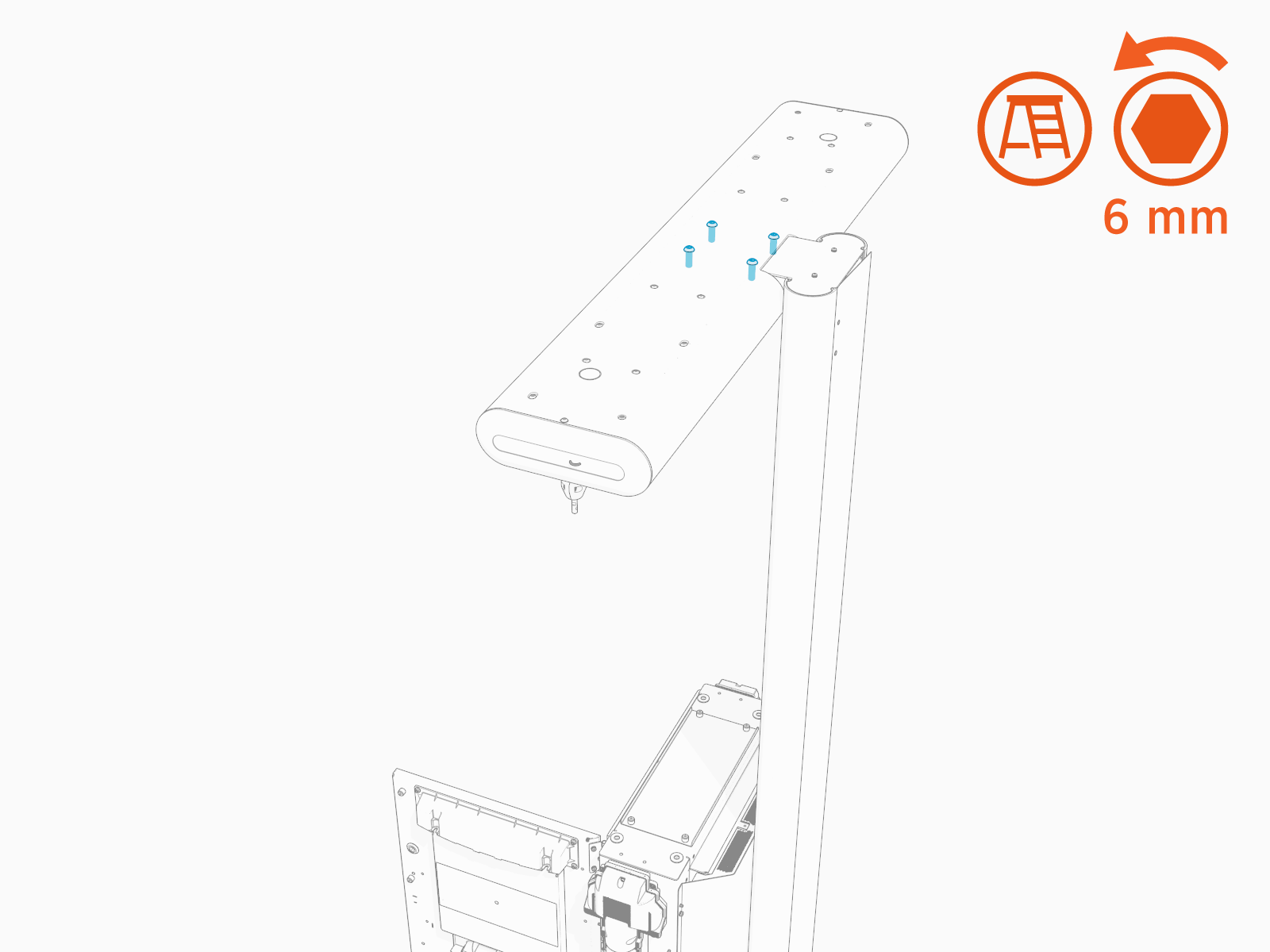 Torque these screws to 13.5 Nm (120 in-lb).
 -
Remove the tall CMK
Cable Management Kit assembly from the mast.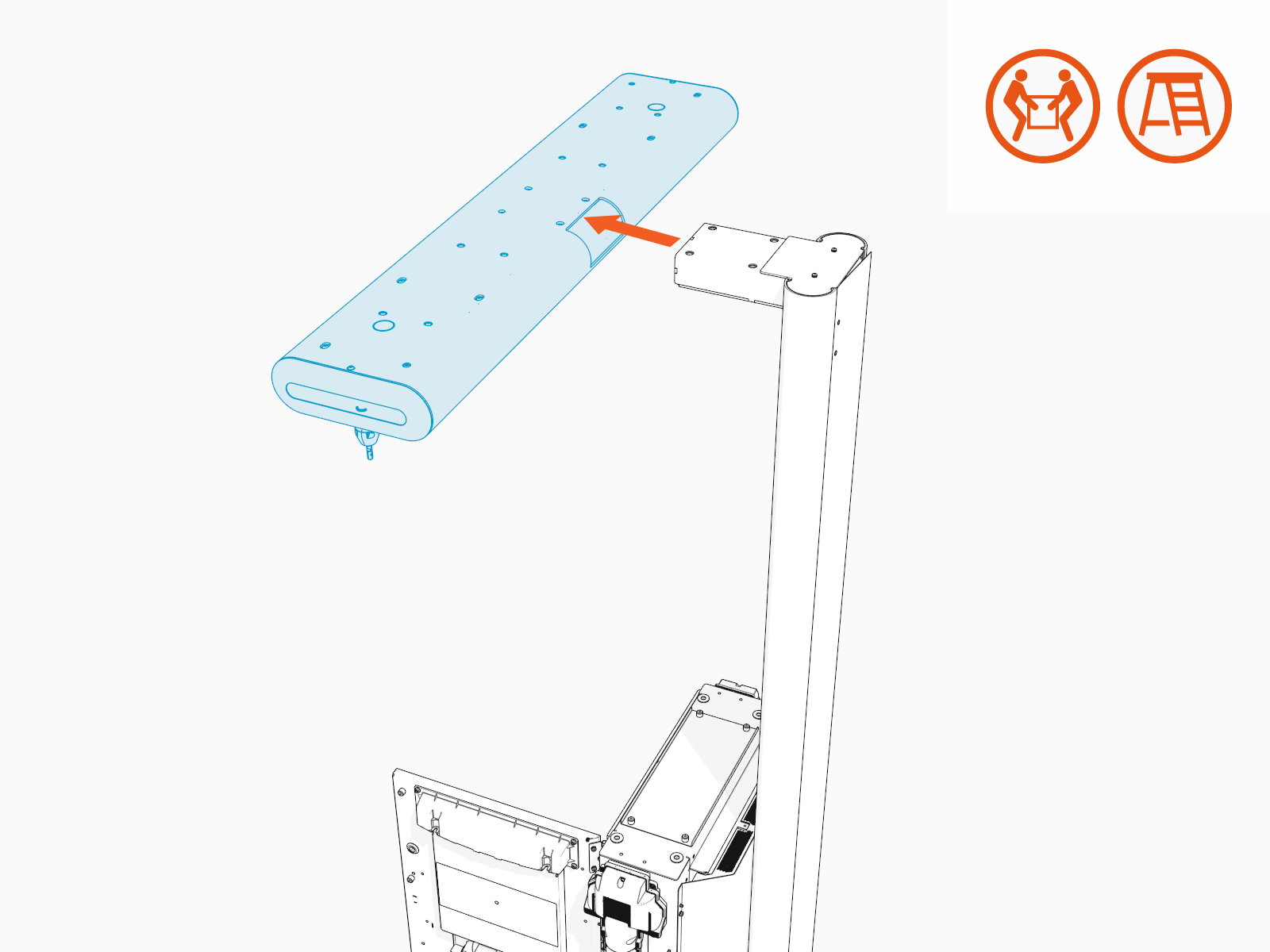
Remove Mast
To remove the mast, complete the following steps:
-
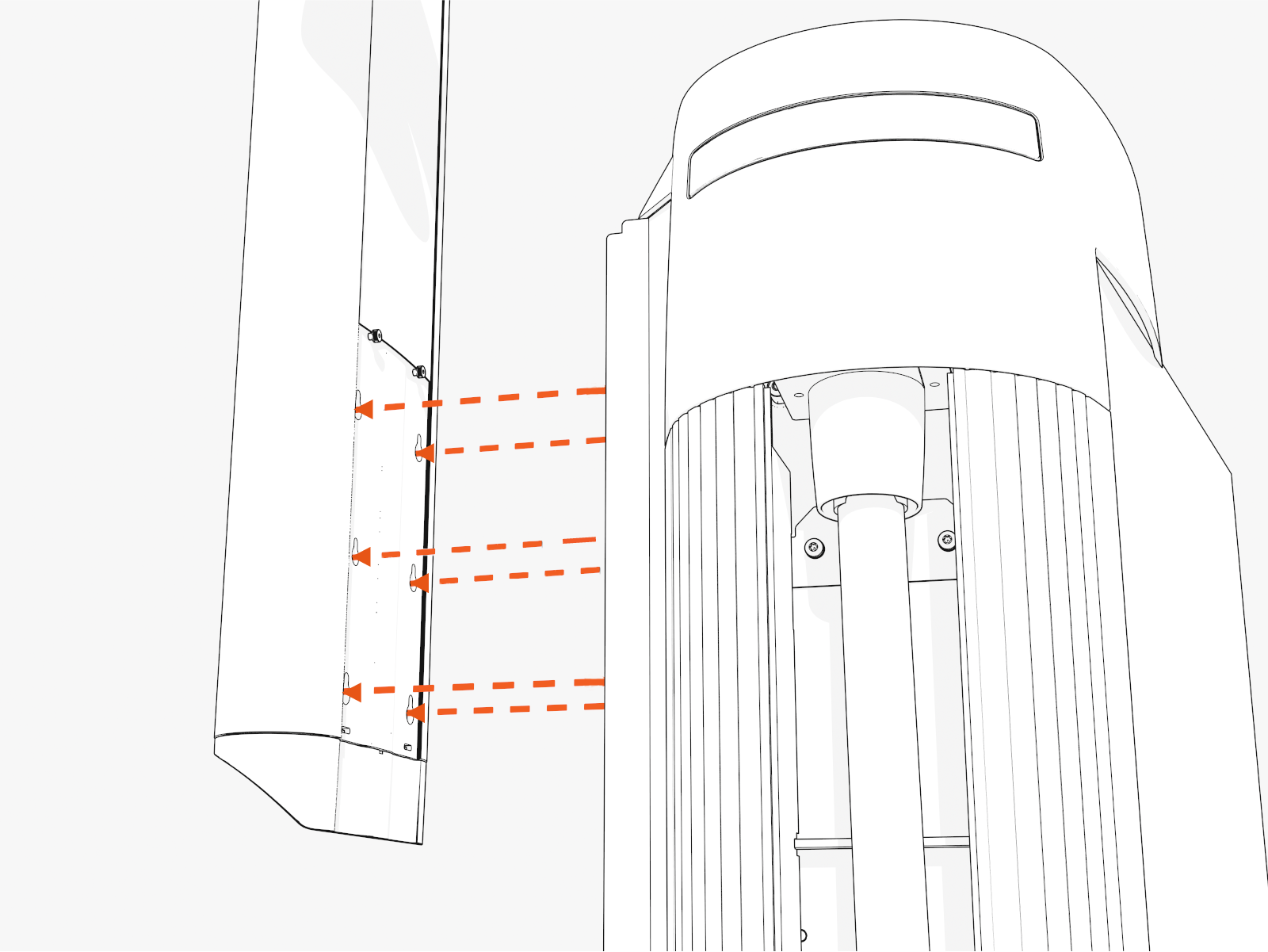
Loosen (do not remove) screws (x6) through the screw holes at the back of the mast.
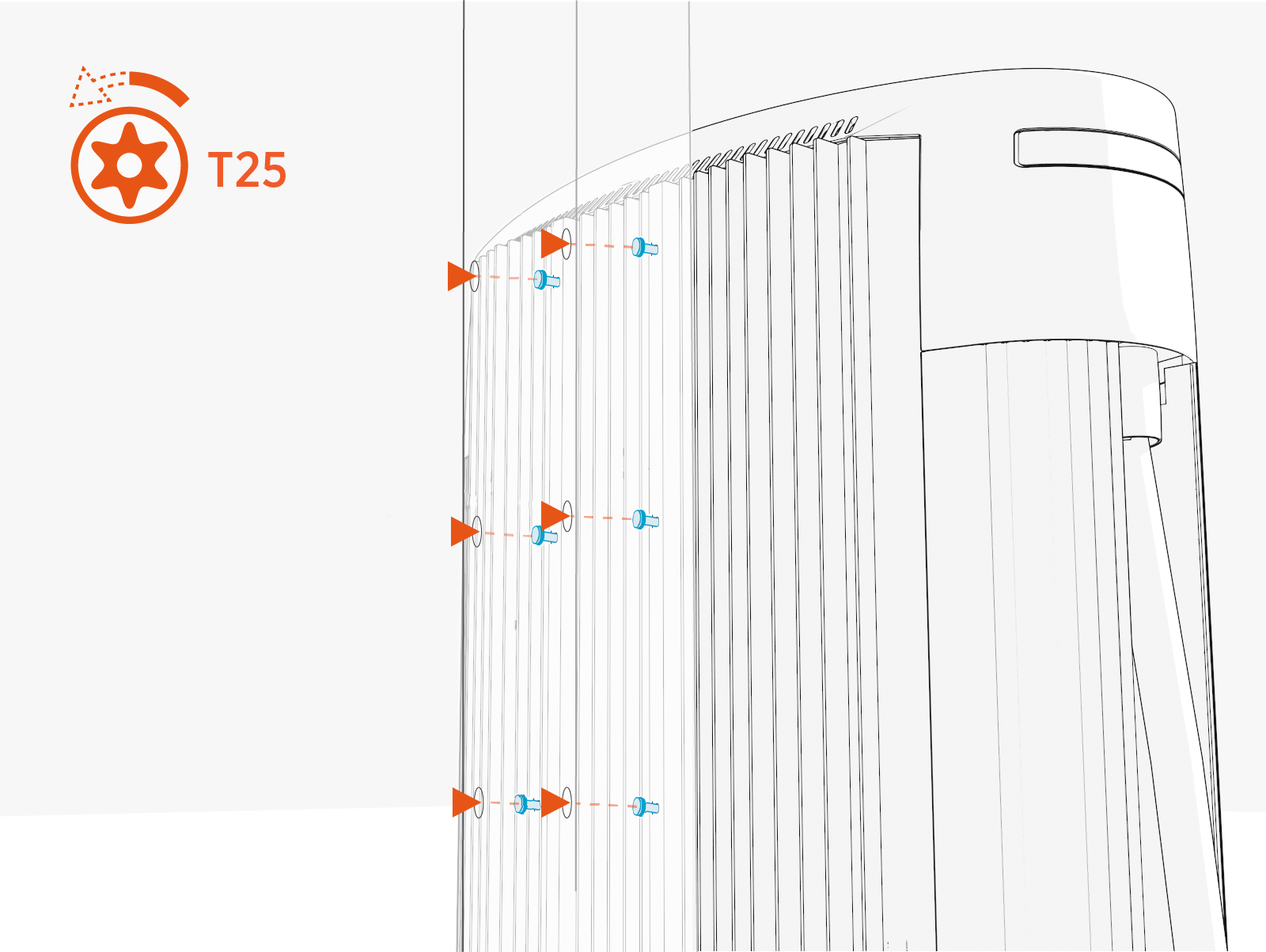
-
Slide the mast up to disengage the keyholes. Remove the mast.
Install Replacement CMK
To install the replacement CMK Cable Management Kit, complete the following steps:
Depending on the space or clearance available above the product, such as in a parking garage, you can install the CMK Cable Management Kit at the following heights:
-
Maximum: 3 m (10 ft)
-
Minimum: 2.41 m (7 ft 11 in)
Install Mast
To install the mast, complete the following steps:
-
Hang the mast onto the screws.
-
To install CMK
Cable Management Kit at maximum height, use keyholes located at bottom of mast.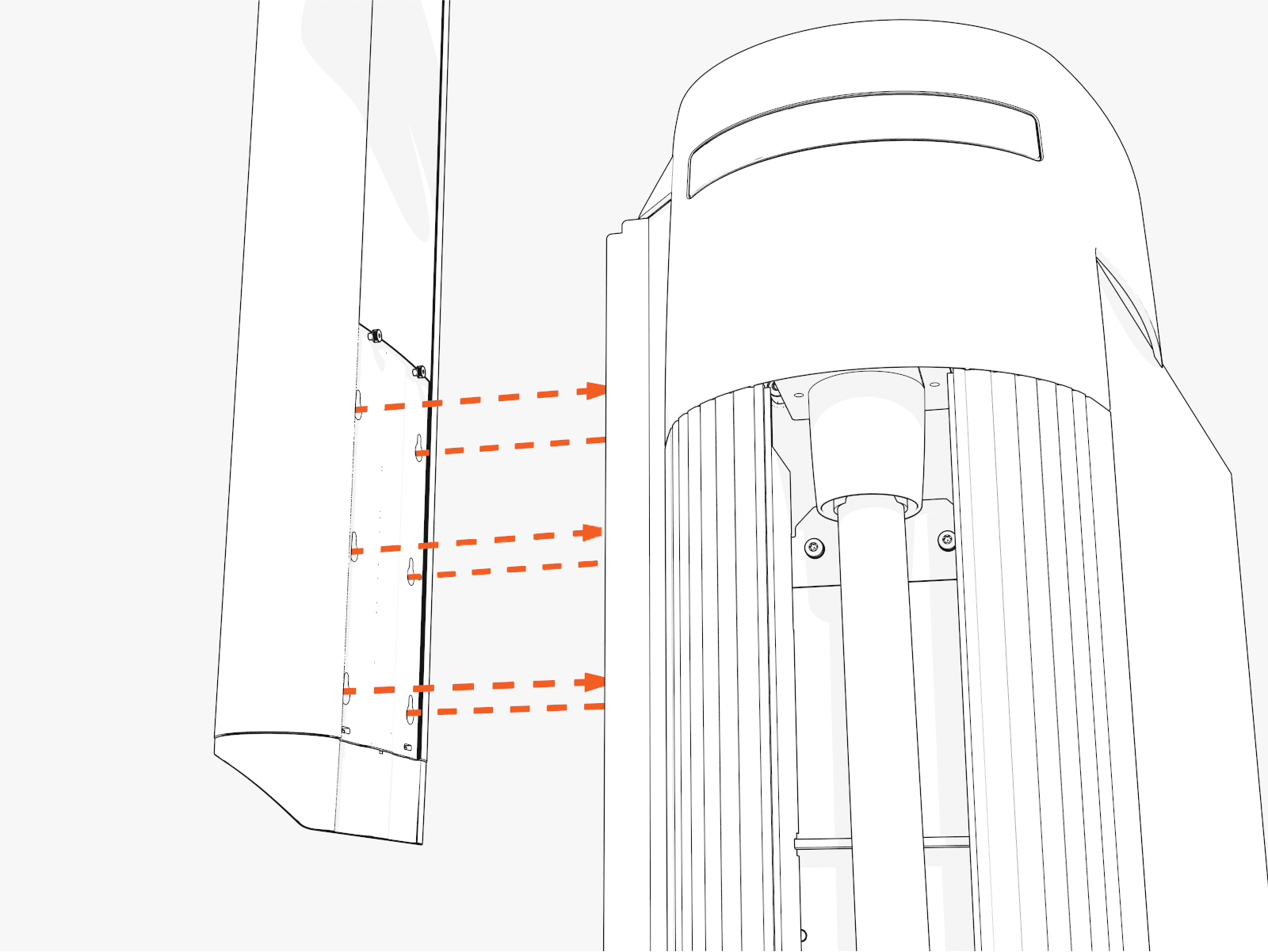
-
To install CMK
Cable Management Kit at minimum height, use keyholes located higher up on the mast.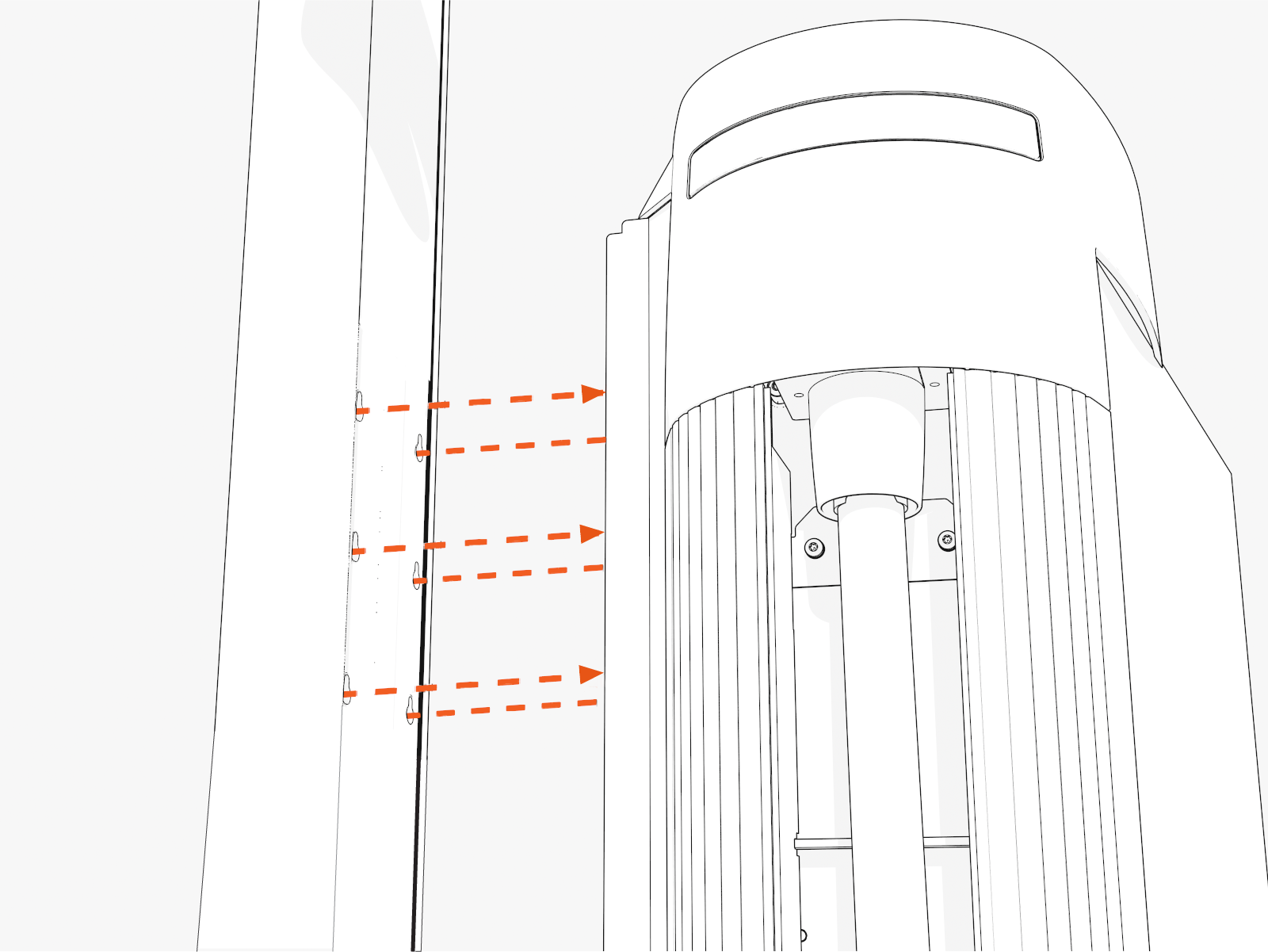
-
-
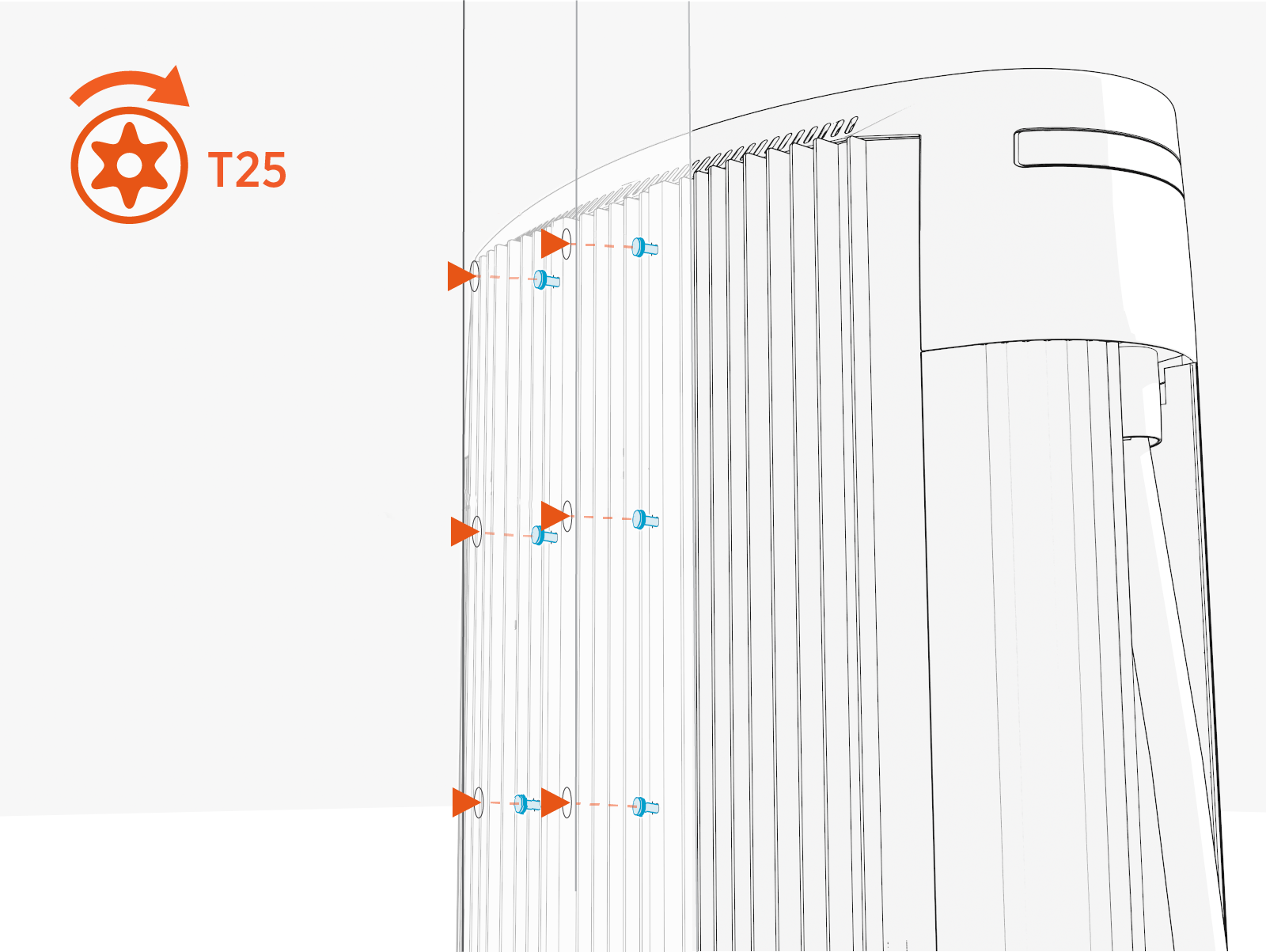
Torque screws (x6) to 5.6 Nm (50 in-lb) through the screw holes at the back of the mast.
Install Tall CMK Assembly
To install tall CMK Cable Management Kit assembly, see Remove Tall CMK Assembly and reverse the steps to reinstall.
Install Sign Covers
To install sign covers, see Install Covers.
Complete Service
To complete service, complete the following steps:
-
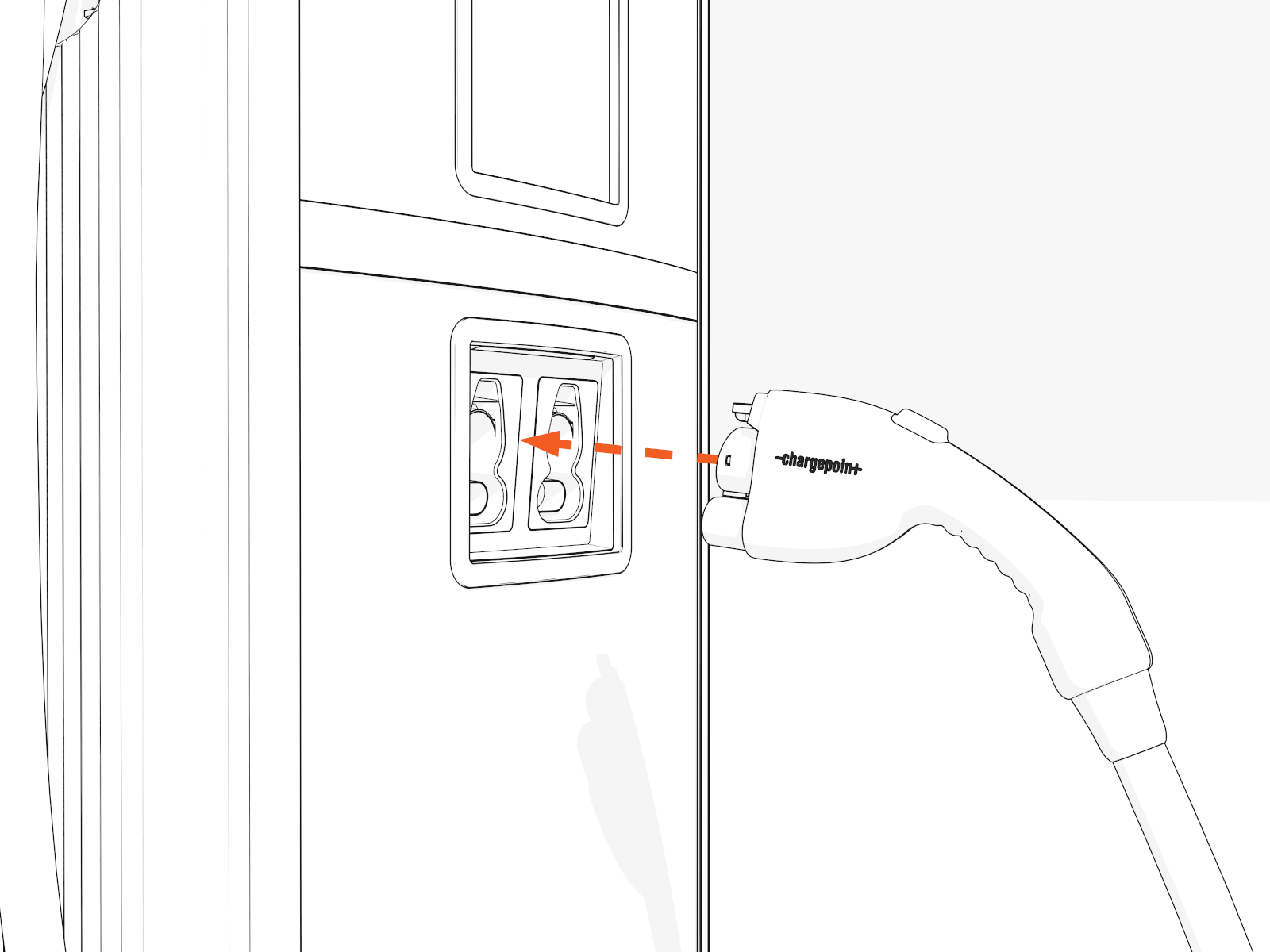
Place each charging cable in the holster.
-
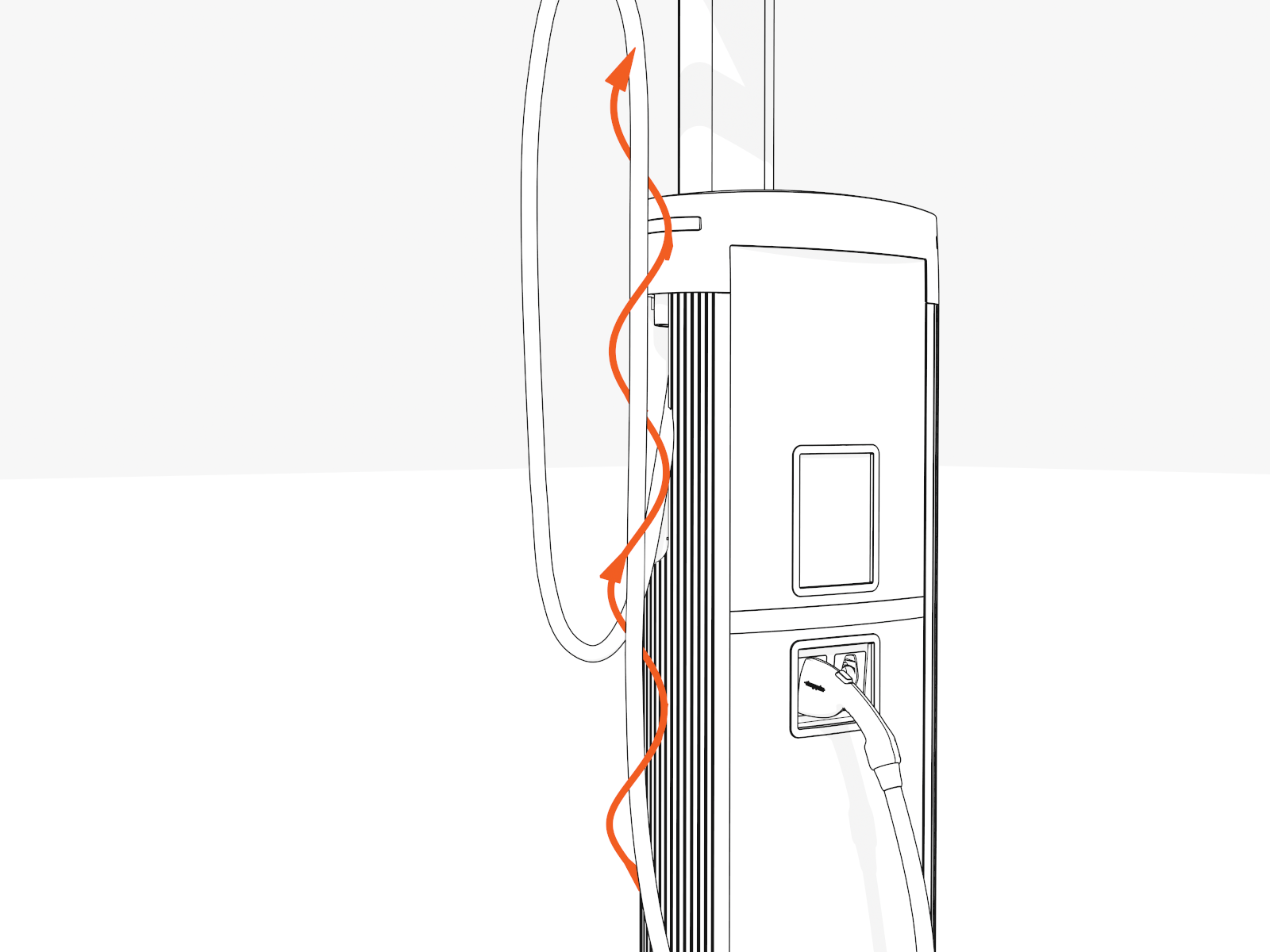
Untangle any twists.
-
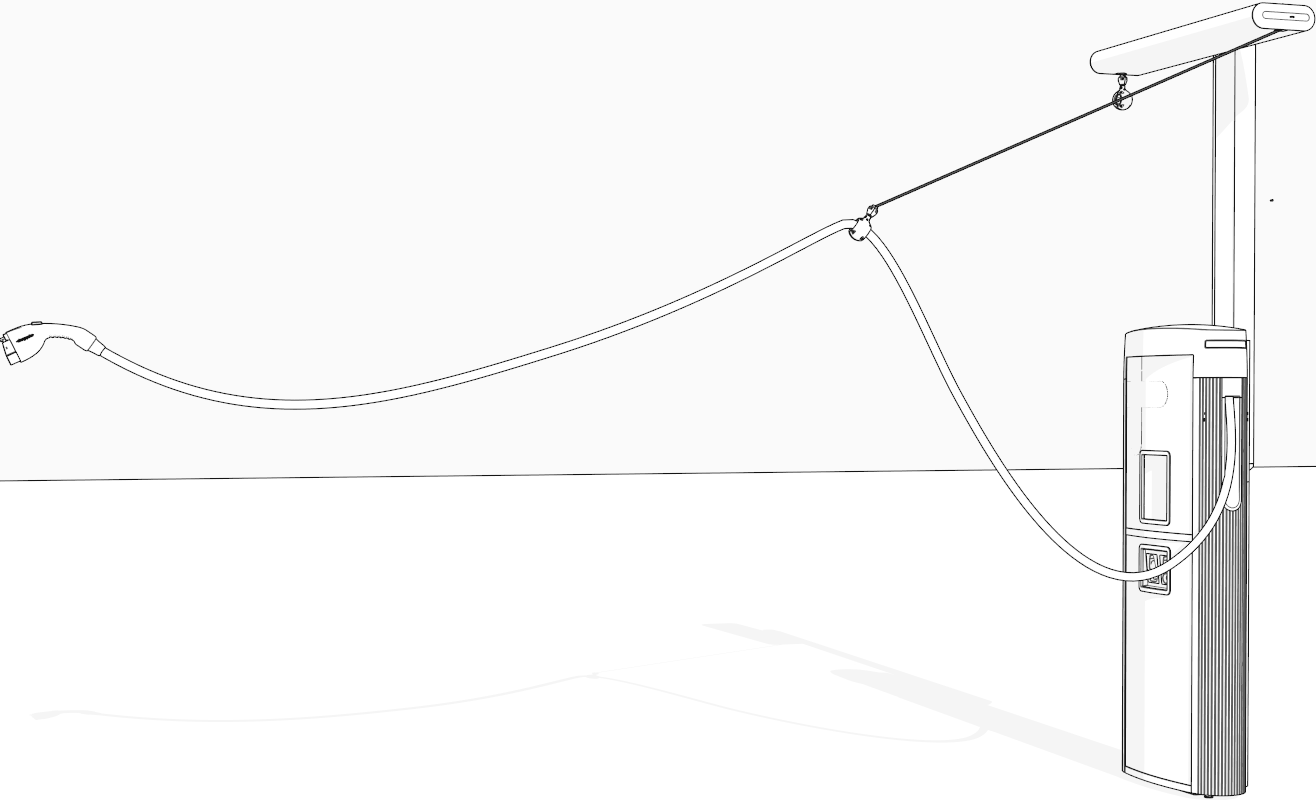
Check that the charging cables and tool balancers operate smoothly by fully extending and retracting.
-
If you find limited motion or retraction, contact ChargePoint at chargepoint.com/support.
- To adhere to ChargePoint best practices, complete the post-service checklist before you leave the site.
-
For assistance or to return a faulty part to ChargePoint, go to chargepoint.com/support and contact technical support using the appropriate region-specific number.
