Maintenance Switch Kit
This section provides information on servicing and replacing the maintenance switch kit.
Required Tools and Materials
|
|
T25 security screwdriver |
|
Hex socket set (17 mm, 8 mm) |
|
|
Torque paint pen |



Kit Components
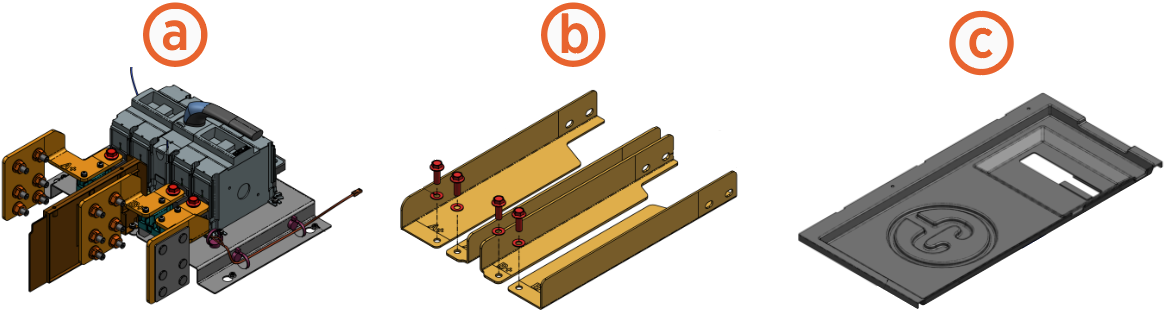
This kit is for installing on a Power Link 1000 without the maintenance switch or replacing an existing one that has failed.
-
Maintenance switch assembly - single or dual input
-
Extruded bus bars with two M10 bolts and washers (x2 or x4) - two for single input or four for dual input
-
Safety shield
Before You Begin
-
Power off the charging station at the site electrical panel.
-
Determine if the Power Link 1000 has preassembled covers or unassembled components, remove them as necessary.
-
Open the power plate cover.
-
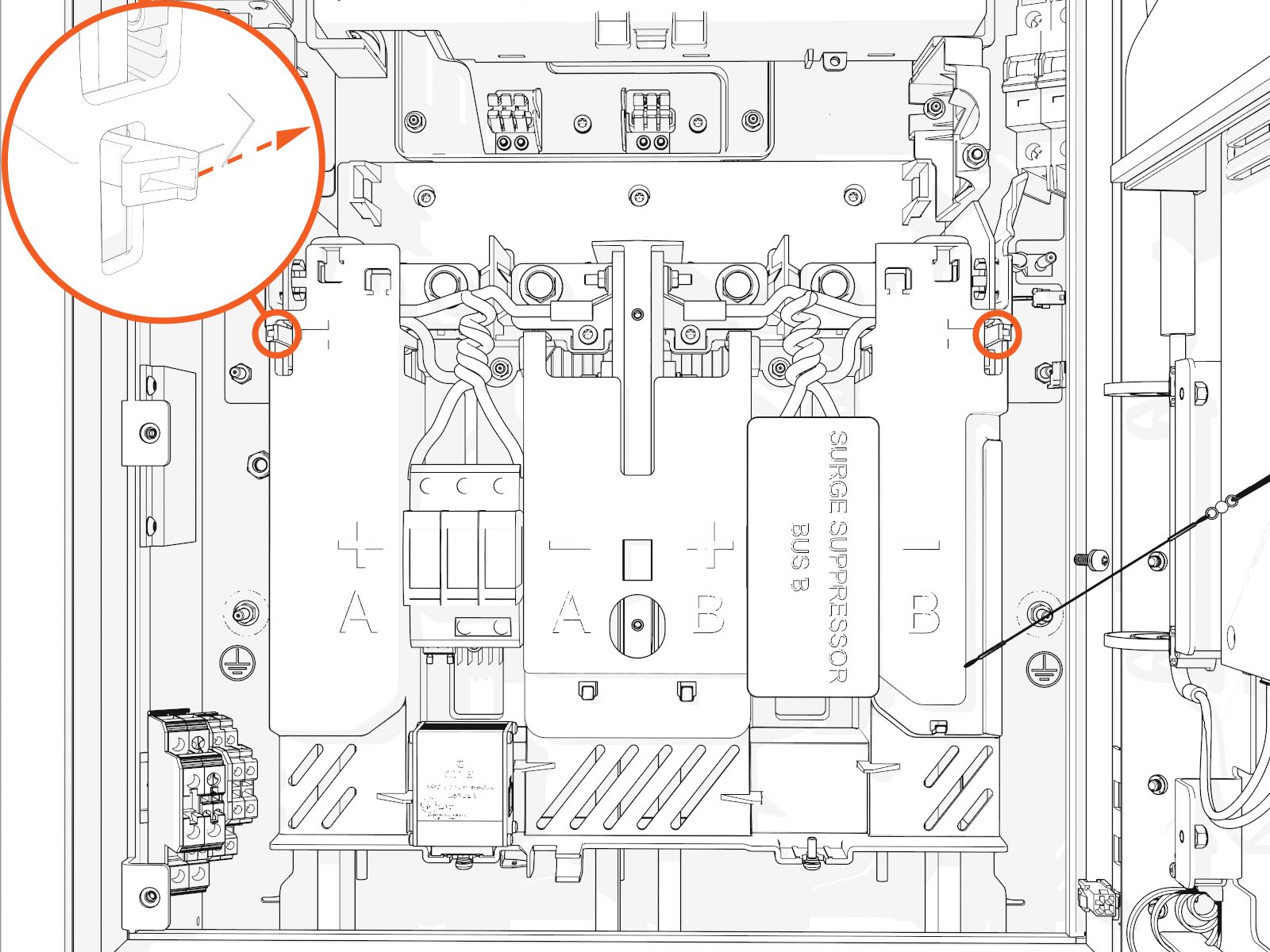
Release the tabs on the cover.
-
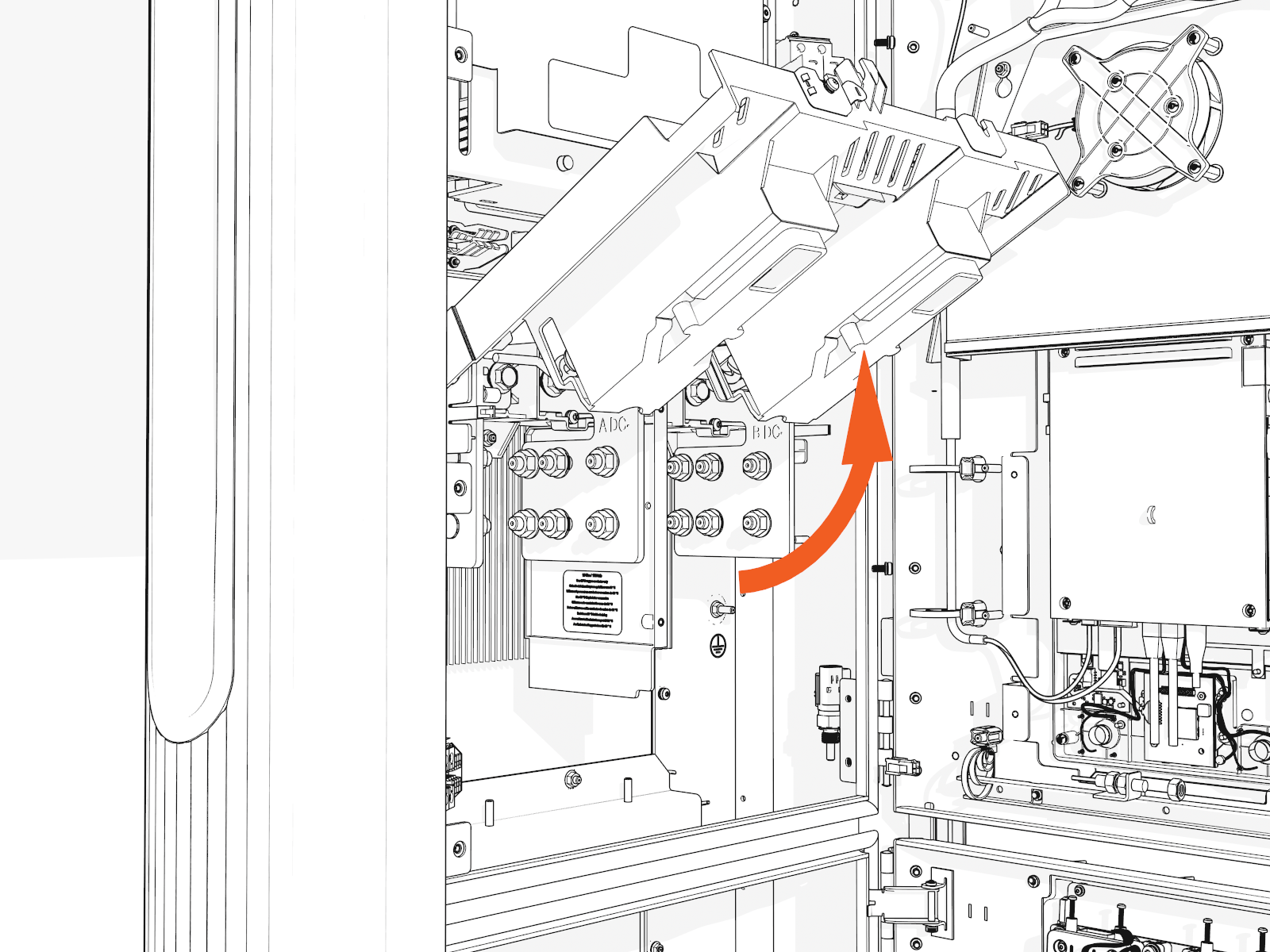
Lift up from the bottom until it locks in the open position.
-
-
Remove the M10 nuts (use 17 mm socket) on each lug to uninstall the DC conductor lugs.
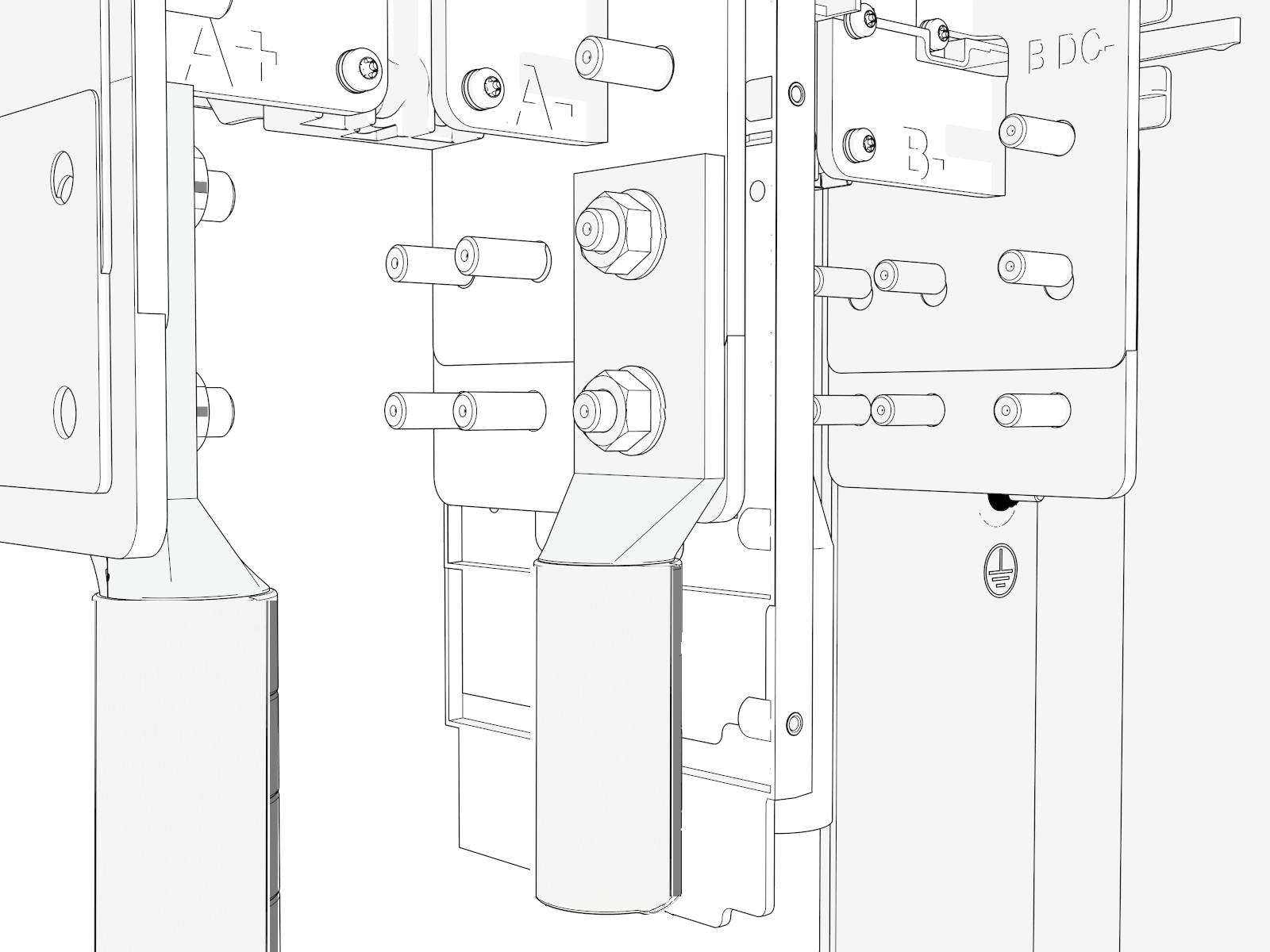
AFTER INSTALLING, REVERSE THE ABOVE STEPS TO COMPLETE THE SERVICE.
Install Maintenance Switch
To install the maintenance switch, complete the following steps:
-
Install the maintenance switch assembly:
-
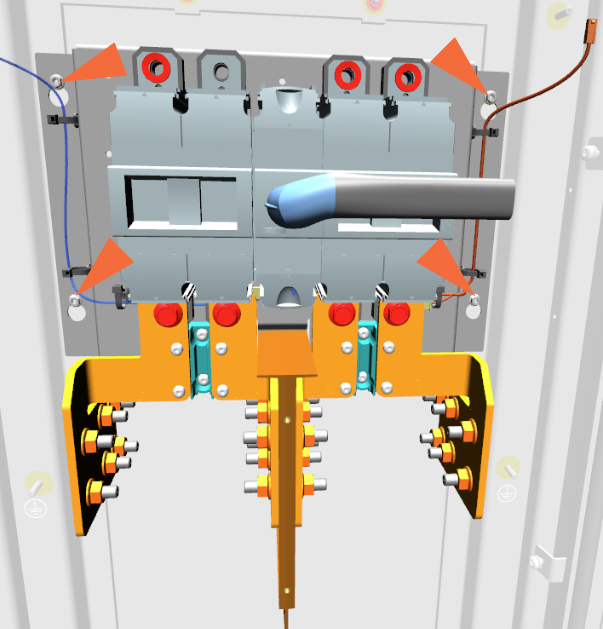
Partially install the M5 nuts (x4) (use 8 mm socket) onto the four studs on the frame.
-
Hook the four keyholes on the switch assembly backplate onto the four studs on the frame and torque the M5 nuts to 4.5 Nm (40 in-lb).
-
-
Install the extruded bus bars:
-
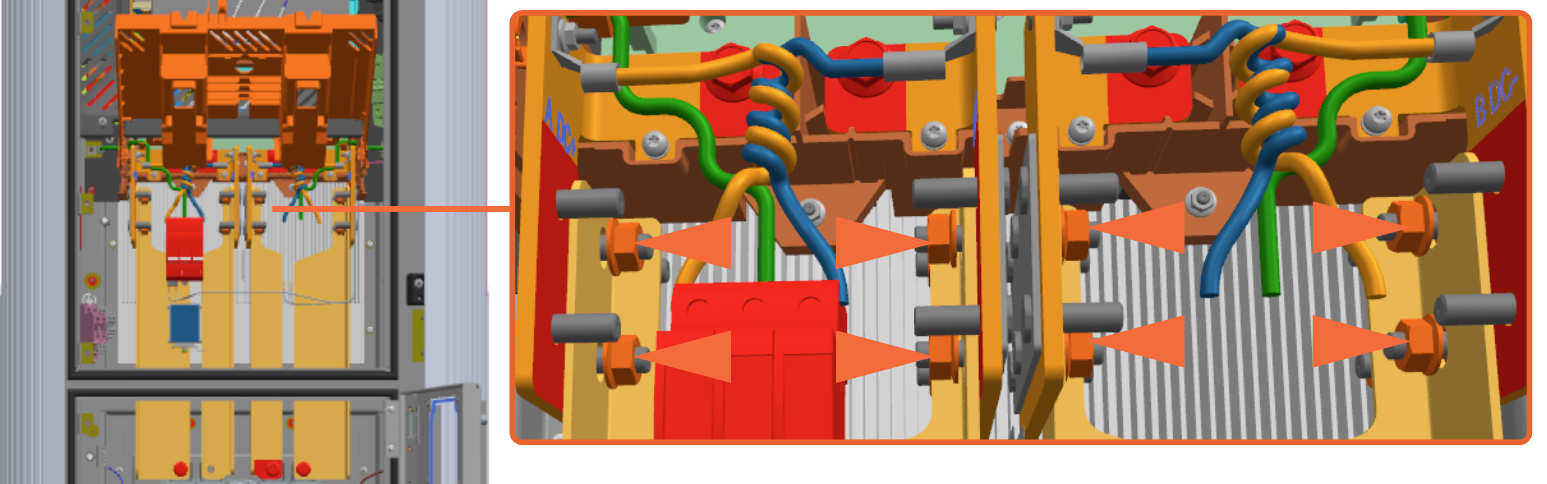
Install the extruded bus bars and M10 nuts onto the bus bar studs in the upper cabinet.
-
Install the M10 bolts (use 17 mm socket) on the lower side extruded bus bars.
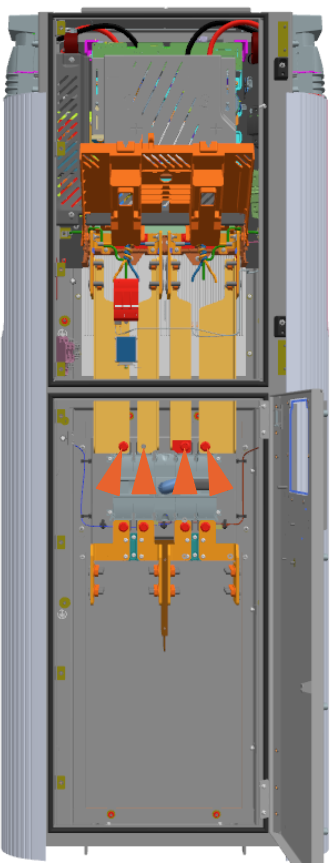
Torque all M10 fasteners to 19 Nm (168 in-lb) and mark them using a torque paint pen. -
-
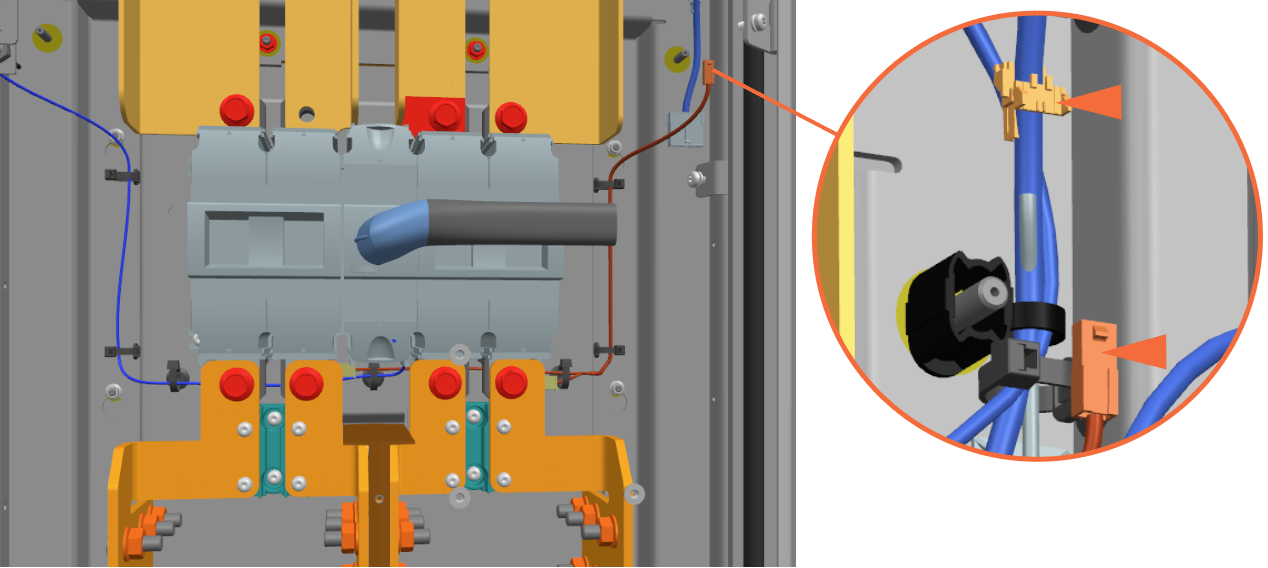
Connect the auxiliary contact and lug landing thermal switch wires:
-
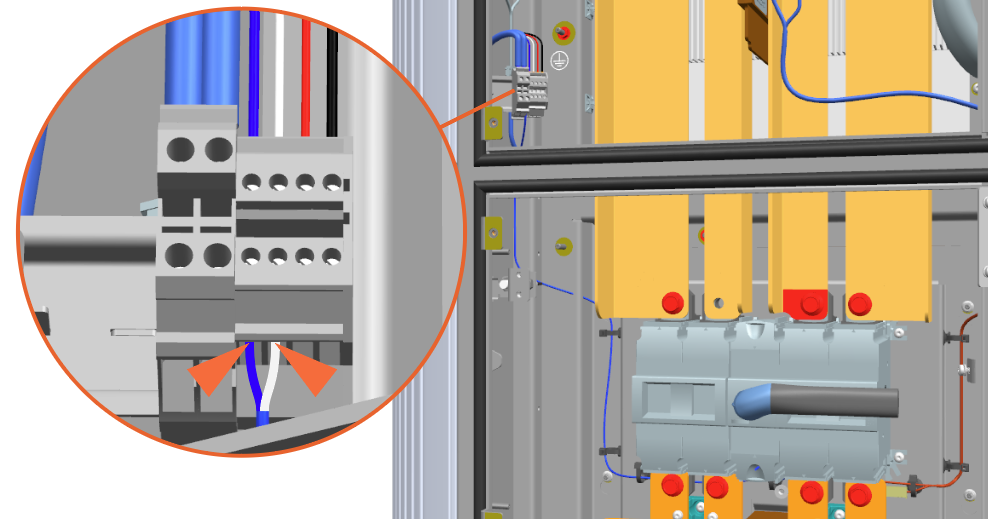
Loosen the two screws on the low voltage terminal block and install the auxiliary contact wires (blue and white) at lower side of the terminal block. Tighten the screws with flat head screwdriver.
-
Connect the lug landing thermal switch wire to its mating plug at the right side.
-
REVERSE THE ABOVE STEPS TO REMOVE THE MAINTENANCE SWITCH.
- To adhere to ChargePoint best practices, complete the post-service checklist before you leave the site.
-
For assistance or to return a faulty part to ChargePoint, go to chargepoint.com/support and contact technical support using the appropriate region-specific number.
