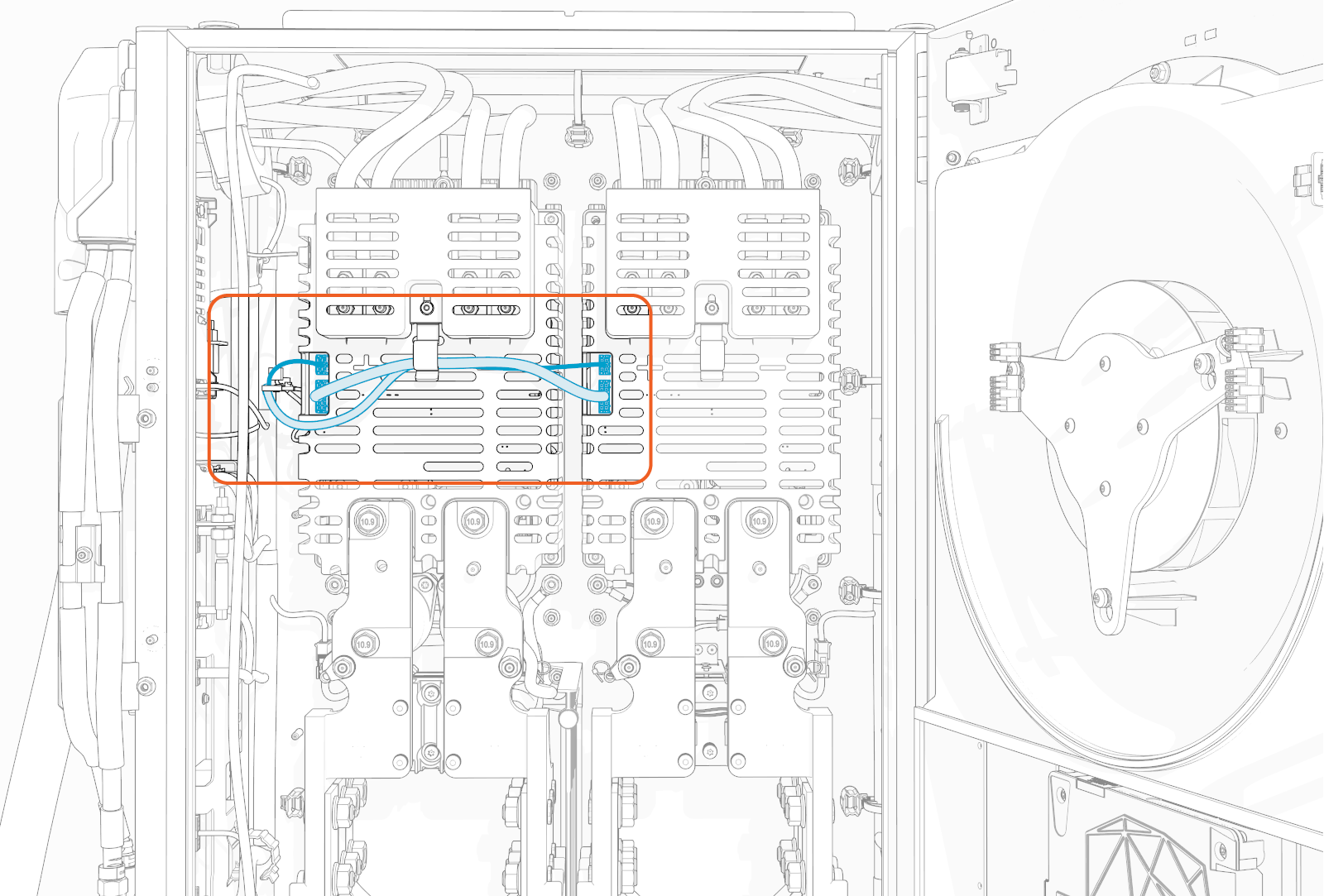
Bus Bar Safety Covers
This section provides instruction for removing and replacing bus bar safety covers in the Power Block.
Required Tools and Materials
|
|
T20 Torx screwdriver (for charging cable bus bar safety cover) |

Before You Begin
Before beginning work, complete the following steps:
-
Remove these:
After replacing the components, reverse the above steps to complete the service.
- To adhere to ChargePoint best practices, complete the post-service checklist before you leave the site.
For assistance or to return a faulty part to ChargePoint, go to chargepoint.com/support and contact technical support using the appropriate region-specific number.
Replace the DC Power Path Bus Bar Safety Cover
To replace DC Power Path bus bar safety cover, complete the steps given below.
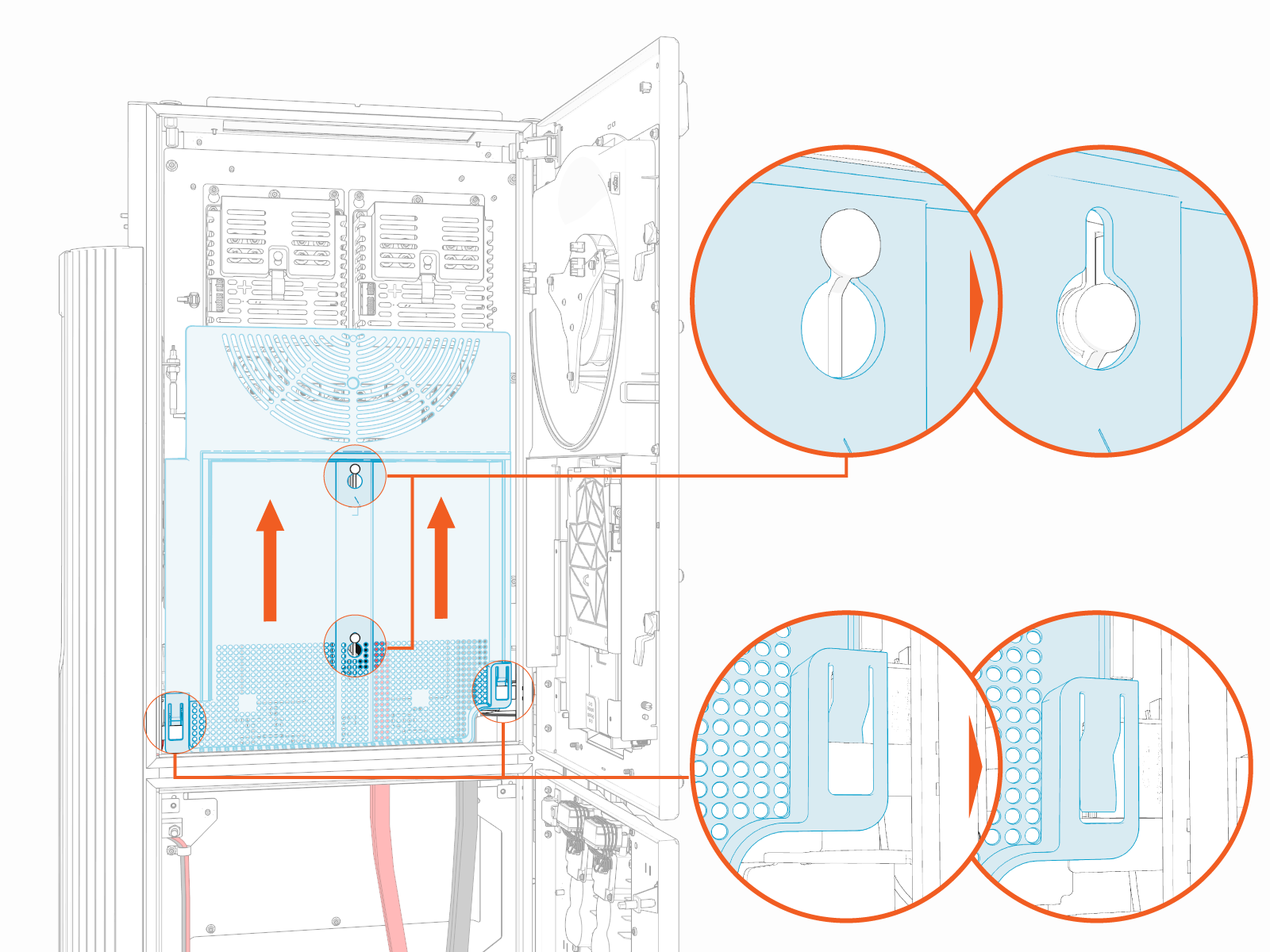
Remove Cover
Slide the bus bar safety cover up to remove from the hooks (x2) and brackets (x2).
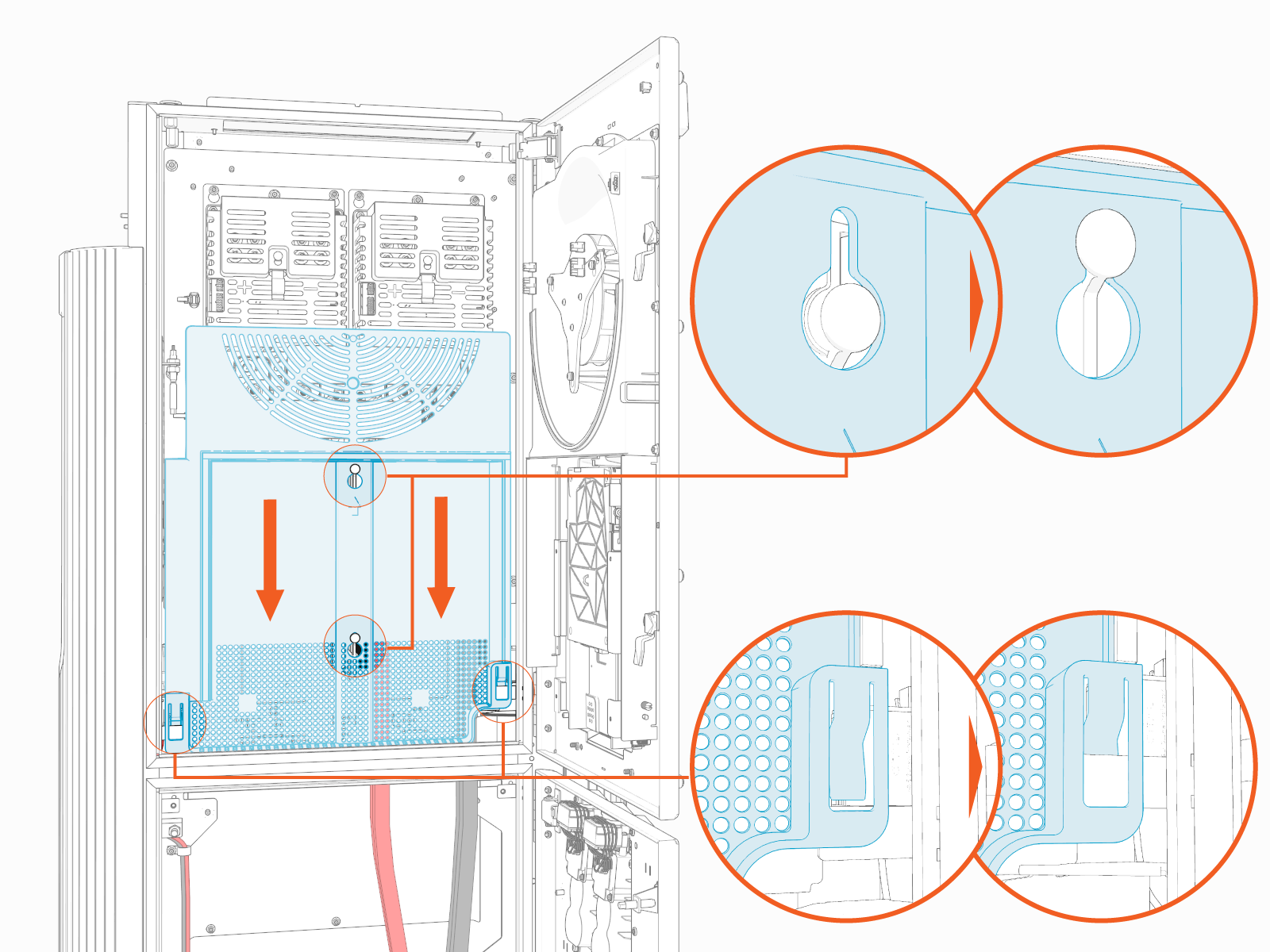
Reinstall Cover
Install cover onto the hooks (x2) and brackets (x2) and then slide it down.
Replace the Charging Cable Bus Bar Safety Cover
To replace charging cable bus bar safety cover, complete the steps given below.
Before beginning, determine which cover to remove—the left cover allows removal of the left charging cable, and the right cover allows removal of the right charging cable.
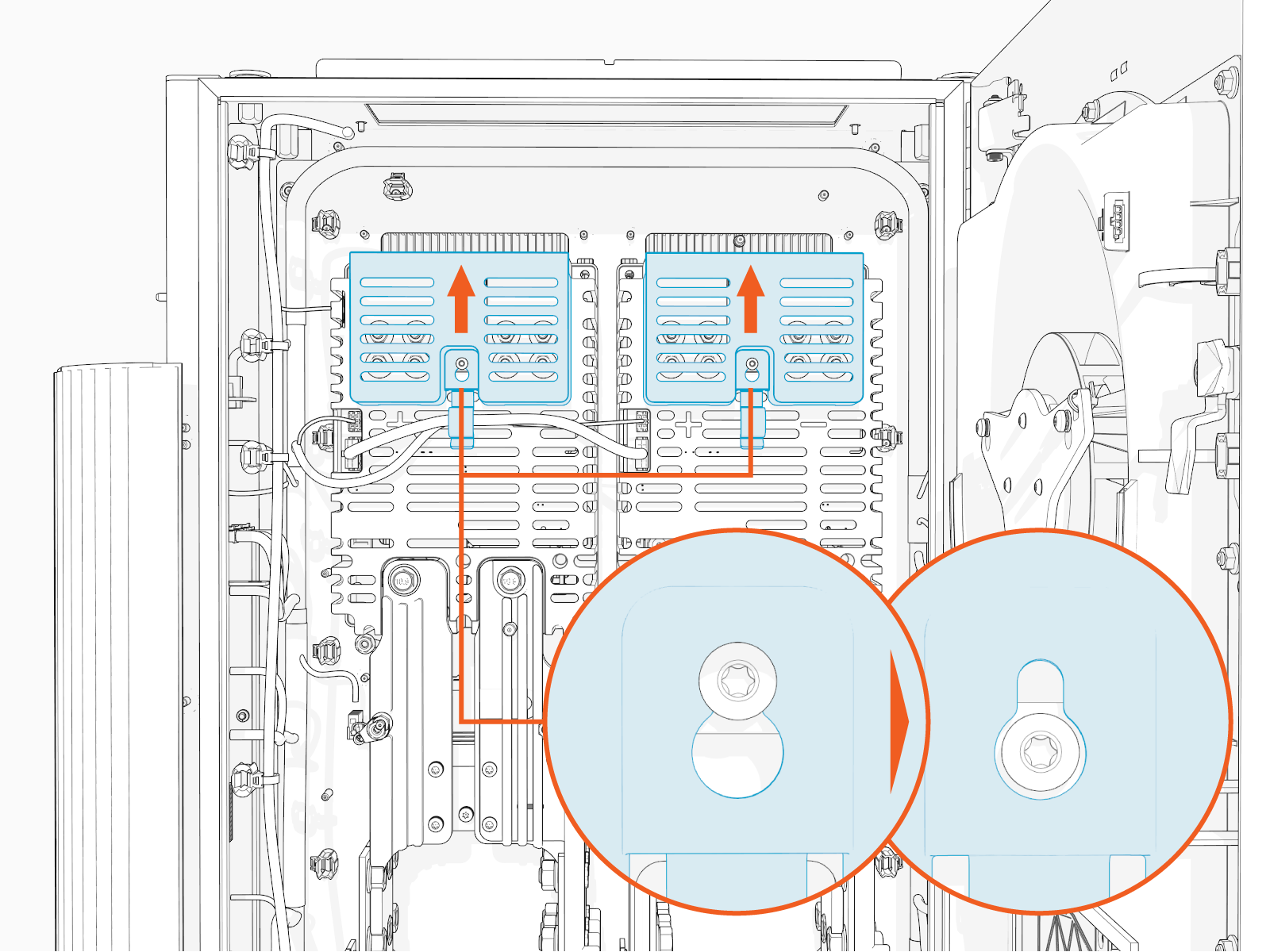
Remove Cover
Loosen the screw (x1 per safety cover).
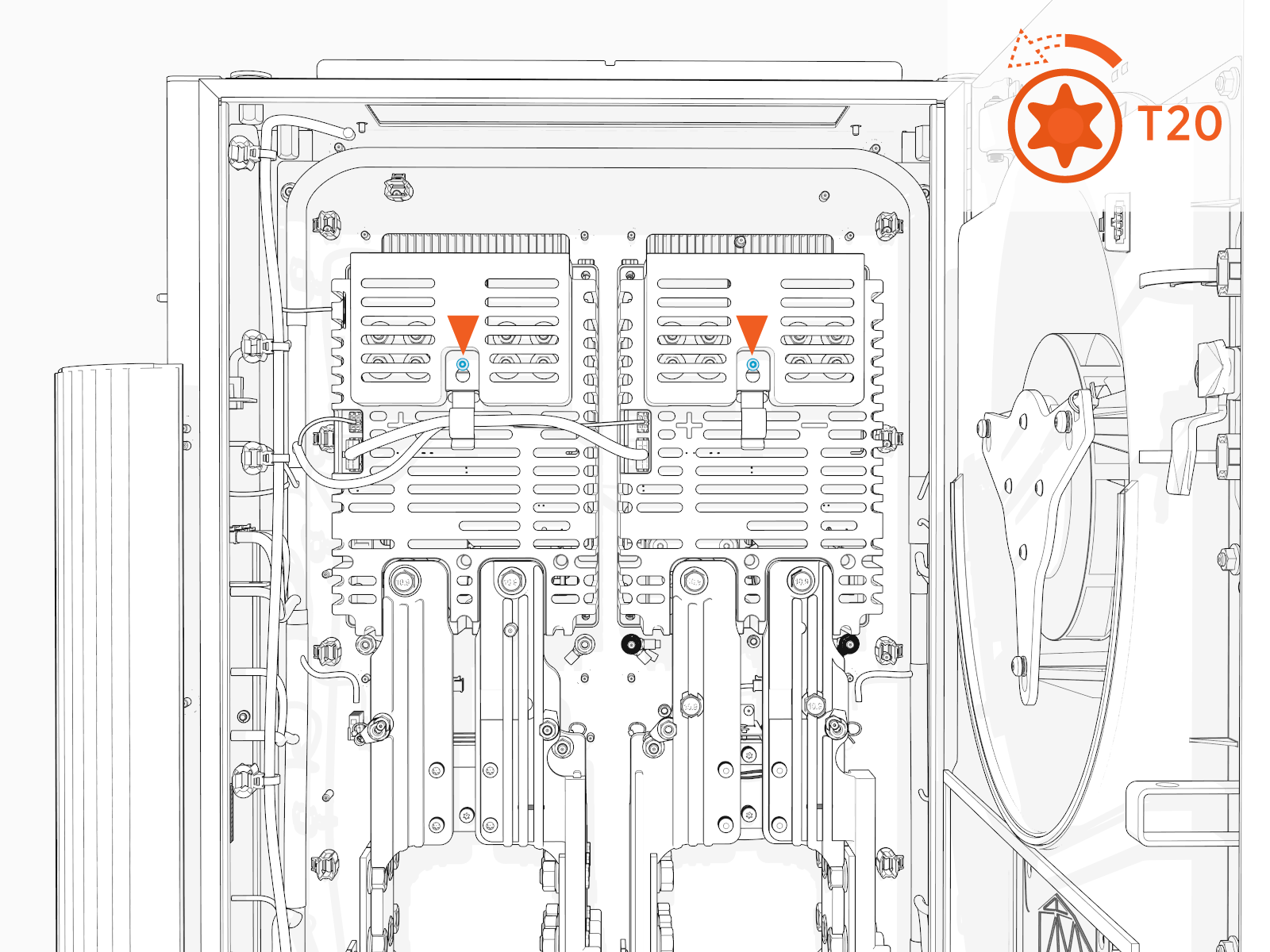
Slide the safety cover up to remove it from the screw.
Reinstall Cover
Install the safety cover onto the screw (ensure that the screw is loose) and slide it down.
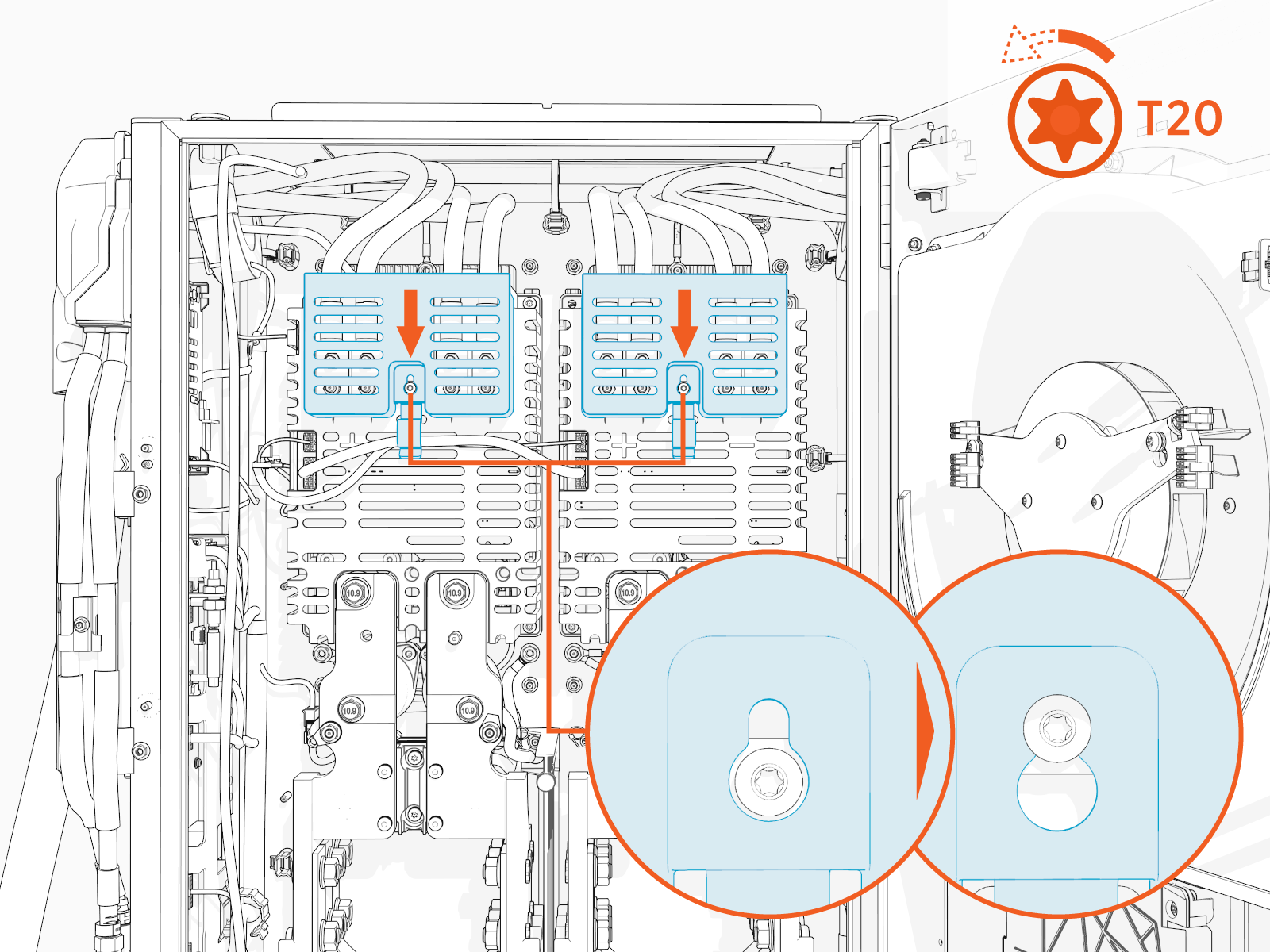
Torque the screw to 1.7 Nm (15 in-lb).
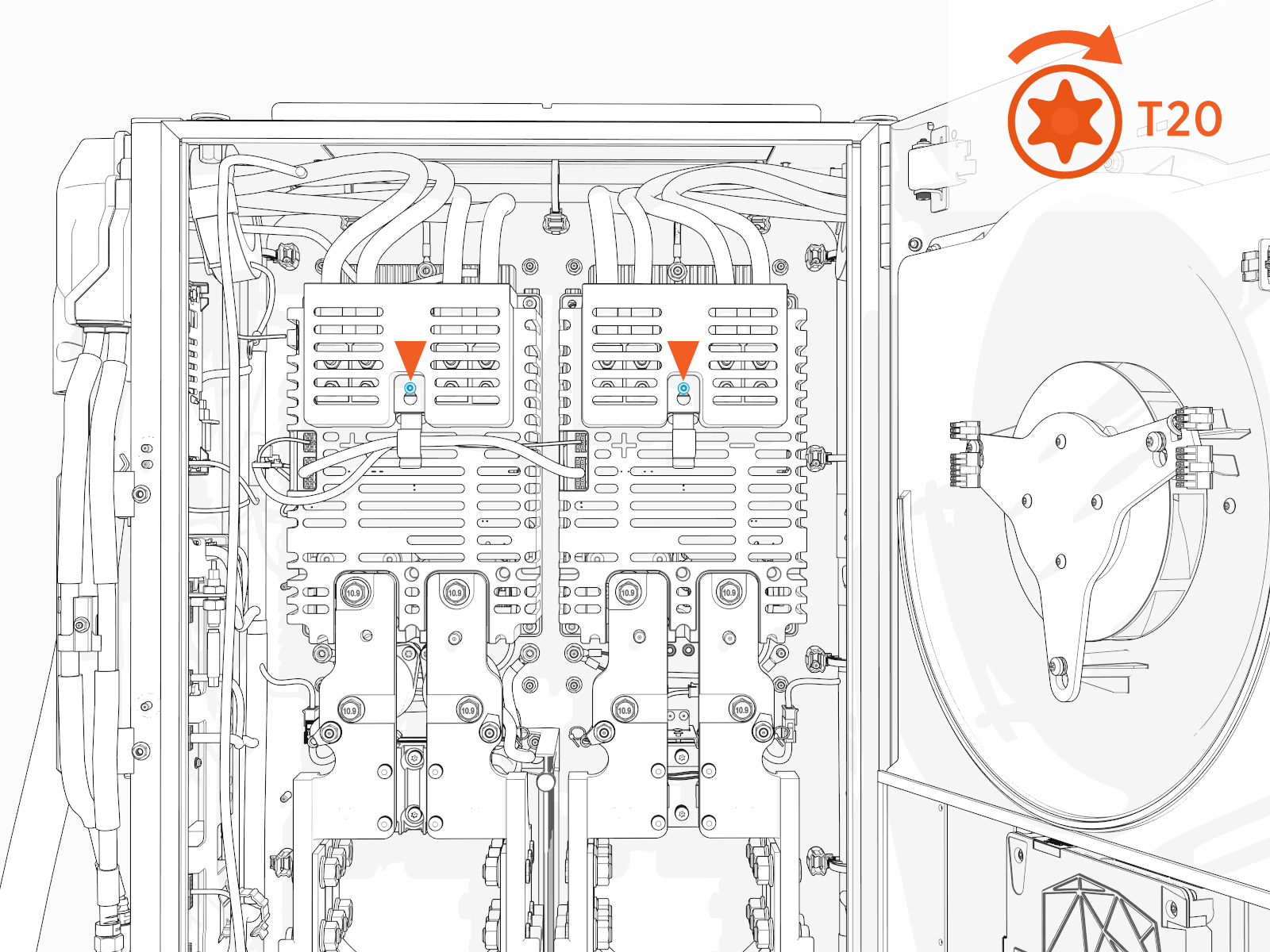
Tuck the internal low voltage supply wires under the wireway tab on the cover.