Holsters
This section provides instructions for replacing holsters in the Power Link 2000. Refer to the appropriate subsection below:
-
Standard Holster to Omni Port Retrofit in Variation A Power Link 2000
-
Standard Holster to Omni Port Retrofit in Variation A Power Link 2000
To identify the Power Link 2000 variation, see Appendix A: Variation Identification.
Standard No-Lock Holster Replacement
This section provides instructions on replacing the standard no-lock holster in the Power Link 2000.
Required Tools and Materials
|
|
T25 Security screwdriver |

Before You Begin
Before servicing the component, complete the following steps:
After replacing the components, reverse the above steps to complete the service.
Remove the Existing Holster
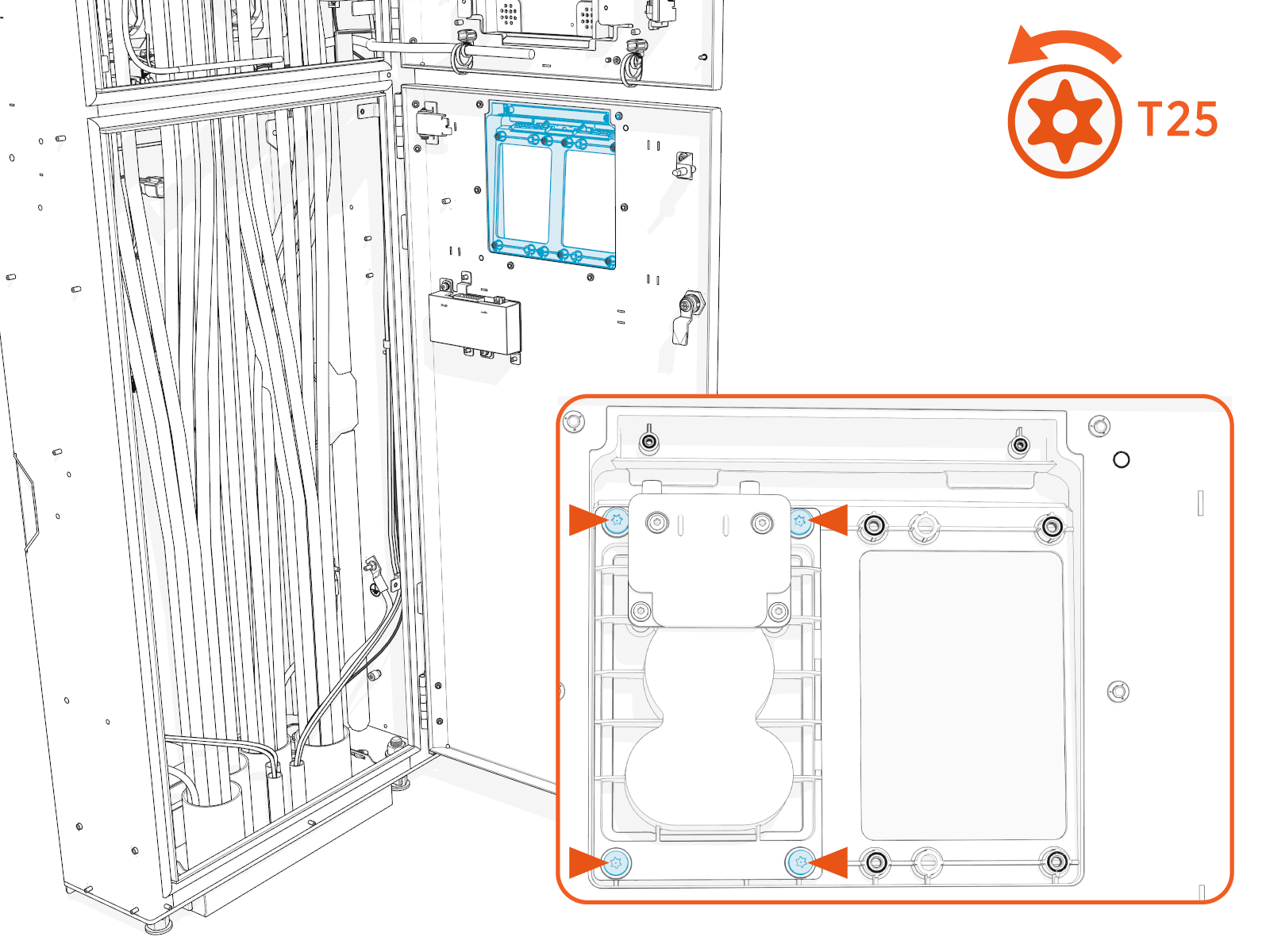
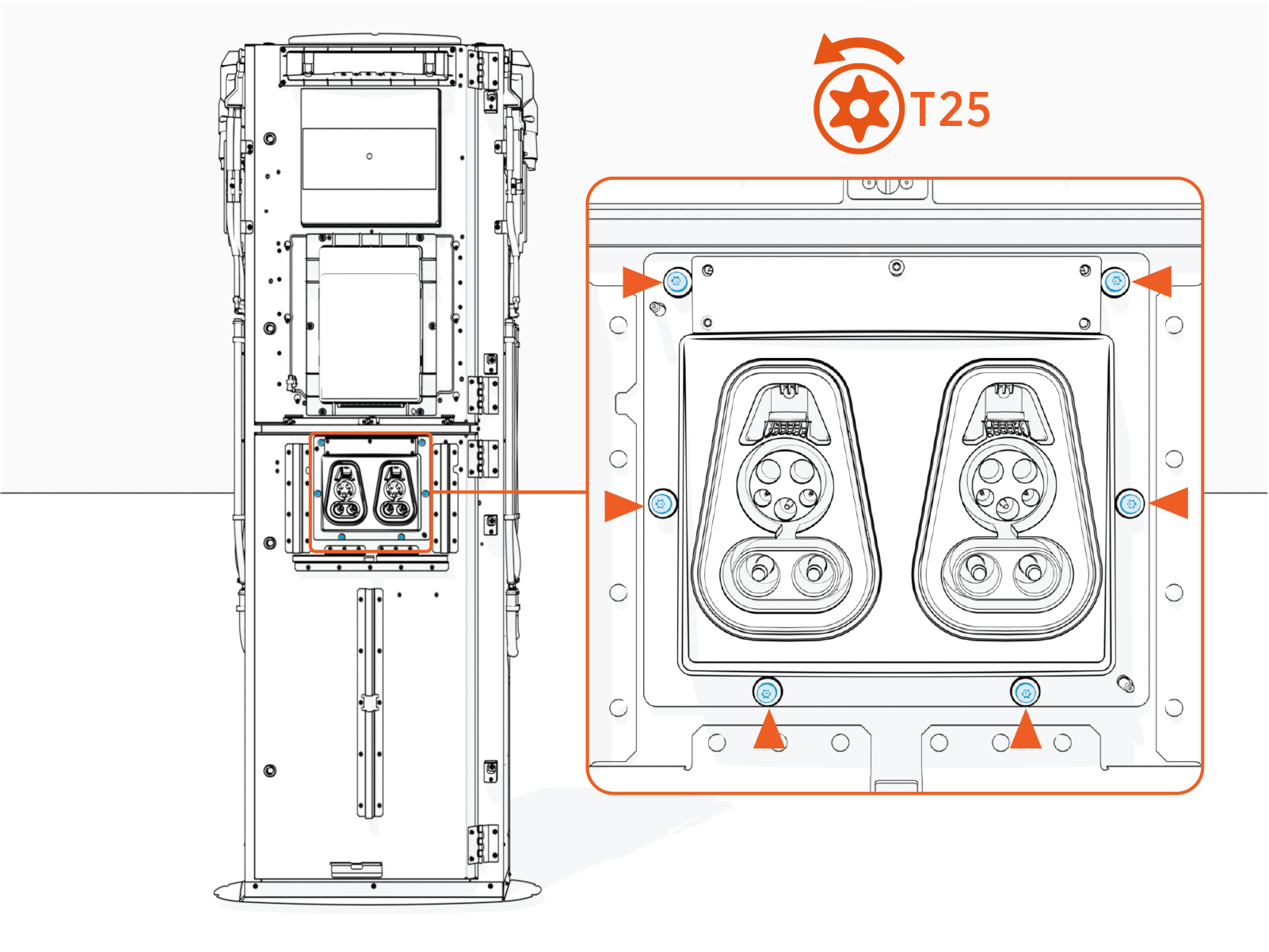
To remove an existing holster, unfasten screws (x4) and remove the holster.
Install the Replacement Holster
-
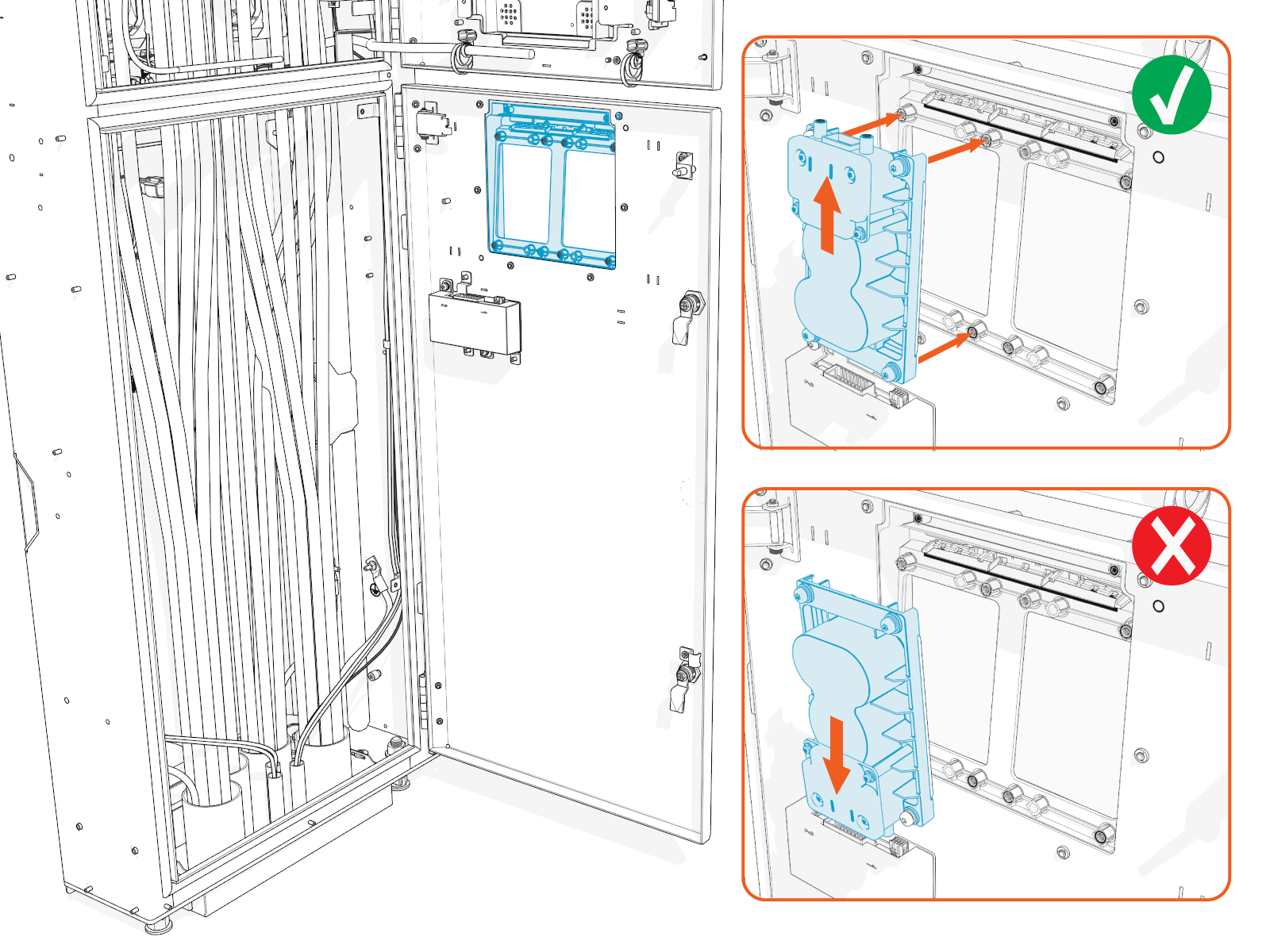
Align and seat the holster onto the holster bracket.
-
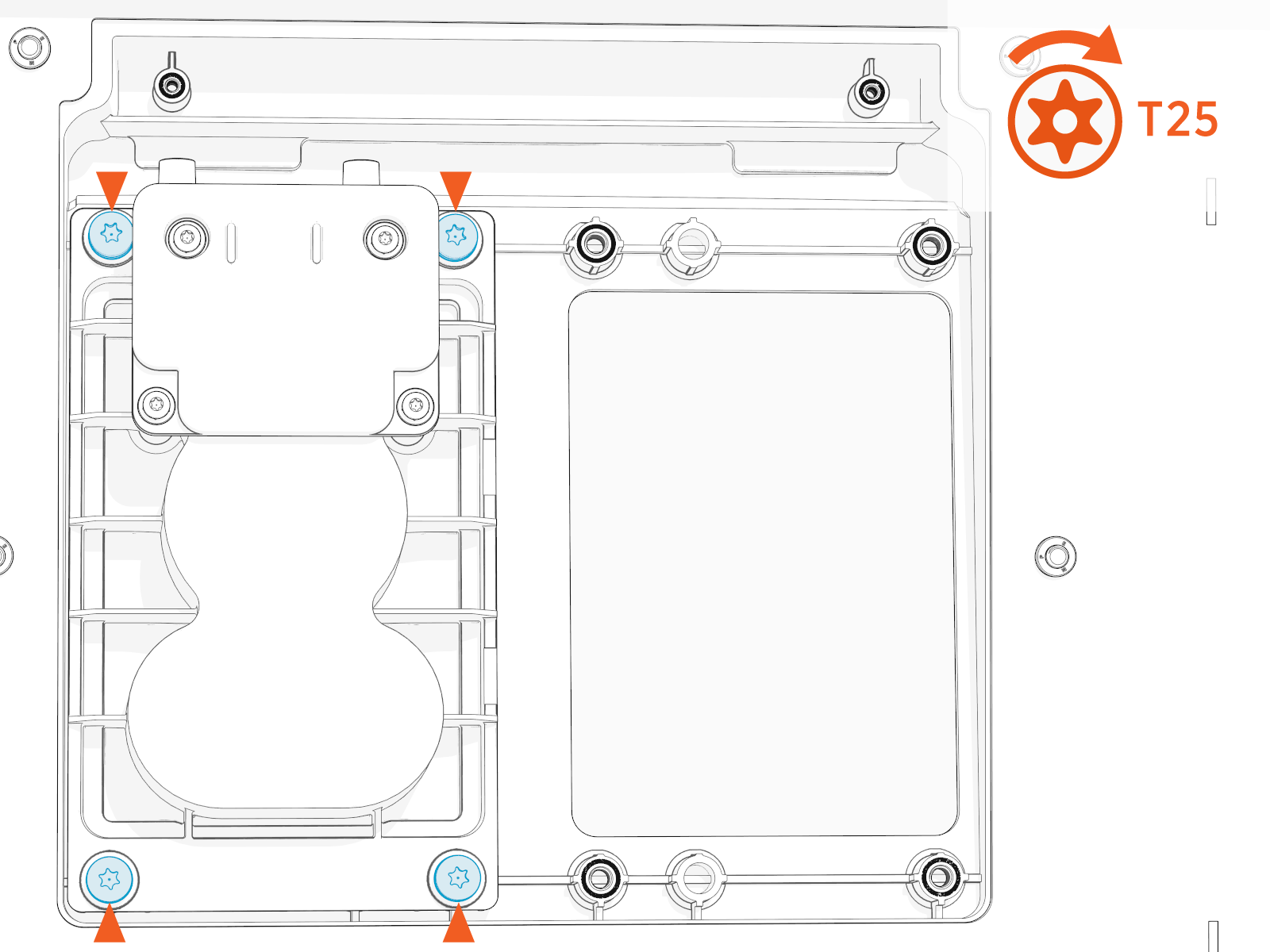
Torque the screws (x4) to 2.8 Nm (25 in-lb).
- To adhere to ChargePoint best practices, complete the post-service checklist before you leave the site.
For assistance or to return a faulty part to ChargePoint, go to chargepoint.com/support and contact technical support using the appropriate region-specific number.
Omni Port Replacement in Variation A Power Link 2000
This section provides instructions for replacing the Omni Port in a Variation A Power Link 2000. If working with a Variation B Power Link 2000, see Omni Port Replacement in Variation B Power Link 2000. To identify the Power Link 2000 variation, see Appendix A: Variation Identification.
Required Tools and Materials
| T25 Security screwdriver |
|
|
Before You Begin
Before servicing the component, complete the following steps:
After replacing the component, reverse the above steps to complete the service.
Remove the Existing Omni Port
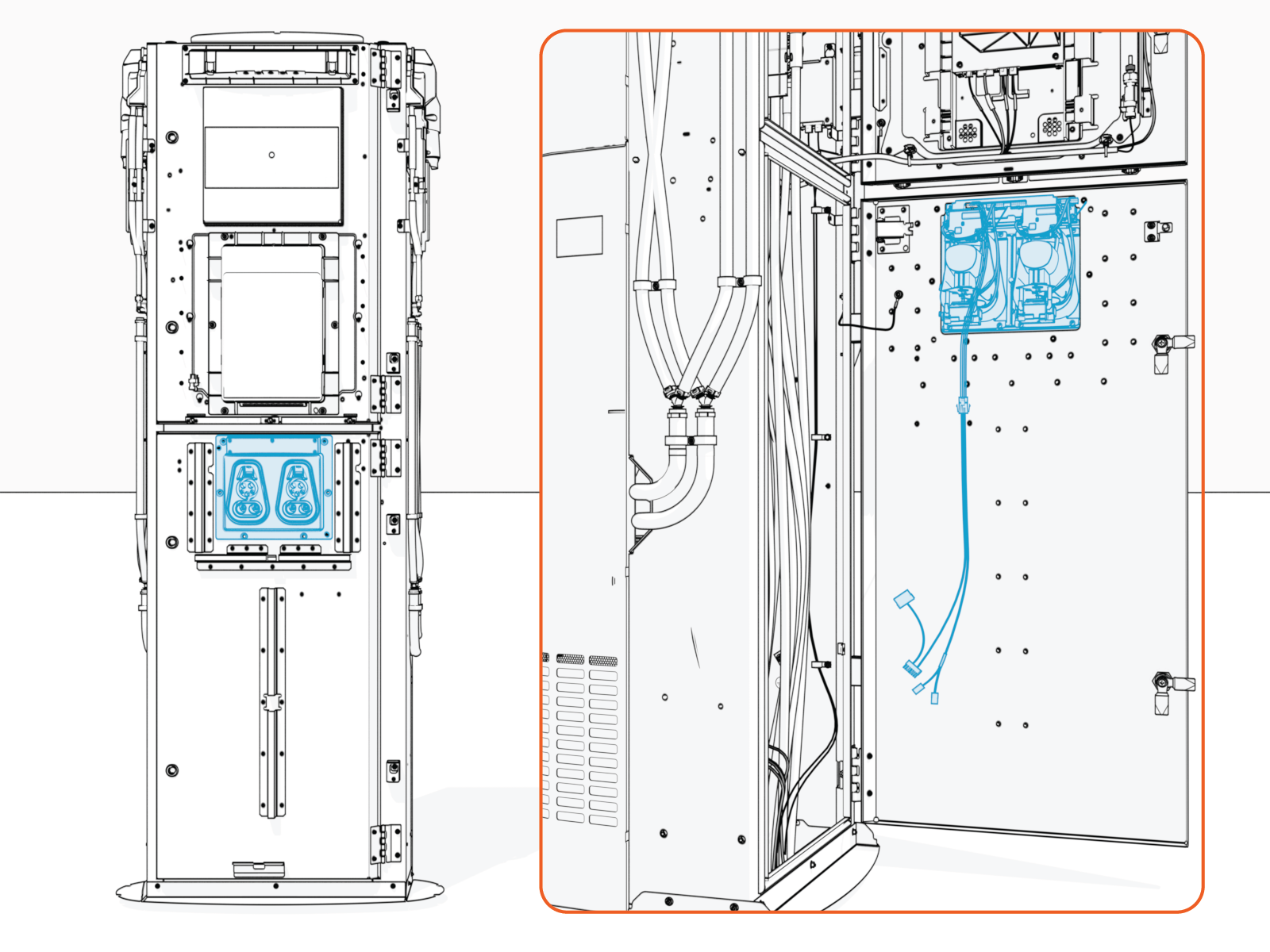
Inside the Power Link 2000 upper door, identify the components listed below. Check the cable labels to verify cable identities.
If 8-inch CCOM
 Control and Communications Module is present:
Omni Port cable P312-02
Omni Port cable P312-08
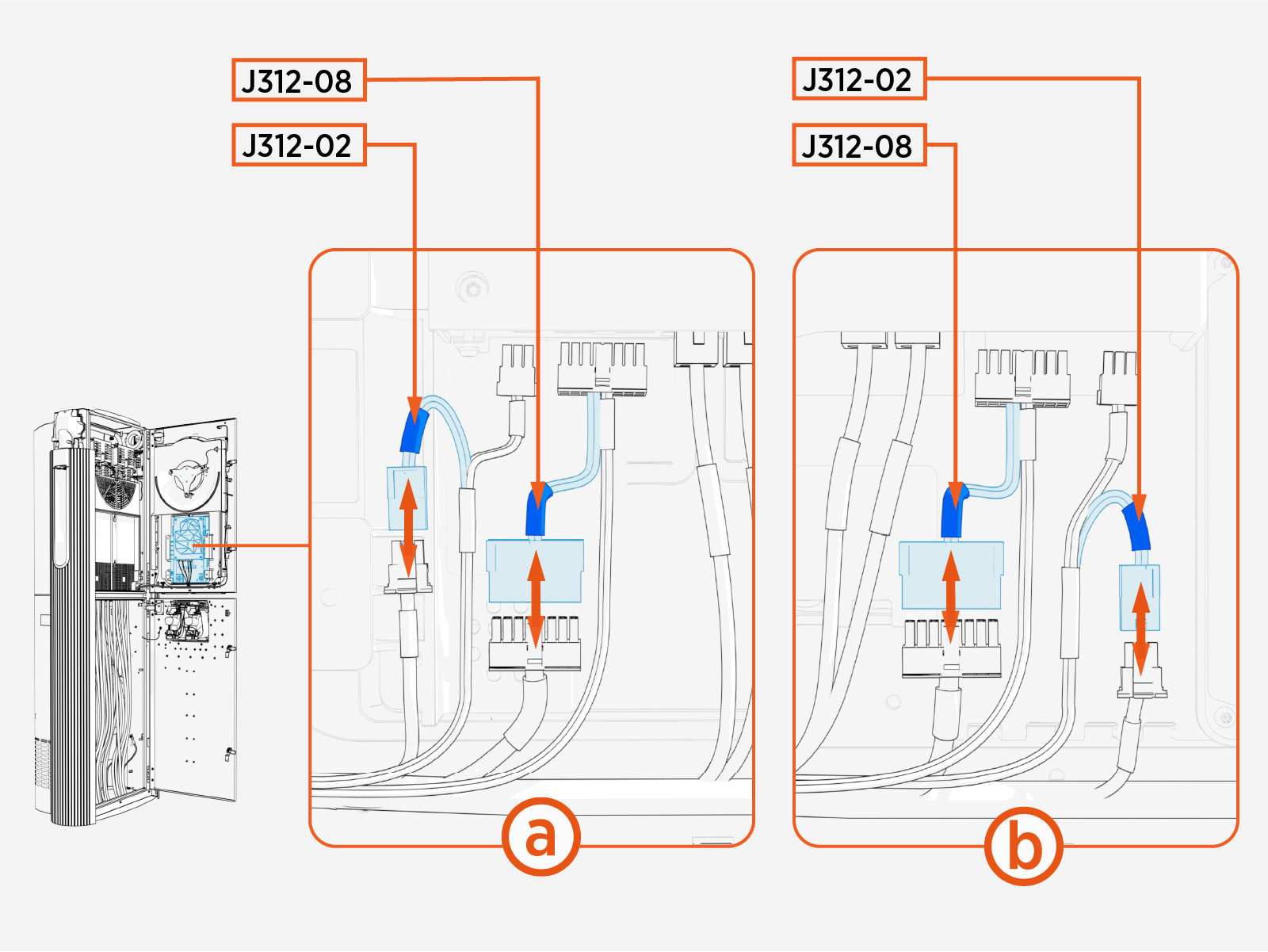
Omni Port cable J312-02
Omni Port cable J312-08
Main cable P312-02
Main cable P312-08
Main cable harness
If 15-inch CCOM
Control and Communications Module is present: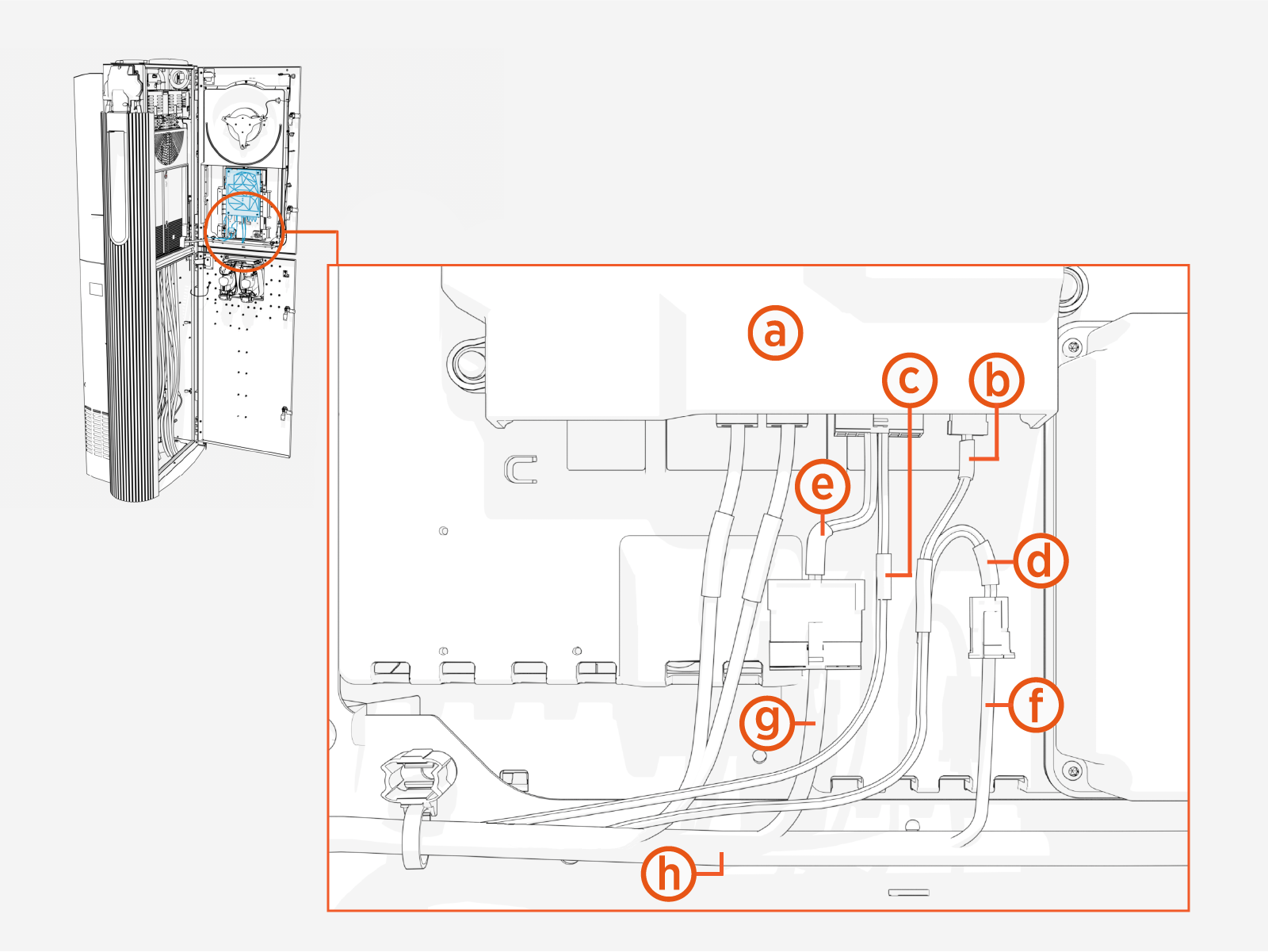
Omni Port cable P312-02(connected to CCOM
Control and Communications Module)Omni Port cable P312-08 (connected to CCOM
Control and Communications Module)Omni Port cable J312-02
Omni Port cable J312-08
Main cable P312-02
Main cable P312-08
Main cable harness
Disconnect Omni Port cables P312-02 and P312-08 from the CCOM
Control and Communications Module.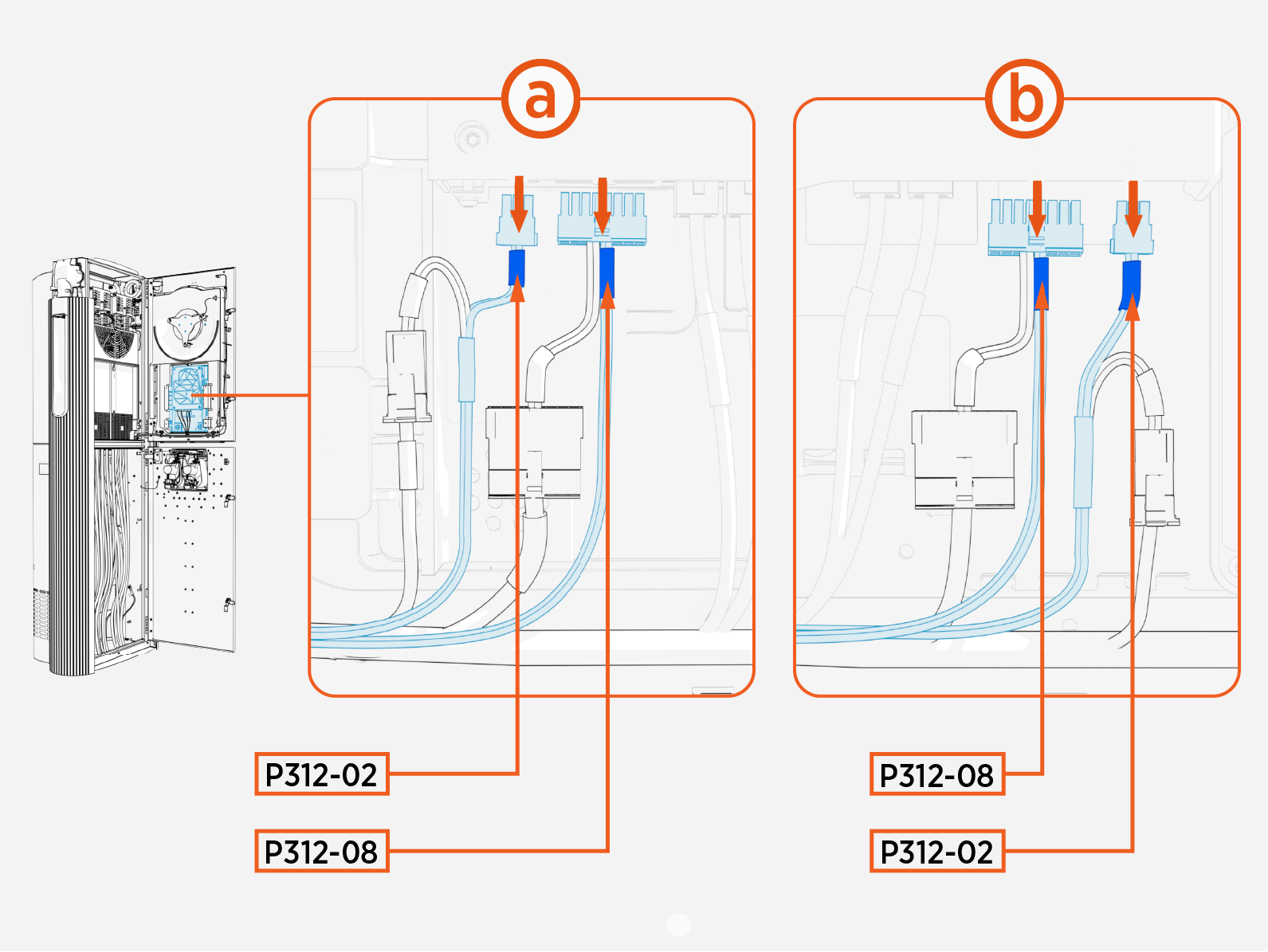
Disconnect the Omni Port cables J312-02 and J312-08 (highlighted below) from the main cable harness.
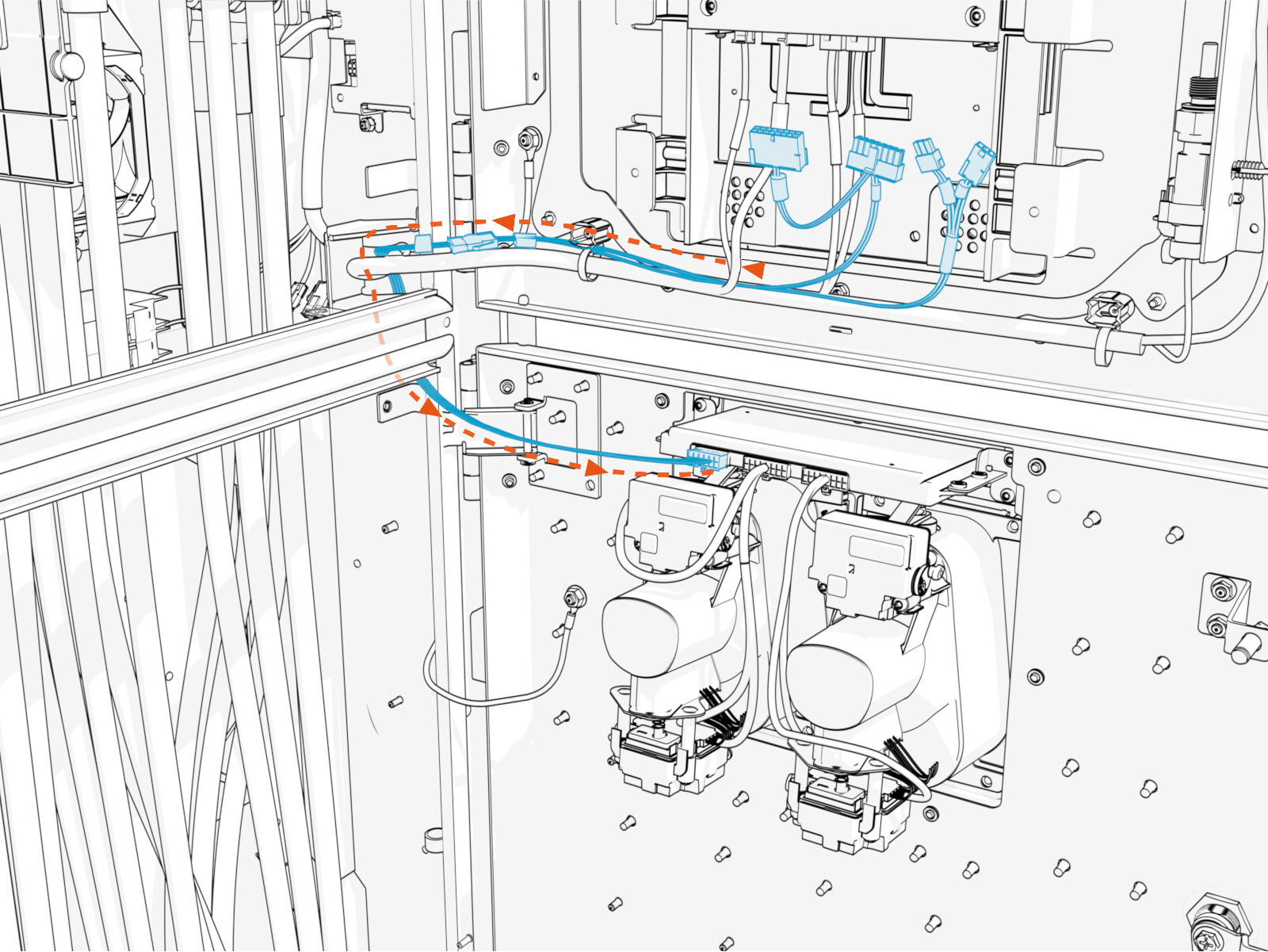
Pull the Omni Port cable through the door cable guide, back towards the Omni Port.
If needed, cut any zip ties securing the pigtail cable to the main cable harness.
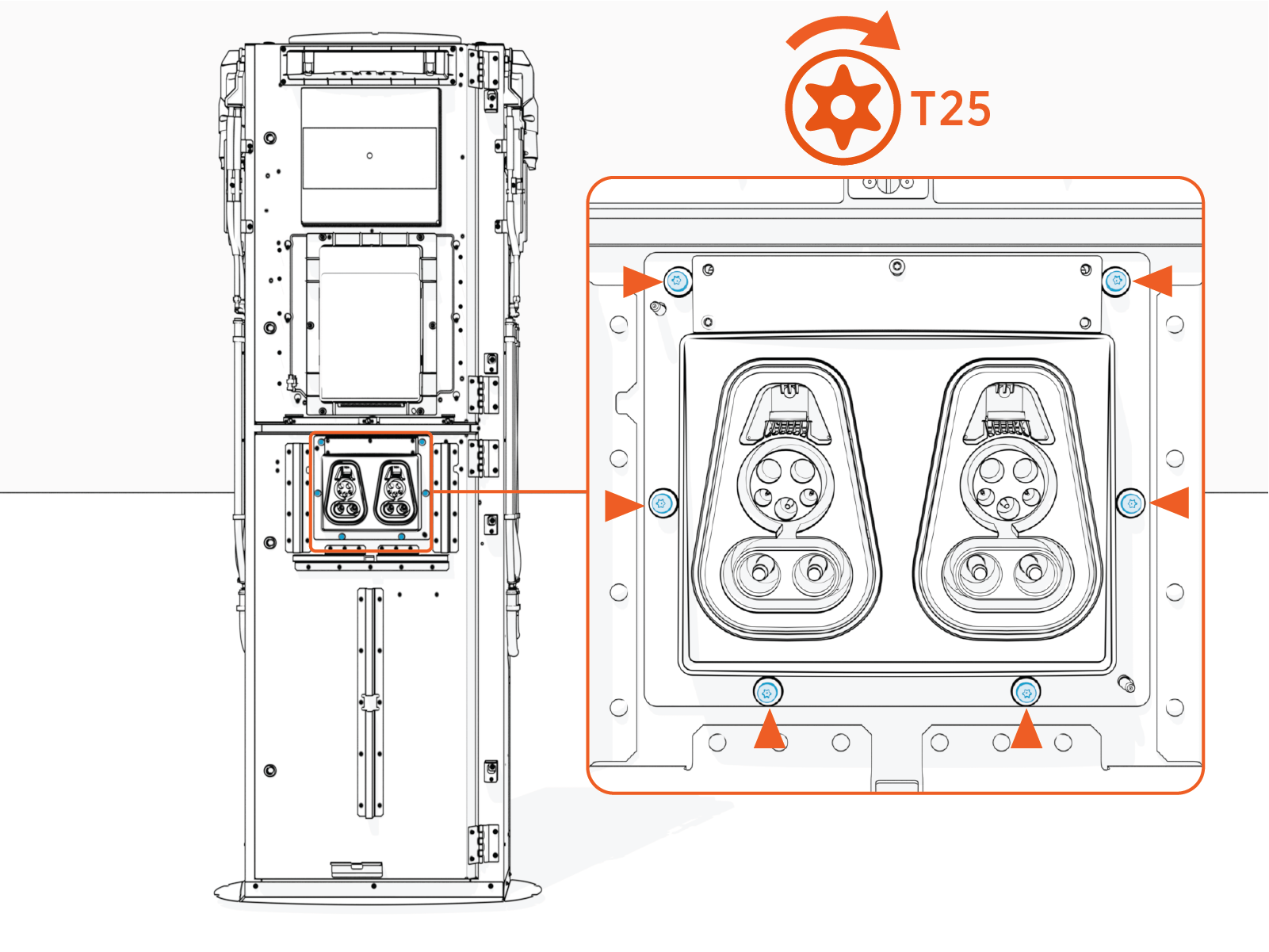
Unfasten screws (x6) to remove the Omni Port with attached cable.
Install the Replacement Omni Port
Unpack the replacement Omni Port kit and ensure the pigtail cable is attached to the Omni Port cable.
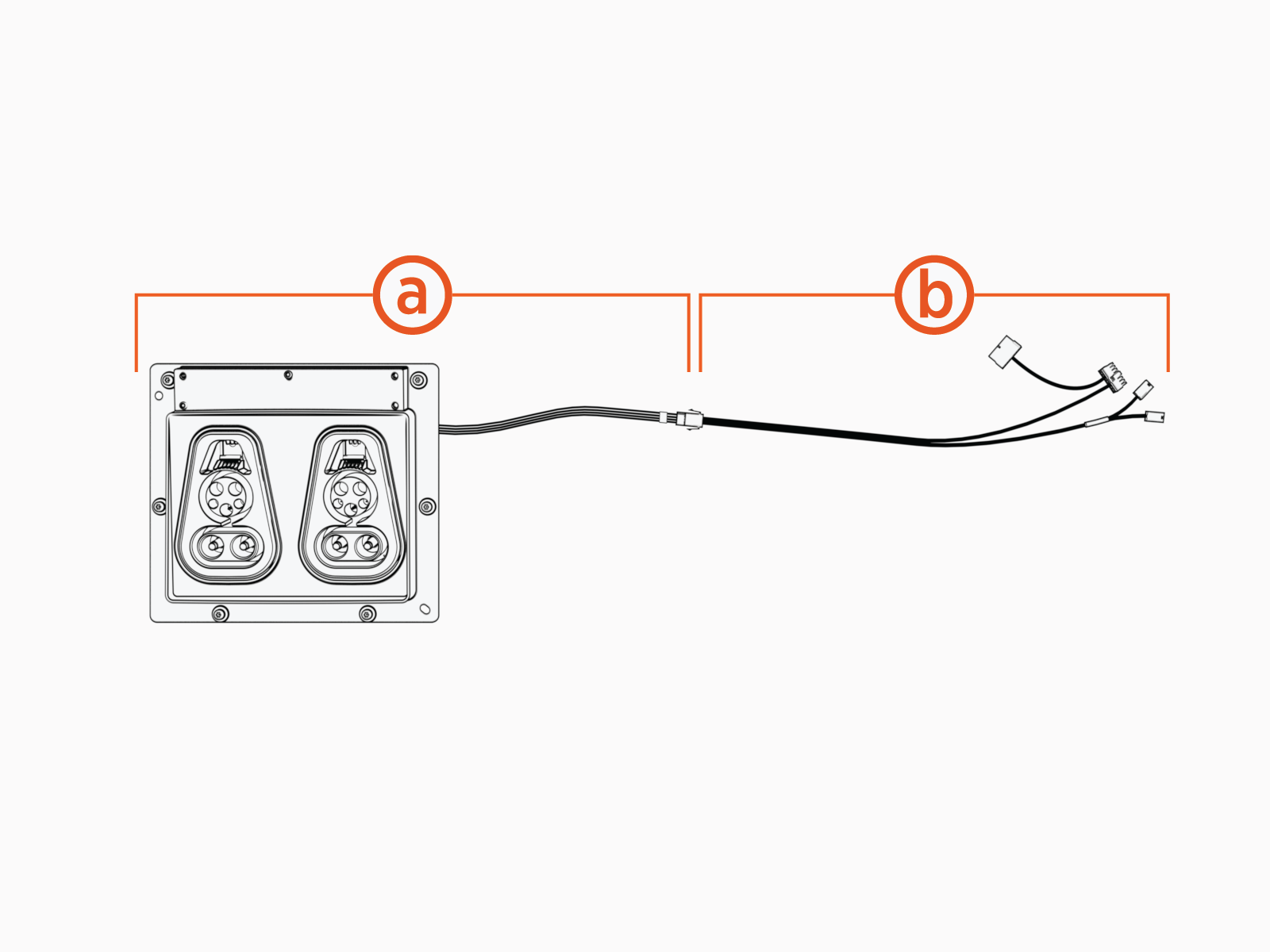
Omni Port assembly with cable
Pigtail cable
Align and seat the Omni Port assembly into the holster opening.
Install screws (x6). Torque to 4.5 Nm (40 in-lb).
Connect the Omni Port Wires
Route the Omni Port cable harness to reach the main cable harness on the upper door.
The cable harness must route behind the mid-height brace and through the door cable guide to prevent the cable from being pinched when closing the door.
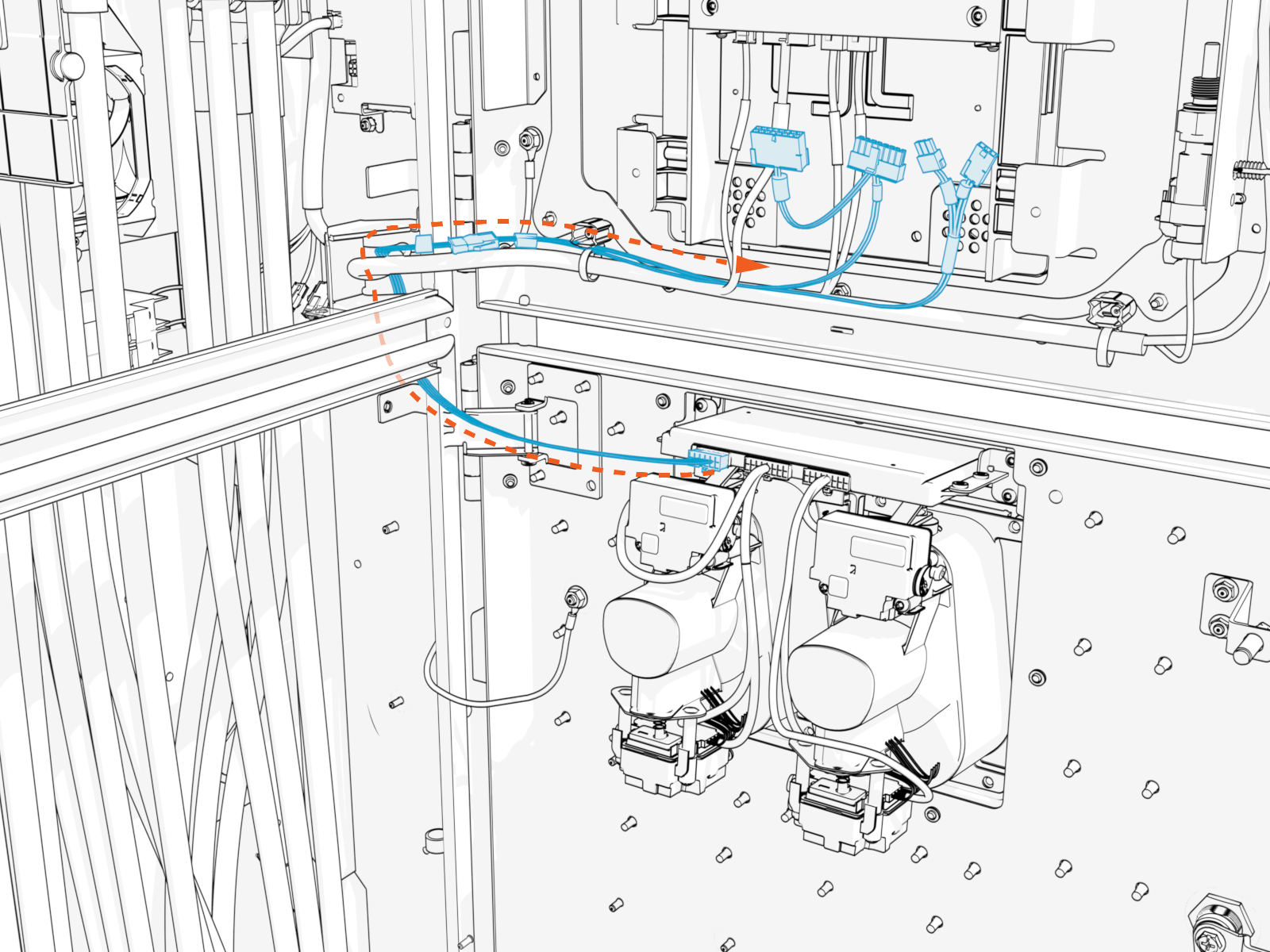
Study the cables and connectors at the end of the Omni Port cable harness. Identify the cables by their labels.
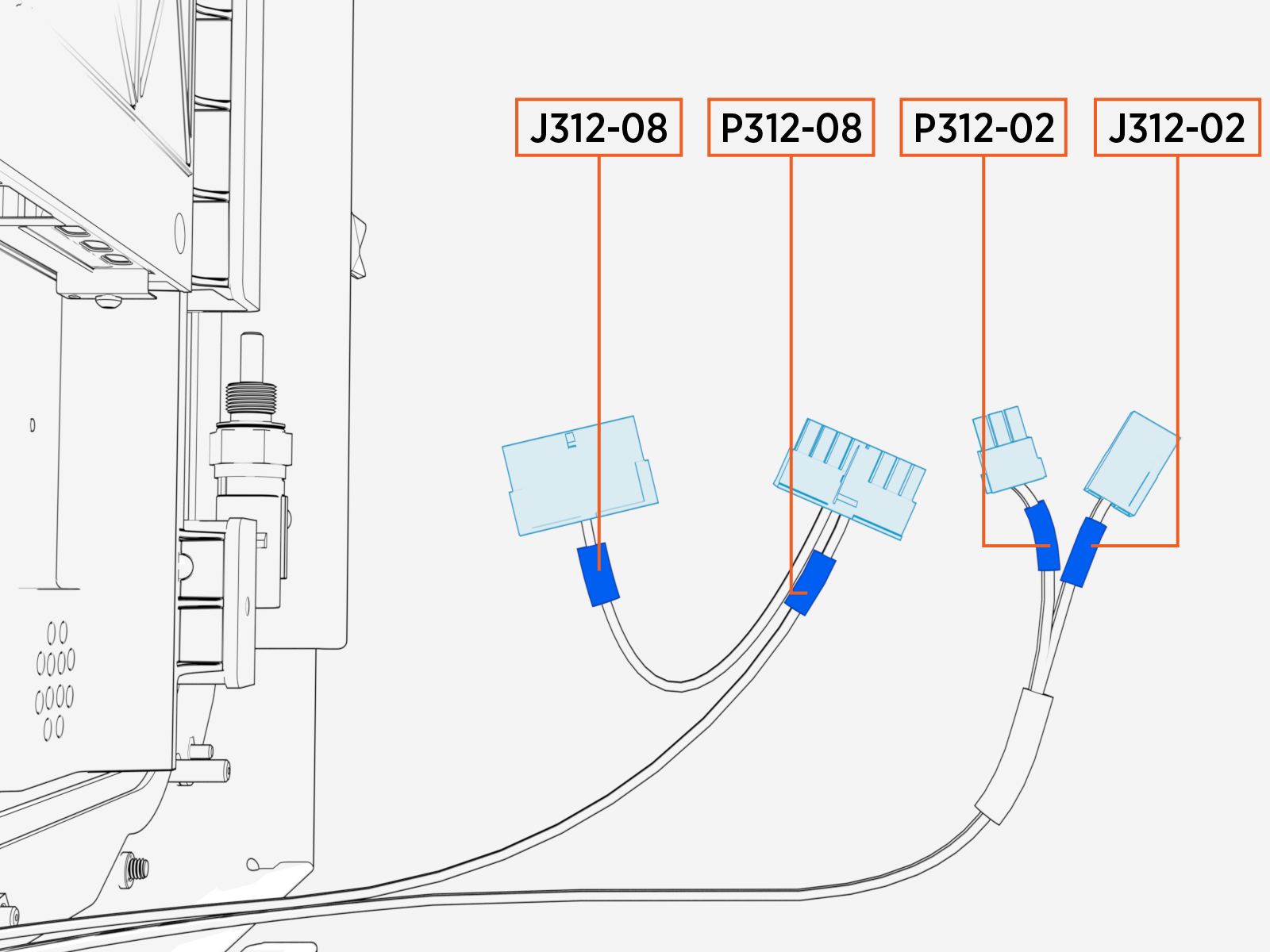
Omni Port Cable Identification Cable Label
Terminating Connector (Pin Count, Gender)
J312-08
16-pin, male
P312-08
16-pin, female
P312-02
3-pin, female
J312-02
3-pin, male
Study the diagram below, which illustrates the required connections between the Omni Port cable harness and the door main cable harness.
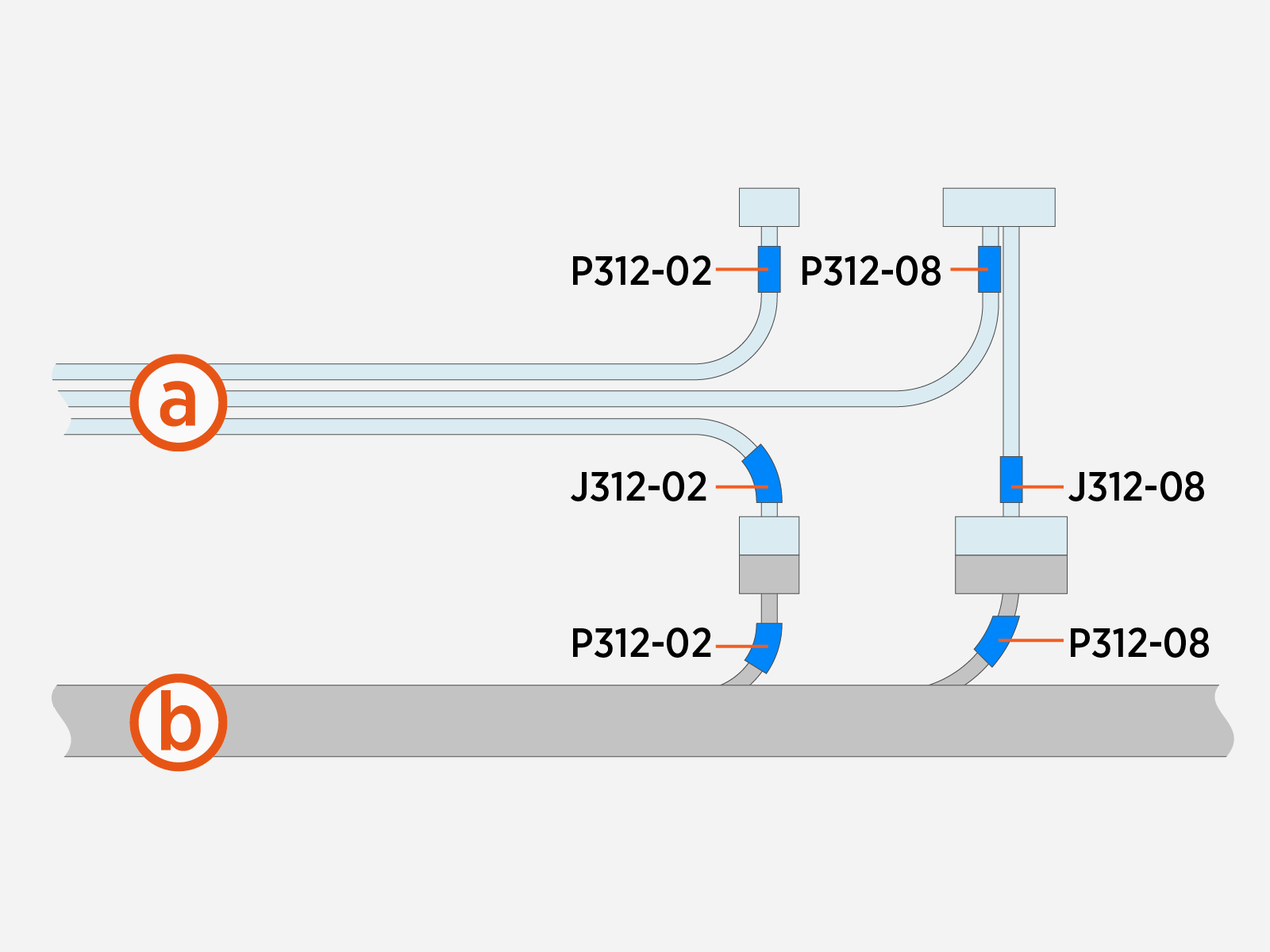
Omni Port cable harness
Door main cable harness
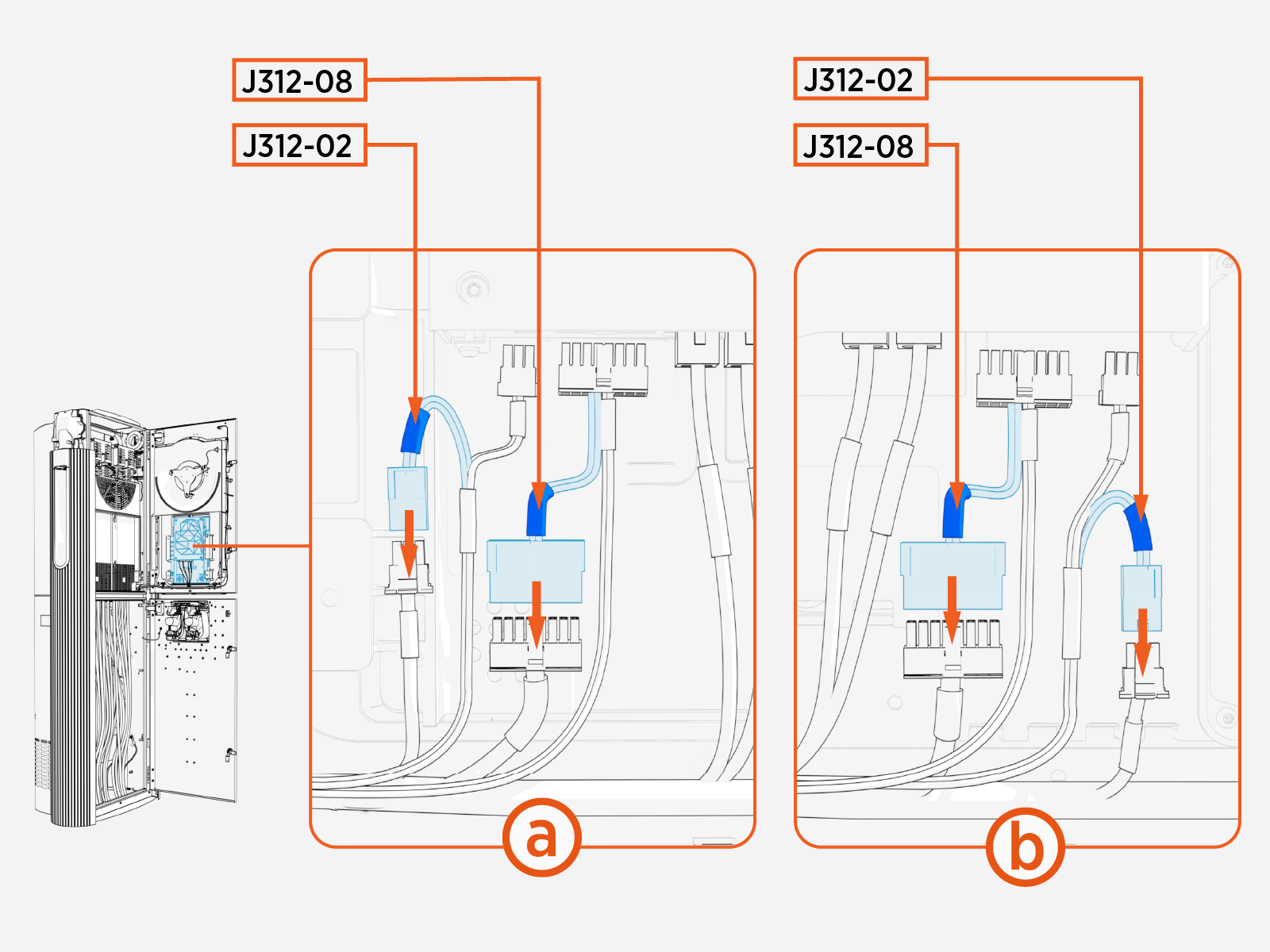
Connect Omni Port cables J312‑08 and J312‑02 (highlighted below) to cables P312‑08 and P312‑02 of the door main cable harness.
Connect Omni Port cables P312-02 and P312-08 to the CCOM
Control and Communications Module.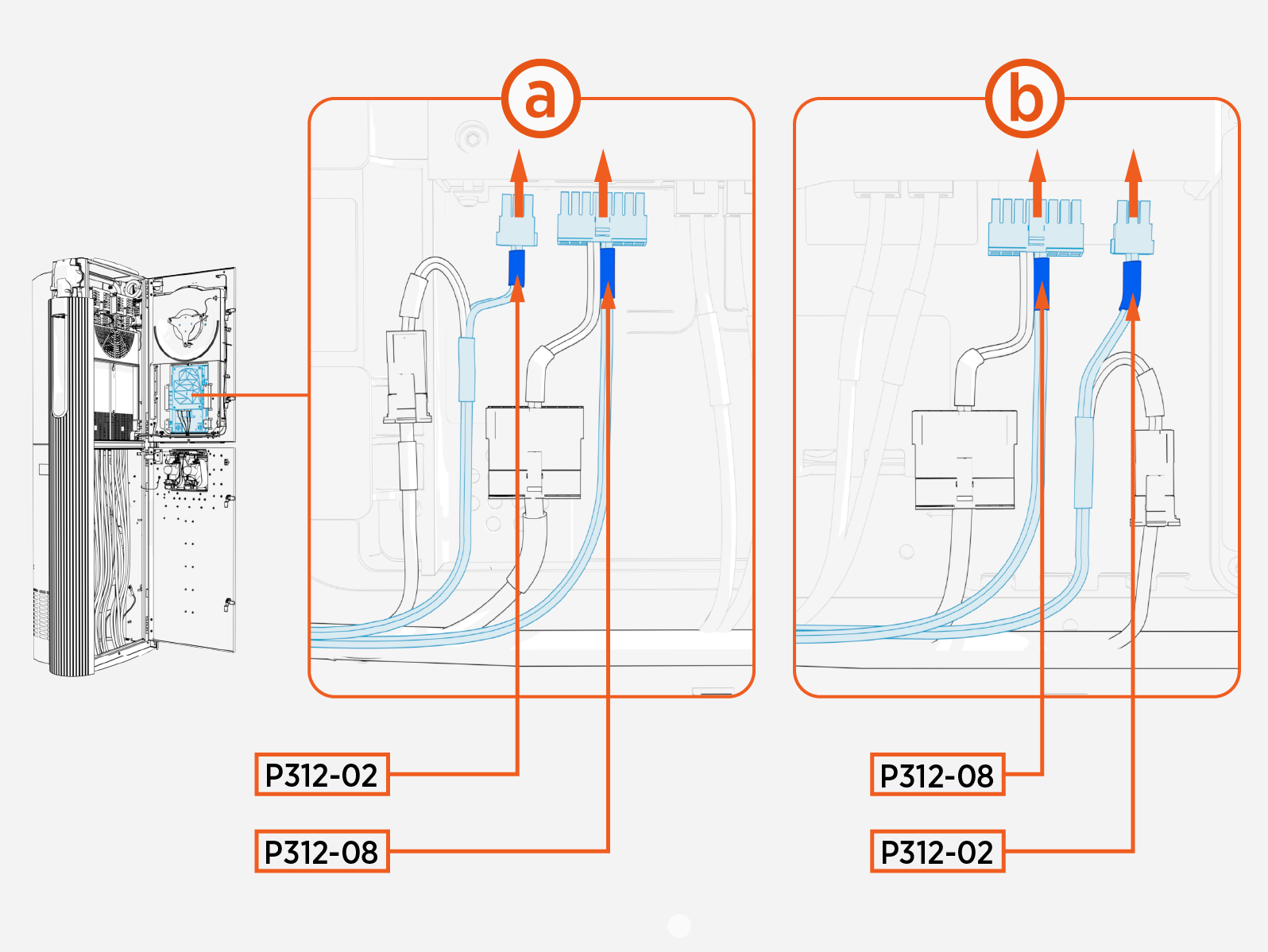
Use zip ties to secure the Omni Port cables to the main cable harness.
Pull excess cable into the Power Link 2000 pedestal to ensure there is no loose wire hanging from the door. Loose wires may get pinched when closing the door.
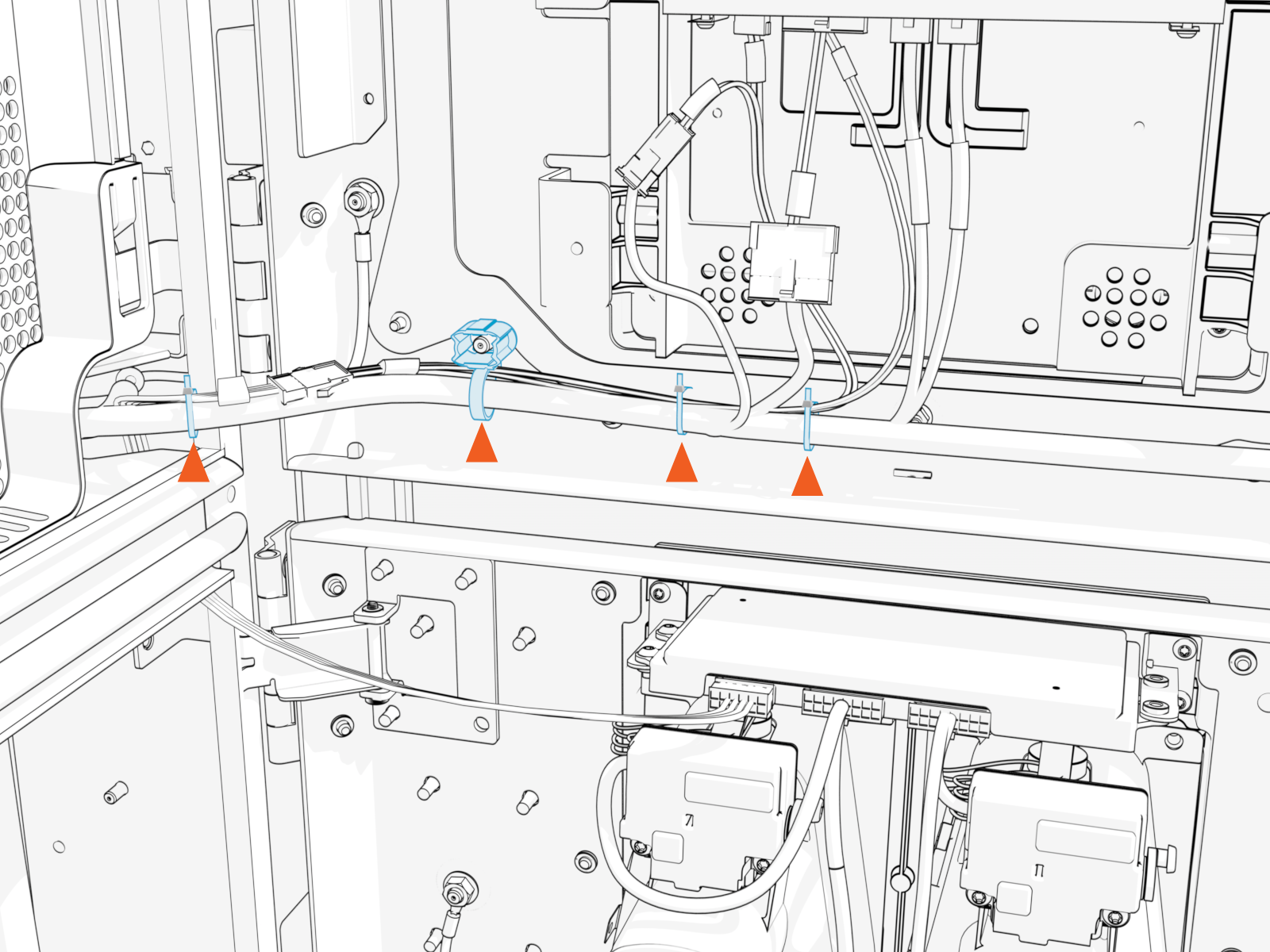
- To adhere to ChargePoint best practices, complete the post-service checklist before you leave the site.
For assistance or to return a faulty part to ChargePoint, go to chargepoint.com/support and contact technical support using the appropriate region-specific number.
Omni Port Replacement in Variation B Power Link 2000
This section provides instructions for replacing the Omni Port in a Variation B Power Link 2000. If working with a Variation A Power Link 2000, see Omni Port Replacement in Variation A Power Link 2000. To identify the Power Link 2000 variation, see Appendix A: Variation Identification.
Required Tools and Materials
| T25 Security screwdriver |
|
|
Before You Begin
Before servicing the component, complete the following steps:
After replacing the component, reverse the above steps to complete the service.
Prepare the Replacement Omni Port
Unpack the replacement Omni Port kit and disconnect the pigtail cable. The pigtail cable is not needed for Power Link 2000 Variation B.
Omni Port assembly with cable
Pigtail cable
Replace the Omni Port
At the backside of the upper door, disconnect the Omni Port cable from the main cable harness. Use cable labels (shown below) to verify cable identities.
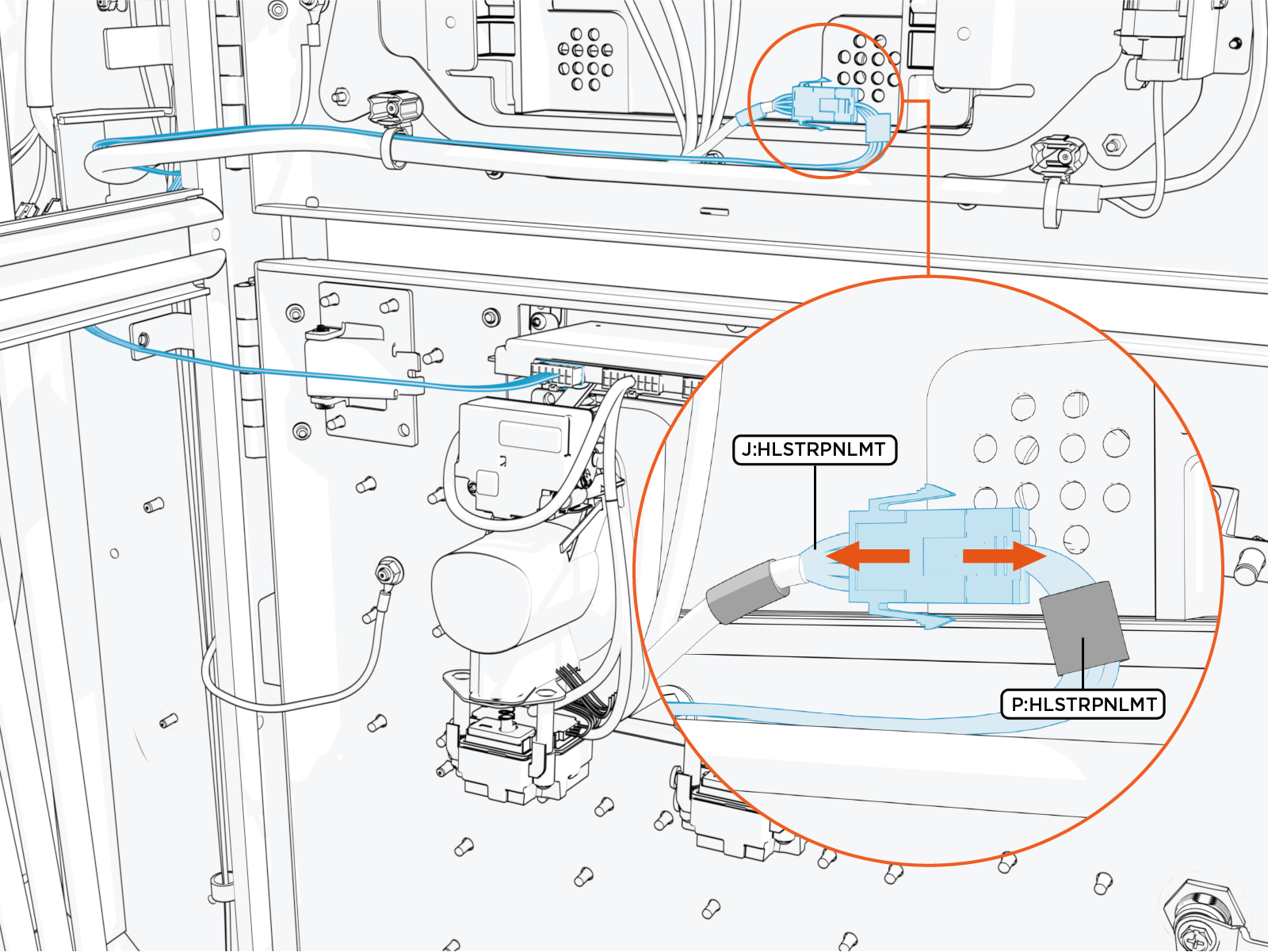
Pull the Omni Port cable through the door cable guide, back towards the Omni Port.
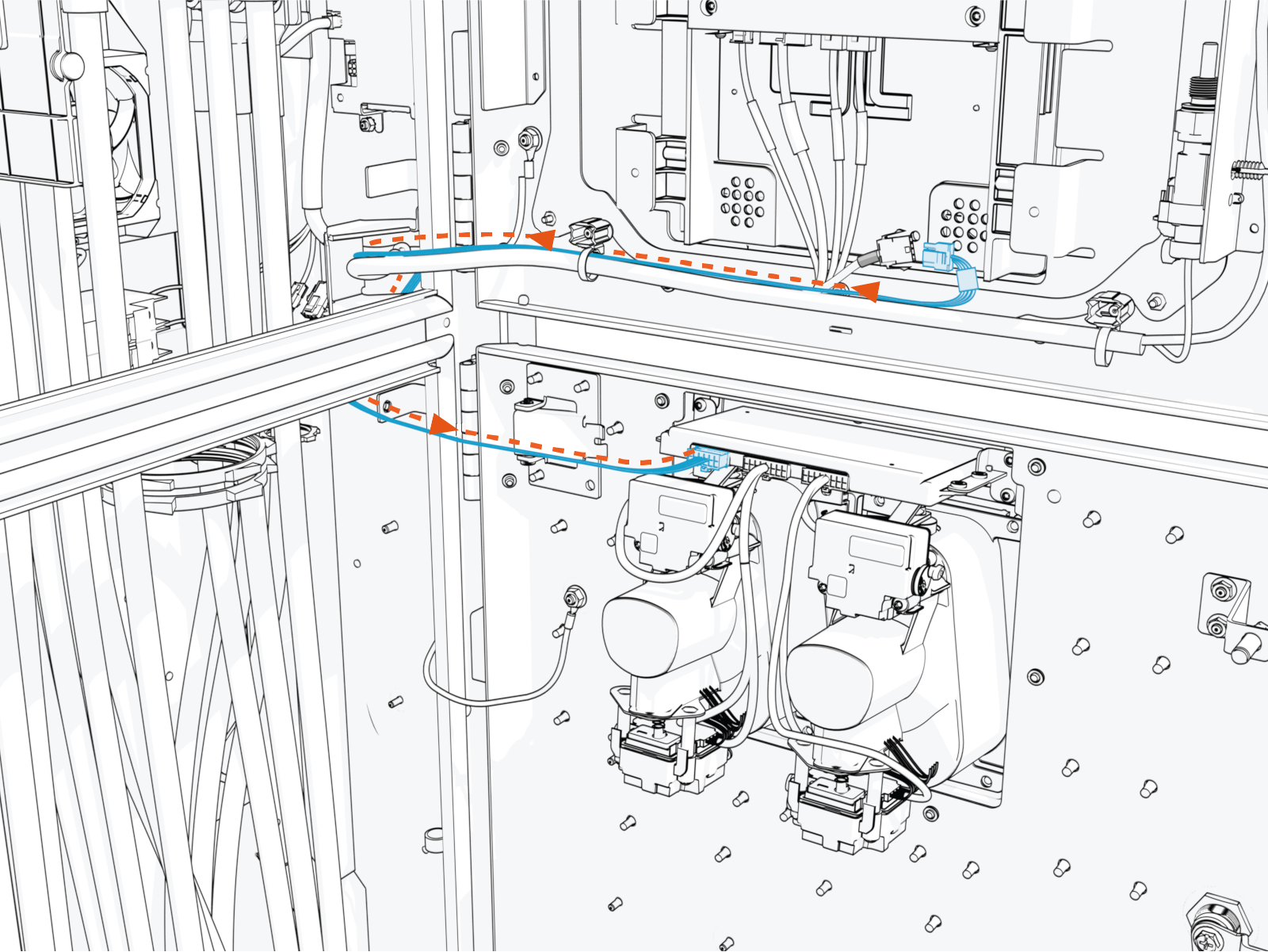
Unfasten screws (x6) to remove the Omni Port and attached cable harness.
Torque fasteners to 4.5 Nm (40 in-lb)
Reverse the above steps to reinstall with replacement FRU Field Replaceable Unit.
- To adhere to ChargePoint best practices, complete the post-service checklist before you leave the site.
For assistance or to return a faulty part to ChargePoint, go to chargepoint.com/support and contact technical support using the appropriate region-specific number.
Standard Holster to Omni Port Retrofit in Variation A Power Link 2000
This section provides instructions for replacing a standard holster with an Omni Port in a Variation A Power Link 2000. If working with a Variation B Power Link 2000, see Standard Holster to Omni Port Retrofit in Variation A Power Link 2000. To identify the Power Link 2000 variation, see Appendix A: Variation Identification.
Required Tools and Materials
| T25 Security screwdriver |
|
|
Before You Begin
Before servicing the component, complete the following steps:
After replacing the components, reverse the above steps to complete the service.
Remove the Existing Holster Frame
Unfasten screws (x6) and remove the standard holster frame.
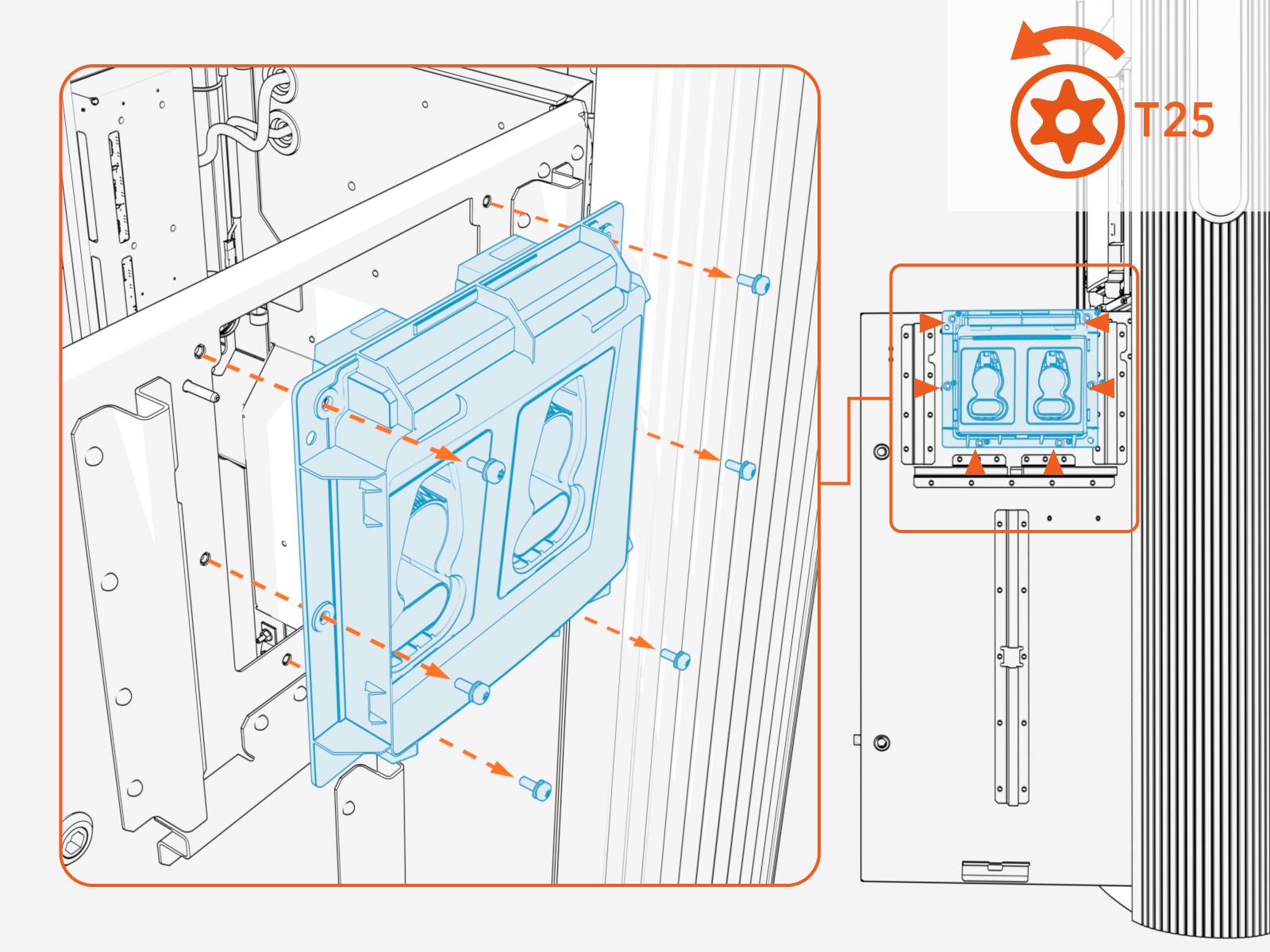
Install the Omni Port
Align and seat the Omni Port assembly into the holster opening.
Install screws (x6). Torque to 4.5 Nm (40 in-lb).
Connect Omni Port Wires
Route the Omni Port cable harness to reach the main cable harness on the upper door.
The cable harness must route behind the mid-height brace and through the door cable guide to prevent the cable from being pinched when closing the door.
Study the cables and connectors at the end of the Omni Port cable harness. Identify the cables by their labels.
Omni Port Cable Identification Cable Label
Terminating Connector (Pin Count, Gender)
J312-08
16-pin, male
P312-08
16-pin, female
P312-02
3-pin, female
J312-02
3-pin, male
On the rear side of the upper door, identify cables P312‑02 and P312‑08 running from the door main cable harness to the Control and Communications Unit (CCOM
Control and Communications Module). Disconnect the cables from the CCOM Control and Communications Module.The cable port locations vary based on the CCOM Control and Communications Module model. Verify the cable labels carefully. 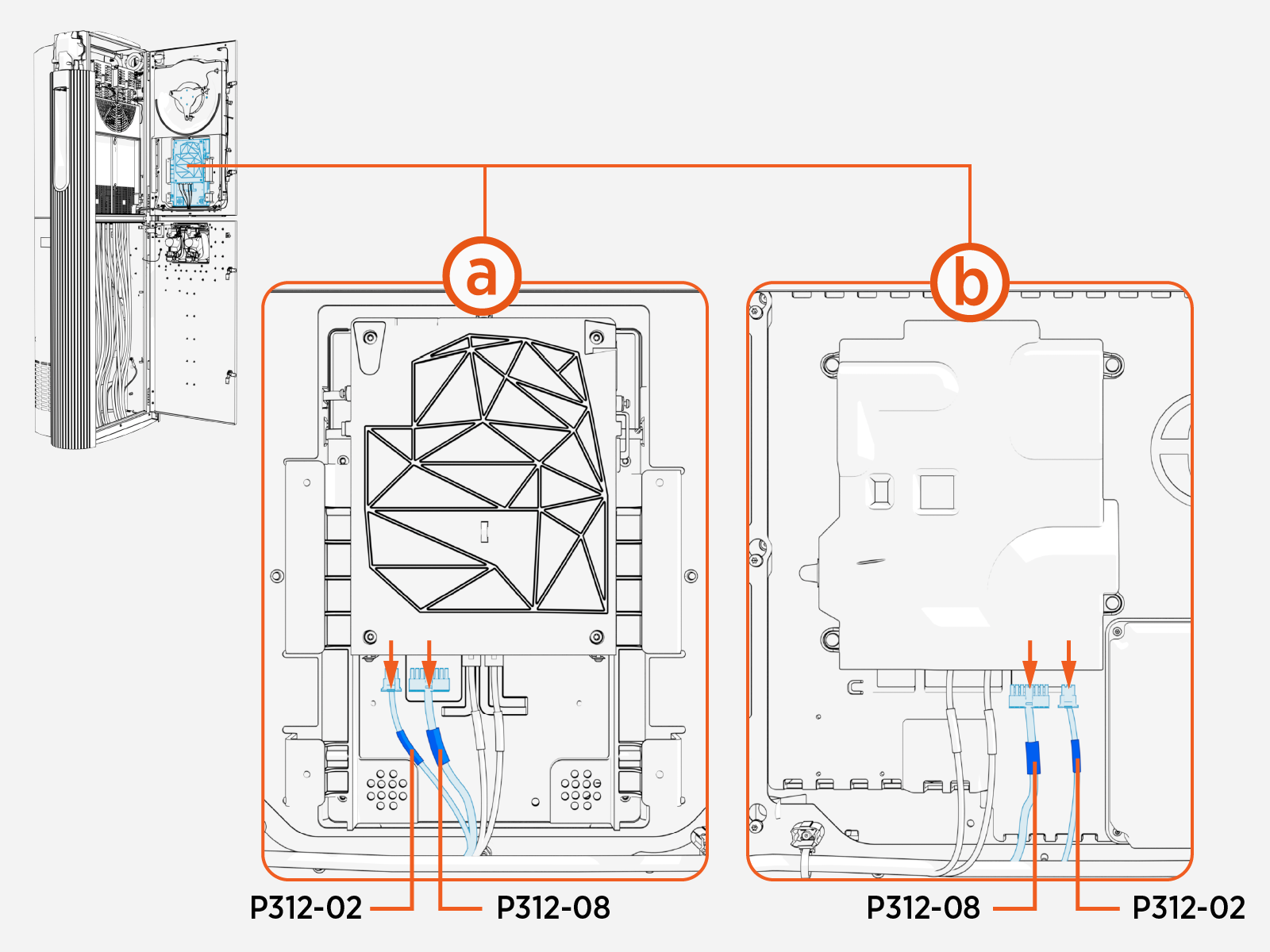
Study the diagram below, which illustrates the required connections between the Omni Port cable harness and the door main cable harness.
Omni Port cable harness
Door main cable harness
Connect Omni Port cables J312‑08 and J312‑02 (highlighted below) to cables P312‑08 and P312‑02 of the door main cable harness.
Connect Omni Port cables P312-02 and P312-08 to the CCOM
Control and Communications Module.Use zip ties to secure the Omni Port cables to the main cable harness.
Pull excess cable into the Power Link 2000 pedestal to ensure there is no loose wire hanging from the door. Loose wires may get pinched when closing the door.
Standard Holster to Omni Port Retrofit in Variation B Power Link 2000
This section provides instructions for replacing a standard holster with an Omni Port in a Variation B Power Link 2000. If working with a Variation A Power Link 2000, see Standard Holster to Omni Port Retrofit in Variation A Power Link 2000. To identify the Power Link 2000 variation, see Appendix A: Variation Identification.
Required Tools and Materials
| T25 Security screwdriver |
|
|
Before You Begin
Before servicing the component, complete the following steps:
After replacing the components, reverse the above steps to complete the service.
Remove the Existing Holster Frame
Unfasten screws (x6) and remove the standard holster frame.
Mount the Omni Port
Unpack the Omni Port package. Confirm all parts listed below are present.
For any missing part, contact ChargePoint support.Omni Port assembly with cable
Pigtail cable
Align and seat the Omni Port assembly into the holster opening.
Install screws (x6). Torque to 4.5 Nm (40 in-lb).
Connect the Omni Port Wires
Disconnect and remove the Omni Port pigtail cable. The pigtail cable is not needed for Power Link 2000 Variation B.
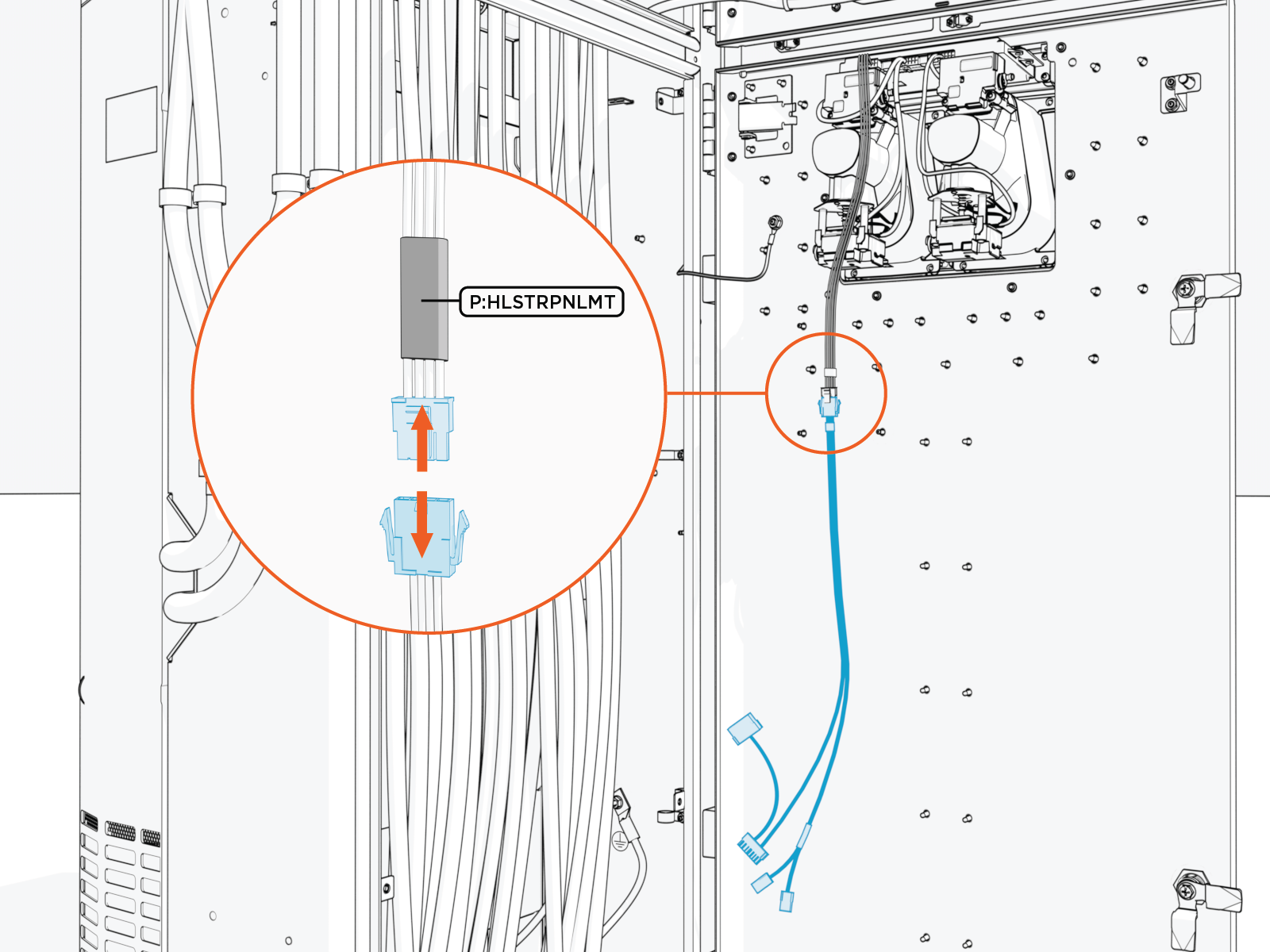
Route the Omni Port cable harness to reach the main cable harness on the Power Link 2000 door.
The cable harness must route behind the mid-height brace and through the door cable guide to prevent the cable from being pinched when closing the door.
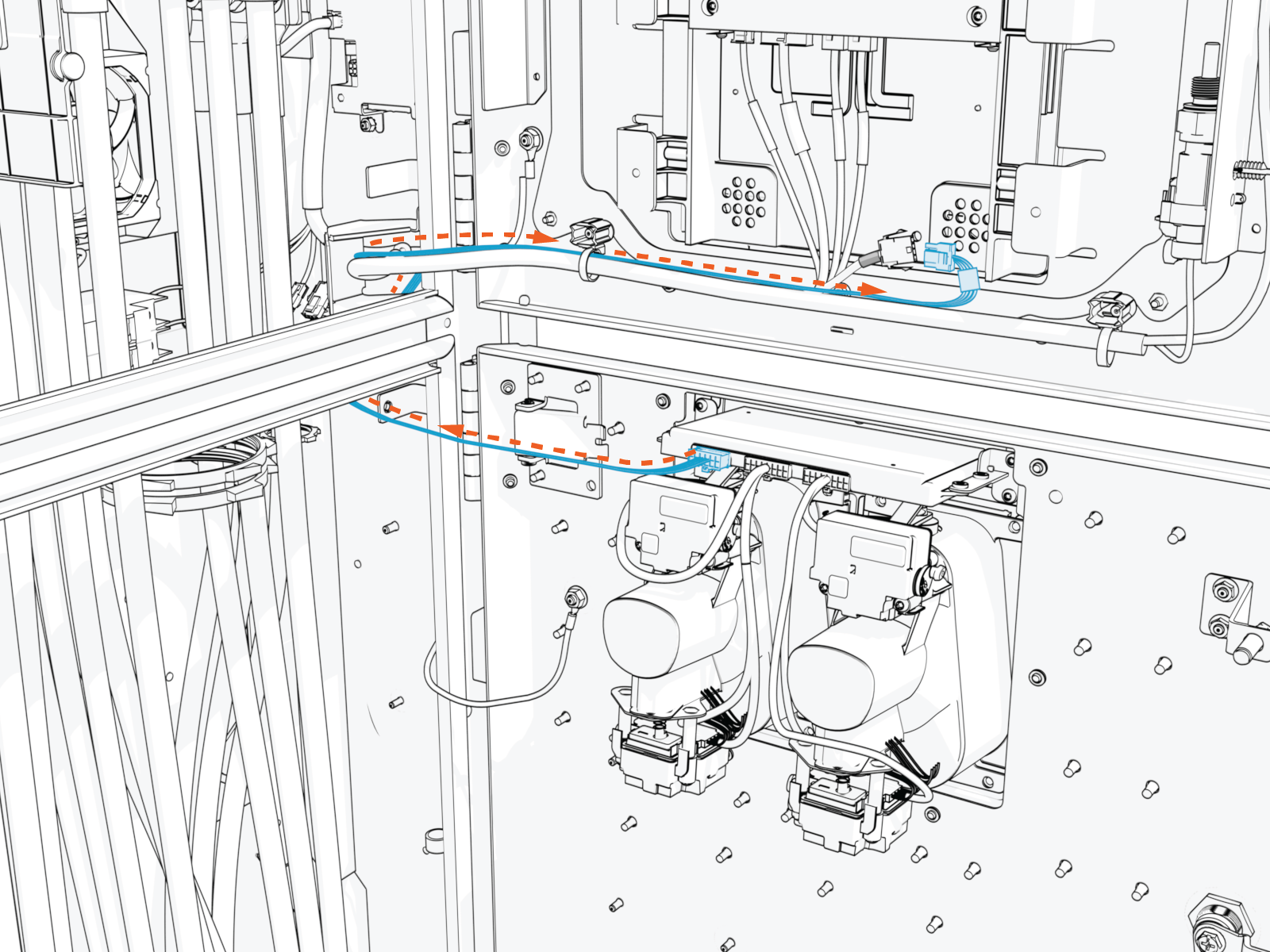
Connect the Omni Port cable harness to the main cable harness.
The cables are labeled as shown below. The latch must snap onto the receptacle connector with a click to ensure the connection is secure.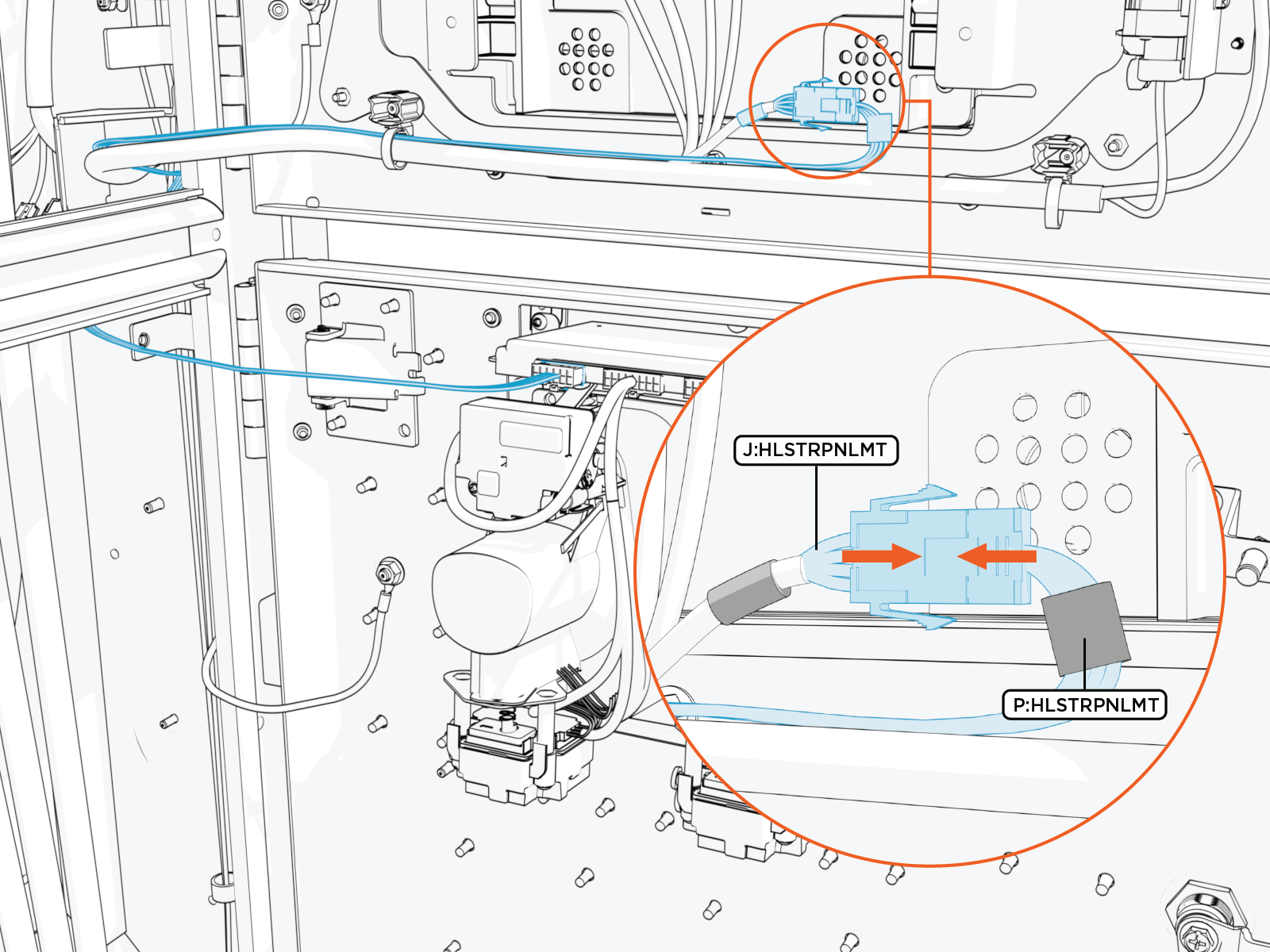
Use zip ties to secure the Omni Port cables to the main cable harness.
Pull excess cable into the Power Link 2000 pedestal to ensure there is no loose wire hanging from the door. Loose wires may get pinched when closing the door.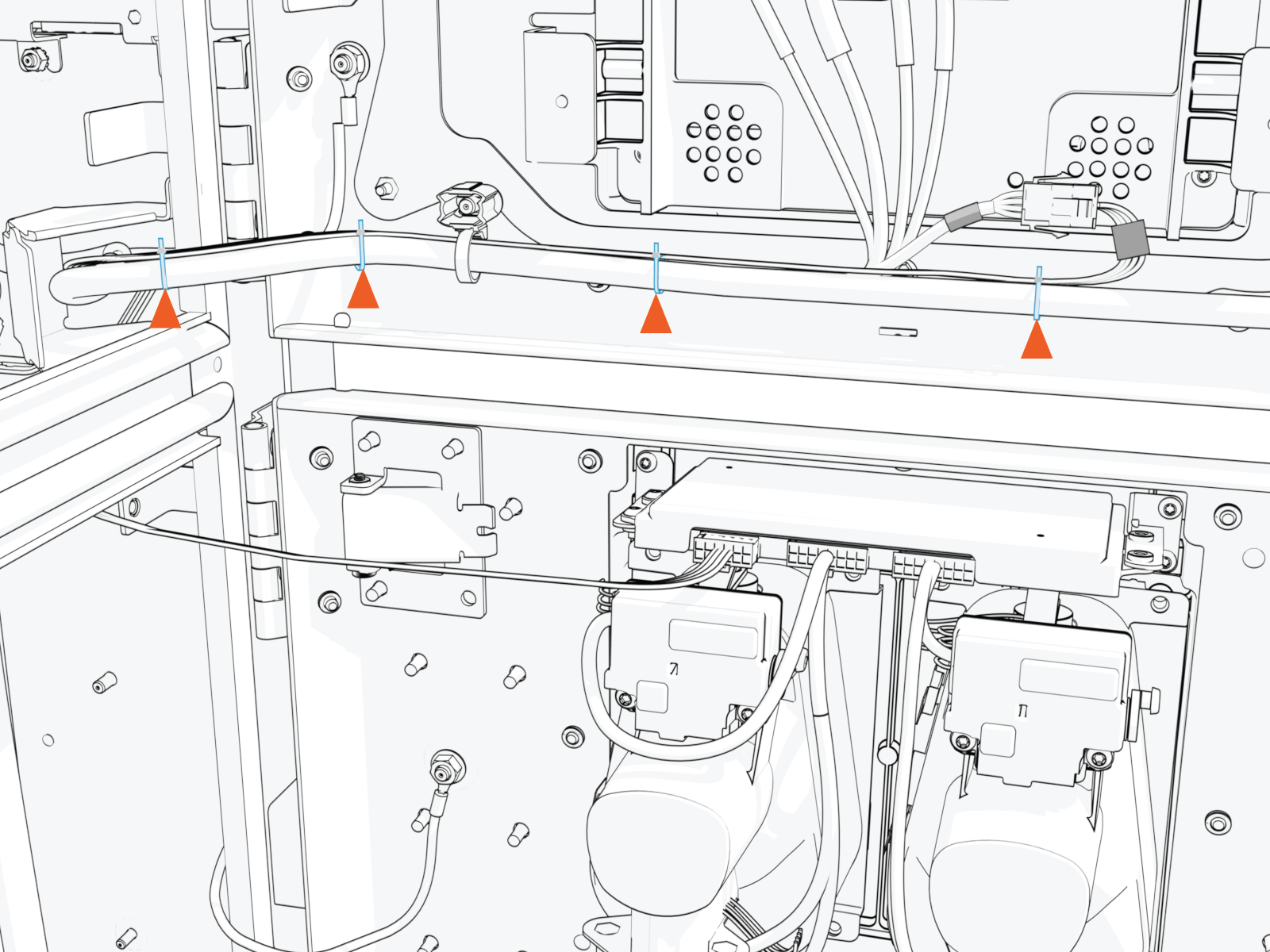
Check that the lower door can close properly.
The rear side of the Omni Port should not touch the HV DC High Voltage Direct Current wires within the Power Link 2000 pedestal when the door is closed. If needed, adjust the HV DC High Voltage Direct Current wires to avoid such contact.
