LCC Fans
This section provides instructions for replacing the LCC Liquid Cooled Cable fans in the Power Link 2000.
Required Tools and Materials
|
|
T20 Torx screwdriver |
|
Needle nose plier |
|
|
Flat head screwdriver |



Before You Begin
Before servicing the component, complete the following steps:
-
Remove these:
After replacing the components, reverse the above steps to complete the service.
Replace the LCC Fans
-
Disconnect the cable with label P308-04 from inside the Power Link 2000.
Press the latch and pull the connector to disconnect the cable.
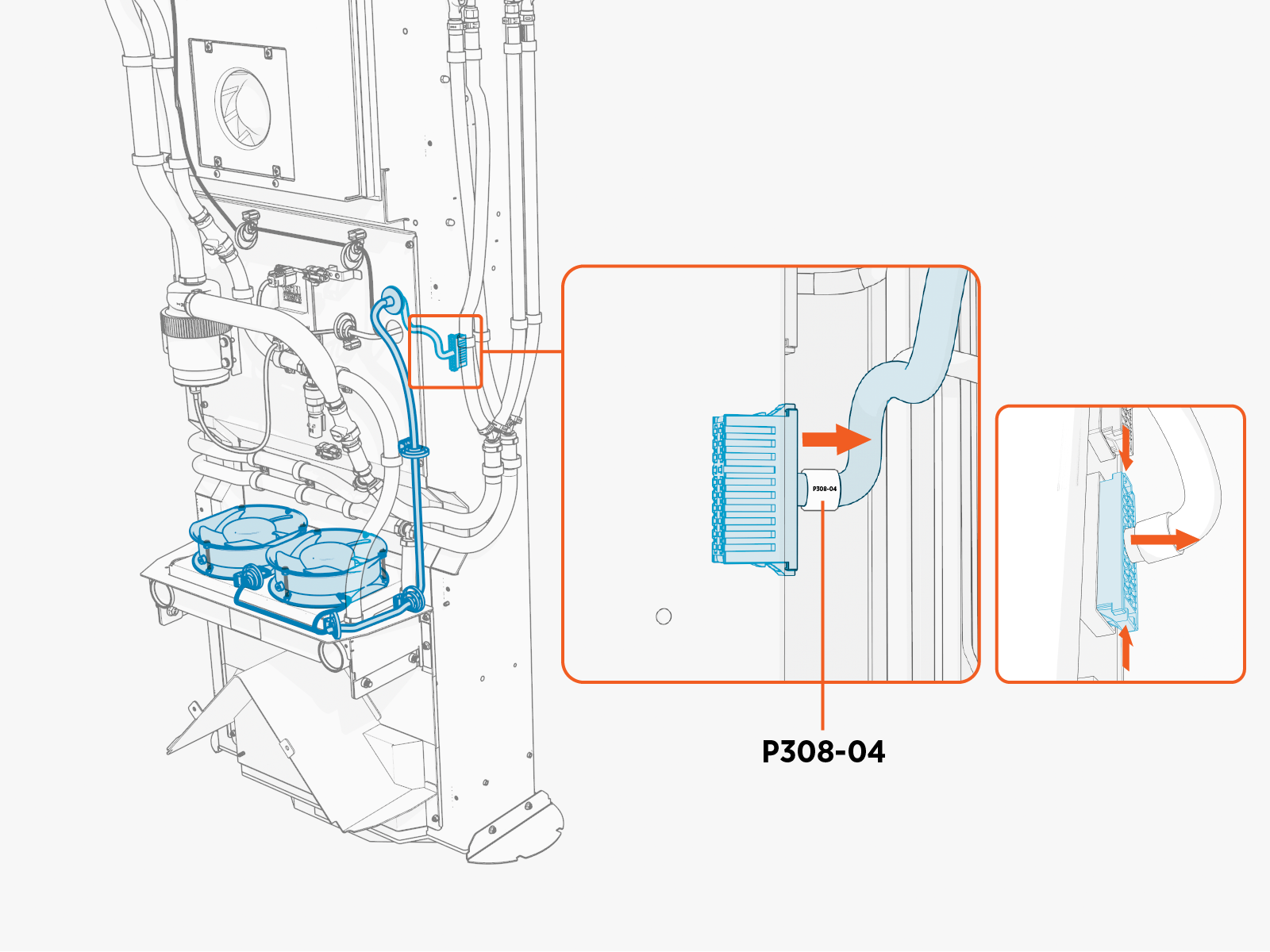
To reconnect, plug in. The latch must snap into the receptacle connector with a click sound to ensure that the connection is secure.
-
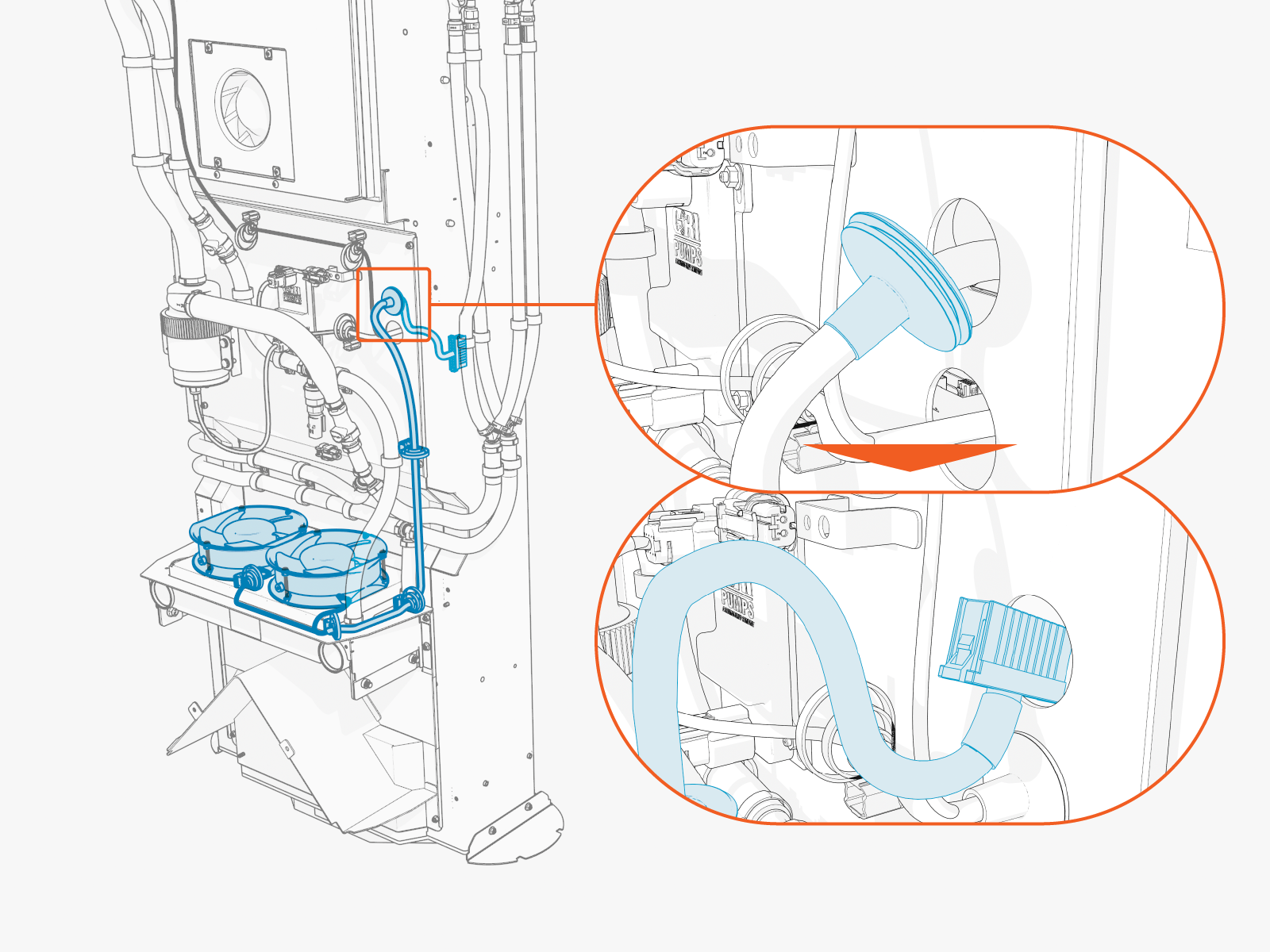
Remove the grommet from the hole and route the cable out of Power Link 2000.
-
Remove the screws (x6) to dismount the fans.
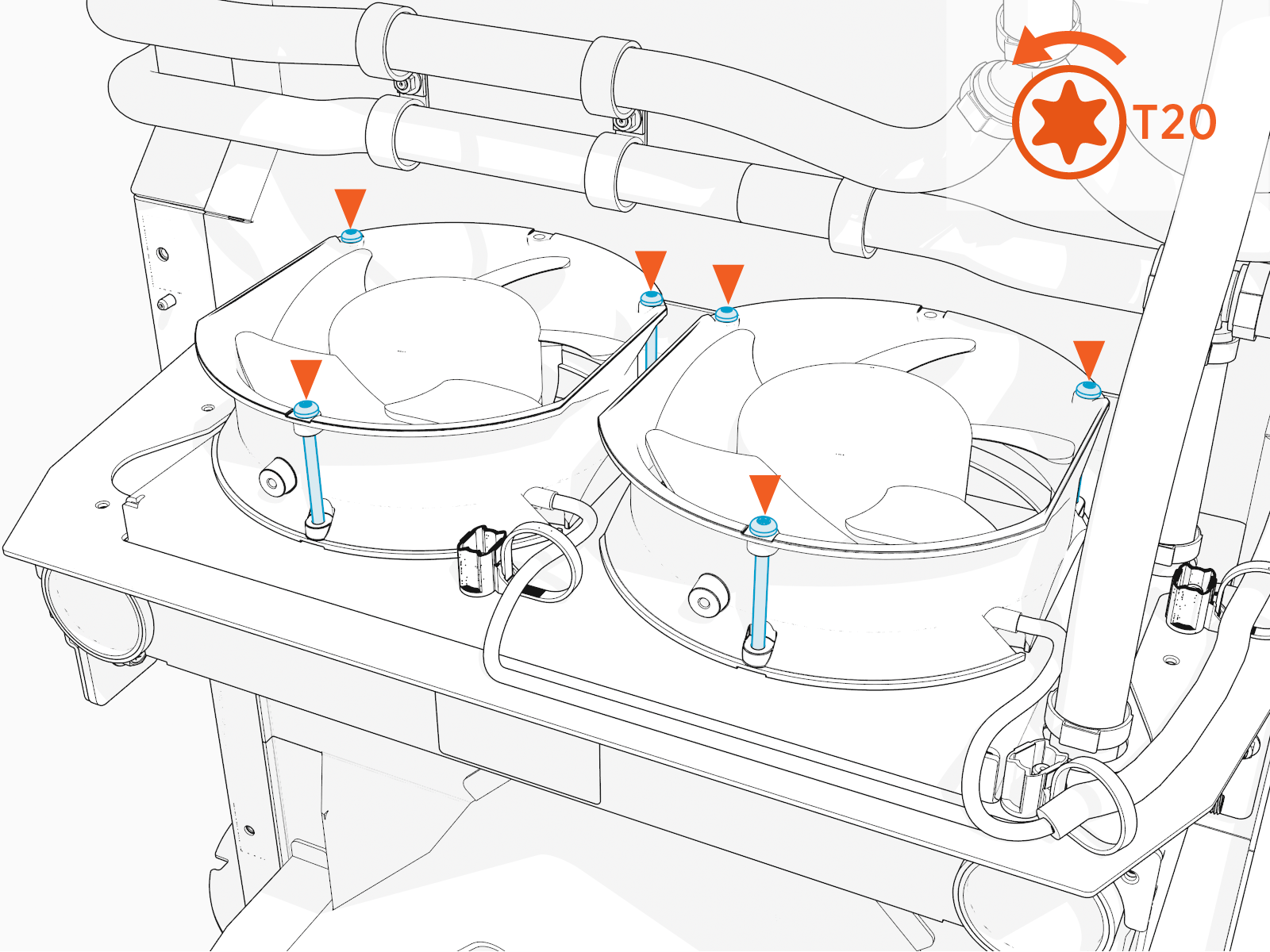
Torque these screws to 1.7 Nm (15 in-lb).
-
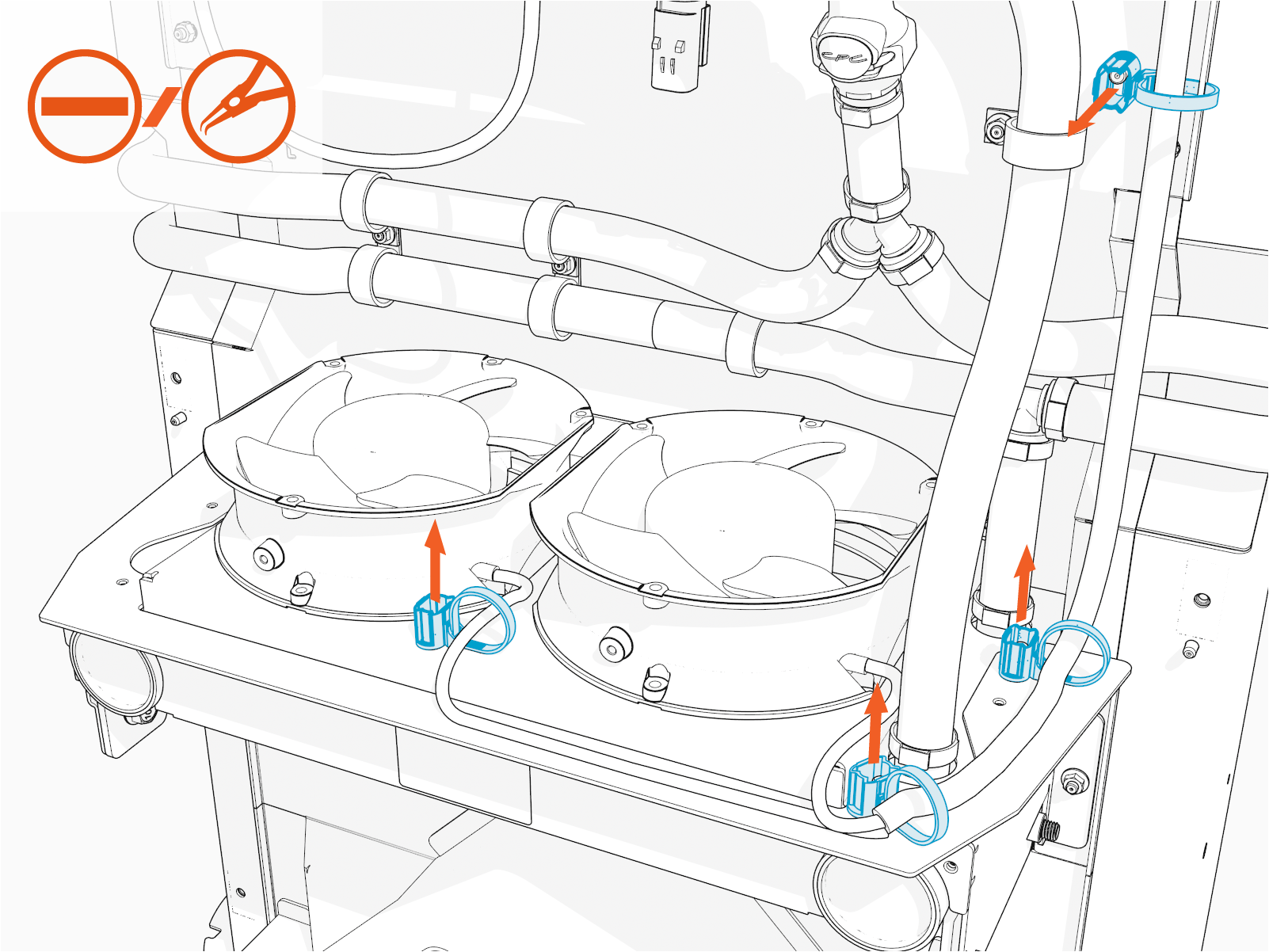
Pull out the stud-mounted zip ties using a flathead screwdriver or needle nose pliers.
-
Remove the fans and cable.
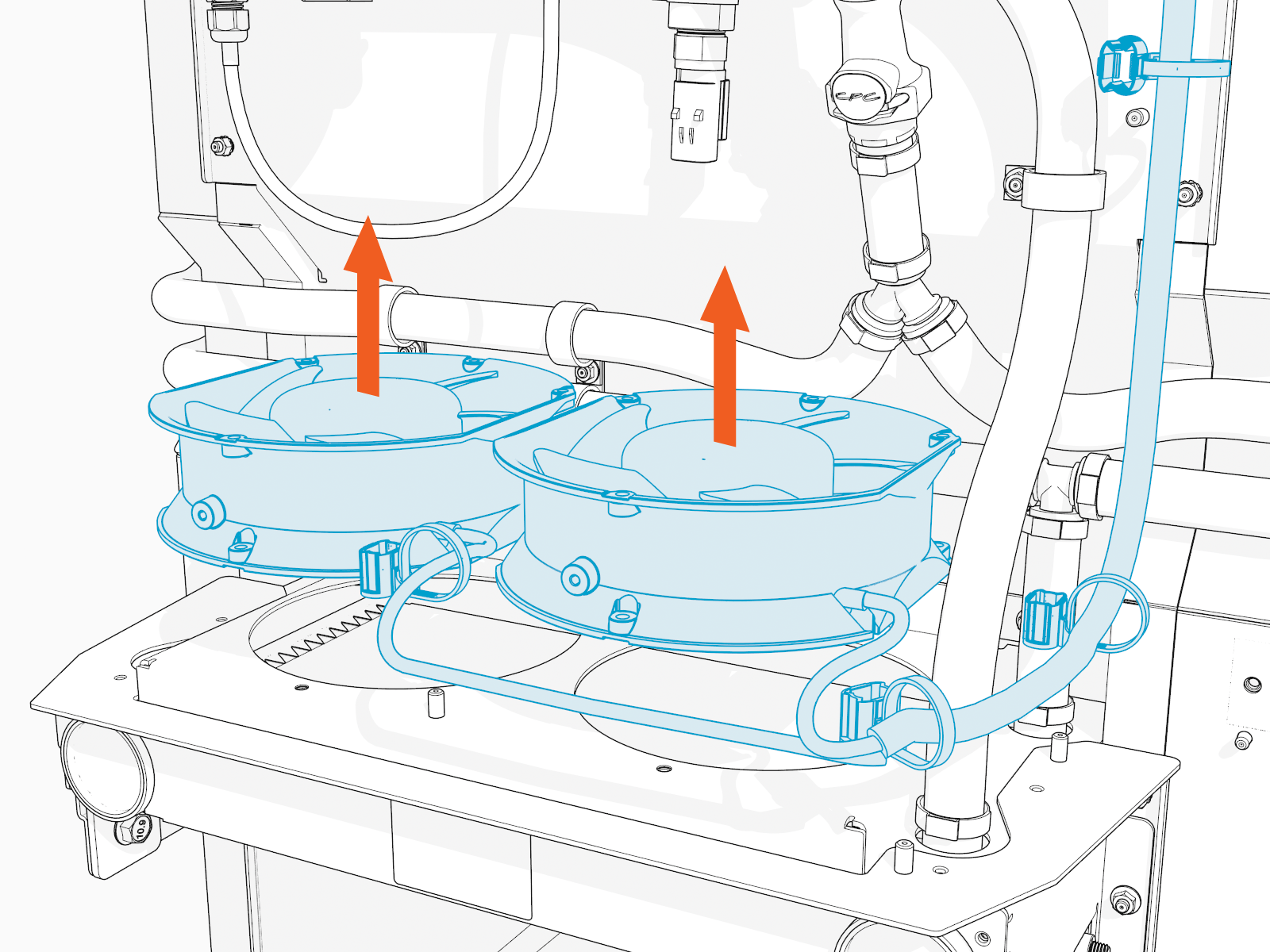
Reverse the above steps to reinstall with replacement FRU Field Replaceable Unit.
- To adhere to ChargePoint best practices, complete the post-service checklist before you leave the site.
For assistance or to return a faulty part to ChargePoint, go to chargepoint.com/support and contact technical support using the appropriate region-specific number.
