Ethernet to USB Module
This section provides instructions for installing or replacing an Ethernet to USB Universal Serial Bus module in the Power Link 2000. Refer to the appropriate subsection below:
To identify the Power Link 2000 variation, see Appendix A: Variation Identification.
Ethernet to USB Replacement in Variation A Power Link 2000
This section provides instructions for replacing the Ethernet to USB Universal Serial Bus module in a Variation A Power Link 2000. If working with a Variation B Power Link 2000, see Ethernet to USB Replacement in Variation B Power Link 2000. To identify the Power Link 2000 variation, see Appendix A: Variation Identification.
Required Tools and Materials
|
|
8 mm hex socket |
|
|

Before You Begin
Before servicing the component, complete the following steps:
-
Remove these:
After replacing the components, reverse the above steps to complete the service.
Replace Ethernet to USB in Variation A Power Link 2000
-
Locate the Ethernet to USB
Universal Serial Bus module within the Power Link 2000 enclosure.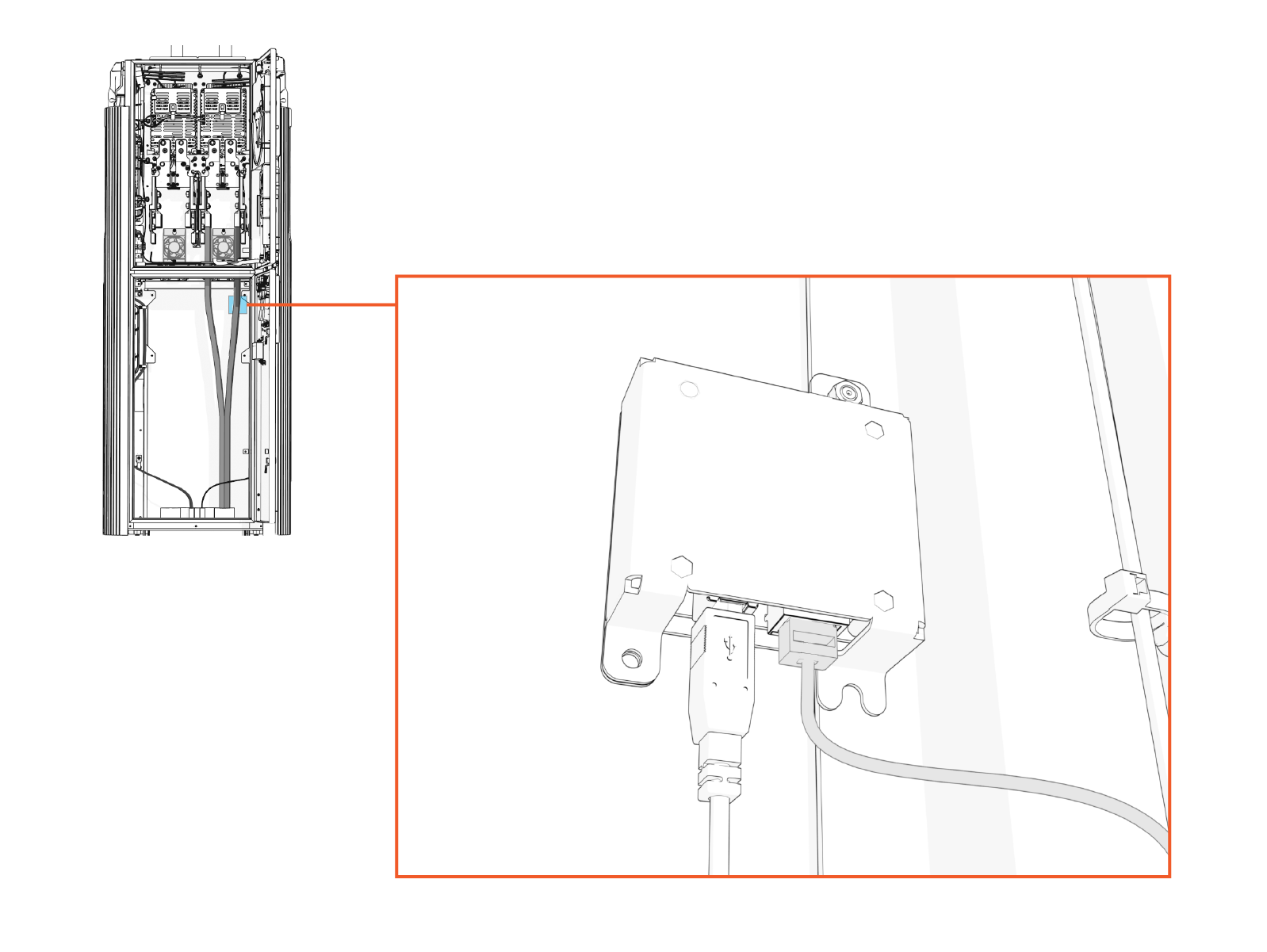
-
Unplug the Ethernet cable from the module.
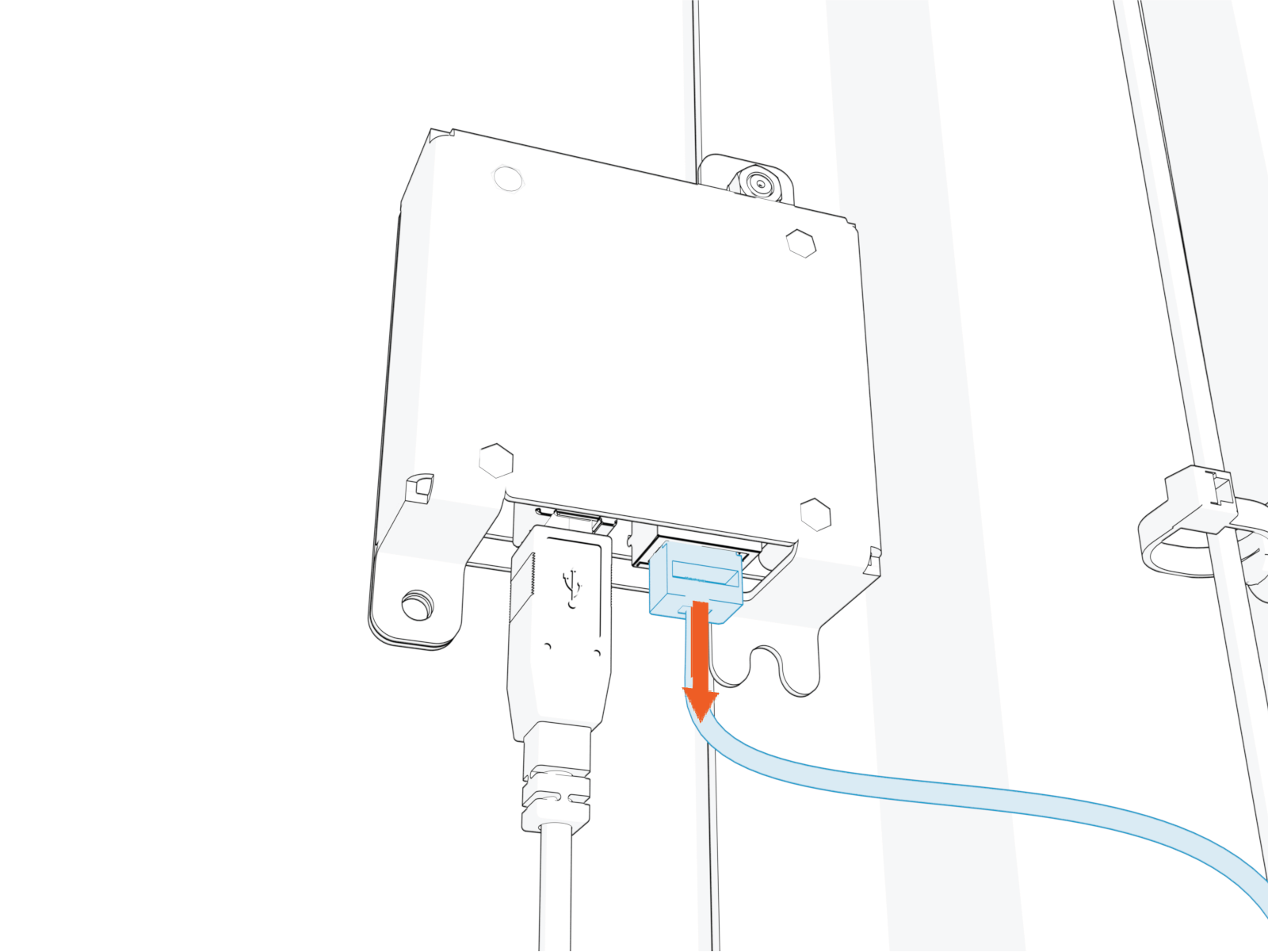
-
Trace the USB
Universal Serial Bus cable from the Ethernet to USB Universal Serial Bus module to the Control and Communications Unit (CCOM Control and Communications Module). Free the cable from any cable guides and zip ties securing the cable. 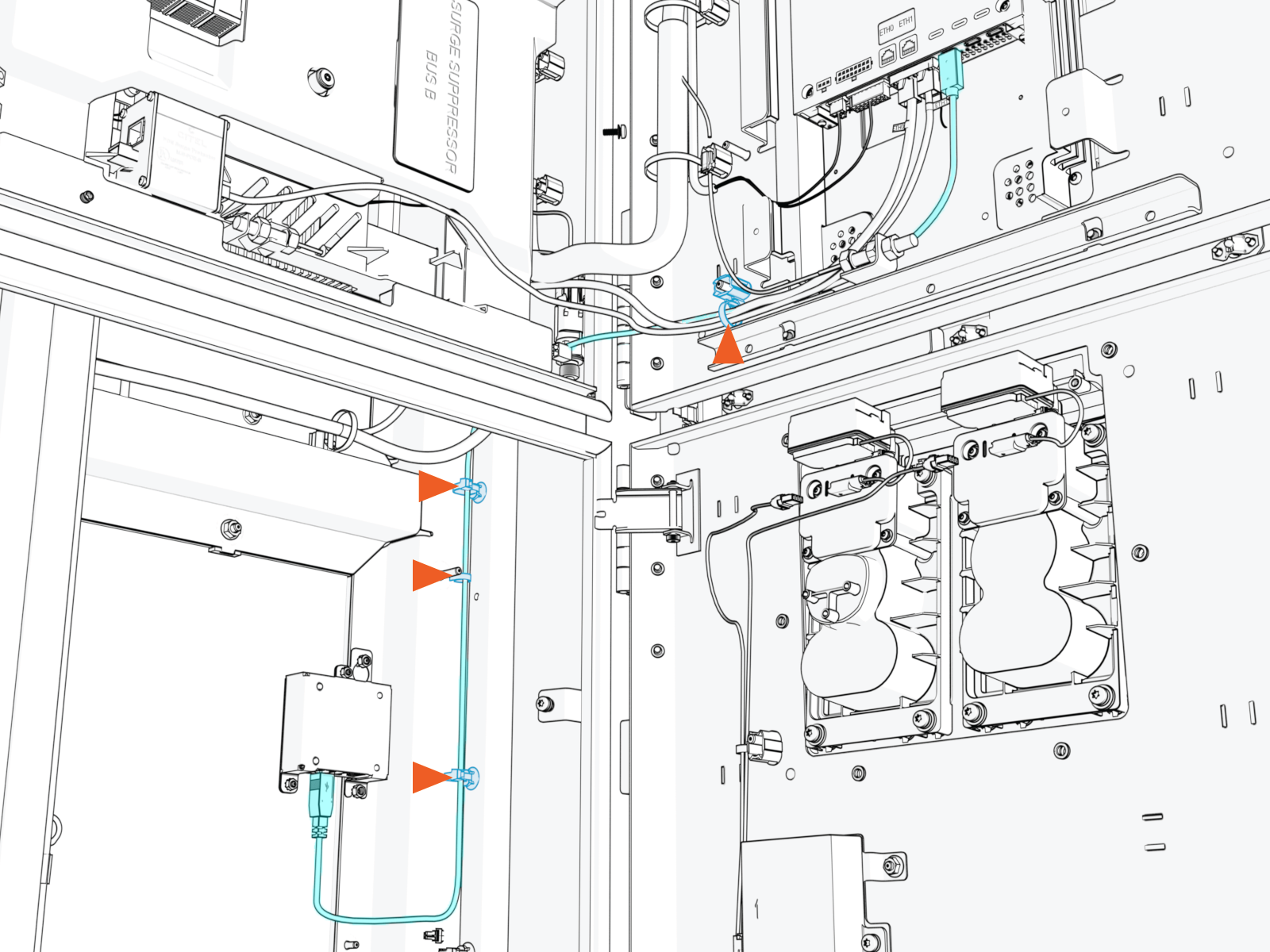
-
Disconnect the USB
Universal Serial Bus cable from the CCOM Control and Communications Module.-
Disconnect from 8-inch CCOM
Control and Communications Module: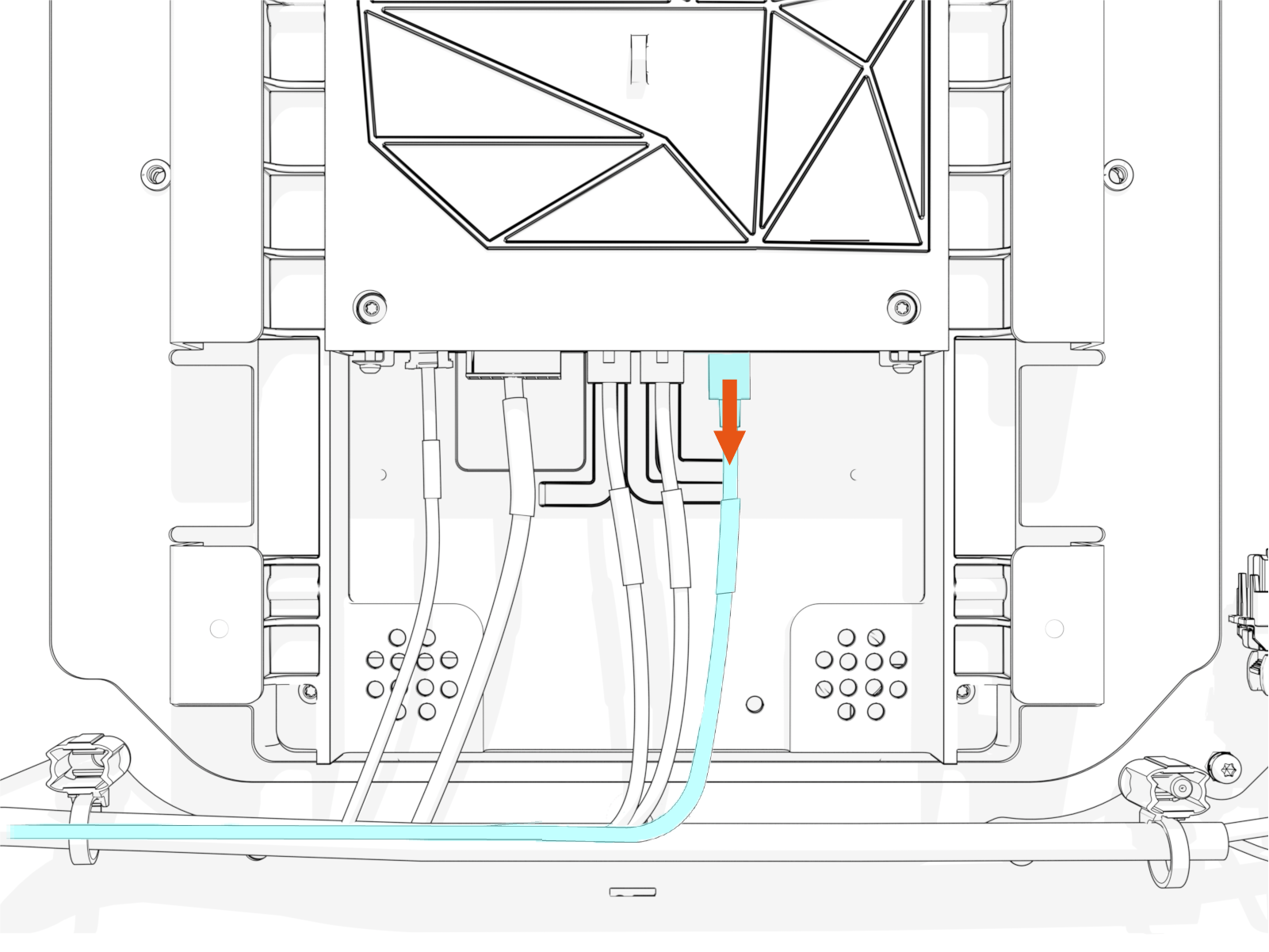
-
Disconnect from 15-inch CCOM
Control and Communications Module: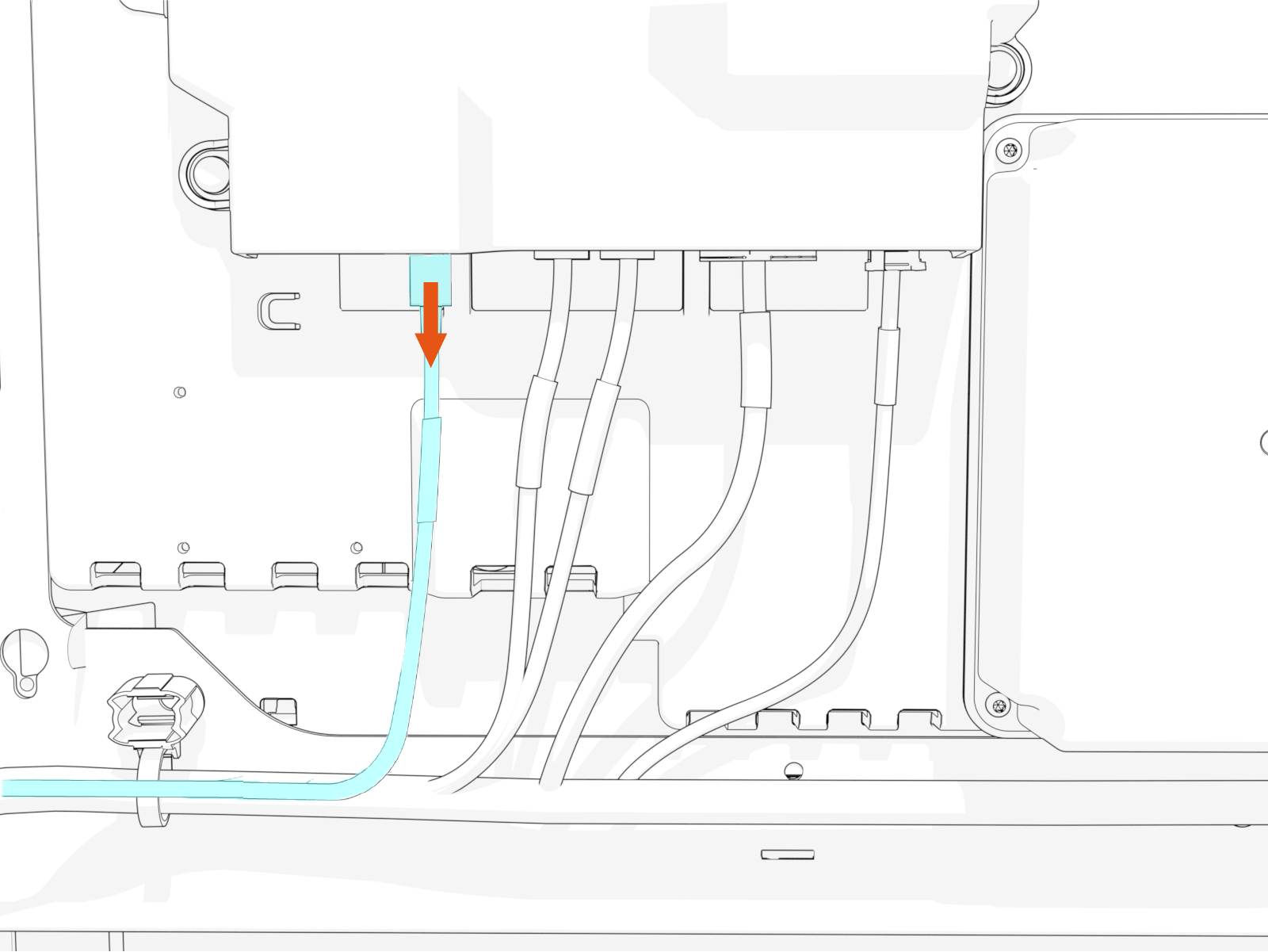
-
-
Route the USB
Universal Serial Bus cable away from the CCOM Control and Communications Module and back towards the Ethernet to USB Universal Serial Bus module.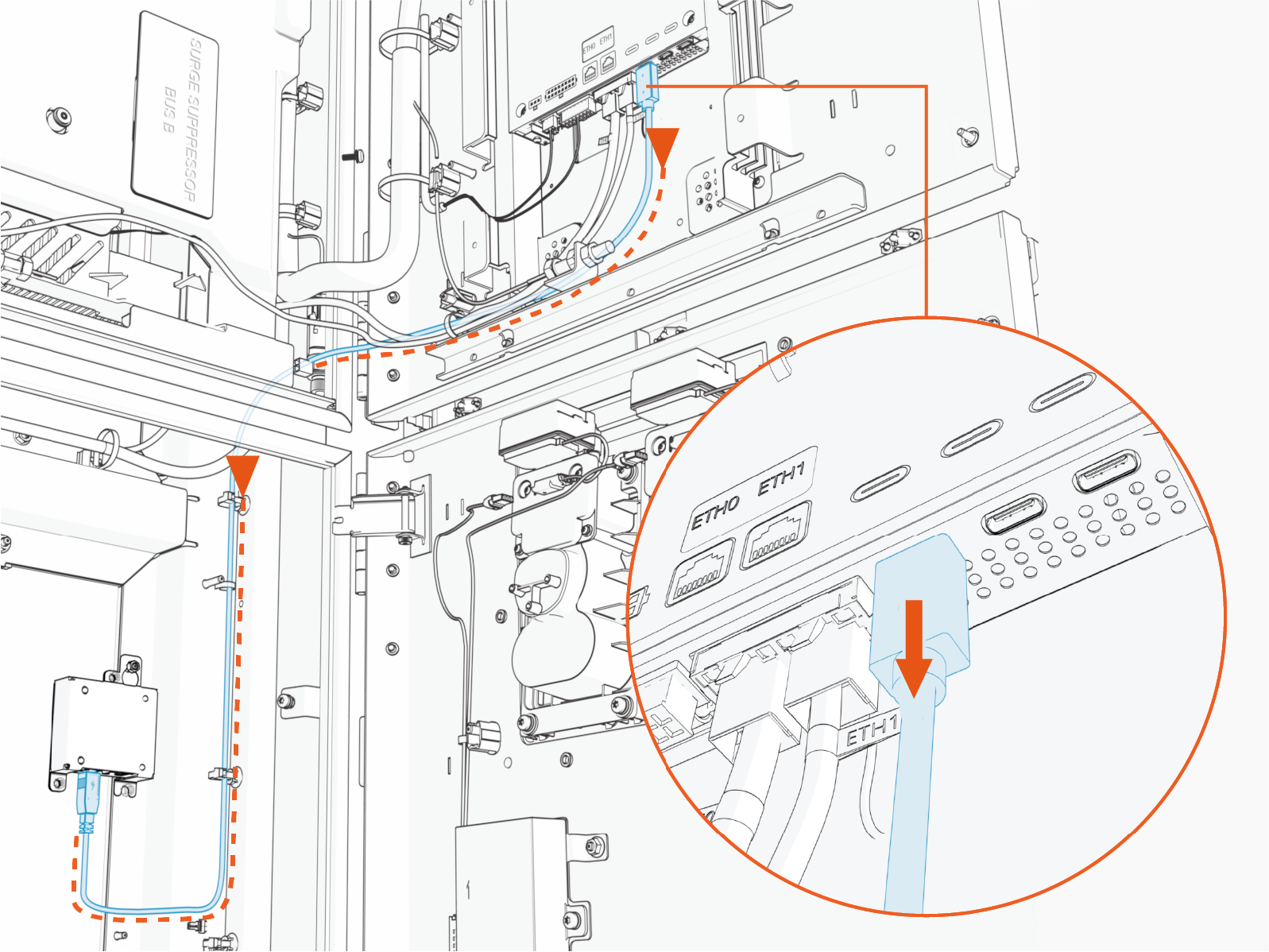
When installing the replacement cable, ensure the cable routes through the door cable guide. This prevents pinching of the cable when the door is closed.
-
Disconnect the USB
Universal Serial Bus cable from the Ethernet to USB Universal Serial Bus module. Remove the USB Universal Serial Bus cable.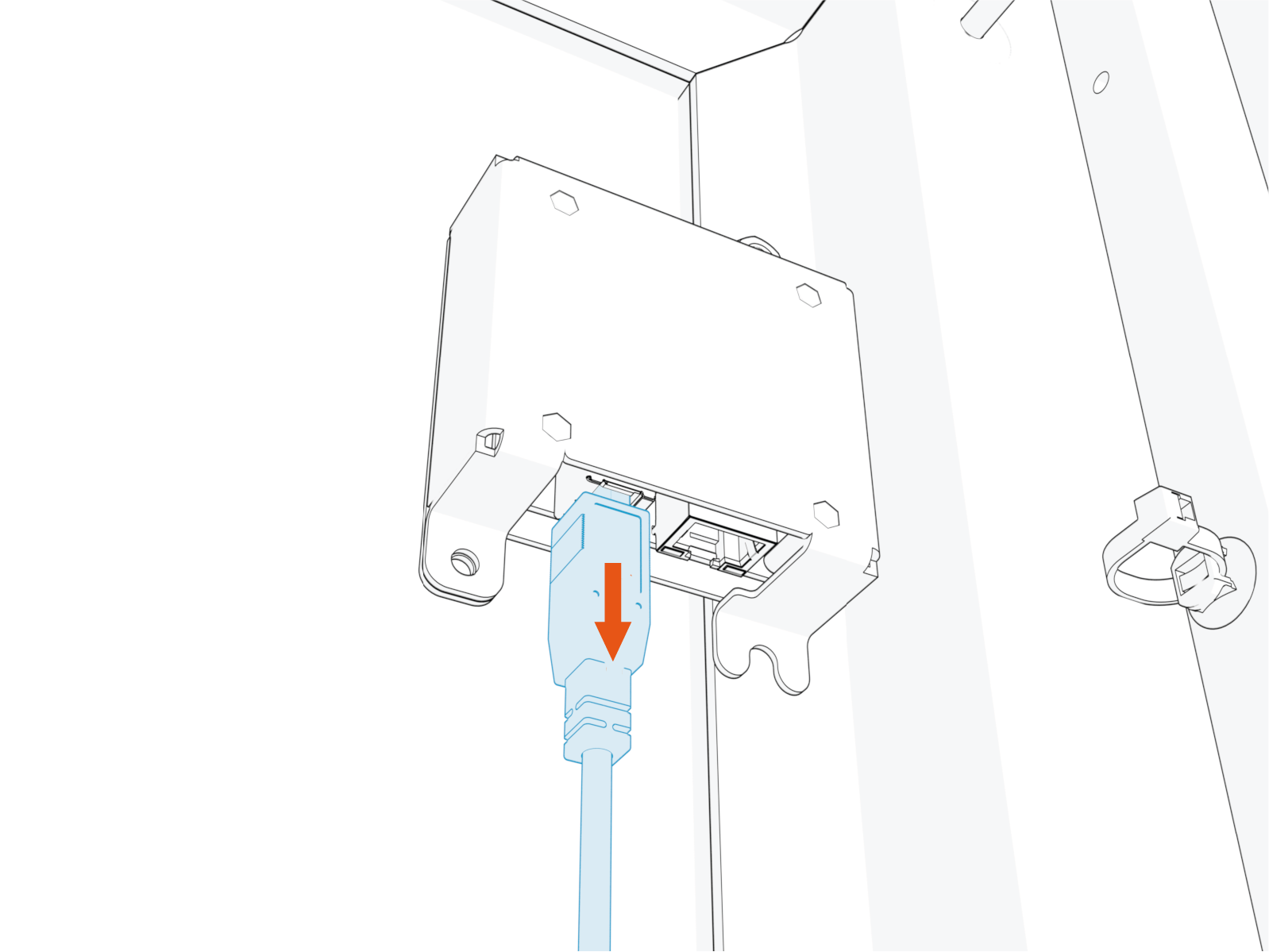
-
Loosen the mounting nut.
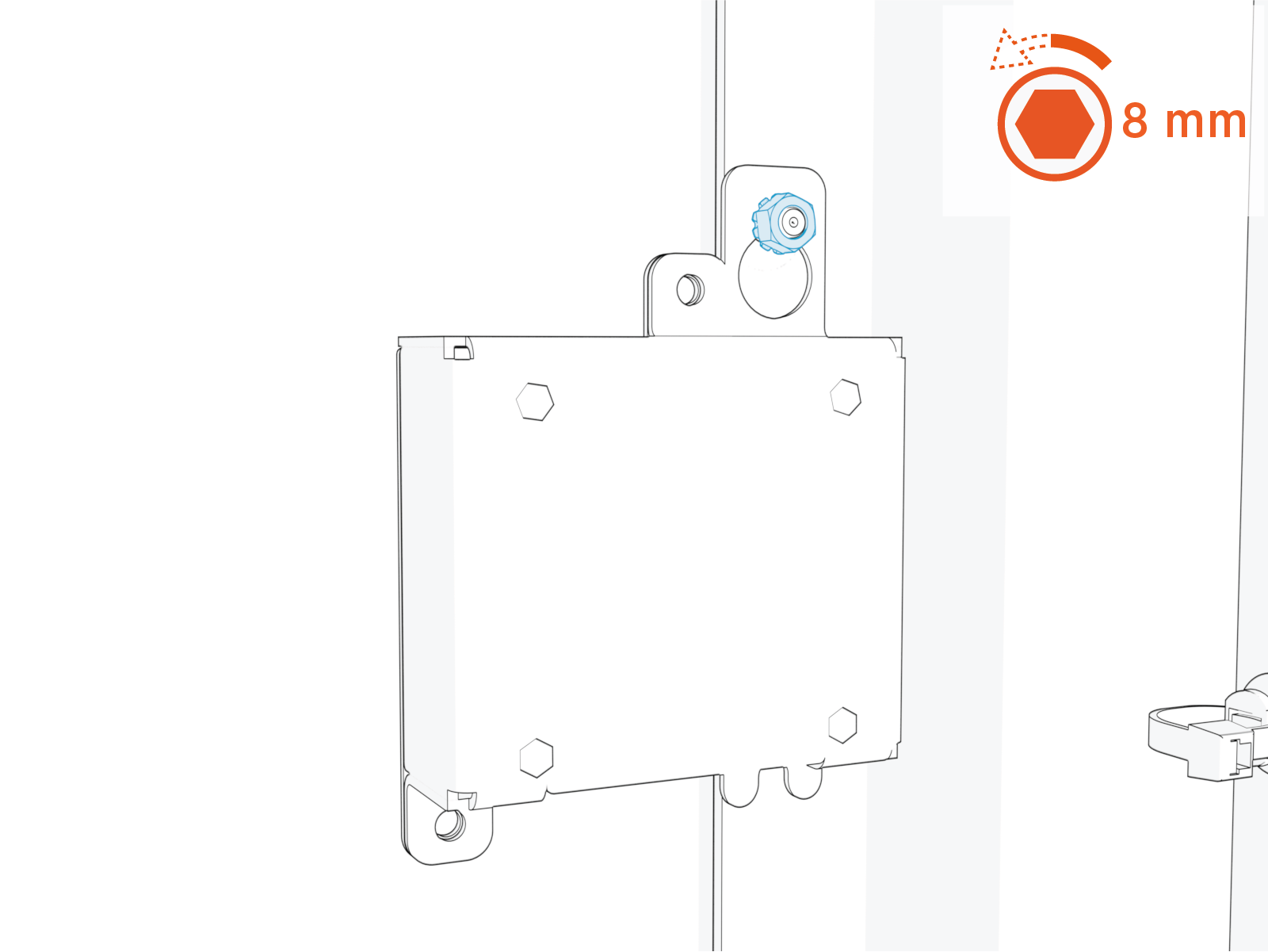
Torque the nut to 4.5 Nm (40 in-lb).
-
Slide the Ethernet to USB
Universal Serial Bus module upwards and remove the module.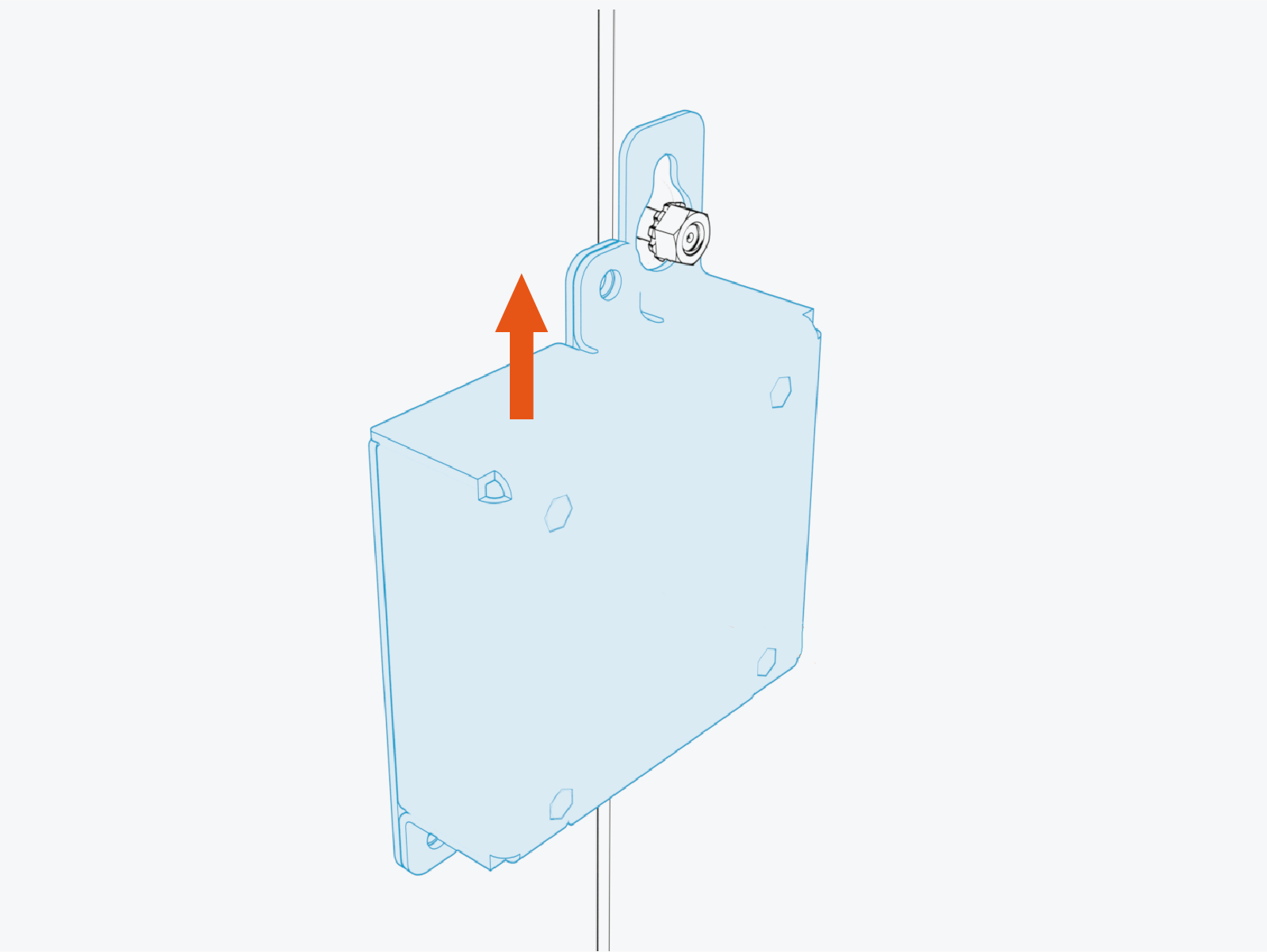
Reverse the above steps to reinstall with replacement part.
- To adhere to ChargePoint best practices, complete the post-service checklist before you leave the site.
For assistance or to return a faulty part to ChargePoint, go to chargepoint.com/support and contact technical support using the appropriate region-specific number.
Ethernet to USB Replacement in Variation B Power Link 2000
This section provides instructions for replacing the Ethernet to USB Universal Serial Bus module in a Variation B Power Link 2000. If working with a Variation A Power Link 2000, see Ethernet to USB Replacement in Variation A Power Link 2000. To identify the Power Link 2000 variation, see Appendix A: Variation Identification.
Required Tools and Materials
| 8 mm hex socket |
|
|
Before You Begin
Before servicing the component, complete the following steps:
Remove these:
After replacing the components, reverse the above steps to complete the service.
Replace Ethernet to USB in Variation B Power Link 2000
Locate the Ethernet to USB
Universal Serial Bus module within the Power Link 2000 enclosure.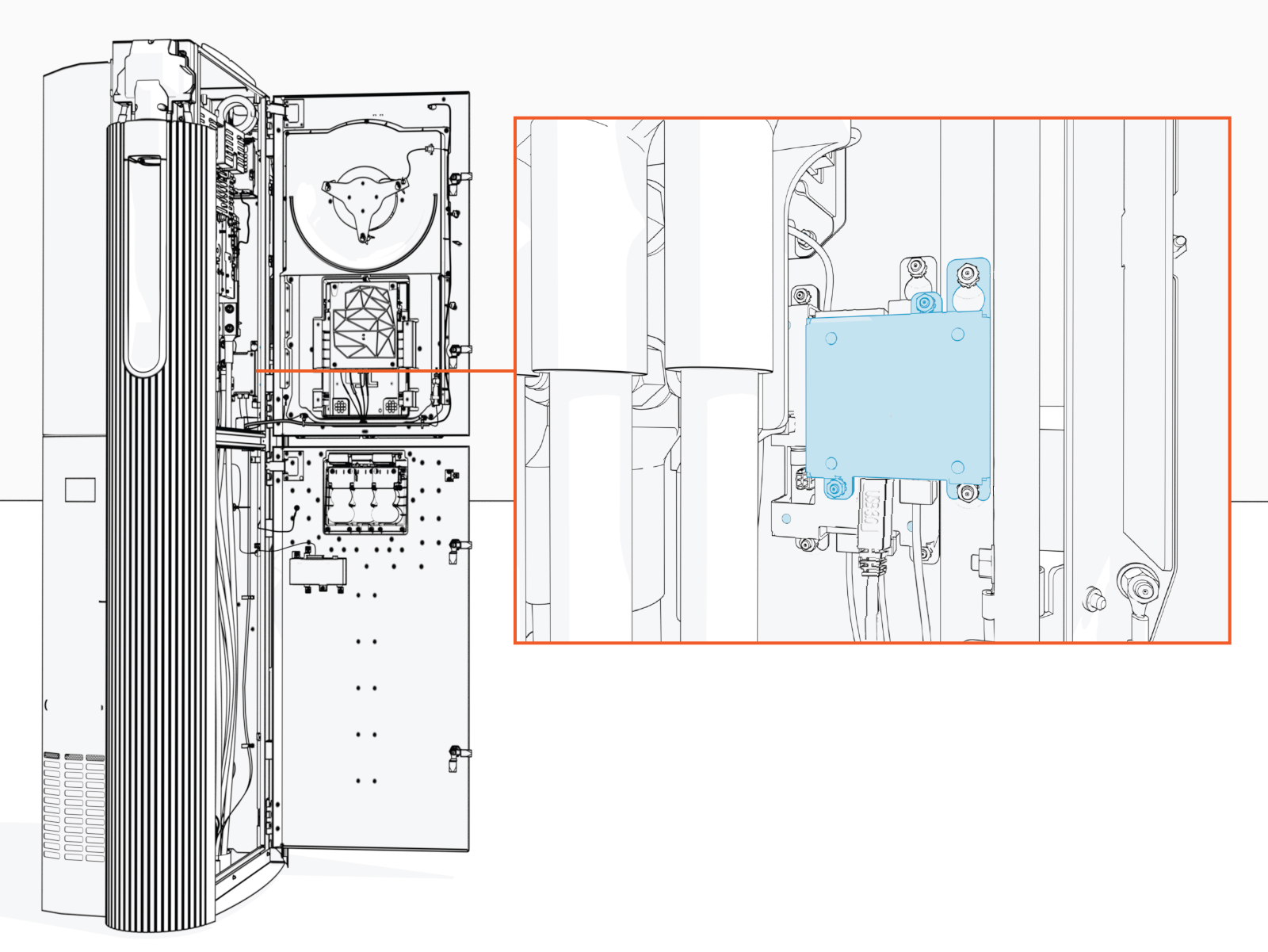
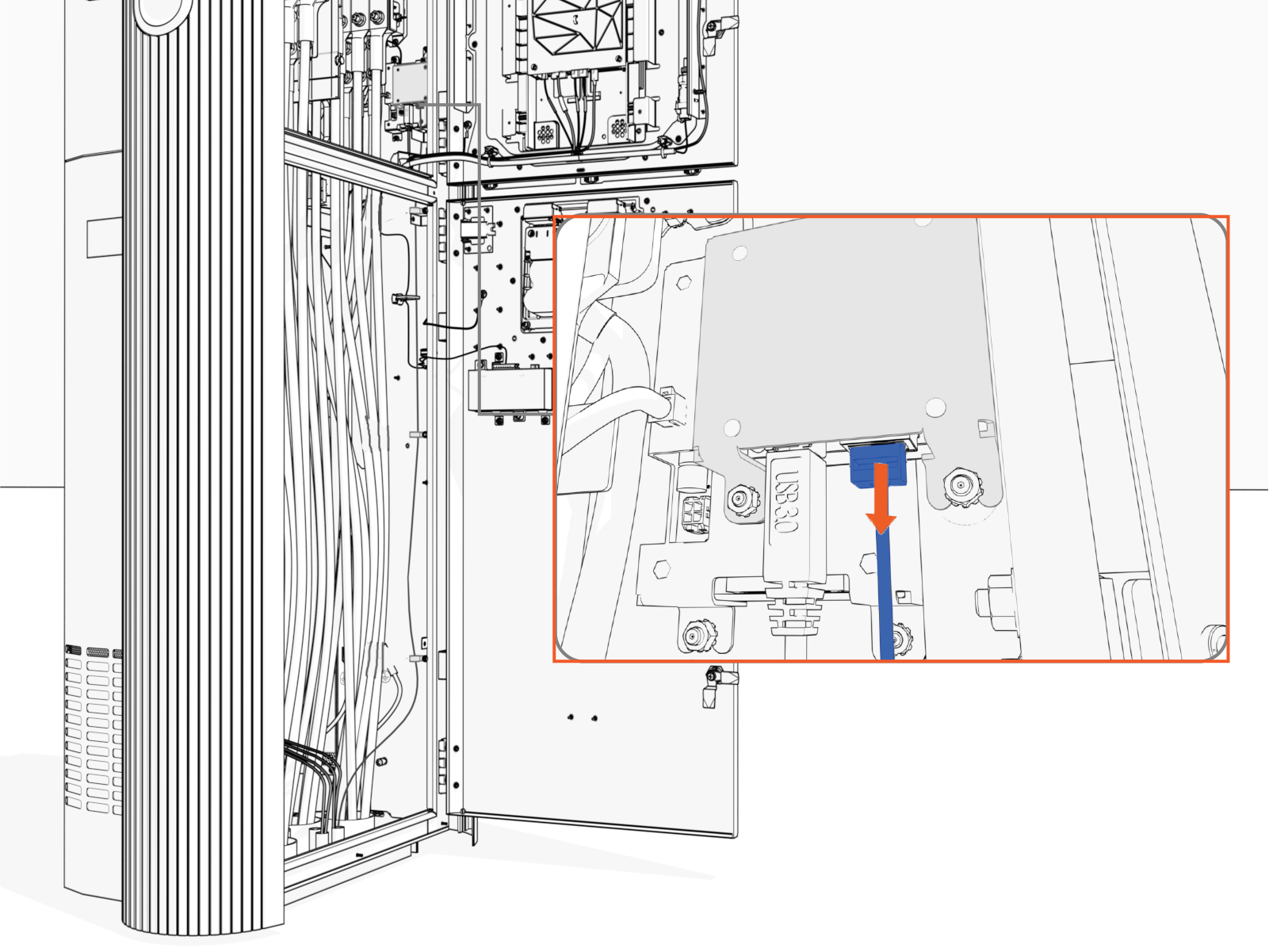
Unplug the Ethernet cable from the module.
Trace the USB
Universal Serial Bus cable from the Ethernet to USB Universal Serial Bus module to the Control and Communications Unit (CCOM Control and Communications Module). Free the cable from any cable guides and zip ties securing the cable. 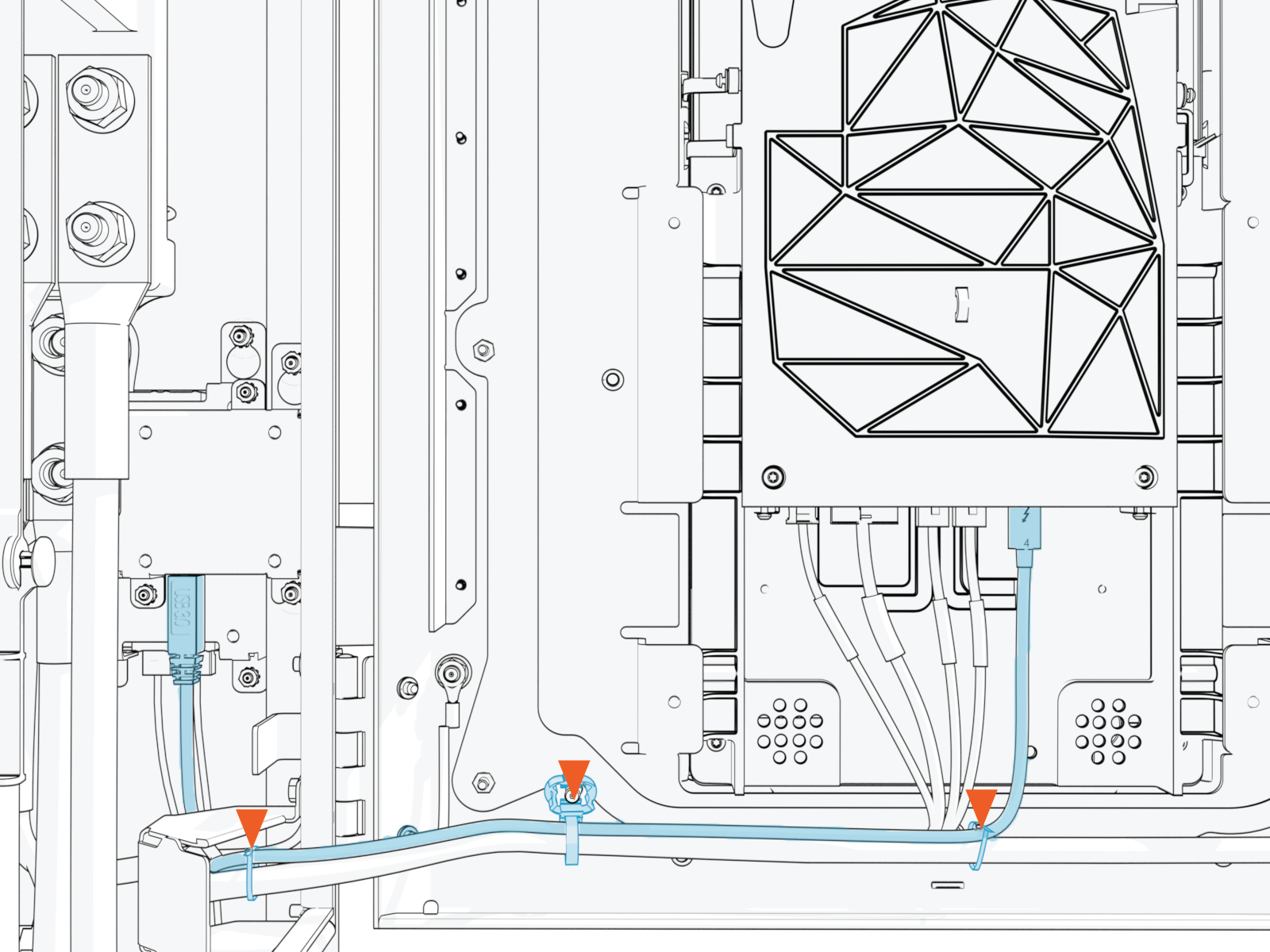
Disconnect the USB
Universal Serial Bus cable from the CCOM Control and Communications Module.Disconnect from 8-inch CCOM
Control and Communications Module:Disconnect from 15-inch CCOM
Control and Communications Module:
Route the USB
Universal Serial Bus cable away from the CCOM Control and Communications Module and back towards the Ethernet to USB Universal Serial Bus module.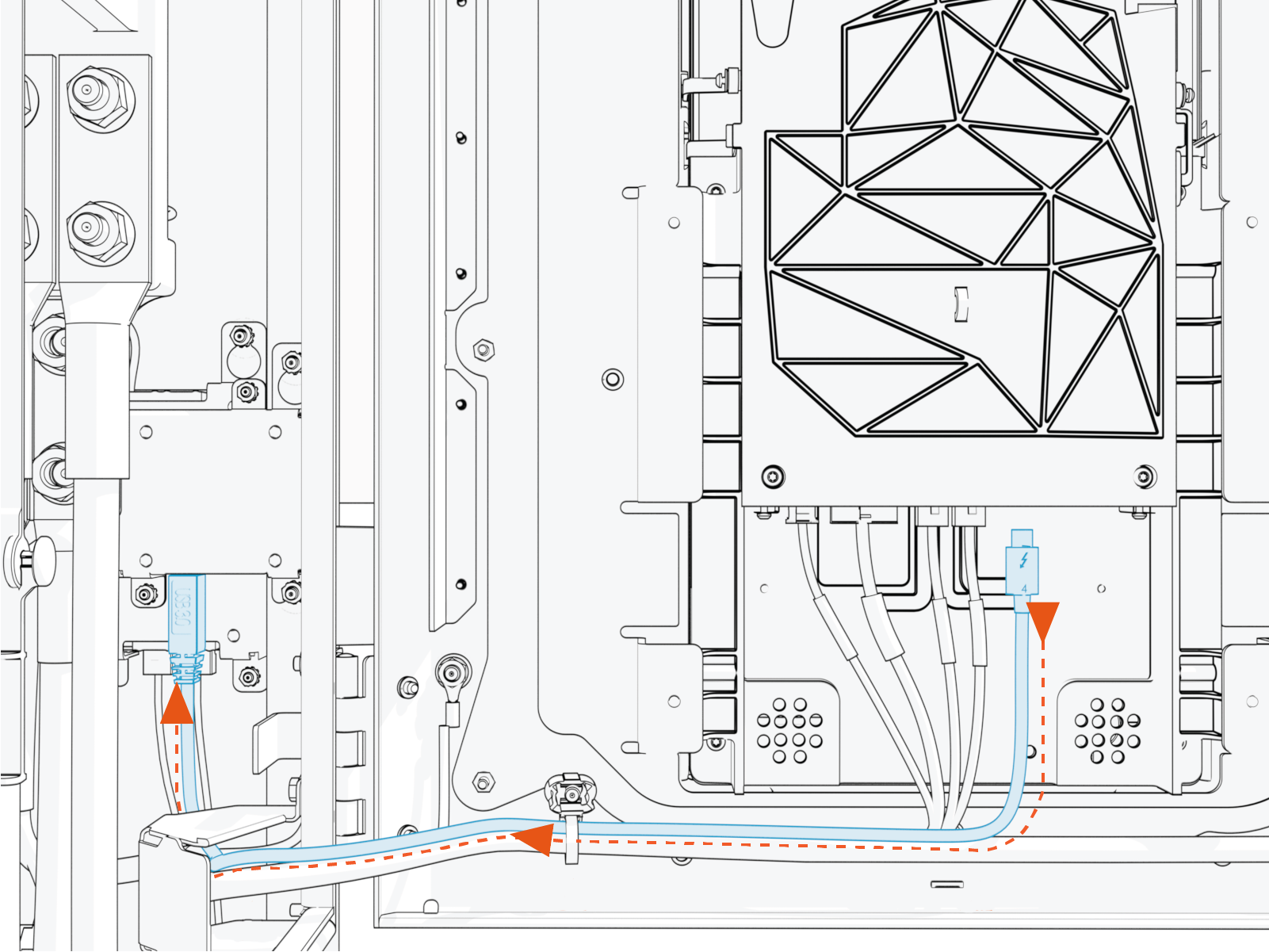
When installing the replacement cable, ensure the cable routes through the door cable guide. This prevents pinching of the cable when the door is closed.
Disconnect the USB
Universal Serial Bus cable from the Ethernet to USB Universal Serial Bus module. Remove the USB Universal Serial Bus cable.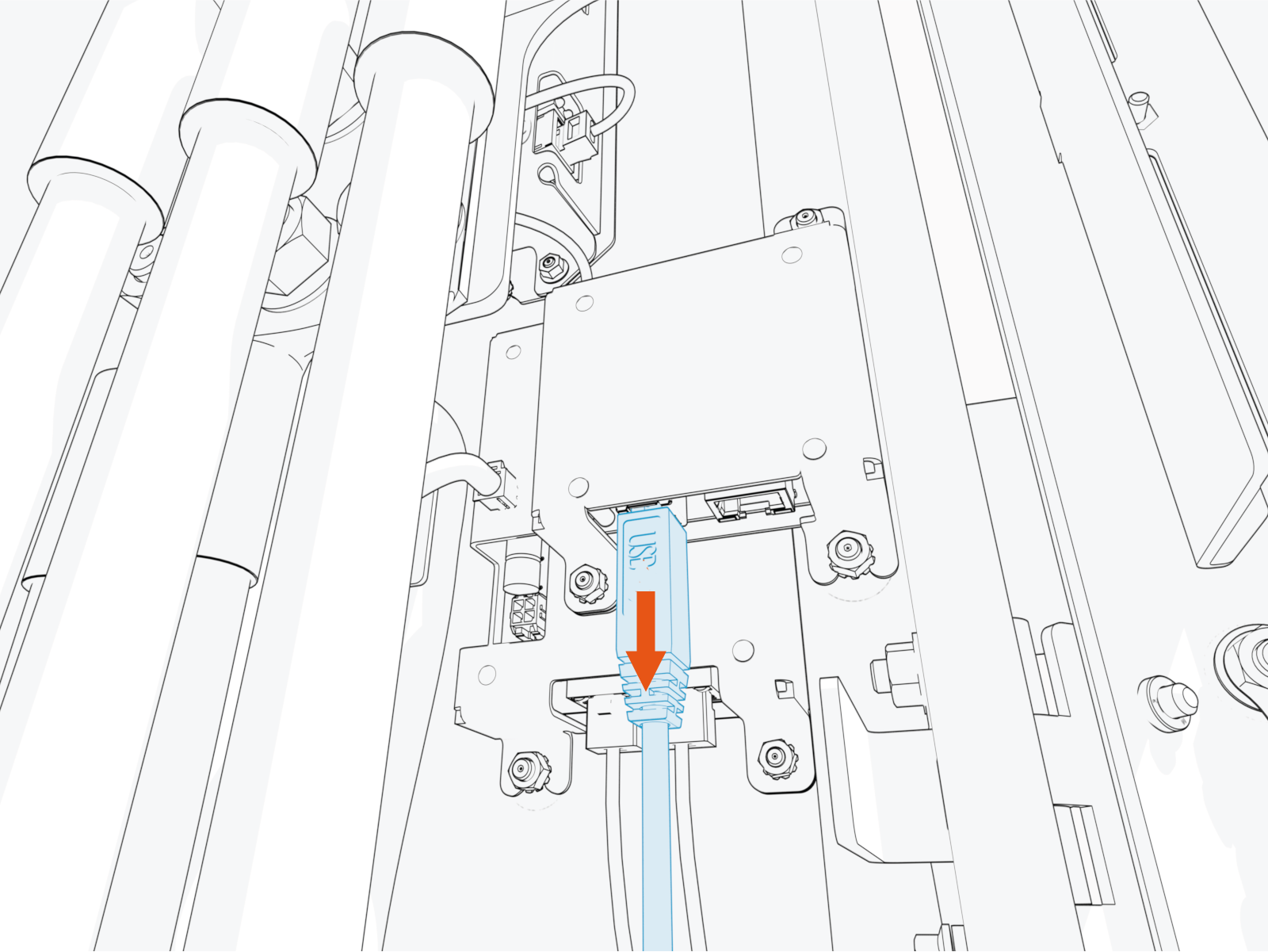
Loosen the mounting nuts (x2).
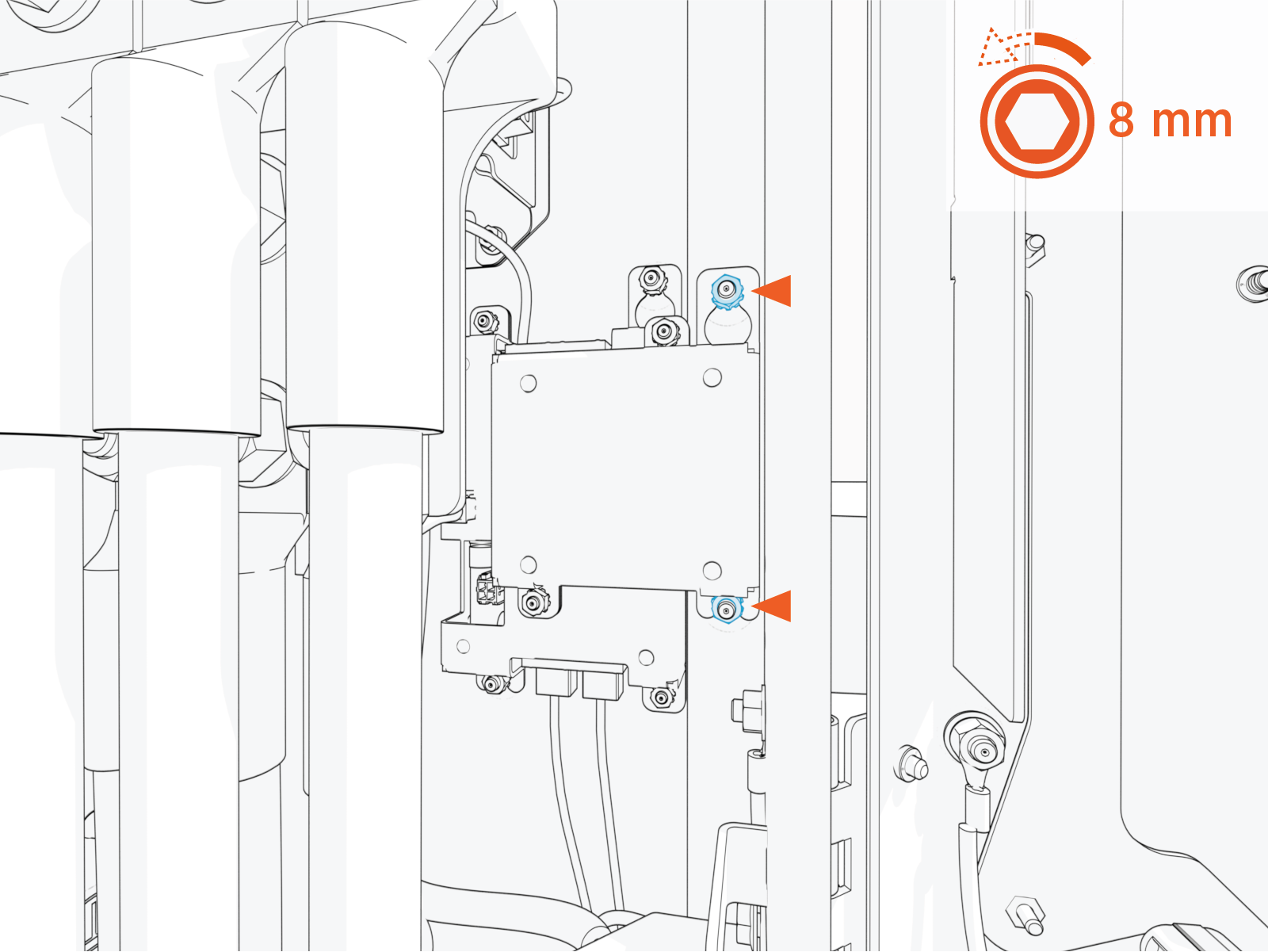
Torque the nut to 4.5 Nm (40 in-lb).
Slide the Ethernet to USB
Universal Serial Bus module upwards and remove the module.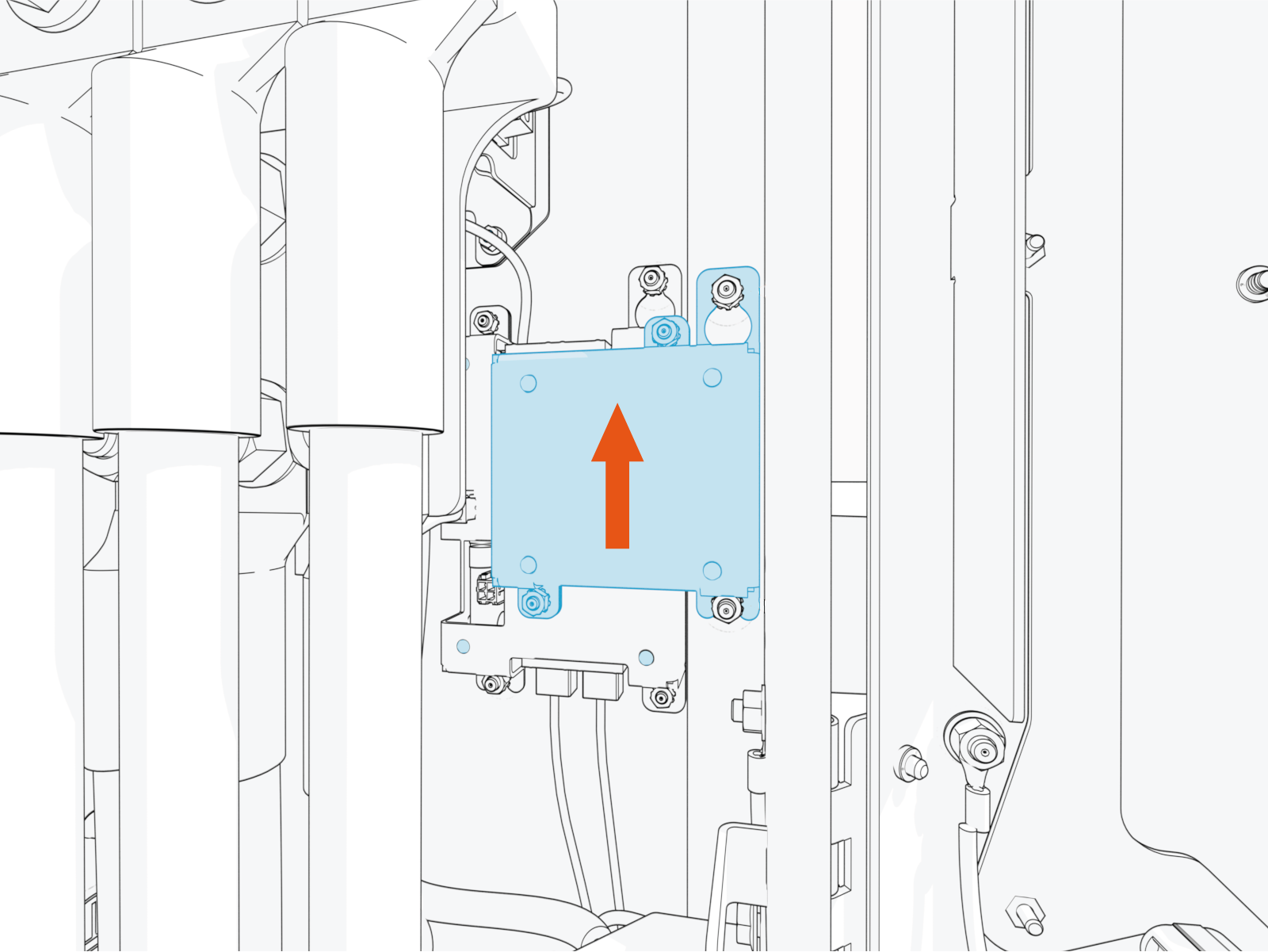
Reverse the above steps to reinstall with replacement part.
- To adhere to ChargePoint best practices, complete the post-service checklist before you leave the site.
For assistance or to return a faulty part to ChargePoint, go to chargepoint.com/support and contact technical support using the appropriate region-specific number.
