Coolant
This section provides instruction for top up or refill of coolant in the Power Link 2000.
Required Tools and Materials
|
|
Stepladder |
|
ChargePoint coolant |
|
|
Funnel (to pour in coolant) |
|
Clean rags |




Before You Begin
Before beginning service work, complete the following steps:
-
Remove these:
After replacing the components, reverse the above steps to complete the service.
Top Up or Refill Coolant
-
Remove the dipstick attached either behind the heat sink or the lower enclosure door.
-
Behind heat sink
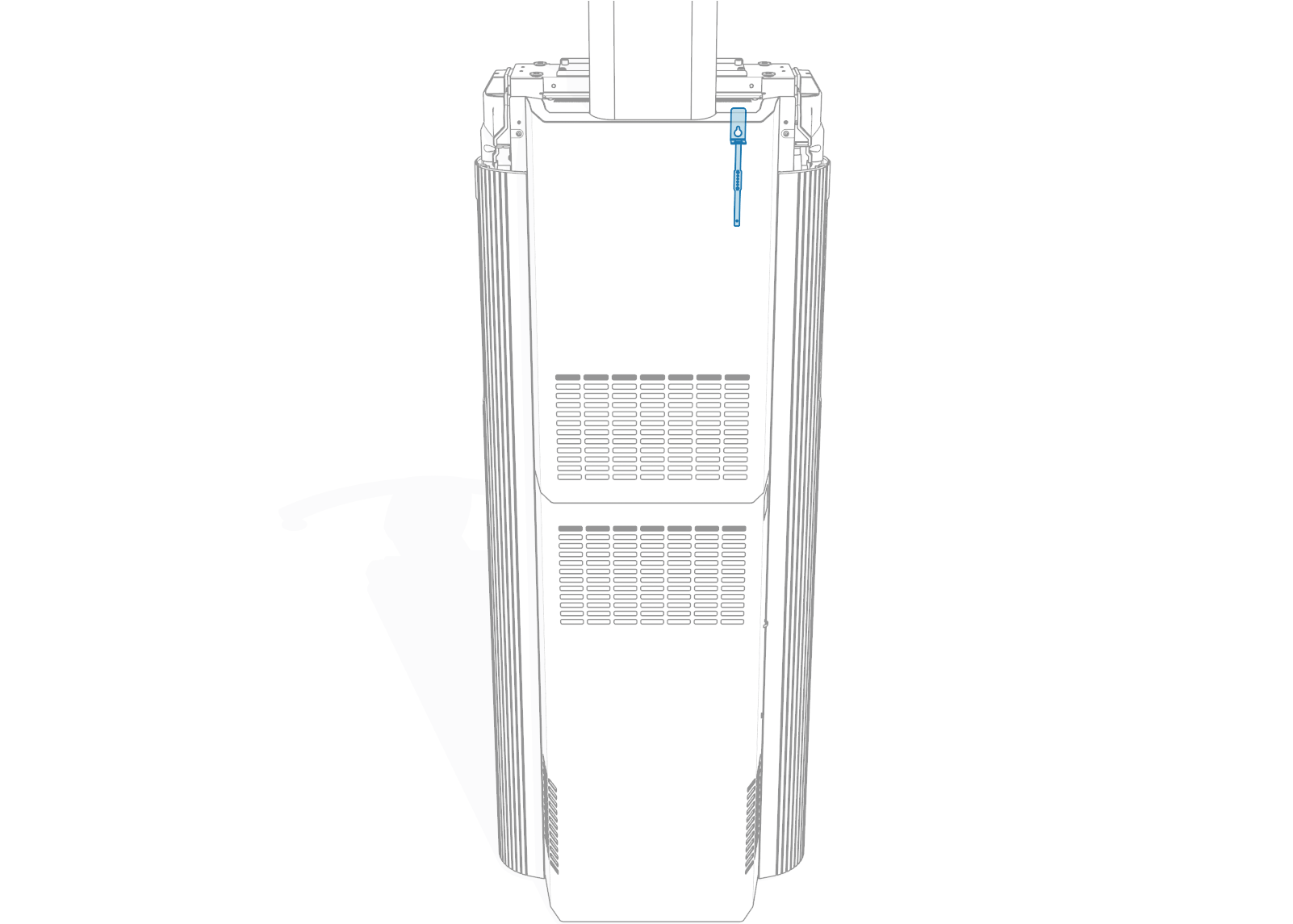
-
Behind lower enclosure door
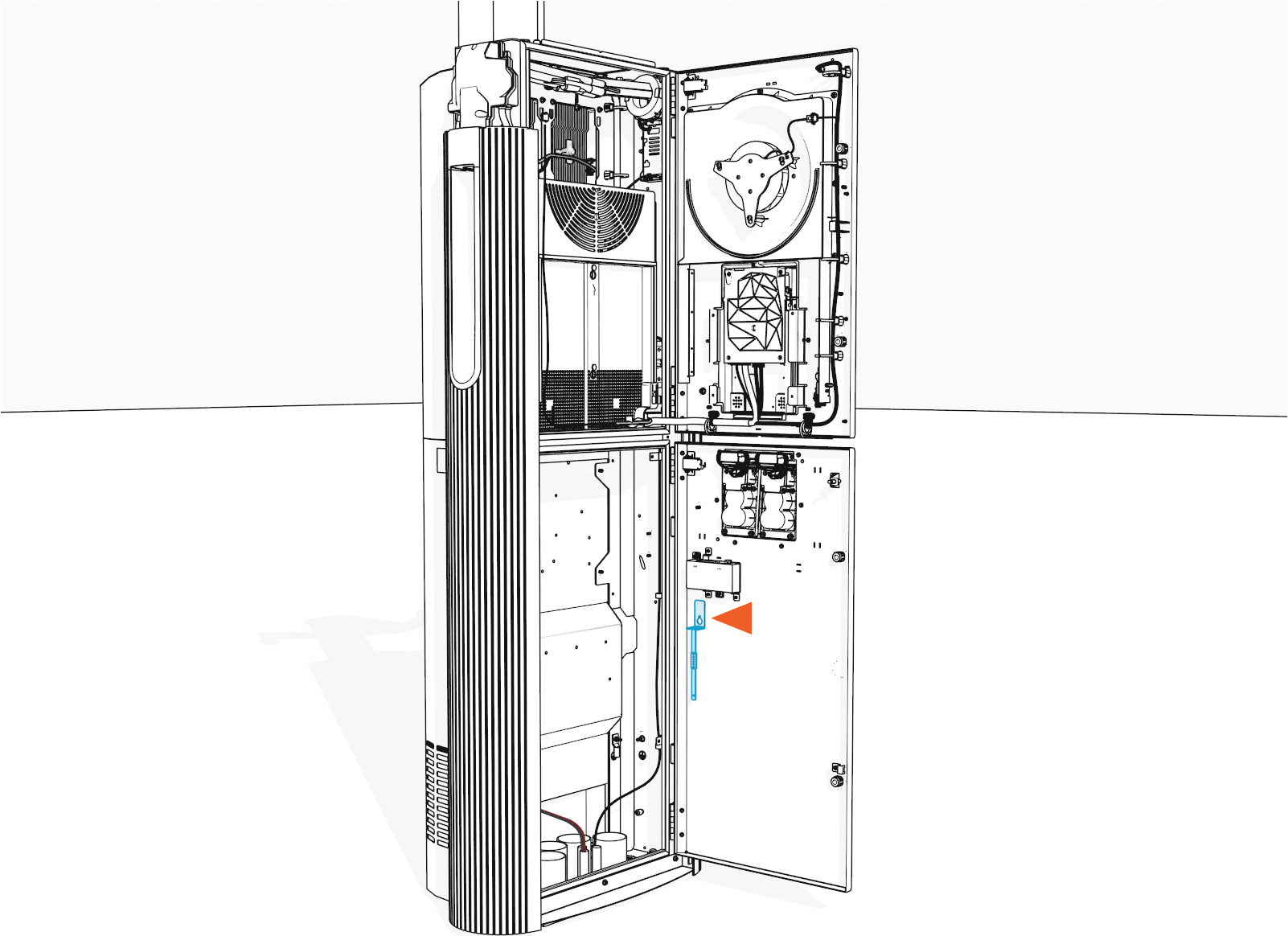
-
-
Hand remove the reservoir cap. If necessary, use a coin or flat head screwdriver.
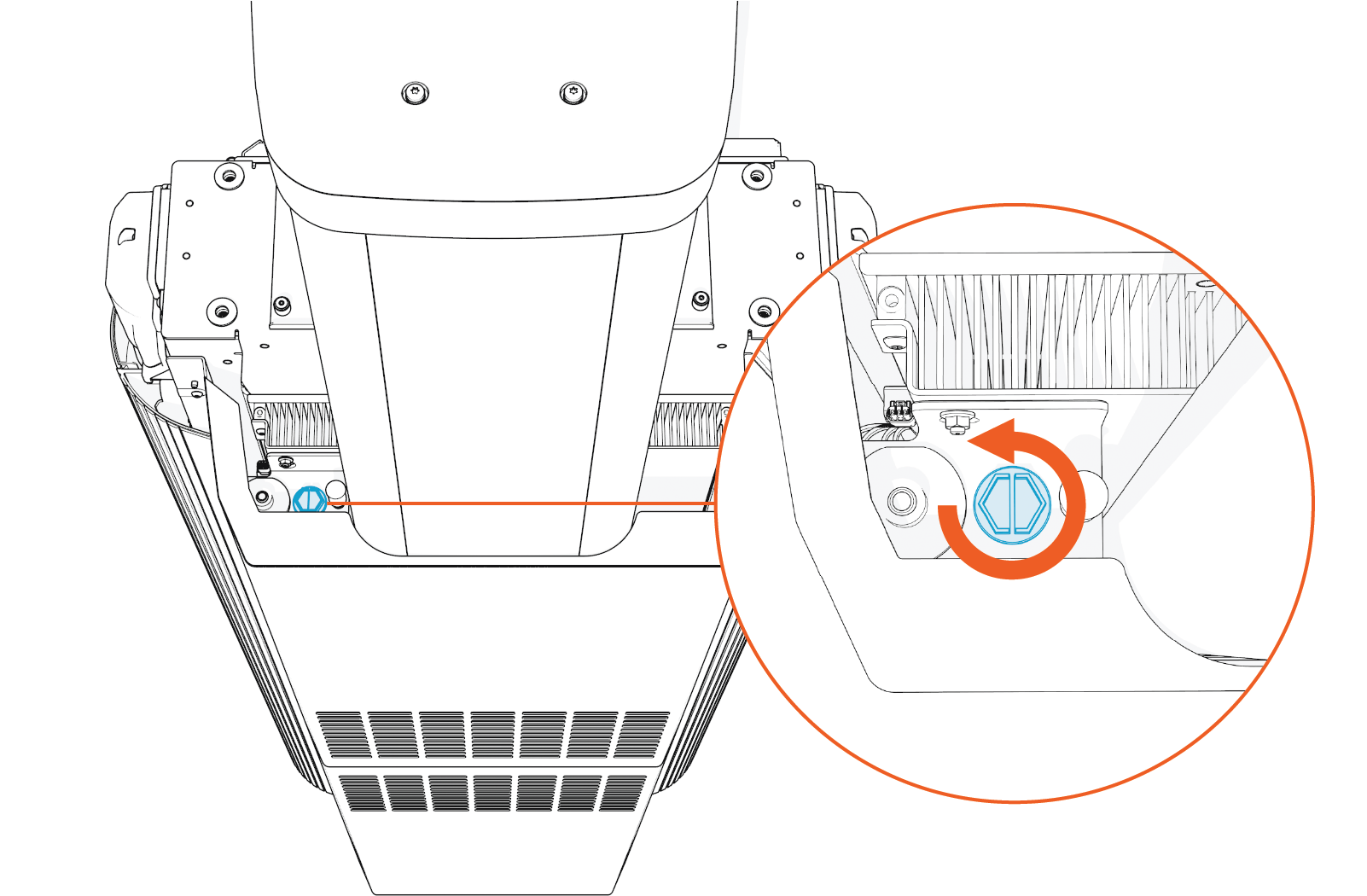
-
Insert the dipstick until it sits on the reservoir.
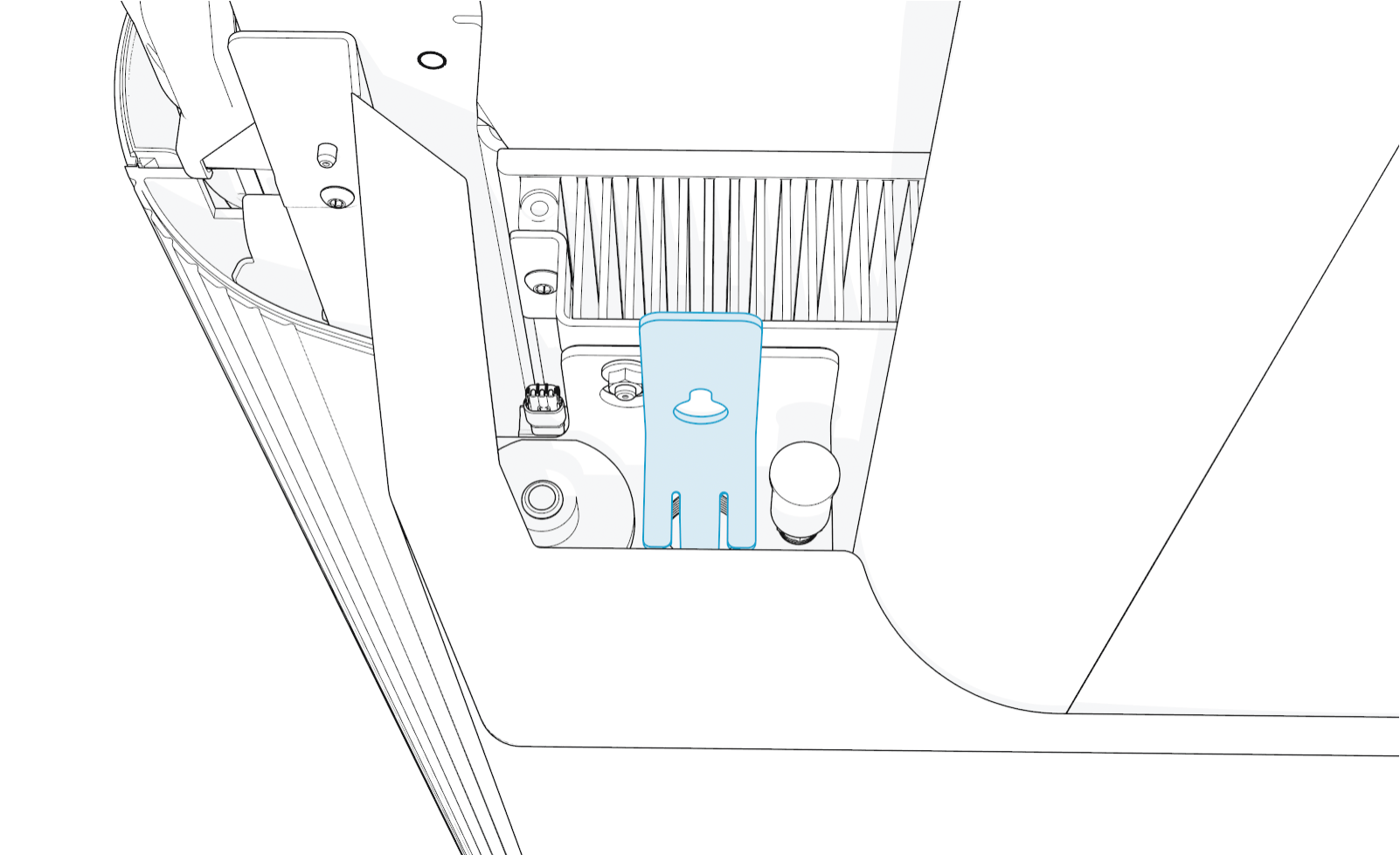
-
Remove dipstick and check the coolant level. If coolant is below the minimum level, top up to the maximum level.
Max
Min
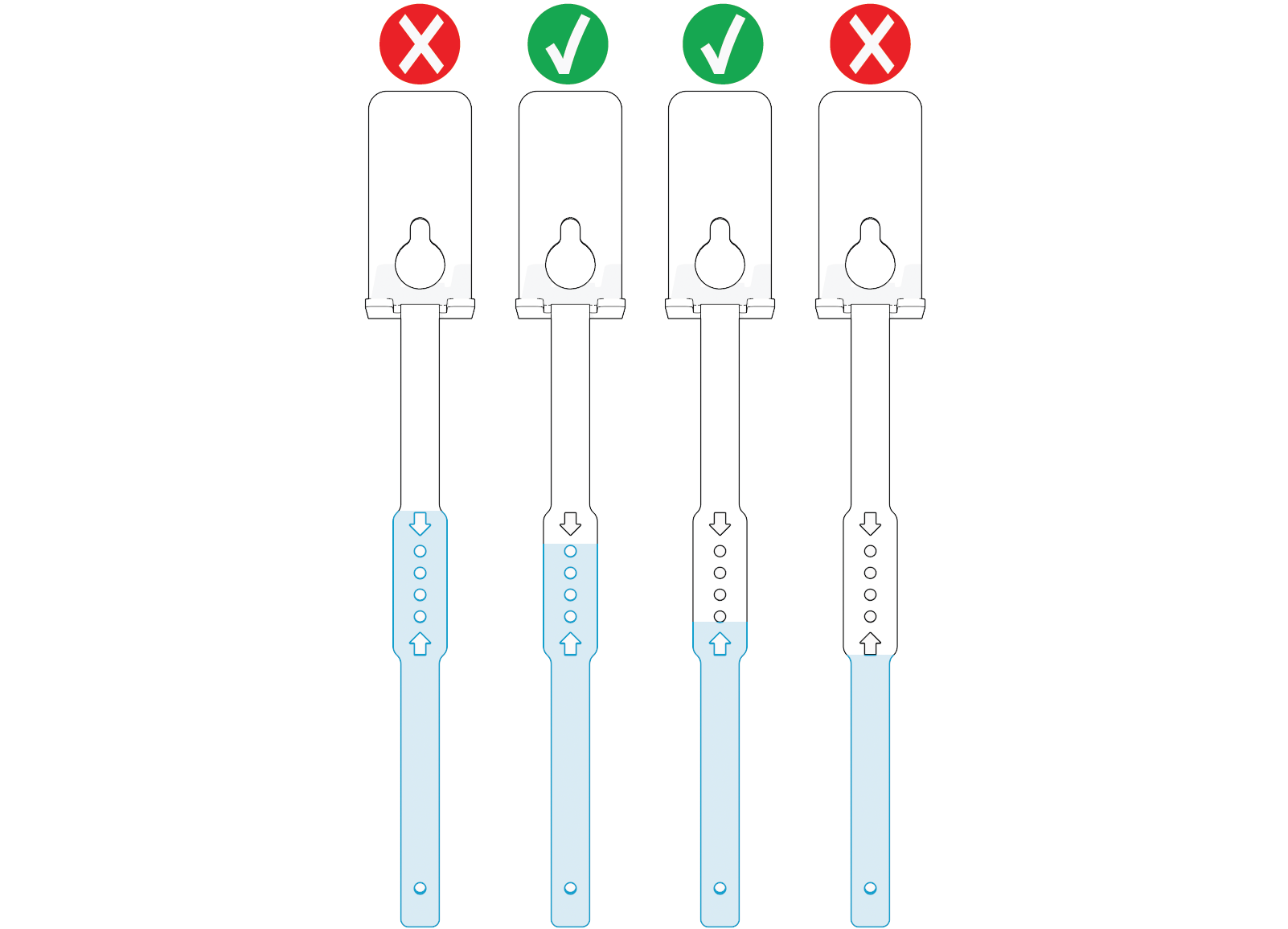
-
Replace and hand tighten the reservoir cap.
-
Use a clean rag to wipe off coolant residue on the dipstick and place it back to its original location.
- To adhere to ChargePoint best practices, complete the post-service checklist before you leave the site.
For assistance or to return a faulty part to ChargePoint, go to chargepoint.com/support and contact technical support using the appropriate region-specific number.
