Replace the Charging Connector DC Contact
To replace the charging connector DC contacts and front cover on a Phoenix Liquid Cooled Cable (LCC Liquid Cooled Cable) CCS1 assembly, perform the following steps. These instructions apply only to assemblies identified by the approved Express Plus SKUs listed below.
|
Part Number |
Description |
|---|---|
| 99-007905-02-FT | EXPP-PL202X1BC-FTA |
| 99-007910-01 | EXPP-PL2011BC-6A1S1-MB |
| 99-007910-02 | EXPP-PL2011BC-6A1S1 |
| 99-007910-02-FH | EXPP-PL2011BC-6A1S1-FHWA-A |
| 99-007910-02-FT | EXPP-PL2011BC-6A1S1-FTA-A |
| 99-007911-01 | EXPP-PL202X1BC-6A1S1-6A1S1-MB |
| 99-007911-02 | EXPP-PL202X1BC-6A1S1-6A1S1 |
| 99-007911-02-FH | EXPP-PL202X1BC-6A1S1-6A1S1-FHWA |
| 99-007911-02-FT | EXPP-PL202X1BC-6A1S1-6A1S1-FTA-A |
| 99-007911-03 | EXPP-PL202X1BC-6A1S1-6A1S1-A |
| 99-007916-02 | EXPP-PL202X1BC-6A1S1 |
| 99-007916-02-FH | EXPP-PL202X1BC-6A1S1-FHWA-A |
| 99-007925-01 | EXPP-PL202X1DC-6A6S1-6A6S1-A |
Required Tools and Materials
|
|
Torque adjustable screwdriver with 1/4‑inch hex bit holder (10–19 in-lb range) |
|
T5 Torx bit |


Inspect the Box for Contents
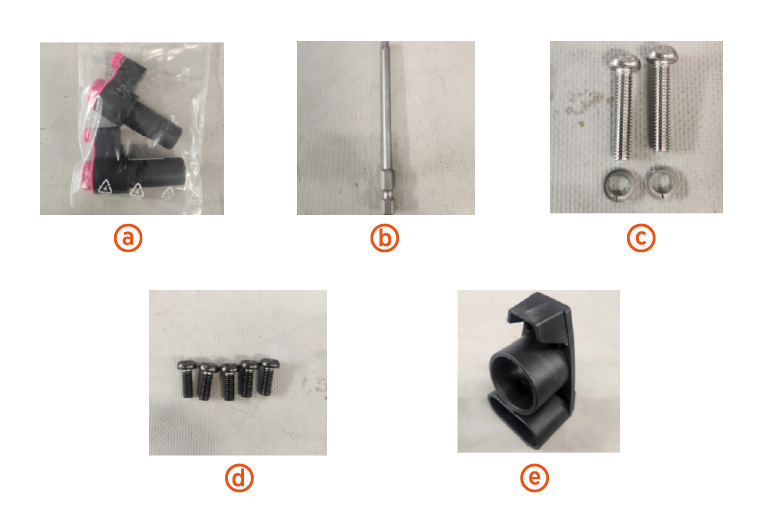
The replacement kit for charging connector DC contact includes:
-
DC contacts (x2)
-
S2 T20 Screw Bit
-
DC contact screw washers (x2)
-
M4X10-5TX short screws (x5) (Included in applicable kits only)
-
Front cover (Included in applicable kits only)
Before you begin
-
Remove the charging cable connectors from the holster.
Replace the Charging Connector DC Contact
-
Using the T5 screwdriver, remove the five M4x10‑5TX screws securing the front cover.
A typical LCC Liquid Cooled Cable CCS1 DC-connector profile is shown for reference.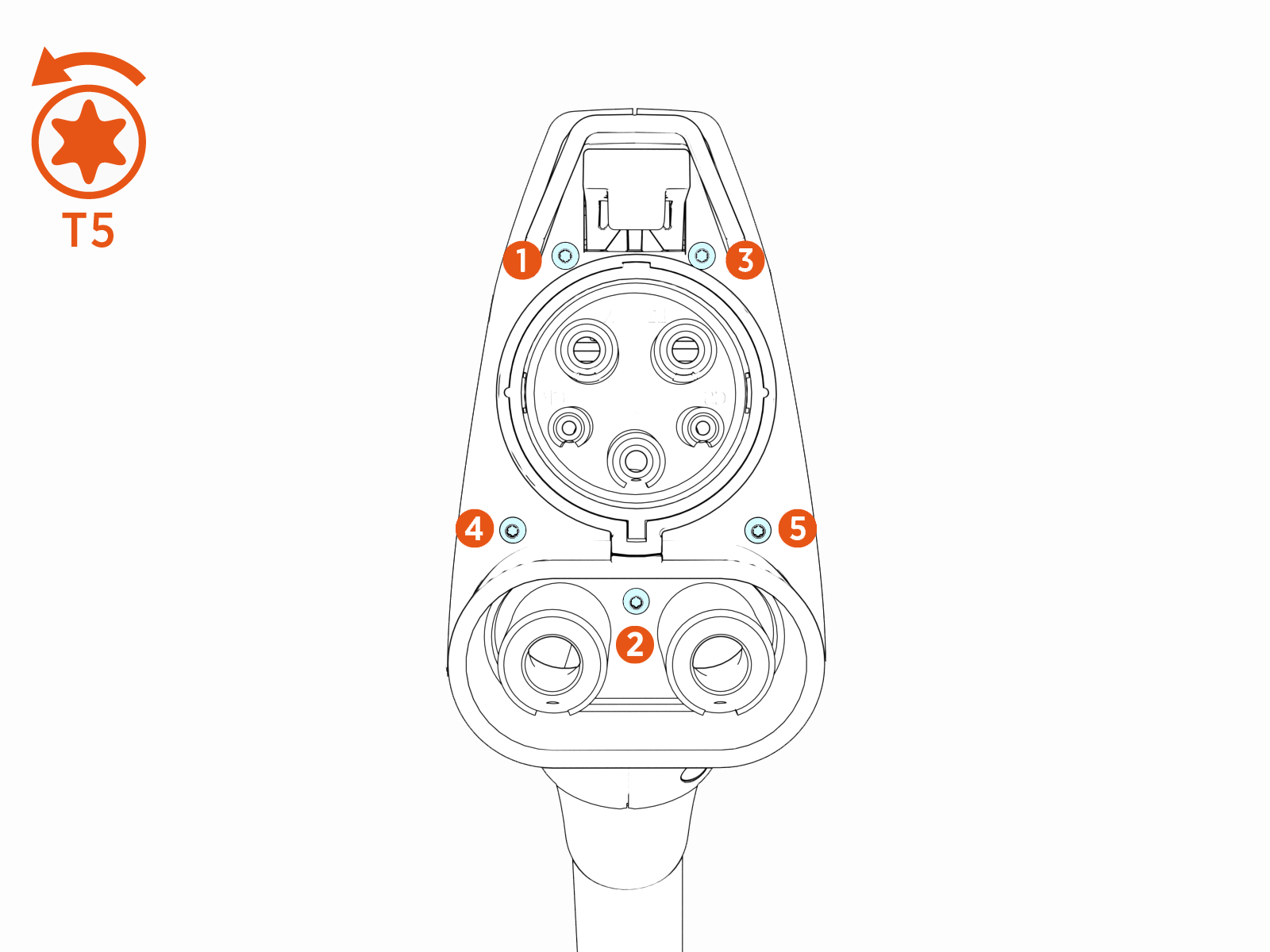
-
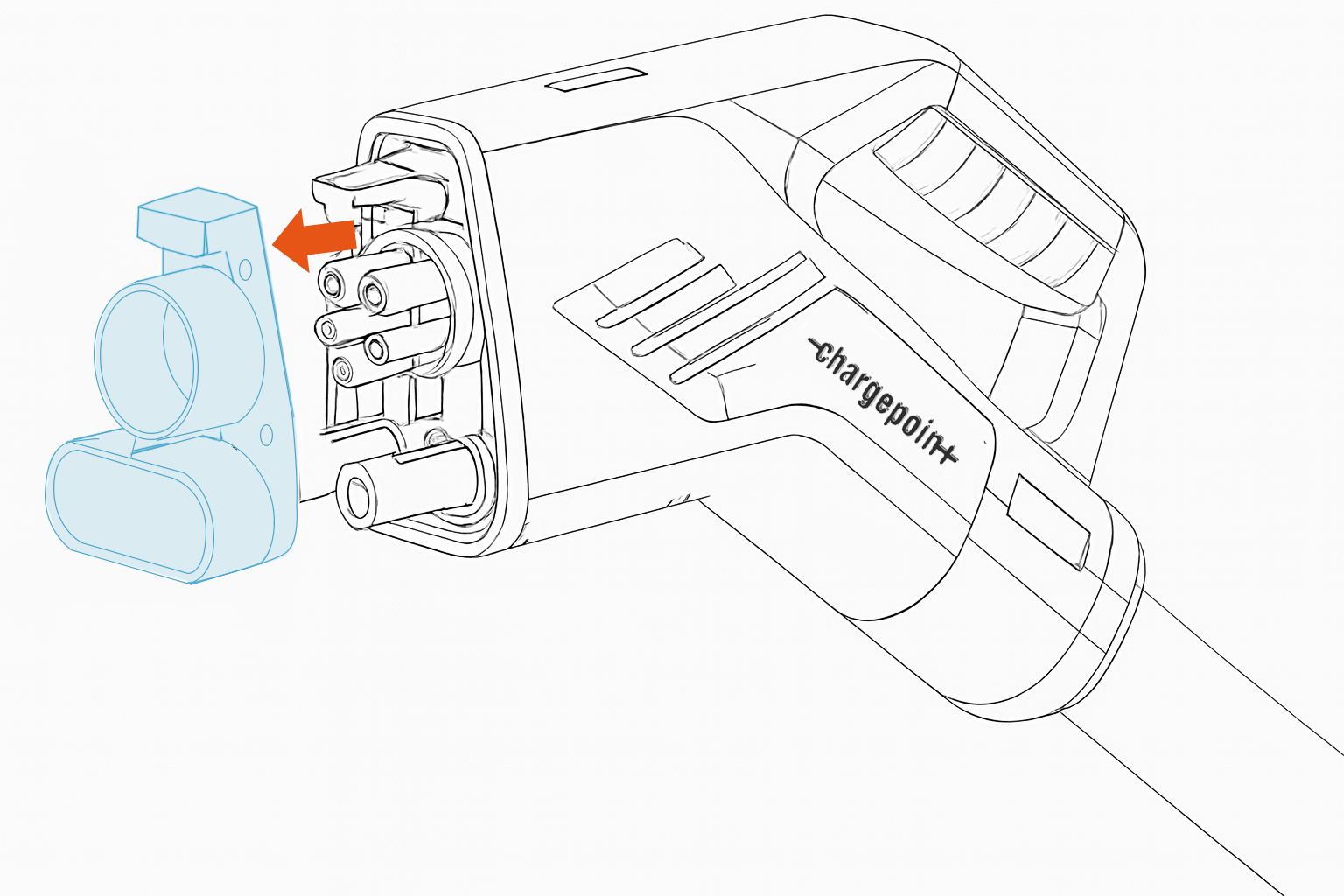
Remove the front cover and set it aside.
-
Using the S2 T20 screwdriver, remove the two charging connector DC contact screws and their washers.
Do not reuse the removed screws or washers.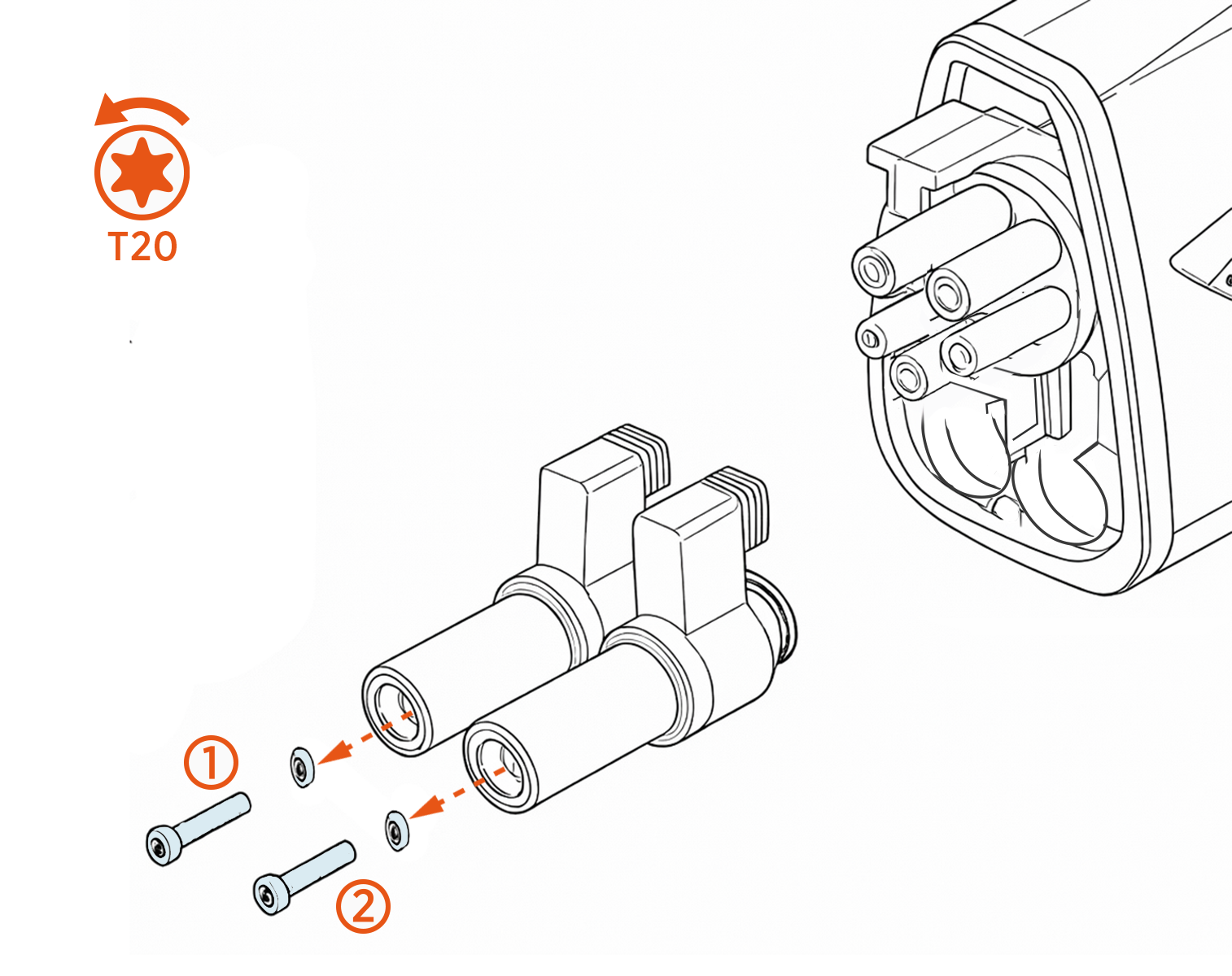
-
Install the two new charging connector DC contacts with the new screws and washers.
Ensure the washer is placed between the screw and the DC contact.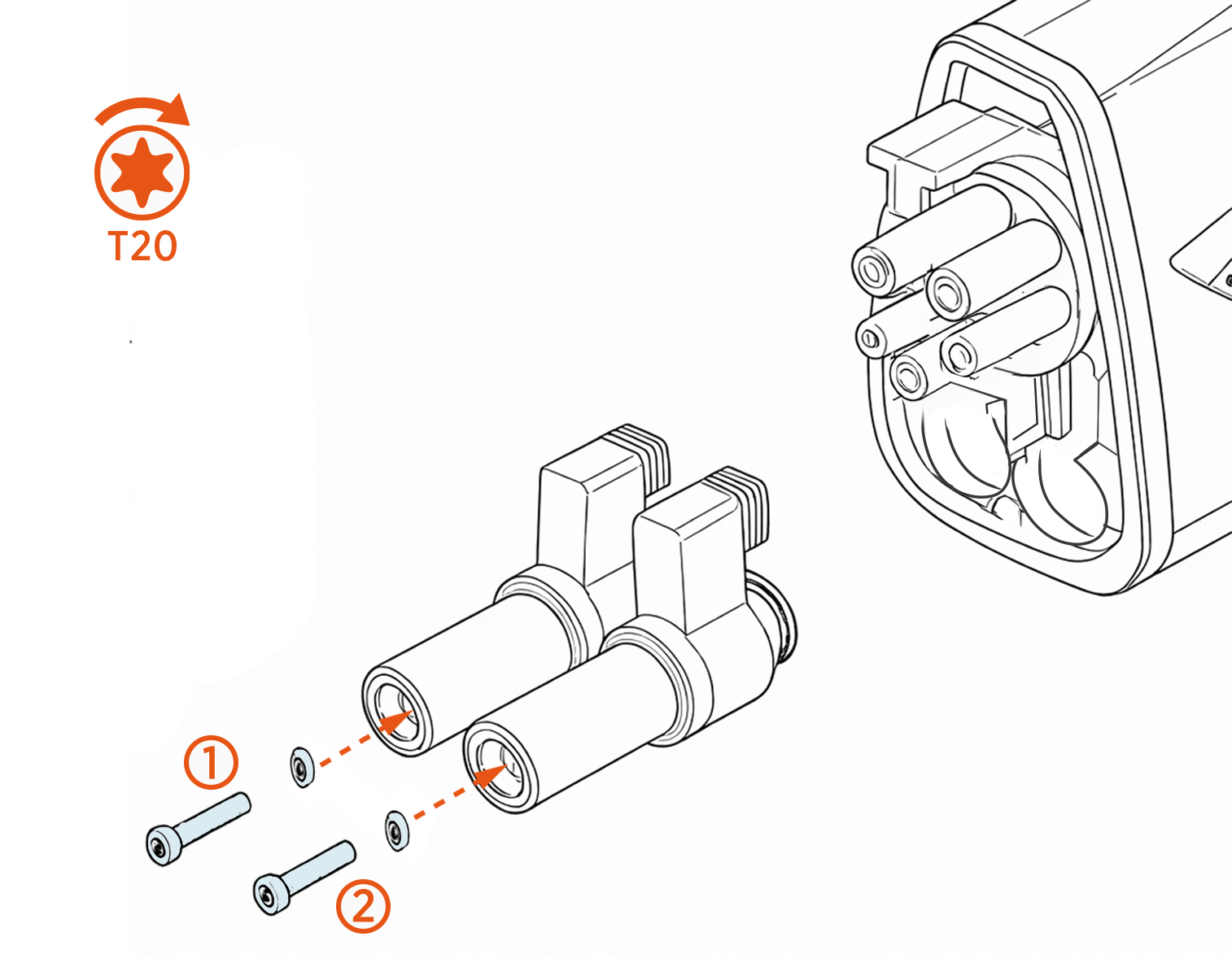
-
Torque the screws (x2) to 2.2 Nm (19 in‑lb).
-
Using the T5 screwdriver, install the five M4x10‑5TX screws to secure the front cover.
If available, use the new front cover and new screws.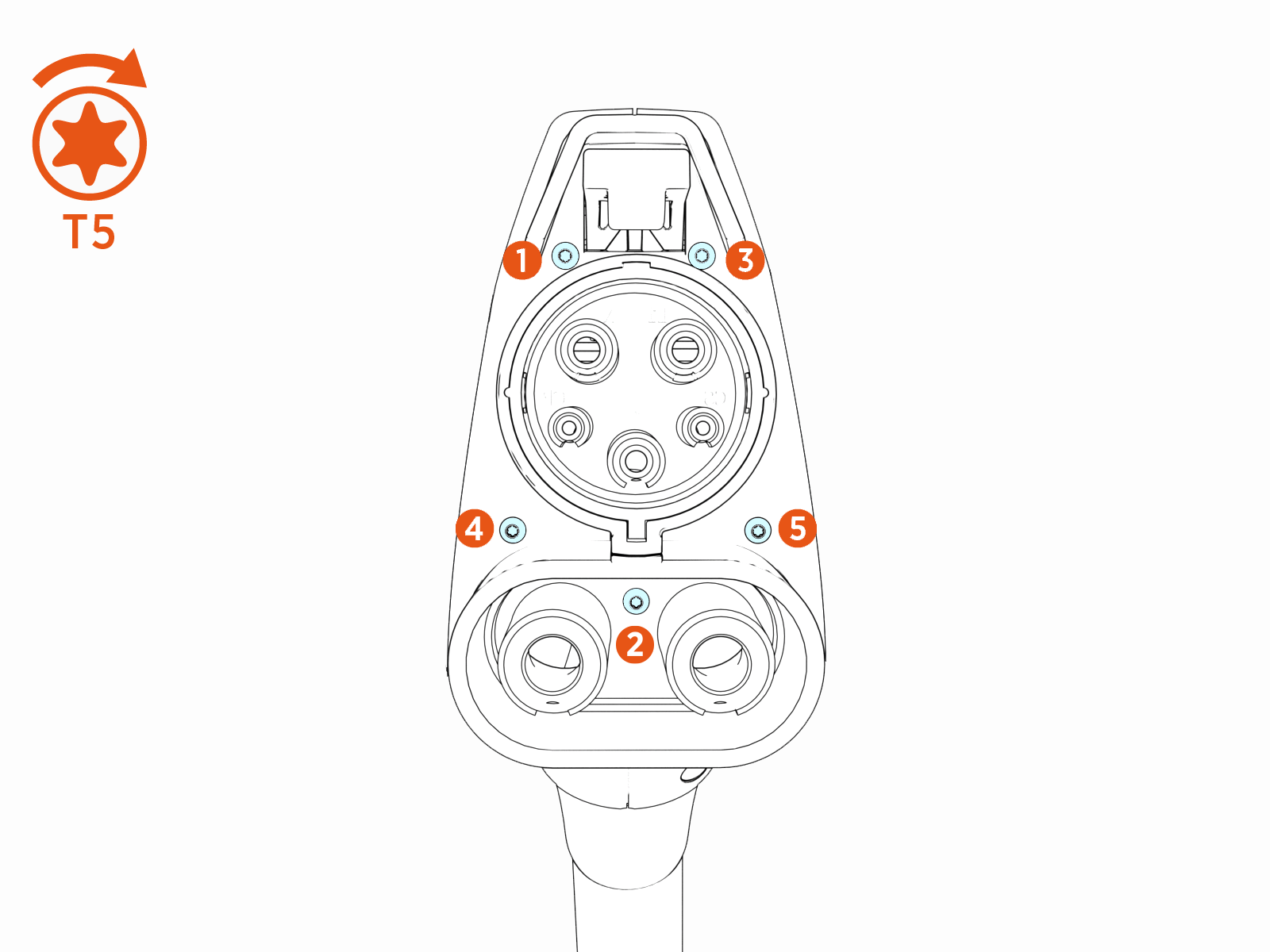
-
Torque the screws (x5) to 1.2 Nm (10 in‑lb).
-
Place charging cable connectors into the holsters.
- To adhere to ChargePoint best practices, complete the post-service checklist before you leave the site.
For assistance or to return a faulty part to ChargePoint, go to chargepoint.com/support and contact technical support using the appropriate region-specific number.
