Card Reader Module
This section provides instructions for replacing the card reader module in the Power Link 2000.
FRU Components
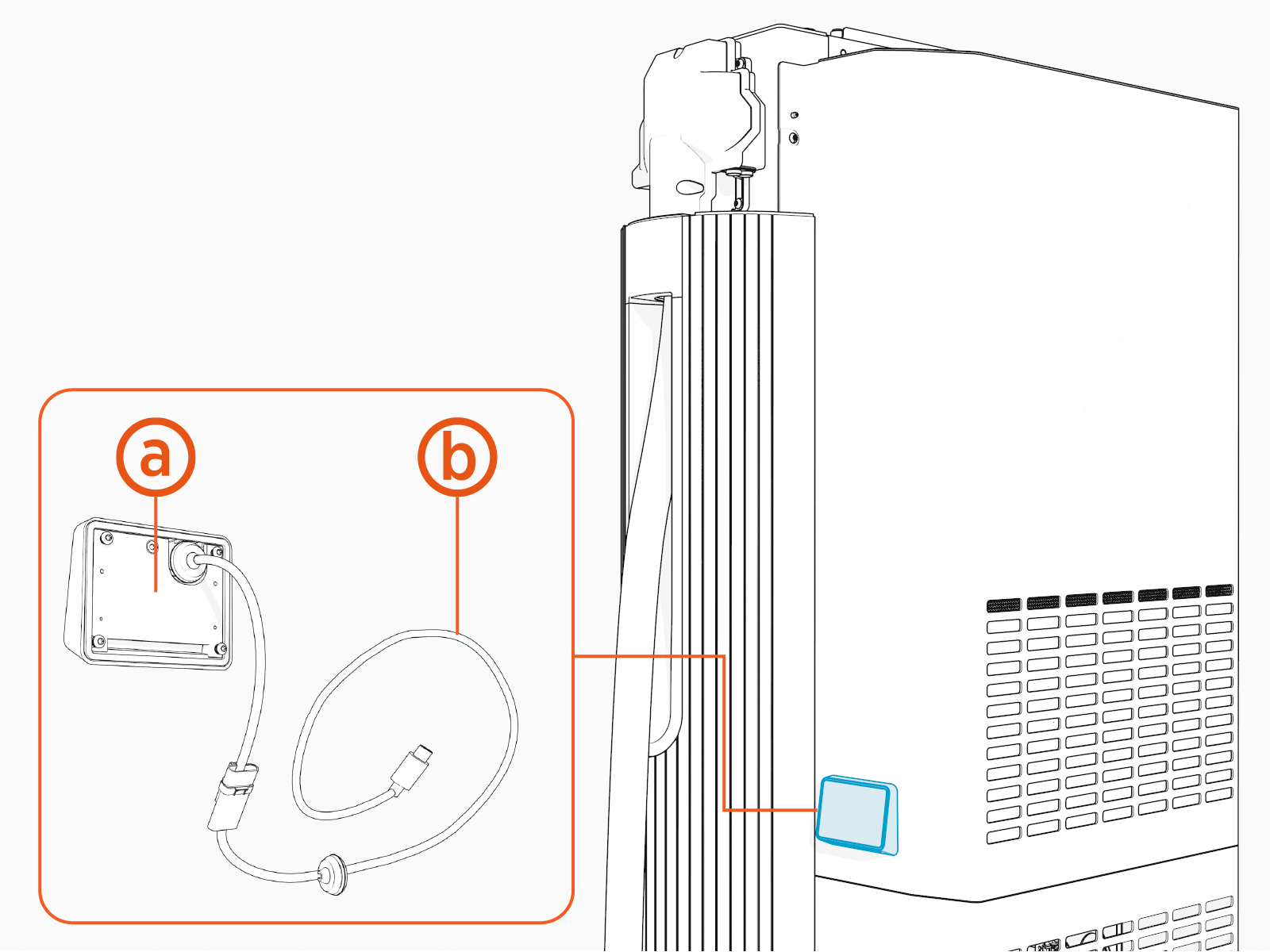
This FRU Field Replaceable Unit contains the following components:
-
Card reader with short cable
-
Long cable for connecting the card reader to Power Link 2000
Field Replaceable Unit replaces a card reader module alone, and is meant for use on a charging station equipped with an upper rear cover that accepts card reader modules.
Required Tools and Materials
|
|
T25 Security screwdriver |
|
T10 Torx screwdriver |


Before You Begin
Before servicing the component, complete the following steps:
-
Remove these:
-
Unclip the card reader cable when removing the rear upper cover.
-
Open the upper and lower door (remove this only if you are replacing the long cable).
-
Remove DC power path bus bar safety cover (remove this only if you are replacing the long cable).
After replacing the components, reverse the above steps to complete the service.
Replace the Card Reader
-
Remove the screws (x4).
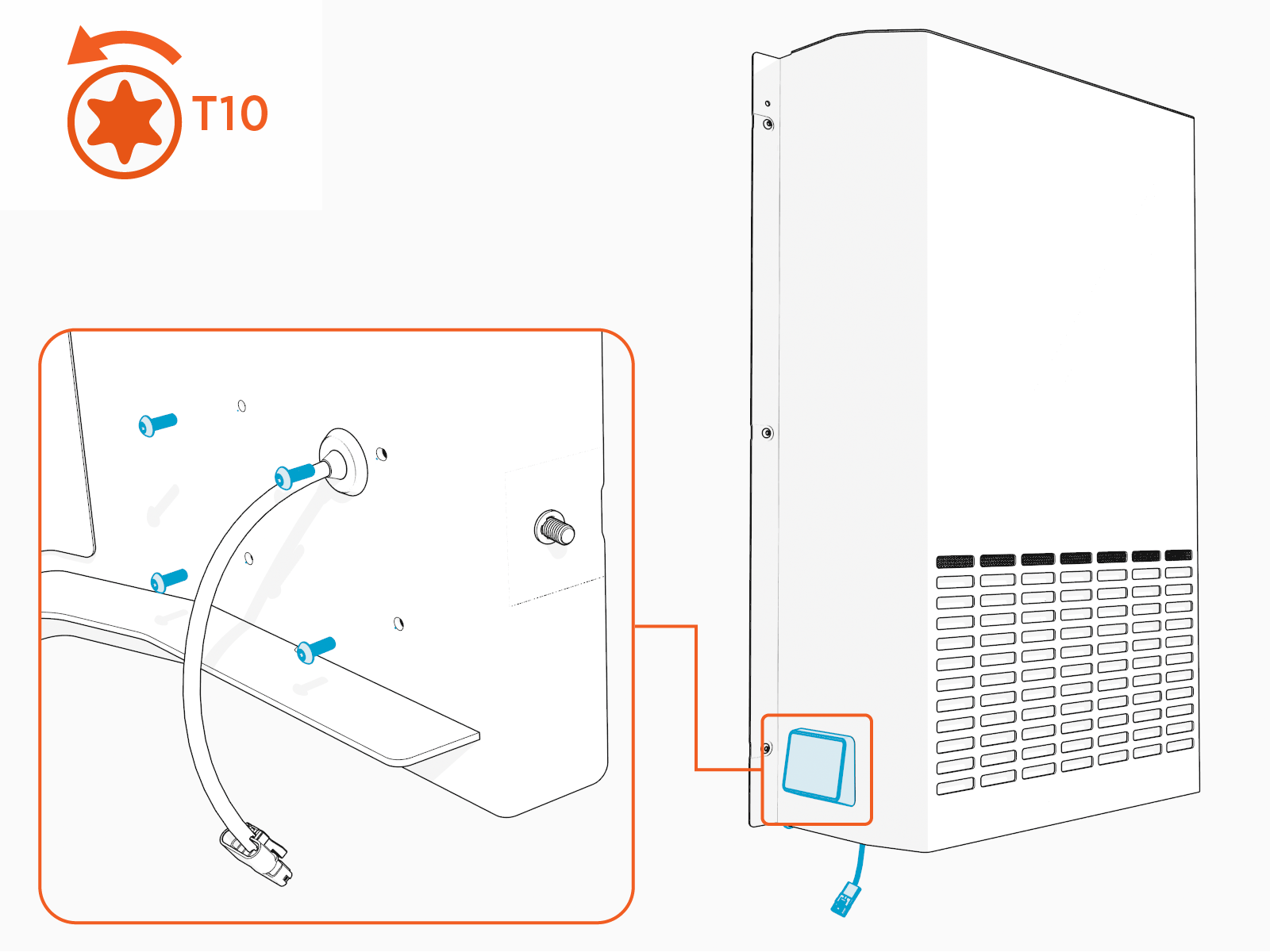
Torque these screws to 0.56 Nm (5 in-lb).
-
Remove the grommet from the hole and then remove the cable through the hole.
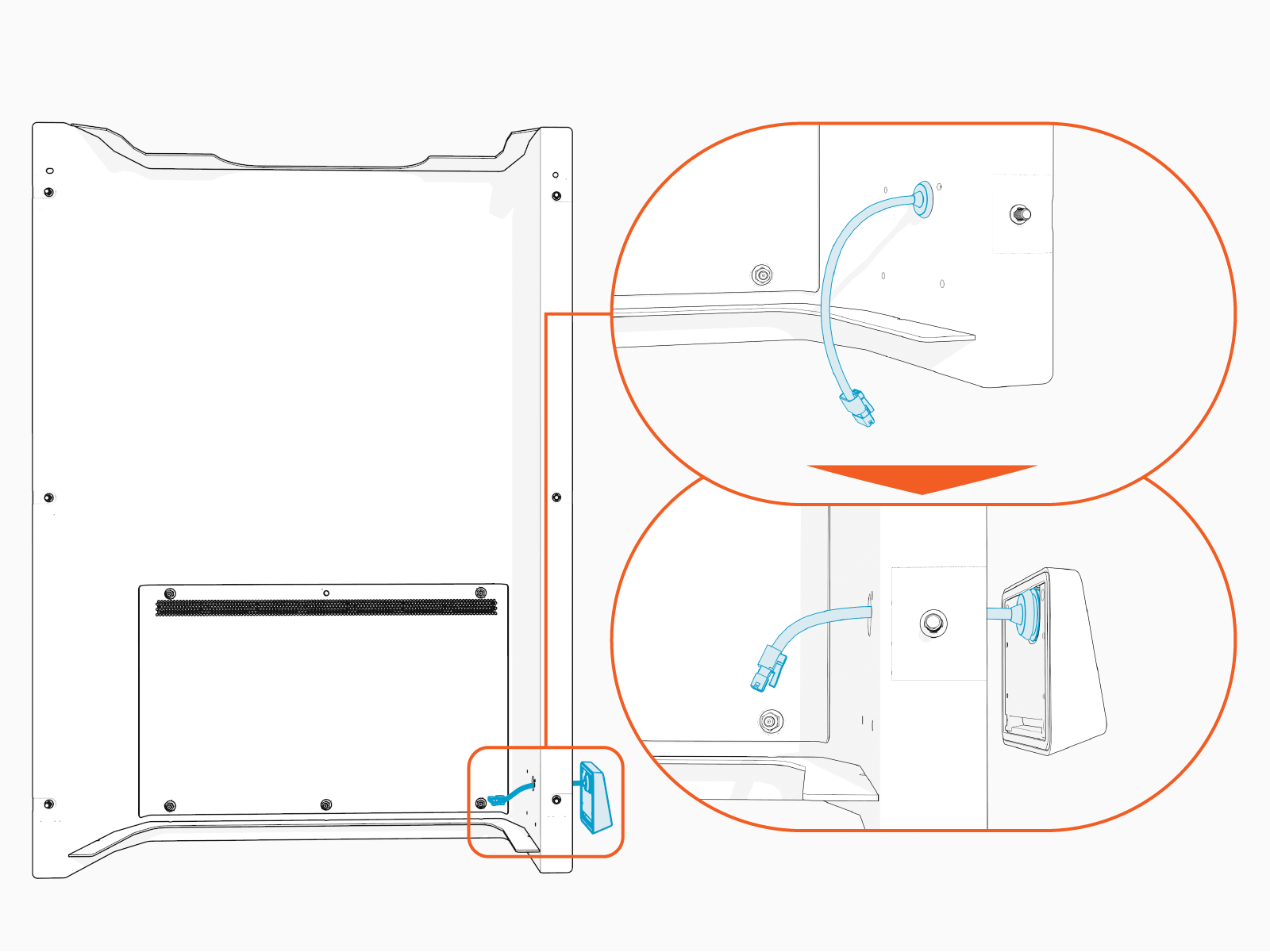
Reverse the above steps to reinstall the card reader.
Replace the Long Cable
In most cases, card reader failures can be resolved by solely replacing the card reader. However, if the new card reader fails to operate correctly, replace the long cable.
See Install the Long Cable and reverse the steps to remove the long cable.
- To adhere to ChargePoint best practices, complete the post-service checklist before you leave the site.
For assistance or to return a faulty part to ChargePoint, go to chargepoint.com/support and contact technical support using the appropriate region-specific number.
