Card Reader Kit
This section provides instructions for installing the card reader kit in the Power Link 2000.
Inspect the Box for Contents
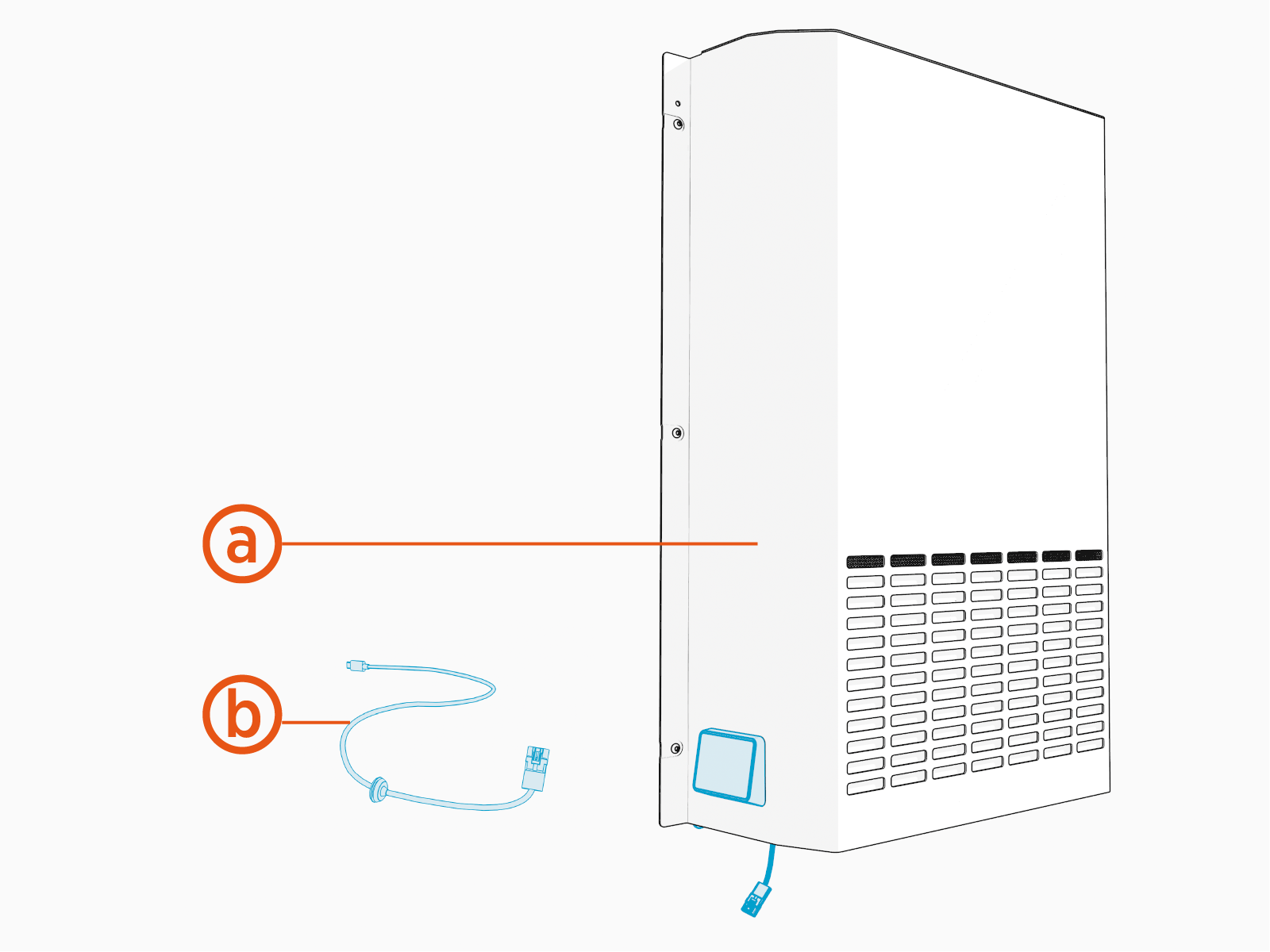
The card reader kit contains the following components:
-
Replacement rear upper cover pre-installed with card reader
-
Long cable for connecting the card reader to Power Link 2000
For installation or replacement of a card reader module alone, see Card Reader Module.
Required Tools and Materials
|
|
T25 Security screwdriver |

Before You Begin
Before servicing the component, complete the following steps:
-
Remove these:
After replacing the components, reverse the above steps to complete the service.
Install the Long Cable
-
Connect the long cable's USB
 Universal Serial Bus-C plug to any one of the three USB Universal Serial Bus-C ports on the Control and Communication Module (CCOM Control and Communications Module).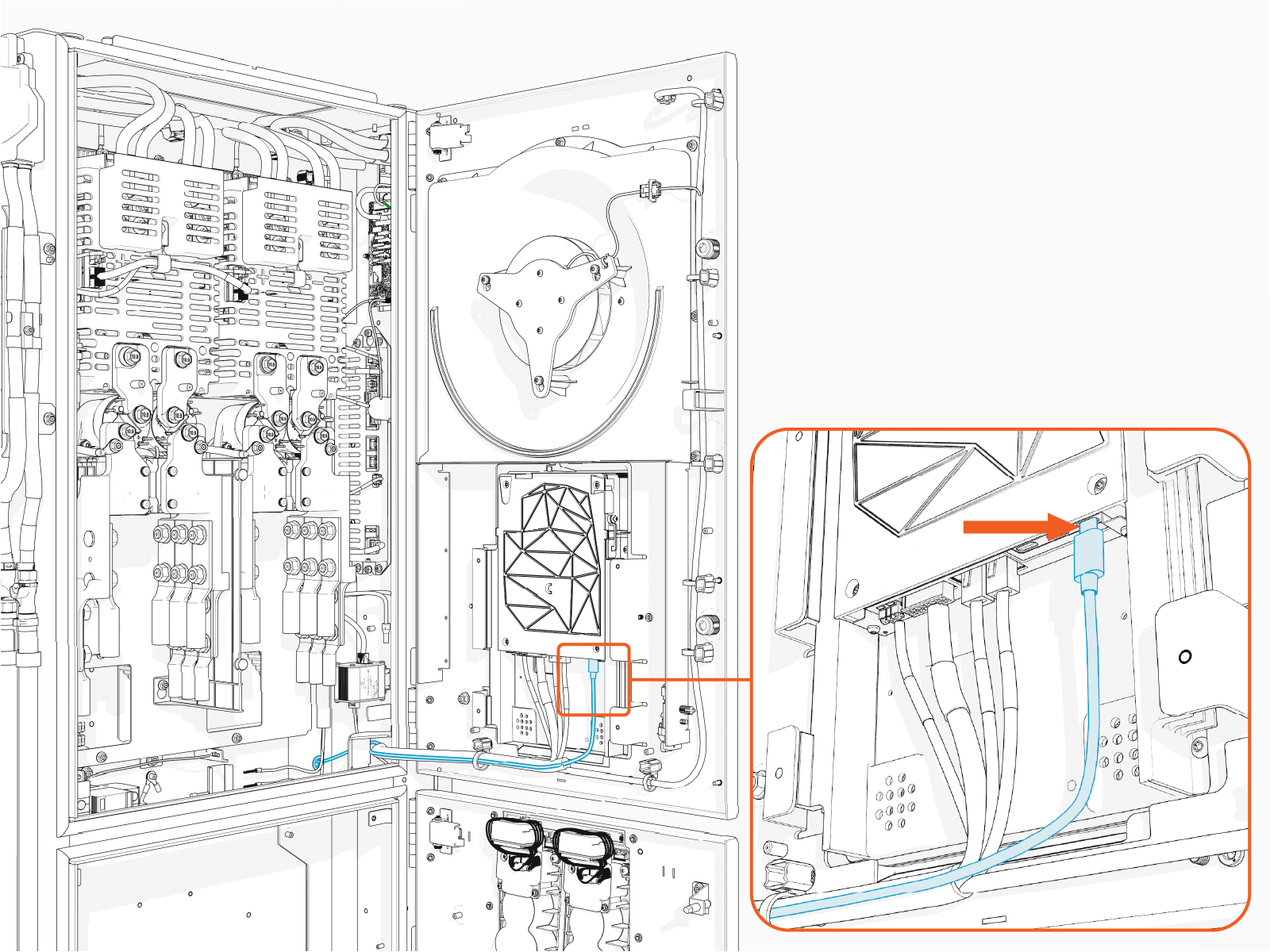
-
Route the long cable's other connector to rear side through a hole at the back of the Power Link 2000 and insert the grommet into the hole.
Make sure to route and tie the long cable using cable ties to the main cable harness.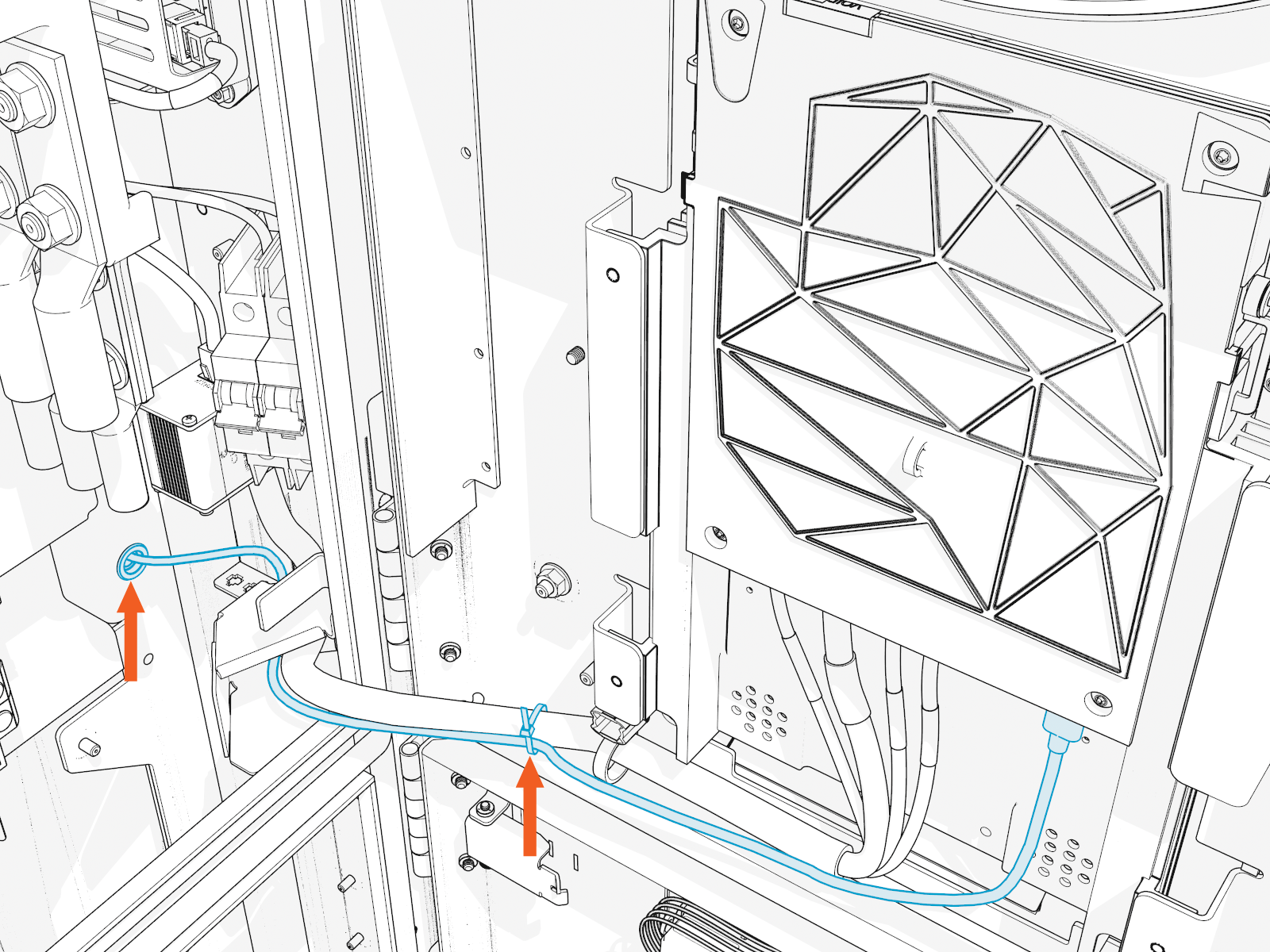
Reverse the above steps to replace the long cable.
In most cases, card reader failures can be resolved by replacing the card reader alone. If the issue persists after replacing the card reader alone, try connecting the long cable to a different USB
Universal Serial Bus port on the CCOM Control and Communications Module. If the new card reader still fails to operate correctly, replace the long cable.
Install the Cover with Card Reader
-
Before you install the cover, check if there is a label with serial number (SN) on the old cover. Refer to the image below. If so, request a replacement label for the new cover.
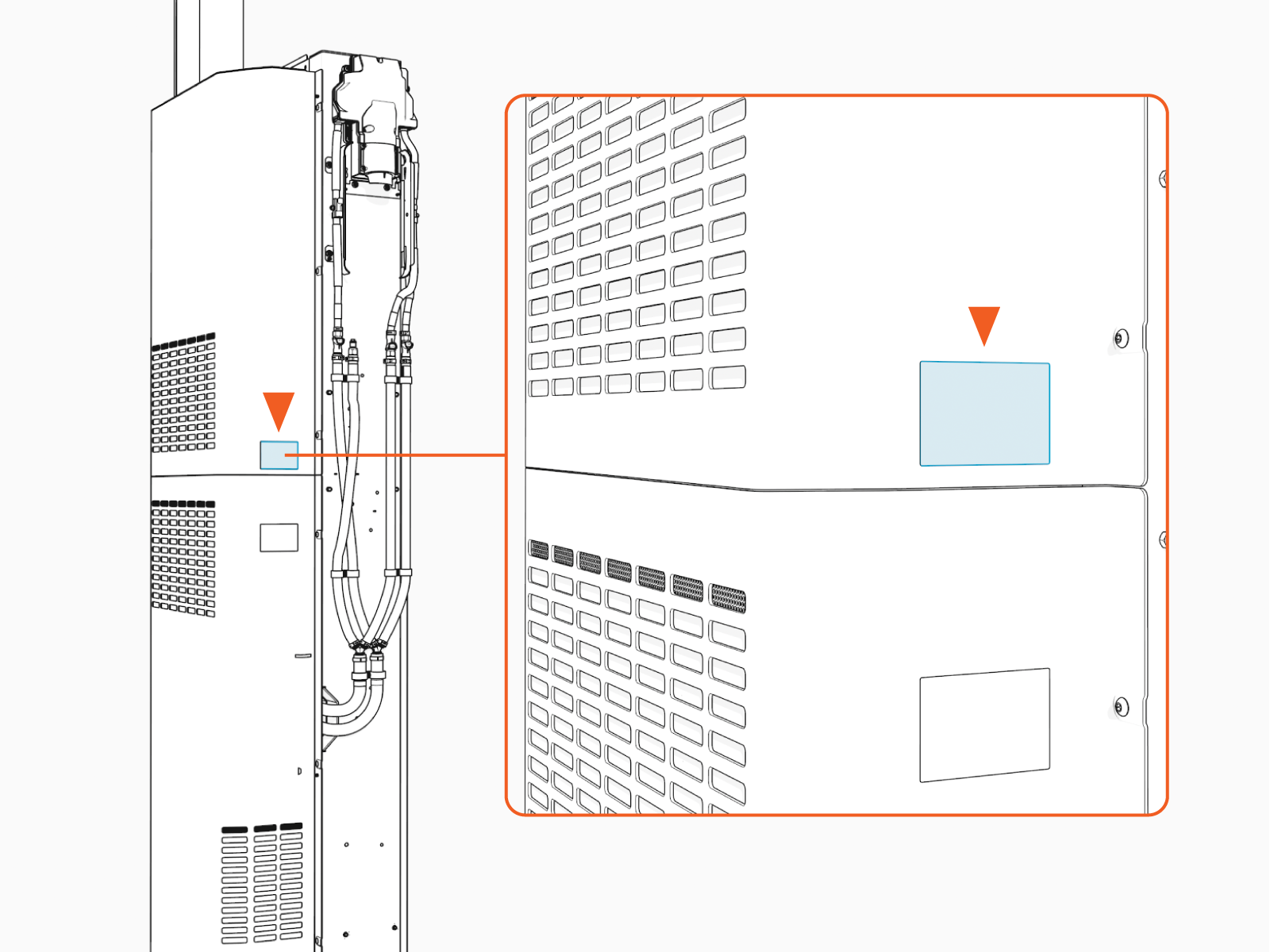
Power Link 2000s typically have a label with SN on the rear upper cover, although some older units may have the label on the rear lower cover. Ensure the Power Link 2000 has a label with SN applied to one of its rear covers. To request a new one, contact chargepoint.com/support.
-
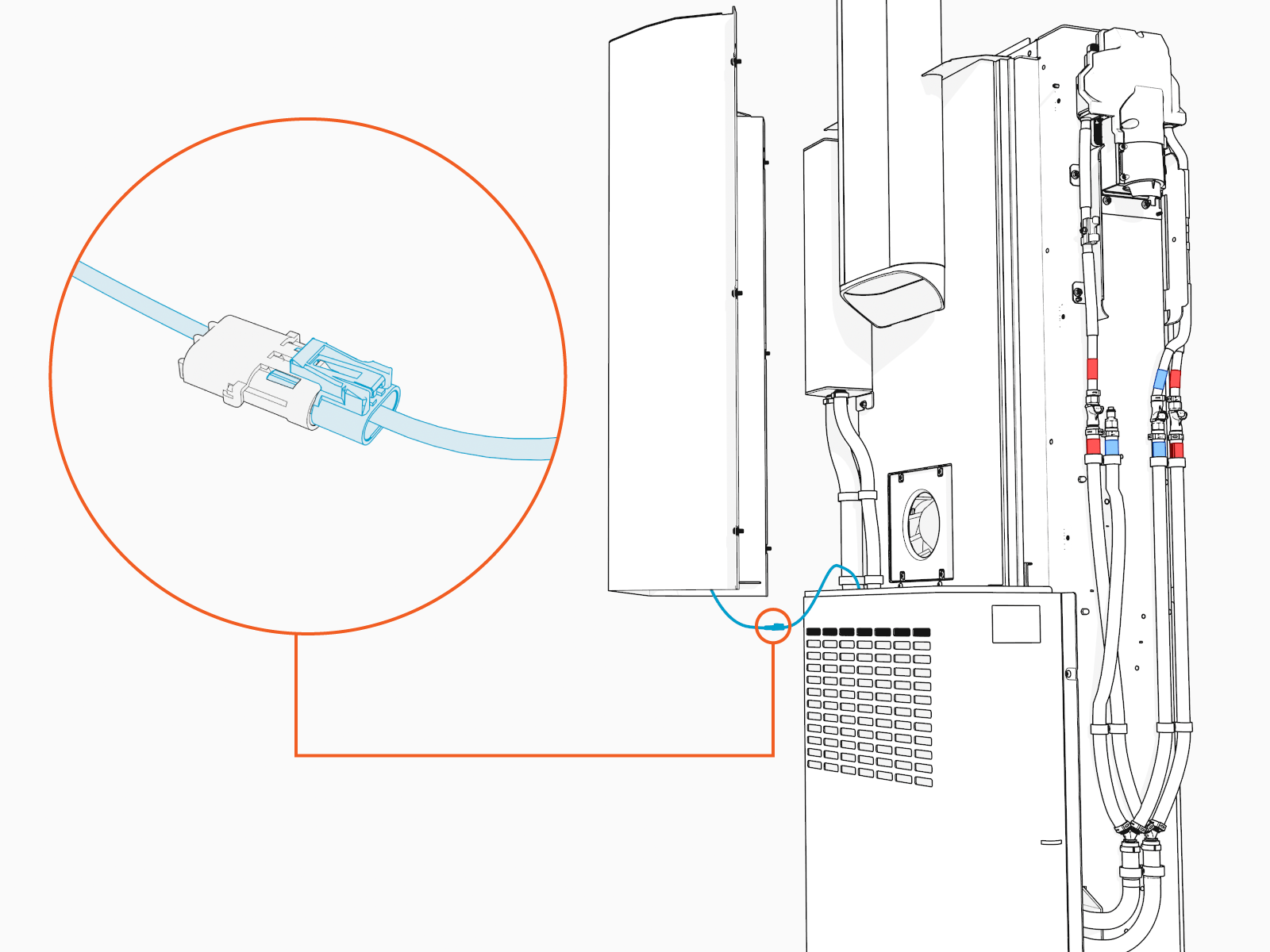
Connect the card reader's cable to the long cable before you install the cover.
-
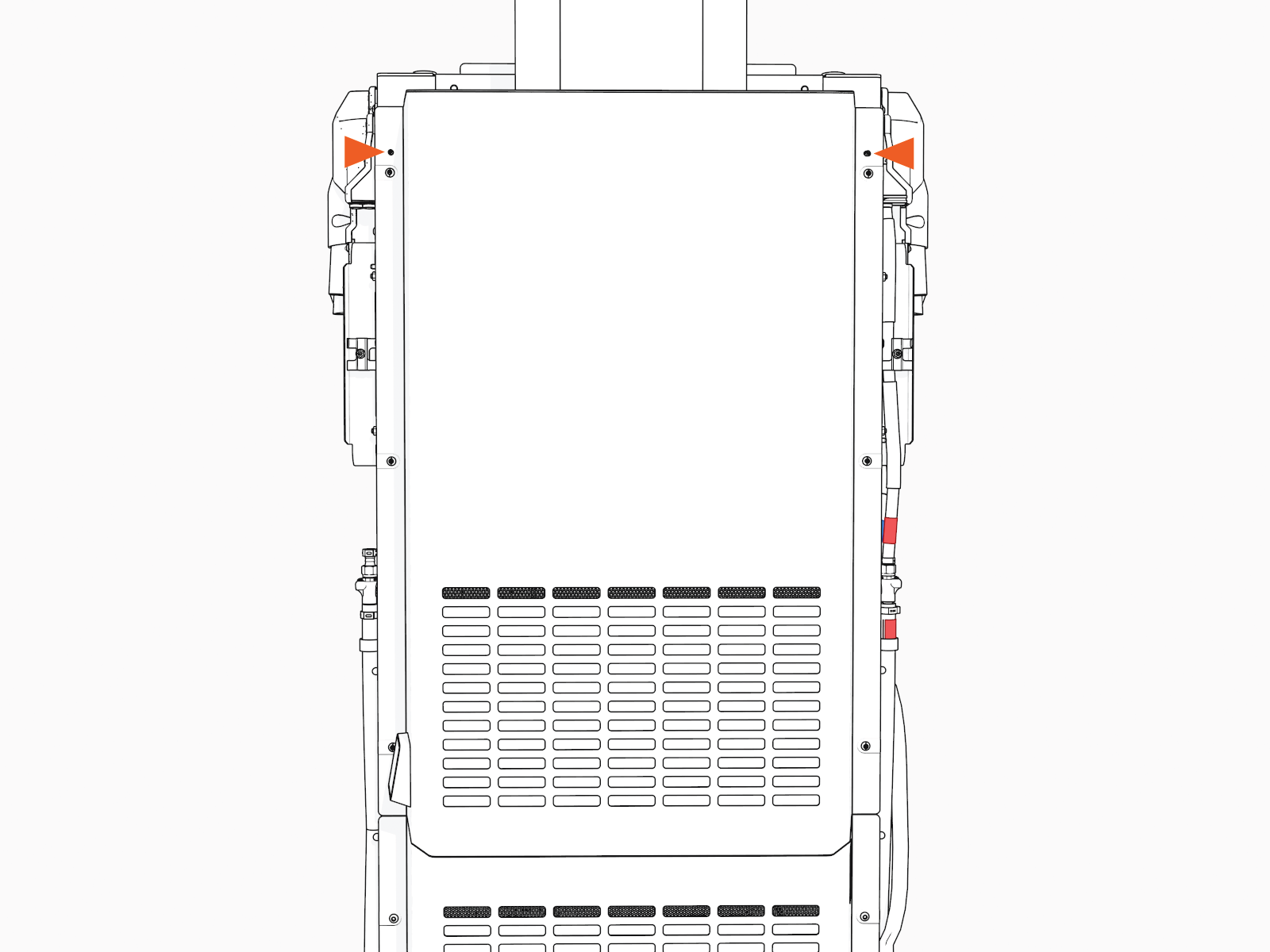
Align and seat cover onto the alignment pins (x2) on the frame.
CAUTION: To prevent pinching of the card reader cable, make sure that the cable is not between the rear upper and lower covers.
-
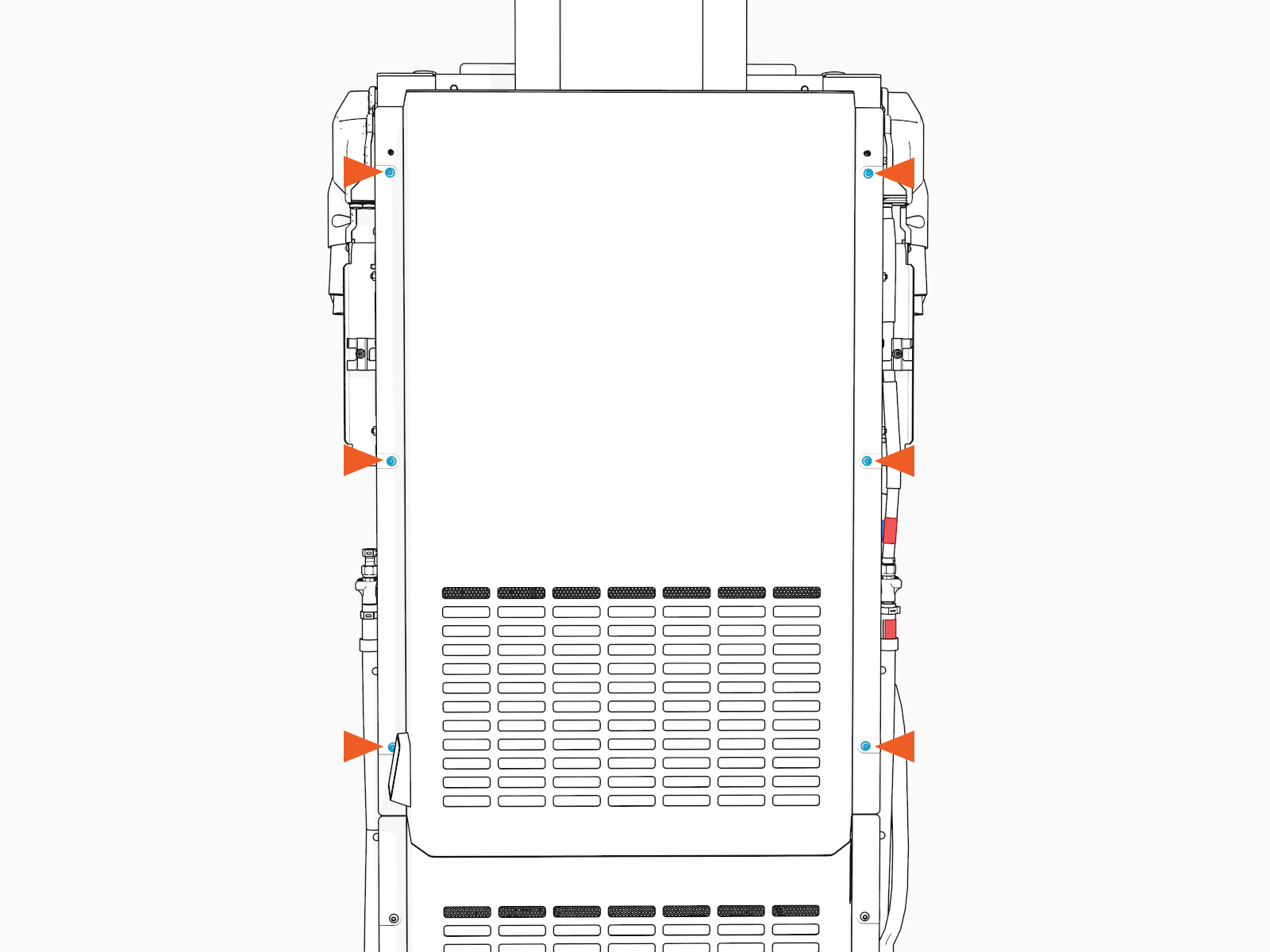
Torque the screws to 4.5 Nm (40 in-lb).
- To adhere to ChargePoint best practices, complete the post-service checklist before you leave the site.
For assistance or to return a faulty part to ChargePoint, go to chargepoint.com/support and contact technical support using the appropriate region-specific number.
