Low Voltage (LV) Surge Suppressors
This section provides instructions for replacing the LV Low Voltage surge suppressors in the Power Link 2000.
Component Identification
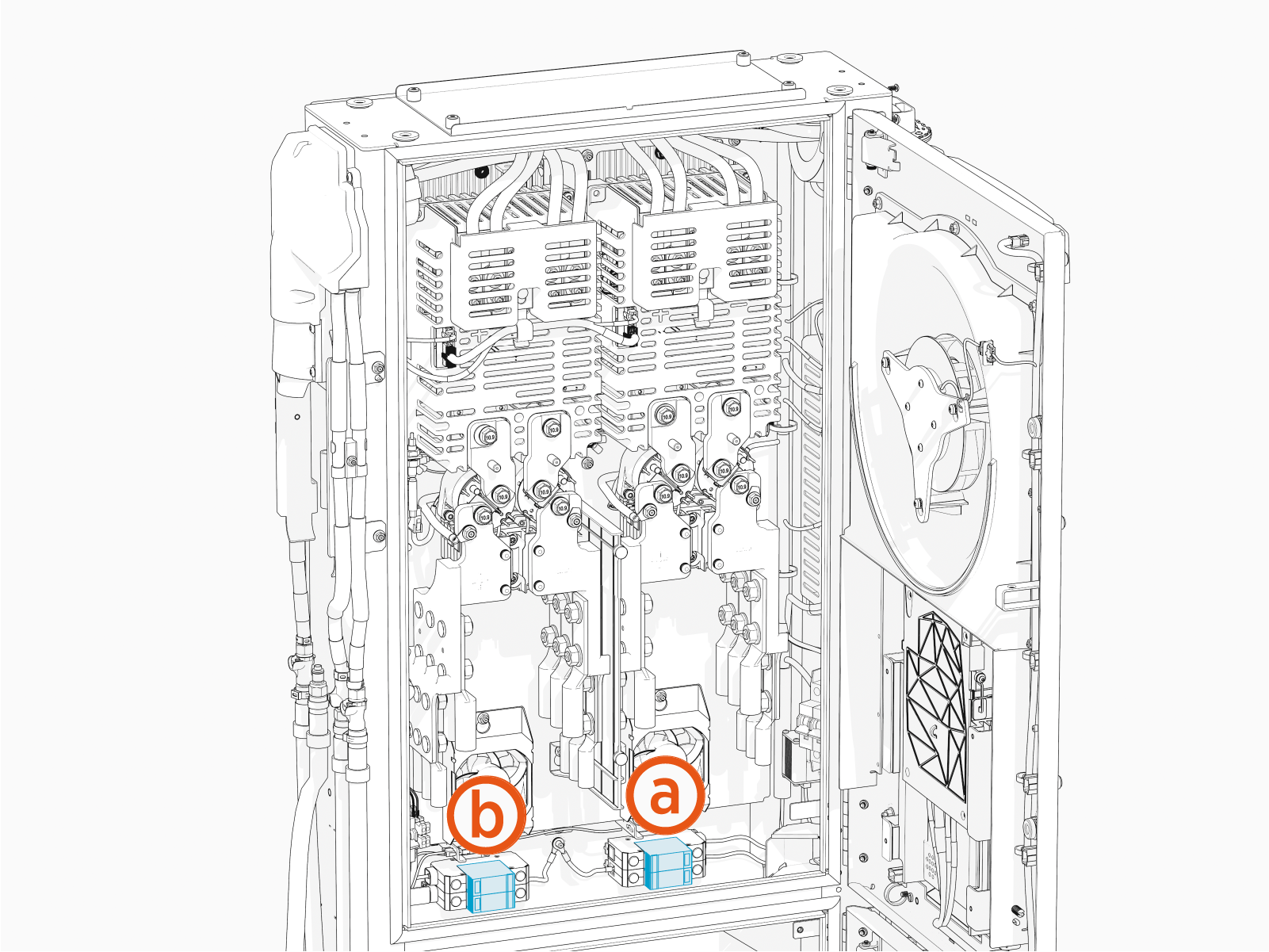
(a) Primary LV Low Voltage surge suppressors
(b) Secondary or optional LV Low Voltage surge suppressors
Before You Begin
Before servicing the component, complete the following steps:
-
Remove these:
After replacing the components, reverse the above steps to complete the service.
Replace the LV Surge Suppressor
To replace Low Voltage (LV Low Voltage) surge suppressors, complete all steps given below.
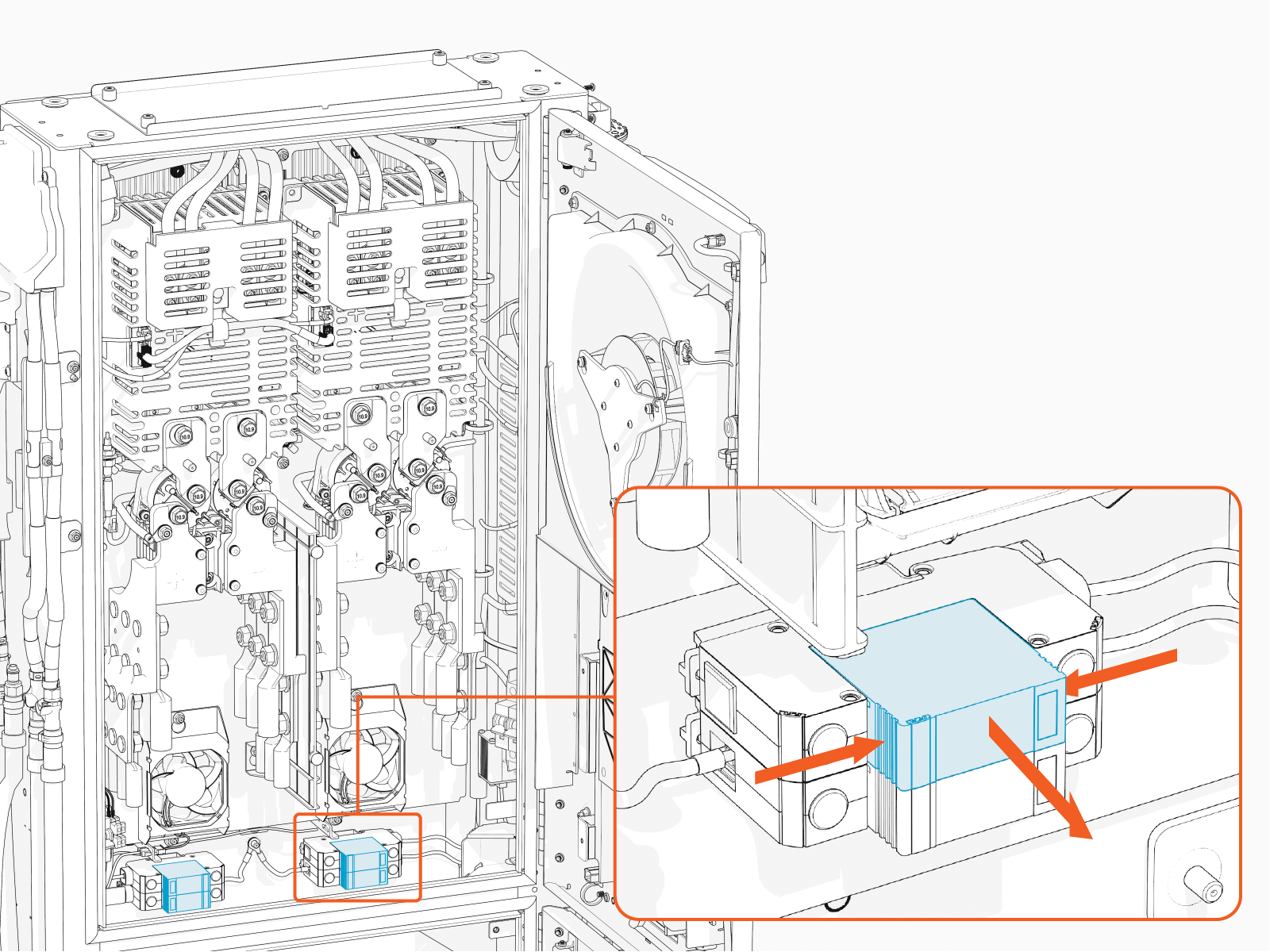
Remove the suppressor
Pinch the sides and pull out the surge suppressor to remove it.
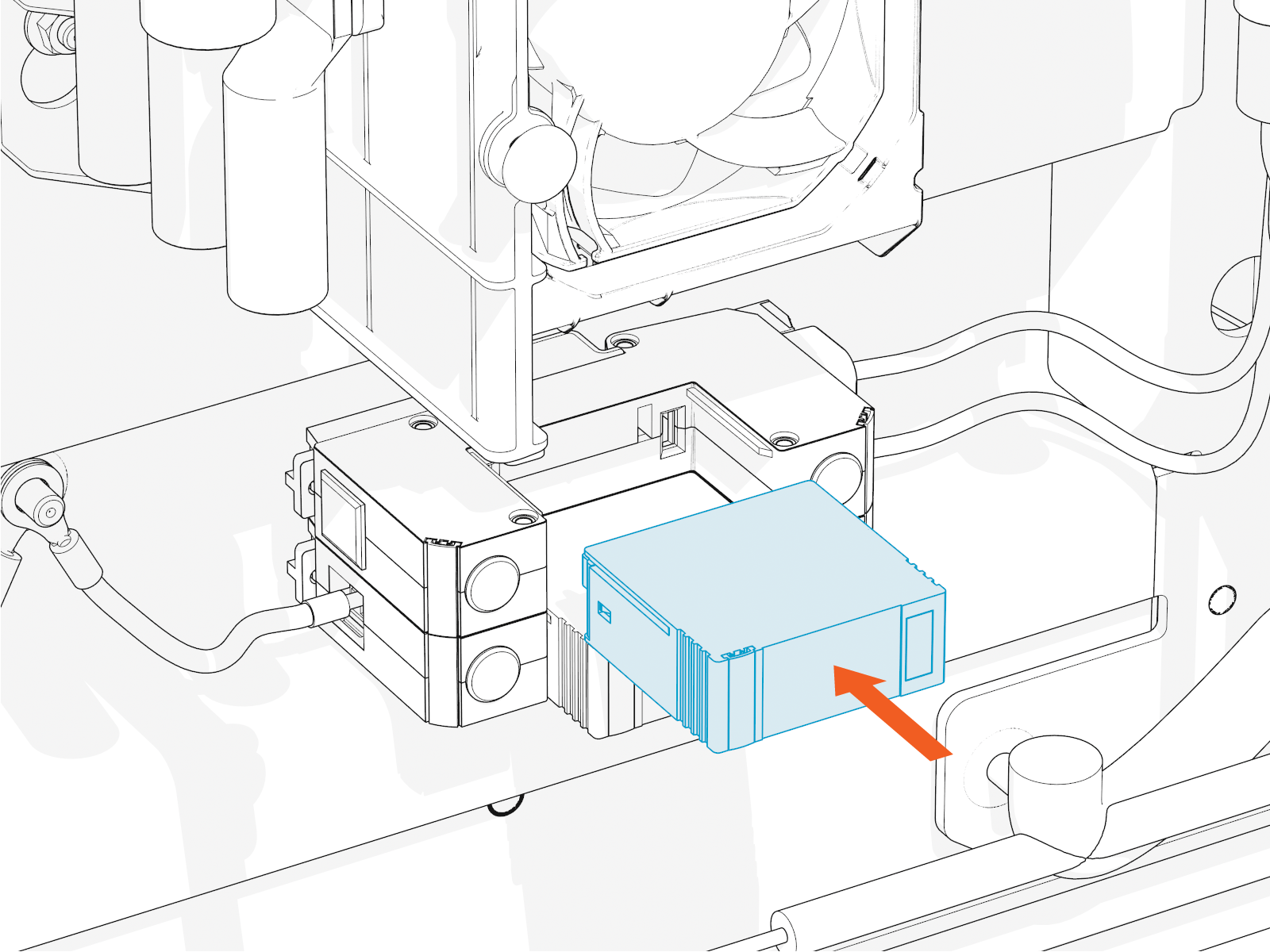
Reinstall the surpressor
Plug in the replacement surge suppressor. Ensure the cartridge is fully seated and flush with the neighboring cartridge.
- To adhere to ChargePoint best practices, complete the post-service checklist before you leave the site.
For assistance or to return a faulty part to ChargePoint, go to chargepoint.com/support and contact technical support using the appropriate region-specific number.
