HV DC Input Assembly
This section provides instructions for replacing the HV High Voltage DC input assembly in the Power Link 2000.
Assembly Components
The assembly consists of the following components:
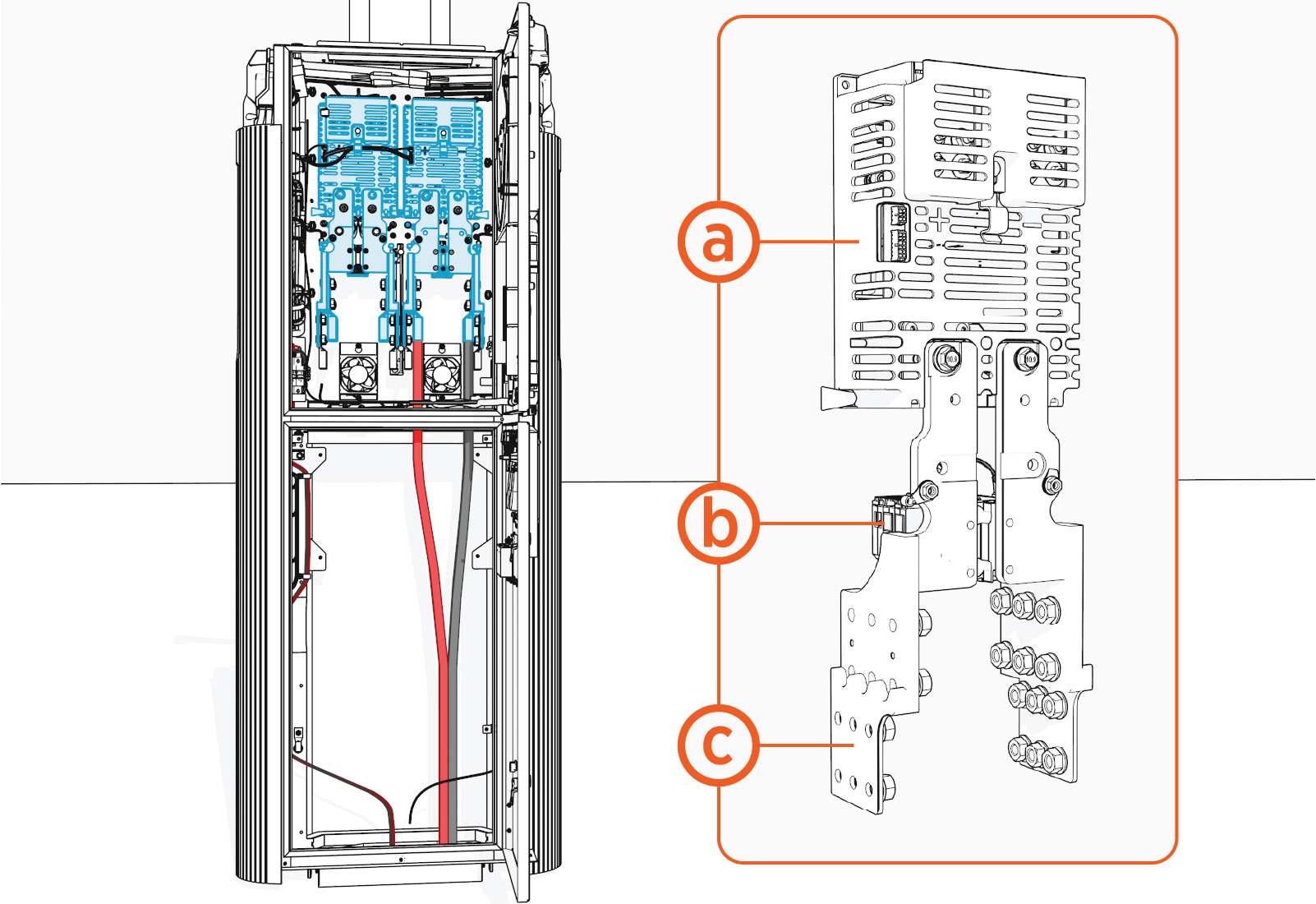
-
Contactor switch (proton) module
-
Surge arrestor
-
Bus bars (x2)
Required Tools and Materials
|
|
Stepladder |
|
Cut-resistant gloves |
|
|
Hex socket set
|
|
Dielectric grease |




Before You Begin
Before servicing the component, complete the following steps:
-
Remove these:
-
Determine which HV DC
High Voltage Direct Current input assembly (left or right) you want to replace. -
Remove these:
After replacing the components, reverse the above steps to complete the service.
Replace the HV DC Input Assembly
-
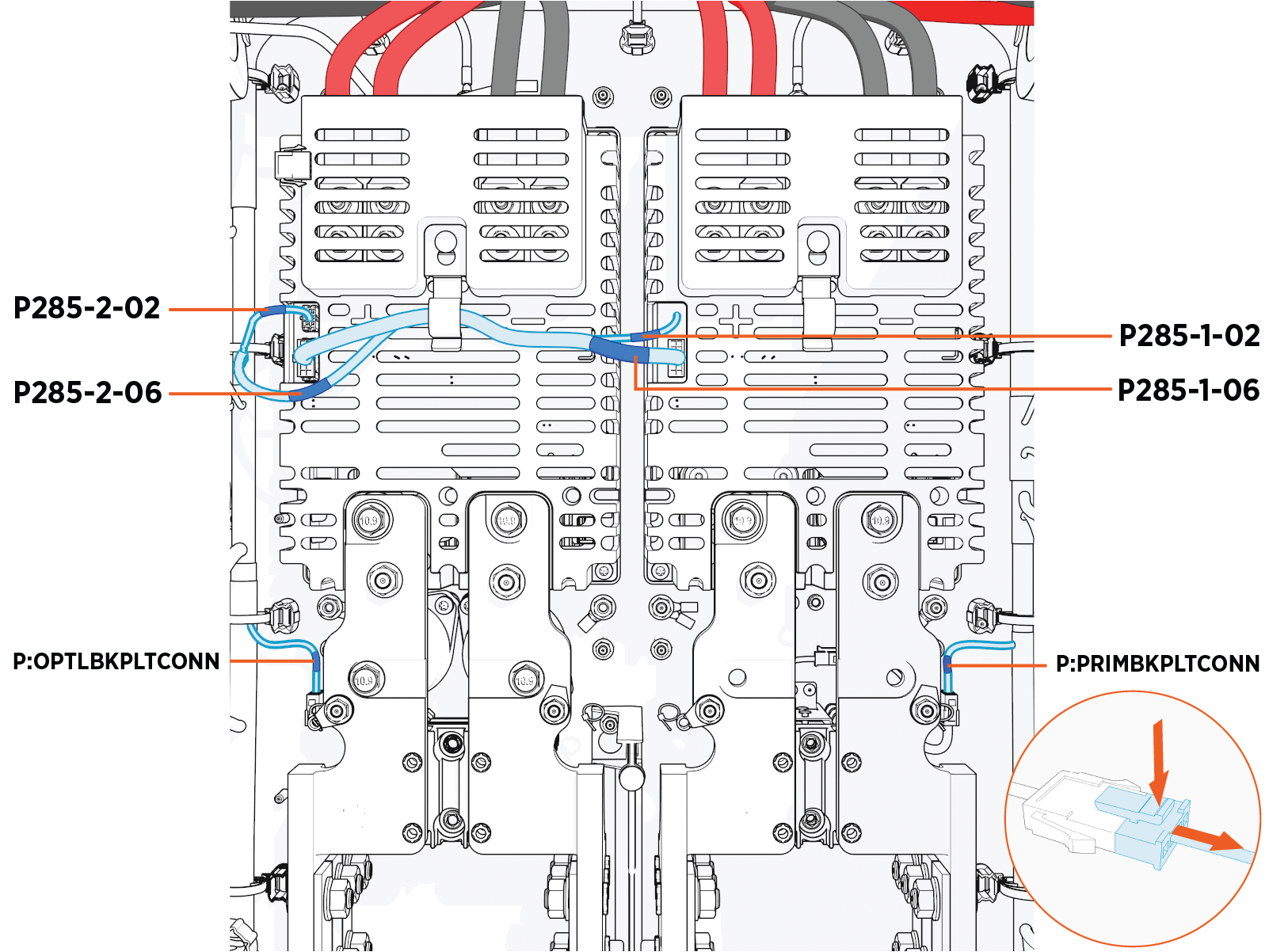
Press the latch and pull the connector to disconnect the cables (x3, per HV DC
High Voltage Direct Current input).The illustrated cable connections on the left side and right side are for the left side and right side HV DC
High Voltage Direct Current inputs, respectively. Disconnect only the cables that are connected to the HV DC High Voltage Direct Current input assembly you are replacing.
-
Find the label on each cable to plug its connector back into its correct receptacle connector.
-
To reconnect, plug in. The latch must snap onto the receptacle connector with a click sound to ensure that the connection is secure.
-
Ensure that no cable is coming in contact with the bus bars.
-
-
Remove the lug nuts to disconnect the HV DC
High Voltage Direct Current input, charging cable HV High Voltage DC, and ground wires.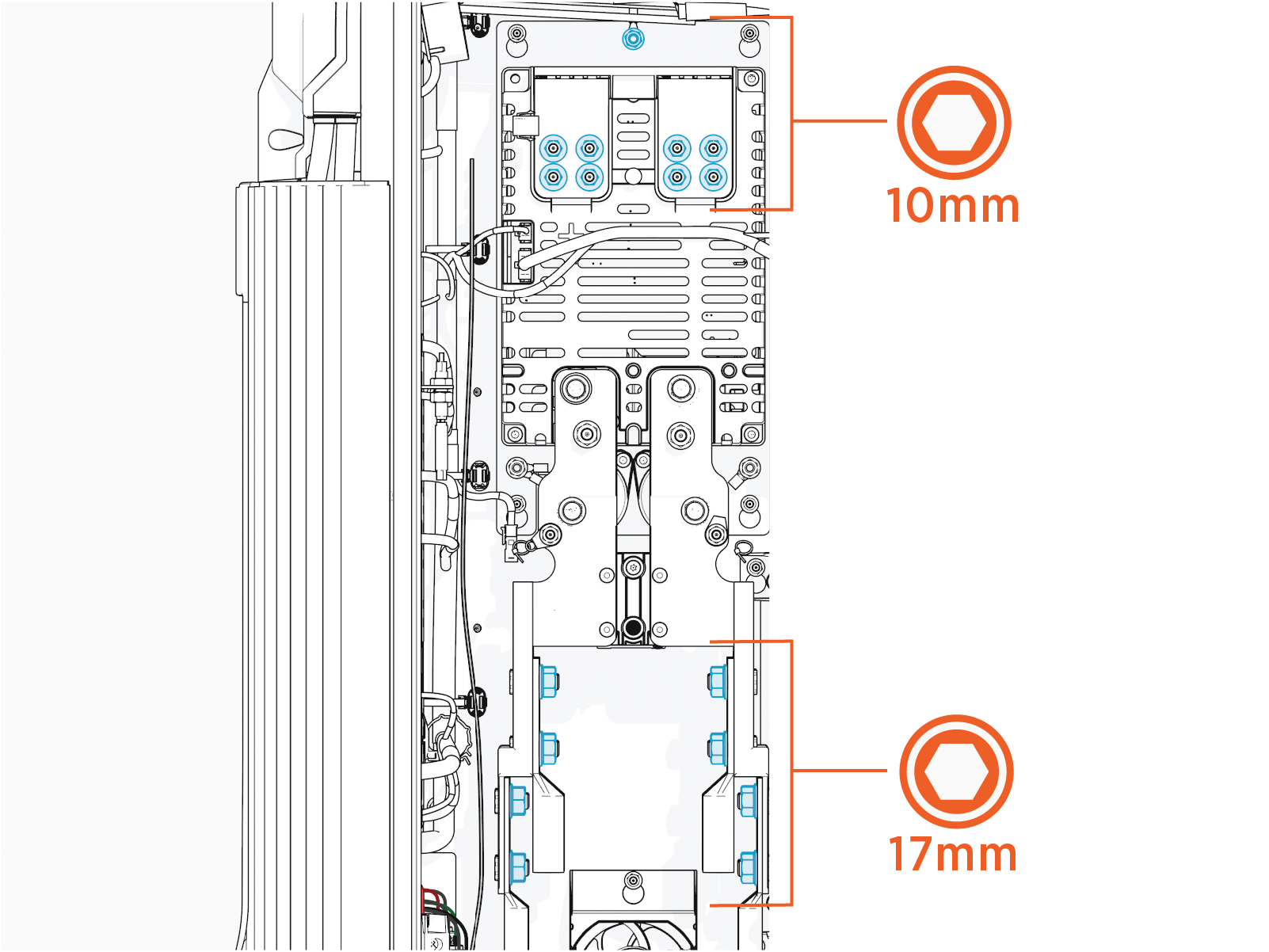
-
Apply dielectric grease to the HV DC
High Voltage Direct Current input wire lug's contact surface. -
Connect the wires back to their original landing location.
-
Torque the charging cable HV
High Voltage DC and ground wire lug nuts (M6) to 5.6 Nm (50 in-lb), and HV DC High Voltage Direct Current input wire lug nuts (M10) to 19 Nm (14 ft-lb).
-
-
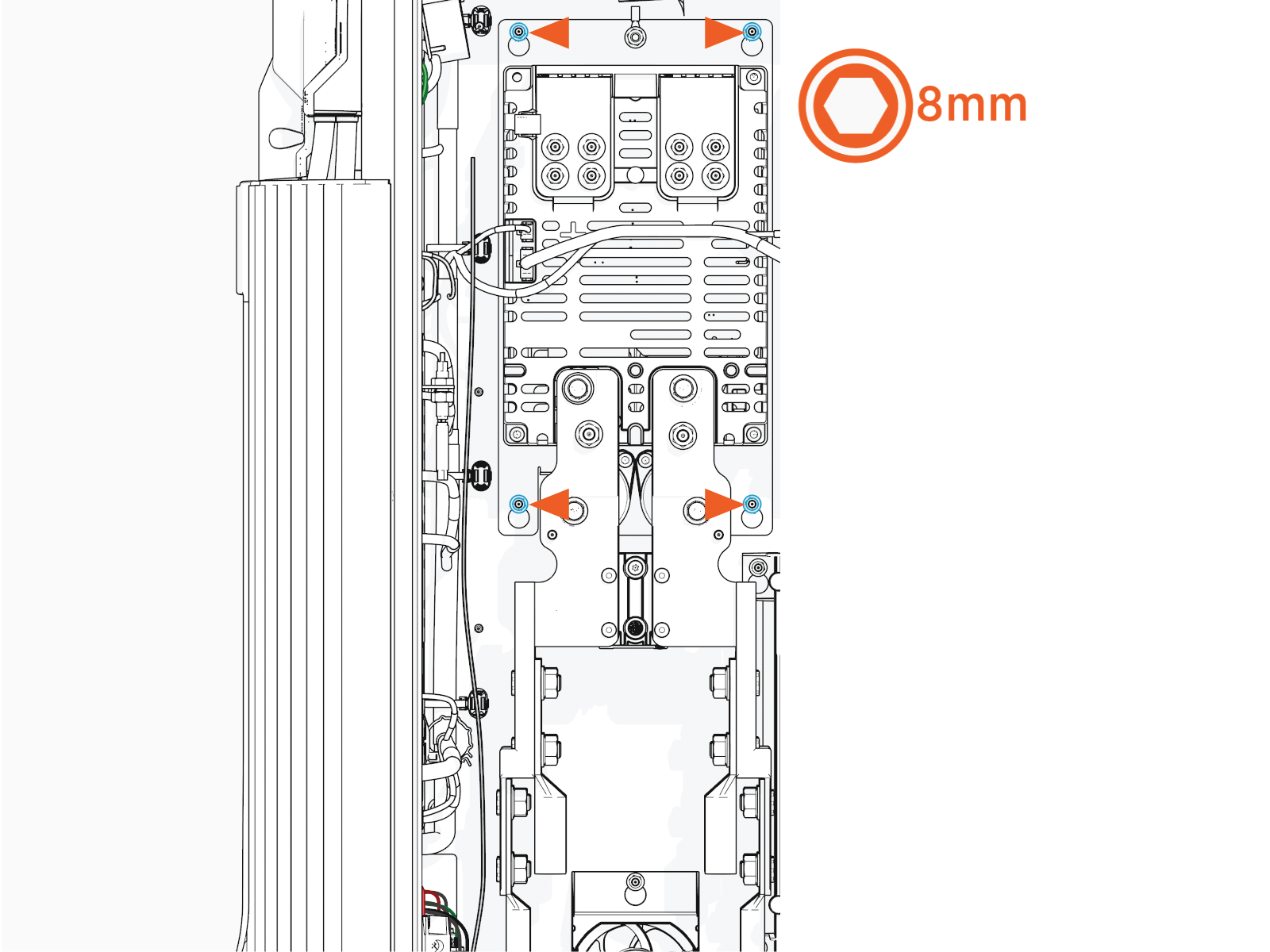
Loosen the hex nuts (x4) and lift the assembly to remove.
Hold the assembly backplate with one hand and place the other hand under the surge arrestor to gently push the assembly up to remove it from the studs.
-
To prevent wires from being pinched while installing, make sure no wire is between the backplate and the frame.
-
Torque these nuts to 4.5 Nm (40 in-lb).
-
Reverse the above steps to reinstall with replacement FRU Field Replaceable Unit.
- To adhere to ChargePoint best practices, complete the post-service checklist before you leave the site.
For assistance or to return a faulty part to ChargePoint, go to chargepoint.com/support and contact technical support using the appropriate region-specific number.
