Replace the Station Management Unit (DCC)
To replace the station management unit, complete the steps in this chapter.
Required Tools and Materials
|
|
Head lamp |
|
T25 Torx security screwdriver |
|
|
ChargePoint replacement part #CPE250-DCC |




Before you Begin
Complete the following procedures:
Remove the Station Management Unit
-
Use a T25 Torx driver to remove the M5 screw and washer attaching each touchscreen ground strap to the frame. Keep the screws and washers for reuse.
.png)
-
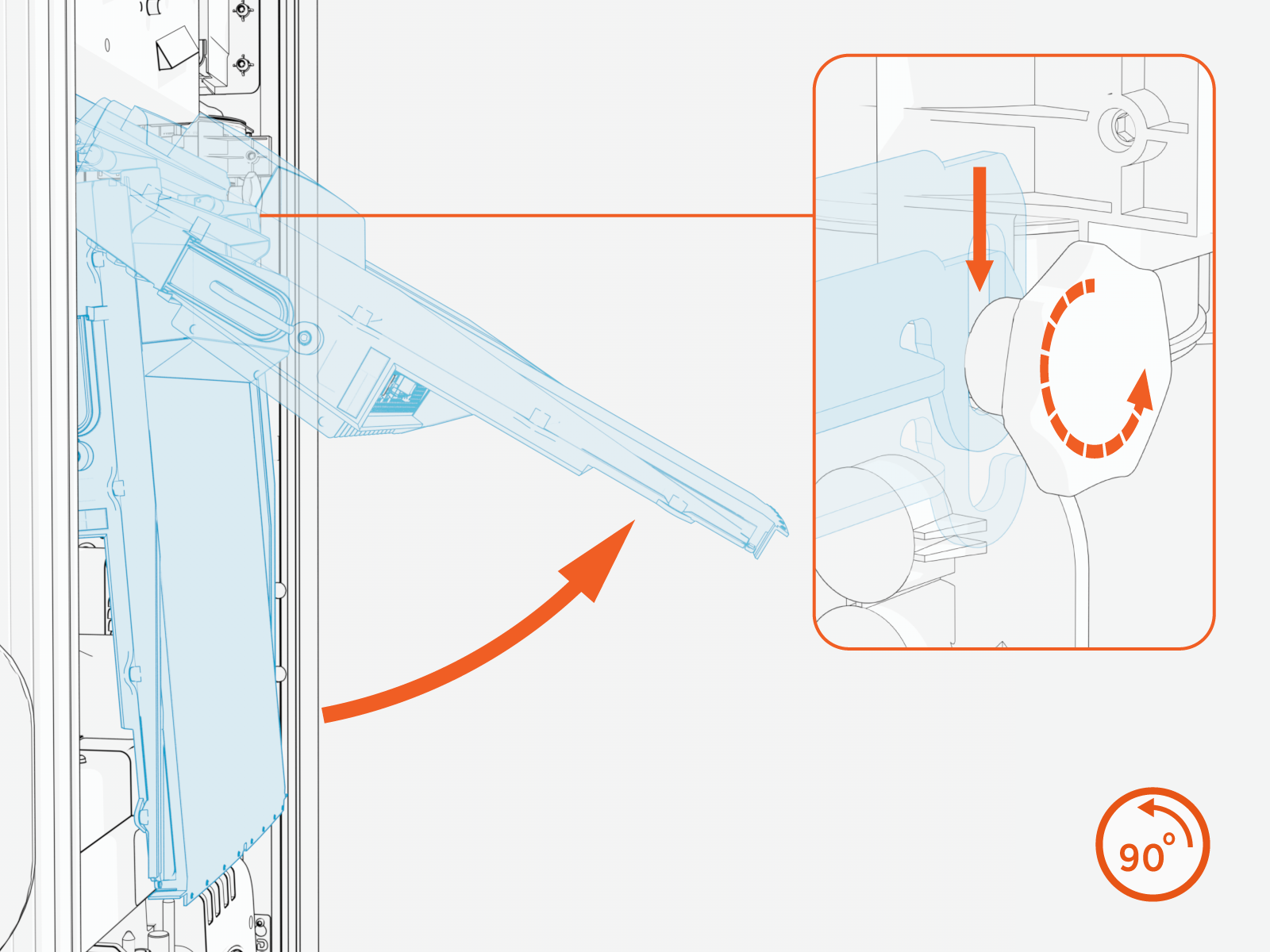
Loosen both retention knobs (a), allowing the touchscreen beam (b) to slide up vertically and the touchscreen’s bottom edge to clear the middle vent panel’s slot (c).
-
With hand pressure, tilt the touchscreen upward at a 45-degree angle.
-
Allow the touchscreen to return to its lowest position vertically. Rotate the retention knobs clockwise to re-tighten.
The bottom edge and corners of the touchscreen are sharp. Take care when moving underneath the raised screen.
-
Locate the station management unit under the touchscreen on the left side of the mount rail (a).
-
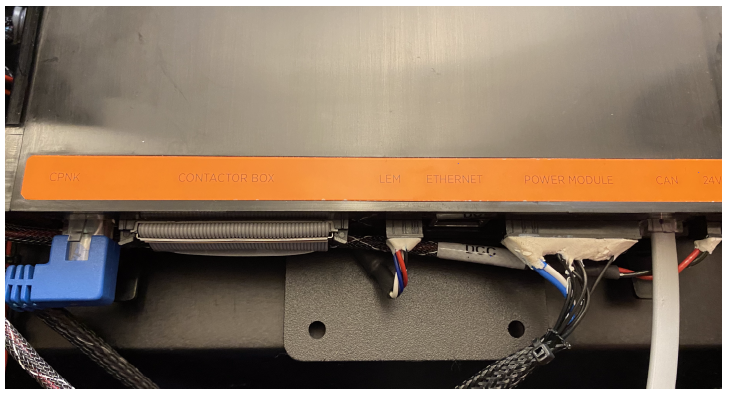
Each cable on the unit has a tab that locks it into position. Disconnect each of the six cables by pushing its tab to release:
-
Contactor Ribbon
-
LEM Current Sensor
-
Power Module
-
CAN Bus
-
24 V
-
Pull the two plastic tabs below the station management unit to release the unit.
-
Pull the station management unit upward to release it from the top rail, then toward you to remove it.

Replace the Station Management Unit
-
Hang the station management unit temporarily on the top rail.
-
Reconnect its six cables according to the labels on the unit cover.
-
Align cable routing behind the unit to ensure it can be pushed from the bottom of the unit on each side. Push until it snaps into place on the bottom rail.
REVERSE THE ABOVE STEPS TO REPLACE THE TOP FRONT PANEL, LED DISPLAY, AND AREA LIGHT BAR.
